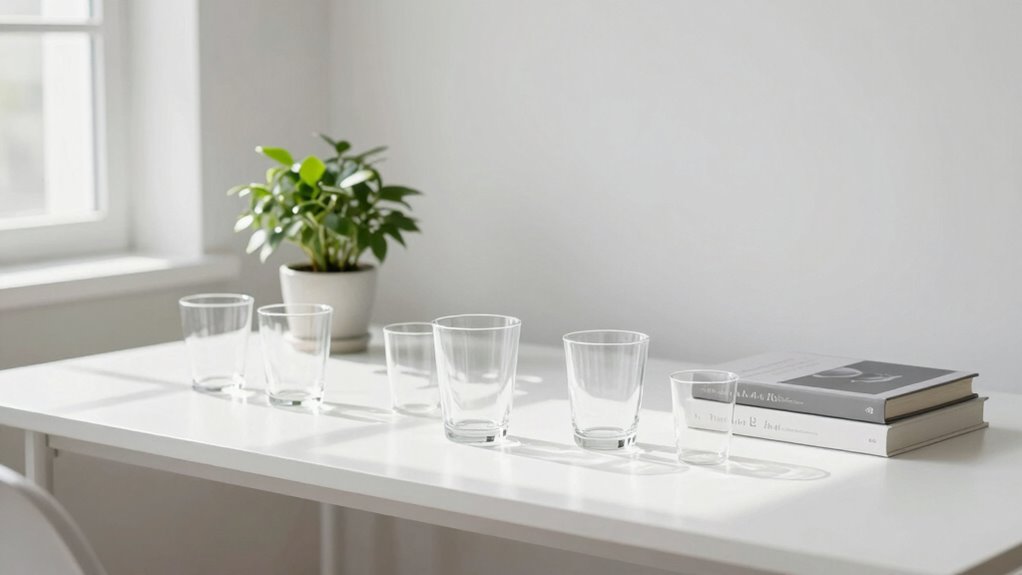

To keep your display setup feeling clean and not overwhelming, focus on simple organization and minimal clutter. Use cable clips and sleeves to tame cords, and keep only essential items visible. Position monitors at eye level and use stands or mounts to save space. Incorporate soft lighting and choose a neutral color palette to promote calmness. Regularly assess your setup and make small adjustments to maintain order—if you want to discover more tips, keep exploring.

Get comfort and recovery gear delivered free — and shop member deals
- Fast, free delivery on millions of items
- Access to Prime Big Deal Days deals on October 6–7
- Prime Video, Amazon Music and more included
Key Takeaways
- Use minimal accessories and decorations to reduce visual clutter.
- Maintain a consistent, simple color palette for a cohesive look.
- Organize cables neatly with clips or sleeves to prevent tangled appearance.
- Position monitors at eye level and keep screens free of unnecessary items.
- Regularly declutter and clear the desk to preserve an open, airy workspace.

A clean display setup not only looks appealing but also enhances your overall workspace efficiency. When everything is organized and thoughtfully arranged, you can focus better and work more comfortably. One of the key elements to achieving this is effective cable management. If your cables are tangled or sprawling across your desk, it creates visual clutter that makes the entire setup feel chaotic. To keep things tidy, use cable clips, sleeves, or ties to bundle and route cables neatly along the back of your desk or monitor stand. Avoid leaving excess slack, which can easily get tangled or fall into disarray. Proper cable management not only improves aesthetics but also prevents accidental disconnects and makes cleaning easier. Additionally, understanding contrast ratio basics can help you optimize your display’s visual clarity and achieve a more uniform appearance. Proper lighting, whether natural or artificial, also plays a crucial role in highlighting a clean workspace, making everything look more organized and inviting.
Effective cable management keeps your workspace tidy, organized, and easier to clean, enhancing both aesthetics and functionality.
Monitor positioning also plays an essential role in creating a clean and uncluttered workspace. Instead of placing your monitor haphazardly, position it at eye level and directly in front of you. This reduces neck strain and creates a sense of order. If you have multiple monitors, arrange them in a way that minimizes clutter—consider using a monitor stand or mount to free up desk space. Keep your monitor free of unnecessary items on the screen or around its base, and avoid stacking papers or gadgets on it. A well-positioned monitor helps your workspace look streamlined and invites a more focused, calming environment. Regularly cleaning your monitor and desk surface also contributes to a clean workspace, making everything feel more organized and inviting.
Beyond cables and positioning, maintaining overall organization contributes notably to a clean setup. Use storage solutions like drawers or desktop organizers to keep accessories, documents, and peripherals out of sight but within reach. Keep only essential items on your desk surface, and regularly clear away clutter. When your workspace is free of excess stuff, your display setup automatically feels more open and less overwhelming. Incorporating minimalistic accessories and choosing a simple color palette can enhance the sense of order and harmony. Implementing workspace organization techniques can further streamline your environment and reduce visual noise. Being mindful of the placement of items and the overall layout can significantly improve your workspace efficiency and create a more calming atmosphere.
Lighting also impacts how clean your setup feels. Natural light is ideal, but if that’s not possible, opt for soft, focused lighting that doesn’t cast unnecessary glare or shadows. Proper lighting not only makes your workspace more inviting but also highlights the neatness of your arrangement. A well-lit workspace can help you easily spot clutter or disorganization that needs addressing.
cable management clips and sleeves
As an affiliate, we earn on qualifying purchases.
As an affiliate, we earn on qualifying purchases.
Frequently Asked Questions
How Often Should I Declutter My Display Area?
You should declutter your display area weekly or whenever it starts to feel overwhelmed. Regular decluttering helps reduce visual clutter, keeping your space organized and inviting. As you do this, consider your personal style to make sure your display remains cohesive and reflects your tastes. Removing unnecessary items and rearranging thoughtfully keeps your setup fresh, clean, and visually appealing without feeling chaotic or overwhelming.
What Storage Solutions Help Maintain a Clean Setup?
Using wall-mounted shelving helps you organize items vertically, freeing up surface space and keeping your setup tidy. Additionally, hidden storage containers are perfect for stashing away clutter without sacrificing style. They keep your display streamlined and prevent visual overload. Combine these solutions to maintain a clean, balanced look, making your space feel open and inviting. Regularly updating and decluttering your storage makes certain everything stays in its place and your setup remains fresh.
How Can Color Coordination Improve Display Organization?
Think of your display as a symphony, where color harmony acts as the melody and visual balance as the rhythm. By coordinating colors thoughtfully, you create a cohesive look that guides the eye smoothly across your setup. This reduces clutter’s chaos, making items feel intentional rather than overwhelming. When each element complements the others, your display exudes calmness and order, turning chaos into harmony effortlessly.
Are There Specific Tools to Hide Cables Effectively?
Yes, there are specific tools you can use to hide cables effectively. Cable management solutions like cable clips, sleeves, and raceways help you organize and conceal cables for a cleaner look. Concealment techniques, such as routing cables behind furniture or inside walls, further reduce clutter. Using cable ties or Velcro straps keeps cords tidy, preventing tangles. These tools and techniques work together to create a streamlined, clutter-free display setup.
How Do I Choose Minimalistic Accessories?
You should choose minimalistic accessories that scream simplicity, not clutter. Think sleek decorative accents that add style without crowding your space, and lighting options that highlight your setup without overwhelming it. Opt for items with clean lines and neutral tones, avoiding anything overly ornate or bulky. By focusing on quality over quantity, you create a setup that feels effortlessly elegant, making your workspace both functional and visually calming.
As an affiliate, we earn on qualifying purchases.
Conclusion
A clean display setup isn’t just about aesthetics; it boosts your productivity and reduces stress. Keep your workspace organized, limit clutter, and choose a simple color scheme. Did you know that a cluttered desk can reduce your focus by up to 40%? By simplifying your display and maintaining order, you create a calming environment that encourages creativity and efficiency. So, take a few moments to tidy up—you’ll notice the difference in your work and mood.
desk organizer for office supplies
As an affiliate, we earn on qualifying purchases.
As an affiliate, we earn on qualifying purchases.
As an affiliate, we earn on qualifying purchases.
Fall Picks
fall essentials
As an affiliate, we earn on qualifying purchases.