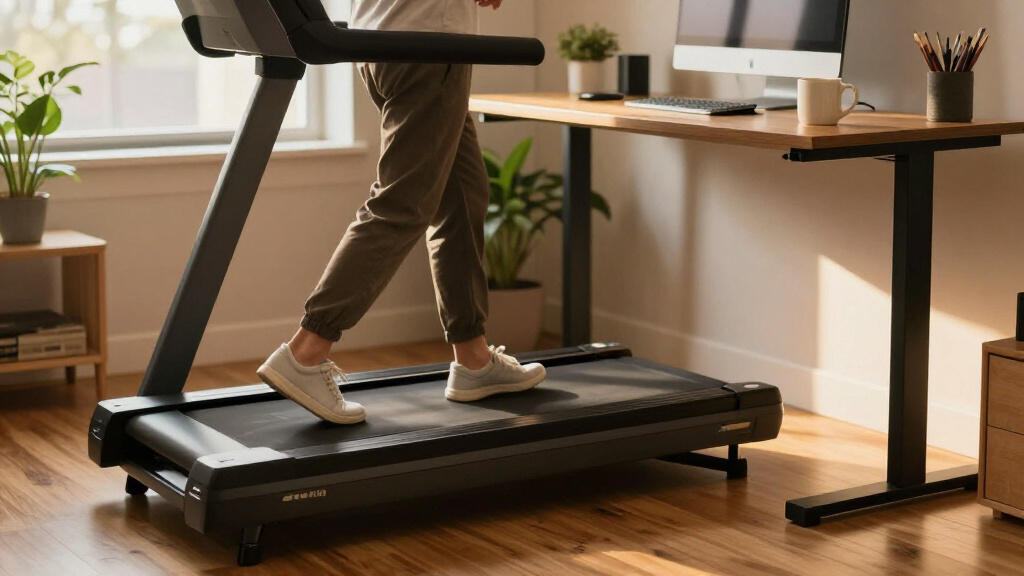

Among these under-desk treadmills, the UREVO Smart Walking Pad stands out as the best overall for shoppers who want adjustable incline and app features, while the NEWBULIG is a straightforward pick with a remote and LED display. For a fixed incline, the Cybergoing T10 offers a distinct option with a Bosch motor. The main tradeoffs are compact storage versus a handlebar for extra support, and simple manual incline versus powered incline and app controls. Match the treadmill to your desk clearance, walking pace, and willingness to adjust settings. Read on for the full comparison, buying advice, and picks for different needs.

Get comfort and recovery gear delivered free — and shop member deals
- Fast, free delivery on millions of items
- Access to Prime Big Deal Days deals on October 6–7
- Prime Video, Amazon Music and more included
Complete the kit


Key Takeaways
- Incline options vary widely: the lineup ranges from manual and fixed inclines to models listing 11% or 12% automatic incline, so buyers should distinguish hands-on adjustment from powered changes.
- Workday controls matter: remote controls and LED displays simplify basic use, while the UREVO adds app features for people who want more connected tracking.
- Handlebars change the fit: several foldable models include a handlebar, which may suit buyers seeking extra support but can take up more space under a desk.
- Compact names do not answer every fit question: the roundup includes several compact and portable options, but buyers still need to check the machine’s dimensions against desk clearance and storage space.
- Specialized features bring tradeoffs: auto incline, fixed incline, and motor claims set some models apart, but a simpler walking pad may be a better match for buyers who prioritize straightforward desk walking.
| Compact Walking Pad Treadmill with 5% Manual Incline |  | Best for Simple Incline Walking | Incline: 5% manual | Design: Compact under-desk walking pad | VIEW LATEST PRICE | See Our Full Breakdown | |
| Foldable Walking Pad Treadmill with Handle Bar |  | Best for Switching Between Desk Walking and Upright Workouts | Speed modes: Walking: 0.6–1.2 MPH; jogging: 1.9–2.5 MPH; running: 3.1–4 MPH | Maximum weight capacity: 264 lb | Motor power: 440 W | VIEW LATEST PRICE | See Our Full Breakdown |
| Yagud Walking Pad Treadmill with Handle Bar |  | Best for Compact, Low-Speed Desk Walking | Speed range: 0.6–3.8 mph | Maximum weight capacity: 220 lb | Dimensions: 47.2 × 19.6 × 4.6 inches | VIEW LATEST PRICE | See Our Full Breakdown |
| Terluxra Foldable Walking Pad Treadmill with Handle Bar |  | Best for Measured Walking and Light Jogging | Motor: 2.0 HP | Speed modes: Walking: 0.6–1.5 MPH; jogging: 1.5–2.5 MPH; running: 2.5–4 MPH | Maximum weight capacity: 110 kg (242 lb) | VIEW LATEST PRICE | See Our Full Breakdown |
| MJWW 6% Incline Under-Desk Walking Pad Treadmill |  | Best for Quiet, App-Connected Incline Walking | Incline: 6% | Speed range: 0.6–3.8 mph | Maximum speed: 3.8 mph | VIEW LATEST PRICE | See Our Full Breakdown |
| Walking Pad Treadmill for Home – Under Desk Portable Compact Walking Machine |  | Best for Easy Storage | Motor: 2.5 HP (500+ W) | Speed range: 1–6 km/h | Weight capacity: 264 lb (120 kg) | VIEW LATEST PRICE | See Our Full Breakdown |
| NEWBULIG Under Desk Walking Pad Treadmill with Remote Control and LED Display |  | Best for Dual-Use Flexibility | Noise level: Under 45 dB | Display: LED: time, speed, distance, and calories | Control: Remote control | VIEW LATEST PRICE | See Our Full Breakdown |
| MJWW Under-Desk Walking Pad with Manual Incline |  | Best for Incline Walking | Motor power: 2.5 HP in description; 10 HP in product information | Speed range: 0.6–3.8 mph | Manual incline: Up to 6% | VIEW LATEST PRICE | See Our Full Breakdown |
| Walking Pad Treadmill with 12% Auto Incline |  | Best for High-Capacity Incline Workouts | Motor: 2.5 HP | Automatic incline: Nine levels, up to 12% | Weight capacity: 450 lb | VIEW LATEST PRICE | See Our Full Breakdown |
| RJOP 2.5HP Under Desk Treadmill with Incline |  | Best for Quiet Light Jogging | Motor power: 2.5 HP | Speed range: 1–4 mph | Incline: 0–8 degrees | VIEW LATEST PRICE | See Our Full Breakdown |
| UREVO Smart Walking Pad Treadmill with 11% Incline and AI App |  | Best for Interactive Incline Training | Incline: 11% | Walking speed: 0.6–4 mph | Running speed: 0.4–6.2 mph | VIEW LATEST PRICE | See Our Full Breakdown |
| Cybergoing T10 Walking Pad Treadmill with Fixed 7% Incline and Bosch Motor |  | Best for Incline Desk Walking | Model: T10 | Motor: Bosch | Maximum user weight: 300 lbs | VIEW LATEST PRICE | See Our Full Breakdown |
| OLIXIS Under-Desk Walking Pad Treadmill |  | Best for Slow, Focused Desk Walking | Speed range: 0.6–3.1 mph | Maximum horsepower: 1.75 hp | Maximum weight recommendation: 200 lbs | VIEW LATEST PRICE | See Our Full Breakdown |
| Compact Under-Desk Walking Pad Treadmill with Remote Control |  | Best for a Quiet Home Office | Speed range: 0.6–4.0 mph | Motor power: 2.0 HP | Running surface: 38 × 90 cm | VIEW LATEST PRICE | See Our Full Breakdown |
| Compact Walking Pad Treadmill with Remote Control |  | Best for Simple, Ready-to-Use Walking | Speed range: 0.6–4.0 mph | Maximum horsepower: 2.5 hp | Maximum weight recommendation: 265 lbs | VIEW LATEST PRICE | See Our Full Breakdown |
| under desk treadmill | Speed range |
|---|---|
| Compact Walking Pad Treadmill | — |
| Foldable Walking Pad Treadmill | — |
| Yagud Walking Pad Treadmill wi | 0.6–3.8 mph |
| Terluxra Foldable Walking Pad | — |
| MJWW 6% Incline Under-Desk Wal | 0.6–3.8 mph |
| Walking Pad Treadmill for Home | 1–6 km/h |
| NEWBULIG Under Desk Walking Pa | — |
| MJWW Under-Desk Walking Pad wi | 0.6–3.8 mph |
| Walking Pad Treadmill with 12% | — |
| RJOP 2.5HP Under Desk Treadmil | 1–4 mph |
| UREVO Smart Walking Pad Treadm | — |
| Cybergoing T10 Walking Pad Tre | 0.6–4 mph |
| OLIXIS Under-Desk Walking Pad | 0.6–3.1 mph |
| Compact Under-Desk Walking Pad | 0.6–4.0 mph |
| Compact Walking Pad Treadmill | 0.6–4.0 mph |
More Details on Our Top Picks
Compact Walking Pad Treadmill with 5% Manual Incline
The 5% manual incline gives this compact pad a clear purpose: add effort to steady walks without relying on app controls or a more elaborate setup. Compared with the MJWW 6% Incline Under-Desk Walking Pad, it offers a slightly gentler grade, while the MJWW provides a stated speed range and app and remote controls. Here, the supplied details focus on the incline and under-desk footprint, so buyers get less information about speed, capacity, and tracking before choosing. The manual adjustment may suit someone who prefers a straightforward workout, but it is less convenient for changing intensity during a session. This pick makes most sense for desk users who want a modest walking challenge and have confirmed the treadmill’s fit and operating details with the seller.
Pros:- 5% manual incline adds effort to walking
- Compact design is intended for under-desk use
- Simple incline setup avoids dependence on app features
Cons:- Manual incline is less convenient to adjust during a walk
- No speed range or maximum speed is specified
- Weight capacity and tracking features are not listed
Best for: Desk workers who want a compact walking pad with a fixed, manually set incline for more demanding walks
Not ideal for: Buyers who need a specified speed range, weight limit, display, or quick electronic incline changes, since those details are not provided
- Incline:5% manual
- Design:Compact under-desk walking pad
Our verdict“Choose it for straightforward inclined desk walking if its unspecified speed and capacity details meet your needs.”
Foldable Walking Pad Treadmill with Handle Bar
The removable handle bar gives this model more flexibility than a walking-only pad: leave it off for under-desk use, then attach it for a more supported session. Its 0.6–4 MPH modes cover walking and light jogging, though the 4 MPH ceiling makes it a poor fit for sustained running. Compared with the Yagud Walking Pad Treadmill with Handle Bar, it has a higher stated weight capacity at 264 pounds and a wider set of speed modes; Yagud lists a 3.8 MPH maximum. The 90 × 38 cm running area is compact, so stride room may feel limited, and folding requires unscrewing bolts. Remote control, an LED display, and built-in wheels help with everyday use and storage, but this is not a quick-fold option.
Pros:- Removable handle bar allows under-desk and upright configurations
- Speed modes span walking through light jogging
- 264 lb stated weight capacity exceeds the Yagud model’s 220 lb limit
- Remote, LED metrics display, and built-in wheels support convenient daily use
Cons:- Maximum speed of 4 MPH is limited for running
- Compact 90 × 38 cm running area may constrain longer strides
- Folding requires unscrewing bolts
Best for: Home workers who want one compact machine for desk walking and occasional light jogging with a removable support bar
Not ideal for: Runners seeking higher speeds, a roomy belt, or tool-free folding for frequent storage
- Speed modes:Walking: 0.6–1.2 MPH; jogging: 1.9–2.5 MPH; running: 3.1–4 MPH
- Maximum weight capacity:264 lb
- Motor power:440 W
- Frequency:50–60 Hz
- Running area:90 × 38 cm
- Folded dimensions:104 × 48.7 × 10.5 cm
- Belt:5-layer non-slip belt
- Display and controls:LED display for time, speed, calories, and distance; remote control; pause function retains data for up to 10 minutes
- Other features:Removable handle bar, detachable phone holder, built-in wheels
Our verdict“Pick this for a versatile desk-and-jogging setup if you can accept a compact belt and bolt-based folding.”
Yagud Walking Pad Treadmill with Handle Bar
At 47.2 × 19.6 × 4.6 inches, the Yagud is a slim choice for buyers who need to roll a walking pad under a bed or sofa after work. Its handle bar, remote, and LED readout keep core controls close at hand, while the 5-layer belt and silicone shock absorbers add cushioning underfoot. Against the Foldable Walking Pad Treadmill with Handle Bar, Yagud has a slightly lower listed top speed at 3.8 MPH and a lower 220-pound capacity; the other model reaches 4 MPH and supports 264 pounds. That makes Yagud a better match for deliberate walking than mixed walking and jogging. Its compact storage profile is useful, but the stated capacity and speed limit narrow the range of buyers it suits.
Pros:- Slim 4.6-inch profile and transport wheels support storage under furniture
- Remote control and LED display provide basic workout feedback
- 5-layer non-slip belt and silicone shock absorbers add cushioning
- Handle bar offers support outside under-desk use
Cons:- 220 lb capacity is lower than the Foldable Walking Pad model’s 264 lb limit
- 3.8 MPH top speed is restrictive for running
- Running area dimensions are not specified
Best for: Apartment or home-office users who prioritize a slim, wheeled pad for regular walking and weigh within its 220 lb capacity
Not ideal for: Users above 220 lb or anyone seeking faster jogging and running sessions
- Speed range:0.6–3.8 mph
- Maximum weight capacity:220 lb
- Dimensions:47.2 × 19.6 × 4.6 inches
- Display:LED for speed, distance, time, and calories
- Control:Remote control
- Belt:5-layer non-slip belt
- Shock absorption:Silicone shock absorbers
- Other features:Handle bar and transportation wheels
Our verdict“Choose Yagud for compact, low-speed walking and easy storage if its 220 lb capacity suits you.”
Terluxra Foldable Walking Pad Treadmill with Handle Bar
Terluxra’s three stated speed bands make it easier to see where it fits: walking up to 1.5 MPH, jogging to 2.5 MPH, and running up to 4 MPH. In practice, that range positions it for desk walking and brief light jogs rather than serious running. Compared with the Yagud Walking Pad Treadmill with Handle Bar, Terluxra lists a higher 242-pound capacity and reaches 4 MPH, while Yagud tops out at 3.8 MPH and supports 220 pounds. Terluxra adds folding, front rollers, remote speed control, and shock absorption for practical home use. Its maximum capacity is still below the 264 pounds listed for the Foldable Walking Pad Treadmill with Handle Bar, and no dimensions are supplied to judge storage fit.
Pros:- Walking, jogging, and running bands clarify its intended pace range
- Foldable design and front rollers help with storage and repositioning
- Remote control and LED display make adjustments and tracking accessible
- Shock absorption and noise reduction are aimed at home and office use
Cons:- 4 MPH maximum limits sustained running
- 242 lb capacity is lower than the other foldable handle-bar model’s 264 lb rating
- Dimensions and belt area are not specified
Best for: Home-office users who want a foldable pad for walking and occasional light jogging, with a stated capacity up to 242 lb
Not ideal for: Heavier users above 242 lb, runners wanting speeds beyond 4 MPH, or buyers who need exact folded dimensions before purchase
- Motor:2.0 HP
- Speed modes:Walking: 0.6–1.5 MPH; jogging: 1.5–2.5 MPH; running: 2.5–4 MPH
- Maximum weight capacity:110 kg (242 lb)
- Display:LED; tracks speed, distance, time, and calories
- Controls:Remote control
- Storage:Foldable design with front rollers
- Other features:Shock absorption and noise reduction
Our verdict“Terluxra suits desk users who want occasional light jogging and folding storage within a 242 lb capacity.”
MJWW 6% Incline Under-Desk Walking Pad Treadmill
The MJWW combines a 6% incline with a stated 300-pound capacity, giving it a stronger case for varied, higher-effort walking than the basic compact pad with a 5% manual incline. Its 2.5 HP motor is rated below 45 dB, while remote and PitPat app controls allow speed changes without reaching down. The app adds workout plans and an AI coach, though those features depend on a compatible device and may be unnecessary for buyers who just want to walk while working. At 3.8 MPH maximum, it remains a walking-focused machine; the handle-bar models in this batch reach 4 MPH and offer upright support. Its 41-pound weight and 4.5-inch profile help with storage, but it is still a piece of equipment to move and stow.
Pros:- 6% incline adds intensity to walking sessions
- 300 lb capacity is higher than the listed handle-bar models in this batch
- Under-45 dB motor rating suits shared home or office spaces
- Slim 4.5-inch profile, wheels, and no-assembly setup support storage and setup
Cons:- 3.8 MPH maximum is not suited to faster running
- App features require a compatible device
- At 41 lb, moving it still takes some effort
Best for: Desk walkers who want a quiet inclined workout, app-guided plans, and a higher stated weight capacity
Not ideal for: Runners seeking speeds above 3.8 MPH or buyers who do not want app-dependent smart features
- Incline:6%
- Speed range:0.6–3.8 mph
- Maximum speed:3.8 mph
- Motor:2.5 HP
- Noise level:Under 45 dB
- Weight capacity:300 lb
- Product weight and profile:41 lb; 4.5 in high
- Controls:Remote control and PitPat app
- Assembly:No assembly required
Our verdict“Choose MJWW for quiet, app-guided incline walking and a 300 lb capacity, provided 3.8 MPH is enough.”
Walking Pad Treadmill for Home – Under Desk Portable Compact Walking Machine
Its slim profile and low 16 kg weight make this walking pad a practical pick for buyers who need to clear floor space after work. At 109 × 50 × 11 cm, it can slide under a bed or desk, and transport wheels help move it between rooms. Unlike the NEWBULIG Under Desk Walking Pad, which has a dual-use handle design, this model is focused on compact walking rather than switching between desk use and standalone workouts. The remote and no-assembly setup keep daily use simple, while the shock-absorbing belt adds comfort for steady, low-speed walks. The tradeoff is a 1–6 km/h speed range and a relatively narrow 38.5 cm walking area, so it is less suitable for faster workouts or users who want more room for each step.
Pros:- Slim 11 cm height and transport wheels simplify storage and moving it between rooms.
- No assembly is required, and the remote allows basic operation without reaching for onboard controls.
- Five-layer anti-slip belt and shock absorption support comfortable walking.
- LED display shows speed, distance, time, and calories.
Cons:- The 6 km/h maximum keeps it to walking rather than running.
- The 38.5 × 94 cm walking area may feel cramped for users with longer strides.
Best for: Apartment dwellers and desk workers who want a lightweight walking pad they can tuck under a bed or desk between sessions.
Not ideal for: Taller users or anyone seeking faster exercise, since its walking surface is narrow and its top speed is 6 km/h.
- Motor:2.5 HP (500+ W)
- Speed range:1–6 km/h
- Weight capacity:264 lb (120 kg)
- Dimensions:109 × 50 × 11 cm
- Walking area:38.5 × 94 cm
- Product weight:Approximately 16 kg
- Display:LED: speed, distance, time, and calories
- Setup and mobility:No assembly required; remote control and transport wheels
Our verdict“Choose this model if compact storage and straightforward desk walking matter more than a roomy belt or higher speeds.”
NEWBULIG Under Desk Walking Pad Treadmill with Remote Control and LED Display
The dual-use handle design gives this walking pad a different role from the storage-first Walking Pad Treadmill for Home: it can serve as an under-desk option or a standalone fitness machine. That flexibility suits buyers who want one unit for workday walking and occasional exercise away from the desk. Its under-45 dB operation is a useful fit for shared rooms, while the LED display and remote cover basic tracking and control. Fold-flat storage and transport wheels make it easier to put away than a fixed-handle treadmill. The product details, however, do not give a specific speed range or dimensions, so it is difficult to judge how well its footprint or pace will suit a particular user. The description also limits its running appeal: its small footprint may not fit taller users comfortably.
Pros:- Dual-use handle design supports under-desk walking and standalone use.
- Noise level is listed below 45 dB for use around other people.
- Folds flat and has transport wheels for moving and storage.
- No assembly is required; remote and LED display provide convenient control and tracking.
Cons:- The small footprint may not give taller users enough room for running.
- No specific speed range or dimensions are provided, making fit and pace harder to assess.
Best for: Home workers who want a quiet walking pad that can also be used as a standalone machine when they are away from the desk.
Not ideal for: Taller users or buyers planning regular running, because the small footprint may restrict stride and the listed details do not specify a speed range.
- Noise level:Under 45 dB
- Display:LED: time, speed, distance, and calories
- Control:Remote control
- Design:Dual-use handle; foldable
- Belt:Anti-slip
- Mobility:Transport wheels
- Assembly:No assembly required
- Color:Black and silver
Our verdict“Pick NEWBULIG if you value handle-based flexibility and quiet operation more than clearly specified size and speed limits.”
MJWW Under-Desk Walking Pad with Manual Incline
A 6% manual incline gives this MJWW a clear purpose: adding uphill effort to walking without relying on an automatic incline system. Its stated 0.6–3.8 mph speed range spans gentle pacing through brisk walking, while the 300 lb capacity is higher than the 264 lb limit on the compact Walking Pad Treadmill for Home. The five-layer shock-absorbing belt, below-45 dB noise rating, and assembled delivery support low-fuss home use. In exchange for those advantages, the incline must be set manually, so it cannot be changed on the fly like the Walking Pad Treadmill with 12% Auto Incline. The listed dimensions of 65 × 85 × 75 inches also raise a fit concern: they do not read like a compact under-desk footprint, so buyers should verify the measurements before planning storage.
Pros:- Manual incline reaches 6% for more demanding walking than a flat belt.
- Stated weight capacity of 300 lb exceeds that of the compact Walking Pad Treadmill for Home.
- Ships fully assembled and has built-in wheels.
- Five-layer shock-absorbing belt and below-45 dB operation support home use.
Cons:- Manual incline cannot be adjusted during a walk from the controls.
- The listed 65 × 85 × 75 inch dimensions appear unusually large for an under-desk walking pad.
- Motor power is inconsistent across the product data: 2.5 HP in the description and 10 HP in product information.
Best for: Walkers who want a manual uphill setting and a stated 300 lb capacity, and who have checked that the listed dimensions fit their space.
Not ideal for: Desk workers who need automatic incline changes during a session or buyers relying on a compact footprint for under-furniture storage.
- Motor power:2.5 HP in description; 10 HP in product information
- Speed range:0.6–3.8 mph
- Manual incline:Up to 6%
- Weight capacity:300 lb
- Noise level:Below 45 dB
- Belt:Five-layer, non-slip, shock-absorbing
- Dimensions:65 × 85 × 75 in (as listed)
- Setup and mobility:Ships fully assembled; built-in wheels
Our verdict“Choose this MJWW for a manual incline and higher stated capacity only after confirming its size and motor specifications with the seller.”
Walking Pad Treadmill with 12% Auto Incline
Nine automatic incline levels up to 12% make this the most workout-focused choice in this batch. The adjustable grade can add variety to a walking session without requiring the user to stop and set the incline manually, as with the MJWW Under-Desk Walking Pad with Manual Incline, which tops out at 6%. Its 450 lb capacity is also the highest stated here, and the double-deck cushioning with silicone absorbers aims to soften each step. Bluetooth audio, FitYo coach-led courses, and an RGB metrics display add guided-workout features that the simpler compact models lack. The tradeoff is that the supplied data omits both maximum speed and belt dimensions, making it harder to judge desk fit and stride room. Noise is described only as quiet, without a decibel figure.
Pros:- Nine automatic incline levels reach 12%, offering more adjustment than the MJWW’s 6% manual incline.
- 450 lb stated capacity is the highest among these five products.
- Bluetooth audio and FitYo app access include coach-led courses.
- Double-deck structure, four silicone absorbers, and a five-layer belt provide cushioning features.
Cons:- Maximum speed and walking-surface dimensions are not provided.
- No specific noise rating is listed, which makes shared-room suitability harder to compare.
- Automatic incline and app features add complexity compared with simpler, storage-focused walking pads.
Best for: Users who want automatic grade changes, guided walking sessions, and a high stated weight capacity in a home treadmill.
Not ideal for: Buyers who need confirmed under-desk clearance, a known belt size, or a documented noise level before choosing equipment for a shared office.
- Motor:2.5 HP
- Automatic incline:Nine levels, up to 12%
- Weight capacity:450 lb
- Cushioning:Double-deck structure with four silicone absorbers
- Belt:Five-layer anti-slip belt
- Display:RGB LED: speed, calories, time, distance, and incline level
- Connectivity:Bluetooth audio and FitYo app access
- Warranty:3 years
Our verdict“Choose this model for automatic incline variety and high stated capacity if its unlisted speed, belt size, and noise level meet your needs.”
RJOP 2.5HP Under Desk Treadmill with Incline
The 1–4 mph range gives the RJOP more pace flexibility than the 6 km/h ceiling of the Walking Pad Treadmill for Home, while remaining aimed at walking and light jogging rather than serious running. Its 0–8 degree incline lets users vary effort, and the 2.5 HP motor and under-45 dB rating suit home or office sessions where noise matters. Bluetooth app connectivity adds workout tracking beyond the basic remote-and-display setup of the Walking Pad Treadmill for Home. This wider range of workout features comes with a larger stated footprint of 43.5 × 18.1 × 4.3 inches, so it may be less convenient to tuck away than a slimmer pad. Its 270 lb capacity is also lower than the MJWW’s stated 300 lb limit.
Pros:- 1–4 mph range accommodates walking and light jogging.
- Incline adjusts from 0 to 8 degrees for varied effort.
- Under-45 dB rating suits shared home or office spaces.
- Bluetooth app connectivity, LED display, and remote support workout tracking and control.
Cons:- The 4 mph maximum is too low for serious running.
- Its 270 lb capacity is below the MJWW’s stated 300 lb capacity.
- At 18.1 inches wide and 43.5 inches deep, it may be less convenient to store than slimmer walking pads.
Best for: Desk workers who want quiet walking with occasional light jogging, incline adjustments, and app-based tracking.
Not ideal for: Serious runners or users needing a higher capacity than 270 lb; its top speed is limited to 4 mph.
- Motor power:2.5 HP
- Speed range:1–4 mph
- Incline:0–8 degrees
- Noise level:Below 45 dB
- Maximum user weight:270 lb
- Dimensions:43.5 × 18.1 × 4.3 in
- Frame:Alloy steel
- Connectivity and display:Bluetooth; LED display
Our verdict“Pick the RJOP if you want a quiet, incline-equipped walking pad that can handle light jogging, but not full-speed running.”
UREVO Smart Walking Pad Treadmill with 11% Incline and AI App
The UREVO suits desk walkers who want a steeper workout and app-led variety in one compact machine. Its 11% incline gives walking more effort than the Cybergoing T10’s fixed 7% grade, while the UREVO also offers a running mode up to 6.2 mph. That range adds flexibility for short runs, though it remains modest for runners who want faster training. The AI app adds route simulations, music syncing, and Apple Health and Google Fit connections; those extras make the most sense if you enjoy tracking and guided sessions, and they depend on app connectivity. At 44 pounds, with tool-free folding in three seconds and transport wheels, it is easier to store than a more permanent treadmill setup. Its narrower focus on connected features may be unnecessary for buyers who just want simple desk walking.
Pros:- 11% incline adds a steeper walking challenge than the Cybergoing T10’s 7% grade
- Walking and running modes provide more range than walking-only pads
- 44-pound weight and three-second tool-free folding support frequent storage
- App offers route simulations, music syncing, and Apple Health and Google Fit connections
Cons:- 6.2 mph top running speed may feel restrictive for faster workouts
- Advanced app features depend on connectivity
- Extra running and app features may be unnecessary for buyers focused only on desk walking
Best for: Desk workers who want steep incline walks, occasional light running, and app-guided workouts in a pad they can store between sessions
Not ideal for: Runners seeking high-speed training or buyers who prefer a treadmill that works without app-dependent features
- Incline:11%
- Walking speed:0.6–4 mph
- Running speed:0.4–6.2 mph
- Weight:44 lbs
- Fold time:3 seconds
- Connectivity:Apple Health and Google Fit
- Features:AI app, route simulations, beat-matched music sync, transport wheels
Our verdict“Choose the UREVO if you want a portable walking pad with a steep incline and connected workouts, and skip it if your priority is fast running or simple controls.”
Cybergoing T10 Walking Pad Treadmill with Fixed 7% Incline and Bosch Motor
The Cybergoing T10 is aimed at buyers who want a more demanding walking pace without a handrail or running setup. Its fixed 7% incline adds effort to desk breaks and steady walks, while the Bosch motor and 300-pound user capacity distinguish it from the OLIXIS pad, which tops out at 3.1 mph and has a 200-pound recommendation. The T10’s speed range reaches 4 mph, enough for brisk walking but not running. Its incline is manual and fixed, so it requires setup and cannot be changed mid-walk; buyers who want workout variety at the touch of a control may prefer the UREVO’s steeper incline and dual modes. A 15-by-36-inch belt and slim, handrail-free frame help it fit compact home setups, though that belt may feel short for longer strides.
Pros:- Fixed 7% incline adds effort without a bulky frame
- 300-pound maximum user weight is higher than the OLIXIS recommendation
- Bosch motor and app or remote controls support straightforward walking sessions
- Handrail-free compact design can fit under a desk and store away
Cons:- Manual fixed incline cannot be adjusted on the fly
- 4 mph maximum supports walking and brisk walking, not running
- 15-by-36-inch belt may feel short for users with longer strides
Best for: Home desk workers who want an inclined brisk-walking routine, need a 300-pound capacity, and do not need running speeds
Not ideal for: Users who want adjustable incline during a workout, a longer belt, or the option to run
- Model:T10
- Motor:Bosch
- Maximum user weight:300 lbs
- Speed range:0.6–4 mph
- Incline:Fixed 7% manual
- Belt size:15 × 36 in
- Controls:App and remote
- Warranty:12 months
Our verdict“Pick the Cybergoing T10 for compact, inclined walking with a higher stated weight capacity, provided its fixed grade and short belt suit your routine.”
OLIXIS Under-Desk Walking Pad Treadmill
For buyers whose main goal is gentle movement during desk work, the OLIXIS keeps the feature set simple: a 0.6–3.1 mph range, remote speed control, and an LED display for basic workout metrics. Its lower ceiling makes it less suited to brisk walking than the Cybergoing T10, which reaches 4 mph, but it may fit better for a slow office pace where concentration matters more than workout intensity. The 42.2-inch length and 3.58-inch height give it a low profile, while the non-slip belt and safety key address basic use and stopping needs. The safety key must stay attached during operation, which can be inconvenient if it catches on clothing or shifts out of place. At a 200-pound stated limit, it also accommodates less than the T10.
Pros:- Low-profile 3.58-inch height is suited to placement under a desk
- Remote control adjusts speed without bending to the treadmill
- LED display tracks time, speed, distance, and calories
- Non-slip belt and safety key provide basic walking safeguards
Cons:- 3.1 mph maximum is slower than the Cybergoing T10 and limits brisk walking
- 200-pound maximum weight recommendation is lower than the T10’s 300-pound capacity
- Safety key must remain attached during use
Best for: Office workers who want a low-profile pad for slow walking while working and value simple remote controls and basic progress tracking
Not ideal for: Users who want brisk walking, running, a higher weight capacity, or a setup without an attached safety key
- Speed range:0.6–3.1 mph
- Maximum horsepower:1.75 hp
- Maximum weight recommendation:200 lbs
- Dimensions:42.2 × 19.21 × 3.58 in (D × W × H)
- Display:LED: time, speed, distance, and calories
- Material:Alloy steel
- Color:Silver
- Additional features:Remote control, non-slip belt, safety key, silicone oil
Our verdict“Choose the OLIXIS for slow, low-profile desk walking with simple tracking, but look elsewhere if you need a brisk pace or higher capacity.”
Compact Under-Desk Walking Pad Treadmill with Remote Control
This pad makes the most sense for home-office buyers who want a simple walking range and put a premium on quiet operation. The listed 45 dB noise level and 2.0 HP motor are aimed at shared rooms and work calls, while the remote lets users adjust speed without interrupting a desk setup. Its 0.6–4 mph range matches the Cybergoing T10 for walking pace but leaves out that model’s fixed incline and higher stated capacity. The five-layer anti-slip belt and cushioning are intended to soften footfalls, and the slim 4-inch listed profile helps with storage. Product data conflict on both weight and maximum user capacity, including an implausible 2 kg capacity listing, so I would not rely on those figures to decide whether it fits a particular user. That uncertainty makes it a less confident pick than the better-specified options.
Pros:- Listed 45 dB noise level is aimed at quieter home and office use
- Remote control supports convenient speed changes
- Five-layer anti-slip belt and cushioning are designed for comfortable walking
- Compact 40 × 19-inch footprint and listed 4-inch profile aid storage
Cons:- Product data conflict on maximum user weight, listing both 265 lbs and 2 kg
- Item weight is also inconsistent at 17 kg and 15.5 kg
- No incline is listed, unlike the Cybergoing T10 and UREVO
Best for: Home-office users who want remote-controlled walking at up to 4 mph and prioritize a listed low noise level
Not ideal for: Buyers who need a dependable weight limit or item weight before purchase, or who want incline training
- Speed range:0.6–4.0 mph
- Motor power:2.0 HP
- Running surface:38 × 90 cm
- Dimensions:40 × 19 × 4 in
- Listed noise level:45 dB
- Maximum weight recommendation:Conflicting listings: 265 lbs and 2 kg
- Item weight:Conflicting listings: 17 kg and 15.5 kg
- Included items:Remote control, lubricant, hex wrench, power cord, user manual
Our verdict“Consider this pad for quiet, straightforward desk walking if the inconsistent capacity and weight details do not affect your decision.”
Compact Walking Pad Treadmill with Remote Control
This compact walking pad favors easy setup over training extras: it requires no assembly, has transport wheels, and covers a practical 0.6–4 mph walking range. That makes it a more straightforward pick than the UREVO, whose incline and connected workouts add capability but also app dependence. The LED display tracks time, speed, distance, and calories, while the remote handles speed changes and pausing without reaching for the unit. A 40-by-19.2-inch footprint and 4.1-inch height suit storage under furniture, though its 265-pound stated recommendation and walking-focused top speed define its limits. Like the OLIXIS, it is meant for walking rather than running; unlike that slower pad, it reaches 4 mph for brisker sessions. Buyers seeking incline or faster running should choose a different category of treadmill.
Pros:- No assembly required, making setup simple
- Transport wheels and compact dimensions help with storage
- Remote and LED display support convenient control and basic workout tracking
- 0.6–4 mph range accommodates slow through brisk walking
Cons:- 4 mph maximum is intended for walking rather than running
- 265-pound maximum weight recommendation may rule it out for some users
- No incline is listed, unlike the Cybergoing T10 and UREVO
Best for: People who want a no-assembly walking pad for home use that can be wheeled under furniture and operated with a remote
Not ideal for: Runners seeking faster training, users who need incline, or buyers whose body weight exceeds the listed 265-pound recommendation
- Speed range:0.6–4.0 mph
- Maximum horsepower:2.5 hp
- Maximum weight recommendation:265 lbs
- Dimensions:40 × 19.2 × 4.1 in (D × W × H)
- Material:Carbon steel
- Display metrics:Time, speed, distance, and calories
- Power source:Corded electric
- Included accessories:Remote control, lubricating oil, hex wrench, user manual
Our verdict“Choose this model for uncomplicated, ready-to-use desk walking and easy storage, provided you do not need incline or running speeds.”
How We Picked
I compared these 15 under-desk treadmills on the details most likely to shape a workday: incline type, controls, portability cues, handlebar design, and stated motor or app features. I gave more weight to features that have a clear use case, such as remote controls for adjusting speed without reaching down or a foldable handlebar for people who want an alternate setup.
The ranking favors options with a useful balance of desk-friendly operation and meaningful versatility. Models with distinct features, such as the UREVO’s app and listed 11% incline or the Cybergoing T10’s fixed 7% incline and Bosch motor, earn attention for specific buyers, while simpler compact models suit those who want fewer controls. Product names alone do not establish dimensions, noise, weight capacity, or warranty; shoppers should confirm those specifications with the seller before choosing.
Factors to Consider When Choosing Under Desk Treadmills
Before choosing a walking pad, consider how it will fit into your workday and your room. A feature that sounds appealing can be inconvenient if it competes with desk clearance, storage, or the attention your tasks require.
Match the Incline to Your Work Routine
Incline adds effort, but it can also make typing and focused work feel less steady if you set it too aggressively. Manual incline requires you to stop and adjust the machine, while automatic incline can be easier to change during a session; fixed incline keeps things simple but gives you less control. Think about whether you will actually change incline while working or prefer to set it before a walk. A common mistake is choosing the largest incline figure without considering how it affects balance and pace. If you plan to spend most sessions answering messages or reading, predictable, low-effort walking may matter more than climbing capability. Check how the manufacturer defines its incline percentage and adjustment method before comparing models.
Measure the Desk and the Storage Route
Measure the height from the floor to the underside of your desk, then account for your shoes and the treadmill’s deck height. Also check the machine’s full length and width against the space where you expect to walk, including room to step on and off. If you plan to store it between sessions, measure doorways, closets, and the route to its storage spot rather than relying on the word compact. A handlebar may provide a useful handhold, but it can affect desk clearance and storage dimensions. Check the product’s listed weight and whether it has transport wheels; portability depends on moving the treadmill, not just its footprint. Leave enough space around the belt for safe access.
Choose Controls That Fit Your Attention
Remote controls can make speed changes easier without interrupting your typing, while an LED display gives a quick view of the machine’s readouts. App features may suit people who want connected controls or activity information, but they add little if a phone is unwelcome at the desk. Consider whether the controls can be used without looking away from your screen and whether the remote has a place to stay between uses. A common buying mistake is prioritizing a long feature list over controls that are easy to reach. For shared workspaces, simpler controls may be easier for several people to understand. Verify what the display and app actually track before treating them as training tools.
Think Through Noise and Desk Stability
Walking while typing involves more than treadmill noise: belt movement can also shift your posture or make a lightweight desk feel unstable. Product titles rarely give enough information to judge noise, vibration, or how smoothly a belt runs, so look for clear manufacturer details and policies that let you address a poor fit. If you take calls, place particular value on noise information and consider where the machine will sit relative to a microphone and other people. A standing desk should feel stable at the height you use while walking. Start with a walking pace that lets you stay balanced and work comfortably, then adjust gradually. Do not assume a motor’s stated horsepower alone tells you how quiet or steady the treadmill will feel.
Set Your Priorities Before Paying for Extra Features
Extra incline settings, app controls, and specialized motor claims make sense when you expect to use them regularly. If your goal is light walking during desk tasks, a remote and a clear display may address your needs with less setup. Buyers who want varied walking sessions may prefer adjustable incline, while someone with limited storage may value a simpler compact design. Compare the specifications that affect daily use, including belt dimensions, maximum user weight, machine weight, and warranty terms. These details are not fully established by every product name in this roundup, so confirm them before buying. Spend more only when the added feature solves a specific problem for your routine or space.
Plan for Safe, Sustainable Use
An under-desk treadmill works best when your desk setup lets you walk without hunching, overreaching, or losing balance. Check that your keyboard and screen remain comfortable to use while standing, and keep the treadmill’s stop control within reach. Begin with short sessions at a pace that leaves you able to focus; long, fast walks can be a poor fit for detailed tasks. Keep the floor around the machine clear of cables and other trip hazards. If you have balance concerns or a health condition that affects exercise, seek guidance from a qualified professional before using an inclined walking pad. A routine you can repeat comfortably is more useful than a demanding setup you avoid.
Frequently Asked Questions
Is an automatic incline worth choosing for walking while I work?
Automatic incline can make it easier to vary effort without stopping to adjust the machine, which is useful if you expect to change your walking routine during a session. It may be unnecessary if you prefer a steady, low-intensity pace while concentrating on work. Compare how incline affects your balance and typing comfort, not just the maximum percentage listed. The UREVO and the model named with 12% auto incline advertise powered incline features, while manual and fixed-incline models offer different levels of adjustment. Confirm the control method and incline range in the current product specifications.
Should I choose a treadmill with a handlebar for desk walking?
A handlebar can provide a handhold when stepping on or off and may help buyers who prefer extra support. It can also take up space and interfere with desk clearance, depending on the design and how the handlebar folds. For a desk setup, check the height and width with the bar in the position you plan to use. A handlebar does not replace checking the machine’s stability or following its safety instructions. If your space is tight, compare the folded dimensions before choosing a bar-equipped model.
Can I use an under-desk treadmill on calls and while typing?
Many people can handle light walking during routine computer tasks, but pace, noise, and desk stability affect how practical it feels. Detailed typing or calls may be harder if the belt movement changes your posture or the motor sound reaches your microphone. Start with short, slow sessions and see whether your work quality and comfort hold up. Check the seller’s information on noise and belt size, since product titles do not establish how quiet a model is. You may prefer to reserve walking for reading, email, or other tasks that tolerate more movement.
How do I know whether a walking pad will fit under my desk?
Measure the clearance under the desk and compare it with the treadmill’s deck height, while leaving room for your shoes and natural posture. Check the full belt area and machine footprint against your available floor space, including access to step on and off. If the treadmill has a handlebar, verify the measurements in both its working and folded positions. Also check where you will store it and whether its weight and transport features suit that route. Ask the seller for missing measurements rather than treating compact or portable in a product name as a guarantee of fit.
What specifications should I verify before ordering?
Confirm the belt’s usable length and width, maximum user weight, machine dimensions, and total weight, since those shape comfort, fit, and storage. Check whether the incline is manual, fixed, or automatic and how speed and incline are controlled. For app-connected models, confirm device compatibility and which functions the app supports. Review warranty coverage, return conditions, and maintenance guidance so you know what support applies if the treadmill does not suit your setup. These details are especially useful here because several product names highlight features without establishing the full specification.
Conclusion
For most buyers who want extra control, I would start with the UREVO Smart Walking Pad as the best overall, thanks to its advertised app and 11% incline. The best value depends on your priorities: the NEWBULIG offers remote control and an LED display for straightforward use, while simpler compact models may suit shoppers who want fewer features. For a premium-feature pick, compare the UREVO’s connected controls with the 12% auto-incline model, then confirm the details and support terms before deciding. Beginners who want a basic control setup can consider the NEWBULIG or a remote-controlled compact pad. If you want a handlebar, manual incline, or a fixed incline with a Bosch motor claim, choose among those specialized designs based on your space, support preference, and work routine.
Fall Picks
fall essentials
As an affiliate, we earn on qualifying purchases.