To tame tangled wires under your desk, start by evaluating all cables and removing unnecessary or damaged ones. Use clips, Velcro straps, and cable ties to keep wires organized and secure along your desk edges. Conceal cables with sleeves or raceways to hide clutter and elevate your wires off the floor for safety. Regularly inspect and adjust your setup to maintain a tidy workspace. Keep going to discover more tips for a sleek, functional environment.
Key Takeaways
- Assess and shorten or bundle excess cables to reduce clutter and improve workspace appearance.
- Use cable clips, ties, and sleeves to secure and organize wires along desk edges and walls.
- Label cables with tags or color coding for easy identification and troubleshooting.
- Conceal cables with raceways, sleeves, or mounted trays to keep them out of sight and prevent tripping hazards.
- Regularly maintain and review cable setup, replacing worn ties and removing unnecessary wires for a tidy, safe workspace.
Assess Your Cables and Identify the Clutter

The first step in effective cable management is to assess your current setup and identify the clutter. Start by examining all your cables and noting which ones are tangled or unnecessary. You might need to do some wire length adjustment—shortening overly long cables or bundling excess slack—to create a cleaner look. Consider using cable color coding to differentiate between device types or functions, making it easier to trace and manage connections. Take note of any cables that are damaged or redundant, and plan to replace or remove them. This initial assessment helps you understand the scope of your clutter, setting the foundation for an organized workspace. Additionally, understanding the role of cable management can help you choose the most effective techniques for your setup. Proper cable management not only improves aesthetics but also enhances workspace safety by reducing tripping hazards and preventing cable damage. Developing a cable management plan can streamline future upgrades and troubleshooting. Incorporating appropriate storage solutions, such as cable clips, sleeves, or boxes, can further keep cables tidy and protected. Recognizing the importance of wire organization can make maintenance easier and prevent future tangles. Once you know what’s cluttered or misplaced, you can move on to more effective cable management strategies.
Choose the Right Cable Management Tools
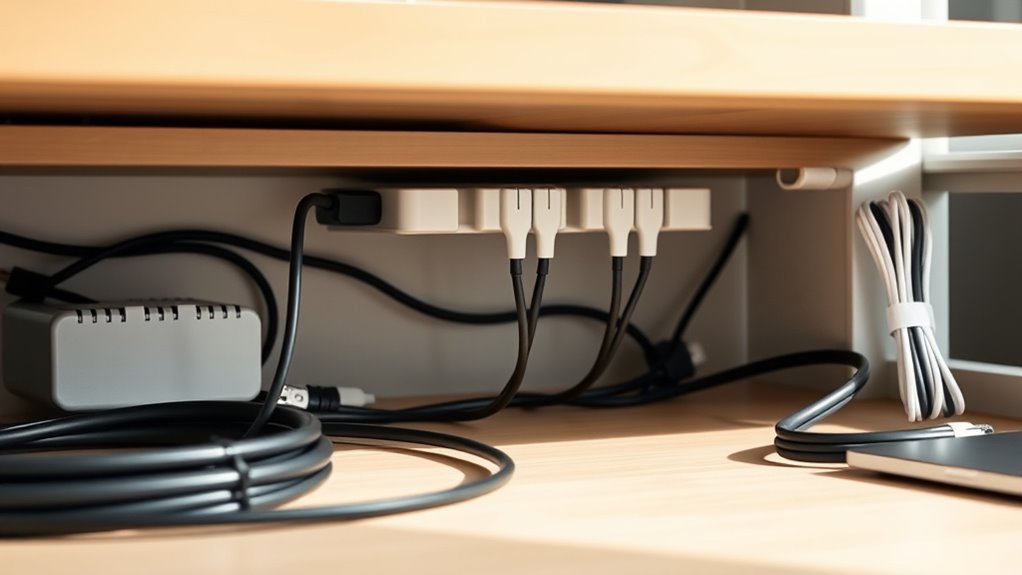
After evaluating your cables and identifying clutter, it’s time to select the right tools to organize them effectively. To start, consider cable management accessories like cable sleeves, clips, and cable ties—they help keep wires neat and prevent tangling. Wire length optimization is vital; use shorter cables when possible to reduce excess slack, which minimizes clutter and makes cable routing easier. Additionally, cable color coding can considerably improve organization by helping you quickly identify different devices or functions. Use colored sleeves or zip ties to assign specific colors to certain cables, making future adjustments or troubleshooting straightforward. Incorporating smart‑home integrations into your workspace organization can also promote a more mindful and harmonious environment. Proper cable management tools are the foundation of a clutter-free workspace, and selecting the appropriate cable management tools ensures long-term organization and ease of maintenance. Understanding cable routing principles can further enhance your setup by guiding the optimal pathways for wires to avoid interference and damage, especially as modern technology continues to evolve and integrate into our daily lives.
Label Your Cables for Easy Identification
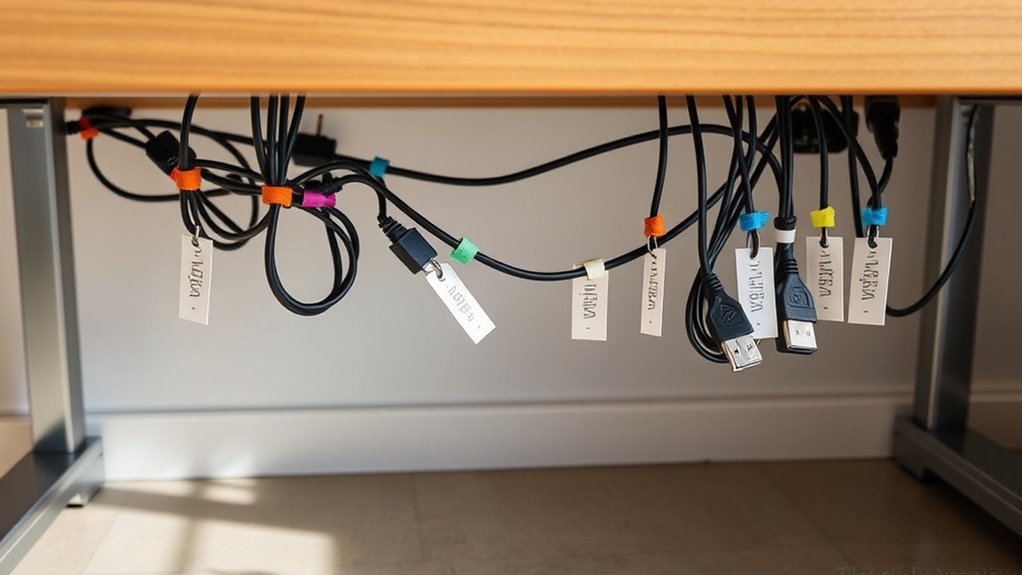
Labeling your cables is a simple step that can save you time and frustration when troubleshooting or making adjustments. Using labeling tools like cable tags or markers makes it easy to identify each wire quickly. Consider color coding your cables to distinguish between different devices or functions at a glance. For example, assign red for power, blue for data, and green for audio. This visual system helps prevent accidental disconnections and speeds up maintenance. Clear labels guarantee you know which cable belongs where, reducing guesswork. Plus, they make future upgrades or reconfigurations much smoother. Keep your workspace tidy and organized by consistently labeling your cables, saving you effort in the long run while keeping everything easily traceable. Proper cable organization not only improves functionality but also contributes to overall safety. Implementing a consistent labeling system can also help when working with electrical safety protocols, further protecting your workspace.
Use Cable Clips and Velcro Straps to Secure Wires
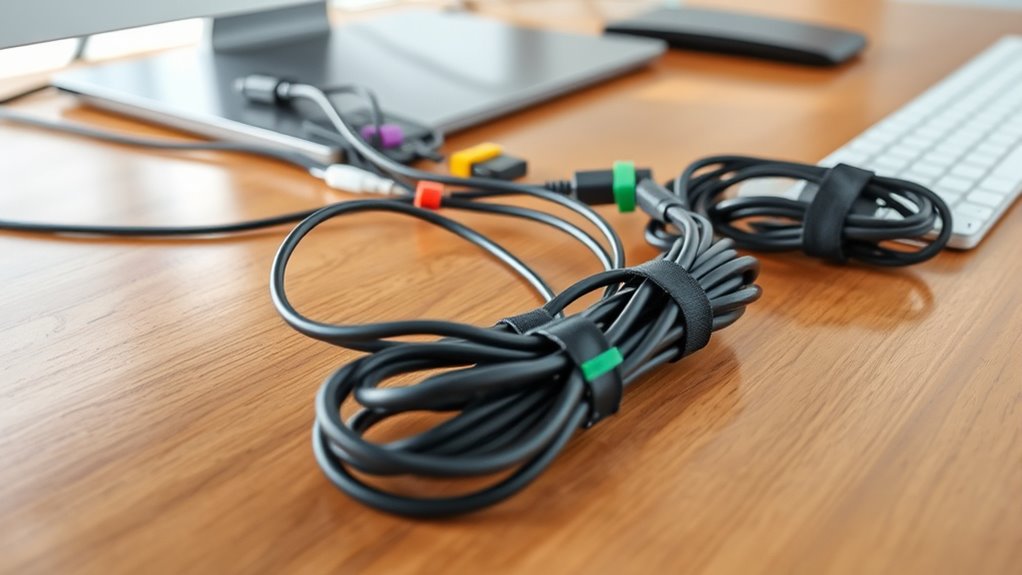
Choosing the right cable clips and Velcro straps is key to keeping your wires neat and secure. Make sure you select clips that fit your cables without pinching, and use straps that are easy to adjust. Applying them properly guarantees your setup stays organized and minimizes damage. Proper cable management also helps prevent tripping hazards and prolongs the lifespan of your equipment. Additionally, choosing appropriate fastening tools ensures your cables stay in place and are easy to modify if your setup changes.
Choosing the Right Clips
Selecting the right clips is essential for effective cable management because they keep wires organized and prevent tangling. When choosing clips, consider their adhesive strength to ensure they stay securely attached over time, especially in high-traffic or humid areas. Strong adhesive backing minimizes the risk of clips falling off, maintaining a tidy setup. Additionally, check the material compatibility; some clips work better with certain surfaces like painted walls, wood, or plastic. Using incompatible clips can cause damage or poor adhesion. Opt for clips made of durable materials like plastic or silicone, which can withstand daily wear. Properly selected clips will hold your wires firmly in place, making your workspace cleaner and safer without damaging surfaces.
Applying Velcro Straps Effectively
To secure your wires effectively, combining cable clips with Velcro straps is a practical solution that keeps cords organized and accessible. Start by grouping related wires and wrapping Velcro straps around them, maintaining appropriate strap tension—firm enough to hold but not so tight that it damages the cables. Use cable clips to anchor these bundles along your desk or wall, preventing movement and reducing clutter. Verify the straps are snug enough to prevent slipping but loose enough to avoid pinching or damaging the wires. Adjust strap tension as needed to keep wires neat and secure without compromising their integrity. Regularly check your wire organization, readjust straps if they loosen, and stay attentive to the overall neatness of your setup. Ensuring your cables are properly secured can also help prevent damage, prolonging their lifespan and maintaining a safe workspace. Incorporating proper cable management techniques can further enhance safety and efficiency in your workspace, especially considering the importance of effective retirement planning strategies that emphasize organized, secure assets. Additionally, utilizing cable management accessories can streamline your setup and make adjustments easier over time.
Conceal Cables With Cable Sleeves or Raceways

Ever wonder how to keep your cables out of sight and organized? Using cable sleeves or raceways is an effective way to achieve wire concealment and enhance your space’s aesthetic improvements. Cable sleeves wrap around multiple wires, creating a clean, streamlined look, while raceways channel cables along walls or desks, hiding them completely. These solutions prevent tangles and reduce clutter, making your workspace safer and more visually appealing. Installing cable sleeves is simple—just slide the wires inside and secure the sleeve. Raceways can be mounted with adhesive or screws for a more permanent fix. Both options help you maintain a tidy environment, minimizing distractions caused by exposed wires. Additionally, choosing the right cable management tools can make installation easier and more effective. With these tools, your cables stay neatly tucked away, transforming your workspace into a clean, professional-looking setup.
Elevate and Organize Cables Off the Floor

Keeping cables off the floor not only improves the look of your space but also enhances safety and accessibility. Use cable clips or hooks to secure cords along the desk or wall, preventing tripping hazards. Consider wireless alternatives for devices like keyboards, mice, and printers to reduce cable clutter altogether. Elevating cables also benefits ergonomic considerations by creating a cleaner workspace, reducing strain, and making it easier to move around. You might install under-desk cable trays or mounted raceways to keep cords organized and out of sight. This setup minimizes tangles and makes maintenance simple. Additionally, understanding cable management principles helps ensure your workspace remains efficient and safe, especially when planning for future upgrades or changes. Incorporating ergonomic workspace design can further improve comfort and productivity. By raising cables off the ground, you create a safer, more streamlined environment that’s easier to manage and adapt as your setup evolves, especially when considering workspace organization.
Regularly Inspect and Tidy Up Your Setup
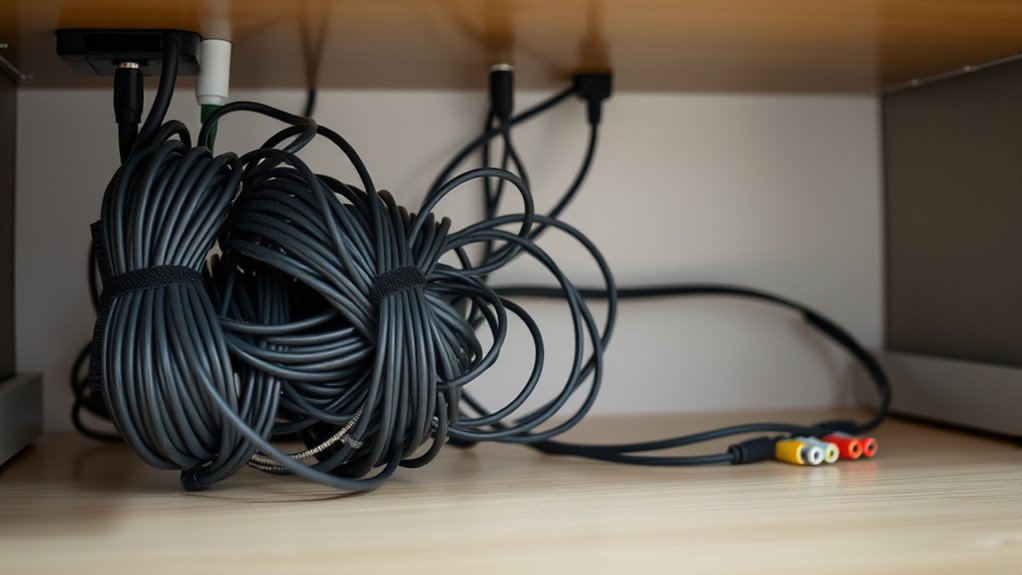
Regularly inspecting and tidying up your setup helps catch potential issues before they become major problems. Check for loose or damaged cables, and consider replacing long wires with wireless alternatives to reduce clutter. As you tidy, think about ergonomic considerations—placing frequently used devices within easy reach minimizes strain and awkward wiring. To visualize, here’s a quick snapshot:
| Cable Type | Placement |
|---|---|
| Power cords | Secure along desk edges |
| Data cables | Organized with clips |
| Wireless devices | Minimize cables altogether |
Additionally, monitoring cable safety ensures your setup remains secure and reduces the risk of electrical hazards. Incorporating proper wiring practices can further enhance safety and organization in your workspace.
Tips for Maintaining a Neat and Functional Workspace
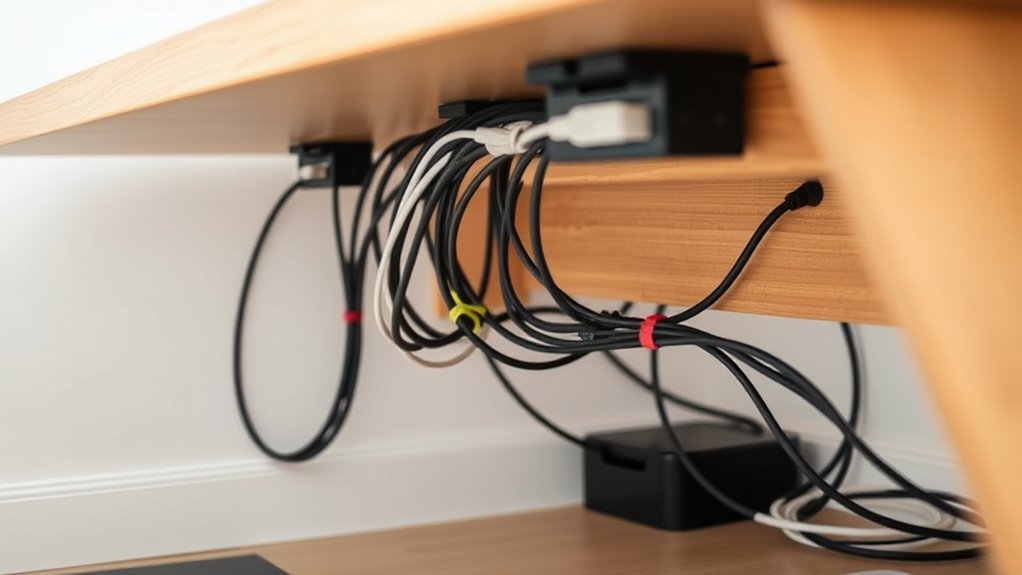
Maintaining a neat and functional workspace goes beyond just tidying cables; it involves organizing your entire setup for efficiency and comfort. Prioritize cable aesthetics by using cable sleeves, clips, or channels to keep wires hidden and prevent clutter. A clean, organized space improves focus and reduces distractions. Additionally, consider ergonomic benefits by positioning devices within easy reach and adjusting your monitor height to avoid strain. Regularly review your cable management system, replacing worn or loose ties to keep everything secure. Keep only essential cables connected, and label them for quick identification. An orderly workspace not only looks professional but also promotes better posture and reduces fatigue. Consistent upkeep guarantees your environment remains efficient, comfortable, and visually appealing.
Frequently Asked Questions
How Often Should I Redo My Cable Management System?
You should redo your cable management system every 6 to 12 months, or whenever you notice cable labeling or routing issues. Regularly reassess to guarantee cables stay organized and avoid tangles. Use effective cable routing techniques to keep wires neat, and label cables for easy identification. Reorganizing periodically helps prevent wear and tear, keeps your workspace tidy, and ensures your setup functions smoothly without unexpected disconnections or hazards.
What Are the Best Materials for Durable Cable Labels?
Think of your cables as the veins of your workspace, essential and needing clarity. For durable wire labeling, use materials with strong, waterproof, and heat-resistant qualities. Vinyl labels with durable adhesives are ideal—they stick firmly without peeling, even with frequent handling or exposure to dust and moisture. These labels ensure your wire labeling stays clear and intact, keeping your setup organized and your mind at ease.
Can Cable Management Solutions Affect Wi-Fi Signal Strength?
Yes, cable management solutions can affect your Wi-Fi signal strength. When you block or clutter your cables, it may cause wireless interference and signal degradation. Keeping cables organized and away from your Wi-Fi router reduces interference, ensuring a stronger, more dependable connection. Proper cable management not only tidies your space but also helps maintain ideal Wi-Fi performance by minimizing obstacles that disrupt signal transmission.
Are There Eco-Friendly Options for Cable Organizers?
Yes, eco-friendly cable organizers are available. You can choose solutions made from biodegradable materials or recycled plastic options, which reduce environmental impact. These organizers effectively tame tangled wires while supporting sustainability. By opting for biodegradable options, you help minimize plastic waste, and recycled plastic alternatives reuse materials, making your workspace greener. So, next time you organize your cables, pick eco-conscious products to keep your environment safe and stylish.
How Do I Prevent Cables From Slipping Out of Clips?
Ever worry your cables might slip out of clips at the worst moment? To prevent this, choose cable clip types with secure, adjustable straps or locking mechanisms. Always guarantee you properly secure cable tips before snapping them into the clip. Tighten the clips enough to hold cables firmly without pinching. Regularly check and adjust as needed. With the right clips and secure tips, your cables stay put, no surprises.
Conclusion
By taming your cables, you create a tidy workspace that boosts productivity and reduces stress. While the wires may seem like a small mess, they hold the power to transform chaos into order. With a few simple steps, you can turn a tangled jungle into a sleek, organized setup. Remember, a neat desk isn’t just about looks—it’s about giving yourself the freedom to focus and thrive amid clarity, not clutter.