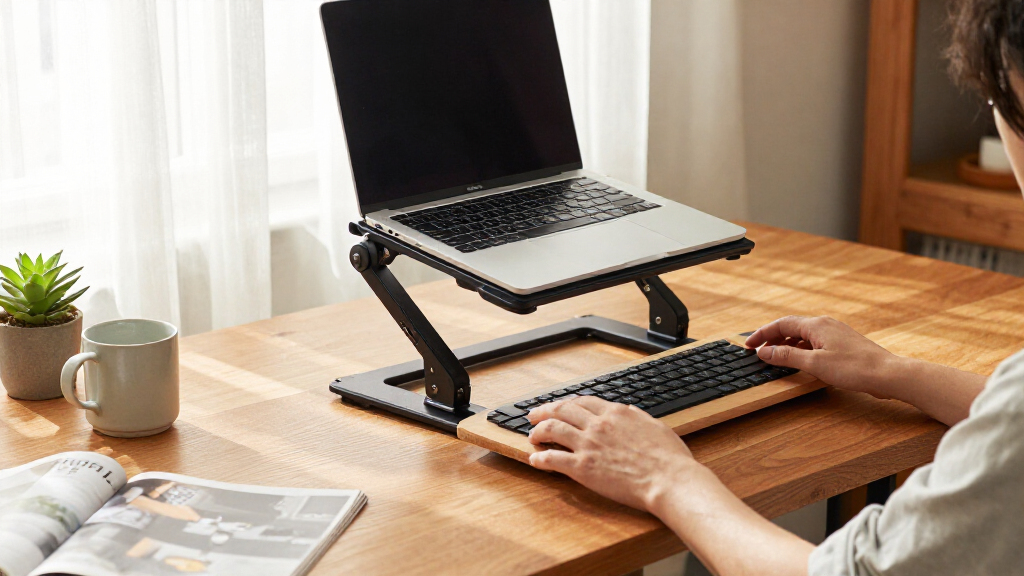

Among these adjustable standing desk converters, I name the FLEXISPOT 36-Inch Height-Adjustable Standing Desk Converter the best overall for balancing a useful work surface with a manageable footprint. The VIVO 48-Inch model stands out for wider setups, while the Decoholic 24-Inch converter suits especially tight desks. The main tradeoffs are workspace size versus desk footprint, and a separate keyboard tray versus a simpler single surface. Read on for the full comparison and guidance on choosing a converter that fits your equipment and work habits.

Get comfort and recovery gear delivered free with Prime
- Fast, free delivery on millions of items
- Prime Video, Amazon Music and more included
- Member-only deals all year
Complete the kit


Key Takeaways
The 36-inch FLEXISPOT is my best overall pick because its mid-size format offers a practical balance between work area and footprint.
Width changes the job a converter can do: the VIVO 48-inch model is the lineup’s widest option, while the 24-inch Decoholic and 23.6-inch converter are better suited to compact setups.
Keyboard trays define an important split. VIVO and TechOrbits options with separate trays create a distinct typing level; single-surface designs keep the layout simpler but ask buyers to manage keyboard placement themselves.
Monitor plans matter as much as converter width. The VIVO 32-inch model with a dual monitor mount serves a different setup from a broad tabletop without a built-in mount.
VIVO offers the most size variety in this group, from 28-inch and 29.3-inch options to 42-inch and 48-inch models, so buyers can prioritize fit rather than assume one width suits every desk.
| FITUEYES Height-Adjustable Standing Desk Converter, 32-Inch |  | Best for Smooth, Frequent Adjustments | Work surface: 31.5 x 15.7 inches | Height range: 4.3–19.8 inches | Load capacity: 33 pounds | VIEW LATEST PRICE | See Our Full Breakdown |
| VIVO 42-Inch Manual Standing Desk Converter |  | Best Value for Dual Monitors | Desktop dimensions: 42 x 15.7 inches | Keyboard tray dimensions: 42 x 11.8 inches; 10.2 inches at center | Height adjustment range: 4.5–20 inches | VIEW LATEST PRICE | See Our Full Breakdown |
| VIVO 48-Inch Standing Desk Converter with Keyboard Tray, Black |  | Best for Extra-Wide Workstations | Work surface: 47.6 x 15.7 inches | Keyboard tray: 47.6 x 11.8 inches; 10.2 inches at center | Height adjustment range: 4.5–20 inches | VIEW LATEST PRICE | See Our Full Breakdown |
| Decoholic 24-Inch Height-Adjustable Standing Desk Converter, Black |  | Best Compact Laptop Riser | Platform dimensions: 23.6 x 13.4 inches | Height settings: 6 | Load capacity: 8 pounds | VIEW LATEST PRICE | See Our Full Breakdown |
| VIVO Dual-Tier Standing Desk Converter, 36-Inch Black Top |  | Best Dual-Tier Layout | Top dimensions: 36 x 22 inches | Keyboard tray dimensions: 25.2 x 10.6 inches | Height adjustment range: 6.5–17 inches | VIEW LATEST PRICE | See Our Full Breakdown |
| VIVO Manual Height-Adjustable Standing Desk Converter, 32-Inch Black |  | Best for Dual-Monitor Setups | Model: DESK-V000K | Desktop dimensions: 31.5 x 15.7 inches | Keyboard tray dimensions: 31.3 x 11.8 inches | VIEW LATEST PRICE | See Our Full Breakdown |
| TechOrbits 32-Inch Adjustable Standing Desk Converter with Keyboard Tray |  | Best for Lighter Pneumatic Setups | Width: 31.5 inches | Depth: 16.1 inches | Height adjustment range: 4.3–19.9 inches | VIEW LATEST PRICE | See Our Full Breakdown |
| VIVO Manual Height-Adjustable Standing Desk Converter, 29.3-Inch Black Top |  | Best for Compact, Ready-to-Use Workstations | Model: DESK-V000U | Surface dimensions: 29.3 x 17.8 inches | Height adjustment range: 1.8 to 16.2 inches | VIEW LATEST PRICE | See Our Full Breakdown |
| FLEXISPOT 36-Inch Height-Adjustable Standing Desk Converter |  | Best for a Roomier Dual-Monitor Work Area | Model: MT157 | Desktop dimensions: 36 x 24.9 inches | Maximum height: 91.4 cm | VIEW LATEST PRICE | See Our Full Breakdown |
| VIVO Manual Height-Adjustable Standing Desk Riser, 32-Inch, Black |  | Best for a Lightweight Pneumatic Converter | Model: DESK-V000S | Work surface: 31.5 x 15.8 inches | Height range: 4.9 to 19.7 inches | VIEW LATEST PRICE | See Our Full Breakdown |
| VIVO 28-Inch Manual Height-Adjustable Standing Desk Converter |  | Best Compact Pneumatic Pick | Desktop dimensions: 27.6 x 15.8 inches | Height range: 4.9–17.2 inches | Maximum weight recommendation: 28.6 pounds | VIEW LATEST PRICE | See Our Full Breakdown |
| Adjustable Height Standing Desk Converter, 23.6-Inch, Black |  | Best for Beginners | Work surface dimensions: 23.6 x 13.3 inches | Height range: 2.3–16 inches | Adjustment: Manual | VIEW LATEST PRICE | See Our Full Breakdown |
| VIVO 32-Inch Standing Desk Converter with Dual Monitor Mount |  | Best for Dual-Monitor Ergonomics | Desktop dimensions: 31.5 x 15.7 inches | Keyboard tray dimensions: 31.3 x 11.8 inches (10.5 inches at center) | Height adjustment range: 4.5–20 inches | VIEW LATEST PRICE | See Our Full Breakdown |
| VIVO 36-Inch Standing Desk Converter with Keyboard Tray |  | Best for a Wide Workstation | Desktop dimensions: 36 x 15.7 inches | Keyboard tray dimensions: 36 x 11.8 inches (10.2 inches at center) | Height adjustment range: 4.5–20 inches | VIEW LATEST PRICE | See Our Full Breakdown |
| TechOrbits 32-Inch Standing Desk Converter with Keyboard Tray |  | Best Mostly-Assembled Pneumatic Pick | Width: 31.5 inches | Depth: 24.4 inches | Height range: 4.3–19.7 inches | VIEW LATEST PRICE | See Our Full Breakdown |
| adjustable standing desk converter | Item weight | Height adjustment range | Frame material |
|---|---|---|---|
| FITUEYES Height-Adjustable Sta | 27 pounds | — | — |
| VIVO 42-Inch Manual Standing D | — | 4.5–20 inches | Alloy steel |
| VIVO 48-Inch Standing Desk Con | 33.2 pounds | 4.5–20 inches | Alloy base and steel frame |
| Decoholic 24-Inch Height-Adjus | 5.47 kg | — | — |
| VIVO Dual-Tier Standing Desk C | 33 pounds | 6.5–17 inches | — |
| VIVO Manual Height-Adjustable | 26 lbs | 4.5 to 20 inches | — |
| TechOrbits 32-Inch Adjustable | 16.7 pounds | 4.3–19.9 inches | Aluminum |
| VIVO Manual Height-Adjustable | 22.3 pounds | 1.8 to 16.2 inches | — |
| FLEXISPOT 36-Inch Height-Adjus | 34.5 pounds | — | Metal |
| VIVO Manual Height-Adjustable | 11.4 kg | — | Alloy steel |
| VIVO 28-Inch Manual Height-Adj | 25.3 pounds | — | Alloy steel |
| Adjustable Height Standing Des | — | — | — |
| VIVO 32-Inch Standing Desk Con | — | 4.5–20 inches | — |
| VIVO 36-Inch Standing Desk Con | 28.3 pounds | 4.5–20 inches | Alloy steel |
| TechOrbits 32-Inch Standing De | — | — | Aluminum |
More Details on Our Top Picks
FITUEYES Height-Adjustable Standing Desk Converter, 32-Inch
The FITUEYES 32-Inch is a strong fit for someone who expects to change positions regularly: its dual gas springs and touch height lock support adjustments across a 4.3-to-19.8-inch range. That low starting height can also help it sit comfortably on desks where taller converters leave the keyboard too high when seated. Its 31.5-by-15.7-inch surface suits a monitor and everyday work gear, though it offers less room than the VIVO 42-Inch Manual Converter for dual-monitor setups. The 33-pound capacity is adequate for a typical workstation, but the 27-pound unit is not especially easy to move between desks. I would skip it if a wide surface is the main priority; its advantage is the assisted adjustment, not extra workspace.
Pros:- Dual gas springs assist height changes
- Touch height lock makes it easy to set a working position
- Low 4.3-inch starting height suits many seated desk setups
- 31.5-inch surface fits a monitor and everyday accessories
Cons:- Narrower work surface than the VIVO 42-Inch Manual Converter
- 27-pound weight makes repositioning cumbersome
- 33-pound capacity leaves limited headroom for heavier equipment
Best for: People who switch between sitting and standing throughout the day and want a compact, gas-spring-assisted converter for a standard monitor setup.
Not ideal for: Dual-monitor users with bulky peripherals or anyone who needs to move a converter between workspaces often; the surface is modest and the unit weighs 27 pounds.
- Work surface:31.5 x 15.7 inches
- Height range:4.3–19.8 inches
- Load capacity:33 pounds
- Item weight:27 pounds
- Adjustment mechanism:Dual gas springs with touch height lock
- Material:Metal
- Finish:Powder coated
Our verdict“Choose the FITUEYES if frequent, assisted adjustments matter more than a wide platform or a lightweight design.”
VIVO 42-Inch Manual Standing Desk Converter
The VIVO 42-Inch Manual Converter earns its place for buyers who need room for two monitors without moving up to the especially broad VIVO 48-Inch model. Its 42-inch desktop and full-width moving keyboard tray keep the typing surface aligned as the workstation rises, while the 4.5-to-20-inch range covers common sitting and standing positions. The tradeoff is in the adjustment: unlike the gas-spring-assisted FITUEYES 32-Inch, this model requires manual lifting, so frequent changes may take more effort. The keyboard tray is also rated for just 4.4 pounds, which calls for a light keyboard and minimal extras. I’d choose it for a roomy, straightforward setup, not for heavy tray equipment or effortless height changes.
Pros:- 42-inch desktop gives dual monitors room to sit side by side
- Keyboard tray moves in sync with the desktop
- Height range reaches from 4.5 to 20 inches
- Three-year warranty is specified
Cons:- Manual lifting takes more effort than the FITUEYES gas-spring design
- Keyboard tray capacity is limited to 4.4 pounds
- Requires assembly, even though the product data describes it as minimal
Best for: Home-office and shared-desk users who need space for dual monitors and want a broad keyboard tray that rises with the desktop.
Not ideal for: People who adjust height many times a day and want spring assistance, or users with a heavy keyboard-tray setup.
- Desktop dimensions:42 x 15.7 inches
- Keyboard tray dimensions:42 x 11.8 inches; 10.2 inches at center
- Height adjustment range:4.5–20 inches
- Desktop weight capacity:33 pounds
- Keyboard tray capacity:4.4 pounds
- Frame material:Alloy steel
- Warranty:3 years
Our verdict“Pick this VIVO for generous dual-monitor space and a moving keyboard tray if manual height adjustment is acceptable.”
VIVO 48-Inch Standing Desk Converter with Keyboard Tray, Black
At 47.6 inches wide, this VIVO is the roomiest pick here, making it the better match for a pair of monitors plus a laptop or other desk gear. Its keyboard tray rises with the desktop, so the typing surface stays in position as the converter moves through its 4.5-to-20-inch range. Compared with the VIVO 42-Inch Manual Converter, the added width gives a more flexible layout, but the 48-inch model also weighs 33.2 pounds and needs a larger desk beneath it. A lift-assist mechanism helps with height changes, though the tray’s 4-pound capacity limits what can sit there. This is a workspace-first choice: I would pass if desk depth or easy relocation matters more than fitting several devices.
Pros:- 47.6-inch surface provides the most width among these five picks
- Keyboard tray rises with the desktop
- Lift assist supports height adjustment from 4.5 to 20 inches
- Minimal assembly is listed; assembly involves attaching the keyboard tray
Cons:- 33.2-pound unit is cumbersome to relocate
- Keyboard tray capacity is limited to 4 pounds
- Wide footprint needs a sufficiently large existing desk
Best for: People with a large desk who want to arrange dual monitors and a laptop across one converter surface.
Not ideal for: Users with limited desk space, anyone who needs to move the converter often, or those with a heavy keyboard or accessories for the tray.
- Work surface:47.6 x 15.7 inches
- Keyboard tray:47.6 x 11.8 inches; 10.2 inches at center
- Height adjustment range:4.5–20 inches
- Desktop capacity:33 pounds
- Keyboard tray capacity:4 pounds
- Item weight:33.2 pounds
- Frame material:Alloy base and steel frame
Our verdict“Choose this VIVO when maximum workspace width matters more than a compact footprint or light, easy-to-move design.”
Decoholic 24-Inch Height-Adjustable Standing Desk Converter, Black
The Decoholic 24-Inch takes a different approach from the wider workstation converters: its 23.6-by-13.4-inch platform is sized for a laptop or a keyboard-and-mouse setup, not multiple monitors. Six height settings and a scissor-lift frame with safety lock make it a simple option for occasional sit-stand changes, while the waterproof, wear-resistant surface is easy to wipe clean. Compared with the FITUEYES 32-Inch, it saves platform space but gives up a great deal of carrying capacity: its 8-pound limit rules out many monitor-heavy arrangements. The product data lists a 5.47 kg weight, so compact dimensions do not mean especially easy portability. I’d treat it as a small-workstation riser rather than a full desktop replacement.
Pros:- Compact platform suits a laptop or keyboard-and-mouse setup
- Six height settings offer several working positions
- Safety lock helps prevent accidental movement
- Waterproof, wear-resistant surface is easy to clean
Cons:- 8-pound capacity excludes many monitor-based setups
- Platform is too small for a broad multi-device workstation
- Height settings are discrete rather than a continuous adjustment range
Best for: Laptop users with a small work area who want a simple platform for alternating between seated and standing work.
Not ideal for: People using external monitors, monitor arms, or heavier workstation equipment; the platform supports only 8 pounds and is much smaller than the FITUEYES.
- Platform dimensions:23.6 x 13.4 inches
- Height settings:6
- Load capacity:8 pounds
- Item weight:5.47 kg
- Lift style:Scissor lift
- Safety feature:Safety lock
- Material:Plastic
Our verdict“Choose the Decoholic for a compact laptop setup and skip it if your standing workstation includes heavier monitor equipment.”
VIVO Dual-Tier Standing Desk Converter, 36-Inch Black Top
The VIVO Dual-Tier 36-Inch is the clearest fit for buyers who want a separate keyboard level beneath a broad monitor surface. Its 36-by-22-inch top gives more front-to-back room than the 15.7-inch-deep desktops on the VIVO 42-Inch Manual Converter and VIVO 48-Inch model, while the 25.2-by-10.6-inch keyboard tray moves with the top. Dual pneumatic springs support smooth adjustment, but its 6.5-to-17-inch range starts higher and tops out lower than those two VIVO alternatives. That narrower range may limit fit for some seated or standing positions. At 33 pounds, it is also a substantial unit, and the maximum load recommendation is 33 pounds. I’d pick it for a deep, two-level layout rather than the widest possible surface or greatest height flexibility.
Pros:- 36-by-22-inch top offers generous front-to-back workspace
- Separate keyboard tray rises with the work surface
- Dual pneumatic springs support smooth adjustment
- Three-year manufacturer warranty is specified
Cons:- 6.5-to-17-inch range is narrower than the VIVO 42- and 48-inch models
- 33-pound load recommendation limits heavier workstation equipment
- 33-pound unit and required assembly make setup less convenient
Best for: People who prefer a separate keyboard tier and need extra front-to-back room for a monitor-centered workstation.
Not ideal for: Users who need a low seated starting position, a taller standing position, or a very wide desktop for several devices.
- Top dimensions:36 x 22 inches
- Keyboard tray dimensions:25.2 x 10.6 inches
- Height adjustment range:6.5–17 inches
- Maximum weight recommendation:33 pounds
- Item weight:33 pounds
- Adjustment mechanism:Dual pneumatic springs
- Warranty:3 years
Our verdict“Choose this VIVO if a deep dual-tier layout is more useful to you than the broader height range offered by other models.”
VIVO Manual Height-Adjustable Standing Desk Converter, 32-Inch Black
I’d shortlist this 32-inch VIVO when a dual-monitor workstation needs a coordinated keyboard surface: its 31.5-inch desktop and nearly matching keyboard tray rise together, keeping the typing position aligned as you change height. The 4.5-to-20-inch range reaches higher than the compact VIVO DESK-V000U, which tops out at 16.2 inches, while its 33-pound limit leaves room for a typical monitor setup. The tradeoff is a manual lift and a 26-pound unit that needs an existing desk; it also offers less surface depth than the roomier FLEXISPOT MT157. I’d choose this over the TechOrbits 32-inch if a steel frame and three-year warranty matter more than a pneumatic lift. Check your equipment’s combined weight before buying.
Pros:- 31.5-inch desktop and synchronized keyboard tray suit a dual-monitor workstation
- Adjusts from 4.5 to 20 inches
- Alloy-steel frame
- Minimal assembly and a three-year manufacturer warranty
Cons:- 33-pound capacity limits heavier computer and monitor combinations
- Manual adjustment takes more effort than a pneumatic lift
- Requires an existing desk
Best for: People with an existing desk who want two monitors and a keyboard tray that rises with the work surface.
Not ideal for: Buyers with heavy monitor arms or equipment exceeding 33 pounds, or anyone who needs a standalone desk rather than a converter.
- Model:DESK-V000K
- Desktop dimensions:31.5 x 15.7 inches
- Keyboard tray dimensions:31.3 x 11.8 inches
- Height adjustment range:4.5 to 20 inches
- Maximum weight capacity:33 lbs
- Item weight:26 lbs
- Frame and top:Alloy steel and engineered wood
- Warranty:3 years
Our verdict“Choose this VIVO for a dual-monitor setup that needs a rising keyboard tray and a broad height range, provided the equipment stays within its 33-pound limit.”
TechOrbits 32-Inch Adjustable Standing Desk Converter with Keyboard Tray
The TechOrbits makes a strong case for buyers who want a pneumatic lift without moving up to a larger converter. Its 31.5-inch width, keyboard tray, and 33-pound capacity cover many single- or dual-monitor arrangements, while the 16.7-pound unit is lighter to reposition than the 26-pound VIVO DESK-V000K. Its 4.3-to-19.9-inch range is close to that VIVO’s, so neither has a meaningful height advantage on paper. The distinction is in the frame and lift: TechOrbits uses aluminum and pneumatic adjustment, whereas the VIVO specifies alloy steel and manual adjustment. Engineered wood and the same 33-pound limit constrain the appeal for heavier gear, and minimal assembly still means attaching the tray. I’d favor it for a lighter workstation, not a loaded monitor-arm setup.
Pros:- Pneumatic lift adjusts through a 4.3-to-19.9-inch range
- 31.5-inch width and included keyboard tray support a compact workstation
- 16.7-pound unit is lighter than the VIVO DESK-V000K
- Minimal assembly beyond attaching the keyboard tray
Cons:- 33-pound maximum capacity may not suit heavy monitor and accessory combinations
- Engineered-wood top may be less appealing to buyers seeking a different work-surface material
- Keyboard tray requires attachment before use
Best for: Desk workers seeking a lighter 32-inch converter with pneumatic height adjustment and a keyboard tray.
Not ideal for: People with heavy equipment or anyone who prioritizes a specified steel frame over a lighter aluminum-frame design.
- Width:31.5 inches
- Depth:16.1 inches
- Height adjustment range:4.3–19.9 inches
- Maximum weight capacity:33 pounds
- Item weight:16.7 pounds
- Frame material:Aluminum
- Top material:Engineered wood
- Included component:Keyboard tray
Our verdict“Pick TechOrbits if you want a lighter 32-inch converter with pneumatic adjustment, but keep the full workstation below its 33-pound limit.”
VIVO Manual Height-Adjustable Standing Desk Converter, 29.3-Inch Black Top
This preassembled VIVO is the simplest fit here for someone who wants a single-level surface and no setup project. At 29.3 by 17.8 inches, it can hold a monitor or laptop alongside a full-sized keyboard, and the touch-lock adjustment raises the platform in one motion. Its range starts at just 1.8 inches, lower than the 32-inch VIVO DESK-V000K’s 4.5-inch minimum, which may help when a modest lift is all that’s needed. The cost of that compact approach is a 22-pound load limit and no separate keyboard tray. Compared with the TechOrbits 32-inch, it is narrower and carries less, but arrives ready to use. I’d skip it for dual-monitor equipment or a desk layout that depends on separate keyboard levels.
Pros:- Arrives preassembled and ready to use
- Touch-lock mechanism raises the surface in one motion
- 29.3 x 17.8-inch surface fits a monitor or laptop and full-sized keyboard
- Height range begins at 1.8 inches
Cons:- 22-pound capacity restricts heavier equipment setups
- Single-level surface has no separate keyboard tray
- Maximum height of 16.2 inches is below the 32-inch VIVO DESK-V000K’s 20 inches
Best for: Laptop or single-monitor users who want a compact, preassembled converter with a low starting height.
Not ideal for: Dual-monitor users, people with heavier equipment, or typists who specifically want a separate keyboard tray.
- Model:DESK-V000U
- Surface dimensions:29.3 x 17.8 inches
- Height adjustment range:1.8 to 16.2 inches
- Load capacity:22 pounds
- Item weight:22.3 pounds
- Material:Alloy steel and engineered wood
- Assembly:Preassembled
- Levels:1
Our verdict“Choose this compact VIVO for a ready-to-use laptop or single-monitor workstation, not for a heavy or dual-monitor setup.”
FLEXISPOT 36-Inch Height-Adjustable Standing Desk Converter
Among these five, the FLEXISPOT MT157 gives a dual-monitor workstation the most desktop room: its 36 x 24.9-inch surface leaves space for accessories beyond the screens. That extra depth and width set it apart from the 31.5-inch VIVO and TechOrbits converters, while the spring-assisted lift is designed for smoother height changes than a manual mechanism. Its desktop capacity is 33 pounds, but the keyboard tray is rated for only 4.4 pounds, so it calls for a light keyboard rather than a loaded tray. The unit also weighs 34.5 pounds—heavier than the other options here—and the supplied data gives a maximum height rather than a full adjustment range. I’d choose it for workspace area, not portability or a heavy keyboard tray.
Pros:- 36 x 24.9-inch desktop offers more room than the 32-inch options
- Spring-assisted lift is designed for smooth height adjustment
- Desktop supports up to 33 lbs
- Arrives nearly assembled for quicker setup
Cons:- Keyboard tray capacity is limited to 4.4 lbs
- 34.5-pound unit is relatively heavy to reposition
- Available specifications state maximum height but not a full adjustment range
Best for: People with an existing desk who need a broad, deep surface for dual monitors and accessories.
Not ideal for: Buyers who frequently move their converter, need a clearly stated full height range, or use a heavy keyboard setup.
- Model:MT157
- Desktop dimensions:36 x 24.9 inches
- Maximum height:91.4 cm
- Desktop weight capacity:33 lbs
- Keyboard tray capacity:4.4 lbs
- Item weight:34.5 pounds
- Frame material:Metal
- Top material:Engineered wood
Our verdict“Choose the FLEXISPOT MT157 when desktop space for dual monitors matters more than portability or a higher-capacity keyboard tray.”
VIVO Manual Height-Adjustable Standing Desk Riser, 32-Inch, Black
The VIVO DESK-V000S is the lightest listed option here at 11.4 kg, making it a practical pick for buyers who may need to shift a converter on an existing desk. Its 31.5 x 15.8-inch work surface and rising keyboard tray provide the two-level layout missing from the smaller VIVO DESK-V000U. Unlike that compact model’s 22-pound limit, this riser supports 26 pounds on the desktop, though it still falls short of the 33-pound VIVO DESK-V000K and TechOrbits models. The pneumatic spring lift adjusts from 4.9 to 19.7 inches, but the product name’s “manual” label and the description’s pneumatic mechanism make the lift type worth confirming before purchase. It also needs an existing desk and won’t suit heavier monitor gear.
Pros:- 31.5-inch work surface with a keyboard tray that rises alongside it
- Height adjusts from 4.9 to 19.7 inches
- 11.4 kg item weight is lower than the other listed converters
- Three-year warranty and minimal assembly
Cons:- 26-pound desktop capacity is lower than the 33-pound VIVO DESK-V000K and TechOrbits
- Requires an existing desk for placement
- Supplied product name says manual while the listed lift mechanism is pneumatic
Best for: People who want a relatively lightweight 32-inch riser with a keyboard tray and moderate equipment load.
Not ideal for: Users with heavier dual-monitor equipment, or buyers who need a standalone desk or a capacity above 26 pounds.
- Model:DESK-V000S
- Work surface:31.5 x 15.8 inches
- Height range:4.9 to 19.7 inches
- Desktop weight capacity:26 pounds
- Item weight:11.4 kg
- Frame material:Alloy steel
- Top material:Engineered wood
- Lift mechanism:Pneumatic spring lift
- Warranty:3 years
Our verdict“Pick this VIVO for a lighter two-level workstation with moderate equipment, after confirming the lift mechanism matches your preference.”
VIVO 28-Inch Manual Height-Adjustable Standing Desk Converter
The VIVO 28-Inch suits a focused workstation where a laptop or single monitor matters more than extra desk spread. Its pneumatic lift moves the worktop from 4.9 to 17.2 inches, and the keyboard tray rises with it, keeping typing equipment together when you change height. Compared with the wider VIVO 36-Inch Standing Desk Converter, this model takes up less desktop space and is easier to fit into a compact office, but offers less room for multiple screens and accessories. The 28.6-pound support limit also calls for restraint: a heavy monitor and other gear can use up capacity quickly. I’d choose it for a modest setup that benefits from smooth height adjustment, not for a loaded dual-monitor station or users who need a taller maximum rise.
Pros:- Pneumatic spring adjusts the height smoothly
- Keyboard tray rises with the desktop
- Compact 27.6-by-15.8-inch desktop fits smaller work areas
- Minimal assembly is required
Cons:- 28.6-pound desktop capacity limits heavier equipment setups
- 17.2-inch maximum height is lower than the 20-inch rise of the VIVO 36-Inch model
- Smaller work surface leaves limited room for multiple monitors and accessories
Best for: People with a compact desk and a laptop or single-monitor setup who want a pneumatic lift and a keyboard tray that moves with the worktop
Not ideal for: Dual-monitor users with substantial accessories, or taller users who need more than 17.2 inches of lift
- Desktop dimensions:27.6 x 15.8 inches
- Height range:4.9–17.2 inches
- Maximum weight recommendation:28.6 pounds
- Lifting mechanism:Pneumatic spring
- Frame material:Alloy steel
- Top material:Engineered wood
- Item weight:25.3 pounds
- Model:DESK-V028S
Our verdict“Choose this compact VIVO for a single-screen workstation that needs a smooth lift, and skip it if your equipment load or preferred standing height exceeds its limits.”
Adjustable Height Standing Desk Converter, 23.6-Inch, Black
The Raathionty 23.6-Inch is a straightforward entry point for someone who wants a riser without an assembly project. It arrives assembled and offers a 2.3-to-16-inch height range, starting lower than the VIVO 28-Inch and reaching a similar working height for many seated and standing arrangements. Its 23.6-by-13.3-inch surface can serve a laptop, study materials, or a small keyboard-and-screen setup, though it leaves less room than the broader TechOrbits 32-Inch for dual monitors. Adjustment is manual, so this is better for users who change positions occasionally than for anyone expecting a pneumatic lift. The simple surface and versatile use are appealing, but the limited dimensions make it a poor match for equipment-heavy workstations. I’d pick it for uncomplicated home or study use where arriving ready to work matters most.
Pros:- Arrives assembled and ready to use
- Low 2.3-inch starting height can suit seated work
- Can serve as a laptop, study, or office surface
- Metal base and frame paired with a wood top
Cons:- Manual adjustment is less convenient for frequent height changes than the pneumatic VIVO 28-Inch
- 23.6-by-13.3-inch work surface is restrictive for larger setups
- No keyboard tray is specified
Best for: New converter buyers, students, and laptop users who want an assembled riser for occasional sitting-to-standing changes
Not ideal for: People with dual monitors, a full-size keyboard plus accessories, or a preference for pneumatic height adjustment
- Work surface dimensions:23.6 x 13.3 inches
- Height range:2.3–16 inches
- Adjustment:Manual
- Assembly:No assembly required
- Frame and base:Metal
- Top:Wood with laminate finish
- Color:Black
- Model:FQD-01
Our verdict“Pick the Raathionty for an assembled, small-scale laptop or study station, but choose a wider converter if you need room for multiple screens.”
VIVO 32-Inch Standing Desk Converter with Dual Monitor Mount
This VIVO 32-Inch is the lineup’s clearest choice for a workstation built around two mounted screens. Its arms fit 13-to-30-inch monitors weighing up to 17.6 pounds each, with tilt, swivel, and rotation adjustments that help position displays without relying only on stands. The 4.5-to-20-inch height range is broader than the VIVO 28-Inch’s, and the keyboard tray provides a separate typing area. Compared with the VIVO 36-Inch Standing Desk Converter, it gives up some desktop width but adds the included dual-monitor mount. That extra hardware brings setup constraints: the screens must meet the size, weight, and VESA requirements, and assembly is required. The desktop itself supports 33 pounds, so I’d account for the combined workstation load rather than treating the monitor-arm capacity as extra desktop capacity.
Pros:- Included dual arms fit two compatible monitors
- Monitor arms offer tilt, swivel, and rotation adjustments
- Height adjusts from 4.5 to 20 inches
- Wide keyboard tray separates typing space from the desktop
Cons:- Monitor compatibility is limited to 13-to-30-inch screens up to 17.6 pounds each
- Requires assembly
- 31.5-inch desktop is narrower than the VIVO 36-Inch model
Best for: Desk workers using two VESA-compatible monitors who want adjustable screen positioning and a separate keyboard tray
Not ideal for: Users with screens larger than 30 inches, monitors heavier than 17.6 pounds each, or a preference for a simpler setup with no assembly
- Desktop dimensions:31.5 x 15.7 inches
- Keyboard tray dimensions:31.3 x 11.8 inches (10.5 inches at center)
- Height adjustment range:4.5–20 inches
- Desktop weight capacity:33 pounds
- Monitor capacity:Two screens, up to 17.6 pounds each
- Compatible screen size:13–30 inches
- VESA compatibility:75 x 75 mm and 100 x 100 mm
- Monitor adjustment:±45° tilt, 180° swivel, 360° rotation
- Warranty:3 years
Our verdict“Choose this VIVO when adjustable placement for two compatible monitors is a priority; pick the wider VIVO 36-Inch if desktop space matters more than a built-in monitor mount.”
VIVO 36-Inch Standing Desk Converter with Keyboard Tray
The VIVO 36-Inch earns its place through workspace, not a built-in monitor arm: the 36-by-15.7-inch desktop gives a laptop, monitor, and everyday accessories more room than the VIVO 32-Inch dual-mount model. Its keyboard tray moves with the top, helping keep the typing position aligned as the lift-assist mechanism raises the converter from 4.5 to 20 inches. The tradeoff is that this model does not include the dedicated dual-screen mounting hardware found on the VIVO 32-Inch with Dual Monitor Mount, so monitor stands consume some of its generous surface. Capacity is 33 pounds on the desktop, and the keyboard tray limit is 4.4 pounds; users should keep heavier equipment in mind. Partial assembly is needed, but the three-year warranty adds a defined coverage period.
Pros:- 36-inch desktop offers more room than the VIVO 32-Inch dual-mount model
- Keyboard tray moves with the desktop
- Lift-assist height adjustment spans 4.5 to 20 inches
- Includes a three-year warranty
Cons:- Desktop supports up to 33 pounds, limiting heavier equipment arrangements
- Keyboard tray capacity is 4.4 pounds
- Partial assembly is required
Best for: People who need a broad surface for a monitor, laptop, and work accessories, with a keyboard tray that rises alongside the desktop
Not ideal for: Buyers who need included monitor arms, have a heavy equipment load, or want a converter that needs no assembly
- Desktop dimensions:36 x 15.7 inches
- Keyboard tray dimensions:36 x 11.8 inches (10.2 inches at center)
- Height adjustment range:4.5–20 inches
- Desktop weight capacity:33 pounds
- Keyboard tray weight capacity:4.4 pounds
- Item weight:28.3 pounds
- Frame material:Alloy steel
- Top material:Engineered wood
- Warranty:3 years
Our verdict“Choose this model for a wide, flexible work surface and moving keyboard tray, but select the VIVO 32-Inch dual-mount option if monitor arms are your priority.”
TechOrbits 32-Inch Standing Desk Converter with Keyboard Tray
The TechOrbits 32-Inch balances a substantial work area with limited setup: it arrives mostly assembled, though the keyboard tray still needs attachment. Its pneumatic lift adjusts from 4.3 to 19.7 inches, close to the VIVO 32-Inch with Dual Monitor Mount’s 20-inch maximum, while the 31.5-inch-wide surface supports a computer or dual monitors. Unlike that VIVO, this model lists a dual monitor stand among its included components, but the supplied data does not give monitor size or adjustment limits, so buyers should verify fit for their equipment. Its 33-pound capacity is shared with the larger VIVO 36-Inch, yet the TechOrbits has less specified width than that model. The aluminum frame and mostly completed assembly make it a practical middle ground; the particle-board top and required tray attachment are tradeoffs.
Pros:- Pneumatic lift adjusts from 4.3 to 19.7 inches
- 31.5-inch-wide work surface accommodates a computer or dual monitors
- Aluminum frame supports up to 33 pounds
- Mostly assembled, with tools provided for attaching the keyboard tray
Cons:- Keyboard tray must be attached before use
- Particle-board top may be less appealing than the engineered-wood top on VIVO alternatives
- Monitor size and weight compatibility limits are not specified in the supplied product data
Best for: Home-office users who want a pneumatic 32-inch converter for a computer or dual monitors and prefer minimal assembly
Not ideal for: Buyers who need stated monitor compatibility limits, a larger surface than 31.5 inches, or a converter ready to use without attaching its keyboard tray
- Width:31.5 inches
- Depth:24.4 inches
- Height range:4.3–19.7 inches
- Maximum weight capacity:33 pounds
- Adjustment mechanism:Pneumatic lift
- Top material:Particle board
- Frame material:Aluminum
- Included components:Dual monitor stand, keyboard tray
- Assembly:Attach the keyboard tray; tools provided
Our verdict“Pick the TechOrbits for a wide pneumatic riser with little setup, but favor the VIVO dual-mount model if you need clearly stated monitor-arm compatibility.”
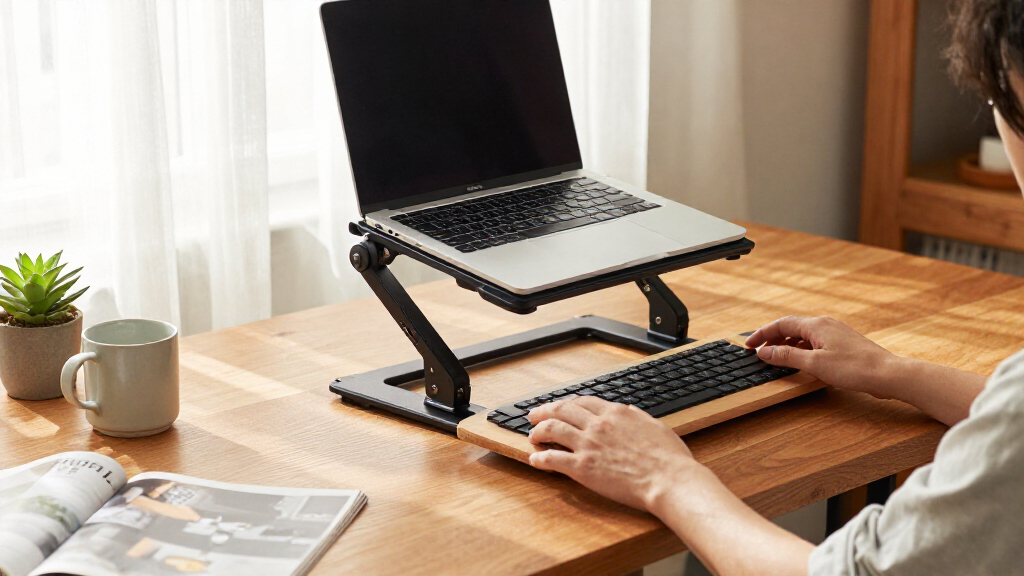
How We Picked
I compared the 15 listed converters on the factors that shape day-to-day use: available surface area, overall footprint, keyboard and monitor layout, adjustment approach, and how clearly each design fits a particular workspace. Width alone does not determine usefulness: a wide top may help with multiple devices but take over a small desk, while a compact riser can limit mouse and keyboard room. I also treated built-in keyboard trays and monitor mounts as meaningful design differences rather than automatic upgrades.
The ranking favors models with a clear use case and a practical balance of workspace and layout, then places more specialized or compact options where their narrower fit makes sense. Since the product list does not provide verified adjustment ranges, load limits, or construction details, I do not use those as ranking claims. I recommend checking those specifications against your desk and equipment before buying, especially if you plan to use heavy monitors or need a particular standing height.
| adjustable standing desk converter | Frame material |
|---|---|
| FITUEYES Height-Adjustable Sta | — |
| VIVO 42-Inch Manual Standing D | Alloy steel |
| VIVO 48-Inch Standing Desk Con | Alloy base and steel frame |
| Decoholic 24-Inch Height-Adjus | — |
| VIVO Dual-Tier Standing Desk C | — |
| VIVO Manual Height-Adjustable | — |
| TechOrbits 32-Inch Adjustable | Aluminum |
| VIVO Manual Height-Adjustable | — |
| FLEXISPOT 36-Inch Height-Adjus | Metal |
| VIVO Manual Height-Adjustable | Alloy steel |
| VIVO 28-Inch Manual Height-Adj | Alloy steel |
| Adjustable Height Standing Des | — |
| VIVO 32-Inch Standing Desk Con | — |
| VIVO 36-Inch Standing Desk Con | Alloy steel |
| TechOrbits 32-Inch Standing De | Aluminum |
Factors to Consider When Choosing Adjustable Standing Desk Converters
Choosing between desk converters is less about finding the widest top and more about matching the riser to your existing desk, equipment, and working posture. I would measure first, decide where the keyboard and monitors need to sit, then compare the adjustment and support details in each product’s specifications.
Measure the Desk and the Working Surface
Measure the usable depth and width of your desk, not just the room it occupies. A converter needs space for its base as well as room behind or beside it for cables and other items. Then map the equipment you expect to use: monitor stands, a laptop, and a mouse can claim more surface area than their dimensions suggest. A common mistake is buying by the converter’s listed width alone and discovering that the keyboard tray or base crowds the desk. Compact models such as the 24-inch options in this roundup may suit restricted surfaces, while wider models make more sense when the desk can spare the room. Check the product’s full footprint and platform dimensions before choosing.
Choose a Keyboard Layout That Fits Your Posture
A separate keyboard tray creates two working levels, which can help keep the screen and hands positioned independently. That layout also adds moving parts and can restrict where a keyboard, mouse, or other accessories fit. Single-surface converters keep equipment together, but the screen and typing position may be harder to arrange independently. Before buying, check whether the tray is wide enough for your keyboard and mouse side by side. Think about whether you switch often between sitting and standing, since a layout that feels organized at one height may be awkward at another. A tray is a design choice, not an automatic comfort improvement.
Match Monitor Support to Your Setup
Count your screens and note how each is supported: on a stand, on a converter, or by a separate mount. A model with a built-in dual monitor mount, such as the VIVO 32-inch option in this lineup, may suit a multi-screen arrangement, but its mount compatibility and load limits need checking. Do not assume that a wide platform can carry any monitor configuration; the manufacturer’s supported weight and mounting instructions still matter. If you use a laptop alongside an external display, account for both screens and their stands when estimating space. A separate monitor arm may offer more placement flexibility, though it also requires a compatible desk or converter setup. Match the mounting method to your equipment before focusing on width.
Check Adjustment Range and Operating Method
Adjustment range determines whether the converter can place the work surface at a useful seated and standing height for your body. Compare the listed minimum and maximum heights with your chair, desk, and preferred posture rather than assuming every riser reaches the same positions. Manual adjustment can be straightforward, but the effort and stability while raising a loaded surface depend on the specific mechanism. Look for manufacturer guidance on adjusting the unit with equipment in place. If more than one person will share the converter, a wider usable range can matter more than extra surface area. When a listing does not clearly state its height range, treat that as a reason to verify the details before purchase.
Verify Load Limits and Stability Requirements
Add up the weight of your monitors, laptop, keyboard, and accessories, then compare it with the converter’s stated capacity. Leave headroom rather than planning to work at the published limit, particularly if you move the surface while equipment is on it. A tall monitor or extended mount can also shift the load and affect how steady a setup feels. Check whether the manufacturer gives separate limits for the desktop, keyboard tray, or monitor mount. Buyers often focus on the top’s size and overlook these separate support points. If your equipment is heavy or mounted, choose based on the verified limits for the complete arrangement.
Decide When a Specialized Feature Is Worth It
A built-in tray, dual monitor mount, or extra-wide surface can solve a specific setup problem, but each may add bulk or narrow how you arrange the converter. Pay for that feature only when it replaces a workaround you currently rely on. For example, a dual monitor mount is more relevant to a two-screen workflow than to someone using a laptop alone. A compact riser may be the better choice when desk space is limited, even if a wider surface looks more versatile on paper. Also check assembly requirements and any care or maintenance instructions, since additional components can mean more setup steps. Prioritize the feature that addresses your actual constraint rather than collecting features you may not use.
Frequently Asked Questions
Is a 32-inch standing desk converter wide enough for two monitors?
It depends on the monitors’ widths, their stands, and whether you also need room for a keyboard and mouse. A 32-inch label describes only one dimension, not the full usable area or how much space the base and tray occupy. The VIVO 32-inch model with a dual monitor mount is the most directly tailored option in this lineup for two screens, but you should still confirm compatibility and load limits. If your monitors sit on separate stands, measure their combined footprint before choosing a top. A wider model may give more room, though it also takes up more of the underlying desk.
Should I choose a converter with a separate keyboard tray?
Choose a separate tray if you want the keyboard at a different level from the monitor platform or need a dedicated typing area. It can make positioning more flexible, but it may reduce room for a large keyboard and mouse or add bulk to the setup. A single-surface riser is simpler and may suit laptop-heavy work, though screen and typing positions are more closely linked. Compare the tray’s usable dimensions rather than relying on the product name. If possible, check how the tray sits at both seated and standing heights.
Can I put a monitor arm on any standing desk converter?
No; compatibility depends on the converter’s construction, mounting points, and stated weight limits. A clamp or grommet mount can require more edge clearance or a specific platform thickness, and a tall arm can place extra force on the surface. The VIVO model in this roundup that includes a dual monitor mount is designed around that kind of setup, but buyers still need to match their screens to its listed limits. For other converters, check the manufacturer’s instructions before attaching an arm. If mounting details are unclear, a freestanding monitor stand may be a safer fit.
How do I know whether a compact converter will fit my work routine?
List everything you need to keep on the raised surface during a normal work session, then measure that arrangement. Compact options such as the 24-inch Decoholic and 23.6-inch converter can be useful when desk space is scarce, but may leave little room for a separate keyboard, mouse, and monitor stand together. If you can keep some equipment on the lower desk, a smaller platform may still work well. If you expect to raise all your devices together, check the platform dimensions carefully. A paper outline placed on the desk can help reveal crowding before you buy.
What should I verify before buying if the product listing leaves out key specifications?
Confirm the converter’s adjustment range, supported load, full footprint, and platform dimensions with the manufacturer or current product documentation. Ask whether load limits apply to the entire unit or separately to the main surface, tray, and monitor mount. Check the setup instructions for assembly needs and any restrictions on adjusting the converter while equipment is on it. These details matter more than a small difference in advertised width when you need a particular working height or plan to use heavy screens. If the information remains unavailable, choose a model with clearer documentation rather than guessing.
Conclusion
I recommend the FLEXISPOT 36-Inch converter as best overall for buyers who want a middle-ground footprint and work surface. For best value in practical fit, compare the VIVO 32-inch manual model with the TechOrbits 32-inch tray option and choose based on whether you want a separate keyboard level; I cannot make a price-based value claim from the details provided. The VIVO 48-inch is my premium-style pick for wider setups, though its larger footprint makes it a poor match for crowded desks. For beginners, a straightforward 32-inch single-surface model is a sensible place to start, provided its verified height and load limits fit your needs. Choose the Decoholic 24-inch or 23.6-inch model for a compact desk, the VIVO dual-monitor-mount option for a supported two-screen layout, or a keyboard-tray model if you want separate typing space. Measure your setup and confirm product specifications before settling on a converter.
Halloween Picks

MGparty 14.5FT Halloween Inflatable Walk-in Pumpkin House with LED Lights

Panefright Halloween Window Projector

9 ft Halloween Inflatable Haunted Castle with Dragon and Ghost
As an affiliate, we earn on qualifying purchases.