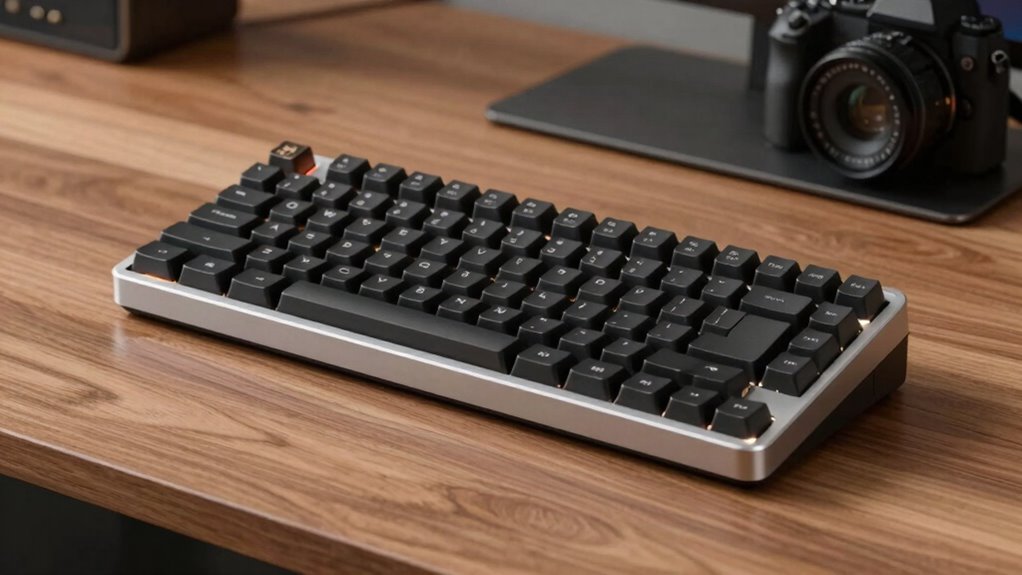

Finding a low profile mechanical keyboard involves balancing slim design with mechanical switch performance. The best models offer a sleek look and feel without sacrificing typing accuracy or gaming responsiveness. The top picks include the Keychron K3 Max SE for versatility, and the Logitech G915 X for premium build quality, both standing out for their design and features. However, tradeoffs often include limited switch options, higher prices, or compatibility considerations. Continue reading for a detailed breakdown of the best low profile mechanical keyboards available in 2026.
Complete the kit



Key Takeaways
- High-quality low profile switches provide better tactile feedback but often come at a premium cost.
- Wireless models offer greater portability but may introduce latency compared to wired options.
- Build quality varies widely; aluminum finishes tend to be more durable than plastic but add weight and cost.
- Hot-swappable switches give customization flexibility but can complicate maintenance or warranty policies.
- Layout size impacts usability; compact designs save space but may limit key functions or convenience.


| low profile mechanical keyboard | Switch Type | Connectivity | Compatibility |
|---|---|---|---|
| Keychron K3 Max SE QMK Wireles | Keychron Milk POM (hot-swappable) | 2.4 GHz, Bluetooth 5.2, Wired | Mac, Windows, Linux |
| Flow Lite 100 Keys Low Profile | Specter Linear Switches | Bluetooth, USB-C, Wi-Fi | — |
| Logitech G915 X Low-Profile Wi | GL Red Linear | — | — |
| Logitech MX Mechanical Mini Wi | Tactile Quiet Mechanical | Bluetooth, Logi Bolt USB-C | macOS, Windows, Linux, iOS, Android |
| NuPhy Node75 Wireless Mechanic | — | — | — |
| NuPhy Node100 Wireless Mechani | — | — | — |
| Corsair K100 AIR Wireless RGB | Cherry MX Ultra Low Profile | — | — |
| Keychron KJ1 Low Profile Wirel | Brown | — | Mac, Windows, Linux |
| Redragon K618 PRO 3-Mode Wirel | Linear Red | — | Windows and Mac |
| Keychron K17 Max 96% Layout Wi | Gateron Brown | Bluetooth 5.1, 2.4 GHz, wired Type-C | Mac, Windows |
| Keychron K5 Version 2 Wireless | Milk POM low-profile mechanical switches | Bluetooth 5.2 and USB-C wired | Mac, Windows, Linux |
| Flow Lite 84 Keys Low Profile | Specter Linear Switches | — | — |
| Arteck Mechanical 2.4G USB Wir | Tactile Brown | Wireless 2.4G USB | Windows 11/10 |
| Keychron K3 Version 2 75% Wire | Mechanical Brown | Bluetooth, USB Wired | — |
More Details on Our Top Picks
Keychron K3 Max SE QMK Wireless Mechanical Keyboard with Hot-Swappable Switches and PBT Keycaps
The Keychron K3 Max SE stands out for its exceptional versatility, combining wireless connectivity options like Bluetooth 5.2 and 2.4 GHz with wired use, making it ideal for users who switch devices frequently. Its hot-swappable switches and customizable QMK firmware offer a level of personalization that surpasses many competitors like the Flow Lite, which lacks firmware customization. The ultra-slim, 75% layout supports a compact setup but may not satisfy those needing a full-size keyboard or dedicated numpad. While the premium features come at a higher price, the durable PBT keycaps and re-engineered stabilizers promise a stable, satisfying typing experience. A minor tradeoff is that QMK customization requires a compatible browser, which could be a barrier for some users. If you want a highly adaptable, space-saving keyboard capable of multitasking across multiple operating systems, this pick makes the most sense.
Pros:- Supports multiple connectivity options including Bluetooth and 2.4 GHz wireless
- Hot-swappable switches for easy customization without soldering
- Durable PBT keycaps and re-engineered stabilizers for stable, high-quality typing
Cons:- Requires compatible browser for QMK customization (Chrome, Opera, Edge)
- Limited to 75% layout, may not suit users needing full-size keys
Best for: Tech enthusiasts who value customization, multi-device use, and a compact design without sacrificing wireless flexibility.
Not ideal for: Users needing a full-size layout with dedicated function keys or a more budget-friendly entry point.
- Layout:75%
- Connectivity:2.4 GHz, Bluetooth 5.2, Wired
- Switch Type:Keychron Milk POM (hot-swappable)
- Keycaps:Double-shot PBT
- Compatibility:Mac, Windows, Linux
- Design:Ultra-slim, low-profile
- Special Features:Customizable via QMK, Launcher web app, re-engineered stabilizers, acoustic foam
Our verdict“This keyboard is ideal for users who prioritize a compact form factor combined with extensive customization and multi-device support.”
Flow Lite 100 Keys Low Profile Mechanical Keyboard with Swappable Switches, Wireless & Wired Connectivity (Marble)
The Flow Lite 100 offers a compelling package for those seeking affordability without sacrificing basic low-profile design. Its gasket mount and low-profile form reduce wrist strain, making it comfortable for long sessions, especially compared to bulkier full-size keyboards. Its multi-connection support—including Bluetooth, Wi-Fi, and wired USB-C—gives it an edge over simpler models like the NuPhy Node75, which lacks Wi-Fi. The long battery life of up to 100 hours, paired with durable PBT keycaps, makes it suitable for everyday use. A notable limitation is its single-color backlighting, which may disappoint gamers or those seeking customization. The ABS body feels less premium than aluminum counterparts, but the price reflects this. This model suits budget-conscious users who want a versatile, low-profile option for work and light gaming.
Pros:- Affordable price point for a low-profile mechanical keyboard
- Flexible connectivity options including Bluetooth, Wi-Fi, and wired USB-C
- Long battery life with quick USB-C charging
Cons:- Limited to single-color backlighting
- ABS body may feel less durable or premium compared to aluminum models
Best for: Budget-conscious users who want a wireless, low-profile keyboard with decent customization options.
Not ideal for: Highly competitive gamers or users seeking extensive RGB effects and premium materials.
- Number of Keys:100
- Switch Type:Specter Linear Switches
- Connectivity:Bluetooth, USB-C, Wi-Fi
- Battery Capacity:3000mAh
- Battery Life:Up to 100 hours (lights off)
- Material:ABS body, PBT keycaps
- Backlighting:Single color
Our verdict“This keyboard makes sense for budget-minded users wanting versatile wireless connectivity in a compact low-profile design.”
Logitech G915 X Low-Profile Wired Mechanical Gaming Keyboard, RGB, Aluminum Finish, GL Red Switches
The Logitech G915 X exemplifies a high-end, gaming-focused low-profile keyboard with an aluminum top plate and vibrant RGB lighting. Its GL Red linear switches deliver swift, smooth keystrokes ideal for fast-paced gaming, setting it apart from more general-purpose options like the Keychron K3 Max SE. The full-size layout with dedicated media controls and programmable G keys makes it a powerhouse for gamers who want customization and performance. However, its premium price and wired-only setup may deter casual users or those seeking portability. The complex feature set might require time to master, but the durable build and high-performance switches justify the investment for serious gamers. If gaming and customization are your priorities, this model fits best.
Pros:- Low-profile design with high-performance GL Red switches
- Vibrant LIGHTSYNC RGB with customizable effects
- Durable aluminum top plate and double-shot PBT keycaps
- Includes programmable G keys and media controls
Cons:- High price point for non-gamers
- Wired only, limiting portability
- Complex setup for full customization
Best for: Dedicated gamers who need a low-profile, full-featured keyboard with extensive customization and RGB effects.
Not ideal for: General users or those on a tight budget who do not require gaming-specific controls.
- Type:Wired Mechanical Gaming Keyboard
- Switch Type:GL Red Linear
- Keycaps:Double-Shot PBT
- Lighting:LIGHTSYNC RGB
- Dimensions:23 mm high
- Programmable Keys:15 per key
- Additional Controls:Media controls, volume roller, numpad, 9 G keys
Our verdict“Ideal for gamers seeking a sleek, high-performance low-profile keyboard with extensive customization options at a premium price.”
Logitech MX Mechanical Mini Wireless Illuminated Keyboard with Tactile Quiet Switches
The Logitech MX Mechanical Mini suits users who need a compact, multi-OS compatible keyboard with quiet, tactile feedback. Its quiet mechanical switches reduce noise while maintaining precise keystrokes, making it perfect for office environments or shared spaces. Unlike bulky gaming models, this keyboard emphasizes productivity and comfort, with adaptive backlit keys and multi-device pairing, including Bluetooth and Logi Bolt. Its slim profile and long-lasting battery—up to 10 months with backlight off—distinguish it from larger, less portable options like the NuPhy Node75. However, the absence of a numeric keypad and limited device pairing (up to three) may be drawbacks for power users. This model is tailored for professionals and multitaskers who prefer a sleek, quiet low-profile keyboard that fits into a multi-device workflow.
Pros:- Compact, ergonomic design for comfortable use
- Quiet tactile switches for precise, noise-free typing
- Multi-OS and multi-device support for seamless workflow
- Long battery life with quick USB-C charging
Cons:- Limited to 3 device pairing
- No numeric keypad on the mini version
- Requires compatible Bluetooth or Logi Bolt receiver
Best for: Professionals needing a compact, quiet, multi-device keyboard for everyday multitasking across various operating systems.
Not ideal for: Gamers or users who require extensive programmable keys or a numeric keypad for data entry.
- Switch Type:Tactile Quiet Mechanical
- Backlit:Yes, adaptive
- Connectivity:Bluetooth, Logi Bolt USB-C
- Compatibility:macOS, Windows, Linux, iOS, Android
- Battery Life:Up to 15 days with backlight, 10 months with backlight off
- Dimensions:Height: 26.10mm, Width: 312.60mm, Depth: 131.55mm
- Material:Includes 47% post-consumer recycled plastic
Our verdict“This keyboard is well-suited for busy professionals who value quiet operation, multi-device support, and a space-saving footprint.”
NuPhy Node75 Wireless Mechanical Keyboard, 75% Hot-Swap Low Profile Keyboard, 84 Keys, RGB Backlit, Bluetooth/2.4GHz/USB-C
The NuPhy Node75 is a flexible choice for users who want multi-device wireless connectivity in a low-profile form. Its hot-swappable switches and vibrant RGB backlighting offer a high degree of customization, appealing to both gamers and productivity enthusiasts. The 75% layout strikes a balance between compactness and functionality, enabling easy setup in tight spaces. Supporting Bluetooth, 2.4GHz, and USB-C, it surpasses many similar models like the Flow Lite in versatility, especially with its touch controls for volume and brightness. However, the setup process for touch controls may be complex for newcomers, and the limited 84 keys might be restrictive for heavy data entry or gaming requiring a full numpad. The long battery life—up to 1000 hours—makes it a practical option for daily use. This keyboard fits best for users who want customization, multi-device flexibility, and vibrant aesthetics.
Pros:- Supports multi-device pairing with easy switching
- Hot-swappable switches for customization
- Vibrant RGB lighting with animations
- Long battery life up to 1000 hours
Cons:- May be complex for beginners to customize
- Touch controls might require setup
- Limited to 84 keys, which may not suit all users
Best for: Tech-savvy users seeking a customizable, multi-device wireless keyboard with a compact footprint and long-lasting battery.
Not ideal for: Beginners or those needing a full-sized keyboard with extensive keys or dedicated numeric keypad.
Our verdict“This model is best suited for users wanting a highly customizable, multi-device low-profile keyboard with impressive battery life and aesthetics.”
NuPhy Node100 Wireless Mechanical Keyboard, Hot Swappable Low Profile, 103 Keys, RGB Backlit, Bluetooth/2.4GHz/USB-C
The NuPhy Node100 stands out for its flexible multi-connection modes, including Bluetooth, 2.4GHz, and USB-C, making it highly adaptable for both desktop and mobile setups. Its gasket mount design delivers quiet, smooth typing, which is a step above many standard low-profile keyboards that often sacrifice noise and smoothness for a slim profile. The hot-swappable switches add a layer of customization for enthusiasts, though setup for touch gesture controls can be less intuitive, and battery life info is limited, which might be a concern for all-day use. Compared with the Corsair K100 AIR, the Node100 offers more connection options but lacks the same premium build and long battery life. This pick makes the most sense for users who need a low-profile, wireless keyboard with customization options and are willing to manage some setup quirks.
Pros:- Supports multiple connection modes for versatile use
- Hot-swappable switches for easy customization
- Quiet, smooth gasket mount design enhances typing comfort
- Customizable RGB backlighting
Cons:- Requires setup for touch gesture controls
- Limited information on battery life
- Potential compatibility issues with some devices
Best for: Creative professionals and gamers who want a wireless, customizable low-profile keyboard with quiet typing.
Not ideal for: Users seeking a plug-and-play, long-lasting battery setup with minimal configuration, as setup and compatibility could be tricky.
- Connection Modes:Bluetooth, 2.4GHz, USB-C
- Number of Keys:103
- Backlit:RGB
- Keycap Material:PBT
- Hot Swappable:Yes
- Touch Gesture Control:Yes
Our verdict“This is a flexible choice for users wanting a wireless, customizable low-profile keyboard with superior typing feel.”
Corsair K100 AIR Wireless RGB Mechanical Gaming Keyboard – Ultra-Thin, Sub-1ms Slipstream, Low-Latency Bluetooth, Cherry MX Ultra Low Profile Keyswitches – NA Layout, QWERTY – Black
The Corsair K100 AIR offers an ultra-slim profile at just 11mm thick, combining sleek aesthetics with fast, low-latency connectivity via Slipstream wireless and Bluetooth. Its Cherry MX Ultra Low Profile switches are designed for responsive gaming and fast typing, but the premium price tag reflects its high-end build and features. However, its NA layout limits flexibility for users with other preferences, and the RGB backlighting, while vibrant, can drain the battery faster during extended use. Unlike the more versatile NuPhy Node100, the K100 AIR prioritizes speed and style over multi-device flexibility, making it ideal for gamers who want a high-performance, stylish low-profile keyboard. It’s less suited for those on a budget or needing a more customizable or multi-platform device.
Pros:- Ultra-thin and stylish design
- Multiple fast connection options including Slipstream and Bluetooth
- Long-lasting battery with up to 50 hours of RGB use
- Responsive Cherry MX Ultra Low Profile switches
Cons:- Premium price point may be prohibitive
- Limited to NA layout, not ideal for international users
- Backlighting can drain battery faster
Best for: Competitive gamers and tech enthusiasts seeking a super-slim, high-speed wireless keyboard with premium build quality.
Not ideal for: Casual users or those needing a non-NA layout, as the design is specialized and the price is high for general productivity tasks.
- Thickness:11mm
- Connection Options:Slipstream wireless, Bluetooth, USB wired
- Switch Type:Cherry MX Ultra Low Profile
- Actuation Distance:0.8mm
- Battery Life:Up to 50 hours with RGB
- Layout:NA, QWERTY
Our verdict“This keyboard offers a sleek, high-performance solution for gamers who prioritize speed and style in a low-profile form factor.”
Keychron KJ1 Low Profile Wireless Mechanical Keyboard – 75% Layout Brown Switch, RGB Backlit, 2.4G/Bluetooth/USB-C, PBT Keycaps, Mac/Win/Linux Compatible
The Keychron KJ1 makes a compelling case for users seeking a compact, versatile low-profile keyboard with a 75% layout. Its Brown switches provide a balanced typing experience, suitable for both gaming and productivity, while the RGB lighting with over 22 effects adds visual flair. Its support for multiple connection modes—Bluetooth 5.2, 2.4G, and wired USB-C—makes it adaptable for various devices, especially for users who switch between operating systems. The support for advanced programming via QMK/VIA elevates its appeal for power users. Compared to simpler options like the Redragon K618 PRO, the KJ1 offers more customization and multi-OS compatibility, but it comes at a higher cost and with slightly more complex setup. It’s ideal for users who want a small, customizable low-profile keyboard that adapts to different workflows.
Pros:- Supports multiple connection modes including Bluetooth and 2.4G
- Customizable with advanced programming features
- High-quality PBT keycaps with vibrant RGB effects
- Compatible across Mac, Windows, and Linux
Cons:- Higher price compared to basic low-profile keyboards
- Limited to 75% layout, which may not suit all preferences
- Battery life details are not explicitly provided
Best for: Power users and multi-platform professionals seeking a compact, programmable low-profile keyboard for work and play.
Not ideal for: Users who prefer a full-sized keyboard or need simple plug-and-play functionality, as setup and configuration can be more involved.
- Connection Modes:Bluetooth 5.2, 2.4G, USB-C
- Layout:75%
- Switch Type:Brown
- Backlight:RGB with 22+ effects
- Keycaps:Double-Shot PBT
- Compatibility:Mac, Windows, Linux
Our verdict“This is a powerful, compact option for users who need versatility and customization in a low-profile form factor.”
Redragon K618 PRO 3-Mode Wireless RGB Mechanical Keyboard
The Redragon K618 PRO offers a versatile low-profile design with three connection modes—wired USB-C, Bluetooth, and 2.4GHz wireless—making it flexible for various setups. Its linear Red switches provide a responsive typing feel, and the customizable RGB backlighting adds style. The inclusion of macro keys and dedicated media controls enhances its functionality for gaming and productivity. However, the need for software for full customization can be a hassle, and linear switches may not satisfy typists who prefer tactile feedback. Compared with premium options like the Corsair K100 AIR, it trades some build quality and advanced features for affordability and multi-mode convenience. This makes it an appealing choice for users who want a feature-rich low-profile keyboard without a hefty price tag, especially if they are comfortable with software configuration.
Pros:- Versatile 3-mode wireless and wired connectivity
- Customizable RGB backlighting with software support
- Compact, ultra-thin design ideal for space-saving setups
- Dedicated media controls and macro keys for convenience
Cons:- Requires software for full customization
- Linear switches may not satisfy all typing preferences
- Limited device compatibility for some advanced features
Best for: Budget-conscious gamers and multi-device users who need a flexible, space-saving low-profile keyboard with macro support.
Not ideal for: Users seeking a keyboard with tactile feedback or plug-and-play simplicity, as full customization requires software and linear switches may not suit everyone.
- Connection Modes:USB-C wired, Bluetooth 3.0/5.0, 2.4GHz wireless
- Switch Type:Linear Red
- Backlighting:16.8 million colors RGB
- Design:Ultra-thin low profile
- Macro Keys:4 x 5
- Compatibility:Windows and Mac
Our verdict“A practical, budget-friendly low-profile keyboard with multi-mode flexibility and macro capabilities for everyday multitasking.”
Keychron K17 Max 96% Layout Wireless Mechanical Keyboard with RGB Backlit and Hot-Swappable Gateron Brown Switches
The Keychron K17 Max offers a near-full size 96% layout in a slim, low-profile form, combining extensive key options with portability. Its Gateron Brown switches strike a balance between tactile feedback and smoothness, appealing to both gamers and typists. The hot-swappable feature allows for easy switch customization, and the multi-connection options—Bluetooth 5.1, 2.4G, and wired Type-C—make it adaptable across various devices and operating systems. Its durable aluminum frame and PBT keycaps ensure longevity, while RGB lighting with multiple effects adds visual appeal. However, its legends are non-shine-through, which limits backlight visibility, and the higher price may deter budget buyers. Compared with the more compact Keychron KJ1, the K17 Max provides a larger typing surface and more key functions, making it ideal for power users who need a comprehensive layout in a low-profile package.
Pros:- Supports multiple connection methods including Bluetooth and 2.4G
- Hot-swappable Gateron Brown switches for customization
- Large 96% layout with extensive keys
- Vibrant RGB lighting with multiple effects
Cons:- Legends are non-shine-through, affecting backlight visibility
- Higher price point compared to smaller or simpler keyboards
- Requires firmware updates for full feature access
Best for: Power users and professionals who need a full-featured, versatile keyboard for work and gaming in a low-profile form.
Not ideal for: Users seeking an ultra-compact or budget-friendly keyboard, as the larger size and cost may not suit minimalists or cost-conscious buyers.
- Layout:96%
- Connectivity:Bluetooth 5.1, 2.4 GHz, wired Type-C
- Switch Type:Gateron Brown
- Backlight:RGB with 22 effects
- Keycaps:PBT
- Compatibility:Mac, Windows
Our verdict“This keyboard is ideal for users who want a large, customizable low-profile layout with extensive connectivity options and durability.”
Keychron K5 Version 2 Wireless Bluetooth Mechanical Keyboard, Low Profile, Full-Size, QMK Programmable, White Backlight, Mac/Windows/Linux Compatible
The Keychron K5 Version 2 stands out for offering a full-size layout combined with wireless convenience, making it a versatile choice for both work and travel. Its Bluetooth 5.2 connectivity and multi-device support rival the Flow Lite 84, but with the added benefit of QMK programmability, allowing for extensive customization. Compared with the Keychron K3 V2, the K5’s full-size layout provides more keys, which is better for users needing dedicated function keys, though it comes at the cost of bulkiness. Its sleek, low-profile design ensures portability without sacrificing comfort, but the battery life may decrease with bright backlight use. The layered acoustic foam minimizes typing noise, suitable for quiet environments. However, setup for firmware customization can be a hurdle for some users.
Pros:- Wireless Bluetooth 5.2 with multi-device support
- Fully customizable via open-source QMK firmware
- Quiet, responsive typing with layered acoustic dampening
- Sleek, portable design
Cons:- Battery life varies depending on backlight brightness
- Full-size layout is bulkier than compact options
- Firmware customization setup can be complex
Best for: Power users who want a full-featured, customizable low-profile keyboard suitable for multitasking and travel
Not ideal for: Minimalists or those needing ultra-compact setups, since its full-size layout adds bulk
- Connectivity:Bluetooth 5.2 and USB-C wired
- Switch Type:Milk POM low-profile mechanical switches
- Layout:Full-size, 104 keys
- Backlight:White backlight with shine-through keycaps
- Battery:2000 mAh rechargeable Li-polymer
- Compatibility:Mac, Windows, Linux
Our verdict“This keyboard suits those seeking a full-size, highly customizable low-profile experience with excellent connectivity options.”
Flow Lite 84 Keys Low Profile Mechanical Keyboard, 75% Wireless & Wired, Bluetooth, 2.4G Receiver, Rechargeable, Specter Linear Switches (Marble)
The Flow Lite 84 Keys offers a compact 75% layout that balances functionality and portability, making it ideal for users with limited desk space or those on the move. Its versatile connectivity—Bluetooth, 2.4G wireless, and wired—mirrors the flexibility of the Keychron K5, but in a more condensed form. The specter linear switches provide a smooth, quiet typing experience, which is advantageous for gaming and prolonged use. Compared to the K3 V2, the Flow Lite’s smaller footprint might lack some dedicated keys, which could be a drawback for users who rely on full-size layouts. Its durable PBT keycaps and stylish marble design add to its appeal, though the ABS body feels less premium than metal options. Heavy users might find the battery life shorter if constantly using RGB lighting or wireless modes.
Pros:- Versatile wireless and wired connectivity options
- Compact 75% layout saves desk space
- Smooth, quiet specter linear switches
- Long battery life up to 80 hours
Cons:- Limited to 84 keys, lacking some function keys
- ABS body may feel less premium than metal counterparts
- Battery life can decrease with heavy use of lighting features
Best for: Gamers and space-conscious professionals who prioritize portability and multi-connection flexibility
Not ideal for: Users who need a full set of function keys or prefer a larger footprint for extensive key use
- Keys:84
- Connection Modes:Bluetooth, 2.4G Wireless, Wired (Type-C)
- Switch Type:Specter Linear Switches
- Material:ABS body, PBT keycaps
- Battery:2000mAh, up to 80 hours
- Dimensions:75% layout
Our verdict“Ideal for gamers and travelers seeking a compact, versatile low-profile keyboard with reliable wireless options.”
Arteck Mechanical 2.4G USB Wireless Performance Keyboard with Tactile Brown Switches
The Arteck Mechanical 2.4G USB Wireless Keyboard offers tactile brown switches that deliver a satisfying, responsive feedback, making it well-suited for users who prefer a straightforward, no-fuss typing experience. Its stainless steel back enhances durability, and the long-lasting battery—up to six months—reduces the need for frequent charging. Compared with the Keychron K3 V2, the Arteck’s focus on Windows compatibility and simple setup makes it more accessible for most users, though it lacks backlit keys, which can be limiting in low-light conditions. The low-profile keys improve ergonomics for extended typing sessions, but the absence of customizable features or multi-device support narrows its appeal for power users. This is a solid choice for those prioritizing durability and ease of use over advanced features.
Pros:- Responsive tactile brown switches for satisfying feedback
- Sturdy stainless steel back for durability
- Long battery life of up to 6 months
- Simple plug-and-play setup
Cons:- Limited to Windows 11/10, reducing OS flexibility
- No backlit keys for use in dim environments
- Lacks customizable or multi-device features
Best for: Office users who want a reliable, durable wireless keyboard with long battery life and tactile feedback
Not ideal for: Gamers or users needing backlit keys or multi-OS compatibility, as these features are missing
- Switch Type:Tactile Brown
- Connectivity:Wireless 2.4G USB
- Back Material:Stainless Steel
- Battery Life:Up to 6 months
- Compatibility:Windows 11/10
Our verdict“A dependable, long-lasting wireless keyboard best suited for office environments that value durability and straightforward operation.”
Keychron K3 Version 2 75% Wireless Mechanical Keyboard with White LED Backlit
The Keychron K3 V2 excels as a compact, ultra-slim wireless keyboard designed for users who need a blend of portability and functionality. Its 75% layout with 84 keys offers essential keys in a minimal footprint, ideal for tight spaces or on-the-go use. The white LED backlit enhances visibility in various lighting conditions, while the low-profile Brown switches enable faster, more responsive typing. Compared with the Flow Lite, the K3’s smaller size is better suited for portability but sacrifices some dedicated function keys. Its aluminum body adds a premium feel, though the plastic bottom frame might compromise durability over time. Firmware updates are necessary for full customization, which could be a hassle for some. Overall, it’s a solid choice for multitaskers who value a sleek, multi-device compatible keyboard.
Pros:- Ultra-slim, compact design ideal for portability
- Supports multi-device pairing with seamless switching
- White LED backlit enhances visibility
- Low-profile Brown switches for quick input
Cons:- Limited key layout may not satisfy those needing full-size keys
- Requires firmware update for full customization
- Plastic bottom frame may impact durability
Best for: Productivity-focused users who need a portable, multi-device keyboard for Mac and Windows
Not ideal for: Users who require a full-sized keyboard with dedicated function keys or heavy-duty durability
- Layout:75%
- Keys:84
- Connectivity:Bluetooth, USB Wired
- Backlit:White LED
- Switch Type:Mechanical Brown
- Material:Reinforced aluminum
Our verdict“Perfect for users who need a portable, multi-device low-profile keyboard that balances style and functionality for productivity.”
How We Picked
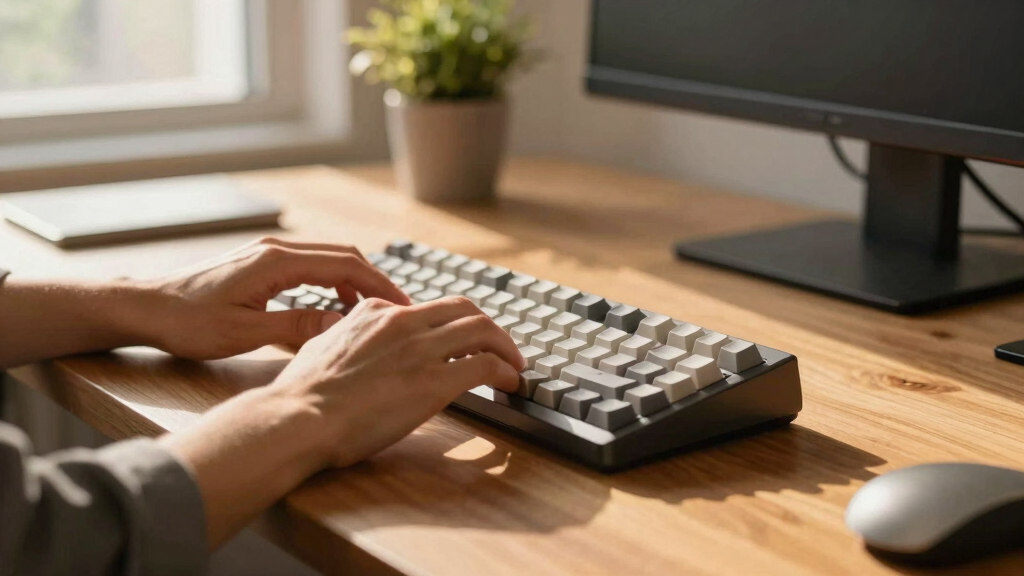
Our evaluation focused on key factors that matter most to users seeking a low profile mechanical keyboard. Performance was judged by switch responsiveness, typing comfort, and gaming latency. Usability considerations included connectivity options, layout size, and keycap durability. Build quality was assessed through materials and assembly, while value emphasized features relative to price. We prioritized models that balance these aspects well, ranking them based on versatility, reliability, and overall user experience. This approach ensures the list caters to both casual users and enthusiasts seeking a premium experience.| low profile mechanical keyboard | Compatibility |
|---|---|
| Keychron K3 Max SE QMK Wireles | Mac, Windows, Linux |
| Flow Lite 100 Keys Low Profile | — |
| Logitech G915 X Low-Profile Wi | — |
| Logitech MX Mechanical Mini Wi | macOS, Windows, Linux, iOS, Android |
| NuPhy Node75 Wireless Mechanic | — |
| NuPhy Node100 Wireless Mechani | — |
| Corsair K100 AIR Wireless RGB | — |
| Keychron KJ1 Low Profile Wirel | Mac, Windows, Linux |
| Redragon K618 PRO 3-Mode Wirel | Windows and Mac |
| Keychron K17 Max 96% Layout Wi | Mac, Windows |
| Keychron K5 Version 2 Wireless | Mac, Windows, Linux |
| Flow Lite 84 Keys Low Profile | — |
| Arteck Mechanical 2.4G USB Wir | Windows 11/10 |
| Keychron K3 Version 2 75% Wire | — |
Factors to Consider When Choosing Low Profile Mechanical Keyboard
Choosing a low profile mechanical keyboard involves understanding several important factors. While slim design is a key feature, it shouldn’t come at the expense of typing feel or durability. Considering your primary use—gaming, typing, portability—helps narrow down options. Additional features like switch type, connectivity, and layout can significantly influence your experience. Being aware of common pitfalls, such as sacrificing build quality for thinness or choosing incompatible switches, ensures you make a smarter purchase.Switch Type and Feel
Switches are the heart of any mechanical keyboard, and in low profile models, their design impacts both performance and comfort. Low profile switches tend to be less tactile than traditional ones, but high-quality options now offer satisfying feedback. Decide whether you prefer linear, tactile, or quiet switches, as this will influence your typing or gaming experience. Keep in mind that some switches are more durable and may require less maintenance, but they could also be pricier. Testing different switch types, if possible, helps avoid disappointment after purchase.Connectivity Options
Wireless connectivity offers portability and clutter-free setups, but it can introduce slight latency, especially in gaming. Wired connections generally provide more reliable and faster response times, which can be crucial for competitive play. Many low profile keyboards support Bluetooth, 2.4GHz, or USB-C, so consider what works best with your devices. If you switch environments frequently, a model with multi-device pairing simplifies transitions. Beware of models with limited connectivity options, which might restrict your setup flexibility.Layout and Size
Low profile keyboards come in various sizes—from full-size to compact 75% or 65% layouts. Smaller designs save desk space and are easier to transport but often omit dedicated function or arrow keys, which may hinder productivity. Larger layouts provide more keys and shortcuts but can be bulkier. Think about your daily tasks; if you frequently use function keys or numeric keypads, a full or 96% layout might suit you better. Remember, compact layouts can sometimes compromise comfort or convenience, especially during long typing sessions.Build Quality and Materials
Durability is essential in a keyboard that’s meant to last, especially if you plan to carry it around. Aluminum or metal top plates tend to be sturdier and more resistant to wear than plastic, but they also add weight and cost. Keycap material matters too; PBT caps are more durable and less shiny over time compared to ABS. Consider how often you’ll transport the keyboard—lighter models are easier to carry but may feel less premium. Skimping on build quality can lead to creaky keys or early failure, which is costly in the long run.Price and Value
Low profile mechanical keyboards span a broad price range, reflecting differences in features, materials, and brand reputation. While budget models can be tempting, they often compromise switch quality or build materials. Conversely, premium models deliver better performance and durability but at a higher cost. Evaluate what features matter most to you—such as wireless capability, hot-swappable switches, or RGB lighting—and balance these against your budget. Avoid paying extra solely for brand prestige if the core features don’t meet your needs.Frequently Asked Questions
Are low profile mechanical keyboards good for gaming?
Many low profile mechanical keyboards are suitable for gaming thanks to their fast switch response and low latency, especially models with dedicated gaming switches like GL or Cherry MX Ultra Low Profile. However, some may lack features like full anti-ghosting or macro support found in larger gaming keyboards. Wireless models can introduce slight latency, so if competitive gaming is your priority, a wired low profile keyboard might be preferable. Ultimately, choosing a model with responsive switches and reliable connectivity will enhance your gaming experience.
Can I find low profile mechanical keyboards with hot-swappable switches?
Yes, several models in this category offer hot-swappable switches, allowing you to customize or replace switches without soldering. This feature can extend the lifespan of your keyboard and enable personal tailoring of the typing feel. However, hot-swappable models tend to be more expensive and sometimes have limited switch compatibility. If customization is a priority, opting for a model like the Keychron K3 Max SE or NuPhy Node75 makes sense, but be aware that some cheaper options may not support switch swapping at all.
Are low profile keyboards less durable than traditional mechanical keyboards?
Low profile keyboards often use different construction techniques and materials to achieve their slim profile, which can impact durability. While high-quality models with metal cases and PBT keycaps are quite robust, cheaper ones may feel flimsy or prone to wear. The reduced height of switches can also mean less protection against dust and debris. If longevity is a concern, investing in a well-built model with quality materials is advisable, even if it costs more upfront. Proper care can also significantly extend the lifespan of any low profile keyboard.
Do low profile mechanical keyboards work well with Mac and Windows?
Most low profile mechanical keyboards are compatible with both Mac and Windows, especially models with dual OS support or customizable key mappings. Some, like the Keychron series, are designed explicitly for cross-platform use, including Mac-specific key layouts. However, you might need to reprogram certain keys or adjust settings for full functionality. Compatibility is usually straightforward, but always check the product specifications if you rely on specific shortcuts or macros for your workflow.
Is RGB lighting worth paying extra for in a low profile keyboard?
RGB lighting is primarily a visual enhancement that can add flair to your setup but doesn’t impact performance. For some users, especially gamers or streamers, customizable lighting can provide useful visual cues or create a personalized aesthetic. However, models without RGB are often simpler and more affordable, with longer battery life in wireless versions. Consider whether you prioritize aesthetics or if you prefer to allocate your budget toward better switches or build quality. If lighting features are secondary, skipping RGB can save money without sacrificing core functionality.
Conclusion
For most users, the Keychron K3 Max SE stands out as the best overall choice, thanks to its versatile connectivity, hot-swappable switches, and durable build. Those seeking a premium experience will appreciate the Logitech G915 X for its sleek design and high-end materials. Beginners or casual users might find the Arteck Mechanical or Flow Lite 84 Keys more accessible and budget-friendly. Gamers will benefit from models like the Corsair K100 AIR or Redragon K618 PRO. Ultimately, your ideal low profile keyboard depends on your priorities—whether it’s performance, portability, or price—so choose accordingly.