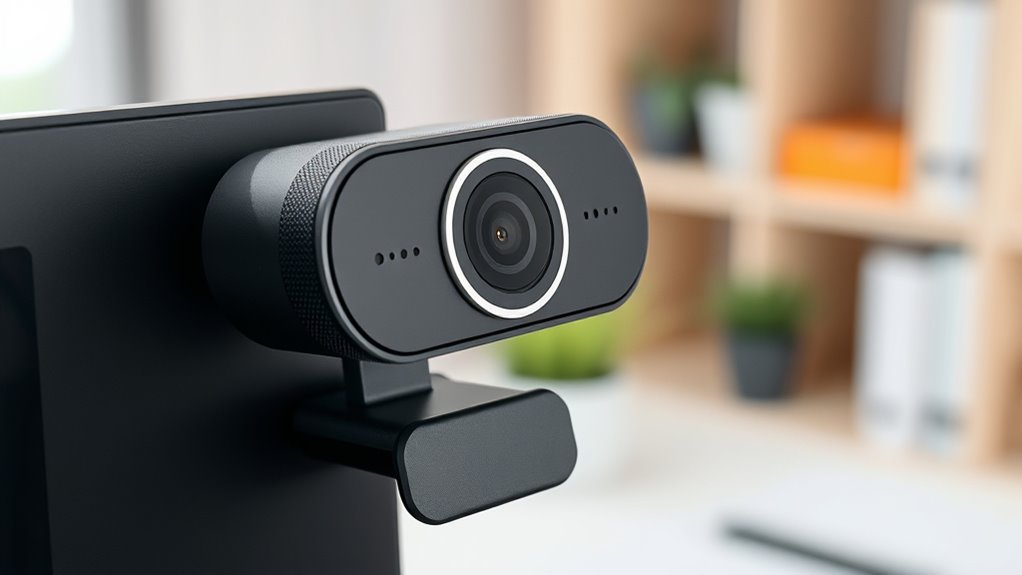

When choosing a new webcam, look for high resolution like 1080p or 4K for clear images. A frame rate of at least 30 fps ensures smooth motion, while higher rates like 60 fps are better for fast action. Autofocus and light correction help keep your image sharp even in changing conditions. Also, consider color accuracy, low-light performance, and compatibility with your device. Keep these features in mind to optimize your video quality—more details await beyond the basics.
Key Takeaways
- Prioritize resolution (1080p or higher) for clear, professional visuals during video calls and streaming.
- Choose a frame rate of at least 30 fps for smooth motion; 60 fps is ideal for fast-paced content.
- Ensure autofocus and light correction features to maintain sharpness and visibility in varying lighting conditions.
- Look for good color accuracy and low-light performance to achieve natural skin tones and clear images in dim settings.
- Confirm compatibility and consider built-in microphones and additional features for a comprehensive streaming setup.

Have you ever wondered what makes one webcam better than another? When you’re choosing a new camera, it all comes down to understanding the key specs that impact your experience, especially for activities like video conferencing and streaming. The first thing to consider is resolution. Higher resolutions, such as 1080p or even 4K, guarantee that your image is clear and sharp. This is vital for video conferencing because it helps you appear professional and well-presented, even on small screens. Streaming quality also benefits greatly from a higher resolution, as viewers see more detail and vibrant visuals. However, keep in mind that higher resolution requires a better graphics card and faster internet, so balance your needs with your setup’s capabilities.
Choosing a webcam with high resolution enhances clarity, professionalism, and streaming quality.
Next, pay attention to frame rate. Frame rate indicates how many frames per second the webcam can capture. For smooth, natural motion, look for a camera that offers at least 30 fps. If you’re into fast-paced streaming or gaming, 60 fps can give you even more fluid visuals, reducing motion blur and lag. This makes your streams look more professional and engaging, and it guarantees your video calls appear seamless. Streaming quality can suffer if your webcam’s frame rate is too low, leading to choppy videos that distract or frustrate viewers.
Another important feature is autofocus and light correction. Autofocus ensures your face remains sharp even if you move around a bit, which is super helpful during long meetings or when adjusting your position. Good light correction technology automatically adjusts the image to compensate for poor lighting, ensuring you’re visible even in dim or uneven lighting conditions. Both features enhance your overall video quality, making your image clearer and more consistent, which is especially important in professional settings. Additionally, color accuracy plays a crucial role in ensuring your skin tones and backgrounds appear natural and vibrant on camera.
In addition, look for a webcam with good low-light performance. If you often work in environments with less natural light, a camera with a wider aperture or built-in low-light enhancement can make a huge difference. It guarantees your image remains bright and clear, eliminating graininess and shadows. This directly impacts your streaming quality because viewers want to see your face clearly without distractions caused by poor lighting. Also, consider the webcam’s compatibility with your device and software, as well as whether it offers features like built-in microphones, which can improve audio quality during calls.
Amazon Product B0F8N1Q8HZ
As an affiliate, we earn on qualifying purchases.
Frequently Asked Questions
How Does Frame Rate Affect Webcam Video Quality?
Frame rate fundamentals directly influence your webcam video quality by affecting video smoothness. Higher frame rates, like 30 or 60 fps, make your video look more natural and fluid, especially during fast movements. Lower frame rates can cause choppiness and lag, making conversations less engaging. So, to guarantee your videos are sharp and smooth, choose a webcam with an appropriate frame rate that matches your streaming or conferencing needs.
What Is the Ideal Resolution for Streaming?
For streaming, the ideal resolution is at least 1080p, which offers great resolution clarity and sharp images. If your streaming bandwidth can handle it, consider 4K for even better detail, but keep in mind that higher resolutions demand more bandwidth. Make sure your internet connection is stable enough to support your chosen resolution, so your stream stays smooth and clear without buffering or quality drops.
How Important Is Low-Light Performance in Webcams?
Imagine you’re in a dimly lit room, and your webcam captures your face with clarity. Low-light performance is essential because it depends on sensor sensitivity to brighten images without noise. If your lighting conditions are unpredictable, a webcam with strong low-light capabilities ensures you stay visible and professional. Prioritizing this feature helps you look sharp in any environment, making your video calls more engaging and authentic.
Can Webcams Be Upgraded for Better Features?
Yes, you can upgrade your webcam for better features. You might consider changing the camera mounting setup for improved stability and angle control. Adding a privacy cover can enhance security when not in use. While hardware upgrades like external lenses or higher-resolution models aren’t always feasible, investing in a newer webcam with advanced low-light performance, better autofocus, and superior image quality can markedly improve your video experience.
What Connectivity Options Are Best for Webcams?
You might find it surprising how often your choice of connectivity impacts your webcam experience. USB connections are reliable, offering straightforward plug-and-play setup with minimal lag, perfect for most users. Wireless options, on the other hand, provide greater flexibility and cleaner setups, ideal for remote or multiple device use. Consider your space, mobility needs, and stability preferences to choose the best connectivity, ensuring smooth, high-quality video every time.
Amazon Product B0FBHSFKH9
As an affiliate, we earn on qualifying purchases.
Conclusion
Choosing the right webcam isn’t just about specs; it’s about finding a camera that fits your needs and makes you feel confident on camera. Some say higher megapixels always mean better quality—that’s not entirely true. Just like a good conversation relies on clarity, your webcam’s true value comes from balanced features like resolution, frame rate, and low-light performance. So, trust your instincts, do your research, and pick a webcam that helps you shine—because the right one really does make all the difference.

Dell SP3022 USB Computer Speaker for PC, Laptop, Monitor, Business Conference-Mini Soundbar Speakerphone, AI Noise Echo Cancellation, Full Duplex Audio, 2 x 1.8W, MS-Teams Certified - Platinum Silver
ELEGANT AESTHETIC: With a compact style and finish, this desk micro soundbar sits easily on a monitor base,...
As an affiliate, we earn on qualifying purchases.

SKitphrati 23.8” Business Webcam Monitor, 1080P IPS Screen 75HZ, Video Conference Monitor - Built-in Adjustable 5MP Webcam, Mic Array, Speakers, Eye Care, Frameless, HDMI, DP, VGA, USB 2.0
Monitor with Webcam: Integrated Full HD adjustable 5MP webcam, mic array and stereo speakers for video conferencing and...
As an affiliate, we earn on qualifying purchases.