
If you run a home office, a UPS can be a smart move to protect your electronics, data, and work continuity during power outages and surges. It provides backup power, guards against voltage spikes, and prevents unexpected shutdowns that can cause data loss or hardware damage. Whether you need one depends on your outage frequency and the importance of your work—if you’re curious about choosing the right system, you’ll find helpful insights here.
Key Takeaways
- A UPS provides immediate backup power, preventing data loss and hardware damage during outages.
- Essential for protecting sensitive electronics like computers and networking equipment in a home office.
- Offers surge protection and power conditioning, ensuring stable operation during voltage fluctuations.
- Choosing the right UPS depends on your device power needs and desired backup duration.
- Regular maintenance and proper placement extend UPS lifespan and reliability for home office use.

APC UPS 600VA/330W UPS Battery Backup for Computer, Router, NAS, BE600M1
KEEP YOUR COMPUTER, WI-FI AND ROUTER RUNNING THROUGH POWER OUTAGES: Supplies short-term battery power during outages to maintain…
As an affiliate, we earn on qualifying purchases.
As an affiliate, we earn on qualifying purchases.
What Is a UPS and How Does It Work?
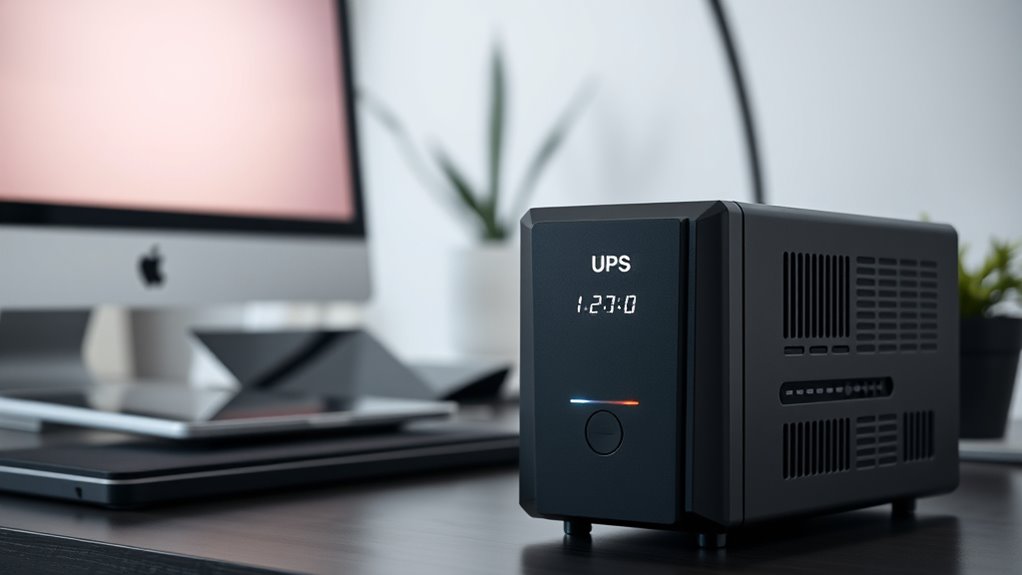
A UPS, or Uninterruptible Power Supply, is a device that provides backup power when your main power source fails. It keeps your devices running smoothly during outages, preventing data loss and hardware damage. A UPS contains a battery that stores energy, which kicks in instantly when power goes out, ensuring seamless operation. To maintain reliable performance, you need to monitor the battery lifespan, as batteries naturally degrade over time. Many UPS units also offer surge protection, shielding your electronics from damaging voltage spikes. This feature helps extend the lifespan of your connected devices and the UPS itself. Additionally, understanding the contribution of inverter technology is important, as it affects how efficiently the UPS can convert stored energy into usable power. The energy efficiency of a UPS can impact both its running costs and environmental footprint. Proper battery maintenance is crucial to ensure your UPS remains ready when you need it. Regularly testing your UPS and replacing batteries as recommended can help maintain optimal backup power performance. Being aware of power quality issues can also help you select the right UPS for your needs. Overall, a UPS is essential for safeguarding your home office equipment, providing peace of mind and uninterrupted productivity during power disturbances.
APC UPS 600VA/330W UPS Battery Backup for Computer, Router, NAS, BE600M1
KEEP YOUR COMPUTER, WI-FI AND ROUTER RUNNING THROUGH POWER OUTAGES: Supplies short-term battery power during outages to maintain…
As an affiliate, we earn on qualifying purchases.
As an affiliate, we earn on qualifying purchases.
Common Types of UPS Systems for Home Use

Thinking about protecting your home electronics? There are several common types of UPS systems suited for home use. Offline (standby) UPS units are simple, offering basic surge protection and battery backup during outages. Line-interactive models provide better regulation of voltage fluctuations, using a transformer to handle surges. Online (double-conversion) UPS systems deliver continuous power, with batteries constantly active, ideal for sensitive devices. When choosing, consider battery types, such as sealed lead-acid or lithium-ion, which impact longevity and maintenance. Additionally, the thermal behavior of UPS systems influences their efficiency and lifespan. Proper cooling and ventilation can extend the life of your unit and prevent overheating, especially since heat dissipation plays a crucial role in maintaining optimal performance. Understanding power quality is essential to ensure your devices receive stable and reliable energy. To optimize performance, selecting a UPS with appropriate cooling mechanisms can help prevent overheating during prolonged use. Here’s a quick comparison:
| UPS Type | Key Features |
|---|---|
| Offline | Basic surge protection, cost-effective |
| Line-Interactive | Voltage regulation, moderate cost |
| Online | Continuous power, high protection, pricier |
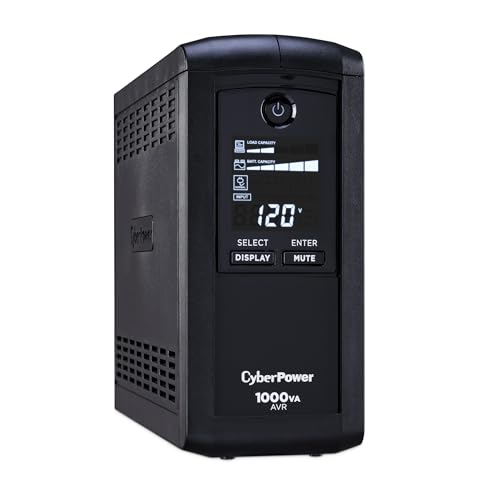
CyberPower CP1000AVRLCD Intelligent LCD UPS Battery Backup
1000VA/600W Intelligent LCD Battery Backup Uninterruptible Power Supply (UPS) System uses simulated sine wave output to safeguard workstations,…
As an affiliate, we earn on qualifying purchases.
As an affiliate, we earn on qualifying purchases.
Key Features to Consider When Choosing a UPS

When selecting a UPS for your home, focusing on key features guarantees you choose the right model to meet your needs. Battery longevity is vital because it determines how long your devices stay powered during an outage. Look for a UPS with a longer-lasting battery or easy replacement options. The battery’s cycle life can impact how often you need replacements, so understanding this aspect can save you time and money in the long run. Installation complexity also matters; some units are straightforward to set up, while others require technical skills. Choose a model that fits your comfort level and space constraints. Additionally, consider the power capacity to guarantee it supports your essential equipment. Features like automatic voltage regulation and surge protection add extra reliability. By paying attention to these key features, you’ll select a UPS that offers dependable backup power without unnecessary hassle. Understanding the importance of size and transfer‑switch fundamentals can further help you make an informed choice. Being aware of modern power management techniques can also enhance your system’s efficiency and longevity. Exploring natural cooling methods can assist in maintaining optimal operation and extending the lifespan of your UPS units. Incorporating efficient airflow design can also help prevent overheating and improve overall system performance.

APC UPS 425VA/225W Battery Backup for Router, Small Electronics, BE425M
425VA / 255W RELIABLE BACKUP POWER: Supplies short-term battery power during outages to maintain internet connectivity and allow…
As an affiliate, we earn on qualifying purchases.
As an affiliate, we earn on qualifying purchases.
Situations Where a UPS Can Protect Your Equipment

Power surges, outages, and unexpected disruptions can damage your equipment and cause data loss. A UPS provides essential protection in these situations by offering surge protection that shields your devices from sudden voltage spikes. When power flickers or dips, a UPS supplies backup power, preventing sudden shutdowns that can harm hardware or corrupt files. Additionally, a UPS helps extend your equipment’s battery lifespan by managing power fluctuations and reducing stress on components. This power management also includes intelligently distributing energy to prevent overloads and ensure consistent operation during disruptions. This not only ensures your devices operate smoothly during brief outages but also helps preserve their longevity. Proper power management guarantees your devices operate smoothly during brief outages and helps preserve their longevity. Whether you’re working on critical documents or safeguarding sensitive electronics, a UPS is a reliable safeguard. It minimizes risks, maintains productivity, and protects your investment during unpredictable power events.
How a UPS Can Prevent Data Loss and Hardware Damage

A UPS protects your equipment by shielding it from power surges that can cause lasting damage. It also keeps your system stable during voltage fluctuations, preventing unexpected shutdowns. This stability is crucial for maintaining your air quality by reducing the risk of hardware malfunctions that could compromise your work environment. Additionally, a reliable power supply helps maintain name coverage, ensuring your data remains safe and your hardware remains protected. Regularly testing your UPS with simple tools like BTU and CADR calculators can help you assess its capacity and performance, further safeguarding your setup. Incorporating encryption solutions into your cybersecurity strategy can also enhance your data protection during power interruptions. Understanding power management principles can help you optimize your UPS’s effectiveness and lifespan.
Protects Against Power Surges
Surges in electrical current can strike unexpectedly, risking your data and hardware every time they occur. Power surge protection is essential to prevent damage caused by sudden voltage spikes. A UPS provides this protection by acting as a buffer between your devices and unstable power sources. Many UPS models include surge suppressors that absorb excess voltage, shielding your equipment from harmful surges. Without this safeguard, a single lightning strike or power fluctuation can fry your hardware or corrupt important files. Using a UPS with built-in surge protection ensures your system remains safe during power events, reducing the risk of costly repairs or data loss. Additionally, regular maintenance of your UPS and understanding air purifier maintenance dos and don’ts can help ensure your entire home office setup remains efficient and protected. Investing in a UPS with surge suppressors is a smart way to keep your home office protected from unpredictable electrical surges, especially considering the importance of energetic alignment in maintaining a balanced and stress-free environment. Implementing proper electrical wiring practices can further enhance your setup’s safety and reliability.
Maintains System Stability
When electrical fluctuations occur, they can cause your system to shut down unexpectedly or even suffer hardware damage. A UPS helps maintain system stability by providing consistent power through power conditioning, filtering out surges and noise that can disrupt operation. This stabilization reduces stress on your equipment, extending battery longevity by preventing frequent deep discharges caused by sudden shutdowns. With a UPS, your devices receive clean, stable power, minimizing the risk of data loss and hardware failure. The power conditioning features ensure that voltage levels stay within safe ranges, protecting sensitive components. By maintaining stable power supply, a UPS guarantees your home office stays operational, safeguarding your work and extending the lifespan of your hardware.
Prevents Unexpected Shutdown
Have you ever experienced an unexpected power outage that abruptly shut down your computer? A UPS can prevent this by providing backup power during outages, safeguarding your work from sudden loss. It keeps your system running smoothly, avoiding data corruption and hardware damage. Plus, a UPS offers surge protection, shielding your devices from voltage spikes that can harm components. To guarantee reliable performance, consider the battery lifespan—over time, batteries degrade and need replacement. Regularly maintaining your UPS helps extend its effectiveness, preventing unexpected shutdowns. By investing in a UPS, you protect your hardware, preserve your data, and avoid the frustration of abrupt interruptions, keeping your home office secure and operational even when the power goes out.
Assessing Your Power Needs and Backup Duration

To establish your backup power needs, start by estimating your critical devices‘ power consumption. Decide which devices must stay online during an outage and prioritize them accordingly. Finally, consider how long you want your backup power source to last to guarantee it meets your essential needs.
Power Consumption Estimates
Estimating your power needs is essential for determining how long your backup power system can keep critical devices running. To do this, you need to understand both your devices’ power draw and your battery capacity. Start by listing all essential equipment, noting their wattage or amperage, then calculate the total power consumption. Knowing your devices’ power draw helps you estimate how much energy they use over time. Next, consider your UPS or backup battery’s capacity, usually measured in volt-amperes (VA) or watt-hours (Wh). By dividing the battery capacity by your total power draw, you can estimate backup duration. This process guarantees you select a system that provides sufficient runtime for your most important devices during an outage.
Critical Device Prioritization
After calculating your overall power consumption, the next step is to identify which devices need to stay powered during an outage. This is where device prioritization and power management come into play. You should focus on keeping essential devices operational first. Consider these priorities:
- Your computer or laptop, for work or important tasks
- Networking equipment like your router and modem to stay connected
- Critical peripherals such as external drives or security systems
Desired Backup Duration
Determining your desired backup duration is essential for selecting the right power solution. Your backup duration depends on how long you need your devices to stay operational during an outage. To estimate this, consider your typical power needs and the battery capacity of your UPS. A larger battery capacity generally provides a longer backup duration, giving you more time to save work or shut down safely. Think about how much time you require to complete critical tasks or to wait until power returns. If you need your home office to stay running for several hours, you’ll need a UPS with a higher battery capacity. Evaluating these factors ensures you choose a backup system that meets your specific power needs and provides the desired backup duration.
Cost-Benefit Analysis of Investing in a UPS
Investing in a UPS can seem like a significant expense upfront, but understanding its cost-benefit balance helps you decide if it’s worth the investment. A proper cost comparison reveals that the initial price is offset by benefits like data protection, hardware longevity, and peace of mind. Consider these key points:
- Reduced risk of data loss, saving time and money.
- Extended lifespan of your devices through stable power supply.
- Minimizing downtime, maintaining productivity during outages.
Installation and Maintenance Tips for Your UPS
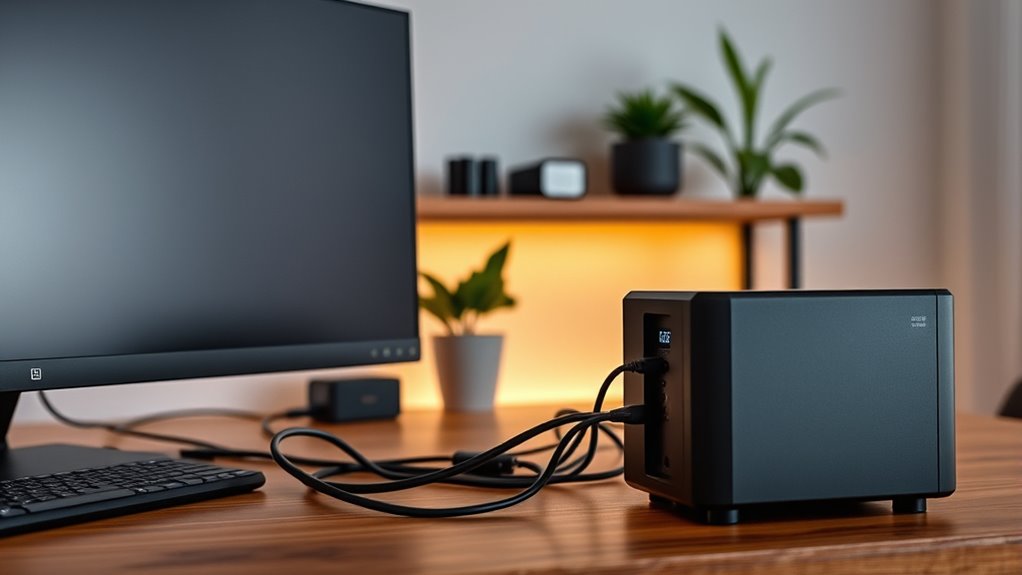
To guarantee your UPS performs reliably, start with proper installation procedures by choosing a suitable location and following the manufacturer’s guidelines. Regular maintenance checks are essential to catch issues early and keep your system running smoothly. Keep these tips in mind to maximize your UPS’s lifespan and effectiveness.
Proper Installation Procedures
Proper installation of your UPS is essential to guarantee reliable backup power and protect your equipment. To ensure safety and peak performance, follow these steps:
- Place the UPS in a dry, well-ventilated area away from direct sunlight to prevent overheating.
- Connect your devices directly to the UPS outlets, ensuring you use surge protection to shield against power spikes.
- Always observe battery safety by avoiding contact with leaking or damaged batteries, and handle them with care during installation.
Routine Maintenance Checks
Regular maintenance checks are essential to keep your UPS running smoothly and guarantee it provides reliable backup power when needed. Start by inspecting the battery status; batteries have a limited lifespan and may need replacing every 3-5 years. Keep an eye on the indicator lights or perform a self-test to detect issues early. Additionally, consider upgrade options if you notice reduced runtime or frequent outages. Regularly clean dust from vents and connections to prevent overheating. Use the following table to guide your routine:
| Maintenance Task | Frequency |
|---|---|
| Check battery health | Annually |
| Clean vents and connections | Every 6 months |
| Review upgrade options | When performance declines |
Staying proactive ensures your UPS remains reliable and extends its lifespan.
Alternatives to a Traditional UPS for Home Office Power Backup

If you’re looking for ways to keep your home office powered during outages, there are several alternatives to a traditional UPS worth considering. These options leverage advancements in battery technology and renewable energy sources to provide reliable backup.
- Battery Banks: Large-capacity batteries store energy from solar panels or the grid, offering a silent, maintenance-free power source.
- Solar Generators: Combining renewable energy with portable power, solar generators can keep your devices running without relying solely on traditional backup systems.
- Inverter Systems: These systems convert renewable energy into usable power, reducing dependence on grid power and enhancing sustainability.
These alternatives are flexible, eco-friendly, and often more cost-effective long-term, giving you peace of mind during outages.
Making the Decision: Do You Really Need a UPS?

Before investing in a backup power solution, you should evaluate whether a UPS is truly necessary for your home office. Consider how often power outages occur and if your work is critically affected by them. If your devices need continuous power or protection from sudden shutdowns, a UPS offers valuable energy efficiency and stability. However, if outages are rare and your work isn’t time-sensitive, simpler alternatives might suffice. Ask yourself: Will losing power disrupt my productivity? Do I need immediate backup? Here’s a quick comparison:
| Power Outage Frequency | Critical Data Needs | Energy Efficiency |
|---|---|---|
| Rare | Not urgent | Moderate |
| Occasional | Somewhat urgent | Good |
| Frequent | Highly urgent | Excellent |
| Always on standby | Essential | Highest |
| No outages | Not necessary | N/A |
Frequently Asked Questions
How Long Does a Typical UPS Last Before Needing Replacement?
A typical UPS battery lasts about 3 to 5 years before needing replacement. You should monitor the battery’s lifespan and be aware of signs like reduced backup time or failure to hold a charge. Replacement frequency depends on usage and environmental factors, but generally, planning for a battery change every few years guarantees your backup power remains reliable. Regular maintenance helps extend your UPS’s overall lifespan.
Can a UPS Protect Against Power Surges and Spikes?
Imagine your computer suddenly shut down during a storm—that’s a power spike. A UPS can protect against power surges and spikes by providing surge protection, absorbing excess voltage to prevent damage. It acts as a buffer, ensuring your devices stay safe and stable. So, yes, a UPS not only offers backup power but also safeguards against damaging power spikes, keeping your home office equipment secure.
Is a UPS Suitable for Powering Multiple Devices Simultaneously?
A UPS can power multiple devices simultaneously if it has enough battery capacity and device compatibility. Check the wattage of your devices and compare it to the UPS’s rated capacity. Larger UPS units with higher battery capacity are designed to handle several devices at once. Just make certain your devices are compatible with the UPS’s outlets and power ratings, so you won’t overload or damage your equipment.
How Loud Are UPS Units During Operation?
UPS units are generally quiet during operation, with noise levels typically ranging from 40 to 60 decibels. You might hear faint operational sounds like fans or clicking when the unit switches to battery power, but these sounds are usually minimal and not disruptive. If you’re sensitive to noise, selecting a model with a silent or low-noise design can help guarantee your home office stays peaceful during power fluctuations.
Can a UPS Be Used During Extended Power Outages?
You can use a UPS during extended power outages, but keep in mind it’s not a magic bullet. UPS units are designed for short-term backup, so their battery lifespan and replacement indicators matter. If the outage lasts too long, your UPS might run out of juice. To stay prepared, regularly check the battery health and replace it when indicators show it’s needed. Otherwise, you risk losing power when you need it most.
Conclusion
Ultimately, investing in a UPS could save your entire digital life from sudden power surges, catastrophic crashes, and mysterious hardware failures. It’s like having a superhero cape for your home office, ready to swoop in and save your work from the chaos of blackouts. Don’t let a power outage turn your productivity into a disaster zone—get a UPS and keep your digital world spinning smoothly, no matter what chaos strikes.