To think about resolution, screen size, and desk depth together, prioritize matching your monitor’s resolution with its size to avoid eye strain and pixelation. Make certain your desk is deep enough to position the monitor at an ideal distance, roughly arm’s length, for comfort. Keep the monitor at eye level to support good posture and reduce neck strain. Balancing these elements creates a workspace that’s both ergonomic and productive—discover how to perfect each aspect for your setup.
Key Takeaways
- Match resolution to screen size to ensure clear visuals without causing eye strain or pixelation.
- Choose a monitor size that suits your workspace and tasks, balancing detail and comfort.
- Ensure desk depth allows optimal monitor placement at eye level and proper viewing distance.
- Position the monitor so the top aligns with your eyebrows to promote ergonomic neck posture.
- Use adjustable furniture and workspace elements to create a balanced, comfortable, and productive setup.
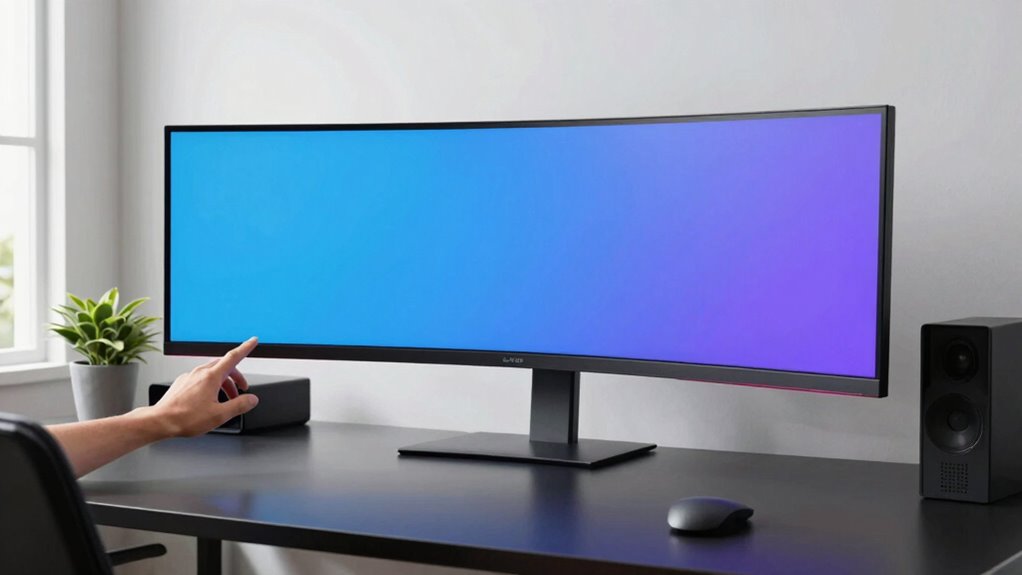
When setting up your workspace, considering resolution, screen size, and desk depth together can make a significant difference in both comfort and productivity. These elements influence how comfortably you work and how clearly you see your screen, directly affecting your overall efficiency. A well-balanced setup ensures that your workspace supports your posture and provides sharp visual clarity, reducing strain and fatigue over long hours.
Start by thinking about resolution and screen size as a combined unit. High-resolution screens, like 4K displays, deliver crisp images and fine detail, but their effectiveness depends on the screen size. A small monitor with 4K resolution might cause you to squint or strain your eyes to see details clearly, while a larger screen with lower resolution can have pixelation issues. To maximize ergonomic comfort and visual clarity, choose a screen size that matches your typical viewing distance. For detailed work such as graphic design or editing, a larger, high-resolution monitor can make a noticeable difference, letting you see more without eye strain. Conversely, for general tasks, a moderate size with decent resolution might be enough.
Choosing the right monitor size and resolution enhances comfort and clarity for all your work tasks.
Your desk depth plays a vital role in supporting this setup. If your desk is too shallow, you won’t be able to position your monitor at the ideal distance — usually about arm’s length — which can cause you to lean forward or strain your neck. A deeper desk allows you to set your monitor at the right distance and height, promoting good posture and reducing discomfort. When your screen is properly positioned, you won’t have to crane your neck or hunch over, which boosts ergonomic comfort. Additionally, the correct desk depth ensures your keyboard and mouse are within comfortable reach, preventing unnecessary strain on your wrists and shoulders. Ensuring your workspace incorporates ergonomic principles can further enhance your comfort and productivity. Incorporating adjustable furniture can also help customize your setup to suit your unique needs and preferences.
Balancing these factors involves adjusting your workspace so that your monitor is at eye level, with the top of the screen roughly aligned with your eyebrows. This positioning maximizes visual clarity and minimizes neck strain. Pair this with a desk that comfortably accommodates your monitor’s size and resolution, ensuring you have enough space to maintain a natural posture. Your setup should allow you to view the screen without leaning forward or tilting your head, which keeps you comfortable and alert during long work sessions.

BoYata Monitor Stand, Adjustable Height Metal Desktop Riser, Black
- Adjustable Height: Twist knob for height customization
- Ergonomic Design: Reduces neck, shoulder, and back strain
- High Weight Capacity: Supports up to 33.06 lbs with stability
As an affiliate, we earn on qualifying purchases.
As an affiliate, we earn on qualifying purchases.
Frequently Asked Questions
How Does Ergonomic Posture Influence Monitor Placement?
Your ergonomic posture directly impacts monitor placement by ensuring proper ergonomic alignment, which helps reduce strain. When you maintain good posture, you’ll position your monitor at eye level, encouraging posture correction and avoiding neck or eye strain. Proper monitor placement supports your body’s natural alignment, allowing you to work comfortably for longer periods. Keep your monitor at an appropriate distance and height to promote ergonomic posture and prevent discomfort.
What Are the Best Resolutions for Small Workspaces?
For small workspaces, opt for a resolution like 1920×1080 or higher to guarantee clear images without overwhelming your limited space. Good monitor calibration is essential for accurate color reproduction, especially if you do color-sensitive work. A higher resolution enhances detail, but make sure your monitor size complements it to avoid strain. Prioritize screens with adjustable stands to optimize ergonomic posture, helping you stay comfortable during long hours.
How Can I Prevent Eye Strain With Different Screen Sizes?
Did you know that improper display calibration can cause eye strain for over 60% of users? To prevent eye strain with different screen sizes, focus on eye comfort by adjusting brightness, contrast, and color temperature. Regularly calibrate your display to guarantee consistent quality. Keep your monitor at eye level, maintain a comfortable distance, and follow the 20-20-20 rule—look 20 feet away for 20 seconds every 20 minutes—to protect your eyes.
Should I Prioritize Screen Size or Desk Depth for Comfort?
Prioritize monitor placement over desk depth for comfort. Proper monitor placement guarantees your eyes are level with the top of the screen, reducing strain, while good workspace organization keeps your monitor at a comfortable distance. A well-organized workspace allows you to easily adjust your monitor’s position, making it easier to find an ergonomic setup. Focusing on monitor placement helps you maintain good posture and reduce eye fatigue effectively.
How Do Different Desk Materials Affect Monitor Positioning?
Different desk materials impact monitor positioning by affecting monitor stability. If your desk is wood or metal, it usually provides a sturdy surface, helping you keep your monitor steady. Glass desks, on the other hand, may cause instability, making it harder to position your monitor securely. Choose a desk material that offers a stable base, ensuring your monitor stays at the right height and angle for comfortable viewing.
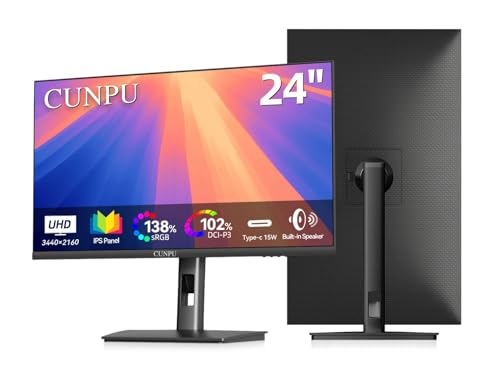
CUNPU 24" 4K UHD Professional USB-C Monitor, 100% sRGB/DCI-P3, E2 Color Accuracy, 185 PPI Pixel-Perfect Clarity, for Mac Laptop Screen Extender, HDMI/DP, Built-in Speakers, Ergonomic Stand
- High Pixel Density: 185 PPI for sharp clarity
- Professional Color Coverage: sRGB, Adobe RGB, DCI-P3
- E2 Color Accuracy: Ensures true-to-life colors
As an affiliate, we earn on qualifying purchases.
As an affiliate, we earn on qualifying purchases.
Conclusion
Balancing resolution, screen size, and desk depth isn’t just about specs—it’s about harmony. While a larger screen may invite immersion, a deeper desk offers space and comfort. Conversely, high resolution sharpens visuals but demands more from your setup. Think of your workspace as a canvas: the perfect blend of size and depth creates clarity amidst chaos, ensuring your focus remains sharp. Ultimately, harmony between these elements transforms your desk from cluttered to inspiring.
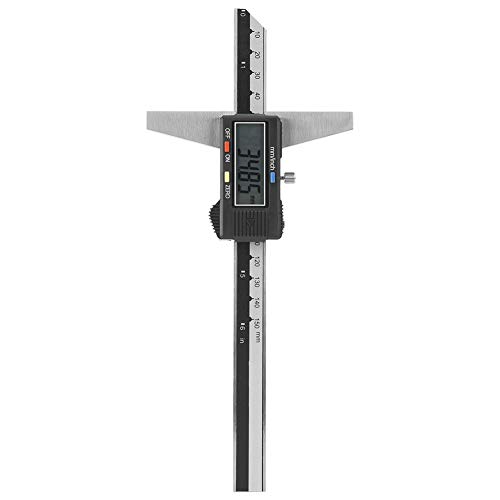
Depth Gauge, Stainless Steel Digital Depth Vernier Caliper Measuring Tool 0-150mm 0.01mm
- Material: Premium stainless steel for durability
- Measurement Accuracy: Measures depths accurately up to 150mm
- Versatile Units: Converts between mm and inch at any position
As an affiliate, we earn on qualifying purchases.
As an affiliate, we earn on qualifying purchases.

ErGear 48 X 24 Inch Height Adjustable Electric Standing Desk, Black
- Electric Height Adjustable Standing Desk for Comfortable Work…
- Powerful Motor with Memory Presets – Equipped with…
- Exceptional Stability Steel Frame – Built with a…
As an affiliate, we earn on qualifying purchases.
As an affiliate, we earn on qualifying purchases.