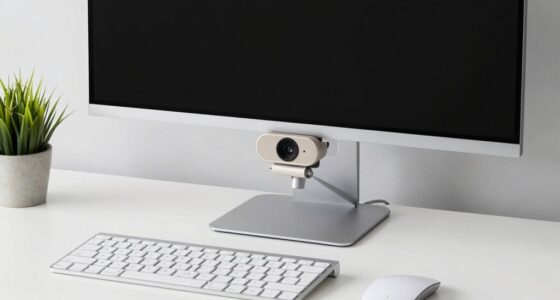
To create a smart home office, start by installing voice-controlled lights, thermostats, and other smart devices. Connect these devices to a compatible voice assistant like Alexa, Google Assistant, or Siri for seamless control. Set schedules and adjust lighting or temperature with simple voice commands to boost productivity and comfort. Integrate devices to work together for a cohesive environment. Keep exploring to discover more tips for transforming your workspace into a smart haven.
Key Takeaways
- Integrate voice assistants like Alexa, Google, or Siri for hands-free device control.
- Use smart lighting systems with scheduling and dimming features to customize your workspace environment.
- Connect thermostats for easy climate adjustments through simple voice commands.
- Automate multiple devices for seamless environment management and reduce manual adjustments.
- Incorporate smart automation to coordinate lighting, temperature, and other devices for optimal productivity.

Transforming your home office into a smart workspace can boost productivity and streamline your daily tasks. One of the easiest ways to do this is by integrating voice assistant technology and automating your lighting. With voice assistant integration, you can control multiple devices with simple voice commands, freeing you from constant manual adjustments. Imagine saying, “Hey Siri,” “Alexa,” or “Google,” and having your lights, thermostat, and even your computer respond instantly. This hands-free control keeps you focused on your work instead of fiddling with switches or apps.
Transform your home office with voice control and automated lighting for effortless productivity.
Automated lighting systems are especially helpful in creating an ideal work environment. You can set schedules so your lights turn on at specific times, ensuring you’re never left in dim or overly harsh lighting. Dimmable LEDs or smart bulbs allow you to adjust brightness and color temperature to match your mood or the task at hand. For example, cooler white light boosts alertness during intense work sessions, while warmer tones help you wind down at the end of the day. These lighting options not only enhance your comfort but also reduce eye strain, making long hours more manageable.
By pairing automated lighting systems with voice assistant integration, you can command your lights to adjust without interrupting your workflow. Simply say, “Dim the lights,” or “Set the lights to daylight mode,” and watch your environment change instantly. This seamless control makes your workspace more adaptable and responsive to your needs. It also minimizes the clutter of multiple apps or remote controls, consolidating all your smart devices into a single, easy-to-use system.
Beyond lighting, voice assistants can handle other tasks like adjusting your thermostat, playing background music, or opening your calendar. With a few spoken words, you can create an ideal work climate, whether that’s cooling down a warm room or warming up a chilly space. Using smart automation can further enhance your setup by coordinating multiple devices for a cohesive environment. This integrated approach saves you time and mental energy, allowing you to focus more on your work and less on managing your environment.
Creating a smart home office isn’t just about fancy gadgets; it’s about making your space more functional and comfortable. When you leverage voice assistant integration and automated lighting systems, you streamline your daily routines, reduce distractions, and foster a more productive atmosphere. With these tools in place, your home office becomes a truly intelligent workspace that adapts to your needs, helping you work smarter, not harder.
smart home office lighting system
As an affiliate, we earn on qualifying purchases.
As an affiliate, we earn on qualifying purchases.
Frequently Asked Questions
Can Voice-Controlled Devices Be Hacked in a Smart Home Office?
Yes, voice-controlled devices can be hacked in your smart home office. You should be aware of privacy concerns and guarantee proper security measures, like strong passwords and regular updates. Using secure Wi-Fi networks and enabling two-factor authentication also helps protect your devices. Stay vigilant, as hackers may exploit vulnerabilities, but implementing these security measures considerably reduces the risk of unauthorized access to your voice-controlled system.
What Is the Average Cost to Set up a Smart Home Office?
Coincidentally, your budget planning reveals that setting up a smart home office costs between $500 and $2,000, depending on device choices. A thorough cost analysis helps you prioritize essential items like voice-controlled lights and thermostats, ensuring you stay within budget. By comparing prices and features, you can customize your setup, making it cost-effective without sacrificing convenience. This way, you craft a smart workspace that fits your financial plans.
Are Voice Assistants Suitable for Privacy-Sensitive Work Tasks?
Voice assistants can be suitable for privacy-sensitive work, but you should carefully consider voice assistant privacy features. They often record and store conversations, raising sensitive work concerns. To protect your privacy, use devices with strong security settings, disable voice recording when needed, and stay updated on privacy policies. If privacy is a top priority, consider offline or privacy-focused alternatives to guarantee your sensitive work stays secure.
How Do I Troubleshoot Connectivity Issues With Smart Devices?
To troubleshoot connectivity issues with your smart devices, first check for Wi-Fi interference from other electronics or thick walls that may weaken the signal. Restart your router to improve connection stability. If problems persist, perform a device reset by turning it off, waiting a few seconds, and then turning it back on. These steps often resolve most connectivity issues and restore smooth operation of your smart home devices.
Can Smart Home Devices Be Integrated With Existing Office Equipment?
Think of your office like a symphony, where each instrument must harmonize. Yes, smart home devices can be integrated with existing office equipment, but it depends on device compatibility and system integration. You should check if your gadgets support common protocols or platforms like Zigbee, Z-Wave, or Wi-Fi. With the right setup, your smart devices will seamlessly work alongside your office gear, creating a harmonious workspace.
voice-controlled smart thermostat
As an affiliate, we earn on qualifying purchases.
As an affiliate, we earn on qualifying purchases.
Conclusion
By creating a smart home office, you’re enhancing comfort, boosting productivity, and embracing innovation. You’ll enjoy voice-controlled lights that set the mood, smart thermostats that keep your space perfect, and automated devices that simplify your day. With these smart features, you’ll work more efficiently, feel more relaxed, and stay connected effortlessly. Transform your workspace into a seamless, intelligent environment where convenience meets creativity, making every workday better, brighter, and smarter.
smart bulbs with scheduling and dimming
As an affiliate, we earn on qualifying purchases.
As an affiliate, we earn on qualifying purchases.
Alexa Google Siri compatible smart devices
As an affiliate, we earn on qualifying purchases.
As an affiliate, we earn on qualifying purchases.