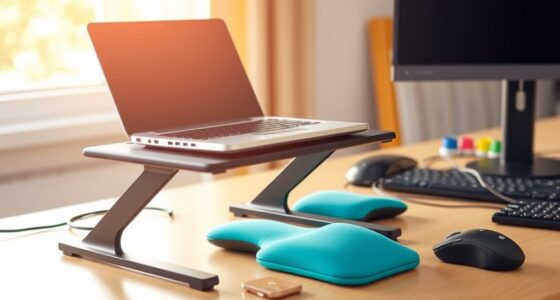
Using ergonomic mice and keyboards can dramatically reduce wrist strain by supporting natural hand positions and maintaining proper alignment during extended use. These tools help you avoid repetitive stress, lessen discomfort, and prevent injuries like carpal tunnel syndrome. They promote relaxed postures and encourage movement, which protect your wrists over time. By choosing the right ergonomic equipment, you take a proactive step toward long-term wrist health and comfort. Keep exploring to discover how these tools can transform your workspace.

Get comfort and recovery gear delivered free — and shop member deals
- Fast, free delivery on millions of items
- Access to Prime Big Deal Days deals on October 6–7
- Prime Video, Amazon Music and more included
Key Takeaways
- Ergonomic mice and keyboards support natural hand positions, reducing wrist strain during prolonged use.
- They promote a neutral wrist posture, preventing bending, twisting, and repetitive stress injuries.
- Customizable features ensure a comfortable fit, helping to alleviate existing wrist pain and prevent future issues.
- Using ergonomic tools encourages healthy work habits, decreasing inflammation and inflammation-related discomfort.
- Immediate relief and long-term wrist health are achieved through consistent use of ergonomically designed equipment.
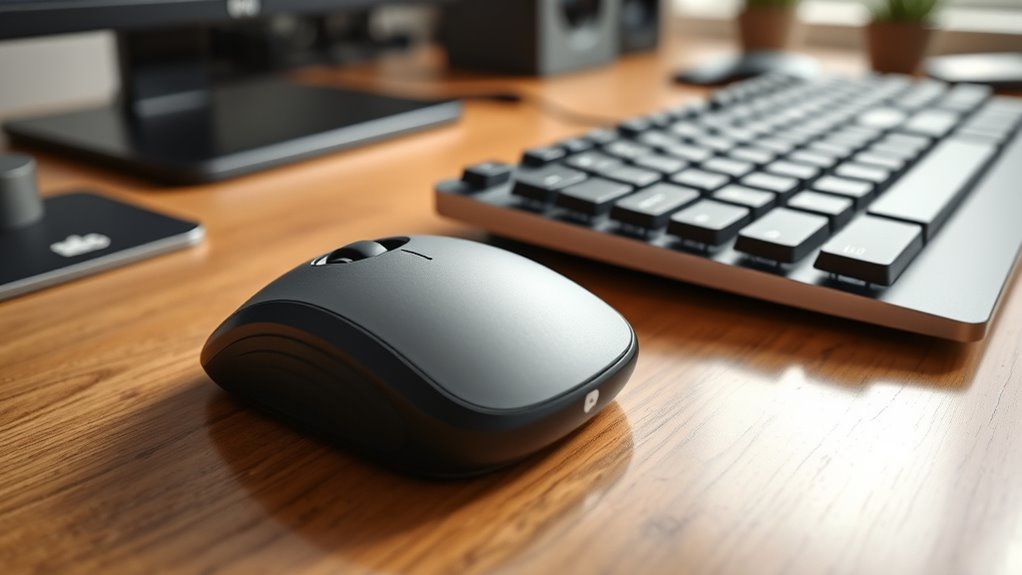
If you’re tired of suffering from wrist pain, you’re not alone, and relief is possible. One effective way to reduce discomfort is by choosing equipment with ergonomic design. An ergonomic mouse or keyboard is crafted to support your natural hand position, helping you maintain proper alignment during long hours at your desk. When your tools are designed with ergonomics in mind, they minimize strain on your wrists and forearms, which is vital because repetitive strain is a common culprit behind wrist pain. Over time, repetitive movements—such as clicking or typing—can lead to inflammation and injury, but the right ergonomic setup can make a significant difference.
Choosing ergonomic equipment supports natural hand positions, reducing strain and preventing wrist pain during long working hours.
Switching to an ergonomic mouse means you’ll naturally adopt a more neutral wrist position, reducing the tendency to bend or twist your wrist unnaturally. These mice are shaped to fit your hand comfortably, distributing pressure evenly and preventing fatigue. By contrast, traditional mice often force your wrist into awkward angles, increasing the risk of repetitive strain injuries like carpal tunnel syndrome or tendinitis. An ergonomic keyboard complements this by offering a split or curved design that encourages a more relaxed hand posture, reducing the strain that accumulates during prolonged typing sessions.
When you incorporate ergonomic tools into your workspace, you’re actively combating the repetitive strain that leads to wrist pain. It’s not just about feeling comfortable; it’s about preventing long-term damage. Proper design encourages movement and variation, which are essential to avoiding the stiffness and soreness caused by repetitive motions. Many ergonomic mice and keyboards also feature adjustable components, so you can customize them to your unique hand size and working style, further reducing strain. The key is consistency—using these tools regularly helps train your muscles and tendons to adopt healthier positions, diminishing the likelihood of pain flare-ups.
Investing in ergonomic equipment is a proactive step that offers both immediate relief and long-term benefits. It empowers you to work more comfortably and efficiently, with less worry about developing chronic pain. Remember, the goal is to support your wrists in a neutral, relaxed position, especially during extended periods of typing or mouse use. By prioritizing ergonomic design, you actively address the root causes of repetitive strain, making wrist pain a thing of the past. Incorporating appliance maintenance plans can also help ensure your workspace is safe and functional, reducing the risk of issues caused by equipment malfunction or wear. Ultimately, the right tools make a noticeable difference, helping you work longer without discomfort and safeguard your wrist health for years to come.
As an affiliate, we earn on qualifying purchases.
Frequently Asked Questions
How Do Ergonomic Mice Compare to Traditional Mice in Long-Term Comfort?
Ergonomic mice are generally more comfortable than traditional mice over the long term because they promote a natural hand posture, reducing wrist strain. You’ll notice less fatigue and discomfort because these mice support your hand’s natural curve, preventing awkward positions. Unlike traditional mice, ergonomic designs help maintain proper wrist alignment, which minimizes the risk of repetitive strain injuries and keeps you comfortable during extended use.
Are Ergonomic Keyboards Suitable for Gaming or Only for Work?
Ergonomic keyboards are suitable for gaming, and many gamers find they enhance comfort during long sessions. They can improve gaming performance by reducing hand fatigue and preventing strain. While some may worry about aesthetic design, modern ergonomic keyboards come in sleek styles that blend well with gaming setups. So, if you prioritize comfort without sacrificing style, an ergonomic keyboard can be a great choice for both work and gaming.
Can Switching to Ergonomic Devices Improve Existing Wrist Injuries?
Think of switching to ergonomic devices as giving your wrist injury recovery a gentle boost. Yes, it can improve your condition by reducing strain and pressure on your joints. The benefits are clear—you’ll experience less pain and discomfort over time. By choosing ergonomic mice and keyboards, you’re actively supporting your healing process and preventing further injury, making your workspace a safer, more comfortable zone for long-term health.
What Is the Recommended Adjustment Period for New Ergonomic Equipment?
You should allow about one to two weeks for the adjustment period when switching to ergonomic equipment. During this ergonomic adaptation, your body learns to use the new device comfortably, reducing strain and preventing discomfort. Take it slow, gradually increasing usage, and listen to your body’s signals. Consistency is key; expect some initial discomfort but trust that, with patience, your muscles will adapt for better wrist health.
Do Ergonomic Devices Require Special Maintenance or Cleaning?
Ergonomic devices do require regular cleaning to maintain device durability and guarantee ideal performance. You should clean your ergonomic mouse and keyboard at least once a week with a soft, damp cloth and avoid harsh chemicals. For thorough cleaning, disconnect the devices and use compressed air to remove dust from crevices. Proper maintenance keeps your devices functioning smoothly and extends their lifespan, making your ergonomic setup more effective and comfortable.
As an affiliate, we earn on qualifying purchases.
Conclusion
Switching to an ergonomic mouse and keyboard can make a real difference in easing wrist pain. Imagine working long hours at your desk, feeling discomfort creeping in, then switching to an ergonomic setup and noticing relief. Like Sarah, who struggled with carpal tunnel, after making the switch, her pain diminished substantially. Investing in ergonomic tools isn’t just about comfort—it’s about protecting your health and keeping you productive. Start today and say goodbye to wrist pain for good.
As an affiliate, we earn on qualifying purchases.
ergonomic keyboard for wrist pain
As an affiliate, we earn on qualifying purchases.
As an affiliate, we earn on qualifying purchases.
Fall Picks
fall essentials
As an affiliate, we earn on qualifying purchases.