
To create a healthy workspace, you need proper lighting that balances natural and artificial light to reduce eye strain and boost mood. Improve air quality with good ventilation and indoor plants that filter toxins. Choose ergonomic furniture that supports your posture, including adjustable chairs and monitor height. Regularly maintain and adjust your setup to stay comfortable and productive. Keep exploring to discover how these elements work together to enhance your environment and overall well-being.
Key Takeaways
- Optimize natural light with window placement and diffusing curtains to reduce glare and enhance visual comfort.
- Improve air quality with indoor plants, proper ventilation, and air purifiers to prevent pollutants and maintain freshness.
- Use ergonomic furniture and monitor positioning to promote proper posture, reducing strain and long-term discomfort.
- Regularly maintain and adjust workspace components to ensure continued comfort, hygiene, and safety.
- Incorporate aesthetic elements and natural materials to foster creativity, reduce stress, and support holistic well-being.
The Importance of Proper Lighting in Your Workspace

Proper lighting is indispensable for creating a healthy workspace because it directly affects your focus, eye health, and overall comfort. Good lighting design ensures that your environment is well-lit without causing glare or harsh shadows, which can strain your eyes. When your workspace is properly illuminated, you experience better visual comfort, making it easier to concentrate on tasks and reducing fatigue. Poor lighting can lead to headaches, blurred vision, and decreased productivity. To optimize your workspace, use a combination of ambient and task lighting that mimics natural light as closely as possible. Adjust the brightness to suit your needs, and position lights to minimize glare. Effective lighting is a simple yet crucial step toward a healthier, more comfortable work environment. Additionally, considering color temperature adjustments can further enhance visual clarity and reduce eye strain. Incorporating ergonomic lighting solutions can also help prevent discomfort during long working hours. Selecting lights with appropriate lighting intensity can support sustained focus and reduce eye fatigue throughout your workday. Properly designed lighting setups can also reduce glare and improve overall visual ergonomics, making your workspace more comfortable and efficient.
How to Optimize Natural Light for Better Productivity

To make the most of natural light, carefully consider your window placement to guarantee sunlight reaches your workspace without causing glare. Using light diffusing curtains can help soften harsh rays and create a comfortable environment. Additionally, incorporating elements of local Italian craftsmanship in your decor can enhance the aesthetic appeal of your workspace, connecting you to Italy’s rich cultural heritage. Embracing artistic expression within your surroundings can also inspire creativity and boost your overall productivity. Considering holistic approaches to well-being can further optimize your environment, such as integrating biophilic design principles to strengthen the connection to nature. Understanding natural light optimization techniques can help you achieve a balanced and energizing workspace. By adjusting these elements, you can boost your productivity while maintaining a pleasant, well-lit space.
Maximize Window Placement
Maximizing window placement is essential for harnessing natural light and boosting your productivity. To do this effectively, position your desk near windows to allow ample sunlight without causing window glare that can strain your eyes. Consider the direction your windows face; south-facing windows provide consistent light, while east or west-facing ones deliver morning or afternoon sun. Be mindful of privacy concerns—placing furniture or using screens can prevent passersby from looking in without blocking light. Adjust your workspace layout to avoid harsh shadows or excessive brightness, which can lead to discomfort. Proper window placement ensures you get the benefits of natural light, like improved mood and focus, without the downsides of glare or privacy issues. Incorporating natural lighting into your workspace can significantly enhance your overall productivity. Properly designed window placement can also help regulate indoor temperatures, making your workspace more comfortable year-round. This setup creates a brighter, more inviting workspace that enhances your overall productivity.
Use Light Diffusing Curtains
Using light diffusing curtains can substantially improve the quality of natural light in your workspace. These curtains soften harsh sunlight, reducing glare and creating a more comfortable environment. The key is choosing curtain materials that promote effective light diffusion, such as sheer fabrics, linen, or lightweight polyester. These materials allow sunlight to enter while dispersing it evenly across the room, preventing sharp shadows and bright spots. Properly diffused light reduces eye strain and enhances focus, boosting your productivity. When selecting curtains, consider their transparency and texture to guarantee excellent light diffusion. Installing these curtains correctly can transform your workspace into a brighter, more inviting area that supports your well-being and work efficiency. Choosing the right materials for light diffusion can further optimize natural lighting conditions in your workspace.
Enhancing Air Quality for a Healthier Environment

Adding indoor plants can improve air quality and boost your mood, making your workspace healthier. Proper ventilation helps remove stale air and reduces pollutants, ensuring fresh airflow. Implementing air purifiers can further enhance air quality by effectively filtering out airborne contaminants. Investing in air quality monitors can help you track and maintain optimal indoor conditions. Additionally, choosing energy-efficient ventilation systems can ensure continuous airflow without increasing energy costs. Incorporating air filtration technology is an effective way to further improve indoor air quality by removing microscopic particles and allergens. Research shows that youngster choice in the workplace can influence overall environment quality and employee well-being. By combining these practices, you create a more comfortable and productive environment for yourself.
Indoor Plants Benefits
Indoor plants can considerably improve air quality by filtering out pollutants and increasing oxygen levels. Their air purifying properties help reduce toxins like formaldehyde, benzene, and trichloroethylene, creating a healthier workspace environment. Beyond their functional benefits, indoor plants also offer aesthetic enhancement, adding a touch of nature that boosts your mood and reduces stress. By incorporating greenery into your workspace, you create a more inviting and vibrant atmosphere. These plants are easy to maintain and can thrive indoors, making them a practical choice for improving air quality without much effort. Additionally, some indoor plants, such as pothos and snake plants, are known for their air purifying capabilities, actively improving indoor air conditions. Choosing plants that are resilient species that thrive in various conditions can further ensure their longevity and effectiveness. Understanding the importance of reconditioning batteries can lead to smarter choices in energy management and sustainability. Incorporating indoor plant care tips can help maximize their health and air-cleaning benefits, ensuring they continue to contribute positively to your workspace. Overall, indoor plants are a simple yet effective way to promote better air quality and elevate your workspace’s visual appeal simultaneously.
Proper Ventilation Practices
To guarantee a healthier workspace, proper ventilation is essential because it constantly exchanges stale indoor air with fresh outdoor air, reducing buildup of pollutants and humidity. Effective air exchange helps prevent indoor air from becoming stale or contaminated, which can cause headaches, fatigue, or allergies. You should verify your ventilation systems are functioning correctly—whether that’s natural airflow through open windows or mechanical systems like exhaust fans and HVAC units. Regularly check and maintain your ventilation systems to keep air moving efficiently. Good ventilation not only improves air quality but also minimizes indoor pollutants, creating a more comfortable and healthier environment. Incorporating proper airflow patterns can further enhance the effectiveness of your ventilation efforts. Additionally, ensuring that air circulation is well-distributed throughout the workspace helps prevent pockets of stagnant air, contributing to overall indoor air quality. Proper maintenance of your HVAC systems also plays a crucial role in preventing refrigerant leaks, which can negatively impact air quality and system efficiency. Regularly inspecting and cleaning ventilation ducts can also help sustain optimal airflow and air quality.
Selecting and Maintaining Indoor Plants for Freshness

Choosing the right indoor plants can crucially enhance the freshness and vitality of your workspace. Start by selecting plants suited to your lighting and space, ensuring they thrive indoors. Consider low-maintenance options like pothos or snake plants, which require minimal care. Establish consistent watering schedules—overwatering can harm plants, while underwatering can cause them to wilt. Use well-draining soil and avoid frequent watering unless necessary. Regularly check for signs of pests or disease and prune dead leaves to promote healthy growth. Proper plant selection and attentive maintenance not only improve air quality but also boost your mood and productivity. With a little effort, your indoor greenery will stay fresh, vibrant, and a lively addition to your workspace.
Ergonomic Furniture and Its Role in Comfort and Health

Ergonomic furniture plays a crucial role in supporting your comfort and health throughout the workday. Investing in adjustable chairs allows you to customize your seating position, reducing strain on your back and neck. Ergonomic accessories, like lumbar supports and footrests, further enhance your setup by promoting proper posture. Consider these key elements:
- Choose adjustable chairs for personalized comfort.
- Incorporate ergonomic accessories to support your body.
- Maintain correct monitor height to avoid neck strain.
- Use keyboard and mouse setups that promote natural wrist positions.
Tips for Setting Up an Ergonomic Workspace
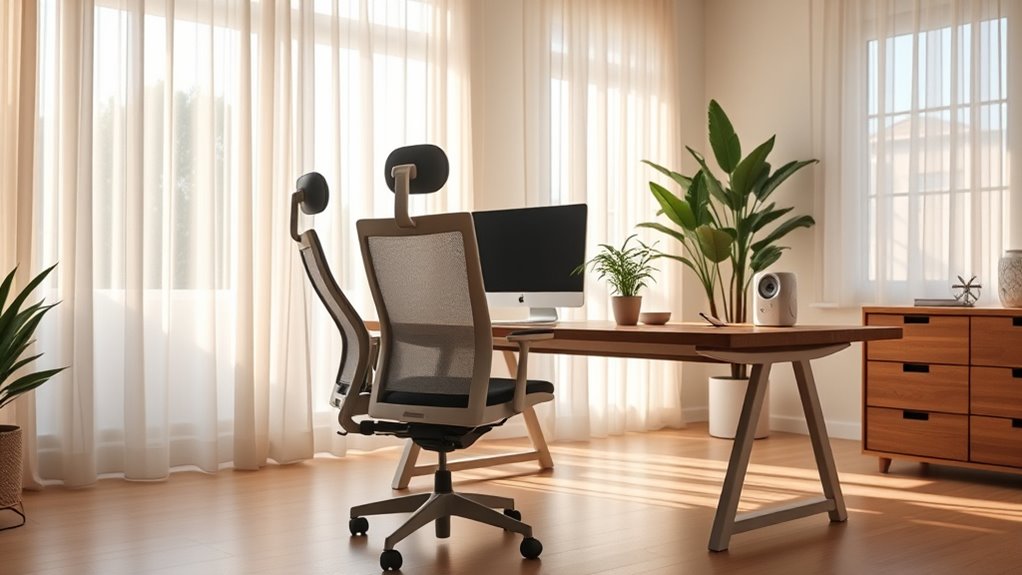
Setting up your workspace with ergonomics in mind begins with proper positioning of your equipment and furniture. Start by adjusting your desk so that your keyboard height allows your elbows to stay close to your body at about a 90-degree angle. Your keyboard should be level or slightly tilted to reduce wrist strain. Make sure your monitor is directly in front of you, about an arm’s length away, with the top of the screen at eye level. This prevents neck strain and promotes good posture. Keep your chair adjusted so your feet rest flat on the floor and your thighs are parallel to the ground. Proper desk positioning and correct keyboard height are essential to minimize discomfort and support long-term comfort during work.
Maintenance and Adjustments for Long-Term Well-being

To guarantee your workspace remains comfortable and supportive over time, regular maintenance and adjustments are essential. Consistently perform workstation cleaning to prevent dust buildup and maintain air quality. Check and tighten adjustable accessories like chair height, armrests, and monitor stands to ensure they function correctly. Regularly inspect your ergonomic setup to identify areas needing adjustment, such as keyboard tilt or lumbar support. Use these steps to promote long-term well-being:
- Schedule weekly workstation cleaning to keep surfaces dust-free.
- Adjust and lock adjustable accessories to fit your body’s needs.
- Reassess your posture and make necessary ergonomic tweaks.
- Replace worn-out components, like chair casters or keyboard pads, promptly.
Staying proactive guarantees your workspace remains safe, comfortable, and conducive to productivity.
Frequently Asked Questions
How Can I Improve Lighting Without Increasing Energy Costs?
You can improve lighting without raising energy costs by maximizing natural light and using energy-efficient bulbs. Open curtains and position your workspace near windows to let in more sunlight, which boosts mood and productivity. Swap out traditional bulbs for LED or other energy-efficient options that use less power but provide bright, quality light. This way, you enhance your workspace lighting while keeping energy costs low.
What Are the Best Air Purifiers for a Home Office?
Think of an air purifier like a vigilant guard, constantly filtering out pollutants to keep your home office fresh. The Blueair Blue Pure 211+ is a top choice, offering high CADR ratings and easy maintenance. Pair it with indoor plants like snake plants or pothos, which naturally improve air quality. Regularly clean or replace filters, and choose plants suited to low-light conditions, for a healthier, more vibrant workspace.
Which Ergonomic Accessories Are Essential for a Desk Setup?
You should prioritize an ergonomic chair and an adjustable desk to improve your desk setup. The ergonomic chair provides proper lumbar support and encourages good posture, reducing strain. An adjustable desk allows you to switch between sitting and standing, which helps prevent discomfort and promotes movement throughout the day. These accessories are essential for creating a comfortable, healthy workspace that boosts productivity and minimizes physical stress.
How Often Should I Replace Indoor Plants for Optimal Air Quality?
You should replace indoor plants every 1-2 years during regular plant maintenance to guarantee ideal air purification. Over time, plants can accumulate dust and pests, reducing their ability to clean the air effectively. Regularly check your plants for health and growth, and swap out those that show signs of decline. This practice keeps your workspace fresh, improves air quality, and maintains the aesthetic appeal of your environment.
What Are Signs My Workspace Is Causing Physical Strain?
If you notice persistent posture problems or eye strain, your workspace might be causing physical strain. You may feel neck or back pain from poor ergonomic setup or experience headaches and blurred vision from inadequate lighting or screen glare. Take breaks frequently, adjust your chair and monitor height, and make certain proper lighting to reduce these issues. Listening to your body helps identify and address workspace-related physical strain effectively.
Conclusion
Creating a healthy workspace isn’t just about comfort; it’s about boosting your overall well-being and productivity. Believe it or not, good lighting, fresh air, and ergonomic setup can markedly reduce stress and fatigue. Think of your workspace as a sanctuary—small adjustments can make a big difference. When you prioritize these elements, you’re not just working—you’re investing in your health, proving that a better environment truly leads to better results.