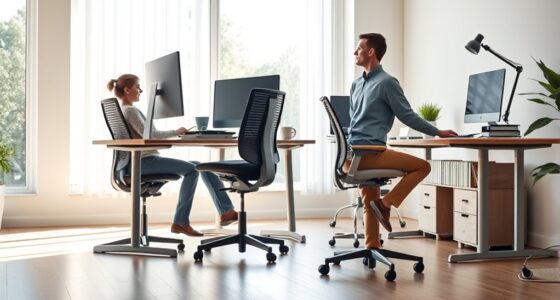
To build a better sitting setup around your premium chair, position your monitor at eye level and within an arm’s reach to reduce strain. Keep your keyboard and mouse close to avoid reaching, and adjust your chair so your feet are flat on the ground with thighs parallel to the floor. Incorporate adjustable lighting that reduces glare and eye fatigue. Use ergonomic accessories that support natural posture. If you explore further, you’ll discover how to create a truly optimized workspace.

Get comfort and recovery gear delivered free — and shop member deals
- Fast, free delivery on millions of items
- Access to Prime Big Deal Days deals on October 6–7
- Prime Video, Amazon Music and more included
Key Takeaways
- Position the monitor at eye level and about an arm’s length away to reduce neck and eye strain.
- Keep the keyboard and mouse close to prevent reaching and shoulder tension.
- Adjust the chair height so feet rest flat on the ground and thighs are parallel to the floor.
- Incorporate adjustable ergonomic accessories like footrests and monitor stands for personalized support.
- Use ambient and task lighting to minimize glare, eye fatigue, and promote a comfortable workspace.
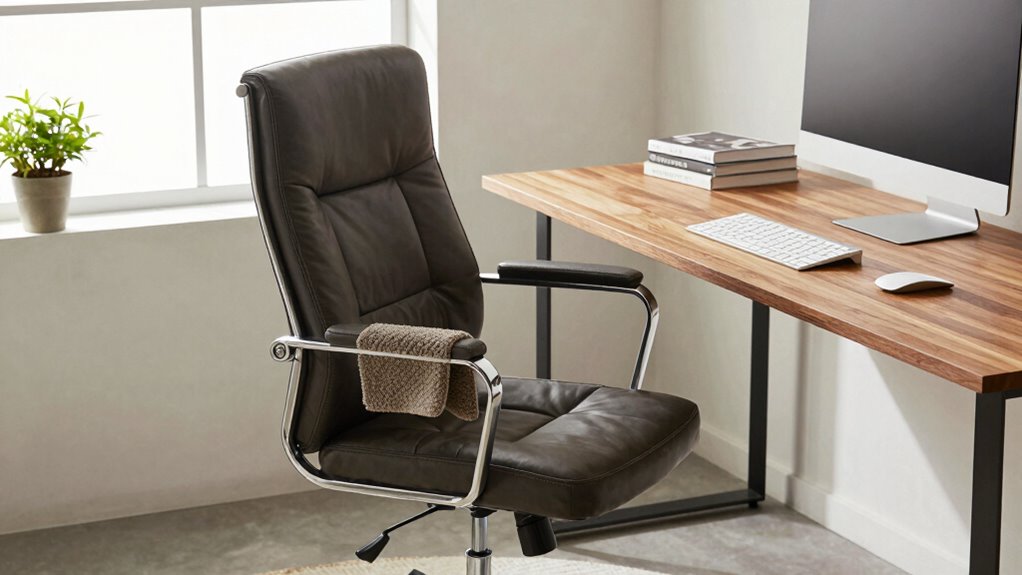
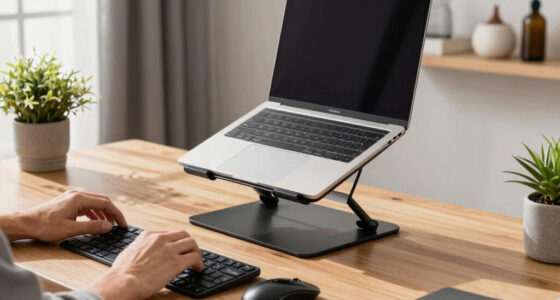
A premium chair can markedly enhance your comfort and posture, but to truly maximize its benefits, you need to create a balanced sitting setup around it. The right ergonomic accessories are essential for supporting your body during long hours of work or relaxation. Think of a well-designed keyboard and mouse that promote natural wrist positioning, reducing strain and preventing repetitive stress injuries. An adjustable monitor stand helps you set your screen at eye level, which minimizes neck strain and encourages good posture. Ergonomic footrests can improve circulation and prevent lower back discomfort by ensuring your feet rest flat and your knees stay at a 90-degree angle. These accessories work together to create a workspace that aligns with your body’s natural needs, making each sitting session more comfortable and healthier. Incorporating ergonomic principles into your setup ensures that your workspace promotes comfort and supports your overall health.
Lighting plays a vital role in your overall sitting environment. Ambient lighting, in particular, can reduce eye strain and promote a more relaxing atmosphere. Instead of harsh overhead lights, opt for soft, diffused sources like floor lamps or desk lamps with adjustable brightness. Position these lights so they illuminate your workspace evenly, avoiding glare on your screen. This setup not only eases your eyes but also helps to keep you alert and focused without causing discomfort. Combining ambient lighting with task lighting allows you to customize the environment based on your activity, whether you’re reading, typing, or taking a break.
Your sitting setup should also consider the placement of your furniture and accessories. Keep your ergonomic accessories within easy reach to prevent awkward stretching or twisting. Your premium chair is the centerpiece, so ensure it’s positioned at the right height relative to your desk and accessories. Adjust the chair’s height so your feet are flat on the ground and your thighs are parallel to the floor. Your monitor should be directly in front of you, about an arm’s length away, with the top of the screen at eye level. Keep your keyboard and mouse close enough to avoid reaching, which can cause shoulder tension. Incorporate ambient lighting that complements your workspace, guaranteeing your eyes aren’t strained by glare or shadows.
ergonomic monitor stand adjustable
As an affiliate, we earn on qualifying purchases.
As an affiliate, we earn on qualifying purchases.
Frequently Asked Questions
What Are the Best Ergonomic Accessories for a Premium Chair?
The best ergonomic accessories for your premium chair include adjustable lumbar support to maintain proper spine alignment and reduce back strain. Additionally, a footrest with adjustable height helps support your legs and improve circulation. These accessories work together to enhance comfort, promote good posture, and reduce fatigue during long sitting periods, ensuring you get the most out of your premium chair and create a healthier, more ergonomic workspace.
How Often Should I Adjust My Sitting Setup?
You should adjust your sitting setup regularly, about once every hour, to maintain good posture awareness and prevent discomfort. Keep an eye on your desk organization, ensuring everything is within easy reach and supports proper alignment. Small adjustments, like repositioning your chair or stretching, help your body stay comfortable and alert. Remember, consistency in these tweaks fosters better habits, making your workspace more supportive and your sitting experience more sustainable.
Can a Standing Desk Complement a Premium Chair?
Yes, a standing desk complements your premium chair by promoting posture correction and reducing strain from prolonged sitting. It allows you to alternate between sitting and standing, enhancing comfort and productivity. When setting up, focus on desk organization to keep essentials within reach, ensuring your workspace supports ergonomic health. This dynamic setup encourages movement, prevents stiffness, and helps maintain proper alignment throughout your workday.
What Lighting Setup Reduces Eye Strain?
Brighten your workspace with balanced brilliance by blending ambient lighting and task lighting. Ambient lighting softly illuminates the room, reducing harsh shadows, while task lighting directly targets your work area, preventing eye strain. Use adjustable desk lamps and diffused ceiling lights to create a comfortable, consistent glow. This combination helps your eyes adjust easily, minimizes glare, and keeps you focused, fostering a more comfortable, productive sitting setup around your premium chair.
How Do I Personalize My Sitting Environment for Comfort?
To personalize your sitting environment for comfort, focus on workspace organization by keeping essentials within reach and decluttering your desk. Adjust ambient noise to your preference, perhaps with noise-canceling headphones or soft background music, creating a calming atmosphere. Incorporate ergonomic accessories like footrests or lumbar supports, and add personal touches such as plants or photos. These steps help you feel more relaxed and improve your overall sitting experience.
ergonomic keyboard and mouse set
As an affiliate, we earn on qualifying purchases.
As an affiliate, we earn on qualifying purchases.
Conclusion
Remember, even the finest chair can’t work miracles alone. Think of your setup as a symphony—each element, from posture to accessories, plays an essential role. By fine-tuning your workspace, you create a haven where comfort and productivity harmonize. Just like a masterful conductor guiding an orchestra, you hold the power to craft a sitting environment that elevates your day. Invest in your space, and let your premium chair truly shine.
ergonomic footrest for office chair
As an affiliate, we earn on qualifying purchases.
As an affiliate, we earn on qualifying purchases.
adjustable desk lamp for workspace
As an affiliate, we earn on qualifying purchases.
As an affiliate, we earn on qualifying purchases.
Fall Picks
fall essentials
As an affiliate, we earn on qualifying purchases.