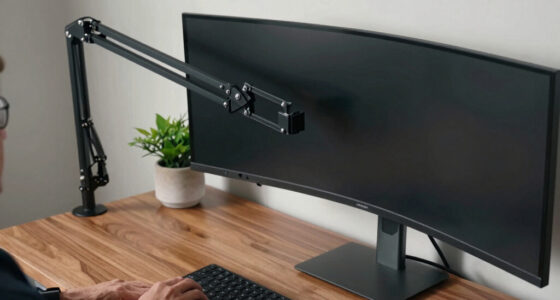
The Dell 27 Plus 4K Monitor S2725QS is my best overall pick because it pairs a sharp 27-inch 4K IPS screen with a 120Hz refresh rate, making it a flexible choice for work and entertainment. For gaming, the Samsung Odyssey G5 G51F brings a larger QHD display and 180Hz refresh rate, while the Samsung 34-inch ViewFinity S50GC suits people who want extra horizontal workspace. The main tradeoff is between resolution, screen size, refresh rate, and the desk space or graphics power each demands. Lower-resolution Full HD models can make more sense for basic tasks or smaller budgets, but they show less detail than 4K options. Read on for my full breakdown of how these monitors differ and which one fits your setup.

Get comfort and recovery gear delivered free with Prime
- Fast, free delivery on millions of items
- Prime Video, Amazon Music and more included
- Member-only deals all year
Complete the kit


Key Takeaways
- The Dell S2725QS is the most balanced pick: its 4K resolution and 120Hz refresh rate bridge detailed office work and smoother everyday use better than a basic Full HD screen.
- Gaming priorities change the ranking: the Odyssey G5 G51F leads this group on listed refresh rate at 180Hz, while Dell’s QHD 144Hz model offers a smaller-screen alternative.
- There are several distinct routes to 4K: the LG 27UP650K-W adds an adjustable stand, while the LG 27US500-W is a simpler 27-inch IPS option.
- Full HD still covers varied needs: this roundup includes compact 23.8- and 24-inch IPS choices, 27-inch models with faster refresh rates, and larger 32-inch screens where sharpness is less of a priority.
- Screen area can matter more than extra resolution: the Samsung 34-inch ViewFinity S50GC offers an ultrawide workspace, while the 32-inch Samsung S30B prioritizes physical size at Full HD resolution.
| Dell 27 Plus 4K Monitor S2725QS, 27-Inch IPS, 120Hz |  | Best Overall | Screen size: 27 inches | Resolution: 3840 × 2160 (4K UHD) | Panel: IPS | VIEW LATEST PRICE | See Our Full Breakdown |
| Samsung 32-inch Odyssey G5 G51F QHD 180Hz Gaming Monitor |  | Best for High-Refresh-Rate Gaming | Screen size: 32 inches | Resolution: 2560 × 1440 (QHD) | Panel: VA | VIEW LATEST PRICE | See Our Full Breakdown |
| Dell 27 Plus QHD Monitor, 27-inch, 144Hz, 1ms, Ash White |  | Best QHD Gaming and Work Balance | Screen size: 27 inches | Resolution: 2560 × 1440 (QHD) | Panel: IPS LCD | VIEW LATEST PRICE | See Our Full Breakdown |
| LG 27UP650K-W 27-Inch 4K UHD IPS Monitor with Adjustable Stand |  | Best for 4K Color and HDR Features | Screen size: 27 inches | Resolution: 3840 × 2160 (4K UHD) | Panel: IPS | VIEW LATEST PRICE | See Our Full Breakdown |
| LG 27US500-W 27-Inch 4K UHD IPS Monitor |  | Best Basic 4K Monitor | Screen size: 27 inches | Resolution: 3840 × 2160 (4K UHD) | Panel: IPS | VIEW LATEST PRICE | See Our Full Breakdown |
| Amazon Basics 27-Inch 1080p IPS Computer Monitor, 120Hz |  | Best Value for Everyday Use | Screen size: 27 inches | Resolution: 1920 × 1080 (Full HD) | Panel: IPS LCD | VIEW LATEST PRICE | See Our Full Breakdown |
| Dell 27 Plus S2725HSM 27-inch FHD Monitor, 144Hz, Ash White |  | Best Adjustable 27-Inch FHD Monitor | Screen size: 27 inches | Resolution: 1920 × 1080 (FHD) | Refresh rate: 144Hz | VIEW LATEST PRICE | See Our Full Breakdown |
| Samsung 27-Inch Essential S3 Curved FHD Monitor |  | Best Curved Monitor for Everyday Viewing | Screen size: 27 inches | Resolution: 1920 × 1080 (FHD) | Curvature: 1800R | VIEW LATEST PRICE | See Our Full Breakdown |
| Samsung S30B 32-Inch FHD Monitor |  | Best Large Screen for Basic Work | Screen size: 32 inches | Resolution: 1920 × 1080 (FHD) | Refresh rate: 75Hz | VIEW LATEST PRICE | See Our Full Breakdown |
| Philips 241V8LB 24-Inch Full HD 100Hz VA Monitor |  | Best Compact Monitor for Small Desks | Screen size: 23.8 inches | Resolution: 1920 × 1080 (Full HD) | Panel type: VA LCD | VIEW LATEST PRICE | See Our Full Breakdown |
| Samsung 27-Inch S3 FHD IPS Monitor, 120Hz |  | Best for Wide-View Everyday Use | Screen size: 27 inches | Resolution: 1920 × 1080 (FHD) | Panel type: IPS LCD | VIEW LATEST PRICE | See Our Full Breakdown |
| Dell SE2426H 23.8-Inch FHD IPS Monitor, 144Hz, 1ms, FreeSync, 2 HDMI |  | Best Compact High-Refresh Pick | Screen size: 23.8 inches | Resolution: 1920 × 1080 | Panel technology: IPS LCD | VIEW LATEST PRICE | See Our Full Breakdown |
| Samsung 34-inch ViewFinity S50GC Ultra-WQHD Monitor |  | Best for Multitasking | Screen size: 34 inches | Resolution: 3440 × 1440 | Aspect ratio: 21:9 | VIEW LATEST PRICE | See Our Full Breakdown |
| Amazon Basics 27-Inch FHD 1080p IPS Monitor, 100Hz, Built-In Speakers and USB Ports |  | Best for Simple Desk Setups | Screen size: 27 inches | Resolution: 1920 × 1080 (FHD) | Panel type: IPS | VIEW LATEST PRICE | See Our Full Breakdown |
| Acer KB272 G0bi 27-inch Full HD IPS Monitor, 120Hz |  | Best for Casual Gaming on a Budget Setup | Screen size: 27 inches | Resolution: 1920 × 1080 | Panel technology: IPS LCD | VIEW LATEST PRICE | See Our Full Breakdown |
| computer monitor | Screen size | Resolution | Refresh rate | Response time |
|---|---|---|---|---|
| Dell 27 Plus 4K Monitor S2725Q | 27 inches | 3840 × 2160 (4K UHD) | Up to 120Hz | — |
| Samsung 32-inch Odyssey G5 G51 | 32 inches | 2560 × 1440 (QHD) | 180Hz | 1ms MPRT |
| Dell 27 Plus QHD Monitor | 27 inches | 2560 × 1440 (QHD) | 144Hz | 1ms |
| LG 27UP650K-W 27-Inch 4K UHD I | 27 inches | 3840 × 2160 (4K UHD) | 60Hz | 5ms |
| LG 27US500-W 27-Inch 4K UHD IP | 27 inches | 3840 × 2160 (4K UHD) | 60Hz | 5ms |
| Amazon Basics 27-Inch 1080p IP | 27 inches | 1920 × 1080 (Full HD) | 120Hz | — |
| Dell 27 Plus S2725HSM 27-inch | 27 inches | 1920 × 1080 (FHD) | 144Hz | 1ms MPRT |
| Samsung 27-Inch Essential S3 C | 27 inches | 1920 × 1080 (FHD) | 100Hz | 4ms |
| Samsung S30B 32-Inch FHD Monit | 32 inches | 1920 × 1080 (FHD) | 75Hz | 8ms |
| Philips 241V8LB 24-Inch Full H | 23.8 inches | 1920 × 1080 (Full HD) | 100Hz | 4ms |
| Samsung 27-Inch S3 FHD IPS Mon | 27 inches | 1920 × 1080 (FHD) | 120Hz (default 60Hz) | — |
| Dell SE2426H 23.8-Inch FHD IPS | 23.8 inches | 1920 × 1080 | 144Hz | 1ms MPRT |
| Samsung 34-inch ViewFinity S50 | 34 inches | 3440 × 1440 | 100Hz | 5ms |
| Amazon Basics 27-Inch FHD 1080 | 27 inches | 1920 × 1080 (FHD) | Up to 100Hz | 4ms |
| Acer KB272 G0bi 27-inch Full H | 27 inches | 1920 × 1080 | Up to 120Hz | 1ms VRB |
More Details on Our Top Picks
Dell 27 Plus 4K Monitor S2725QS, 27-Inch IPS, 120Hz
I’d put the Dell S2725QS first for buyers who want one monitor to handle sharp everyday work, entertainment, and casual gaming. Its 4K resolution gives text and images more detail than the QHD Dell S2725DSM, while the 120Hz refresh rate makes scrolling and motion look smoother than on the 60Hz LG 27UP650K-W. The IPS panel, 99% sRGB coverage, matte finish, and ComfortView Plus make it a versatile fit for varied desk work. Its stand also offers height, swivel, pivot, and tilt adjustments—more flexibility than the tilt-only LG 27US500-W. The tradeoff is that it costs you the faster refresh rates of the gaming-focused Samsung Odyssey G5 and doesn’t specify an HDR certification. Connectivity is listed as HDMI and DisplayPort, with no confirmed USB-C support.
Pros:- 4K IPS resolution with 99% sRGB coverage suits detailed work and everyday media
- 120Hz refresh rate and AMD FreeSync Premium support smoother motion
- Stand adjusts for height, swivel, pivot, and tilt
- Matte anti-glare screen and ComfortView Plus add practical viewing comfort
Cons:- Refresh rate is below the 144Hz Dell S2725DSM and 180Hz Samsung Odyssey G5
- HDR readiness is listed without a named format or certification
- Listed connectivity is HDMI and DisplayPort; USB-C support is not confirmed
Best for: Desk workers and home users who want crisp 4K detail, a more fluid-than-standard refresh rate, and a fully adjustable stand in one monitor.
Not ideal for: Competitive gamers prioritizing refresh rates above 120Hz or laptop users who specifically need a confirmed USB-C connection.
- Screen size:27 inches
- Resolution:3840 × 2160 (4K UHD)
- Panel:IPS
- Refresh rate:Up to 120Hz
- Color coverage:99% sRGB
- Brightness:350 cd/m²
- Adaptive sync:AMD FreeSync Premium
- Connections:DisplayPort, HDMI
- Stand adjustments:Height, swivel, pivot, tilt
Our verdict“Choose the Dell S2725QS if you want a well-rounded 4K monitor with a flexible stand and smoother-than-60Hz performance.”
Samsung 32-inch Odyssey G5 G51F QHD 180Hz Gaming Monitor
The Samsung Odyssey G5 G51F is the gaming-first choice here: its 180Hz refresh rate, 1ms MPRT specification, and AMD FreeSync are aimed at fast action where fluid motion matters more than 4K detail. Its 32-inch screen gives games and split-screen layouts more room than the 27-inch Dell S2725DSM, while the VA panel’s listed 3000:1 contrast ratio can make dark scenes look more pronounced. Black Equalizer and Virtual Aim Point add gaming-specific controls. Compared with the Dell S2725QS, though, this monitor trades 4K resolution and IPS viewing characteristics for a larger QHD screen and higher refresh rate. The flat panel may also disappoint shoppers seeking a curved display. Port selection is spare—just one HDMI and one DisplayPort—and the stand adjusts for height and tilt, not pivot or swivel.
Pros:- 180Hz refresh rate is the highest among these five monitors
- 32-inch QHD display provides a large gaming and multitasking area
- VA panel lists a 3000:1 contrast ratio
- AMD FreeSync plus Black Equalizer and Virtual Aim Point add gaming-focused features
Cons:- QHD resolution is less detailed than the 4K Dell S2725QS and LG 27UP650K-W
- Only one HDMI and one DisplayPort connection are listed
- Stand lacks pivot and swivel adjustment
Best for: PC gamers who favor fast-refresh gameplay, a large 32-inch screen, and contrast-focused VA visuals over 4K resolution.
Not ideal for: Photo-focused users seeking wider color coverage, or multi-device desk setups that need more than two video inputs.
- Screen size:32 inches
- Resolution:2560 × 1440 (QHD)
- Panel:VA
- Refresh rate:180Hz
- Response time:1ms MPRT
- Contrast ratio:3000:1
- HDR:HDR10
- Connections:1 HDMI, 1 DisplayPort
- Stand adjustments:Height, tilt
Our verdict“Pick the Odyssey G5 if a large screen and 180Hz gaming matter more to you than 4K sharpness or broad connectivity.”
Dell 27 Plus QHD Monitor, 27-inch, 144Hz, 1ms, Ash White
The Dell S2725DSM makes a strong case for QHD as the middle ground: it keeps a sharp 27-inch workspace while its 144Hz refresh rate, 1ms response-time specification, and FreeSync support smoother gaming than the 60Hz LG 27UP650K-W. Its IPS panel, 99% listed color gamut, and adjustable stand also suit everyday work, and the dual 3W speakers can cover basic audio without adding desk clutter. Compared with the 4K Dell S2725QS, this model gives up pixel density but raises the refresh rate, a sensible exchange for players who value motion over extra desktop detail. It doesn’t match the Samsung Odyssey G5’s 180Hz ceiling or larger screen, either. Brightness and color gamut are supplied without measurement units or standards, and the listed ports are limited to one HDMI and DisplayPort 1.4.
Pros:- QHD resolution pairs well with a 27-inch screen
- 144Hz refresh rate, 1ms response-time specification, and FreeSync suit gaming
- Stand supports height, tilt, pivot, and swivel adjustment
- Dual 3W speakers and matte screen add useful everyday conveniences
Cons:- Less detailed than the 4K Dell S2725QS and LG 27UP650K-W
- Brightness and color gamut are listed without units or measurement standards
- Only one HDMI port is specified
Best for: People who split time between QHD desktop work and PC gaming and want an adjustable IPS display with built-in speakers.
Not ideal for: Buyers who need 4K detail, multiple HDMI inputs, or clearly specified brightness and color measurements.
- Screen size:27 inches
- Resolution:2560 × 1440 (QHD)
- Panel:IPS LCD
- Refresh rate:144Hz
- Response time:1ms
- Adaptive sync:AMD FreeSync
- Speakers:Dual 3W
- Connections:HDMI, DisplayPort 1.4
- Stand adjustments:Height, tilt, pivot, swivel
Our verdict“Choose the S2725DSM if you prefer QHD gaming smoothness and a fully adjustable IPS stand over 4K resolution.”
LG 27UP650K-W 27-Inch 4K UHD IPS Monitor with Adjustable Stand
The LG 27UP650K-W is the more color-focused 4K option in this group, with up to 95% DCI-P3 coverage and VESA DisplayHDR 400 support. That makes it a better fit than the Dell S2725QS for shoppers who prioritize the listed wide-gamut coverage and a named HDR standard. Its IPS panel and 3840 × 2160 resolution suit detailed editing and general desktop work, while height, tilt, and pivot adjustments help position the screen. The tradeoff is a 60Hz refresh rate: unlike the 120Hz Dell, it won’t deliver the same smoothness for fast motion or gaming. Its 5ms response-time specification and 1200:1 contrast ratio also make it less geared toward gaming than the 144Hz Dell S2725DSM. Reader Mode and Flicker Safe add practical display options, but don’t change its slower motion profile.
Pros:- 4K IPS resolution gives detailed images and desktop text
- Up to 95% DCI-P3 coverage and VESA DisplayHDR 400 are specified
- Stand supports height, tilt, and pivot adjustment
- Reader Mode, Flicker Safe, Black Stabilizer, and Dynamic Action Sync provide useful display features
Cons:- 60Hz refresh rate is far below the 120Hz Dell S2725QS and 144Hz Dell S2725DSM
- 5ms response-time specification is less gaming-focused than the faster Dell QHD model
- 1200:1 contrast ratio is lower than the Samsung Odyssey G5’s listed VA contrast
Best for: Photo and video hobbyists who want a 27-inch 4K IPS monitor with specified DCI-P3 coverage and DisplayHDR 400 support.
Not ideal for: Fast-paced gamers or anyone who wants a refresh rate above 60Hz for smoother motion.
- Screen size:27 inches
- Resolution:3840 × 2160 (4K UHD)
- Panel:IPS
- Refresh rate:60Hz
- Response time:5ms
- HDR:VESA DisplayHDR 400
- Color gamut:Up to 95% DCI-P3
- Brightness:400 cd/m²
- Stand adjustments:Height, tilt, pivot
Our verdict“Choose the LG 27UP650K-W if wide-gamut color and specified HDR support matter more to you than high-refresh gaming.”
LG 27US500-W 27-Inch 4K UHD IPS Monitor
The LG 27US500-W is a straightforward route to 27-inch 4K resolution if the main goal is detailed workspace and media, rather than a high-refresh gaming setup. Its IPS panel, matte finish, HDR10 support, and up to 90% DCI-P3 coverage give it a useful feature set for general use and casual content work. On-screen Control can simplify display adjustments and workspace splitting. Compared with the LG 27UP650K-W, it lists a narrower color gamut and HDR10 rather than DisplayHDR 400, but both are 60Hz 4K monitors. The bigger practical compromise is the stand: this model only specifies tilt adjustment, while the other LG offers height and pivot changes. It also trails the Dell S2725QS on refresh rate, color coverage, and ergonomic range, so it suits buyers who can live with a simpler desk setup.
Pros:- 4K UHD resolution on a 27-inch IPS panel
- HDR10 support and up to 90% DCI-P3 coverage
- OnScreen Control supports workspace splitting and monitor adjustments
- Matte finish and FreeSync support suit everyday use
Cons:- 60Hz refresh rate is below the Dell S2725QS and gaming-focused options
- Stand adjustment is limited to tilt, unlike the height-adjustable LG 27UP650K-W
- Listed brightness of 300 cd/m² is lower than the LG 27UP650K-W’s 400 cd/m²
Best for: Home-office users who want a 27-inch 4K IPS screen for documents, browsing, and media, with basic tilt adjustment.
Not ideal for: Gamers seeking high refresh rates or desk workers who need height, pivot, or swivel adjustments from the included stand.
- Screen size:27 inches
- Resolution:3840 × 2160 (4K UHD)
- Panel:IPS
- Refresh rate:60Hz
- Response time:5ms
- HDR:HDR10
- Color gamut:Up to 90% DCI-P3
- Brightness:300 cd/m²
- Connections:HDMI, DisplayPort
Our verdict“Pick the LG 27US500-W if you want basic 4K IPS detail and can accept a 60Hz screen with a tilt-only stand.”
Amazon Basics 27-Inch 1080p IPS Computer Monitor, 120Hz
The Amazon Basics 27E40 makes a strong case for everyday work and casual gaming by pairing an IPS panel with a 120Hz refresh rate, Adaptive Sync, and 99% sRGB coverage. Compared with the Samsung Essential S3, it offers a higher refresh rate and a DisplayPort connection, which gives compatible desktop setups more flexibility. Its built-in speakers and eye-comfort features also cover basic desk needs without extra accessories. The tradeoff is the Full HD resolution on a 27-inch screen: text and fine details look less crisp than they do on a similarly sized QHD monitor. The listed 14ms response time is another reason I would steer competitive players toward a faster-focused option. Maximum refresh rate also depends on compatible hardware and settings.
Pros:- 120Hz refresh rate with Adaptive Sync and FreeSync support
- IPS panel with 99% sRGB coverage and 178-degree viewing angles
- Includes HDMI, DisplayPort, audio-out, and built-in stereo speakers
- Low Blue Light and Flicker-Free features support longer viewing sessions
Cons:- Full HD resolution looks less detailed at 27 inches than QHD alternatives
- 14ms listed response time is a weak fit for fast competitive gaming
- Reaching 120Hz requires compatible graphics hardware, cable, and settings
Best for: Home-office users and casual gamers who want a large IPS screen, smoother-than-standard motion, and built-in audio without needing a high-resolution display.
Not ideal for: Readers who need crisp text on a 27-inch screen, or competitive gamers who prioritize very fast response times.
- Screen size:27 inches
- Resolution:1920 × 1080 (Full HD)
- Panel:IPS LCD
- Refresh rate:120Hz
- Color coverage:99% sRGB
- Adaptive sync:Adaptive Sync, FreeSync
- Ports:HDMI 1.4, DisplayPort 1.2, 3.5mm audio-out
- Speakers:2W × 2
Our verdict“Choose the Amazon Basics 27E40 for a flexible everyday 27-inch monitor with smooth motion, but skip it if sharp detail or competitive response is your priority.”
Dell 27 Plus S2725HSM 27-inch FHD Monitor, 144Hz, Ash White
The Dell S2725HSM is the most adaptable desk fit in this group: its stand supports height, tilt, pivot, and swivel, letting you position the screen for focused work or portrait-oriented reading. Its 144Hz refresh rate and AMD FreeSync make motion smoother than on the Amazon Basics 27E40, while the 1ms MPRT specification speaks to a more gaming-minded design. Dell also includes dual speakers, an anti-glare finish, and TÜV-certified eye-comfort features. The main compromise is shared with several picks here: 1920 × 1080 spread across 27 inches gives up fine detail compared with the Dell 27 Plus QHD Monitor. Two HDMI ports are convenient, but there is no DisplayPort listed, and the brightness figure lacks a unit in the supplied specifications.
Pros:- 144Hz refresh rate, 1ms MPRT, and AMD FreeSync
- Stand adjusts for height, tilt, pivot, and swivel
- Two HDMI ports and dual 3W speakers
- Matte anti-glare screen and TÜV 4-star eye-comfort certification
Cons:- Full HD resolution is less sharp at 27 inches than the Dell 27 Plus QHD Monitor
- Only HDMI connectivity is listed, with no DisplayPort
- Brightness is provided without a unit in the product specifications
Best for: People who split their time between office tasks and gaming and want a 27-inch screen with a fully adjustable stand and two HDMI inputs.
Not ideal for: Buyers who want sharper QHD detail, need DisplayPort connectivity, or prefer a compact monitor for a small desk.
- Screen size:27 inches
- Resolution:1920 × 1080 (FHD)
- Refresh rate:144Hz
- Response time:1ms MPRT
- Adaptive sync:AMD FreeSync
- Connectivity:2 HDMI ports
- Stand adjustments:Height, tilt, pivot, and swivel
- Speakers:Dual 3W
Our verdict“Pick the Dell S2725HSM if flexible positioning and a fast refresh rate matter more to you than QHD sharpness or DisplayPort.”
Samsung 27-Inch Essential S3 Curved FHD Monitor
The Samsung Essential S3 brings a 1800R curve to a straightforward 27-inch Full HD screen, offering a more enveloping viewing shape for videos, general browsing, and casual play. Its 3,000:1 contrast ratio is higher than the 1,500:1 listed for the Amazon Basics 27E40 and Dell S2725HSM, which can give dark scenes more depth. At 100Hz, it also exceeds the 75Hz Samsung S30B for smoother everyday motion. That said, this is not the performance pick: the Dell S2725HSM reaches 144Hz and lists a 1ms MPRT response time, while the Essential S3 is rated at 4ms. Its FHD resolution remains modest at 27 inches, and the 100Hz mode must be enabled in settings; HDMI and older D-sub are the only listed inputs.
Pros:- 1800R curvature creates a more enveloping viewing shape
- 3,000:1 contrast ratio is higher than the listed ratios on the Amazon Basics and Dell FHD picks
- 100Hz refresh rate and 4ms response time
- Blue-light filtering and flicker-free features
Cons:- Full HD resolution offers limited fine detail on a 27-inch panel
- 100Hz must be selected in settings; the default is 60Hz
- Connectivity is limited to HDMI and D-sub
Best for: Viewers who prefer a curved screen for mixed browsing, video, and casual gaming and do not need high-resolution detail or multiple modern inputs.
Not ideal for: Competitive gamers, buyers seeking a flat multi-monitor setup, or users who need DisplayPort or a higher-resolution 27-inch screen.
- Screen size:27 inches
- Resolution:1920 × 1080 (FHD)
- Curvature:1800R
- Refresh rate:100Hz
- Response time:4ms
- Contrast ratio:3,000:1
- Ports:1 HDMI, D-sub
- Eye comfort:Blue-light filter, flicker-free
Our verdict“Choose the Essential S3 if you want a curved screen and stronger listed contrast for everyday viewing, not a high-speed gaming or high-detail display.”
Samsung S30B 32-Inch FHD Monitor
The Samsung S30B is the screen-size choice in this lineup: at 32 inches, it gives spreadsheets, browser windows, and video plenty of room without requiring a multi-monitor arrangement. Its three-sided borderless design can also make a pair of screens look more continuous, and HDMI plus DisplayPort offers more connection flexibility than the Philips 241V8LB or Samsung Essential S3. AMD FreeSync, a 75Hz refresh rate, and eye-comfort modes cover basic everyday use, but this model prioritizes viewing area over speed and detail. The 8ms response time is slower than the 4ms Samsung Essential S3 and Philips, while Full HD on 32 inches can look noticeably less crisp than the smaller Philips or a QHD monitor. I would choose it for large, static workspaces rather than fast gaming or fine-detail tasks.
Pros:- 32-inch screen offers substantial workspace for documents and multitasking
- Three-sided borderless design suits side-by-side monitor arrangements
- HDMI and DisplayPort connectivity
- AMD FreeSync, Eye Saver Mode, and Flicker-Free technology
Cons:- Full HD resolution is spread across a large 32-inch display
- 75Hz refresh rate and 8ms response time lag behind faster options such as the Dell S2725HSM
- Brightness is listed at 250 cd/m²
Best for: Home-office users who want a large screen for documents, dashboards, or video and value HDMI and DisplayPort connectivity.
Not ideal for: Competitive gamers, detail-focused creators, and readers who want crisp text at a typical desktop viewing distance.
- Screen size:32 inches
- Resolution:1920 × 1080 (FHD)
- Refresh rate:75Hz
- Response time:8ms
- Contrast ratio:4,000:1
- Brightness:250 cd/m²
- Adaptive sync:AMD FreeSync
- Ports:1 HDMI, DisplayPort
Our verdict“Buy the Samsung S30B for a spacious, basic work display, but choose the Philips 241V8LB or a QHD model if clarity matters more than screen size.”
Philips 241V8LB 24-Inch Full HD 100Hz VA Monitor
The Philips 241V8LB is the most space-conscious choice here, with a 23.8-inch Full HD panel that keeps pixel detail tighter than the 27-inch and 32-inch FHD screens in this batch. Its VA panel and 3,000:1 contrast ratio give it an advantage over the IPS-based Amazon Basics 27E40 on listed contrast, while 100Hz and Adaptive-Sync add smoother motion for casual play. LowBlue Mode, flicker reduction, and EasyRead mode make it a practical fit for text-heavy desks. Compared with the Samsung Essential S3, it trades the curved screen for a compact flat format and VESA mounting. The drawback is its glossy finish, which can reflect room lighting, and its tilt-only stand. It also offers HDMI and VGA rather than DisplayPort.
Pros:- 23.8-inch Full HD panel keeps detail tighter than the larger FHD monitors in this batch
- VA panel with a 3,000:1 contrast ratio
- 100Hz refresh rate with Adaptive-Sync and FreeSync
- VESA compatibility, LowBlue Mode, flicker-free technology, and EasyRead mode
Cons:- Glossy screen can reflect ambient light
- Stand adjustment is limited to tilt
- HDMI and VGA connectivity, with no DisplayPort listed
Best for: Students, remote workers, and compact-desk users who want a smaller Full HD screen for reading, office tasks, and casual gaming.
Not ideal for: People working in bright rooms with direct light on the screen, or buyers who need a height-adjustable stand or DisplayPort.
- Screen size:23.8 inches
- Resolution:1920 × 1080 (Full HD)
- Panel type:VA LCD
- Refresh rate:100Hz
- Response time:4ms
- Contrast ratio:3,000:1
- Connectivity:HDMI, VGA
- Mounting and stand:VESA compatible; tilt adjustment
Our verdict“Choose the Philips 241V8LB for a compact, high-contrast Full HD workspace, provided its glossy screen and limited stand adjustment suit your desk.”
Samsung 27-Inch S3 FHD IPS Monitor, 120Hz
The Samsung S3 pairs a 27-inch IPS screen with a 120Hz refresh rate, giving everyday browsing and casual games smoother motion than a standard 60Hz display. Its broad viewing angles suit shared desks or a screen viewed from different positions. Compared with the smaller Dell SE2426H, this Samsung gives you more screen area, but the Dell has a higher 144Hz refresh rate and a matte finish. The S3’s Full HD resolution is the main compromise: text and images look less finely detailed at this size than on the roundup’s 27-inch 4K monitors. Also, its default is 60Hz, so you’ll need to change the monitor setting to access 120Hz. It’s a straightforward fit for general use, not a high-detail workspace.
Pros:- 27-inch IPS panel offers broad 178-degree viewing angles.
- 120Hz refresh rate can make motion smoother than a standard 60Hz display.
- Eye Saver Mode reduces blue light and screen flicker.
- Slim, lightweight design with ultra-thin bezels.
Cons:- Full HD resolution is relatively limited across a 27-inch screen.
- Default refresh rate is 60Hz and must be changed in the monitor settings to use 120Hz.
- Glossy finish can be less suitable for bright rooms or reflected light.
Best for: Home users who want a large, wide-view IPS screen for everyday tasks and occasional casual gaming.
Not ideal for: Buyers who need sharp text on a 27-inch display, a matte screen, or a high refresh rate that works without changing settings.
- Screen size:27 inches
- Resolution:1920 × 1080 (FHD)
- Panel type:IPS LCD
- Refresh rate:120Hz (default 60Hz)
- Viewing angle:178 degrees
- Brightness:250 cd/m²
- Adaptive sync:FreeSync
- Connectivity:HDMI
Our verdict“Choose the Samsung S3 for a roomy everyday IPS display, but pick a sharper 27-inch monitor if fine detail matters more than screen size.”
Dell SE2426H 23.8-Inch FHD IPS Monitor, 144Hz, 1ms, FreeSync, 2 HDMI
The Dell SE2426H is a sensible choice when desk space is tight but smooth motion still matters. Its 23.8-inch Full HD IPS panel keeps the familiar 1080p resolution on a smaller screen, where it looks less spread out than on the 27-inch Samsung S3. The Dell also steps up to 144Hz with 1ms MPRT, making it the more gaming-oriented of those two compact-to-mid-size options. A matte anti-glare finish, eye-comfort certification, and two HDMI ports add practical flexibility for a work-and-play setup. The tradeoff is physical adjustability: the stand tilts but does not offer height adjustment. Its resolution also remains basic compared with the roundup’s 34-inch Samsung ViewFinity, which offers a much wider, higher-resolution workspace.
Pros:- 144Hz refresh rate and 1ms MPRT support fluid motion.
- IPS panel maintains consistent color across wide viewing angles.
- Matte anti-glare screen and TÜV Rheinland 3-star eye comfort certification.
- Two HDMI ports and tilt adjustment add useful setup flexibility.
Cons:- Full HD resolution offers limited workspace for detailed or side-by-side tasks.
- Stand provides tilt adjustment only, without height adjustment.
- Smaller screen is less suited to buyers who prioritize an expansive viewing area.
Best for: Desk-limited users who want a compact Full HD monitor for office tasks, streaming, and high-refresh casual gaming.
Not ideal for: People who need a height-adjustable stand, a large multitasking canvas, or more workspace detail than Full HD provides.
- Screen size:23.8 inches
- Resolution:1920 × 1080
- Panel technology:IPS LCD
- Refresh rate:144Hz
- Response time:1ms MPRT
- Brightness:300 nits
- Screen finish:Matte, anti-glare
- HDMI ports:2
Our verdict“Pick the Dell SE2426H for a compact, matte-screen setup with a 144Hz refresh rate, and skip it if stand flexibility or screen real estate is a priority.”
Samsung 34-inch ViewFinity S50GC Ultra-WQHD Monitor
The ViewFinity S50GC stands apart from the other picks with a 34-inch, 21:9 Ultra-WQHD screen that gives spreadsheets, timelines, and multiple windows room to sit side by side. Unlike the 27-inch Acer KB272 G0bi, it offers substantially more horizontal workspace and a higher 3440 × 1440 resolution. Its Picture-by-Picture and Picture-in-Picture modes can also help when switching between or viewing two sources. The 100Hz refresh rate and FreeSync are useful for general motion and lighter gaming, though the 5ms response time is less suited to players seeking the faster feel of the Dell SE2426H’s 144Hz, 1ms MPRT specification. This is a wide-workspace monitor first: it takes more desk space, and Picture-by-Picture divides the available resolution between sources.
Pros:- 34-inch 21:9 Ultra-WQHD display creates ample horizontal workspace.
- Picture-in-Picture and Picture-by-Picture support multi-source use.
- 100Hz refresh rate and AMD FreeSync support smoother motion.
- Ambient light sensor, Eye Saver Mode, and Flicker Free features support viewing comfort.
Cons:- 5ms response time is less suited to users seeking faster gaming response.
- Picture-by-Picture reduces the workspace available to each source.
- Wide 34-inch body needs substantially more desk width than the 24- and 27-inch options.
Best for: People who regularly keep multiple documents, timelines, or computer sources visible at once and have room for a wide monitor.
Not ideal for: Competitive gamers seeking a fast response time, or buyers with limited desk width who only need a basic screen.
- Screen size:34 inches
- Resolution:3440 × 1440
- Aspect ratio:21:9
- Refresh rate:100Hz
- Response time:5ms
- Contrast ratio:3000:1
- HDR:HDR10
- Ports:2 × HDMI 2.2, 1 × DisplayPort 1.2, headphone
Our verdict“Choose the ViewFinity S50GC when a wide, high-resolution multitasking workspace matters more than a compact footprint or gaming-focused response time.”
Amazon Basics 27-Inch FHD 1080p IPS Monitor, 100Hz, Built-In Speakers and USB Ports
This Amazon Basics monitor favors convenience over display detail: it combines a 27-inch IPS panel with built-in speakers, four USB 2.0 ports, and VESA-compatible mounting. That combination can simplify a basic home-office setup, especially compared with the Samsung S3, which offers a 120Hz rate but lists only HDMI connectivity. The Amazon Basics screen reaches up to 100Hz, enough for smoother everyday motion, while its matte finish can be easier to live with around ambient light. The key compromise is Full HD resolution on a 27-inch panel; the Acer KB272 G0bi also uses Full HD at this size but offers a 120Hz refresh rate and Adaptive-Sync. The USB ports are also USB 2.0, so they are best treated as basic peripheral connections rather than fast data links.
Pros:- Four USB 2.0 ports provide convenient basic peripheral connections.
- Built-in speakers avoid the need for separate audio hardware.
- Matte IPS screen offers broad viewing angles and less reflective viewing.
- VESA-compatible mounting supports alternative desk arrangements.
Cons:- Full HD resolution can look less detailed across a 27-inch screen.
- USB ports use USB 2.0, limiting data transfer capability.
- Refresh rate tops out at 100Hz, below the Acer KB272 G0bi’s 120Hz.
Best for: Home-office users who want a 27-inch screen with built-in speakers, basic USB connections, and VESA mounting.
Not ideal for: Buyers who need crisp fine detail at 27 inches, faster USB data transfer, or a higher refresh rate for gaming.
- Screen size:27 inches
- Resolution:1920 × 1080 (FHD)
- Panel type:IPS
- Refresh rate:Up to 100Hz
- Response time:4ms
- Contrast ratio:1500:1
- USB ports:4 × USB 2.0
- Mounting:VESA-compatible
Our verdict“Choose this Amazon Basics monitor for a simple, accessory-friendly desk setup, not for high-detail work or faster gaming.”
Acer KB272 G0bi 27-inch Full HD IPS Monitor, 120Hz
The Acer KB272 G0bi is the stronger fit for casual gaming among the two 27-inch Full HD options here. Its 120Hz refresh rate, Adaptive-Sync, and 1ms VRB response-time specification target smoother motion, while the matte IPS screen is a practical match for mixed work and play. Compared with the Amazon Basics 27-inch monitor, Acer offers a higher refresh ceiling and Adaptive-Sync; Amazon counters with built-in speakers and four USB ports. The Acer’s HDMI and VGA inputs also suit a mix of newer and older devices, and its three-year parts-and-labor warranty is longer than the Dell SE2426H’s listed one-year service. The main limitation is resolution: Full HD across 27 inches gives less fine detail than the roundup’s 4K monitors. Brightness is rated at 250 nits, which may constrain use in very bright rooms.
Pros:- 120Hz refresh rate and Adaptive-Sync support smoother motion.
- IPS panel and matte finish suit mixed-use viewing.
- HDMI and VGA inputs connect newer and older devices.
- Three-year parts-and-labor warranty is specified.
Cons:- Full HD resolution provides limited detail on a 27-inch screen.
- 250-nit brightness may be restrictive in a bright room.
- No built-in speakers or USB ports are listed.
Best for: Casual gamers and mixed-use home users who want a 27-inch IPS screen with adaptive sync and both HDMI and VGA inputs.
Not ideal for: People who need 4K-level detail, a brighter display for a sunlit room, or built-in speakers and USB ports.
- Screen size:27 inches
- Resolution:1920 × 1080
- Panel technology:IPS LCD
- Refresh rate:Up to 120Hz
- Response time:1ms VRB
- Brightness:250 nits
- Connectivity:HDMI, VGA
- Warranty:3 years parts and labor
Our verdict“Pick the Acer KB272 G0bi for casual gaming and flexible video inputs at 27 inches, but look to a higher-resolution model for detailed work.”

How We Picked
I compared these monitors around the choices that most affect day-to-day use: resolution and screen size, listed refresh rate, panel type, ergonomic adjustments, and the intended workload. A higher resolution can make fine text and detailed images clearer, while a higher refresh rate can make motion look smoother; neither advantage is equally useful to every buyer. I also looked at whether the listed features support a practical setup, such as an adjustable stand for desk comfort or built-in speakers and USB ports for fewer accessories.
The ranking favors versatility first, then more specialized strengths. That puts the Dell S2725QS ahead as a 4K, 120Hz all-rounder, with gaming-focused high-refresh models and ultrawide displays next for buyers with clearer priorities. More basic Full HD screens rank lower for broad use, though some may be a better fit for a smaller desk or straightforward tasks. Product positions reflect the supplied specifications; I have not inferred unlisted features or treated one panel size, resolution, or refresh rate as best for every buyer.
Factors to Consider When Choosing Best Computer Monitors
Before choosing a monitor, start with how you will use it and what your desk and computer can support. Resolution, screen size, refresh rate, and ergonomics work together; buying the biggest number in one category can create an awkward or unnecessary setup.
Match Resolution to Screen Size and Viewing Distance
Resolution is the number of pixels on the screen, but its practical effect depends on screen size and how close you sit. A 27-inch 4K monitor such as the Dell S2725QS or LG 27UP650K-W can show more detail than a 27-inch Full HD display, which helps with fine text, detailed images, and fitting work into a screen. At 32 inches, Full HD spreads the same resolution over a larger area, so it is a choice for physical screen space rather than maximum sharpness. Do not pay for 4K just because it is a higher number if your work is mostly simple browsing and your budget would be better spent on a stand or other setup needs. Also check that your computer can output your chosen resolution at the refresh rate you want.
Choose Refresh Rate for the Motion You Actually See
A higher refresh rate can make cursor movement, scrolling, and compatible games look smoother, but the benefit depends on your computer and applications. The 180Hz Samsung Odyssey G5 G51F is the clear listed refresh-rate leader here, while several Dell and Samsung models offer 120Hz or 144Hz. A higher figure alone does not establish overall gaming performance: resolution, graphics hardware, connection support, and the games you play also matter. For office tasks and occasional video, a lower refresh rate may be a sensible trade for a sharper picture or more useful stand adjustments. Check your computer’s output and the monitor’s supported connection modes before assuming it can run at its maximum refresh rate.
Decide Whether IPS, VA, or Curved Design Fits Your Work
Panel type influences the viewing experience, but it should not be treated as a complete quality verdict. Many monitors in this lineup use IPS panels, including the Dell S2725QS, LG 27-inch 4K models, and several Full HD choices; Samsung’s Odyssey G5 and Essential S3 listings include curved designs, while the Philips 241V8LB is listed as VA. A curved screen may suit someone who prefers an enveloping view, but it takes up a different visual footprint and is not a substitute for checking screen dimensions. If several people view the screen at once, think about viewing angles and how the monitor will sit in the room. Base your choice on your usual tasks and seating position rather than assuming a panel label guarantees the right fit.
Treat Stand Adjustability as Part of the Display
Screen position affects comfort over a full workday, so check what adjustments the stand actually provides instead of focusing only on the panel. The LG 27UP650K-W is specifically listed with an adjustable stand, a useful distinction if the monitor needs to fit a particular desk or seating height. A model without clearly listed adjustments may still work well, but you may need to raise it or use a separate stand. Measure desk depth and available height, especially before choosing a 32-inch or 34-inch display. A display that fits your posture and work area can be a better purchase than one with a higher specification you rarely use.
Budget for the Whole Setup, Not Just the Monitor
The monitor is only one part of the setup: your computer, cables, desk space, speakers, and mounting preferences can all affect the final choice. Built-in speakers and USB ports are listed on the Amazon Basics 27-inch 100Hz model, which may reduce accessory clutter, but check whether its connections meet your needs. Do not assume that every monitor includes a particular cable, has a USB hub, or supports a specific mounting arrangement unless the product details say so. A higher-resolution or faster display can also place greater demands on the connected computer. Compare the features you will use with the accessories or upgrades you might need to make them work.
Choose an Aspect Ratio for Your Apps and Desk
A standard widescreen display is straightforward for common documents, websites, and video, while an ultrawide model offers more horizontal room for side-by-side windows. The Samsung 34-inch ViewFinity S50GC is the lineup’s ultrawide option, making it a different kind of workspace from the 27-inch 4K monitors rather than a simple upgrade over them. Some applications and videos may not make full use of the extra width, and an ultrawide requires enough desk space to sit comfortably. Think about whether your work benefits from keeping multiple windows visible or whether a sharper standard-size screen would be more useful. Measure the available width before choosing a larger format.
Frequently Asked Questions
Is a 27-inch 4K monitor a better choice than a 32-inch Full HD monitor?
Choose based on whether you value detail or physical screen area more. At 27 inches, 4K offers substantially more pixel detail than Full HD, which can help with small text and detailed images. The 32-inch Samsung S30B gives you a larger display, but its Full HD resolution does not provide the same fine detail as the Dell or LG 27-inch 4K options. If you sit close to the screen or work with detailed content, the 4K models are the stronger fit. If you mainly want a larger view for uncomplicated tasks, a 32-inch Full HD screen may suit you better.
Should I choose 120Hz, 144Hz, or 180Hz for gaming?
Start with the games you play and what your computer can drive, rather than choosing by refresh rate alone. The Samsung Odyssey G5 G51F has the highest listed refresh rate in this roundup at 180Hz, while the Dell 27 Plus QHD and Dell SE2426H list 144Hz. The extra refresh-rate headroom matters most if your computer can produce enough frames and your games benefit from smoother motion. Resolution also affects performance demands, so the Odyssey’s QHD screen may be a heavier load than a Full HD alternative. If your system cannot make use of the higher rate, you may prefer better resolution, screen size, or ergonomics instead.
Is an ultrawide monitor worth choosing over two regular monitors?
An ultrawide can keep side-by-side windows on one continuous display, which some people prefer for focused work or a wide timeline. The Samsung 34-inch ViewFinity S50GC is the only ultrawide option in this group, so it is the clearest choice if wider workspace is your main goal. Two regular monitors may offer more flexibility in screen placement, but require more desk width and can create a gap between displays. Check whether the software you use handles a wide workspace well and whether your desk can accommodate the monitor. If most of your work fits one window at a time, a standard 27-inch display may be simpler.
Do I need an adjustable stand, or can I use a separate riser?
A separate riser can raise a monitor, but it may not provide the same range of adjustments as a stand designed to move the display. The LG 27UP650K-W is specifically listed with an adjustable stand, which makes it an easier fit for buyers who need to fine-tune screen position. Before buying a monitor with a fixed stand, check what adjustments it supports and whether its height suits your desk and chair. A riser can be a workable alternative if you only need more height and have room for it. If positioning flexibility matters, count the cost and space for a separate solution as part of your decision.
Can a Full HD monitor still be a good choice for everyday computer use?
Yes. Full HD can suit browsing, email, video calls, and general tasks, especially on a smaller screen where you may not need the extra detail of 4K. This roundup includes compact IPS choices such as the Dell SE2426H and Philips 241V8LB, as well as larger 27-inch and 32-inch Full HD options. The tradeoff is that text and images will not have the same fine detail as on a comparable 4K display, and that difference can be more apparent on a larger screen. If your work involves detailed images, dense spreadsheets, or small text, compare a 4K option before settling on Full HD. For straightforward tasks, Full HD may leave more of your setup budget available for other needs.
Conclusion
For the broadest mix of work and entertainment, I recommend the Dell 27 Plus 4K Monitor S2725QS as best overall: its 27-inch 4K IPS display and 120Hz refresh rate give it a useful balance across everyday tasks. For a best value direction, compare the Full HD IPS models against your needs and choose a simpler screen if you do not need 4K; the Amazon Basics 27-inch 100Hz model adds listed speakers and USB ports. My best premium fit for a wider workspace is the Samsung 34-inch ViewFinity S50GC, while the LG 27UP650K-W is the standout for buyers who want 4K with an adjustable stand. For gaming, the Odyssey G5 G51F has the highest listed refresh rate; for beginners with basic everyday needs, a straightforward 24- or 27-inch Full HD IPS option is easier to match to a modest setup. Choose the screen that fits your workload, computer, and desk before paying for specifications you will not use.