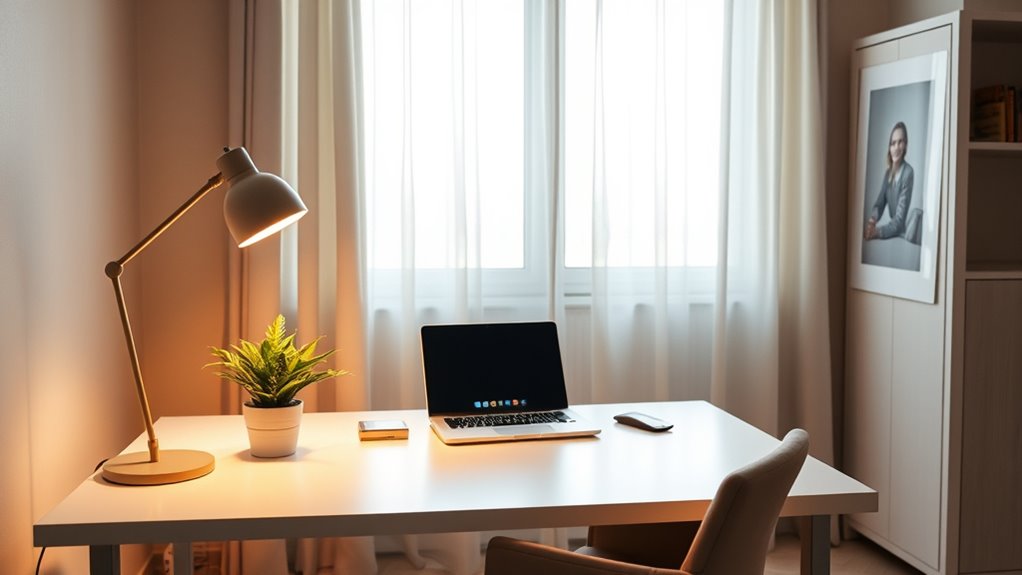

To eliminate shadows and darkness during video calls, prioritize natural light by facing a window during the day and avoid backlighting. Supplement with a ring light placed in front and slightly above your face for a soft, even glow. Adjust brightness and color temperature to match your skin tone. Combine natural and artificial lighting for the best results, creating a professional and clear appearance. Keep exploring tips that will help you master perfect lighting setup for every call.
Key Takeaways
- Face windows during the day to utilize natural light for a soft, even glow.
- Use a ring light positioned in front and slightly above your face to fill shadows and enhance vibrancy.
- Avoid backlighting by ensuring light sources are in front or to the sides, not behind you.
- Adjust brightness and color temperature of artificial lights to match natural skin tones accurately.
- Combine natural and artificial lighting for a balanced, well-lit environment without harsh shadows.

Good lighting can make a huge difference in your video calls, guaranteeing you look clear and professional. When your space is well-lit, you appear more engaged, confident, and approachable. The key is to make the most of natural light while supplementing it with effective artificial lighting, like ring lights, to eliminate shadows and dark spots. Natural light is often the best option because it provides a soft, even glow that enhances your features and reduces the need for additional equipment. Position yourself facing a window during the day, so the sunlight illuminates your face evenly. Avoid having bright windows or light sources behind you, as this causes backlighting and can make your face appear dark or shadowy. Instead, aim to have the natural light come from in front or at a slight angle, which creates a flattering, well-lit appearance. Utilizing simple room arrangements can also help optimize your lighting setup for better video quality.
If natural light isn’t enough or isn’t available at certain times of the day, ring lights are an excellent alternative. These circular lights produce a consistent, diffused light that minimizes shadows and highlights your face evenly. They’re easy to set up and can be adjusted for brightness and color temperature, allowing you to customize your lighting to suit your environment. When using a ring light, position it directly in front of you, slightly above eye level, to mimic natural sunlight and avoid unflattering shadows under your eyes or chin. This setup also enhances your eyes, giving them a lively sparkle and making your overall appearance more vibrant.
Combining natural light with a ring light often yields the best results. During the day, rely on natural light to keep your face looking natural and warm, and use a ring light for fill-in light if you notice shadows or uneven brightness. In the evening or in rooms with limited windows, a ring light becomes your primary lighting source. Opt for a ring light with adjustable brightness and color temperature to match the ambiance of your space and ensure your skin tone looks natural. Remember, the goal is to create a balanced lighting environment that highlights your face without harsh shadows or overly bright spots.

Cyezcor Video Conference Lighting Kit, Ring Light for Monitor Clip On,for Remote Working, Distance Learning,Zoom Call, Self Broadcasting and Live Streaming, Computer Laptop Video Conferencing
【ADJUSTABLE TEMPERATURE AND BRIGHTNESS】Our video conference lights have 3 color temperatures (white light/warm light/natural light) which are 3200k-6800k,…
As an affiliate, we earn on qualifying purchases.
As an affiliate, we earn on qualifying purchases.
Frequently Asked Questions
How Do I Improve Lighting in a Small or Windowless Room?
To improve lighting in a small or windowless room, you should invest in good lighting accessories like LED ring lights or softboxes to brighten your space evenly. Use space optimization techniques by placing lights strategically to eliminate shadows and create a balanced glow. Consider layering your lighting with both ambient and task lights, ensuring your face is well-lit during video calls without harsh shadows.
What Color Temperature Is Best for Video Call Lighting?
You should aim for a color temperature around 5000K to 6000K, which mimics natural daylight and creates a bright, inviting lighting ambiance. Imagine your face illuminated by the soft glow of a clear, sunny sky, free of shadows. This range guarantees your skin tones look natural and your background remains well-lit, making your video calls feel warm and professional. Keep your lighting consistent for the best results.
Can I Use Natural Light During Different Times of the Day?
Yes, you can use natural light during different times of the day. To make the most of it, schedule your natural light for peak sunlight hours, like late morning or early afternoon. Use outdoor lighting tips such as positioning yourself facing the window and avoiding direct sunlight that creates harsh shadows. Adjust your position as the sun moves to maintain consistent, flattering lighting for your video calls.
How Do I Avoid Glare and Reflections on My Screen?
Think of your screen as a mirror catching stray sunlight; to avoid glare and reflections, position your monitor away from windows and bright lights. Use an anti-glare screen protector or adjust your screen’s angle to reduce reflection, like a shield guarding your view. Dimming overhead lights and closing blinds helps create a softer glow, making reflections fade into the background, so your focus stays sharp and clear.
What Are Affordable Lighting Options for a Professional Look?
You can achieve a professional look with affordable lighting options like ring lights, LED desk lamps, or softbox kits. These options provide even, flattering illumination without breaking the bank. Position the light slightly in front of you and at eye level to minimize shadows and glare. Using natural light alongside these affordable solutions can also enhance your setup, making your video calls look polished and professional without costly equipment.

UBeesize 12'' LED Ring Light with 62'' Tripod Stand, Selfie Ring Light for Video Recording, Live Streaming, TikTok & YouTube, Compatible with iPhone & Android (Black)
【12” Powerful LED Ring Light with 240 LEDs】This upgraded 12-inch ring light features 240 high-efficiency LEDs delivering 10W…
As an affiliate, we earn on qualifying purchases.
As an affiliate, we earn on qualifying purchases.
Conclusion
By prioritizing quality lighting, you’ll instantly elevate your video calls, making you look professional and approachable. Don’t let the fear of equipment complexity hold you back—simple solutions like natural light or a basic ring light can make a huge difference. Remember, good lighting isn’t just about visibility; it’s about confidence and connection. With just a little effort, you’ll transform your meetings into polished, engaging conversations that leave a lasting impression.

Desk Ring Light with Stand – 10.5'' Desktop Ring Light with Phone Holder for Video Recording, Circle Light for Computer Zoom Meeting Video Conference Lighting Video Calls Podcast Streaming
BRIGHTER AND SOFTER: This ringlight features an large 10.5" lamp head with 120 pieces LED, and its impressively…
As an affiliate, we earn on qualifying purchases.
As an affiliate, we earn on qualifying purchases.

NEEWER Basic 5" Ring Light for Video Conference Lighting, Clip on Light Kit with Desk Tripod Stand for Monitor Laptop Computer Zoom Call Live Streaming Remote Working Learning Video Recording, BR60
【Neewer BASICS Series】These products offer basic functions and designs that meet the essential needs of most customers, while…
As an affiliate, we earn on qualifying purchases.
As an affiliate, we earn on qualifying purchases.