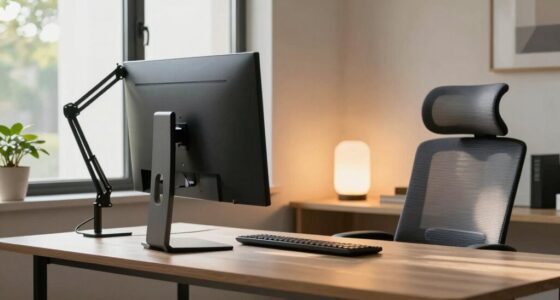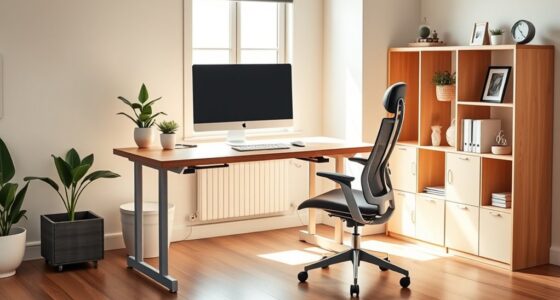
Before choosing a chair for lower back pain, focus on adjustable features like lumbar support, armrests, and seat height that promote proper posture. Confirm the materials are durable and breathable or comfortable for long hours. Look for ergonomic designs that support movement and relieve pressure on your spine. The size and mobility of the chair matter too, so test it to see if it fits your workspace comfortably. Keep exploring to discover key tips for finding the best fit.
Key Takeaways
- Prioritize chairs with adjustable lumbar support to contour to your lower back’s natural curve.
- Ensure the chair offers adjustable height and armrests for proper posture and reduced neck/shoulder tension.
- Choose durable materials like reinforced mesh or high-quality upholstery for long-term comfort and support.
- Look for ergonomic features like tilt mechanisms and movement support to prevent stiffness and promote circulation.
- Test the chair for comfort, ease of adjustment, and fit within your workspace before purchasing.
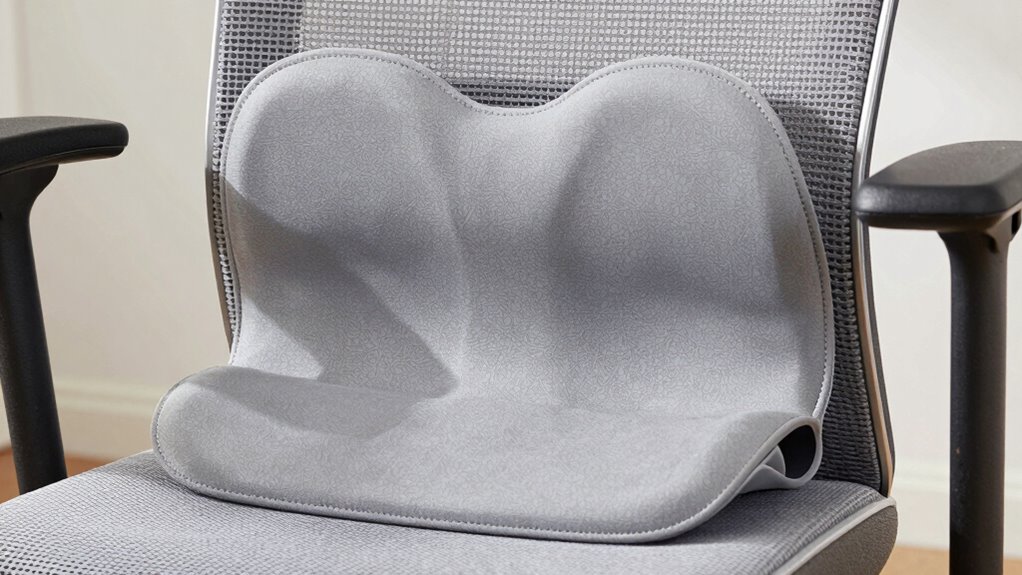
If you suffer from lower back pain, choosing the right chair can make a significant difference in your comfort and health. When shopping for a chair, focus on ergonomic features that promote proper posture and reduce strain on your lumbar region. Look for adjustable height, so your feet rest flat on the floor and your knees are at a 90-degree angle. A chair with adjustable lumbar support is essential, allowing you to contour it to fit the natural curve of your lower back. This support helps prevent slouching and distributes weight evenly, easing pressure on your spine. Additionally, a chair with adjustable armrests can help you maintain relaxed shoulders and avoid unnecessary tension in your neck and upper back. Incorporating ergonomic design principles into your chair selection can further enhance your comfort and support. Material durability is another important factor to contemplate. You want a chair built to last, especially if you’ll be using it daily. High-quality materials like reinforced mesh, sturdy steel frames, or premium upholstery ensure longevity and stability. Mesh chairs, for example, provide breathability, which keeps you comfortable during long hours of sitting, while leather or faux leather options offer durability and a professional look. Regardless of the material, check for quality stitching and robust construction to guarantee the chair can withstand daily use without deteriorating quickly. Comfort should be your top priority, but it’s equally essential to think about how the chair supports your body over time. An ergonomic design that encourages movement can help prevent stiffness and improve circulation, especially if you find yourself sitting for extended periods. Features like a tilt mechanism or a synchronized recline allow you to shift positions easily and relieve pressure on your lower back. Some chairs also come with a headrest and adjustable tilt tension, enhancing overall support and comfort during extended periods of sitting. Remember, the more customizable the chair, the better it will adapt to your specific needs, providing ongoing relief from lower back discomfort. Proper posture alignment is crucial in preventing long-term issues and ensuring your sitting position promotes spinal health. Incorporating adjustability features can help you tailor the chair to your unique body dimensions, further improving comfort and support. Additionally, being aware of proper sitting habits can complement your ergonomic chair choice and enhance overall back health. Finally, don’t forget to contemplate the overall size and mobility of the chair. It should fit your workspace comfortably and be easy to move or swivel as needed. Before making a purchase, test the chair if possible, and ensure it offers smooth adjustment options. Investing in a chair with ergonomic support can significantly reduce the risk of developing chronic back problems over time. Choosing a chair with a combination of ergonomic features and durable materials guarantees that you’re investing in something that will support your lower back health for years to come. In the end, the right chair isn’t just about comfort — it’s a fundamental tool in managing and preventing lower back pain effectively.
Top picks for "know before chair"
Open Amazon search results for this keyword.
As an affiliate, we earn on qualifying purchases.
Frequently Asked Questions
Are Ergonomic Chairs Always the Best Choice for Lower Back Pain?
Ergonomic chairs aren’t always the best choice for lower back pain, but they often help if they promote proper posture alignment and provide good lumbar support. You should look for a chair that fits your body, encourages you to sit upright, and supports your lower back’s natural curve. Remember, the best chair is one that feels comfortable, encourages movement, and helps reduce strain on your lower back.
How Long Should I Sit in My Chair Daily?
You should aim to sit for about 30 minutes at a time, then take a break to stretch or walk around. Ironically, sitting longer can worsen your lower back pain, so focus on posture correction and adjusting your seat height for comfort. By alternating sitting with movement, you give your spine relief, preventing stiffness and strain. Remember, your chair’s ergonomic features support your back better during these intervals.
Can a Chair Replace Physical Therapy for Back Pain?
A chair can’t fully replace physical therapy for back pain, but an ergonomic design with proper lumbar support can considerably help. You should use it to maintain good posture and reduce strain during long sitting periods. However, physical therapy addresses underlying issues and improves mobility, so combining both is ideal. Invest in a chair with adjustable lumbar support to complement your therapy and promote better back health.
Are Memory Foam or Gel Cushions Effective for Back Support?
Memory foam and gel cushions provide effective back support because they conform to your body’s shape, distribute pressure evenly, and reduce discomfort. Memory foam cushions contour to your spine, offering personalized comfort, while gel cushions absorb shock and help regulate temperature. Both options can improve your sitting posture, alleviate lower back pain, and make long periods of sitting more comfortable, making them excellent accessories for your ergonomic setup.
What’s the Best Way to Test a Chair’s Comfort Before Buying?
To test a chair’s comfort before buying, sit in it for at least 10-15 minutes, ensuring your back is well-supported. Check material quality—look for breathable fabrics and sturdy construction. Adjust the features like seat height, lumbar support, and armrests to see if they suit your body. Move around and shift positions to gauge comfort, making sure the chair adapts to your needs for long-term lower back pain relief.
Conclusion
When choosing a chair for lower back pain, remember to prioritize support, adjustability, and comfort. Look for features that align with your needs, test for proper fit, and trust your body’s signals. A good chair supports your posture, relieves pain, and encourages movement. Ultimately, it’s about creating a workspace that promotes well-being, encourages proper alignment, and keeps you comfortable. Make your choice wisely, and your back will thank you for it every day.