To build an office around your main work tools, position them at eye level and within easy reach to maximize efficiency and comfort. Organize accessories and documents nearby, using cable management to reduce clutter. Include ergonomic accessories like adjustable chairs, keyboard trays, and monitor stands to prevent strain. Make certain of good lighting with a mix of natural and artificial light, and consider environmental factors like noise and air quality. Exploring these tips further can help you create a workspace tailored to your needs.

Get comfort and recovery gear delivered free with Prime
- Fast, free delivery on millions of items
- Prime Video, Amazon Music and more included
- Member-only deals all year
Key Takeaways
- Position primary devices at eye level and within arm’s reach to maximize efficiency and reduce strain.
- Arrange frequently used accessories and documents nearby for quick access.
- Incorporate ergonomic furniture and accessories to support comfort during long work hours.
- Use proper cable management to keep cords organized and prevent clutter.
- Optimize lighting with natural and adjustable artificial sources to minimize eye fatigue.
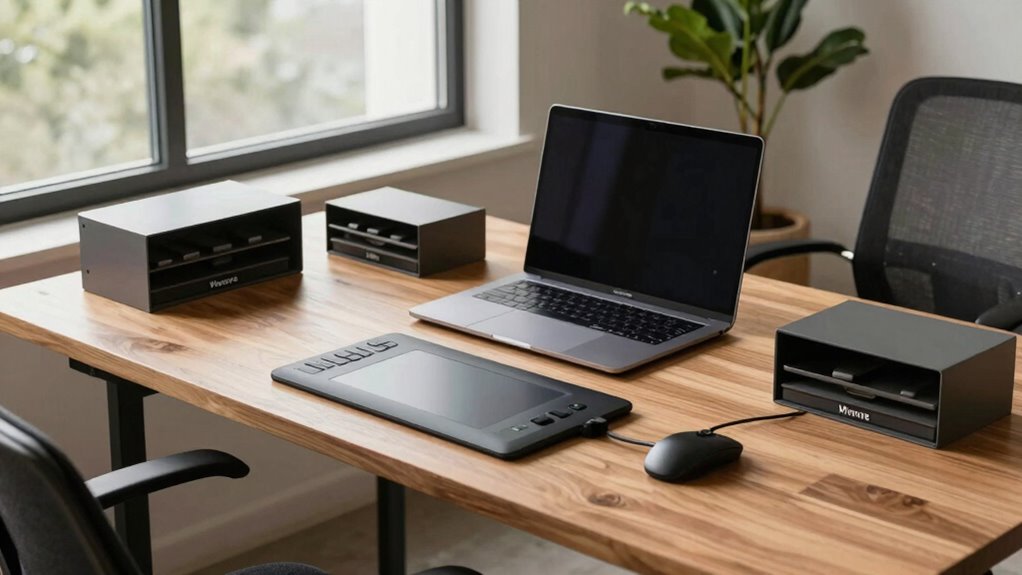
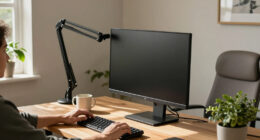
Creating a functional office starts with understanding the tools you’ll rely on daily. Your main work tools—whether a computer, drawing tablet, or specialized equipment—should shape the layout and design of your space. The placement of these tools can significantly impact your efficiency and comfort. The goal is to create an environment where these tools are easily accessible, comfortable to use, and supported by the right accessories. Start by positioning your primary device at eye level and within arm’s reach to reduce strain. If you work long hours at a computer, ergonomic accessories like an adjustable keyboard tray, supportive mousepad, or wrist rests can make a significant difference. These additions help prevent repetitive strain injuries and keep you comfortable throughout the day.
Arrange your main tools for easy access and comfort to enhance productivity and reduce strain.
Lighting solutions are equally essential because they influence your productivity and eye health. Natural light is ideal, so if possible, position your desk near a window. However, it’s important to supplement with well-designed artificial lighting. A combination of ambient and task lighting ensures your workspace is brightly lit without glare or shadows. Adjustable desk lamps with dimming features let you tailor the brightness as needed, reducing eye fatigue during extended work sessions. Good lighting also minimizes eye strain, helping you stay focused and alert.
As you build your office around your main tools, consider the overall layout. Your desk should support your work flow, with your primary device at the center. Keep frequently used accessories and documents within easy reach to avoid unnecessary stretching or twisting. Cable management is another key aspect—use clips, sleeves, or under-desk trays to keep cords organized and out of the way. This not only prevents accidents but creates a cleaner, more professional look. Additionally, understanding the importance of contrast ratio can help you select appropriate monitors or projectors that reduce eye strain and improve visual clarity during your work. Proper consideration of ergonomics can further enhance comfort and prevent long-term injuries related to poor posture or repetitive movements. Paying attention to ergonomic principles in your setup can contribute significantly to your overall well-being over time.
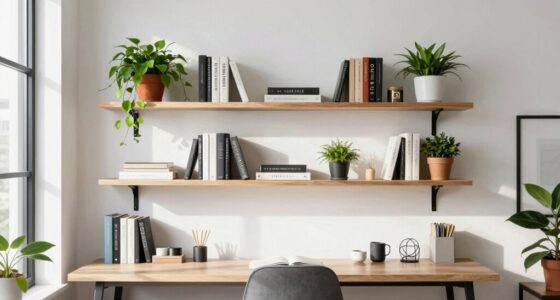
Furthermore, incorporating storage solutions designed for organization can help keep your workspace clutter-free, making it easier to focus on your tasks. Your chair plays a pivotal role, too. An ergonomic chair that provides lumbar support and adjustable height ensures proper posture, reducing discomfort during long hours. Pair it with ergonomic accessories like footrests or monitor stands to optimize your setup further. Additionally, considering environmental factors such as temperature, air quality, and noise levels can greatly influence your comfort and productivity.
Ultimately, building an office around your main tools involves thoughtful planning. Prioritize ergonomic accessories and lighting solutions that support your specific needs. Keep your workspace organized, comfortable, and tailored to how you work best. When your tools are supported by the right environment, you’ll find it easier to stay productive, focused, and comfortable day after day.
ergonomic adjustable keyboard tray
As an affiliate, we earn on qualifying purchases.
As an affiliate, we earn on qualifying purchases.
Frequently Asked Questions
How Do I Prioritize Which Tools to Include in My Office Design?
You should prioritize tools that enhance your productivity and fit your workspace layout first. Consider how each tool contributes to your daily tasks and choose versatile, essential items. Keep aesthetic cohesion in mind, selecting tools and accessories with a consistent style and color scheme. This approach guarantees your office remains functional and visually harmonious, making it easier to stay focused and motivated while working.
What Budget Considerations Should I Keep in Mind?
You should consider your overall budget and look for cost-effective solutions that maximize functionality without overspending. Prioritize essential items first, then add budget-friendly accessories that enhance your workspace. Keep an eye out for discounts or second-hand options to save money. Balancing quality and affordability guarantees your office remains functional and comfortable without exceeding your financial limits, making your workspace both practical and budget-conscious.
How Can I Optimize Space for Multiple Work Tools?
Maximize your space by using smart storage solutions that keep tools organized yet accessible, creating a clutter-free environment. Juxtapose ample storage with sleek lighting options to enhance functionality and ambiance. Position your work tools strategically so they don’t crowd each other, and incorporate vertical storage to free up surface areas. Adjustable shelving and multi-purpose furniture can further optimize space, ensuring everything you need is within reach without sacrificing comfort or style.
What Ergonomic Factors Should I Consider for Long-Term Comfort?
You should prioritize ergonomic posture by adjusting your chair and monitor to prevent strain. Use ergonomic accessories like lumbar supports, adjustable footrests, and wrist rests to enhance comfort during long hours. Keep your feet flat on the floor, and your elbows close to your body at a 90-degree angle. Regular breaks and stretching also help maintain long-term comfort, reducing the risk of repetitive strain injuries.
How Do I Manage Tech Upgrades and Future Tool Additions?
You stay flexible by planning for tech upgrades and future tools, balancing innovation with stability. When managing virtual collaboration, guarantee your systems are scalable and integrate smoothly. Keep cybersecurity strategies in mind to protect your evolving setup. Regularly review and update your hardware and software, so your workspace adapts seamlessly without disrupting productivity. This proactive approach helps you stay current, secure, and ready for whatever tech advancements come next.
As an affiliate, we earn on qualifying purchases.
Conclusion
When you design your office around your main tools, it’s like creating a space that naturally aligns with your work flow—almost as if the environment and your tools are destined to work together. Sometimes, the smallest adjustments lead to unexpected clarity or inspiration, reminding you that the right setup isn’t just coincidence but a reflection of your needs. In the end, your office becomes a quiet companion, supporting your productivity in ways you never anticipated.
As an affiliate, we earn on qualifying purchases.
cable management clips and sleeves
As an affiliate, we earn on qualifying purchases.
As an affiliate, we earn on qualifying purchases.
Halloween Picks
halloween
As an affiliate, we earn on qualifying purchases.