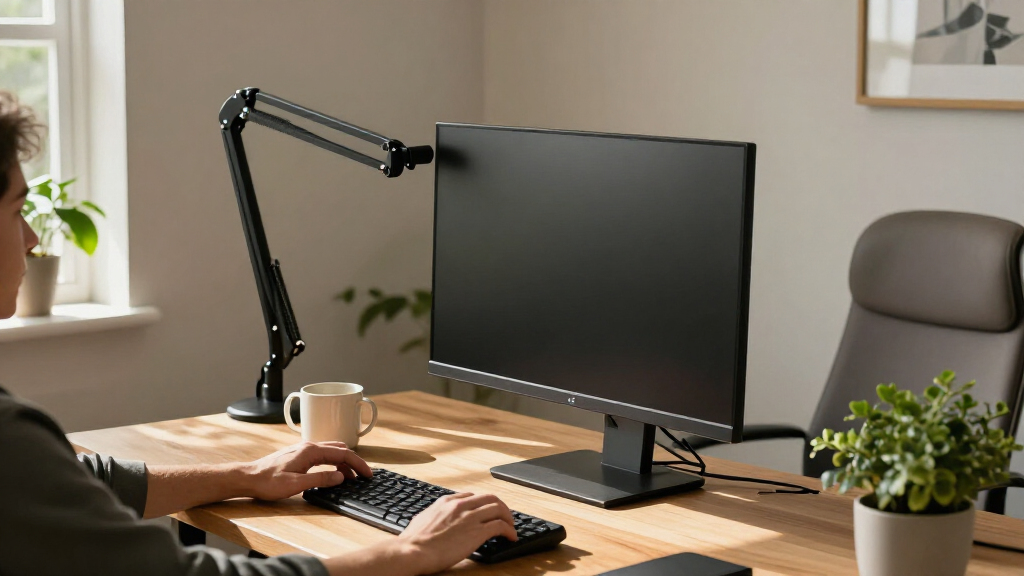
Ergonomic monitor arms can help position a screen at a more comfortable height and free up desk space, but the right choice depends on your monitor’s weight, size, and your desk. I’d choose the Ergotron LX Pro as the best overall option for a broad range of single-screen setups, while the BenQ ErgoArm BSH02 stands out for heavier displays and the HUANUO FlowLift Dual for two-screen workstations. The main tradeoffs are single versus dual mounts, supported screen weight, and how much reach and adjustment your desk needs. Larger screens call for more attention to weight capacity and mounting clearance, not just the advertised maximum screen size. Read on for how the 15 options compare and which one fits your setup.

Get comfort and recovery gear delivered free with Prime
- Fast, free delivery on millions of items
- Prime Video, Amazon Music and more included
- Member-only deals all year
Complete the kit



Key Takeaways
- The LX Pro is the strongest all-round single-arm pick in this lineup, with support for screens up to 34 inches and a 4–22 lb weight range.
- Large-screen capacity varies sharply: the BenQ BSH02 supports up to 44 lb, while the ErGear Heavy Duty arm lists a 37.4 lb capacity and a screen range up to 49 inches.
- Dual-arm choices serve different desk layouts: the FlowLift Dual suits side-by-side screens, while HUANUO’s stacked mount is designed for vertical arrangements.
- Screen size alone is not enough to choose: several arms list similar size ranges but different load limits, so check the monitor’s weight without its stand.
- Mounting flexibility is a practical differentiator: multiple HUANUO and ErGear models offer both clamp and grommet mounting, which can widen desk compatibility.


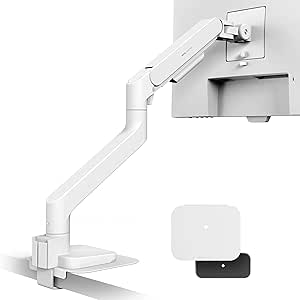


| ergonomic monitor arm | VESA compatibility | Weight capacity |
|---|---|---|
| Ergotron Upgraded LX Pro Premi | 75 x 75 mm, 100 x 100 mm | 4–22 lbs |
| HUANUO FlowLift™ Dual Monitor | 75 x 75 mm, 100 x 100 mm | 4.4–19.8 lbs per arm |
| WALI Adjustable Single Monitor | 75 x 75 mm, 100 x 100 mm | Up to 26.4 lbs |
| SmooVex™ Monitor Arm for Up to | 75 x 75 mm, 100 x 100 mm | — |
| HUANUO FlowLift™ Pro Monitor A | 75 x 75 mm, 100 x 100 mm | Up to 19.8 lbs |
| ErGear Heavy Duty Monitor Arm | 75×75mm / 100×100mm | 37.4 lbs |
| HUANUO TitanLift Heavy Duty Mo | 75×75mm / 100×100mm | — |
| BenQ ErgoArm BSL01 VESA Desk M | 75×75mm / 100×100mm | — |
| ErGear Dual Monitor Arm | — | — |
| Acer Single Monitor Mount | 75×75mm / 100×100mm | 4.4–19.8 lbs |
| BenQ ErgoArm BSH02 Heavy Duty | 75×75mm and 100×100mm | 44 lbs |
| HUANUO 17-32 Inch Dual Monitor | 75×75mm and 100×100mm | 19.8 lbs |
| HUANUO FlowLift™ Single Monito | 75×75mm and 100×100mm | — |
| ErGear Single Monitor Arm for | — | — |
| WALI Ultrawide Single Monitor | — | — |
More Details on Our Top Picks
Ergotron Upgraded LX Pro Premium Monitor Arm, Single Monitor Desk Mount, Fits Up to 34 Inches, 4-22 lbs, VESA 75x75mm or 100x100mm, Matte Black
I’d put the Ergotron LX Pro first for a single-monitor setup where precise positioning and long-term support matter more than keeping the arm basic. Its 18.3-inch height adjustment, full rotation, and broad tilt range give more room to find a comfortable viewing position than the HUANUO FlowLift Pro, whose supplied specs don’t state its adjustment ranges. It also supports screens up to 34 inches and 22 pounds, making it a stronger fit for many larger displays than that 32-inch HUANUO. The tradeoff is its weight and a less flexible mounting package: the grommet option requires a separate accessory, and the arm needs a sturdy desk. I’d choose it over the WALI when warranty coverage and stated height reach carry more weight than maximum load capacity.
Pros:- Supports monitors up to 34 inches and 22 pounds.
- Height adjustment reaches up to 18.3 inches, with 360-degree rotation.
- Cable management helps keep the desk area tidier.
- Backed by a 10-year warranty.
Cons:- At 8.3 pounds, it calls for a sturdy desk and mount point.
- Grommet mounting requires a separate accessory.
- Its weight limit is lower than the WALI arm’s 26.4-pound capacity.
Best for: Single-monitor users with a display up to 34 inches who want a broad adjustment range and a 10-year warranty.
Not ideal for: Buyers with a lightweight or delicate desk, a monitor over 22 pounds, or a firm requirement for a grommet mount included in the box.
- Monitor size:Up to 34 inches
- Weight capacity:4–22 lbs
- VESA compatibility:75 x 75 mm, 100 x 100 mm
- Height adjustment:Up to 18.3 inches
- Tilt:Up to 85 degrees
- Rotation:360 degrees
- Mounting:Tabletop clamp; optional grommet mount
- Warranty:10 years
- Weight:8.3 lbs
Our verdict“Choose the LX Pro for a versatile single-monitor ergonomic setup when its 22-pound limit fits your display and your desk can support the arm.”
HUANUO FlowLift™ Dual Monitor Stand, Fully Adjustable Gaming Monitor Desk Mount for 13–32″ Computer Screens, Full Motion VESA 75×75/100×100 with C-Clamp & Grommet Base, Each Arm Holds 4.4 to 19.8 lbs
The HUANUO FlowLift Dual makes the most sense when ergonomic positioning has to work across two screens, not just one. Each arm supports a 13–32-inch monitor weighing 4.4–19.8 pounds, and the stated 15.75-inch height adjustment plus tilt, swivel, and rotation gives users room to set up side-by-side screens for different tasks. Unlike the single-screen Ergotron LX Pro, this mount clears space beneath two displays at once, but it has a narrower compatibility window and a more demanding desk checklist. HUANUO recommends wooden desks 0.59–3.54 inches thick and warns against crossbeams or panels obstructing installation. I’d skip it if either display is heavier than its limit, or if the desk is glass, plastic, or structurally awkward.
Pros:- Holds two monitors, each weighing 4.4–19.8 pounds.
- Provides tilt, swivel, rotation, and height adjustment for positioning both screens.
- Clamp and grommet mounting options are specified.
- Integrated cable management routes wires along the arms.
Cons:- Desk compatibility is restrictive: wooden surfaces are recommended, with thickness and underside clearance requirements.
- Each arm is limited to monitors no larger than 32 inches and 19.8 pounds.
- Its dual-arm footprint is unnecessary for buyers who only need to mount one screen.
Best for: People who regularly work or game across two 13–32-inch monitors and have a compatible wooden desk with a clear mounting area.
Not ideal for: Users with glass or plastic desks, obstructing desk crossbars, monitors outside the stated size or weight range, or a single-screen setup.
- Monitor count:2
- Monitor size:13–32 inches per monitor
- Weight capacity:4.4–19.8 lbs per arm
- VESA compatibility:75 x 75 mm, 100 x 100 mm
- Height adjustment:Up to 15.75 inches
- Movement:Tilt, swivel, rotation, and height adjustment
- Tilt:+85° / -50°
- Mounting:C-clamp or grommet
- Desk thickness:0.59–3.54 inches
Our verdict“Pick the FlowLift Dual when you need two independently adjustable screens and your wooden desk meets its mounting requirements.”
WALI Adjustable Single Monitor Arm for 13-34 inch Screens, up to 26.4 lbs
The WALI is the strongest match here for a heavier single display: its 26.4-pound capacity exceeds the Ergotron LX Pro’s 22-pound limit and the HUANUO FlowLift Pro’s 19.8-pound limit. Its stated 19.3-inch arm extension also gives more reach for pulling a screen closer or clearing desk space. That makes it a practical ergonomic choice for users who move between tasks or need a wider range of screen placement. It supports 13–34-inch monitors and offers tilt, swivel, and portrait rotation, with both clamp and grommet mounting. The tradeoffs are that the supplied information recommends wooden desks, and the product data warns that installation instructions may be complex. I’d favor the Ergotron instead if its longer warranty and stated height adjustment are higher priorities.
Pros:- Supports monitors up to 26.4 pounds, more than the Ergotron LX Pro or HUANUO FlowLift Pro.
- 19.3-inch arm extension offers useful reach for repositioning the screen.
- Provides tilt, swivel, and 360-degree rotation.
- Offers both C-clamp and grommet mounting.
Cons:- Product information recommends wooden desks, limiting confidence for other desk materials.
- Installation instructions may be complex for first-time arm buyers.
- The supplied specs do not state a warranty.
Best for: Users with a VESA-compatible 13–34-inch monitor weighing more than 22 pounds, up to 26.4 pounds, and a suitable wooden desk.
Not ideal for: Buyers who need a clearly stated warranty, especially simple installation, or a mount for a desk surface other than the recommended wooden type.
- Monitor size:13–34 inches
- Weight capacity:Up to 26.4 lbs
- VESA compatibility:75 x 75 mm, 100 x 100 mm
- Tilt:+70° / -45°
- Swivel:+180° / -180°
- Rotation:360 degrees
- Arm extension:19.3 inches
- Height adjustment:Up to 17.3 inches
- Mounting:C-clamp or grommet
Our verdict“Choose the WALI when your single monitor is too heavy for the lighter-duty arms and you can accommodate its desk and installation requirements.”
SmooVex™ Monitor Arm for Up to 32 Inch Monitors, Mechanical Spring Mount, VESA 75/100mm, Model-A5 (Black)
The SmooVex A5 stands apart through its mechanical spring support, which gives this roundup a distinct alternative to the gas or pressure-assisted designs implied by other adjustable arms. It is aimed at monitors from 17 to 32 inches, so it gives up the Ergotron LX Pro’s 34-inch ceiling and the WALI’s higher stated capacity. In return, the aluminum arm is listed at 2.5 kg and offers tilt up to 90 degrees, alongside swivel and height adjustment. That movement can help users angle a screen for a seated workstation, but the provided specifications don’t state its weight capacity or height range, making monitor fit harder to verify than with the Ergotron or WALI. Cable management also isn’t specified, and the two-year warranty is shorter than Ergotron’s.
Pros:- Mechanical spring system is a distinctive support approach in this lineup.
- Aluminum construction is listed for the arm.
- Supports VESA 75 x 75 mm and 100 x 100 mm.
- Tilt adjustment reaches up to 90 degrees.
Cons:- No maximum monitor weight is provided in the supplied specifications.
- The 32-inch screen limit is lower than the Ergotron LX Pro and WALI arms.
- No cable management feature is specified, and the warranty is two years.
Best for: Owners of a 17–32-inch VESA monitor who want a mechanical-spring arm and can confirm their monitor’s weight is supported before buying.
Not ideal for: People with monitors over 32 inches, buyers who need a published load limit or adjustment height, or anyone prioritizing a long stated warranty.
- Monitor size:17–32 inches
- VESA compatibility:75 x 75 mm, 100 x 100 mm
- Material:Aluminum
- Support system:Mechanical spring
- Maximum tilt:90 degrees
- Movement:Articulating
- Mounting:Tabletop; C-clamp or grommet options described
- Weight:2.5 kg
- Warranty:2 years
Our verdict“Consider the SmooVex A5 for a compatible mid-size monitor if its mechanical-spring design appeals and you can verify the load limit before purchase.”
HUANUO FlowLift™ Pro Monitor Arm for 13–32″ Screens, Fully-Adjustable with Tilt, Swivel, Rotation, VESA Mount, C-Clamp or Grommet Base
The HUANUO FlowLift Pro suits buyers who want a straightforward single-screen arm with tool-free VESA mounting and both clamp and grommet base options. Its 13–32-inch range and 19.8-pound capacity cover many standard monitors, though the Ergotron LX Pro reaches 34 inches and 22 pounds, while the WALI can support up to 26.4 pounds. HUANUO lists tilt, swivel, and rotation but doesn’t provide their ranges in the supplied specs, so it’s harder to judge whether it will match a workstation needing especially high lift or extensive extension. The stated desk thickness range is helpful for checking fit, but buyers still need a suitable desk edge or grommet point. Its lifetime warranty is a notable contrast with the Ergotron’s 10-year coverage; this is the more basic capacity choice, not the broadest-fit option.
Pros:- Tool-free VESA mounting is intended to simplify monitor attachment.
- Supports tilt, swivel, and rotation for screen positioning.
- C-clamp and grommet base options are specified.
- Lists a lifetime warranty.
Cons:- Limited to monitors up to 32 inches and 19.8 pounds, below the Ergotron LX Pro and WALI limits.
- The supplied specs do not give tilt, swivel, height, or extension ranges.
- Desk thickness and edge compatibility can restrict installation.
Best for: First-time single-arm buyers with a 13–32-inch monitor under 19.8 pounds who want tool-free VESA attachment and compatible clamp or grommet mounting.
Not ideal for: Owners of monitors over 32 inches or 19.8 pounds, or users who need published adjustment ranges to plan an exact ergonomic setup.
- Monitor size:13–32 inches
- Weight capacity:Up to 19.8 lbs
- VESA compatibility:75 x 75 mm, 100 x 100 mm
- Movement:Tilt, swivel, and rotation
- Mounting:C-clamp or grommet
- Desk thickness:0.59–3.54 inches
- Material:90% metal
- VESA attachment:Tool-free
- Warranty:Lifetime
Our verdict“Pick the FlowLift Pro for a standard-weight monitor when easy VESA attachment and a lifetime warranty matter more than a larger fit range or detailed adjustment specifications.”
ErGear Heavy Duty Monitor Arm for 13-49″ Ultrawide Screens, 37.4 lbs Capacity, Full Motion Desk Mount, Dual C-Clamp & Grommet Mount, VESA 75×75/100x100mm
For a large ultrawide that needs to move well clear of the desk edge, this ErGear arm pairs 21.2 inches of extension with up to 22.2 inches of height adjustment. Its 37.4-pound capacity and 49-inch screen limit suit many heavy displays, while tilt, swivel, and full rotation let you reposition the screen for different tasks. Compared with the HUANUO TitanLift, it has less stated weight capacity but offers more height adjustment; the TitanLift reaches farther horizontally and lists a wider tilt range. C-clamp and grommet mounting give this model more desk-install options, though a substantial arm can take more effort to assemble and is excessive for a small, light monitor. I’d choose it for reach and mounting flexibility, not for a basic single-screen setup.
Pros:- Supports screens up to 49 inches and 37.4 pounds.
- Provides up to 21.2 inches of extension and 22.2 inches of height adjustment.
- Offers both C-clamp and grommet mounting.
- Tilt, swivel, and rotation allow flexible screen positioning.
Cons:- May be unnecessarily heavy-duty for smaller, lighter displays.
- Installation may take more effort than a simpler monitor mount.
- Its weight capacity is lower than the HUANUO TitanLift’s 44-pound limit.
Best for: People with a heavy ultrawide monitor who need substantial vertical adjustment and a choice of clamp or grommet mounting.
Not ideal for: Owners of small, light monitors who want a simple, low-effort installation or do not need a long-reaching heavy-duty arm.
- Supported screen size:13–49 inches
- Weight capacity:37.4 lbs
- VESA compatibility:75×75mm / 100×100mm
- Mounting options:C-clamp or grommet
- Tilt range:+30° / -40°
- Swivel range:±90°
- Rotation:360°
- Maximum extension:21.2 inches
- Maximum height adjustment:22.2 inches
Our verdict“Choose this ErGear when your ultrawide needs long reach and flexible desk mounting; skip it if a lighter-duty arm will do.”
HUANUO TitanLift Heavy Duty Monitor Arm for Screens up to 49″
The TitanLift is the strongest match in this group for a genuinely heavy large-format display: its 44-pound capacity exceeds the ErGear heavy-duty arm’s 37.4-pound limit. It also supports screens up to 49 inches, with a 22.5-inch extension and a broad +50° to -50° tilt range that can help place a large screen at a comfortable viewing angle. Its quick-install design and cable management make the setup more workspace-friendly than the ErGear, but desk compatibility is a real constraint: the listed requirements call for a wooden desk with suitable thickness and no cross beams. That makes it less flexible than the ErGear’s stated clamp-or-grommet options. I’d pick the TitanLift for a heavy ultrawide only after confirming the desk and VESA fit; buyers with uncertain desk construction should look elsewhere.
Pros:- Supports monitors up to 49 inches and 44 pounds.
- Offers a wide +50° to -50° tilt range.
- Includes cable management and a quick-install design.
- Extends up to 22.5 inches from the mount.
Cons:- Desk requirements rule out some desk materials and constructions.
- VESA mounting holes are required.
- Maximum height adjustment is lower than the ErGear heavy-duty arm’s stated range.
Best for: Owners of heavy ultrawide monitors who have a compatible wooden desk and want broad tilt adjustment with cable management.
Not ideal for: People with glass, metal, cross-beam, or otherwise incompatible desks, or monitors without VESA mounting holes.
- Screen size range:17–49 inches
- Maximum support weight:44 lbs
- VESA compatibility:75×75mm / 100×100mm
- Material:Aluminum alloy
- Tilt range:+50° to -50°
- Swivel:180°
- Rotation:360°
- Maximum extension:22.5 inches
- Maximum height adjustment:19.6 inches
Our verdict“Pick the TitanLift for a heavy ultrawide and a compatible wooden desk; choose the ErGear heavy-duty arm if desk-mount flexibility matters more.”
BenQ ErgoArm BSL01 VESA Desk Mount for Monitors up to 40 inches and 24 lbs
The BSL01 fills the gap between everyday monitor arms and the heavier ultrawide mounts: it supports screens up to 40 inches and 24 pounds, enough for many larger standard monitors without the higher capacity of the ErGear or HUANUO heavy-duty models. Its clamp-and-grommet mounting gives buyers two installation routes, and the stated 10–50mm desk-thickness range helps clarify whether a desk is a fit before setup. The product information confirms tilt, swivel, and rotation but does not provide their ranges, so I wouldn’t choose it when exact movement limits matter. Compared with Acer’s 17–34-inch single arm, BenQ accommodates a larger screen, while Acer provides a stated weight range and tension adjustment. This is a sensible middle-ground mount, but heavy ultrawides need a higher-capacity option.
Pros:- Supports monitors up to 40 inches and 24 pounds.
- Provides both clamp and grommet mounting.
- Fits desks with a stated thickness range of 10–50mm.
- Offers tilt, swivel, and rotation for viewing-position changes.
Cons:- The 24-pound limit is below the capacity of the ErGear and HUANUO heavy-duty arms.
- Requires a compatible VESA mounting pattern.
- Adjustment ranges are not specified in the supplied product details.
Best for: People with a VESA-equipped monitor up to 40 inches and 24 pounds who want clamp or grommet installation.
Not ideal for: Owners of monitors over 24 pounds, screens larger than 40 inches, or desks outside the stated thickness range.
- Maximum screen size:40 inches
- Maximum weight:24 lbs
- VESA compatibility:75×75mm / 100×100mm
- Desk thickness range:10–50mm
- Mounting type:Clamp or grommet
- Adjustment types:Tilt, swivel, and rotation
Our verdict“Choose the BenQ BSL01 for a mid-size VESA monitor that exceeds typical 34-inch limits but does not need a heavy-duty arm.”
ErGear Dual Monitor Arm, Fully Adjustable Mount for 13–32″ Screens, Max Load 19.8 lbs, VESA 100x100mm
When the ergonomic goal is to keep two monitors independently positioned rather than lift one especially large display, this ErGear dual arm is the lineup’s purpose-built choice. It supports 13–32-inch screens up to 19.8 pounds and offers height adjustment, tilt, swivel, and rotation, so each screen can be angled toward its user instead of forcing a fixed side-by-side arrangement. Tool-free VESA mounting and cable management may also simplify everyday setup. By contrast, the Acer Single Monitor Mount supports one screen and gives a stated weight range, making it a better fit for a single display that needs tension tuning. This dual arm is limited to wooden desks according to the product details, and its installation instructions may take patience. Check each monitor’s weight and VESA pattern before choosing it.
Pros:- Holds two monitors in the 13–32-inch range, up to 19.8 pounds each as stated in the product title.
- Allows height, tilt, swivel, and rotation adjustments.
- Includes tool-free VESA mounting and cable management.
- Supports both clamp and grommet installation within the listed desk ranges.
Cons:- Recommended for wooden desks, which may rule out some workstations.
- Installation instructions may be difficult for some buyers to follow.
- Each monitor needs a compatible VESA pattern and must stay within the weight limit.
Best for: People who work across two 13–32-inch monitors and want to adjust each screen’s position to reduce awkward head and neck turns.
Not ideal for: Users with non-wood desks, monitors outside the stated size or weight limits, or a single large ultrawide.
- Compatible monitor size:13–32 inches
- Maximum load:19.8 lbs
- VESA pattern:75×75mm / 100×100mm
- Maximum height adjustment:17.5 inches
- Maximum extension:18.1 inches
- Tilt:+80° / -50°
- Swivel:±90°
- Clamp desk thickness:0.39–2.56 inches
- Grommet desk thickness:0.39–2.95 inches
Our verdict“Choose this ErGear when you need adjustable positioning for two standard monitors, not a heavy-duty arm for one ultrawide.”
Acer Single Monitor Mount, Fully Adjustable Monitor Arm Fits 17-34″ Screens
Acer’s single-monitor arm makes the most sense for someone who wants a straightforward upgrade from a fixed stand, rather than the reach and load capacity of a heavy-duty ultrawide mount. Its 17–34-inch screen range, 4.4–19.8-pound capacity, and pneumatic spring cores are aimed at ordinary single-screen setups; tension adjustment lets the arm be tuned to the monitor’s weight. The listed five-minute installation time is appealing beside the ErGear dual arm, whose installation instructions may require more patience. Acer also supports both C-clamp and grommet mounting, but desk shape can be a deal-breaker: the product is not recommended for desks with double shelves or curved edges. Its maximum height adjustment is 18.1 inches, so buyers needing greater lift or a heavier screen should compare the heavy-duty ErGear instead.
Pros:- Fits monitors from 17 to 34 inches and 4.4–19.8 pounds.
- Pneumatic spring cores and tension adjustment support weight-specific positioning.
- Offers C-clamp or grommet mounting.
- Lists a five-minute installation time.
Cons:- Cannot support the larger or heavier screens handled by the ErGear heavy-duty arm.
- Not recommended for desks with double shelves or curved edges.
- Tension may need fine-tuning for different monitor weights.
Best for: People setting up one 17–34-inch monitor within the stated weight range who value quick installation and adjustable spring tension.
Not ideal for: Owners of heavy ultrawides, monitors below 4.4 or above 19.8 pounds, or desks with double shelves or curved edges.
- Supported screen size:17–34 inches
- Weight capacity:4.4–19.8 lbs
- VESA compatibility:75×75mm / 100×100mm
- Mounting options:C-clamp or grommet
- Maximum height adjustment:18.1 inches
- Material:Automotive-grade pneumatic spring cores
- Tension adjustment:Yes
- Installation time:5 minutes
- Warranty:1 year
Our verdict“Pick the Acer for a quick, adjustable single-monitor setup within its weight limits; choose a heavy-duty alternative for a large ultrawide.”
BenQ ErgoArm BSH02 Heavy Duty VESA Desk Mount for Screens up to 45″ & 44 lbs
The BenQ ErgoArm BSH02 is the strongest fit here for a monitor that exceeds the weight limits of ordinary single-screen arms. Its 44-pound capacity and support for screens up to 45 inches give buyers more headroom than the ErGear Single Monitor Arm, which is rated for 19.8 pounds, and even the WALI Ultrawide arm at 33 pounds. Height, tilt, swivel, and rotation let you adjust viewing position instead of accepting a fixed desk-level setup. The tradeoff is that this capacity calls for a desk that can handle the clamp load, and the arm only supports 75×75 and 100×100 VESA patterns. Its stated adjustment range may also feel limiting with especially large displays. I’d choose it for a heavy screen, not as a flexible fit for every desk or monitor.
Pros:- 44-pound capacity suits monitors too heavy for the ErGear Single Monitor Arm.
- Supports screens up to 45 inches.
- Height, tilt, swivel, and rotation allow ergonomic repositioning.
- Metal construction and included installation hardware support a secure desk setup.
Cons:- The arm’s heavy-duty load can be unsuitable for a desk that cannot handle the mounting force.
- Limited to 75×75 and 100×100 VESA patterns.
- Adjustment range may not be enough for some very large monitors.
Best for: Buyers with a heavy monitor up to 45 inches who need a high-capacity arm and have a sturdy desk.
Not ideal for: Owners of non-VESA displays, desks with limited load tolerance, or users seeking broad compatibility beyond 75×75 and 100×100 patterns.
- Maximum screen size:45 inches
- Weight capacity:44 lbs
- VESA compatibility:75×75mm and 100×100mm
- Mounting type:Tabletop
- Movement type:Articulating
- Maximum tilt:50 degrees
- Desk thickness compatibility:12–45mm
- Material and color:Metal, white
Our verdict“Choose the BSH02 for a heavy VESA monitor that exceeds the capacity of lighter arms, provided your desk can support the mount.”
HUANUO 17-32 Inch Dual Monitor Stand, Stacked Monitor Mount, Adjustable Tilt/Swivel/Rotate, Supports 2 Monitors up to 19.8 lbs, VESA 75/100mm
The HUANUO stacked dual stand is the lineup’s dedicated choice for placing two monitors one above the other, a layout that can free up desk width and support workflows with separate reference and primary screens. It accepts 17–32-inch displays and offers tilt, swivel, rotation, and height adjustment; the stated 25.19-inch maximum height extension gives the upper screen room to sit above the lower one. Unlike the single-screen HUANUO FlowLift, this mount organizes two displays on one stand, but its 19.8-pound capacity is a limit to check against the supported monitor load. It also requires VESA holes and is not compatible with glass desks. I’d favor it when a vertical arrangement suits the work, rather than when side-by-side positioning or independent arms are the priority.
Pros:- Stacked layout uses less desk width than arranging two screens side by side.
- Supports two monitors in the 17–32-inch range.
- Tilt, swivel, rotation, and height adjustment help set viewing angles.
- C-clamp and grommet mounting options fit different compatible desks.
Cons:- Not compatible with glass desks.
- 19.8-pound weight limit may restrict which monitor combination can be mounted.
- Requires VESA mounting holes on both screens.
Best for: People with two VESA monitors who want a vertical stack to preserve desk width, such as users keeping reference material above a main screen.
Not ideal for: Buyers with glass desks, monitors that lack VESA mounting holes, or two heavy displays that exceed the stated weight capacity.
- Monitor size support:17–32 inches
- Weight capacity:19.8 lbs
- VESA compatibility:75×75mm and 100×100mm
- Maximum height extension:25.19 inches
- Mounting options:C-clamp or grommet
- Desk thickness range:0.39–3.54 inches
Our verdict“Pick this stand if you want two compatible monitors stacked vertically and your desk and screens meet its mounting limits.”
HUANUO FlowLift™ Single Monitor Mount, 13 to 32 Inch Adjustable VESA Arm with Clamp and Grommet Base
The HUANUO FlowLift suits buyers who frequently change a single monitor’s orientation or viewing angle. Its 360-degree rotation, broad stated tilt range, and ±90-degree swivel offer more movement detail than the supplied specs for the BenQ BSH02, while the clamp or grommet base gives a choice of mounting method. Its 19.8-pound capacity places it closer to the ErGear Single Monitor Arm than to the higher-capacity BenQ, so it is a better match for standard-weight displays than heavy ultrawides. One product-data conflict needs attention: the description says 13–32 inches, while separate listed size limits say 17–27 inches. I’d verify the monitor’s dimensions and weight with the seller’s current compatibility information before buying; that uncertainty makes this a less straightforward pick.
Pros:- 360-degree rotation supports changing between landscape and portrait orientations.
- Wide stated tilt range offers substantial angle adjustment.
- Clamp and grommet mounting options provide flexibility for compatible desks.
- 19.8-pound capacity is suitable for many standard-weight single monitors.
Cons:- Product data conflicts on supported screen size: 13–32 inches versus 17–27 inches.
- 19.8-pound capacity is far below the BenQ BSH02’s 44-pound rating.
- Grommet mounting requires a clear, suitable opening and underside.
Best for: Users with a compatible, moderate-weight monitor who want frequent rotation and angle changes on a clamp- or grommet-mounted arm.
Not ideal for: Buyers who need confirmed support for a 13–32-inch screen without checking the conflicting size limits, or anyone with a monitor over 19.8 lbs.
- Listed screen-size range:13–32 inches; separate product data also lists 17–27 inches
- Maximum weight capacity:19.8 lbs
- VESA compatibility:75×75mm and 100×100mm
- Tilt range:−50° to +85°
- Swivel range:±90°
- Rotation:360°
- Mounting options:Clamp or grommet
- Tabletop thickness support:0.59–3.54 inches
- Material and color:Alloy steel, black
Our verdict“Choose the FlowLift for a moderate-weight monitor that needs frequent repositioning, but confirm the supported screen-size range before ordering.”
ErGear Single Monitor Arm for 13–34 Inch Screens, Fully Adjustable, VESA Mount, Cable Management, Holds 19.8 lbs
The ErGear Single Monitor Arm is an easy option to size against a desk because its stated reach and height adjustment are specific: up to 18.1 inches of reach and 17.5 inches of height adjustment. That helps buyers judge whether the screen can move far enough back or rise to suit their seated position, unlike options whose supplied specs do not state both measurements. It supports monitors up to 34 inches and 19.8 pounds, matching the HUANUO FlowLift’s listed capacity while offering tool-free VESA mounting and cable management. The compromise is its modest weight limit compared with the WALI Ultrawide and BenQ BSH02, and the 17.5-inch height range may not work at a tall desk. Check VESA fit and screen weight before choosing it.
Pros:- 18.1-inch maximum reach helps position the screen farther from the mount.
- 17.5-inch maximum height adjustment gives a concrete fit reference.
- Tool-free VESA mounting can simplify attaching a compatible monitor.
- Cable management helps keep the desk area less cluttered.
Cons:- 19.8-pound capacity is lower than the WALI Ultrawide and BenQ BSH02 ratings.
- 17.5-inch maximum height adjustment may not suit tall desks or higher seating positions.
- Requires a compatible 75×75mm or 100×100mm VESA pattern.
Best for: Desk workers with a VESA-compatible monitor up to 34 inches who want clearly specified reach, height adjustment, and cable routing.
Not ideal for: Owners of heavy ultrawides, monitors over 19.8 lbs, or users who need more than 17.5 inches of height adjustment.
- Screen compatibility:13–34 inches, up to 19.8 lbs
- VESA pattern:75×75mm or 100×100mm
- Maximum height adjustment:17.5 inches
- Maximum reach:18.1 inches
- Tilt range:+80°/−50°
- Swivel range:±90°
- Rotation:360°
- Mounting options:C-clamp or grommet base
- Material and color:Alloy steel, black
Our verdict“Choose the ErGear when its stated reach and height match your desk setup and your monitor stays within the 19.8-pound limit.”
WALI Ultrawide Single Monitor Arm for 17-49 inch Curved Screen, up to 33 lbs
The WALI Ultrawide arm is the clearest match for a large curved screen when a standard single-monitor mount’s size range is too small. It supports displays from 17 to 49 inches and up to 33 pounds, giving it more capacity than the ErGear Single Monitor Arm’s 19.8 pounds, though it falls short of the BenQ BSH02’s 44-pound rating. Its 21.14-inch maximum extension can help bring a broad screen closer or move it back to reclaim desk space, while tilt, swivel, and rotation support viewing adjustments. The stated tradeoff is desk compatibility: it is designed primarily for wooden desks, and its VESA pattern still needs to match the monitor. I’d pick it for a compatible ultrawide, not simply for extra reach with a light standard-sized display.
Pros:- Supports screens up to 49 inches, larger than the single-screen ErGear arm’s stated range.
- 33-pound capacity accommodates many ultrawides that exceed lighter arms’ limits.
- 21.14-inch maximum extension offers room to reposition a large display.
- C-clamp and grommet mounting options are available for compatible desks.
Cons:- 33-pound limit is below the BenQ BSH02’s 44-pound capacity.
- Designed primarily for wooden desks, which may limit surface compatibility.
- Requires a matching 75×75mm or 100×100mm VESA pattern.
Best for: Owners of a 17–49-inch curved or ultrawide monitor weighing no more than 33 pounds who have a compatible desk and VESA pattern.
Not ideal for: Buyers with monitors heavier than 33 lbs, nonmatching VESA holes, or desk surfaces that may not suit its primarily wooden-desk design.
- Screen compatibility:17–49 inches, up to 33 lbs
- VESA pattern:75×75mm and 100×100mm
- Maximum extension:21.14 inches
- Maximum height adjustment:20.59 inches
- Tilt range:+75°/−75°
- Swivel range:+90°/−90°
- Rotation:360°
- Mounting options:C-clamp or grommet base
- Warranty:3 years
Our verdict“Choose the WALI for a compatible ultrawide up to 49 inches and 33 pounds when your desk can support its clamp or grommet mount.”

How We Picked
I compared the 15 arms around the factors that most affect ergonomic fit: supported screen size and weight, available movement, single- or multi-monitor layout, and the stated mounting options. Weight capacity matters as much as screen size; an arm intended for a large display is not automatically suitable for every monitor in that size range. I also considered whether a product’s format solves a distinct setup problem, such as arranging two screens vertically or supporting an ultrawide display.
The ranking favors options with a clear use case, useful compatibility information, and a balance of adjustability and fit for common desk setups. The Ergotron LX Pro leads as a versatile single-arm choice; heavy-duty models rank higher for demanding displays, while dual arms and more specialized mounts are placed according to their layout strengths. Product details supplied here do not establish desk-thickness limits, adjustment range measurements, or installation ease, so I avoid treating those as verified advantages.
Factors to Consider When Choosing Ergonomic Monitor Arms
Before choosing an arm, I’d match the monitor and desk first, then decide which adjustments matter in daily use. These checks can prevent a mount that technically fits but leaves the screen poorly placed or the desk difficult to use.
Match the Arm to the Monitor’s Actual Weight
Use the display’s weight without its original stand, then compare it with the arm’s stated supported range. A monitor can fit the listed screen-size limit and still exceed the arm’s load capacity, especially if it is a large ultrawide or has a heavy housing. The maximum capacity is not a target; choosing an arm whose supported range includes the monitor gives you a better chance of stable positioning. Check whether the quoted capacity applies to each arm on a dual mount or to the whole mount, and verify this in the product documentation. A common mistake is to rely on diagonal size alone. If the monitor is near the upper weight limit, allow room for accessories such as a VESA adapter, where relevant.
Treat Screen Size and Reach as Separate Fit Questions
The listed screen-size range tells you what the mount is intended to support, but it does not tell you how far the display can move across your desk. A long, deep desk or a screen that needs to move aside may call for more reach than a compact workstation. For large or curved displays, check the arm’s placement range and clearance against your desk, wall, and nearby equipment rather than assuming a 49-inch rating guarantees a good fit. Also account for monitor width: two screens may fit their individual size limits yet collide when angled inward. Before buying, sketch the screen positions you need and measure from the mounting point to those positions. This step matters most when moving between a centered work position and a side-facing task.
Choose a Layout Before Choosing a Dual Arm
Side-by-side and stacked mounts solve different problems, so decide how you use both displays before comparing dual-arm models. Side-by-side placement suits work that requires frequent eye movement between screens, while a vertical stack can preserve desk width or separate reference material from the main display. Stacked arrangements can place the upper screen too high for comfortable viewing if the desk and chair setup do not leave enough vertical room. Dual mounts also require each monitor to stay within its own supported weight and size limits. Do not assume that matching monitors will balance perfectly if one has a different weight or VESA pattern. For one primary display and an occasional secondary screen, a single arm plus a separate mount may offer more placement flexibility.
Check Desk Construction and Mounting Access
A clamp or grommet option is only useful if your desk can accept it. Check the desktop thickness, the space beneath the mounting point, and whether a crossbar, drawer, cable tray, or desk frame blocks the clamp. A grommet mount needs a suitable opening and enough clearance below it; some desks have no usable hole, while others have openings in inconvenient locations. Glass, hollow-core, or unusually thin desktops may need special care, and the product details provided here do not specify every desk material or thickness limit. Measure before ordering and consult the mount’s full installation specifications. Buyers often focus on the monitor-side VESA pattern but forget that desk compatibility can be the harder constraint.
Prioritize the Adjustments You Will Use
Full motion can help you move a display between work modes, but a long feature list is less useful if you only need a fixed height and tilt. Think about whether you regularly rotate the screen, shift it aside, or share the display with someone else. Rotation requires a compatible monitor shape and enough space around it, while frequent repositioning makes smooth, stable movement more valuable. For a screen that stays in one place, a simpler arm may meet the ergonomic goal without extra mechanisms. Cable management can reduce visible clutter, but it cannot compensate for cables that are too short or tightly routed. Choose movement based on your routine rather than treating every adjustment as a benefit.
Know When a Heavy-Duty Arm Is Worth Choosing
Paying for a heavy-duty design makes sense when a monitor’s weight, size, or leverage approaches the limits of a standard arm. Larger ultrawides can place greater demands on the mount even when their weight appears manageable, so capacity and intended screen range should be checked together. A heavy-duty arm is not automatically the best choice for a modest display; it may take up more room or provide capacity you will never use. Conversely, buying too close to a standard arm’s stated limit can leave little margin for a heavier monitor revision or added hardware. Compare the arm’s capacity with your current screen and likely upgrade plans. For a typical lightweight office monitor, fit and useful movement may matter more than maximum load.
Frequently Asked Questions
How do I know whether my monitor is too heavy for an arm?
Find the monitor’s weight without its stand in the manufacturer’s specifications, then compare that figure with the arm’s stated supported range. For a dual mount, confirm whether the listed load applies to each arm or the complete mount. Check that the monitor’s VESA pattern also matches, since compatible weight alone does not guarantee attachment. If the display sits close to the arm’s maximum, look for the manufacturer’s guidance on balance and adjustment. Do not use screen size as a substitute for weight data.
Should I choose a dual monitor arm or two separate arms?
A dual mount can simplify a two-screen setup and keep both displays attached to one desk mounting point, which may save space. Separate arms allow more independent placement and can be easier to adapt if the monitors differ greatly in size or if you later change your layout. Check the desk’s available mounting area and the weight capacity for each screen before deciding. A side-by-side dual arm is not interchangeable with a stacked mount, so choose based on your preferred viewing arrangement. If either display is unusually heavy, verify the per-arm limits carefully.
Can an ergonomic monitor arm work with a curved ultrawide?
It can, provided the arm supports the monitor’s weight, screen size, and VESA mounting pattern. Curved ultrawides may be heavier and wider than standard displays, so capacity and clearance deserve more attention than the diagonal measurement alone. Check that the arm can position the screen without hitting a wall, desk accessories, or another monitor. Also confirm that the VESA plate and any supplied hardware match the display. A stated maximum screen size does not by itself confirm compatibility with every curved model.
Will a clamp-mounted arm fit every desk?
No. Desk thickness, the shape of the edge, and clearance underneath can all affect whether a clamp can attach securely. Drawers, frames, cable trays, and crossbars may block the clamp even when the desktop itself seems suitable. A grommet mount can be an alternative if the desk has a usable hole and enough space below it. Check the mount’s full desk-thickness and installation specifications before ordering, since those measurements are not supplied for every arm in this roundup. Take measurements at the exact point where you plan to attach it.
Is a higher weight-capacity arm a better choice if my monitor is light?
Not automatically. A heavier-duty arm is useful when a display approaches the load limit or when you plan to mount a large ultrawide, but extra capacity does not guarantee a better fit for a lighter screen. The arm still needs to support the monitor’s weight range and provide the movement you need. For a lightweight display, desk compatibility, VESA fit, and practical reach may matter more than maximum capacity. Compare the supported range rather than selecting by the largest number alone.
Conclusion
For most people choosing a single-screen setup, I’d start with the Ergotron LX Pro as the best overall pick, thanks to its stated 34-inch range and 4–22 lb support. The WALI Adjustable Single Monitor Arm is a value-oriented alternative for buyers who need a higher listed load limit of up to 26.4 lb, while the BenQ ErgoArm BSH02 is my best premium-style choice for heavier displays, with capacity up to 44 lb. Beginners should look at the HUANUO FlowLift Single if clamp or grommet mounting options and a straightforward single-screen setup suit their needs. For special setups, choose the HUANUO FlowLift Dual for side-by-side screens, the HUANUO stacked model for vertical placement, or the ErGear Heavy Duty and WALI Ultrawide arms for large-screen use after checking exact monitor weight and desk fit. The best ergonomic arm is the one that fits your screen and desk while placing the display where you need it—not simply the model with the biggest capacity.
Fall Picks
fall essentials
As an affiliate, we earn on qualifying purchases.