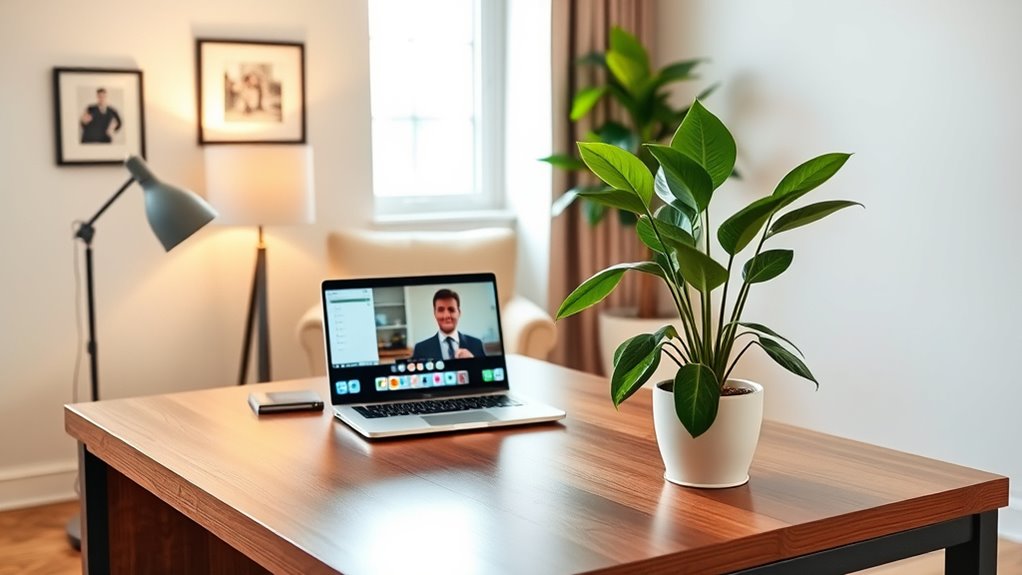

Your Zoom background plays a vital role in shaping how others see you during virtual meetings. A clean, organized space communicates confidence and professionalism, while a cluttered background can undermine your credibility. By choosing a thoughtful backdrop that reflects your industry and personal brand, you project competence and approachability. It also helps keep distractions away, so your message stays clear. Keep exploring ways to create an effective video call-ready environment to leave a strong impression.
Key Takeaways
- Choose a clean, uncluttered background to project professionalism and reduce distractions during calls.
- Use neutral or branded visuals that align with your personal or company identity.
- Incorporate lighting that highlights your face and creates a warm, inviting atmosphere.
- Personalize your space with subtle items that showcase personality without overpowering the scene.
- Test your background and setup beforehand to ensure a polished, distraction-free virtual presence.

Your Zoom background can considerably influence how you’re perceived during virtual meetings. In a world where remote interactions are increasingly common, your background isn’t just a visual element; it’s a powerful tool to shape your virtual impression. When you select a thoughtful, professional backdrop, you communicate confidence and attention to detail, which enhances your personal branding. People tend to judge first impressions quickly, and your background provides a silent yet impactful message about who you are and how you want to be perceived. A cluttered or distracting background can undermine your credibility, while a clean, well-organized space suggests competence and seriousness. That’s why investing time in choosing or designing an effective background can make a significant difference in how colleagues, clients, or employers see you.
By curating your Zoom background, you’re actively managing your personal branding. It’s not just about aesthetics; it’s about creating an environment that aligns with your professional identity. For instance, a tidy bookshelf or a sleek, neutral wall conveys professionalism, while a background with personal items like family photos or hobby paraphernalia might project warmth or approachability. Depending on your industry or the message you want to send, you can customize your background to reflect your personality or expertise. This strategic choice helps reinforce the image you want to project, whether you’re emphasizing innovation, reliability, or friendliness. Remember, your virtual impression is shaped not only by what you say but also by what your surroundings communicate visually. A well-chosen background can make you memorable in a positive way and bolster your reputation.
Furthermore, a professional Zoom background reduces distractions for your viewers. When your background is tidy and appropriate, it keeps the focus on what you’re saying rather than what’s behind you. This clarity ensures your message comes across clearly and effectively, strengthening your personal brand’s credibility. If you’re working from home, consider investing in a simple backdrop or digital background that aligns with your professional image. This proactive approach shows that you’re prepared and serious about your virtual presence. Additionally, understanding the benefits of electric bikes and their performance capabilities can inspire you to choose tech-savvy solutions that reflect innovation and forward-thinking. Ultimately, your Zoom background is an extension of your personal brand—it’s your visual handshake in digital spaces. By consciously choosing an appropriate, polished background, you send a message of professionalism and confidence, helping you stand out and leave a lasting positive impression during every virtual meeting.

BELECO 7x5ft Fabric White Bookshelf Backdrop Library Modern Office Bookcase Backdrop Home Office Zoom Meeting Video Conference Decor Zoom Calls Video Recording Photo Props
- Size: 7×5 feet (WxH)
- Material: Upgraded polyester fabric
- Print Quality: High-resolution digital print
As an affiliate, we earn on qualifying purchases.
As an affiliate, we earn on qualifying purchases.
Frequently Asked Questions
How Do I Change My Zoom Background During a Call?
During a Zoom call, you can change your background by clicking the up arrow next to the camera icon and selecting “Choose Virtual Background.” Make sure your virtual background etiquette is professional, and avoid distracting images. You can also create a custom background by uploading your own image in settings. This keeps your appearance polished and guarantees your environment looks appropriate for the meeting.
Can I Use a Virtual Background Without a Green Screen?
In the age of dial-up connections, yes, you can use virtual background options without a green screen. Zoom now offers background effects that work without a green screen, but your computer’s lighting and background should be well-lit and simple for best results. While a green screen isn’t a necessity, it improves the quality and makes your virtual backgrounds appear seamless, especially with complex images or animations.
What Are the Best Lighting Tips for a Professional Look?
To achieve a professional look, use natural light whenever possible, positioning yourself facing a window for even, flattering illumination. If natural light isn’t available, opt for soft, diffused lighting such as a ring light or lamps with shades to avoid harsh shadows. Avoid direct overhead lights, which can create unflattering shadows. Keep your lighting consistent and at eye level for the best virtual appearance on Zoom.
How Do I Troubleshoot Background Glitches or Lag?
To troubleshoot background glitches or lag, start with hardware troubleshooting by checking your camera and lighting setup for any issues. Make sure your internet is optimized by closing unnecessary apps, disconnecting other devices, and using a wired connection if possible. Restart your router and update your Zoom app to improve performance. These steps help minimize lag and background glitches, ensuring a smooth, professional video call experience.
Are There Recommended Colors or Patterns for Backgrounds?
Did you know that 62% of people judge professionalism based on visual cues like backgrounds? For a polished look, choose colors rooted in color psychology—blues and greens evoke calmness, while neutral tones convey professionalism. Avoid busy patterns; instead, opt for simple, subtle designs that don’t distract. Pattern selection should enhance your message, not detract from it. Keep backgrounds clean and harmonious to make a confident impression on your calls.

Anautin Ring Light for Video Conference Lighting,360°Adjustable,Portable LED Video Conference Lighting for Monitor,Laptop&Desktop Computer,Streaming Light for Zoom Meetings, Selfie Makeup, Video Calls
- Universal Clip-On Design: Fits screens up to 2.5cm thick
- 360° Rotation & 170° Tilt: Adjusts lighting angle freely
- High CRI & Adjustable Brightness: 97+ CRI LEDs with 5 brightness levels
As an affiliate, we earn on qualifying purchases.
As an affiliate, we earn on qualifying purchases.
Conclusion
Your Zoom background is like the stage of your personal story—setting the tone and revealing a bit of who you are. When you craft a space that’s tidy, inviting, and true to you, you’re not just creating a backdrop; you’re painting a picture that speaks volumes. So, take charge of your environment, and let your space tell your story. After all, in the world of video calls, your background is your first impression—make it a good one.

Medical Privacy Screen, Portable Privacy Screen with Wheels for Clinic or Salon, Removable Waterproof Fabric, Rust-Resistant Surface, Easy to Assemble, partition Room dividers (Dark Blue 2 Panels)
- Durable Steel Frame with Swivel Wheels: Rust-resistant, smooth-rolling casters with brakes
- Waterproof, Removable Fabric: Easy-to-clean, tear-resistant nylon curtain
- Flexible, Quick Assembly Design: Simple setup with adjustable panels and connectors
As an affiliate, we earn on qualifying purchases.
As an affiliate, we earn on qualifying purchases.

YYNXSY 7X5FT Office Backdrop with Window Background for Video Conference Photography Studio Backdrop Screen Vinyl Material for Holiday Party Birthday Party Room Decoration YY-1003
- Size and Quality: 7×5 feet professional backdrop
- High Resolution Printing: Realistic, detailed digital images
- Lightweight and Easy to Install: Vinyl material for simple setup
As an affiliate, we earn on qualifying purchases.
As an affiliate, we earn on qualifying purchases.