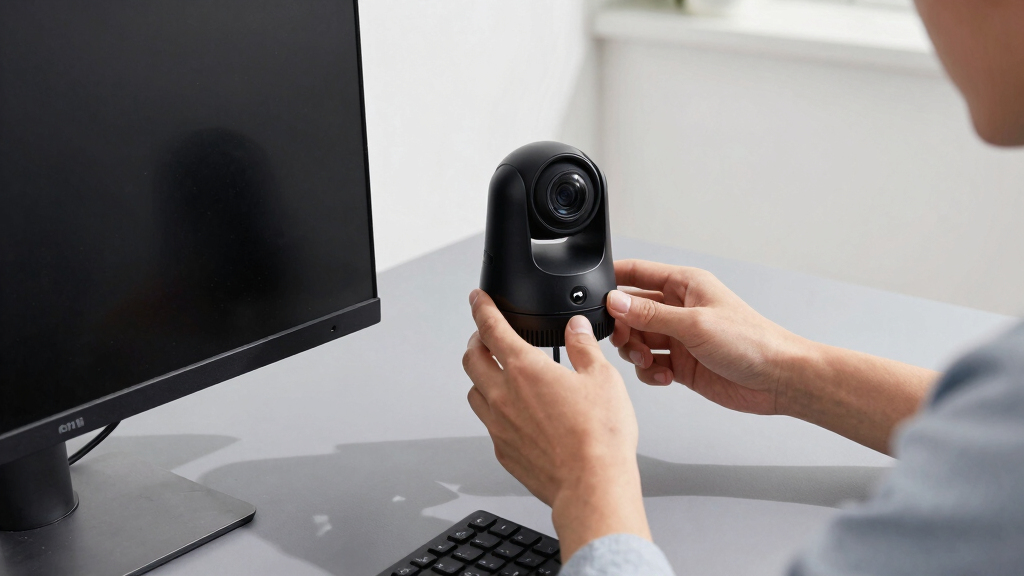

Choosing a PTZ webcam for office environments involves balancing features like optical zoom, AI tracking, and video quality with ease of use and affordability. The TONGVEO Conference Room PTZ Camera stands out for its 20X zoom and AI auto-tracking, making it ideal for larger conference rooms. The Insta360 Link 2 offers stunning 4K resolution with advanced AI features suitable for dynamic presentations. Meanwhile, the Logitech PTZ Pro 2 provides reliable HD quality for straightforward video calls. With tradeoffs around price, complexity, and feature set, it’s important to understand what matters most for your setup. Continue reading for a detailed breakdown of these options and more to find the perfect fit for your office.
Key Takeaways
- Top-ranked models combine high optical zoom with intelligent AI tracking for professional-quality video.
- Price varies significantly; premium options offer advanced features but may be overkill for basic needs.
- Ease of setup and user interface can differ, with some models requiring more technical knowledge to operate effectively.
- Video quality at 4K tends to come with higher costs and bandwidth needs, so consider your network environment.
- Versatility matters—models with features like gesture control or dual cameras provide added flexibility for different meeting scenarios.




More Details on Our Top Picks
TONGVEO Conference Room PTZ Camera System with 20X Optical Zoom, AI Auto Tracking, 1080P 60fps, HDMI & USB Webcam for Streaming and Video Conferencing
This model stands out for its professional-grade video quality, offering 1080p at 60fps combined with a powerful 20X optical zoom, making it ideal for larger conference rooms needing detailed, high-quality footage. Its AI auto tracking enhances presentations by keeping speakers centered without manual adjustment, unlike simpler webcams like the NexiGo, which lack auto tracking. The flexible connectivity options—HDMI and USB—allow seamless integration into existing setups, but the device’s weight (2.74 kg) and lack of image stabilization could pose mounting challenges and affect footage stability. Compared to smaller webcams, it provides superior zoom and tracking, but at a higher cost and size, making it less suited for smaller or casual office environments.
Pros:- High-quality 1080p at 60fps with smooth motion
- Powerful 20X optical zoom for detailed close-ups
- AI auto tracking keeps subjects centered automatically
- Flexible HDMI and USB connectivity
Cons:- Relatively heavy at 2.74 kg, requiring sturdy mounting solutions
- No image stabilization, risking shaky footage in unstable mounts
- Higher price point compared to basic webcams
Best for: Large conference rooms or streaming setups requiring detailed zoom and auto-tracking
Not ideal for: Small offices or casual remote workers who need a compact, affordable webcam
- Sensor Type:CMOS
- Video Resolution:1080p
- Frame Rate:60fps
- Zoom:20X optical
- Connectivity:HDMI, USB 3.0
- Pan Range:350°
- Tilt Range:180°
- Preset Positions:255
Bottom line: This camera is perfect for large, professional conference rooms where detail and auto-tracking are priorities.
OBSBOT Tiny 2 Lite 4K Webcam for PC with AI Tracking and Gesture Control
This pick excels in delivering crisp 4K video with AI tracking and gesture control, making it highly suitable for streamers and content creators who want a compact, versatile webcam. Its AI auto tracking adapts quickly to movement, and the gesture controls allow hands-free operation, outperforming basic webcams like the Anker PowerConf C200, which lack such advanced features. However, its ultra-lightweight design (1.5 grams) might affect stability, and the USB-only connection limits mobility, especially in multi-device setups. It’s an excellent choice for those who prioritize high resolution and smart tracking but may not be ideal for outdoor or mobile use without additional stabilization.
Pros:- Ultra-sharp 4K resolution with vivid detail
- AI auto tracking and gesture control for intuitive operation
- Compact, portable design ideal for on-the-go use
- Supports multiple shooting modes and auto-adjusts
Cons:- Very lightweight, which may affect mount stability
- Limited to USB connection, reducing flexibility in some setups
- No water resistance, unsuitable for outdoor environments
Best for: Content creators and streamers needing high-res video with advanced AI tracking
Not ideal for: Users with older or less powerful PCs that cannot support 4K streaming smoothly
- Sensor Type:CMOS
- Resolution:4K
- Frame Rate:30fps
- Features:AI Tracking, Gesture Control
- Connectivity:USB-C
- Weight:250 grams
- Display Resolution:UHD
- Focus Type:Auto Focus
Bottom line: This webcam suits high-res streaming and creative professionals who want smart features in a portable design.
Insta360 Link 2 – 4K PTZ Webcam with AI Tracking, HDR, and Gesture Control for Streaming and Video Calls
The Insta360 Link 2 combines high-quality 4K video with HDR and excellent low-light performance, making it a versatile choice for professional streaming, video calls, and content creation. Its AI tracking, auto focus, and gesture controls facilitate easy operation compared to traditional webcams like the NexiGo, which lack such intelligent features. The camera’s natural bokeh adds a professional DSLR-like aesthetic, but it’s not water-resistant and has no built-in image stabilization, which could impact video smoothness. Compared with dedicated conference cameras, this model balances user-friendly controls with advanced imaging, though it’s better suited for indoor use due to its sensitivity.
Pros:- Vivid 4K video with HDR and excellent low-light handling
- AI auto tracking and gesture controls for effortless operation
- Natural bokeh for professional-looking visuals
- Compatible with major platforms like Zoom and Twitch
Cons:- No water resistance, limiting outdoor use
- Lacks image stabilization, could cause shaky footage in movement
- Requires external power via USB, adding dependency
Best for: Streamers and professionals who want high-quality video with smart tracking and aesthetic effects
Not ideal for: Outdoors or environments requiring rugged, water-resistant equipment
- Sensor Type:CMOS
- Sensor Size:1/2-inch
- Resolution:4K
- Features:HDR, AI Tracking, Gesture Control
- Connectivity:USB
- Weight:0.43 kg
- Display Resolution:UHD
- Focus Type:Auto Focus
Bottom line: Ideal for professionals seeking high-quality visuals with intelligent tracking and aesthetic effects for indoor use.
NexiGo Conference Room PTZ Camera System with 10X Optical Zoom, Remote Control, USB Output & Autofocus for Live Streaming, Meetings, Church Services, Education, for OBS/Zoom/Skype
The NexiGo system provides a practical balance of 10X zoom and broad pan-tilt ranges, making it ideal for medium-sized conference rooms and live streaming. Its autofocus and noise reduction help produce clear images in varied lighting, outperforming basic webcams like the Anker PowerConf C200 in zoom capabilities. However, the absence of a built-in microphone and limited preset storage mean it might need supplementary audio equipment or remote controls for full functionality. Its mounting flexibility and sharp 1080p output make it suitable for versatile environments, but it lacks the advanced tracking features of more premium models like the TONGVEO or Insta360.
Pros:- 10X optical zoom with autofocus for detailed close-ups
- Flexible mounting options for various setups
- Sharp 1080p image quality with noise reduction
- Wide pan range for dynamic framing
Cons:- No built-in microphone, requiring additional audio equipment
- Limited preset storage, less convenient for quick adjustments
- No AI auto tracking
Best for: Medium-sized conference rooms or streaming setups needing reliable zoom and flexible placement
Not ideal for: Small offices or environments requiring automated subject tracking or high-end features
- Optical Zoom:10x
- Resolution:1080p
- Sensor:1/2.8″ CMOS
- Pan Range:-170° to +170°
- Tilt Range:-30° to +90°
- Noise Reduction:2D and 3D
- Mounting Options:Wall, hanging, tripod
- Microphone:None
Bottom line: This camera provides reliable zoom and flexibility for medium conference rooms but lacks advanced automation features.
OBSBOT Tiny SE 1080P 100FPS Webcam for PC with AI Tracking, Gesture Control, PTZ Streaming Camera
The OBSBOT Tiny SE delivers exceptionally smooth video at 100FPS, making it ideal for fast-paced streaming and gaming where motion clarity is critical. Its AI tracking and gesture controls simplify operation, outperforming standard webcams like the Anker PowerConf in responsiveness and tracking, especially in high-movement scenarios. Its compact size and low weight make it portable, but this same lightweight design might compromise stability on uneven mounts. The device’s lack of water resistance and reliance on USB connection restrict outdoor or mobile applications. This webcam makes the most sense for users prioritizing ultra-smooth motion and AI features over ruggedness or outdoor use.
Pros:- 1080P resolution at 100FPS for ultra-smooth motion
- Advanced AI tracking with zone and body part options
- Gesture control for hands-free operation
- Excellent low-light performance with HDR
Cons:- Very lightweight (1.5 grams), affecting stability
- Limited water resistance, not suitable for outdoor use
- USB-only connection reduces mobility flexibility
Best for: Streamers and gamers demanding ultra-smooth motion capture in indoor environments
Not ideal for: Outdoor applications or users needing rugged, weatherproof devices
- Sensor Type:CMOS
- Resolution:1080P
- Frame Rate:100FPS
- AI Tracking:Pro AI (Zone/Body Part)
- Gesture Control:Yes
- Water Resistance:Not Water Resistant
- Weight:1.5 grams
- Focus Type:Auto Focus
Bottom line: This webcam is perfect for high-speed streaming and gaming where motion clarity and AI tracking are essential indoors.
Logitech Brio 101 Full HD 1080p Webcam for Meetings, Streaming, Desktop, Laptop, PC
The Logitech Brio 101 stands out as the most straightforward option for typical office meetings, offering reliable Full HD 1080p video with auto-light balance that makes every call look clear and professional. Compared with higher-end webcams like the Insta360 Link 2, it doesn’t offer HDR or AI tracking, but its simplicity and compatibility with major platforms like Zoom and Teams make it ideal for users who want dependable performance without extra fuss. Its built-in mic and privacy shutter add convenience, though the limited connection type (USB-A only) might be a drawback for those with newer devices. This model is best suited for professionals seeking a plug-and-play, high-quality webcam for daily meetings, but it may fall short for content creators needing more advanced framing or tracking features.
Pros:- High-quality 1080p video ensures clear meetings
- Auto-light balance improves image quality in variable lighting
- Privacy shutter offers peace of mind when not in use
- Compatible with major conferencing platforms
Cons:- Limited to USB-A connection, no USB-C option
- Basic zoom and framing adjustments require additional software
- Made with 77% recycled plastic, which may be less eco-friendly than some expect
Best for: Office workers who need a reliable, easy-to-use webcam for daily meetings and streaming
Not ideal for: Content creators or advanced remote workers wanting AI tracking or 4K resolution
- Resolution:Full HD 1080p
- Connectivity:USB-A
- Built-in Microphone:Yes
- Privacy Shutter:Yes
- Compatibility:Windows, Mac, Nintendo Switch
- Made with recycled plastic:77%
Bottom line: This webcam is ideal for professionals seeking a dependable, simple solution for everyday office video calls.
EMEET PIXY Dual-Camera AI-Powered 4K PTZ Webcam with Tripod, AI Tracking, and 3 Microphones
The EMEET PIXY offers a significant upgrade over standard webcams like the Logitech Brio 101, thanks to its 4K resolution and dual-camera setup that provides versatile framing options. Its AI-powered tracking and gesture control make it ideal for presenters or streamers who need to move freely while staying in frame, a feature that surpasses the basic auto-light adjustment of the Brio. The flexible tripod and adjustable pan/tilt extend creative control, but the setup can be complex, and its higher price point reflects its advanced capabilities. Compared to the Insta360 Link 2, it lacks HDR and some of the more refined AI features, but it compensates with a professional-grade microphone array and smooth autofocus.
Pros:- 4K video with fast, precise autofocus
- AI tracking and gesture control for dynamic movement
- Flexible tripod for various positioning angles
- Clear audio with noise-canceling microphones
Cons:- Requires compatible software to access full features
- Setup can be complex for less tech-savvy users
- Higher price compared to basic webcams
Best for: Content creators, educators, or presenters who require flexible framing and high-quality video
Not ideal for: Users seeking a simple plug-and-play webcam for basic meetings, due to setup complexity
- Resolution:4K
- Focus:PDAF & AI Autofocus
- Frame Rate:30FPS in 4K, 60FPS in 1080P
- Field of View:Adjustable in 1080P & 2K, locked in 4K
- Pan/Tilt:310°/180°
- Microphones:3-mic array
Bottom line: This webcam suits professionals needing dynamic framing and crisp visuals for streaming or presentations, accepting a steeper learning curve.
Insta360 Link 2 4K Webcam for PC/Mac with AI Tracking, HDR, Gesture Control, and Professional Audio
The Insta360 Link 2 elevates office webcam capabilities with its 4K HDR sensor and AI tracking, making it a prime choice for those who want professional-grade visuals combined with advanced features. Its AI tracking, gesture control, and multiple modes like DeskView and Whiteboard mode mirror the flexibility of the EMEET PIXY but with added HDR and better low-light performance. While it doesn’t offer zoom, its AI-based framing and versatile modes make it suitable for high-quality streaming, presentations, or even casual content creation. The main tradeoff is its higher price and compatibility issues with ARM-based Windows systems, which could limit some users.
Pros:- Stunning 4K HDR video with excellent low-light handling
- Advanced AI tracking and gesture control
- Multiple modes including DeskView and Whiteboard
- Professional-grade audio quality
Cons:- Not compatible with ARM-based Windows systems
- Requires software setup and may have a learning curve
- Higher cost than standard webcams
Best for: High-end streamers, educators, or remote workers wanting studio-quality visuals and versatile modes
Not ideal for: Casual users or those with incompatible Windows systems, due to software limitations
- Sensor Type:CMOS
- Sensor Size:1/2-inch
- Resolution:4K
- Features:HDR, AI Tracking, Gesture Control
- Microphone:Professional-grade
- Connectivity:USB
Bottom line: This webcam is perfect for professionals demanding top-tier visuals and flexible features, provided their system supports it.
TONGVEO All-in-One Conference Room Video Camera System with Auto-Tracking, HD 1080P, 3X Optical Zoom, USB3.0 & HDMI, Bluetooth Conference Speakerphone
The TONGVEO Conference System combines a full HD 1080p PTZ camera with auto-tracking and a dedicated speakerphone, offering a comprehensive solution for small to medium-sized meeting spaces. Its 3x optical zoom and wide 114° field of view ensure everyone stays in frame, while the AI auto-tracking keeps the speaker centered, surpassing simpler webcams like the Logitech Brio in meeting-focused features. The wired connection options (USB3.0 and HDMI) facilitate reliable streaming, but this design limits placement flexibility, and the system is more suited for dedicated conference rooms rather than casual or home office setups. Its robust audio complements the video, creating a complete conferencing environment.
Pros:- Auto-tracking keeps the speaker in frame automatically
- 3x optical zoom enhances focus on the presenter
- Wide 114° field of view covers entire room
- Includes Bluetooth speakerphone for all-in-one audio
Cons:- Wired setup limits placement flexibility
- Designed primarily for fixed conference rooms, not portable use
- Heavier and bulkier than typical webcams
Best for: Small to medium conference rooms needing a dedicated, automatic tracking camera with integrated audio
Not ideal for: Home offices or casual remote workers, due to its bulk and dedicated setup needs
- Video Resolution:1080p
- Optical Zoom:3x
- Field of View:114°
- Horizontal Rotation:350°
- Vertical Rotation:180°
- Interfaces:USB 3.0, HDMI
Bottom line: This system is ideal for small conference rooms requiring professional auto-tracking and integrated audio, but less suited for flexible or home setups.
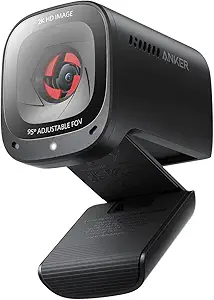
Anker PowerConf C200 2K Webcam for PC/Laptop/Mac
The Anker PowerConf C200 offers a compelling balance of 2K resolution and versatile framing, making it suitable for professionals who want clear visuals without the premium price of 4K models. Its AI noise-canceling microphones and low-light correction improve audio and video quality in typical home or office environments. Unlike the more complex AI tracking systems of the Insta360 Link 2 or EMEET PIXY, the C200 relies on adjustable field of view settings, which requires software, but it remains a reliable choice for those who prefer straightforward setup. It’s a step up from basic webcams but doesn’t include the advanced AI framing features that high-end models provide.
Pros:- Sharp 2K resolution delivers detailed images
- Effective AI noise-canceling microphones
- Good low-light performance for dim spaces
- Adjustable field of view for flexible framing
Cons:- Requires software for angle adjustments
- Limited to standard framing without AI tracking
- May be overkill for casual users
Best for: Remote workers and small teams seeking high-quality video at an accessible price point
Not ideal for: Content creators or presenters needing dynamic AI tracking or 4K HDR features
- Resolution:2K Ultra-Clear
- Microphone:AI Noise Canceling Mics
- Low-Light Performance:Yes
- Adjustable Field of View:65°, 78°, 95°
- Privacy Cover:Yes
- Compatibility:Windows 7+, macOS 10.11+
Bottom line: This webcam provides excellent video quality and flexible framing for professionals on a budget, with some setup requirements.
Logitech PTZ Pro 2 Camera – USB HD 1080P Video Camera for Conference Rooms
The Logitech PTZ Pro 2 stands out for its high-quality 1080p HD video with sharp resolution and a 10x optical zoom, making it ideal for large conference rooms where detail and clarity are critical. Its smooth pan, tilt, and zoom capabilities deliver versatile framing, especially compared to smaller webcams like the EMEET PIXY, which lacks such extensive zoom. While it offers advanced bandwidth technology for smooth streams, its weight of 4.6 pounds means it demands a sturdy mount, and the limited connectivity options could require additional adapters. For organizations prioritizing professional-grade video and reliable remote presence, this camera is a strong choice.Pros:- Sharp 1080p HD video with excellent clarity
- 10x optical zoom for versatile framing
- Compatible with Windows and macOS
Cons:- Relatively heavy at 4.6 pounds, requiring sturdy mounting
- Limited to USB connectivity, may need adapters
- No water resistance, unsuitable for outdoor use
Best for: Large conference rooms or training environments requiring sharp, detailed video with flexible zoom.
Not ideal for: Small offices or setups needing a lightweight, portable webcam—its weight and size make it less convenient.
- Sensor Type:CCD
- Connectivity Technology:USB
- Color:Black
- Maximum Focal Length:280 Millimeters
- Maximum Aperture:1.8 f
- Zoom:Optical 3x, Digital 10x
Bottom line: This webcam is best suited for professional conference rooms where high quality and zoom flexibility outweigh portability concerns.
OBSBOT Tiny PTZ 4K Webcam with AI Framing & Autofocus
The OBSBOT Tiny PTZ 4K Webcam excels at delivering smooth 4K video at 60FPS with HDR and low-light correction, surpassing many competitors like the Logitech PTZ Pro 2 in resolution and frame rate. Its AI auto-tracking and gesture control provide a level of automation and engagement that makes it perfect for dynamic content creation or interactive meetings. However, its micro SD card is not included, and the feature set might be overwhelming for users who need a simple plug-and-play device. Compared to dual-camera systems like the EMEET PIXY, it offers more advanced tracking but less physical pan/tilt movement.Pros:- Stunning 4K HDR video with low-light correction
- AI auto-tracking and gesture control enhance interactivity
- Very lightweight at 0.32 pounds for easy placement
Cons:- Micro SD card not included, adding extra cost
- Limited water resistance, not suitable for outdoor use
- Feature set might be too complex for casual users
Best for: Content creators or professionals who need high-resolution, smoothly tracked video with minimal manual adjustments.
Not ideal for: Basic office users who prefer simple plug-and-play webcams without AI features or complex setup.
- Sensor Type:CMOS
- Resolution:4K UHD
- Frame Rate:60 FPS
- HDR:Yes
- Auto Focus:Yes
- Connectivity:USB
Bottom line: This webcam is ideal for users needing high-resolution, AI-driven tracking, and professional-quality video for streaming or advanced meetings.
EMEET PIXY Dual-Camera AI-Powered 4K PTZ Webcam with AI Tracking and Gesture Control
The EMEET PIXY combines a dual-camera 4K system with AI tracking, offering wide framing and smooth movement that rivals the OBSBOT Tiny for automation but adds the benefit of a dual-camera setup for more dynamic shots. It features fast autofocus (0.2s) and gesture control, making it highly adaptable for online teaching, streaming, or business meetings. The compact size and versatile audio options make it an appealing all-in-one solution, yet it demands software for full functionality and may be complex to set up for some users. Compared to the Logitech PTZ Pro 2, it offers more automation but less optical zoom and physical pan/tilt.Pros:- Dual-camera system with AI tracking for dynamic shots
- Fast autofocus with 0.2s speed ensures sharp images
- Includes noise-canceling microphones for clear audio
Cons:- Requires compatible software for full feature use
- Limited to USB Type-C, may need adapters
- Setup can be complex for less technical users
Best for: Business professionals or streamers needing flexible AI tracking with high-quality imaging and multiple camera angles.
Not ideal for: Users who prefer simple, single-camera setups or lack the technical setup capacity for software integration.
- Sensor Type:1/2.55” Sony Sensor
- Resolution:4K (3840×2160) at 30FPS
- Focus:PDAF & AI Autofocus
- Field of View:73 degrees
- Pan/Tilt:310° pan, 180° tilt
- Microphone Array:3 microphones with noise cancellation
Bottom line: This webcam suits professionals seeking AI-powered, flexible video with multiple angles and sharp autofocus, despite a more involved setup process.
How We Picked
These products were evaluated based on performance, usability, build quality, and feature set. Priority was given to models with reliable auto-tracking, high-quality video output, and versatile controls. We also considered ease of setup, compatibility with common conferencing platforms, and overall value for various office sizes and budgets. The rankings reflect a balance between advanced features and practical usability, aiming to help buyers identify options that suit different needs—from small teams to large conference rooms.Factors to Consider When Choosing PTZ Webcam For Office
When selecting a PTZ webcam for office use, it’s important to consider several key factors to ensure the device meets your specific requirements. Price is often a major consideration, but investing in higher-end models can provide better reliability and more advanced features. Compatibility with your existing conferencing software and hardware also plays a crucial role, as some cameras work seamlessly with platforms like Zoom, Teams, or Skype. Ease of use, including setup and controls, can impact daily productivity, especially in busy office environments. Lastly, consider the physical size and mounting options to ensure the camera fits your space and setup preferences.
Video Quality and Resolution
Higher resolution cameras, such as 4K models, deliver crisper images, which can make a significant difference in professional presentations or large virtual audiences. However, they typically come with higher costs and increased bandwidth requirements. For smaller teams or less demanding tasks, 1080p or 2K models may suffice while offering better value. Keep in mind that a higher resolution alone isn’t enough if the camera’s sensor and lens quality are poor; look for models with good low-light performance and accurate color reproduction.
Optical Zoom and Field of View
Optical zoom allows you to focus on specific speakers or areas within a room without losing image clarity. Larger zoom ranges, like 20X, are better suited to bigger spaces or when you need flexibility in framing. Conversely, narrower fields of view can limit situational coverage but help focus on individual presenters. Consider your room size and typical meeting setup—overly powerful zooms in small rooms can be distracting or unnecessary, while insufficient zoom can make distant subjects appear blurry.
AI Tracking and Auto-Framing
Features like AI auto-tracking and auto-framing are game-changers for dynamic meetings. They reduce the need for manual adjustments, keeping speakers centered and in focus, which creates a more professional appearance. However, these features often require a learning curve and can sometimes misidentify subjects, especially in complex environments. Decide whether you need high-end AI capabilities or if manual control is sufficient for your office workflow.
Compatibility and Connectivity
Most PTZ webcams connect via USB, but check compatibility with your conferencing platform and hardware. Some models also support HDMI output for integration with larger AV setups. Consider whether the camera is compatible with your existing PC, Mac, or dedicated streaming hardware. Additionally, look for models with straightforward setup procedures, especially if your team lacks technical support, to avoid frustration or delays.
Physical Size and Mounting Options
Size and mounting flexibility are often overlooked but critical for seamless integration into your office environment. Smaller, unobtrusive cameras work well in tight spaces, while larger models with extensive zoom might require sturdy mounts or tripods. Ensure the camera’s mounting options align with your room’s architecture—some offer wall mounts or tripod compatibility, which can help optimize angles and stability for professional use.
Frequently Asked Questions
Can a PTZ webcam replace multiple fixed cameras in an office?
Yes, a high-quality PTZ webcam can serve as a versatile solution that reduces the need for multiple fixed cameras. Its pan, tilt, and zoom capabilities allow it to cover different areas or focus on specific speakers, providing a dynamic view without additional hardware. However, for very large or complex spaces, multiple cameras might still be necessary for comprehensive coverage. For most typical office setups, a single, well-chosen PTZ camera offers enough flexibility to replace multiple fixed options.
How important is 4K resolution for everyday office meetings?
While 4K resolution offers the sharpest image quality, it’s not always essential for routine meetings, especially if your bandwidth or hardware capabilities are limited. For standard video conferencing, 1080p or 2K models often provide sufficient clarity, with the added benefit of lower costs and easier bandwidth management. Reserve 4K for high-stakes presentations or scenarios where image detail significantly impacts communication quality.
Are AI tracking features reliable enough for professional use?
AI tracking has advanced considerably and can be highly effective in office environments, reducing manual adjustments and maintaining focus on speakers. However, it’s not foolproof—occlusions, multiple speakers, or complex backgrounds can sometimes confuse the system. For critical presentations or high-stakes meetings, it’s wise to have a backup plan, such as manual control or additional cameras, to ensure seamless coverage.
What’s the best way to mount a PTZ webcam for a clean look?
Most PTZ webcams are compatible with standard tripods or wall mounts, which help create a tidy, professional appearance. Consider your room layout when choosing mounting options; ceiling mounts can provide a more unobtrusive look, while tabletop or wall mounts offer easier access and adjustments. Always verify the mounting thread size and weight capacity before purchasing to ensure compatibility and stability.
How do I ensure my PTZ webcam works smoothly with my conferencing software?
Check that the webcam is compatible with your conferencing platform, such as Zoom, Teams, or Skype. Many models are plug-and-play via USB, but some may require additional drivers or software updates. Testing the camera ahead of important meetings can prevent disruptions. Also, ensure your computer’s hardware and network can handle high-resolution video streams to maintain smooth, lag-free communication.
Conclusion
For office setups, the TONGVEO Conference Room PTZ Camera stands out as the best overall choice for large or professional environments due to its powerful zoom and AI auto-tracking. The Insta360 Link 2 offers a superb balance of 4K quality and smart features, making it ideal for dynamic, content-driven meetings. For those on a tighter budget or seeking straightforward reliability, the Logitech PTZ Pro 2 provides dependable HD performance without a steep learning curve. Beginners or small teams should prioritize models with simple setup and controls, while larger organizations benefit from advanced features like AI tracking and higher zoom ranges. Ultimately, selecting the right PTZ webcam depends on your room size, meeting style, and budget constraints.