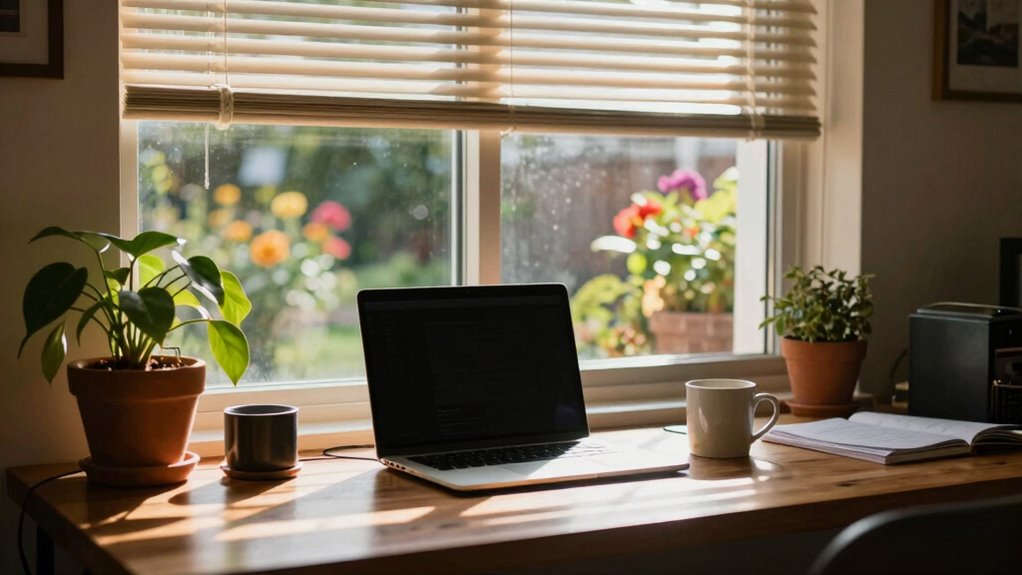

Remote work feels great on some days when you’re seamlessly collaborating with teammates, your workspace is comfortable and organized, and your routines keep you focused and energized. But it can seem weird or off when technical glitches disrupt your flow, distractions creep in, or your environment feels chaotic. Small adjustments like improving your setup or establishing routines can make a big difference. Keep exploring to discover ways to create more consistency in your workdays.

Get comfort and recovery gear delivered free with Prime
- Fast, free delivery on millions of items
- Prime Video, Amazon Music and more included
- Member-only deals all year
Key Takeaways
- Consistent virtual communication fosters connection, making some days feel seamless and engaging.
- Ergonomic setups and a calm workspace environment boost comfort and focus, improving overall mood.
- Clear routines and boundaries help maintain normalcy, reducing the feeling of chaos or disconnection.
- Noise levels and environmental disruptions can cause variability in focus and engagement.
- Technical issues or physical discomfort can make days feel frustrating or “weird” despite overall benefits.

Remote work can be a rollercoaster—some days you feel productive and energized, while others leave you feeling off or disconnected. One key reason for this fluctuation is your experience with virtual collaboration. On good days, you seamlessly connect with colleagues, share ideas, and solve problems in real-time, making you feel part of a team even from afar. When your virtual collaboration flows smoothly, you’re less likely to feel isolated and more motivated. But on the days when technology glitches or communication feels strained, it’s easy to feel frustrated or detached, amplifying that weird, off feeling. The quality of your interactions directly impacts your mood and productivity, so staying connected and clear during virtual meetings can help make your days more consistent. Additionally, ergonomic setup can significantly influence your comfort and focus, reducing physical discomfort that might otherwise disrupt your workflow. Creating a focused environment is also essential to maintaining motivation and minimizing distractions. Another factor influencing your experience is your ergonomic setup. When your workspace is ergonomically optimized, you’ll notice a difference in how you feel physically and mentally. A comfortable chair, an adjustable desk, and proper monitor placement help you maintain good posture and reduce fatigue. On days when your setup is less ideal—perhaps you’re working from a cluttered kitchen table or a makeshift station—you might experience discomfort or even pain that distracts you from your tasks. This physical discomfort can make your work feel more exhausting and contribute to those weird, unproductive days. Incorporating plant-inspired elements like greenery or natural decor into your workspace can boost your mood and promote a sense of calm. Investing in ergonomic setups isn’t just about comfort; it’s about creating a foundation that supports your focus and well-being over the long term. Your daily routines and environment play a significant role as well. When you follow a consistent schedule, set clear boundaries, and establish a dedicated workspace, you’re more likely to experience those energized, productive days. Conversely, irregular routines or working in spaces that aren’t designed for productivity can lead to feelings of chaos and disconnection. Even small changes—like taking breaks, stretching, or adjusting your workspace—can make a big difference in maintaining a sense of normalcy. Recognizing these factors and proactively managing them can help you cultivate a more stable and satisfying remote work experience. Ultimately, the variability in your remote work experience boils down to how well you manage your virtual collaboration, physical comfort, and environment. Some days, everything aligns perfectly, making you feel unstoppable. Other days, small disruptions—like technical issues or discomfort—throw you off course, leaving you feeling weird or less engaged. Recognizing these patterns can help you make adjustments, so more days feel great and fewer feel weird. Paying attention to noise control in your workspace can also improve your focus and overall comfort, reducing distractions and enhancing your remote work experience. Proper soundproofing can be a game-changer for maintaining concentration during busy or noisy days.
As an affiliate, we earn on qualifying purchases.
Frequently Asked Questions
How Can I Improve My Home Office Environment?
To improve your home office environment, start by investing in ergonomic furniture that supports your posture and keeps you comfortable during long work hours. Add personalized decor to make the space inviting and motivating. Keep your workspace organized to reduce distractions, and make sure there’s good lighting. Regularly update your setup based on what feels right, creating a balanced environment where you can stay productive and feel at ease.
What Are the Best Ways to Stay Motivated Remotely?
To stay motivated remotely, prioritize time management by setting clear schedules and deadlines. Keep your workspace personalized with items that inspire you, like photos or plants, to boost your mood. Break tasks into manageable chunks and take regular breaks to maintain focus. Avoid distractions by designating specific areas for work. These strategies help you stay engaged, productive, and motivated throughout your remote workday.
How Does Remote Work Affect My Mental Health?
In the age of digital castles, remote work can take a toll on your mental health. You might face remote work isolation, which increases feelings of loneliness and stress. To combat this, employ mental health strategies like regular breaks, virtual social interactions, and setting boundaries. Recognizing these effects helps you stay resilient, ensuring remote work remains a positive experience rather than a source of persistent worry.
What Tools Enhance Remote Team Communication?
To enhance remote team communication, you should use tools that support virtual collaboration and real-time feedback. Platforms like Slack or Microsoft Teams streamline daily interactions, keeping everyone connected. Video conferencing apps like Zoom facilitate face-to-face conversations, which strengthen team bonds. Project management tools like Asana or Trello help track progress, ensuring clear expectations. These tools foster seamless communication, boost productivity, and create a more cohesive remote work environment.
How Can I Set Boundaries Between Work and Personal Life?
To set boundaries between work and personal life, prioritize work-life balance by establishing clear start and end times. Use boundary setting techniques like turning off work notifications after hours and designating a specific workspace. Communicate your boundaries to colleagues and family, ensuring they respect your work hours. Regularly review and adjust these boundaries to maintain a healthy balance, helping you feel more in control and less overwhelmed in your remote work routine.
As an affiliate, we earn on qualifying purchases.
Conclusion
So, some days you’ll feel on top of the world, while others seem oddly off, and that’s perfectly normal. Just remember, even the most seasoned travelers and modern-day digital nomads face these ups and downs—think of it as your personal “knights of the round table” moment. Embrace the weird days, learn from them, and keep your rhythm. After all, every day’s a new chapter in your remote adventure—sometimes a quest, sometimes a quest for coffee.
noise-canceling headphones for work
As an affiliate, we earn on qualifying purchases.
As an affiliate, we earn on qualifying purchases.
desk organizer and cable management
As an affiliate, we earn on qualifying purchases.
As an affiliate, we earn on qualifying purchases.
Halloween Picks
halloween
As an affiliate, we earn on qualifying purchases.