

When starting a new job remotely, focus on establishing clear communication, engaging proactively with your team, and creating a dedicated workspace. Be concise in your messages, ask questions for clarity, and participate actively in virtual meetings and social activities. Manage your time effectively and guarantee your technology is reliable. Building rapport takes time, so stay consistent and demonstrate enthusiasm. Keep these strategies in mind, and you’ll discover more tips to make your progression smoother.

Get comfort and recovery gear delivered free — and shop member deals
- Fast, free delivery on millions of items
- Access to Prime Big Deal Days deals on October 6–7
- Prime Video, Amazon Music and more included
Key Takeaways
- Prepare your workspace and test technology to ensure smooth onboarding from day one.
- Communicate proactively with your manager and team to clarify expectations and build rapport.
- Participate actively in virtual meetings and team activities to establish connections and demonstrate engagement.
- Use digital tools like calendars and task managers to stay organized and manage your onboarding tasks effectively.
- Seek feedback regularly to improve performance and demonstrate your commitment to the new role.
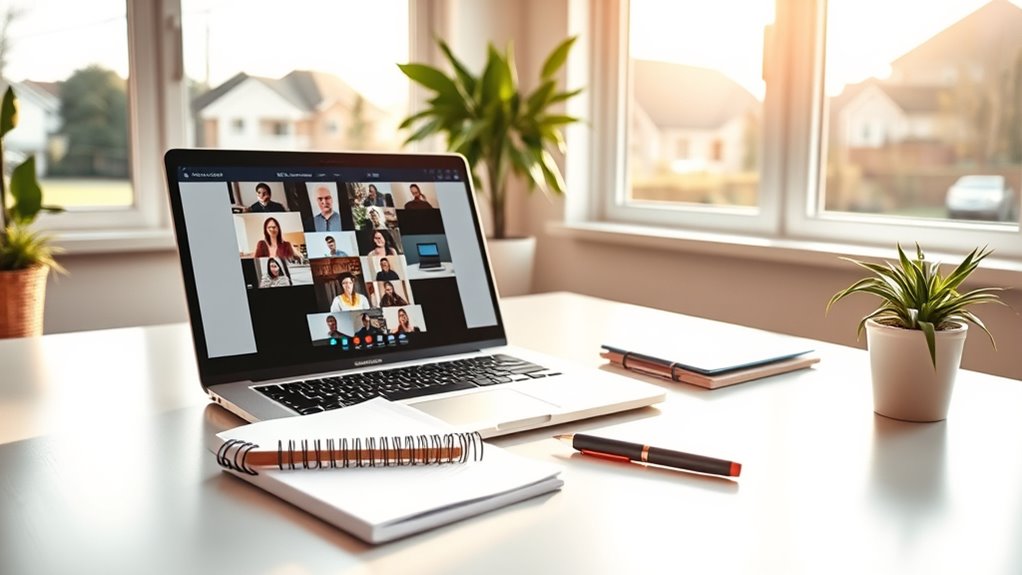
Starting a new job remotely can be both exciting and intimidating, especially if you’re used to working in an office environment. One of the biggest challenges is establishing effective virtual communication. Without face-to-face interactions, you need to be intentional about how you connect with colleagues and supervisors. Make an effort to be clear and concise in your emails and messages, and don’t hesitate to ask questions if something isn’t clear. Use video calls whenever possible to add a personal touch and guarantee that your tone doesn’t get lost in text. Building rapport remotely takes time, so be proactive in participating in team chats, virtual coffee breaks, and meetings. Showing engagement demonstrates your enthusiasm and helps you integrate more smoothly into the team.
Effective remote communication and proactive engagement are key to successful onboarding in a new virtual role.
Alongside virtual communication, mastering time management becomes vital when working remotely. With no physical separation between work and personal life, it’s easy to lose track of time or fall into distractions. Start by creating a dedicated workspace that signals to your brain when you’re on the clock. Develop a daily schedule that aligns with your team’s working hours and set specific goals for each day. Use digital tools like calendars and task managers to stay organized and prioritize your tasks. Regularly review your to-do list to adjust your workload and avoid last-minute stress. It’s also helpful to establish boundaries with family or roommates, so they know your work hours and respect your focus time.
Another key to successful onboarding is setting up reliable technology. Test your internet connection, familiarize yourself with the company’s communication platforms, and ensure your hardware functions properly. Being tech-ready minimizes disruptions and helps you participate fully in meetings and collaborative projects. Don’t wait until the last minute to resolve technical issues; address them early so you’re not left scrambling when important discussions happen. Additionally, understanding fundamental concepts like projector technology can help you troubleshoot technical issues more effectively and communicate better with IT support if problems arise.
Finally, stay proactive about seeking feedback and staying connected. Check in regularly with your manager to clarify expectations and discuss your progress. Engage with colleagues through virtual channels to build relationships and learn about the company culture. Remember, remote onboarding isn’t just about completing tasks; it’s about creating a presence and demonstrating your commitment. With strong virtual communication skills and disciplined time management, you’ll be well on your way to thriving in your new remote role.
As an affiliate, we earn on qualifying purchases.
Frequently Asked Questions
How Can I Build Rapport With Colleagues Remotely?
To build rapport with colleagues remotely, prioritize regular virtual coffee chats and informal check-ins. These casual conversations help you connect on a personal level, fostering trust and camaraderie. Be proactive in reaching out, listen actively, and share about yourself. Consistent, genuine interactions create bonds over time, making remote collaboration more natural and enjoyable. Remember, small efforts like these can markedly strengthen your remote work relationships.
What Tools Are Essential for Remote Onboarding?
You’ll want to use essential tools like a reliable video conferencing platform for virtual orientation and a shared onboarding checklist to track your progress. These tools guarantee smooth communication and help you stay organized. Using a project management app can also streamline tasks and deadlines, making your onboarding smoother. Remember to keep all resources centralized, so you can easily access information and stay engaged throughout your remote onboarding process.
How Do I Stay Motivated During Remote Training?
To stay motivated during remote training, leverage virtual accountability by setting clear goals and sharing progress with a mentor or colleague. Use motivational techniques like rewarding yourself for completing tasks or breaking training into manageable chunks. Keep a routine, stay connected with your team, and remind yourself of your purpose. This approach helps maintain focus and enthusiasm, making your remote onboarding experience productive and engaging.
What Should I Do if I Feel Isolated?
If you feel isolated, don’t hesitate to reach out. You can schedule virtual coffee chats with colleagues or join online hobbies to foster connections. It might seem awkward at first, but building these routines helps you feel more engaged. Remember, many remote workers experience this, so taking proactive steps like these can boost your sense of belonging and make your remote experience more enjoyable.
How Can I Effectively Manage My Time Remotely?
To manage your time effectively remotely, start by using time blocking to schedule your tasks and breaks. Prioritize your workload daily, focusing on high-impact activities first. Keep a clear to-do list and set boundaries to prevent work from bleeding into personal time. By staying disciplined with your schedule and sharpening your prioritization skills, you’ll stay productive and maintain a healthy work-life balance.
As an affiliate, we earn on qualifying purchases.
Conclusion
Now that you know the essentials, embrace your remote onboarding with confidence and clarity. Stay proactive, prepare patiently, and communicate constantly. By building bonds, boosting your skills, and being brave enough to ask questions, you’ll breeze through your beginning. Remember, a positive start paves the path for progress and purpose. So, stay savvy, stay spirited, and succeed swiftly—your remote work journey is just beginning!
noise-canceling headphones for work
As an affiliate, we earn on qualifying purchases.
As an affiliate, we earn on qualifying purchases.
As an affiliate, we earn on qualifying purchases.
Fall Picks
fall essentials
As an affiliate, we earn on qualifying purchases.