Thunderbolt and USB-C ports may look alike but serve different purposes. USB-C is common on most modern devices and handles basic data transfer and charging, usually up to 20 Gbps. Thunderbolt offers faster speeds, up to 40 Gbps, and supports daisy-chaining multiple devices, making it ideal for high-performance tasks like video editing or connecting multiple monitors. To optimize your home office setup, understanding these differences can help you choose the right connection—more details await you.
Key Takeaways
- Thunderbolt offers higher data transfer speeds (up to 40 Gbps) compared to USB-C, ideal for demanding tasks.
- USB-C is a universal port compatible with most devices, while Thunderbolt requires specific support for full functionality.
- Thunderbolt supports daisy chaining multiple peripherals, simplifying cable management and workspace organization.
- Both standards support device charging, but Thunderbolt often provides higher wattage for faster charging.
- Choose USB-C for basic needs and compatibility; select Thunderbolt for professional use, high-speed data transfer, and advanced peripherals.
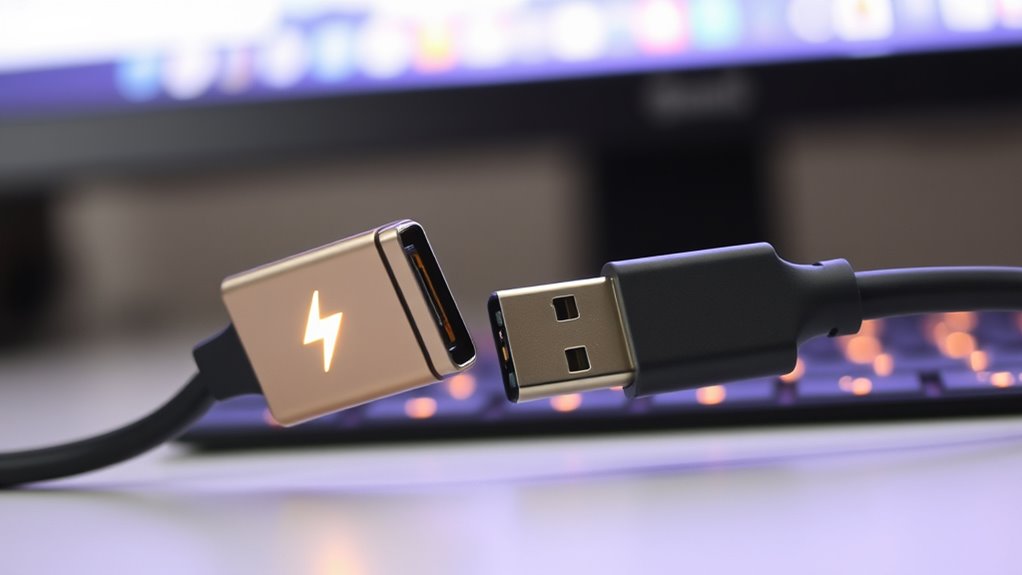
Are you confused about the differences between Thunderbolt and USB-C? You’re not alone. Many people see these terms used interchangeably, but they actually serve different purposes, especially when it comes to your home office setup. Understanding their distinctions can help you choose the right cables and devices to optimize your productivity. One of the key differences lies in data transfer speeds. Thunderbolt offers notably faster speeds compared to standard USB-C. For example, Thunderbolt 3 can transfer data at up to 40 Gbps, which is ideal if you’re working with large files, high-resolution videos, or multiple monitors. On the other hand, USB-C, depending on its version, typically provides speeds ranging from 5 Gbps to 20 Gbps with USB 3.2. If quick data transfer is a priority, especially for professional tasks, Thunderbolt’s superior speed makes it the better choice. Additionally, technology standards evolve rapidly, so staying informed about the latest specifications can help you make future-proof decisions. Device compatibility is another critical aspect to contemplate. While USB-C is a universal port found on most modern devices—laptops, tablets, smartphones, external drives—Thunderbolt ports are more specialized. Thunderbolt 3 and 4 ports use the same USB-C connector, which can be confusing, but not all USB-C ports support Thunderbolt features. If a device supports Thunderbolt, it can connect to a wide array of peripherals like external GPUs, high-speed storage drives, and multiple 4K or even 8K monitors. However, not every USB-C device supports Thunderbolt, so you’ll need to check compatibility before making a purchase. In your home office, this means ensuring your cables and devices align with your specific needs. If you only require basic data transfer, USB-C might suffice. But if you want enhanced performance for demanding tasks, investing in Thunderbolt-compatible devices will pay off. Power delivery is also relevant. Both standards can deliver power to charge laptops, phones, or accessories, but Thunderbolt generally supports higher wattages, allowing faster charging or powering larger devices. This can be particularly useful if you want a cleaner setup with fewer cables. Additionally, Thunderbolt’s versatility extends to daisy chaining multiple peripherals through a single port, saving space and simplifying cable management—a benefit for smaller home office spaces.
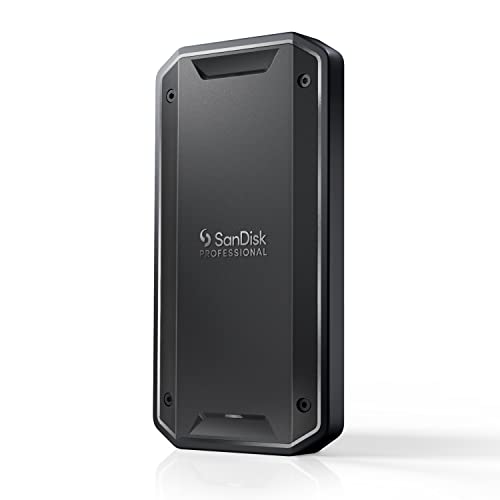
SANDISK Professional 4TB PRO-G40 SSD – Up to 3000MB/s, Thunderbolt 3 (40Gbps), USB-C (10Gbps), IP68 dust/Water Resistance, External Solid State Drive – SDPS31H-004T-GBCND
- Maximum Read Speed: Up to 3000MB/s
- Maximum Write Speed: Up to 2500MB/s
- Connection Types: Thunderbolt 3 and USB-C
As an affiliate, we earn on qualifying purchases.
As an affiliate, we earn on qualifying purchases.
Frequently Asked Questions
Can I Use Thunderbolt Devices With USB-C Ports?
Yes, you can use Thunderbolt devices with USB-C ports because of port versatility and device compatibility. Thunderbolt 3 and 4 use the same USB-C connector, so they work with most USB-C ports. However, verify your device supports Thunderbolt technology to access its full features. While you can connect Thunderbolt devices to USB-C ports, they might operate at lower speeds if the port doesn’t support Thunderbolt protocols.
Is Thunderbolt Backward Compatible With Older USB Standards?
Your Thunderbolt device isn’t a time traveler—it’s not fully backward compatible with older USB standards. While Thunderbolt 3 and 4 support some legacy USB devices, compatibility issues can arise, and you might need adapters. Think of it like trying to fit a vintage key into a modern lock—sometimes it works, sometimes it doesn’t. Always verify for compatibility issues and support to avoid frustration and ensure smooth operation.
Do All USB-C Cables Support Thunderbolt Speeds?
Not all USB-C cables support Thunderbolt speeds. You need to check cable compatibility, as many USB-C cables only handle standard USB data transfer rates, which can have speed limitations. If you want Thunderbolt performance, look for cables specifically labeled as Thunderbolt-compatible. Using a non-compatible cable can result in slower data transfer and limited device functionality, so always verify the specifications before making a purchase.
How Do Thunderbolt and USB-C Impact Power Delivery?
Think of Thunderbolt and USB-C like powerhouses in a race, each pushing your devices to their peak. Thunderbolt offers higher power capacity, boosting charging efficiency for demanding gadgets, while USB-C still delivers solid power for everyday use. Your choice impacts how quickly your devices charge and how much power they can draw. By understanding these differences, you can optimize your home office setup for faster, more efficient power delivery.
Are Thunderbolt Ports More Expensive Than USB-C Ports?
Yes, Thunderbolt ports tend to be more expensive than USB-C ports. This cost difference mainly stems from the advanced technology and higher data transfer speeds Thunderbolt offers. When considering brand availability, you’ll find more USB-C ports across various brands and device types, making them more accessible and budget-friendly. If you need top-tier performance and are willing to pay a premium, Thunderbolt is worth it; otherwise, USB-C provides great value for most home office setups.

Acer USB C to HDMI Cable for Home Office 6.6FT (4K@60Hz) for Laptop
- 4K UHD Resolution: Supports up to 4K@60Hz display
- Backward Compatibility: Supports 1440P@60Hz and 1080P@120Hz
- Plug-and-Play: Easy connection without drivers
As an affiliate, we earn on qualifying purchases.
As an affiliate, we earn on qualifying purchases.
Conclusion
So, next time you’re choosing between Thunderbolt and USB-C, remember that sometimes the faster, more expensive option isn’t always the better one. You might think you need the latest tech for your home office, but often, your everyday tasks don’t require that extra speed. Ironically, it’s the simple, affordable USB-C that keeps your setup running smoothly, proving that sometimes, less really is more—at least until you need that extra edge.

Plugable Thunderbolt 4 Dock with 100W Charging, Thunderbolt Certified, Laptop Docking Station Dual Monitor Single 8K or Dual 4K HDMI for Windows and Mac, 4X USB, Gigabit Ethernet (TBT4-UD5)
- Certification and Performance: Thunderbolt Certified, Award-Winning 13 Ports
- Display Support: Supports Dual 4K or Single 8K Displays
- High-Speed Data Transfer: 40Gbps Thunderbolt 4 Speed
As an affiliate, we earn on qualifying purchases.
As an affiliate, we earn on qualifying purchases.

Anker USB C Cable(3.3FT, 240W), USB 4 Data Cable, 40Gbps, 8K HD Display, Thunderbolt 4/3 Compatible, for iPhone 17, MacBook, Hub, Docking and More
- Fast Data Transfer: 40 Gbps transfer speeds for quick files
- High-Resolution Display: Supports 8K@60Hz and 4K@144Hz
- Powerful Charging: Up to 240W power delivery
As an affiliate, we earn on qualifying purchases.
As an affiliate, we earn on qualifying purchases.