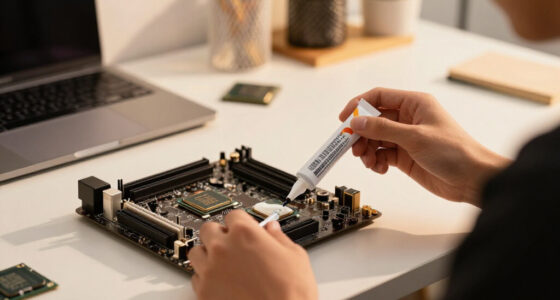
To build a cleaner desk with fewer visible cables, start by identifying all your cables and planning their routes close to devices. Use cable ties or Velcro straps to bundle excess cords, and attach clips or sleeves to guide and conceal them along your desk edges. Position devices near outlets and use shorter cables where possible to reduce clutter. Regularly recheck and adjust your setup for ongoing tidiness. Keep going to discover more tips for a sleek, organized workspace.

Get comfort and recovery gear delivered free — and shop member deals
- Fast, free delivery on millions of items
- Access to Prime Big Deal Days deals on October 6–7
- Prime Video, Amazon Music and more included
Key Takeaways
- Plan cable routes and device placement to minimize visibility and clutter.
- Use cable management accessories like clips, sleeves, and under-desk trays to conceal cables.
- Bundle and secure cables with ties or Velcro straps to prevent sprawl.
- Position devices close to power outlets and use shorter cables to reduce excess length.
- Regularly review and reorganize cables to maintain a tidy, efficient workspace.
A cluttered desk with tangled cables can make your workspace look messy and distract you from your tasks. To create a cleaner, more organized environment, you need effective cable management strategies. When your cables are neatly arranged, your workspace not only looks professional but also becomes more functional. Good workspace organization starts with understanding where your cables run and how to keep them out of sight.
Begin by identifying all your cables—power cords, charging cables, HDMI, USB, and others. Once you know what you’re working with, you can plan how to route them efficiently. Using cable ties or Velcro straps helps bundle loose cables together, preventing them from sprawling across your desk. This simple step instantly reduces visual clutter and makes your workspace look tidier. It’s best to keep cables close to your devices and avoid letting them hang loosely, which creates a chaotic appearance.
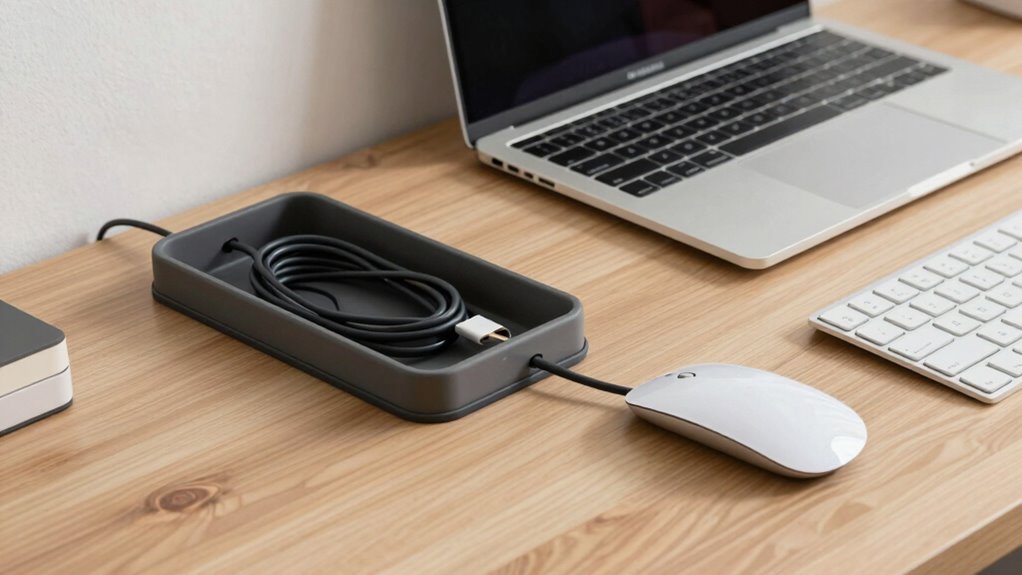
Next, consider investing in cable management accessories like cable clips, sleeves, or under-desk trays. Cable clips attach to the edge of your desk or along the back, guiding cables neatly along designated paths. Sleeves can encase multiple cables, making them look like a single, sleek cord rather than a tangle of wires. Under-desk trays or boxes conceal power strips and excess cable length, keeping everything out of sight. When cables are hidden and organized, it’s easier to clean your desk and maintain a minimalist aesthetic. Additionally, understanding the importance of regional flavors and chicory/coffee insights can inspire creative ways to personalize your workspace with thematic decor or accessories related to your interests.
Another useful tip is to plan your device placement strategically. Position your computer, monitor, and other peripherals close to power outlets and each other to minimize cable length. Shorter cables are less likely to tangle and create clutter. If you have cables that are longer than needed, coil the excess and secure it with a tie or wrap. Avoid leaving long loops of wire hanging behind your desk, as they tend to look messy and can be tripped over. Proper planning of workspace layout can further enhance your cable management efforts by reducing unnecessary cable length and crossings. Incorporating cable management techniques can also help ensure your system remains organized over time.
Regularly check and adjust your cable management system to guarantee it remains effective. Over time, cables may shift or loosen, so it’s helpful to revisit your setup periodically. Keeping cables organized is not just about aesthetics; it also improves your workspace’s safety and efficiency. When your cables are managed well, you spend less time untangling knots and more time focusing on your tasks. A well-thought-out cable management system can make a significant difference in maintaining a tidy workspace. Proper workspace organization through cable management transforms your desk into a clean, professional, and productive area.
As an affiliate, we earn on qualifying purchases.
Frequently Asked Questions
What Tools Are Needed for Cable Management?
You’ll need basic cable management tools like cable clips, zip ties, and cable sleeves to keep cords organized. A cable organizer box can hide power strips, while adhesive-backed cable clips attach neatly to your desk or wall. Using cable management strategies such as bundling cables and routing them along edges helps reduce clutter. These tools and techniques guarantee your workspace looks tidy, minimizes cable chaos, and makes it easier to access your devices.
How Often Should I Tidy My Cables?
They say “a stitch in time saves nine,” and the same applies to your cables. You should tidy your cables once a month to maintain cable longevity and keep your workspace organized. Regularly checking and adjusting your cable setup helps prevent damage and tangling. Developing tidy habits guarantees your cables stay in good condition, making maintenance easier and your desk cleaner. Consistency is key to a clutter-free, efficient workspace.
Can Wireless Devices Replace All Cables?
Wireless alternatives can replace many cables, but not all, depending on your devices. For example, wireless chargers, Bluetooth speakers, and Wi-Fi printers help reduce clutter substantially. However, cable replacement isn’t always possible for high-power devices or wired internet connections. You’ll need to evaluate your specific needs and compatibility, but embracing wireless options can streamline your workspace and make it much cleaner and more organized.
What Are the Best Cable Organizers for a Small Desk?
You should choose cable organizers like cable clips, sleeves, or under-desk trays to keep your small desk tidy. Opt for flexible organizer styles that suit your space, such as adhesive clips for individual cables or compact cable boxes for multiple connections. Focus on managing various cable types—power cords, USBs, and chargers—so they stay hidden and accessible. This way, your desk remains clutter-free and visually clean.
How Do I Hide Cables Behind Furniture?
To hide cables behind furniture, start with cable concealment techniques by using cable clips or sleeves to organize cords neatly. Then, integrate the cables into your furniture by routing them behind or underneath desks and shelves, securing them with adhesive mounts or ties. You can also use furniture with built-in cable management features, which helps keep everything out of sight, making your workspace look cleaner and more organized.
As an affiliate, we earn on qualifying purchases.
Conclusion
By taking these simple steps, you’ll transform your cluttered desk into a sleek, cable-free oasis. Imagine your workspace so tidy, it sparkles like a gem, making every task feel effortless. Fewer visible cables not only boost your productivity but also create a calming environment where creativity can flourish. With just a little effort, you’ll have a desk so organized, it might just become the envy of every workspace on the planet. Get started and enjoy that pristine, cable-free zone!
As an affiliate, we earn on qualifying purchases.
As an affiliate, we earn on qualifying purchases.
Fall Picks
fall essentials
As an affiliate, we earn on qualifying purchases.