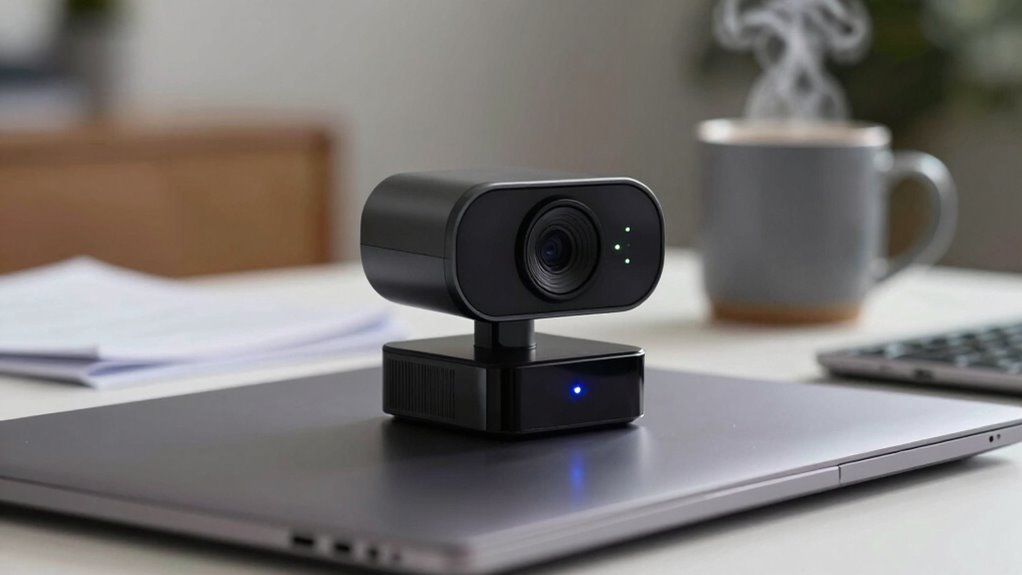

A 4K webcam alone doesn’t guarantee you’ll get better quality videos. Even with high resolution, factors like poor compression, limited internet bandwidth, and hardware limitations can ruin the picture. If your internet isn’t fast enough, your videos will buffer or downgrade to lower resolutions. Plus, your computer and display need to support 4K for you to see the full benefits. Keep exploring, and you’ll discover how these elements all work together to impact your video quality.

Get comfort and recovery gear delivered free — and shop member deals
- Fast, free delivery on millions of items
- Access to Prime Big Deal Days deals on October 6–7
- Prime Video, Amazon Music and more included
Key Takeaways
- High resolution alone doesn’t guarantee better quality without proper compression and bandwidth support.
- Inadequate internet speed causes buffering and auto-downscaling, limiting 4K streaming benefits.
- Hardware limitations can prevent smooth playback and fully utilize a 4K webcam’s capabilities.
- Effective compression algorithms are essential to preserve image quality during streaming or storage.
- The entire system, including display and processing power, influences the perceived quality of 4K videos.

Ever wondered if a 4K webcam alone guarantees better video quality? While a higher resolution promises sharper images, it’s not the whole story. Your video quality depends on more than just the camera’s specs. For example, video compression plays a vital role. When you stream or record in 4K, the raw data is enormous, and your device or platform needs to compress it to make the video manageable for streaming or storage. Poor compression algorithms can lead to artifacts, blurriness, or pixelation, which defeats the purpose of having a high-resolution camera. So, even with a 4K webcam, if the compression isn’t handled well, your video might still look less than ideal.
High-resolution webcams need proper compression to deliver true 4K quality.
Then there’s internet bandwidth, which is often overlooked but can be a significant limiting factor. If your connection isn’t fast enough or stable enough to support 4K streaming, your video quality will suffer. You might experience buffering, lag, or automatic downscaling, where your device reduces the resolution to keep the stream smooth. This means that even though your webcam is capable of capturing stunning 4K images, your internet’s bandwidth constraints prevent you from actually enjoying that level of clarity during live calls or recordings. Upgrading your internet plan might seem like a straightforward fix, but it’s just one piece of the puzzle. Without proper hardware, compatible software settings, and a stable connection, the benefits of a 4K webcam won’t fully materialize.
Furthermore, the quality of your display and the hardware processing power matter as well. If you’re using an older computer or monitor that doesn’t support 4K playback, you won’t see the difference. Similarly, your computer’s processor and graphics card need to handle the higher data flow efficiently. If they can’t, you might notice lag or reduced frame rates, which diminishes the overall quality. So, even with the best 4K webcam, your setup’s limitations can prevent you from experiencing the true potential of high-resolution video. Ensuring your entire system is optimized for 4K content is essential for maximizing the benefits. Additionally, selecting a webcam with advanced compression technologies can help mitigate some of these issues by optimizing data transfer and storage.
In essence, having a 4K webcam is just one part of a complex system that determines your video quality. Video compression techniques, internet bandwidth, hardware capabilities, and display resolution all influence the final outcome. If you overlook these factors, you might think you’re getting top-tier quality when, in reality, your setup is holding you back. To truly leverage the benefits of a 4K webcam, you need a balanced system that considers all these elements. Only then can you enjoy crisp, clear, high-resolution videos that match your expectations. One crucial factor to consider is ensuring your entire setup supports 4K content seamlessly.
4K webcam with advanced compression
As an affiliate, we earn on qualifying purchases.
As an affiliate, we earn on qualifying purchases.
Frequently Asked Questions
How Does Lighting Affect 4K Webcam Quality?
Lighting greatly impacts your 4K webcam quality by enhancing image clarity and color accuracy. Proper camera placement guarantees your face is well-lit without shadows, while good lighting reduces noise and boosts detail. Additionally, consistent lighting helps with color calibration, making your video look natural and professional. Without adequate lighting, even the best 4K webcam struggles to deliver sharp, vibrant images, so invest in good lighting to get the best results.
What Is the Ideal Bandwidth for 4K Streaming?
For smooth 4K streaming, you should aim for at least 25 Mbps of bandwidth. This guarantees bandwidth optimization, reducing buffering and maintaining streaming stability. Keep in mind, higher bitrates around 35-50 Mbps can improve quality further, especially if your internet connection is stable. Regularly check your network’s capacity and prioritize a dedicated connection for streaming to avoid interruptions and deliver crisp, clear 4K content.
Do 4K Webcams Require Special Software?
Think of your 4K webcam as a musical instrument that needs the right tuning. It generally doesn’t require special software, but you do need compatible software for peak performance. Check software compatibility before buying, and keep driver updates current to guarantee smooth operation. Without the right software, your high-resolution camera may not reach its full potential, leaving you with a symphony of underperforming pixels instead of stunning clarity.
How Do 4K Webcams Perform in Low-Light Conditions?
You’ll find that 4K webcams can struggle in low-light conditions, often resulting in grainy or washed-out images. Good color accuracy and autofocus performance are essential, but even then, the image quality depends on your lighting. To improve, add more light or use soft, diffused sources. This guarantees your webcam captures clearer, more vibrant images, making the most of its high resolution despite less-than-ideal lighting.
Are 4K Webcams Compatible With All Operating Systems?
Like a chameleon adapting to its environment, a 4K webcam‘s compatibility varies across operating systems. While most modern OSes support them, compatibility issues can arise, especially with older systems. To stay ahead, make sure you keep driver updates current, as they often resolve these issues. Check the manufacturer’s specifications before purchasing, so your high-resolution investment works seamlessly, no matter your platform.
high bandwidth internet router for streaming
As an affiliate, we earn on qualifying purchases.
As an affiliate, we earn on qualifying purchases.
Conclusion
Remember, all that glitters isn’t gold. A 4K webcam might promise stunning clarity, but it’s not the only factor that matters. Your lighting, internet speed, and setup play just as essential roles in your video quality. Don’t get caught up in the specs alone; focus on the whole picture to truly enhance your streaming or video calls. After all, a diamond is only valuable when it shines—so make sure your setup shines, too.
4K monitor compatible with webcam
As an affiliate, we earn on qualifying purchases.
As an affiliate, we earn on qualifying purchases.
powerful graphics card for 4K video
As an affiliate, we earn on qualifying purchases.
As an affiliate, we earn on qualifying purchases.
Fall Picks
fall essentials
As an affiliate, we earn on qualifying purchases.