Proper desk lighting is key to reducing eye strain and boosting your comfort during screen work. When you have the right balance of ambient glow and task lighting, your eyes won’t have to constantly adjust or strain. Adjusting brightness and color temperature can help prevent headaches and fatigue. Creating a well-lit workspace improves focus and productivity. Keep exploring further to discover how to optimize your lighting setup and make your work sessions more comfortable.

Get comfort and recovery gear delivered free with Prime
- Fast, free delivery on millions of items
- Prime Video, Amazon Music and more included
- Member-only deals all year
Key Takeaways
- Proper desk lighting reduces eye strain and fatigue during prolonged screen use.
- Balanced ambient glow minimizes glare and harsh shadows, enhancing visual comfort.
- Adjusting color temperature creates a comfortable environment, preventing discomfort and maintaining alertness.
- Adjustable lighting allows personalization to suit different tasks and times of day.
- Effective lighting management improves focus, productivity, and overall workspace safety.

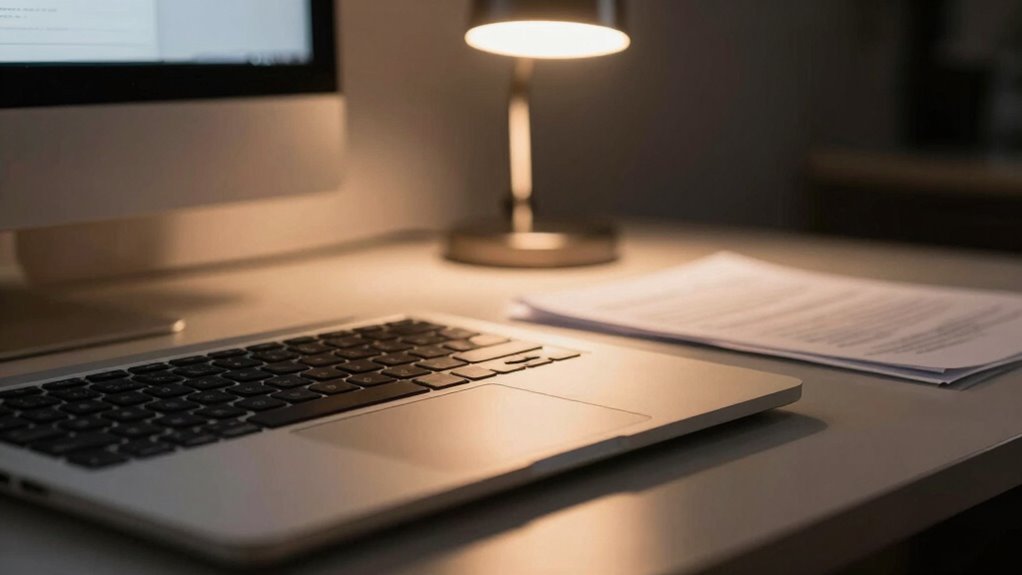
When working at your desk, proper lighting is essential to reduce eye strain and improve focus. The right lighting setup helps your eyes adjust comfortably to your screen, preventing fatigue after long hours. One key element to consider is creating an ambient glow that softly illuminates your workspace without causing glare or harsh shadows. This ambient glow should complement your task lighting, providing a gentle overall brightness that balances your environment. When your space emits a warm, diffuse light, it helps your eyes relax and minimizes the contrast between your screen and the surroundings. This reduces the likelihood of eye strain and headaches, especially during extended work sessions.
Proper ambient lighting reduces eye strain and enhances focus during long work sessions.
Another critical factor in effective desk lighting is the color temperature of your light source. Color temperature is measured in Kelvin and influences how warm or cool your lighting appears. For screen work, a balanced, neutral white light—around 4000K to 5000K—is generally most comfortable. Cooler temperatures, closer to daylight, can boost alertness and concentration, but if they’re too harsh or stark, they may cause discomfort. Conversely, warmer tones around 2700K to 3000K create a cozy atmosphere but might not provide enough brightness for detailed tasks. Striking the right balance in color temperature ensures your workspace feels inviting yet functional, helping you stay focused without straining your eyes.
Choosing a desk lamp that offers adjustable brightness and color temperature makes a significant difference. This flexibility allows you to tailor your lighting based on the time of day or the type of work you’re doing. For instance, during late hours, a warmer, dimmer light can reduce blue light exposure and help maintain your natural circadian rhythm. During daytime tasks, a brighter, cooler light can enhance visibility and reduce glare on your screen. Incorporating ambient lighting options, like wall sconces or LED strips, can further enhance your workspace by providing a gentle glow that complements your task lighting and creates a comfortable environment. Additionally, understanding the contrast ratio of your lighting setup can help you optimize visual comfort and clarity in your workspace. Properly managing lighting placement can prevent unwanted shadows and reflections that contribute to eye strain. Being aware of lighting standards can also help ensure your setup is both safe and effective for long-term use. Paying attention to lighting intensity is equally important, as it impacts how well your eyes can adapt to different lighting conditions and reduces the need for frequent adjustments.
Ultimately, good desk lighting isn’t just about brightness—it’s about creating a harmonious balance between ambient glow, color temperature, and task illumination. When you pay attention to these elements, you’ll notice less eye fatigue, improved focus, and a more comfortable workspace. Proper lighting sets the foundation for productive, healthy screen work, making your day more efficient and your eyes happier in the long run. Additionally, considering the extension cord standards for your workspace can ensure your lighting setup remains safe and reliable, especially when using multiple devices.
Products Worth Considering

Philips Hue Smart Light Starter Kit with Bridge and 4 White and Color A19 Bulbs

TCL 85-Inch QM6K QLED Mini LED 4K HDR Smart Google TV, 144Hz

Sony BRAVIA 5 85-Inch Mini LED 4K HDR Smart Google TV (K-85XR50)
As an affiliate, we earn on qualifying purchases.
Frequently Asked Questions
How Does Desk Lighting Influence Eye Strain During Long Screen Hours?
Your desk lighting markedly impacts eye strain during long screen hours. Proper lighting reduces glare, which can cause eye fatigue, and using a light with a warm or neutral color minimizes discomfort. When your lighting is well-balanced, your eyes don’t have to work as hard to focus, decreasing strain. Adjusting light brightness and color helps create a comfortable work environment and protects your eyes during extended screen time.
What Types of Bulbs Are Best for Desk Lighting?
You should choose LED bulbs for your desk lighting, as they excel in energy efficiency and offer a variety of bulb colors to suit your needs. Opt for bulbs with warm white or daylight hues to reduce eye strain and create a comfortable workspace. These bulbs provide clear, natural light, enhance focus, and save energy, making them ideal for long hours of screen work.
Can Desk Lighting Improve Work Productivity?
Yes, desk lighting can boost your work productivity by creating an ergonomic workspace and reducing eye strain. Proper ambient illumination helps you see your screen clearly, minimizing fatigue and distractions. When you invest in good lighting, you can focus better, work more efficiently, and stay comfortable throughout the day. This small change makes a significant difference in maintaining your energy levels and overall performance during long hours of screen work.
How Should I Position My Desk Lamp for Optimal Lighting?
Position your desk lamp so the light hits your workspace without causing glare or shadows. Keep it at an ergonomic height, slightly above your screen, to reduce eye strain. Choose a lamp with adjustable brightness and a warm color temperature to mimic natural light, which helps you stay focused. Angle the light to evenly illuminate your keyboard and work area, ensuring the best lighting for comfort and productivity.
Is Natural Light Better Than Artificial Lighting for Screen Work?
Natural light is generally better for screen work because it offers a balanced color temperature, which reduces eye strain. Did you know that natural daylight has a color temperature of around 5,500K, closer to ideal lighting for screens? Unlike artificial lighting, natural light varies throughout the day, providing a healthier environment. However, if you prefer artificial lighting, choose a bulb with a neutral or daylight color temperature to mimic natural light and minimize glare.
Conclusion
Proper desk lighting isn’t just about comfort—it can boost your productivity and protect your eyes. Did you know that poor lighting can cause eye strain in up to 70% of screen workers? That’s a huge number, emphasizing how essential good lighting is. By adjusting your desk light to reduce glare and shadows, you create a healthier, more efficient workspace. So, invest in quality lighting—you’ll notice the difference in your focus and well-being.