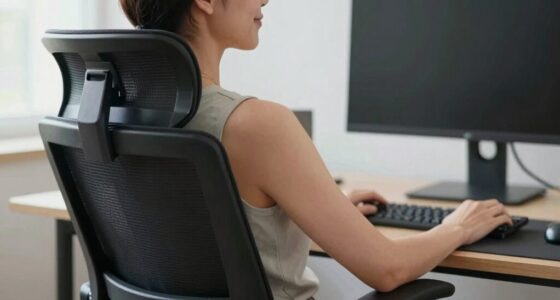
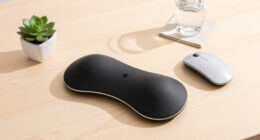
As a new remote worker, your top priorities should include setting up an adjustable desk for easy sit-stand changes, ensuring your chair supports good posture with proper lumbar support, and positioning your monitor eye level to avoid neck strain. Use ergonomic accessories like an ergonomic mouse and keyboard to reduce wrist fatigue, and organize your workspace to minimize unnecessary movements. Taking regular breaks and customizing your setup will boost comfort and productivity—discover more ways to optimize your workstation below.
Key Takeaways
- Prioritize an adjustable desk to enable seamless sit-stand transitions and reduce static postures.
- Ensure ergonomic chair with proper lumbar support and adjustable settings for optimal comfort.
- Position monitors at eye level using adjustable stands to prevent neck strain.
- Incorporate ergonomic accessories like supportive keyboard and mouse to minimize wrist fatigue.
- Schedule regular breaks and workspace adjustments to maintain good posture and prevent discomfort.
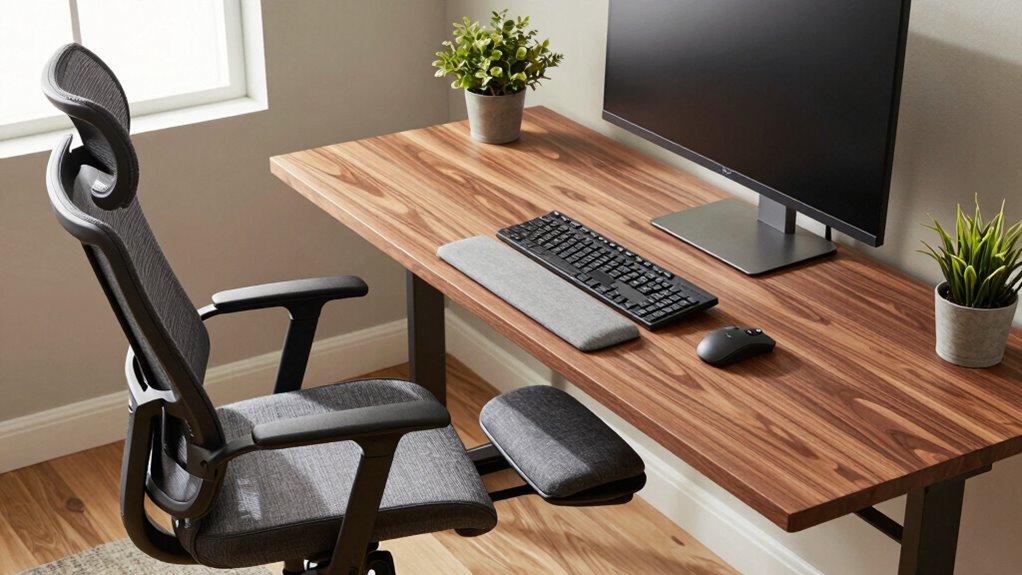
Working remotely offers flexibility, but it also means you’re responsible for creating a comfortable and healthy workspace. One of the most important steps you can take is setting up an adjustable desk setup. Unlike fixed desks, adjustable options allow you to switch between sitting and standing throughout the day, helping reduce fatigue and improve circulation. You don’t want to be stuck in one position for hours on end, so investing in a desk that can easily be modified to your height and preferences is a smart move. When your desk height aligns with your body, you’ll avoid unnecessary strain on your neck, shoulders, and back.
An adjustable desk helps prevent strain by allowing seamless sit-stand transitions tailored to your body.
Along with an adjustable desk setup, ergonomic accessories play a key role in supporting your comfort and health. A good ergonomic chair with adjustable height, lumbar support, and armrests will help maintain proper posture and reduce lower back pain. You should aim to keep your feet flat on the floor or on a footrest, with knees at a 90-degree angle. An adjustable monitor stand or mount is also essential so that your screen is at eye level. When your monitor is too low or high, it can cause neck strain and headaches. Positioning your screen correctly ensures you’re not craning your neck or leaning forward, which can lead to discomfort over time. Incorporating proper display calibration can further improve visual comfort and reduce eye strain. Additionally, understanding AI-powered tools can help optimize your workspace ergonomics by providing personalized recommendations based on your setup. Using ergonomic assessment apps can also help you identify and correct poor ergonomic habits before they lead to discomfort.
Incorporating ergonomic accessories like keyboard and mouse supports further minimizes strain. An ergonomic keyboard with a slight tilt and a mouse that fits comfortably in your hand reduce wrist and hand fatigue. Keep your wrists in a neutral position, avoiding bending or twisting, to prevent repetitive strain injuries. Additionally, ensuring your workspace is properly organized can help you maintain good posture and reduce unnecessary movements that cause discomfort. Remember to take frequent breaks—every 30 minutes to an hour—to stretch and reset your posture. This isn’t just about comfort; it’s about preventing long-term health issues caused by prolonged poor ergonomics.
Creating a workspace with adjustable desk setups and ergonomic accessories isn’t complicated, but it’s crucial. It’s an investment in your health and productivity, making your workday more comfortable and less prone to injury. You’ll find that small adjustments, like raising your monitor or adding a lumbar pillow, can make a significant difference. The goal is to design a workspace tailored to your body’s needs, enabling you to work efficiently without sacrificing your well-being. By prioritizing these ergonomic essentials, you’ll set yourself up for success as a remote worker, with a workspace that supports your health now and in the future.

Veken Standing Desk, 55 Inch, White
- Electric Height Adjustment – Sit or Stand Any Time: Quiet motor (under 52 dB)…
- Sturdy & Stable – Stays Solid at Full Height: Strong steel frame remains stable…
- Spacious 55" Desktop with Cable Management: Large 55-inch surface fits multiple…
As an affiliate, we earn on qualifying purchases.
As an affiliate, we earn on qualifying purchases.
Frequently Asked Questions
How Often Should I Take Breaks During Remote Work?
You should take breaks every 30 to 60 minutes during remote work. Use this time for stretching routines to loosen up your muscles and improve circulation. Also, focus on posture correction during these breaks—stand up, adjust your chair, and guarantee your workspace supports a healthy posture. Regular breaks help prevent strain, boost productivity, and keep you comfortable throughout your workday. Remember, consistency is key for maintaining good ergonomic habits.
What Are Affordable Ergonomic Accessories for Home Offices?
Looking to improve your home office without breaking the bank? Affordable solutions and budget-friendly options exist that can boost your comfort and productivity. Consider ergonomic accessories like affordable adjustable footrests, supportive lumbar cushions, and ergonomic mouse pads. These accessories are easy to add, cost-effective, and can make a huge difference in your daily comfort. Prioritize your well-being without overspending, and create a workspace that supports your health and focus.
How Can I Adjust My Workspace for Different Tasks?
You can adjust your workspace for different tasks by reorganizing your desk to keep essential items within easy reach, which improves efficiency. Optimize your lighting by adjusting brightness or adding task lights to reduce eye strain during detailed work. Additionally, change your chair and monitor height as needed, and switch between sitting and standing positions to stay comfortable and maintain good posture during various tasks.
What Signs Indicate My Setup Is Causing Health Issues?
You might think you’re fine until persistent aches or numbness set in—classic signs your setup’s causing health issues. Ironically, ergonomic myths and posture misconceptions often lead you astray, making you believe discomfort is normal. If you notice frequent headaches, eye strain, or lower back pain, your workspace probably isn’t aligned right. Stay alert to these signs; they’re your body’s way of telling you to reassess and correct your ergonomic habits.
Are There Specific Ergonomic Tips for Small or Shared Spaces?
In small or shared spaces, prioritize compact furniture that fits your area without sacrificing comfort. Use adjustable chairs and desks to optimize your posture. For shared workspace ergonomics, establish clear boundaries and organize equipment to avoid clutter. Consider multifunctional furniture, like foldable desks or stackable chairs, to maximize space. Regularly reposition your setup and take stretches to prevent strain, ensuring your ergonomic setup remains effective despite space limitations.
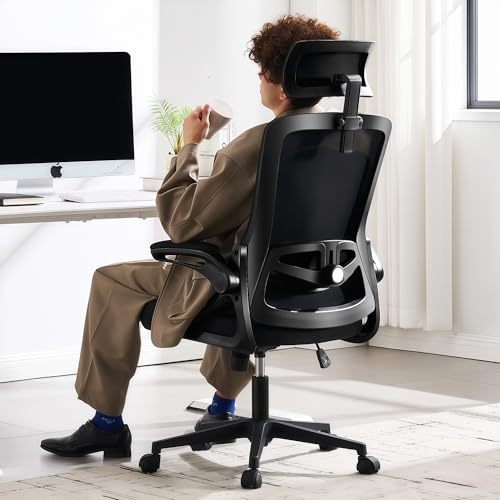
Fizzin Office Chair Mesh Computer Chairs with Adjustable Lumbar Support
- Ergonomic Design for Full Support: Supports head, back, hips, and arms
- Adjustable Headrest and Lumbar: Customizable for optimal comfort
- High Weight Capacity: Supports up to 400 lbs
As an affiliate, we earn on qualifying purchases.
As an affiliate, we earn on qualifying purchases.
Conclusion
By prioritizing your ergonomic setup, you’re planting the seeds for a healthier work life. Think of your workspace as a garden—tend to it carefully, nurture good habits, and watch productivity and comfort blossom. When you invest in the right chair, desk, and posture, you’re cultivating a thriving environment where stress and strain are kept at bay. Stay mindful, adjust as needed, and let your ergonomic efforts grow into a foundation for long-term well-being.

Single LCD Computer Monitor Free-Standing Desk Stand Mount Riser for 13 inch to 32 inch screen with Swivel, Height Adjustable, Rotation, Vesa Base Stand Holds One (1) Screen up to 77Lbs(HT05B-001))
- Compatibility: Fits 13 to 32 inch screens with VESA mounts
- Cable Management: Includes cord organization system
- Ergonomic Design: Elevates monitor for better posture
As an affiliate, we earn on qualifying purchases.
As an affiliate, we earn on qualifying purchases.

Wireless Keyboard and Mouse Combo, 2.4G Ergonomic Wave Keys(Black)
- Wave Ergonomic Design: Fits fingers and relieves wrist strain
- Adjustable Keyboard Stand: Set to most comfortable height
- Contoured Wireless Mouse: Fits snugly in the palm
As an affiliate, we earn on qualifying purchases.
As an affiliate, we earn on qualifying purchases.