To improve your note-taking ergonomics, sit upright with your back supported and keep your feet flat on the ground. Keep your shoulders relaxed and elbows close to your sides for comfort during long sessions. Hold your tablet gently with your fingertips and support it with your palms to avoid strain. Position your screen at eye level and take regular breaks. Small adjustments like these can make a big difference; keep exploring for more tips to stay comfortable.
Key Takeaways
- Maintain an upright sitting position with back supported and feet flat on the ground to promote proper alignment.
- Position your tablet at eye level to prevent neck strain and reduce craning.
- Hold your stylus lightly and use stable surfaces or stands to minimize wrist and arm fatigue.
- Keep wrists straight and elbows close to your sides to enhance comfort during extended note-taking.
- Take regular breaks to stretch hands, neck, and shoulders, preventing muscle strain and maintaining focus.

Have you ever noticed how uncomfortable or distracted you feel after long hours of note-taking? That discomfort often stems from poor ergonomics, especially in your handwriting posture and how you grip your tablet. When you’re hunched over or slouching, muscles strain, and fatigue sets in quickly, making it harder to focus. To avoid this, you need to pay attention to your handwriting posture. Sit upright with your back supported by a chair that encourages good alignment. Keep your feet flat on the ground and your knees at a right angle. Your shoulders should be relaxed, and your elbows close to your sides. This position reduces unnecessary tension and helps maintain comfort over extended periods. When your posture is correct, your hand movements become more precise, and you’re less likely to develop aches or stiffness.
Equally important is how you handle your tablet. Many people grip their device too tightly or hold it at awkward angles, which can lead to strain in your hand, wrist, and forearm. You want to adopt proper tablet gripping techniques that minimize stress. Hold your tablet with a relaxed grip, using your fingertips rather than squeezing tightly. Support the device with your palms and fingers, keeping your wrists straight rather than bent or twisted. When possible, use a stand or prop the tablet on a stable surface to reduce the need to hold it for long periods. This allows your arms to rest and prevents fatigue. If you’re taking handwritten notes on a tablet stylus, grip the stylus lightly, similar to how you hold a pen. Avoid gripping too tightly, which can cause hand cramps and reduce your dexterity.
In addition to proper posture and gripping techniques, consider your workspace setup. Ensure your screen is at eye level to avoid craning your neck downward. Keep your workspace organized so reaching for your materials doesn’t cause awkward stretches or contorted movements. Taking regular breaks to stretch your hands, arms, and neck can also help prevent stiffness and promote circulation. Additionally, being aware of muscle strain during long sessions can help you adjust your habits proactively. Staying mindful of your ergonomic habits during note-taking helps you sustain focus longer, reduces discomfort, and enhances overall efficiency. Remember, small adjustments can make a big difference in how comfortable and effective your note-taking sessions are, whether you’re writing on paper or using a digital device. Prioritize good posture and proper grip techniques to keep yourself comfortable and engaged throughout your studies or meetings.
Frequently Asked Questions
How Can I Prevent Wrist Strain During Long Note-Taking Sessions?
To prevent wrist strain during long note-taking sessions, you should take regular breaks to stretch your wrists, which helps reduce tension. Use ergonomic grips on pens or styluses to improve comfort and control, minimizing unnecessary stress. Keep your wrists in a neutral position, avoiding excessive bending or twisting. Also, adjust your tablet or writing surface height to maintain good posture, preventing strain and fatigue over extended periods.
What Are the Best Ergonomic Accessories for Tablet Note-Taking?
You should consider ergonomic accessories like a comfortable stylus grip to reduce hand fatigue and improve control. A screen protector not only safeguards your tablet but also provides a smooth surface, making writing more natural. Additionally, an adjustable stand can help position your tablet at eye level, minimizing neck strain. These accessories promote better posture and comfort, making your note-taking sessions more efficient and less tiring.
How Often Should I Take Breaks to Avoid Posture-Related Issues?
Think of your body as a well-tuned instrument; if you ignore it, it’ll go out of tune. You should take breaks every 20-30 minutes, stretching routines to keep muscles loose and avoid strain. Set ergonomic reminders to prompt you to move, change posture, and stretch. Regular breaks help prevent posture-related issues, ensuring you stay comfortable and productive during long note-taking sessions, like giving your body a well-deserved pause in a busy symphony.
Are There Specific Chairs That Improve Note-Taking Ergonomics?
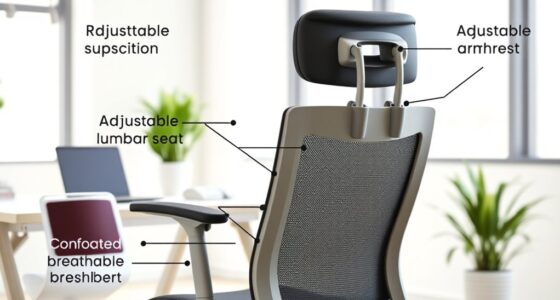
Yes, choosing an ergonomic chair can markedly improve your note-taking comfort. Look for posture enhancing furniture that offers adjustable height, lumbar support, and armrests. An ergonomic chair selection tailored to your body helps maintain proper alignment, reduces strain, and supports longer study sessions. Prioritize features like breathable fabric and a swivel base to promote movement and reduce fatigue, making your note-taking sessions more productive and comfortable.
How Can I Adjust My Workspace for Optimal Comfort and Productivity?
You can adjust your workspace for maximum comfort by setting your desk height so your elbows are at a 90-degree angle, reducing strain. Make certain your lighting quality is sufficient—prefer natural light or soft, focused lamps to prevent eye fatigue. Keep your monitor at eye level and sit with your back supported. These adjustments help boost productivity and keep you comfortable during long note-taking sessions.
Conclusion
Remember, maintaining good posture while note-taking can boost your productivity and reduce discomfort. Did you know that poor ergonomics can lead to up to 60% more muscle strain? By adjusting your writing posture and tablet use, you’ll not only protect your health but also make your study sessions more enjoyable. Keep these tips in mind, and you’ll find that comfortable, efficient note-taking becomes second nature. Stay mindful, and happy writing!