Positioning your monitor at eye level is the single most effective change you can make to ease daily desk fatigue and improve your posture. It prevents neck craning, reduces shoulder tension, and minimizes eye strain during long hours at your desk. A simple adjustment like using a monitor stand or height-adjustable desk can dramatically boost comfort and productivity. Keep exploring to discover more tips that will help you create a healthier workspace and reduce discomfort.
Key Takeaways
- Adjust your monitor to eye level using a stand or adjustable desk to prevent neck strain.
- Ensure your keyboard and mouse are at elbow height to reduce shoulder and wrist tension.
- Support your lower back with an ergonomic chair to promote proper spinal alignment.
- Keep feet flat on the floor to maintain stability and proper posture.
- Improve lighting and air quality to reduce visual fatigue and enhance overall workspace comfort.
If you spend long hours at your desk, you’ve probably experienced the discomfort that comes with poor posture and repetitive strain. It’s easy to fall into habits that seem minor but add up over time, causing neck pain, backaches, and fatigue. The good news is, a simple change can make a significant difference: focusing on your setup. By making a single, strategic adjustment—specifically, optimizing your workspace with ergonomic accessories—you can dramatically reduce desk fatigue and improve your comfort throughout the day.
Optimizing your workspace with ergonomic accessories can greatly reduce fatigue and boost comfort during long desk hours.
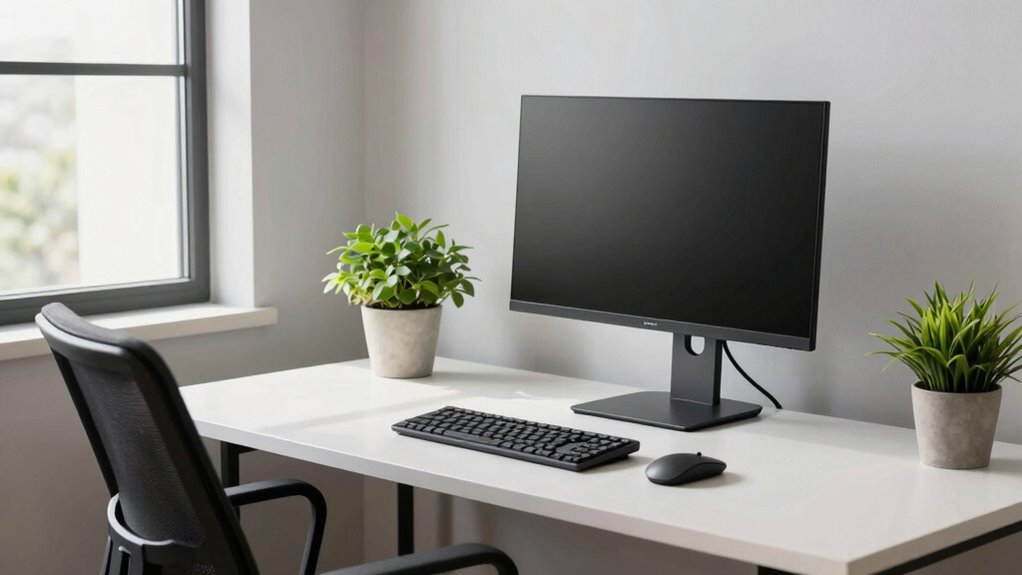
The key is to ensure your workspace encourages proper posture. This involves more than just sitting upright; it requires actively adjusting your setup so that your monitor, keyboard, and mouse are aligned to minimize strain. Ergonomic accessories are designed to support these posture adjustments, helping you maintain a natural, relaxed position. For example, an adjustable monitor stand or a height-adjustable desk can bring your screen to eye level, preventing you from craning your neck forward. When your monitor is appropriately positioned, your head stays aligned with your spine, and your shoulders stay relaxed.
Along with your monitor, pay attention to your keyboard and mouse placement. An ergonomic keyboard and mouse set up at the same level as your elbows ensures your arms are at a comfortable bend, reducing tension in your shoulders and wrists. Using a wrist rest can further support your joints, preventing repetitive strain injuries. These accessories might seem small, but they collectively foster better posture and help you stay comfortable longer. Incorporating ergonomic principles into your workspace can help you better understand and implement these adjustments effectively. Additionally, understanding the importance of hormesis in reducing stress on the body can motivate you to adopt healthier habits in your workspace. Also, considering water/tile color theory in your environment might enhance your overall comfort and reduce visual fatigue during long work sessions.
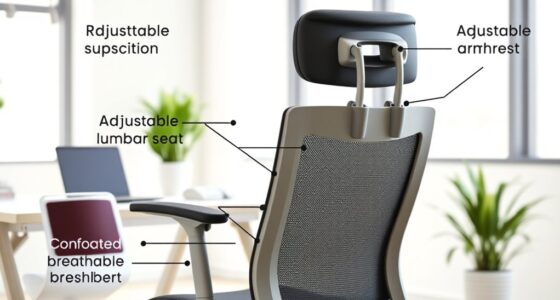
Another crucial aspect is adjusting your seating. An ergonomic chair that supports your lower back and encourages proper hip positioning can make a huge difference. When your hips are slightly higher than your knees, it promotes proper spinal alignment. This, combined with posture adjustments like keeping your feet flat on your floor and avoiding slouching, creates a supportive environment that minimizes fatigue. Additionally, using indoor air quality gear such as an air purifier or humidity control can help create a healthier workspace, reducing discomfort caused by dry air or allergens. Being mindful of visual fatigue and incorporating appropriate lighting can further enhance your comfort during extended periods of work.
Implementing these changes doesn’t require a complete overhaul of your workspace—just adding or adjusting a few ergonomic accessories can lead to big improvements. Take the time to position your monitor, keyboard, and chair correctly, and you’ll notice less neck strain, fewer back pains, and improved energy levels. Over time, these small adjustments will become a natural part of your routine, helping you work more comfortably and efficiently. The one setup change—focusing on ergonomic accessories and posture adjustments—serves as a simple yet powerful way to combat desk fatigue daily.
Frequently Asked Questions
How Often Should I Adjust My Desk Setup Throughout the Day?
You should adjust your desk setup and posture every 30 to 60 minutes. Regular posture adjustments help prevent stiffness and fatigue, keeping your body comfortable. Incorporate break routines, like standing or stretching, to give muscles a rest and improve circulation. These small, consistent changes can make a big difference in maintaining comfort and reducing fatigue throughout your workday. Stay mindful of your body’s signals and adjust accordingly.
Are There Specific Ergonomic Accessories Recommended for Different Body Types?
Think of your workspace as a tailored suit—comfortable and suited to your unique shape. For different body types, choose ergonomic accessories like adjustable chair height and wrist support that hug your form perfectly. These tools act as your personal armor, preventing strain and fatigue. By customizing your setup, you turn your desk into a sanctuary of comfort, making each workday smoother and more productive.
What Signs Indicate My Current Setup Is Causing Discomfort?
You might notice discomfort if your posture correction efforts feel difficult or if you experience persistent neck, shoulder, or back pain. Poor chair ergonomics often cause slouching or strain, so check if your chair supports proper alignment. If your feet don’t rest flat or your monitor is too high or low, it’s a sign your setup needs adjusting. Addressing these issues can improve comfort and reduce fatigue throughout your workday.
Can Desk Setup Changes Improve Mental Focus and Productivity?
Yes, desk setup changes can boost your mental focus and productivity. By making posture improvements, you reduce discomfort and stay alert longer. Adjusting lighting prevents eye strain and keeps you energized. When your workspace is comfortable and well-lit, you’ll find it easier to concentrate, complete tasks efficiently, and stay motivated throughout the day. Small modifications like these create a healthier, more productive environment that encourages sustained focus.
How Do I Balance Comfort With Space Constraints in Small Work Areas?
To balance comfort with space constraints, prioritize maximizing your personal space through ergonomic flexibility. Use adjustable accessories like a compact keyboard stand or a foldable monitor riser to customize your setup without cluttering. Keep essentials within reach, and opt for multi-functional furniture. This approach guarantees you maintain comfort while optimizing limited space, helping you stay focused and productive without feeling cramped.
Conclusion
Imagine leaning back after a long day, feeling that rare, invigorating ease in your neck and shoulders. It’s no coincidence—making just one simple change in your setup can make that happen. When you adjust your monitor to eye level and sit upright, you’re creating a small, powerful shift. Suddenly, your workspace feels lighter, and fatigue fades away. That tiny tweak turns your daily grind into a more comfortable, even enjoyable, experience—proof that small changes can make a big difference.