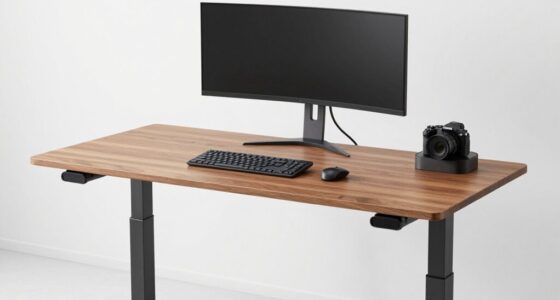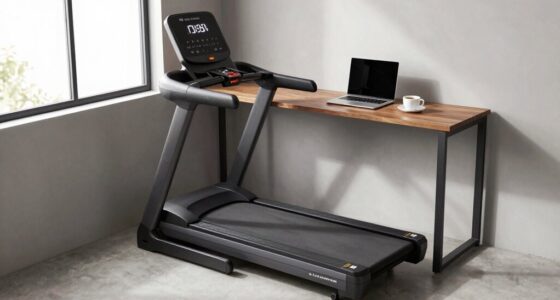
You can make a big difference in your workspace with affordable ergonomic upgrades under $50. An adjustable keyboard helps you find the most comfortable tilt and height, reducing wrist strain. A lumbar support cushion encourages better posture and spinal alignment. Adding a footrest or anti-fatigue mat can boost comfort and circulation. These small changes support long-term health and productivity without breaking the bank—discover more tips that can enhance your workspace further.

Get comfort and recovery gear delivered free with Prime
- Fast, free delivery on millions of items
- Prime Video, Amazon Music and more included
- Member-only deals all year
Key Takeaways
- Adjustable keyboards improve ergonomics by allowing personalized tilt and height, reducing wrist strain affordably.
- Lumbar support cushions promote proper spinal alignment and comfort, enhancing posture at minimal cost.
- Footrests help maintain proper leg positioning, improving circulation and reducing lower back pressure.
- Anti-fatigue mats increase standing desk comfort, decreasing fatigue and supporting better posture during long work hours.
- Combining these small upgrades creates an ergonomic workspace that boosts comfort and health without exceeding $50.

Creating a comfortable and healthy workspace doesn’t have to break the bank. Small upgrades can make a big difference in how you feel during long work sessions. One of the most effective and affordable improvements is investing in an adjustable keyboard. Unlike standard, fixed-position keyboards, an adjustable keyboard allows you to customize the tilt and height, helping you find a more natural, comfortable typing angle. This reduces strain on your wrists and forearms, preventing discomfort and repetitive stress injuries. You don’t need to spend hundreds; many quality adjustable keyboards are available for under $50, and they can seamlessly fit into your existing setup. Just make sure to choose one with a sturdy build and easy-to-adjust features. Proper ergonomics play a crucial role in maintaining long-term comfort and health during extended work sessions.
Another budget-friendly upgrade that can considerably enhance your comfort is a lumbar support cushion. Sitting for hours can lead to poor posture, back pain, and fatigue, but a simple lumbar support cushion can help you maintain proper spinal alignment. These cushions are portable and easy to attach to your chair, instantly providing the support your lower back needs. Look for cushions with firm but comfortable padding, and choose a shape that contours to your lumbar curve. Placing one behind your lower back encourages good posture, reduces pressure on your spine, and helps prevent long-term issues. Lumbar support cushions are also versatile; you can use them in the car or on different chairs, making them a smart, cost-effective investment.
In addition to these two key items, consider other small upgrades like a footrest or an anti-fatigue mat, both of which can be found under $50. A footrest encourages proper leg positioning, reducing pressure on your lower back and improving circulation. An anti-fatigue mat can make standing desks more comfortable or provide relief if you stand for long periods. Pairing these with your adjustable keyboard and lumbar support cushion creates a more ergonomic environment without spending a lot. Remember, the goal is to promote better posture, reduce strain, and increase comfort, all while staying within budget.
adjustable ergonomic keyboard under $50
As an affiliate, we earn on qualifying purchases.
As an affiliate, we earn on qualifying purchases.
Frequently Asked Questions
Can Inexpensive Ergonomic Upgrades Improve Long-Term Health?
Yes, inexpensive ergonomic upgrades can improve your long-term health. Cost-effective solutions like adjustable keyboard stands, ergonomic mouse pads, or lumbar support cushions help reduce strain and prevent injuries over time. By making simple adjustments, you promote better posture and comfort during work or daily activities. These small investments can lead to significant health benefits, ensuring you stay comfortable and avoid chronic issues without breaking the bank.
Are There Any Safety Concerns With Budget Ergonomic Products?
You might worry about safety with budget ergonomic products, but most are designed with safety in mind. While some cheaper items may lack rigorous testing, reputable brands still prioritize product safety and meet basic standards. Always check reviews and product details to verify they’re reliable. With proper research and selection, you can find budget options that improve your comfort without compromising safety or ignoring budget considerations.
How Do I Choose the Best Ergonomic Upgrade for My Needs?
You should start with an ergonomic assessment of your workspace to identify your specific needs. Then, compare budget options based on features and reviews to find the best fit. Prioritize upgrades that improve comfort and posture, like adjustable cushions or monitor stands. By focusing on your unique setup and doing a budget comparison, you’ll select ergonomic upgrades that truly make a difference without overspending.
Can These Upgrades Reduce Existing Discomfort or Only Prevent Future Issues?
These upgrades can do more than just prevent future issues—they can dramatically reduce your current discomfort. By improving your posture correction, you’ll experience noticeable pain relief almost instantly. Small changes like an ergonomic chair cushion or a footrest can alleviate existing aches and pains, transforming your workspace into a haven of comfort. Don’t wait for pain to get worse—these budget-friendly upgrades can make a real, immediate difference.
Are There Specific Brands or Products Recommended for Under $50?
You can find great budget brands offering ergonomic products under $50, like AmazonBasics, Fellowes, and Mind Reader, which provide reliable options. For specific product recommendations, consider adjustable footrests, ergonomic mouse pads, or supportive lumbar cushions. These brands are known for affordability and quality, making it easier to upgrade your workspace without overspending. Always check reviews to verify the product suits your needs and offers the comfort you’re seeking.
lumbar support cushion for office chair
As an affiliate, we earn on qualifying purchases.
As an affiliate, we earn on qualifying purchases.
Conclusion
Investing in ergonomic upgrades doesn’t have to break the bank—especially when you can improve your comfort for under $50. Did you know that proper ergonomic setups can boost productivity by up to 25%? Small changes, like a supportive mouse pad or adjustable footrest, can make a world of difference in your daily comfort and focus. So, take advantage of these budget-friendly upgrades and enjoy a healthier, more efficient workspace today.
As an affiliate, we earn on qualifying purchases.
As an affiliate, we earn on qualifying purchases.
Halloween Picks
halloween
As an affiliate, we earn on qualifying purchases.