
TL;DR

Get comfort and recovery gear delivered free with Prime
- Fast, free delivery on millions of items
- Prime Video, Amazon Music and more included
- Member-only deals all year
BetterWispr has been presented on Hacker News as a free, open-source dictation app for Macs running macOS 14 or later. It uses selectable speech models, can clean up dictated text and says speech processing stays on the Mac when users choose local models; some optional services may send text to third-party providers.
BetterWispr, a free, open-source dictation app for macOS 14 and later, has been presented in a Hacker News Show HN post. The app lets users dictate into other Mac applications with a keyboard shortcut, and its developer says speech can be transcribed on the Mac using local models, without an account or cloud transcription fallback.
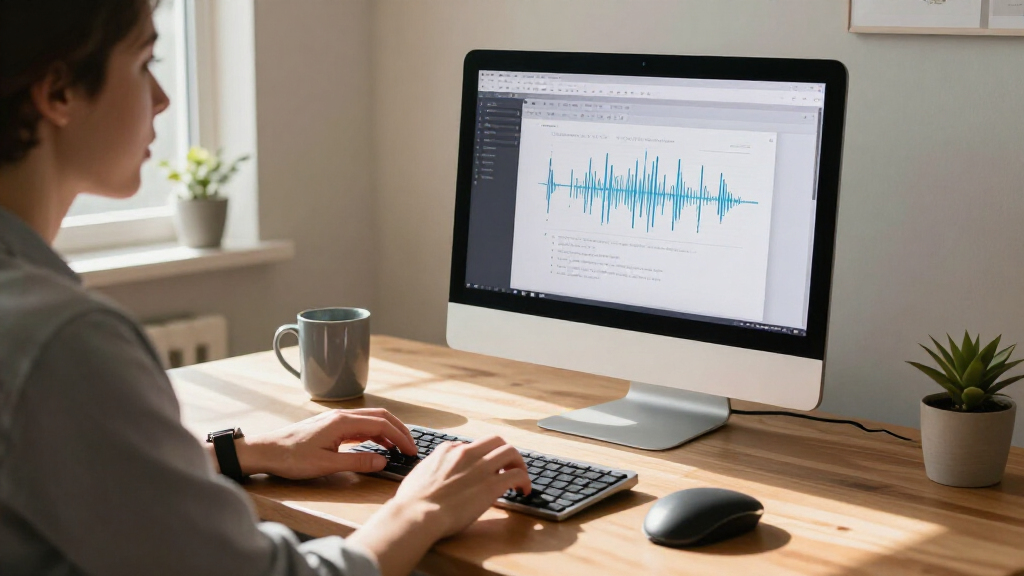
To dictate, users focus a text field, hold Option + Space while speaking, then release the keys; the app transcribes after recording stops and sends the text to the application in use. The shortcut can be changed, and users can select press-to-toggle recording instead. If an app blocks automatic insertion, BetterWispr says users can copy the transcript from its dashboard. Secure fields and some applications may prevent automatic pasting.
The app includes nine built-in speech models from Apple Speech, Parakeet and Whisper, according to its website. Language coverage depends on the chosen model: the site lists Parakeet support for English, Japanese and 25 European languages, and describes Whisper as offering broader multilingual recognition. Users can also connect to Sarvam AI, Smallest AI or an OpenAI-compatible API. Those are separate options from local processing and may involve sending dictation to the selected provider.
BetterWispr offers adjustable cleanup, from retaining every word to removing English filler words, repetitions and false starts. A stronger setting can also edit English for clarity using Apple Intelligence or Ollama on the Mac, according to the developer. Other features include per-app writing styles, voice commands in English, a correction history and meeting notes that distinguish the user’s microphone from audio from other applications. Meeting summaries can be generated with Apple Intelligence or Ollama; the site also lists external coding tools and API connections as optional providers.
Local Dictation, With Provider Choices
The release gives Mac users another option for turning speech into text without routing transcription through a cloud service, provided they use a compatible local model. That may matter to people who prefer to keep recordings and transcripts on their own computers, or who want dictation to work offline after installing model files. The developer says downloads happen when users choose to install them and that local models work offline once installed.
Privacy depends on configuration, not just the app’s local-first description. BetterWispr also supports external services for speech recognition or text processing, and its site says connections to providers such as Claude Code, Codex and APIs send dictation to those providers when selected. Users will need to review model and service choices, as well as app permissions, before deciding how to use it. Local inference also depends on hardware; the developer recommends Apple Silicon, but does not publish a performance comparison in the supplied material.
As an affiliate, we earn on qualifying purchases.
How BetterWispr Handles Speech
BetterWispr is positioned as a writing tool rather than only a speech-to-text recorder: it can apply different tones in different applications, learn user-supplied names and terms, and keep both raw and corrected text in local history. Users can disable history, and the app’s “Original” option is described as restoring the words as spoken. Its cleanup and style functions are English-only, according to the product information.
The site says installation requires microphone permission, while automatic text insertion uses macOS Accessibility permission. Apple Speech also requires Speech Recognition permission. BetterWispr is licensed under Apache 2.0, and its developer says the source code is available on GitHub. The site describes updates as coming through GitHub Releases and the Sparkle updater, with installation tied to an EdDSA signature check.
““Speech stays on your Mac.””
— BetterWispr website
As an affiliate, we earn on qualifying purchases.
Performance and Compatibility Details
The supplied product information does not include independent testing of transcription accuracy, speed, battery use or model performance across Mac configurations. It also does not specify a release date, the exact hardware requirements for each model, or how much storage model downloads require. The developer says performance and language availability vary by hardware, model and language.
It is also not clear from the material which optional processing features use which services by default beyond the stated model choices. People who need strict on-device handling should check their settings and avoid connecting a third-party provider unless they accept its data practices. The source describes local operation and optional integrations but does not provide an independent privacy audit.
As an affiliate, we earn on qualifying purchases.
Try the App and Check Settings
Readers can review the project source and installation instructions on BetterWispr’s GitHub page, then download the app if their Mac runs macOS 14 or later. Before dictating, users will need to grant the relevant macOS permissions and install a compatible speech model; offline use depends on completing the required downloads first.
Further information that would help assess the launch includes independent accuracy and performance tests, supported hardware details, and documentation explaining data handling for each optional provider. Until those are available, claims about speed, privacy and language performance should be read as product statements rather than independently verified results.
As an affiliate, we earn on qualifying purchases.
Key Questions
Is BetterWispr free?
Yes. The developer says it is free and licensed under Apache 2.0, with no required account, subscription or API key for dictation using its built-in options. Model downloads use storage on the Mac.
Which Macs can run BetterWispr?
The listed requirement is macOS 14 or later. Apple Silicon is recommended for local model processing, while model availability and performance depend on the hardware.
Does dictation stay on the Mac?
The developer says built-in local models transcribe speech on the Mac and have no cloud transcription fallback. Users can also select external speech or text-processing providers, which may receive dictation when chosen.
Does BetterWispr show words while I speak?
No. The product information says transcription begins after recording stops. Users hold Option + Space while speaking by default and release it to transcribe.
Which languages and cleanup features are supported?
Language support depends on the speech model. The site lists Parakeet options for English, Japanese and 25 European languages, and broader multilingual recognition with Whisper. Cleanup, writing styles and voice commands are described as English-only.
Source: hn
Columbus Day / Indigenous Peoples' Day Picks
long weekend sales
As an affiliate, we earn on qualifying purchases.