Curved monitors can boost your productivity by reducing eye and neck strain, especially during long work sessions. They provide better visual accuracy and an immersive experience, helping you focus more easily. The modern look and improved ergonomics can also make your workspace feel more inviting and efficient. While they tend to be pricier, many find the benefits outweigh the costs. Keep exploring to see if a curved monitor aligns with your work needs and preferences.
Key Takeaways
- Curved monitors reduce eye and neck strain, promoting comfort during extended work sessions.
- They enhance visual fidelity and immersion, improving tasks like graphic design and data analysis.
- Their ergonomic benefits support better posture, potentially boosting focus and productivity.
- Aesthetic appeal and workspace atmosphere can be improved, increasing motivation and satisfaction.
- Higher cost and possible distractions may outweigh benefits for some users or specific work tasks.
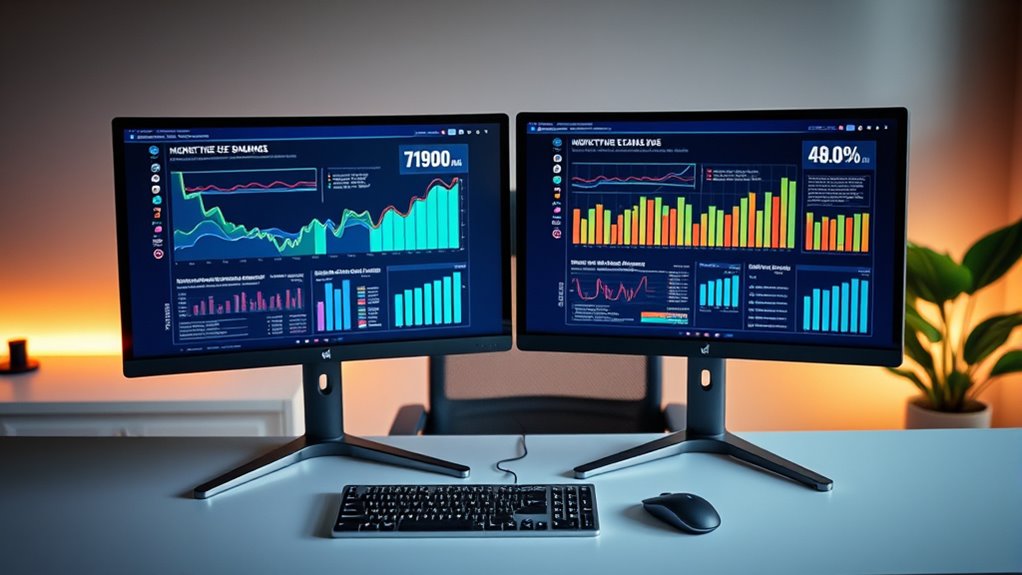
Curved monitors have become increasingly popular among professionals seeking to boost productivity, but are they really worth the investment? When you consider the ergonomic benefits, they can be quite compelling. Unlike flat screens, curved monitors follow the natural curvature of your eyes and field of view, reducing the need for constant head and eye movement. This design helps minimize strain and fatigue, especially during long work sessions. You may notice fewer headaches, less neck discomfort, and improved comfort overall. The curve also encourages a more natural posture, making it easier to maintain proper alignment without constantly adjusting your position. This ergonomic advantage can lead to increased focus and better overall well-being, which directly supports productivity. Additionally, color accuracy plays a role in how vibrant and true-to-life your visuals appear, impacting tasks like graphic design or data analysis. Beyond functionality, curved monitors also offer notable aesthetic appeal. They bring a modern, sleek look to your workspace, making your setup feel more immersive and visually appealing. The curved design adds a sense of depth and sophistication that flat screens often lack. When you sit in front of a curved monitor, you might find your workspace looks more dynamic and engaging, which can positively influence your mood and motivation. The aesthetic appeal isn’t just superficial; it creates an environment that feels more personalized and professional, inspiring you to work more efficiently. However, these benefits aren’t without considerations. The immersive experience that appeals to many users might be distracting for some, especially if you’re working on tasks that require precise, focused attention on a small area of the screen. Additionally, curved monitors tend to be more expensive than traditional flat screens, so you need to evaluate whether the ergonomic benefits and aesthetic appeal justify the extra cost for your specific needs. If you’re someone who spends hours at your desk, the ergonomic improvements could substantially reduce discomfort and increase your stamina, making the investment worthwhile. The aesthetic upgrade can also boost your satisfaction with your workspace, making it a more inviting place to spend your day. In the end, whether a curved monitor is worth it depends on your priorities. If you value comfort, a modern look, and a more immersive experience, then it’s likely a smart choice. But if you prefer a minimalistic setup or work primarily on tasks that don’t benefit from a curved display, you might find flat screens sufficient. Weighing these factors carefully will help you decide if a curved monitor aligns with your productivity goals and workspace preferences.

SANSUI 34-Inch Curved Gaming Monitor UWQHD 3440 x 1440P Up to 200Hz 165Hz Curved 1500R – PIP/PBP, OD 1ms, HDR, 300nits, sRGB 130%, DCI-P3 97%,AI Crosshair,HDMI2.1×2,DP1.4(Cable Included)
34 inch Curved 1500R UWQHD(3440 x 1440) @ 200Hz Fast VA Ultrawide Gaming Monitor with AI built-in.
As an affiliate, we earn on qualifying purchases.
As an affiliate, we earn on qualifying purchases.
Frequently Asked Questions
Do Curved Monitors Cause Eye Strain Over Long Hours?
Curved monitors can cause eye strain over long hours if you don’t adjust settings properly. They may reduce visual discomfort by improving visual comfort and minimizing display distortion, but poor positioning or incorrect curvature can lead to fatigue. To avoid strain, make sure the monitor’s curve matches your viewing angle, take regular breaks, and adjust brightness and contrast. Proper setup helps you enjoy the benefits without sacrificing eye health.
Are Curved Monitors Suitable for Color-Critical Work?
Curved monitors aren’t the best choice for color-critical work because they can have issues with color accuracy and calibration. The curved design may cause inconsistent color display across the screen, making it harder to attain perfect calibration. If you need precise colors for tasks like photo editing or design, consider flat monitors with high color accuracy instead. This helps ensure your work looks consistent and true to life.
How Do Curved Monitors Compare in Price to Flat Screens?
Think of curved monitors as the rollercoasters of the display world—exciting but sometimes pricey. Generally, they tend to be more expensive than flat screens due to their advanced technology and larger sizes, making price comparison essential. If affordability considerations matter, you might find flat screens offer better value for money. However, if immersive viewing is your goal, investing in a curved monitor could be worth the extra cost.
Can Curved Monitors Improve Multitasking Efficiency?
Yes, curved monitors can improve your multitasking efficiency by offering ergonomic benefits and an immersive experience. The curved design reduces eye strain and fatigue, allowing you to comfortably view multiple windows or applications simultaneously. This setup helps you stay focused and organized, making multitasking smoother. Plus, the immersive experience draws you into your work, enhancing productivity and reducing distractions during long hours of use.
Are Curved Monitors Compatible With All Desk Setups?
Curved monitors are generally compatible with most desk setups, especially when they feature ergonomic design. They fit well on desks with ample space and can be adjusted for ideal viewing angles, enhancing both comfort and aesthetic appeal. Just make certain your desk can support the monitor’s size and weight, and consider the curvature radius to match your workspace. With the right setup, curved monitors can seamlessly integrate into your environment.

Samsung 27" Essential S3 (S36GD) Series FHD 1800R Curved Computer Monitor, 100Hz, Game Mode, Advanced Eye Comfort, HDMI and D-sub Ports, LS27D366GANXZA, 2024
CURVED FOR ENHANCED ENGAGEMENT: An immersive viewing experience with a curved monitor that wraps more closely around your…
As an affiliate, we earn on qualifying purchases.
As an affiliate, we earn on qualifying purchases.
Conclusion
Ultimately, a curved monitor acts like a gentle embrace around your workspace, drawing you into your tasks and reducing strain. It symbolizes a more immersive, focused environment where distractions fade away. If you’re ready to invest in a tool that shapes your productivity landscape, a curved monitor can guide you through your workday with comfort and clarity. Embrace the curve, and let it lead you to a more centered, efficient workflow.

CRUA 32" White Curved Monitor, 4K UHD(3840*2160P) 1500R VA Screen, 60Hz Computer Monitor Supports AMD Freesync, 120% sRGB, Built-in speakers, Blue Light Filter,Wall Mountable Installs(HDMI 2.0/DP 1.4)
4K Curved Display: Enjoy stunning detail with this 32 inch curved monitor (3840×2160), featuring a 1500R VA panel…
As an affiliate, we earn on qualifying purchases.
As an affiliate, we earn on qualifying purchases.
SANSUI 34-Inch Curved Gaming Monitor UWQHD 3440 x 1440P Up to 200Hz 165Hz Curved 1500R – PIP/PBP, OD 1ms, HDR, 300nits, sRGB 130%, DCI-P3 97%,AI Crosshair,HDMI2.1×2,DP1.4(Cable Included)
34 inch Curved 1500R UWQHD(3440 x 1440) @ 200Hz Fast VA Ultrawide Gaming Monitor with AI built-in.
As an affiliate, we earn on qualifying purchases.
As an affiliate, we earn on qualifying purchases.