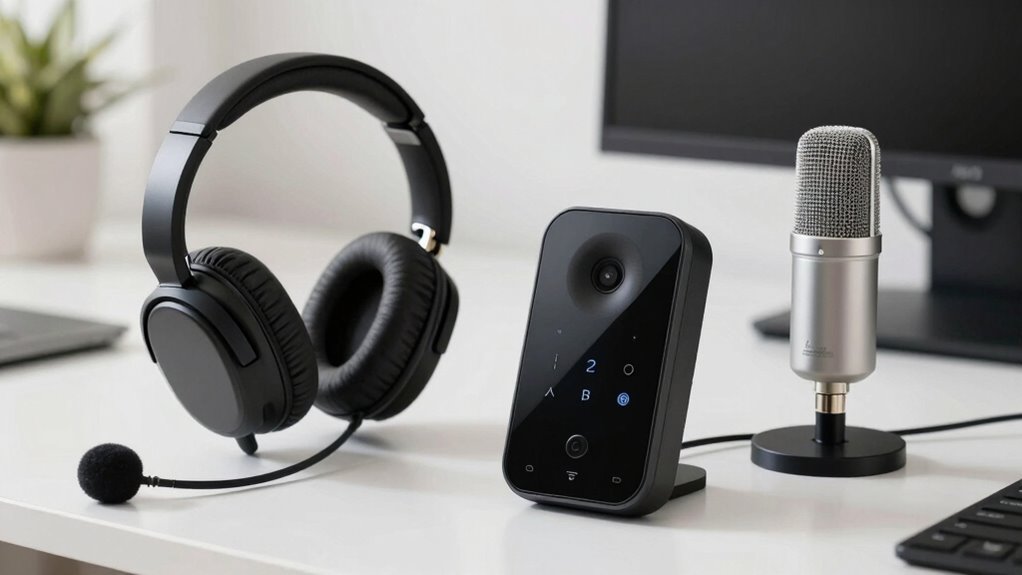

To decide between a headset, speakerphone, and desktop mic, consider your environment and how you’ll use them. Headsets are best if you need mobility, focus, and noise cancellation for calls or gaming. Speakerphones suit group conversations and meetings, offering hands-free convenience for multiple users. Desktop microphones deliver high-quality audio for recording or streaming but work best in controlled spaces. Your choice depends on whether you need personal use, team collaboration, or professional content creation—learn more to find the perfect fit.

Get comfort and recovery gear delivered free — and shop member deals
- Fast, free delivery on millions of items
- Access to Prime Big Deal Days deals on October 6–7
- Prime Video, Amazon Music and more included
Key Takeaways
- Consider the environment: use headsets for noisy or mobile settings, speakerphones for group calls, and desktop mics for professional recordings.
- Evaluate audio quality needs: choose high-fidelity microphones for content creation, noise-canceling headsets for clarity, and speakerphones for group clarity.
- Assess mobility and setup: wireless headsets offer flexibility, speakerphones suit collaborative spaces, and desktop mics require stable connections.
- Determine primary use case: gaming and focused work benefit from headsets, conference calls from speakerphones, and recording or streaming from desktop microphones.
- Match features to needs: noise cancellation, multiple microphones, and connectivity options influence the best choice for each scenario.
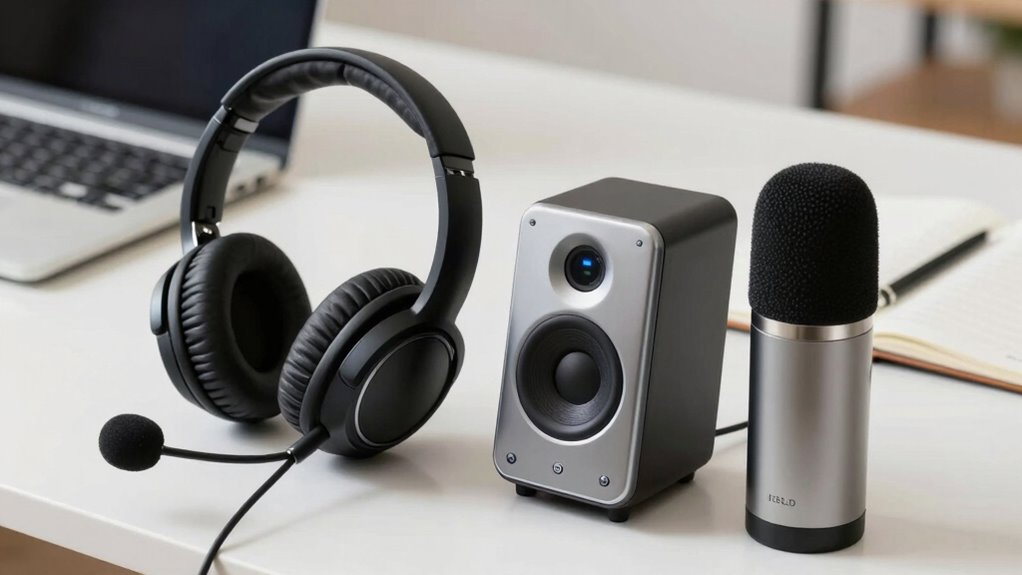
When it comes to selecting the best audio device for your needs, understanding the differences between a headset, speakerphone, and desktop microphone is essential. Each serves a distinct purpose and offers unique features, especially when it comes to wireless connectivity and audio quality. Your choice depends on how you plan to use the device, your environment, and your priorities for sound clarity and convenience.
A headset is a versatile option, especially if you need mobility and clear communication. Wireless headsets eliminate the clutter of cords, giving you freedom of movement during calls or gaming sessions. They typically connect via Bluetooth or other wireless protocols, making setup simple and minimizing cable tangles. When it comes to audio quality, good wireless headsets deliver impressive clarity, with noise-canceling microphones that reduce background noise. This ensures your voice comes through crisp and clear, even in noisy environments. Headsets are ideal if you’re working remotely, attending virtual meetings, or gaming, as they allow you to focus on sound without external distractions. The wireless connectivity feature adds convenience, especially if you frequently switch between devices or multitask. Additionally, audio fidelity is an important factor that can vary significantly between models, influencing overall sound clarity.
On the other hand, a speakerphone is perfect if you’re looking to facilitate group conversations or collaborative work. Unlike headsets, speakerphones are designed to broadcast sound throughout a room, making them suitable for conference calls or team meetings. Wireless speakerphones are becoming increasingly popular, offering seamless connectivity without the hassle of cables. Their audio quality is generally good, with some models equipped with multiple microphones to pick up voices from various directions and reduce echo or background noise. This makes communication more natural and less strained. Additionally, wireless audio technology enhances the flexibility and convenience of these devices. It’s also worth noting that speakerphones often have larger speaker drivers, which can improve overall sound projection for group settings.
Finally, a desktop microphone is a straightforward choice if your primary concern is high-quality audio input, such as recording, streaming, or professional conferencing. These microphones often connect via USB or audio jack, with some offering wireless options. When considering wireless connectivity, look for models with stable Bluetooth or Wi-Fi connections to avoid interruptions. Audio quality is usually superior on dedicated desktop mics, with many offering features like cardioid polar patterns to focus on your voice and reduce ambient noise. This makes them ideal for content creators, podcasters, or anyone requiring precise sound pickup. They are less suited for mobility but excel in environments where stable, high-quality audio input is paramount. Many models also incorporate advanced noise reduction features to further improve clarity during recordings or broadcasts.
wireless Bluetooth headset with noise cancellation
As an affiliate, we earn on qualifying purchases.
As an affiliate, we earn on qualifying purchases.
Frequently Asked Questions
Which Option Offers the Best Noise Cancellation Features?
A headset offers the best noise cancellation features because it typically includes noise suppression and echo cancellation. You’ll notice clearer sound with minimal background noise, making it ideal for calls or recordings. Speakerphones and desktop mics usually lack advanced noise suppression, so they may pick up more ambient sounds. If you prioritize quiet, choose a headset with active noise cancellation and echo cancellation for the best experience.
How Do These Devices Impact Overall Call Quality?
Did you know poor audio quality can reduce focus by 25%? Your device choice directly impacts call quality—headsets typically improve voice clarity and cut background noise, making conversations clearer. Speakerphones often pick up more ambient sounds, lowering overall call quality. Desktop mics can offer good clarity but may struggle with background noise. Selecting the right device guarantees your voice sounds crisp and background noise stays out of the conversation.
Are There Compatibility Issues With Specific Communication Platforms?
You might face platform compatibility issues if your communication device isn’t compatible with your chosen platform. Check device specifications and platform requirements to guarantee smooth integration. Some devices work seamlessly with popular platforms like Zoom or Microsoft Teams, while others may need specific drivers or software updates. Always verify device compatibility beforehand, so you avoid connection problems or poor audio quality during calls. Proper device integration ensures reliable communication every time.
What Are the Maintenance Requirements for Each Device Type?
Like a trusty steed in a knight’s tale, your device needs regular care. For headsets, clean the ear cushions and check the cords; speakerphones benefit from dusting and ensuring vents stay clear; desktop mics require occasional dust removal and cable inspections. Focus on device durability and ergonomic design, and you’ll keep your gear in top shape. Regular maintenance prolongs lifespan and guarantees consistent sound quality during every call or recording.
How Do Cost Differences Influence Long-Term Value?
Your budget considerations markedly impact your choice, as cheaper options may seem cost-effective initially but could require frequent replacements, reducing investment longevity. Investing in higher-quality headsets or desktop mics might cost more upfront but offers better durability and sound quality, ensuring long-term value. Balancing your budget with the device’s lifespan helps you make smarter decisions, ultimately saving money and improving your overall audio experience over time.
conference speakerphone for group calls
As an affiliate, we earn on qualifying purchases.
As an affiliate, we earn on qualifying purchases.
Conclusion
Choosing the right audio device depends on your needs, but a common myth is that bigger equipment always equals better sound. In reality, the best choice balances comfort, sound quality, and environment. For instance, a headset offers privacy and clarity, while a speakerphone suits group calls. Think of it like tuning a musical instrument—you don’t need the biggest drum to get a great sound, just the right one. Pick what fits your workflow and environment for ideal results.
professional desktop microphone for streaming
As an affiliate, we earn on qualifying purchases.
As an affiliate, we earn on qualifying purchases.
gaming headset with mic and wireless connectivity
As an affiliate, we earn on qualifying purchases.
As an affiliate, we earn on qualifying purchases.
Fall Picks
fall essentials
As an affiliate, we earn on qualifying purchases.