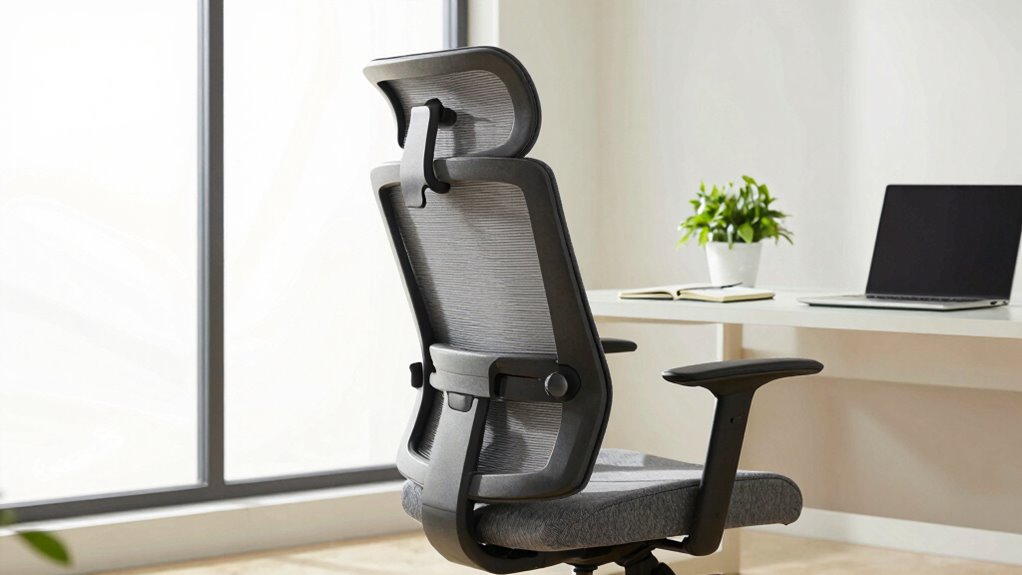

Having the right recline tension and tilt control keeps you comfortable and supported during long workdays. When your chair moves smoothly and responds properly, it helps you maintain good posture and reduces muscle fatigue. Correct adjustments prevent discomfort and potential injuries from awkward positions. Feeling confident with your chair’s settings encourages better circulation and focus. Stay tuned, because understanding these features can make a big difference in your daily comfort and health.
Key Takeaways
- Proper recline tension and tilt control ensure ergonomic support, reducing discomfort and risk of musculoskeletal issues during long work hours.
- Correct adjustments promote better posture, decreasing fatigue and preventing back and neck pain over the course of a workday.
- Tilt mechanisms allow natural spine alignment and micro-movements, enhancing circulation and overall comfort.
- Fine-tuning tension prevents muscle fatigue and maintains stability, supporting sustained productivity.
- Active ergonomic adjustments encourage healthier sitting habits, improving focus and workplace well-being.
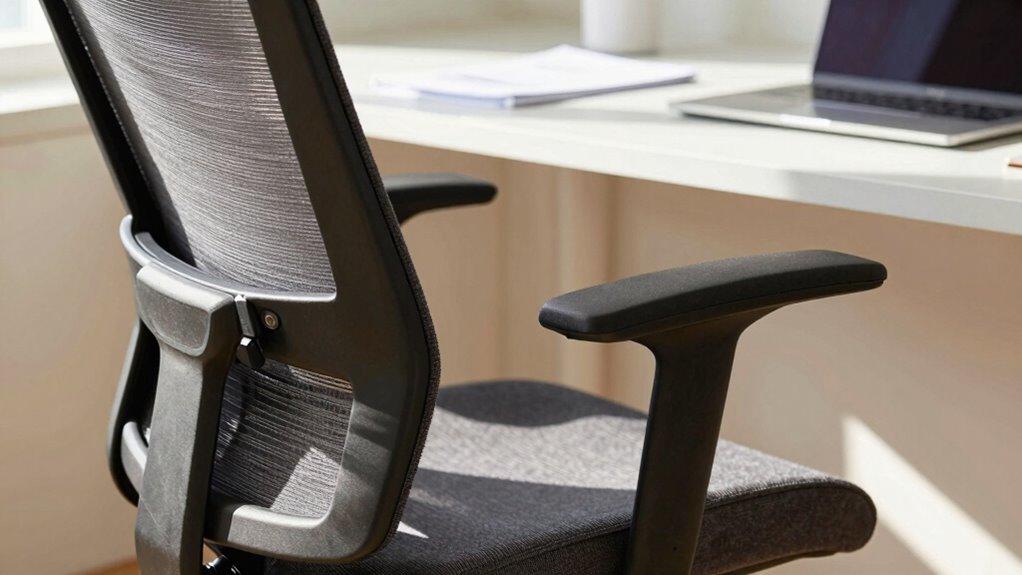
When it comes to optimizing your workday comfort, understanding how to control reclining tension and tilt is essential. These features aren’t just about luxury; they play a crucial role in ergonomic adjustments that promote your overall well-being. Proper control over reclining tension ensures that your chair responds smoothly to your movements, preventing sudden shifts that can cause discomfort or even injury. Tilt mechanisms, on the other hand, allow you to adjust the angle of your chair, supporting your spine’s natural curve and reducing strain during long hours at your desk.
Controlling recline tension and tilt enhances ergonomic support and promotes overall workplace comfort.
You might not realize it, but the right recline tension can dramatically improve your user comfort. If the tension is too loose, your chair might recline too easily, forcing you to constantly brace yourself or readjust your position. Conversely, if the tension is too tight, it becomes difficult to lean back comfortably, which can lead to poor posture and muscle fatigue. Finding that perfect balance means your chair supports your movements without feeling restrictive. This fine-tuning helps you maintain a neutral posture, minimizing pressure on your back and neck, and allowing you to focus better on your tasks.
Tilt control adds another layer of ergonomic adjustment, giving you the freedom to change your sitting angle based on your activity. For instance, leaning slightly backward can relieve pressure on your lower back during intensive work sessions. When you can easily lock or free the tilt, you can shift positions without hassle, reducing stiffness and discomfort over hours spent seated. Proper tilt adjustment also encourages micro-movements, which are vital for circulation and preventing stiffness. Understanding how to manipulate tilt settings can further enhance your comfort and promote better circulation during long work hours. Additionally, being aware of ergonomic principles helps you make more informed adjustments that support your overall health.
Making small adjustments to your chair’s reclining tension and tilt controls can also help prevent long-term musculoskeletal issues, ensuring your workspace supports your health as you work. Furthermore, these controls influence your overall user comfort, impacting your productivity and energy levels. An ergonomically optimized chair with well-adjusted tension and tilt settings helps you avoid common issues like back pain, headaches, and fatigue. When you take the time to learn and utilize these adjustments, you actively participate in maintaining your health during work hours. It’s not just about sitting; it’s about sitting smartly. By paying attention to how your recline tension and tilt are set, you ensure your workspace remains a place that supports your physical well-being, helping you perform at your best every day.

Lumbar Support Pillow for Office Chair,Mothers Day Gifts for Mom, Back Support Pillow for Car, Office Supplies, Chair Cushions, Back Pain Relief Improve Posture, Mesh Cover Double Adjustable Straps
- Extended Adjustable Straps: Fits more chairs securely
- Ergonomic Back Support: Relieves back pain and tightness
- Supports Proper Posture: Maintains natural spine curve
As an affiliate, we earn on qualifying purchases.
Frequently Asked Questions
How Do Recline Tension and Tilt Control Affect Long-Term Comfort?
Recline tension and tilt control directly impact your long-term comfort by helping you maintain an ergonomic posture throughout the day. When you adjust these features, you reduce muscle strain and prevent discomfort caused by poor positioning. Proper tension and tilt settings allow you to shift positions easily, keeping your muscles relaxed and minimizing fatigue. This support guarantees you stay comfortable during extended work sessions, promoting better health and productivity over time.
Can Adjustable Tension Prevent Back Pain During Extended Sitting?
Yes, adjustable tension can help prevent back pain during extended sitting by supporting your ergonomic posture. When you can customize the tension, your chair encourages proper alignment, reducing strain on your lower back. Additionally, good seat padding cushions your sit bones, distributing pressure evenly. Together, these features promote comfort and help you stay pain-free throughout long workdays, making your sitting experience healthier and more sustainable.
Are These Features Suitable for All Body Types?
These features are generally suitable for most body types because an ergonomic design guarantees comfort and support, reducing strain during long hours. Adjustable tension and tilt controls let you customize your chair to fit your body perfectly. Plus, they often enhance aesthetic appeal, making your workspace look professional and inviting. However, it’s wise to check if the chair offers enough range of adjustment to accommodate your specific body shape for maximum comfort.
How Often Should I Adjust My Chair’s Tension Settings?
You should adjust your chair’s tension settings whenever you notice your movements feel either too stiff or too loose—think of it as finding the perfect balance for your ergonomic posture. Usually, once a month is enough, but if your workday involves frequent adjustments, tweak it more often. Proper tension boosts office productivity by supporting your comfort, preventing fatigue, and keeping you focused, so don’t wait for discomfort to strike before making tweaks.
Do These Adjustments Impact Overall Chair Durability?
Adjusting your chair’s tension and tilt controls can impact its durability by influencing material wear and mechanical stability. When you set the tension correctly, it reduces strain on parts, preventing premature wear. Proper tilt control ensures smooth movement, maintaining the chair’s stability over time. Ignoring these adjustments may cause components to loosen or wear faster, decreasing the chair’s lifespan and compromising your comfort and safety during long workdays.

Samsonite Lumbar Support Pillow for Office Chair, Lower Back Support for Car, Back Pillow Desk Chair Cushion with Memory Foam, Improved Posture Backrest
- Contouring Memory Foam: Supports spine and maintains posture
- Adjustable Secure Fit: Fits office chairs and car seats
- Ventilated Mesh Cover: Enhances airflow and cooling
As an affiliate, we earn on qualifying purchases.
Conclusion
If you’re like most workers, you spend about 8 hours a day sitting at your desk. That’s why having adjustable tension and tilt control in your chair isn’t just a luxury—it’s essential for comfort and productivity. Did you know that proper ergonomic support can boost your focus by up to 25%? So, take the time to fine-tune your chair; it’s a small change that can make a big difference in your workday.

LOXP Adjustable Laptop Stand, Computer Stand with 360 Rotating Base
- Foldable and Portable: Convenient for travel and home use
- 360° Rotating Base: Allows flexible angle adjustments
- Stable and Durable Material: Made of fiber metal for strength and stability
As an affiliate, we earn on qualifying purchases.

LOXP Adjustable Laptop Stand for Desk, Portable Airflow Laptop Riser Holder
- Adjustable & Ergonomic Design: Customizable height and angle for comfort
- Sturdy & Protective Material: Made of durable metal with non-slip pads
- Supports Laptops Up to 15.6 Inches: Maximum weight capacity of 8.8 pounds
As an affiliate, we earn on qualifying purchases.