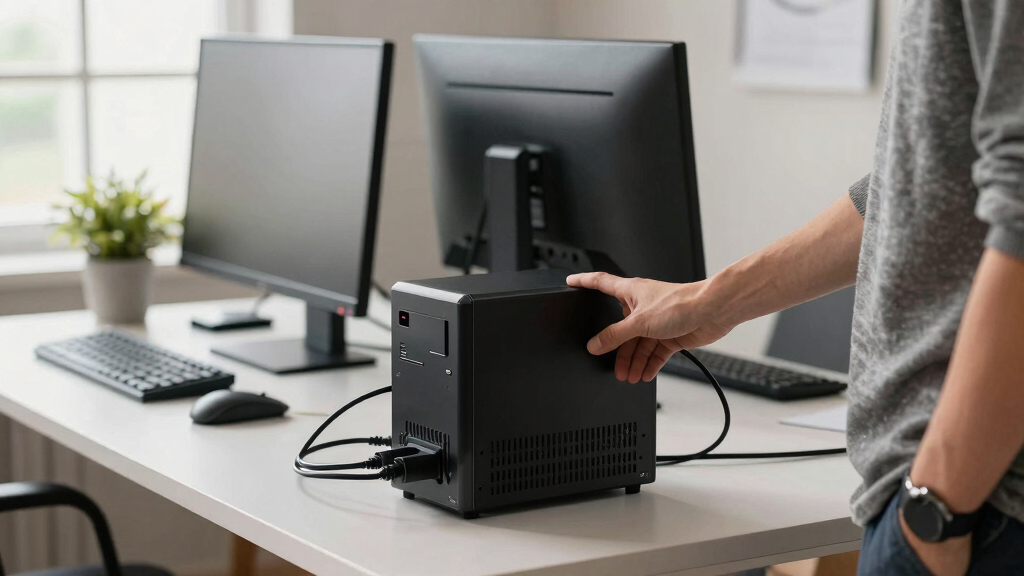

When choosing an uninterruptible power supply (UPS) for an office, reliability and capacity are key. The APC Back-UPS 1050VA stands out as the best overall due to its balanced power and features. For those seeking affordability, the Amazon Basics UPS offers solid performance in a compact form, while the APC Back-UPS Pro 1500VA caters to users with higher power needs and a budget for premium options. The main tradeoffs include balancing capacity, size, and cost—choosing a model that fits your specific office setup is essential. Continue reading for a detailed breakdown of each option and how to select the right UPS for your workspace.
Key Takeaways
- Higher VA ratings generally provide longer backup time, but come with increased size and cost.
- Features like Ethernet protection and USB charging add convenience but may increase the price.
- Compact models are suitable for smaller setups but often offer less backup duration.
- Premium UPS units often include LCD screens and advanced management features for better control.
- Balancing capacity and budget is critical; expensive models are not always necessary for small offices.


More Details on Our Top Picks
APC Back-UPS 650VA Battery Backup & Surge Protector, 8 Outlets, Ethernet Protection
This model stands out for its reliable power backup and comprehensive surge protection, making it suitable for small office environments where essential electronics like routers and computers need continuous power. Compared to the APC UPS 600VA, the BE650G1 offers a slightly higher capacity and more outlets, but it comes with a bulkier size that might be less ideal for tight spaces. The user-replaceable battery allows for longer-term use without replacing the entire unit, a key advantage over less flexible models. However, its runtime is limited for higher wattage devices, which could be a concern for larger setups. Overall, this pick makes the most sense for small to medium offices that prioritize dependable backup without needing extended runtime.
Pros:- Reliable backup power during outages
- Includes 8 outlets with surge and battery backup
- User-replaceable battery extends device lifespan
Cons:- Limited runtime for high-power devices
- Bulkier design may not fit small spaces
Best for: Small office owners with multiple devices requiring reliable backup and surge protection
Not ideal for: Users needing longer backup duration or with very space-constrained desks
- Voltage:120 Volts
- Maximum Power:390 Watts
- Number of Outlets:8
- Form Factor:Armband
- Input Voltage:120 Volts
- Battery Type:User-replaceable
Bottom line: This UPS is ideal for small offices that need dependable backup for multiple essential devices without demanding long runtimes.
APC UPS 600VA / 330W Battery Backup & Surge Protector, 7 Outlets, USB Charging, BE600M1
The BE600M1 provides a solid balance of affordability and reliable power protection for small office setups, especially for a few critical devices like routers and computers. Unlike the APC Back-UPS 1050VA, which offers higher capacity and longer runtime, this model is better suited for lightweight needs where space and budget are considerations. Its compact size makes it easy to place on a crowded desk, but this also limits its ability to handle multiple high-power devices simultaneously. The USB charging port adds convenience for mobile device charging, but the limited runtime—around 23 minutes for essential devices—means it’s not suitable for longer outages. This pick makes the most sense for budget-conscious offices with modest power backup needs.
Pros:- Affordable and reliable for basic needs
- Compact design fits small spaces
- Includes USB port for device charging
Cons:- Limited runtime for high-power loads
- Battery replacement requires separate purchase
Best for: Small offices or home workers with minimal equipment that need basic backup and surge protection
Not ideal for: Offices with multiple high-wattage devices or requiring extended backup times
- Voltage:120 Volts
- Maximum Power:330 Watts
- Number of Outlets:7
- Form Factor:Compact
- Battery Charge Time:10 Hours
- USB Ports:Yes
Bottom line: This UPS is well-suited for small office environments that prioritize cost and space efficiency over extended backup capacity.
APC Back-UPS 1050VA / 600W UPS Battery Backup Surge Protector, 8 Outlets, Type C Charger, BE105G3
This model delivers a higher capacity backup with multiple charging options, making it ideal for home offices with multiple devices requiring quick power restoration. Compared to the APC Back-UPS 650VA, the BE105G3 offers nearly double the battery capacity and includes USB-C charging, which is increasingly important for modern devices. Its 8 outlets combine surge and battery protection, but the bulkier size could pose installation challenges in tight spaces. The user-replaceable battery ensures longevity, but the limited runtime—around 23 minutes at 150W—may not suffice for longer outages. It’s especially suited for users who need dependable power and fast device charging during outages.
Pros:- High capacity for extended outages
- Includes USB-C and USB-A charging ports
- User-replaceable battery extends lifespan
Cons:- Bulkier size may limit placement options
- Limited runtime at higher loads
Best for: Home office users with multiple devices needing fast charging and reliable backup
Not ideal for: Small setups with limited space or minimal power needs
- Capacity:1050VA / 600W
- Outlets:8
- USB Ports:USB-C & USB-A
- Runtime:Up to 23 minutes at 150W
- Protection Coverage:$75,000
- Warranty:3 years
Bottom line: This UPS is a strong choice for home offices that need reliable backup and fast charging for multiple devices without space constraints.
APC Back-UPS 850VA / 450W UPS Battery Backup & Surge Protector, 9 Outlets, Type A Charger, BE850G2
The BE850G2 strikes a balance for medium-sized offices, offering enough capacity to keep essential devices powered during outages, similar to the APC Back-UPS 650VA but with additional outlets and a higher wattage ceiling. Its 9 outlets provide versatile device protection, and the user-replaceable battery supports long-term reliability. Compared to the Amazon Basics UPS, the BE850G2 offers more outlets and higher power capacity, though it remains bulky for small desks. Its runtime—up to 20 minutes—may fall short for longer outages, but it covers most short-term power interruptions effectively. This model makes sense for offices with a mix of critical electronics and smart home gadgets that need reliable backup.
Pros:- Reliable backup with user-replaceable battery
- Multiple outlets for diverse devices
- Enhanced surge and equipment protection
Cons:- Relatively bulky for tight spaces
- Limited runtime for higher loads
Best for: Medium-sized offices with multiple devices and smart home integrations
Not ideal for: Very small spaces or setups requiring extended backup duration
- Capacity:850VA / 450W
- Outlets:9
- Battery Type:User-replaceable
- Runtime:Up to 20 minutes at 150W
- Protection Coverage:$75,000
- Form Factor:Bulky
Bottom line: This UPS is suitable for medium-sized offices that need dependable backup for several devices, but not for those requiring long-term runtime.
Amazon Basics UPS Battery Backup & Surge Protector, 400VA/255W, 6 Outlets, Compact Black
This compact UPS offers basic surge protection and short-term backup, making it ideal for home offices or small setups with minimal power needs. Compared with larger models like the APC Back-UPS 850VA, it provides less capacity but focuses on space efficiency. Its runtime—around 6 minutes at half load—is sufficient for brief outages but unsuitable for extended power loss. The power management software is a separate download, which can be inconvenient for some users. The six outlets cover basic device needs, but monitoring device load is vital to avoid unexpected shutdowns. This pick makes sense for those who want a simple, space-saving backup option without extensive power demands.
Pros:- Compact and easy to integrate into small spaces
- Reliable surge and battery backup
- Multiple outlets suitable for basic needs
Cons:- Limited runtime at full load
- Requires separate software download for power management
Best for: Home office users with minimal equipment and limited space
Not ideal for: Offices with multiple high-wattage devices or requiring longer backup times
- Capacity:400VA/255W
- Outlets:6
- Runtime at half load:6 minutes
- Form Factor:Compact
- Plug Type:NEMA 5-15P right angle
- Software:Download required
Bottom line: This UPS suits users who need quick, reliable backup in small spaces without extensive runtime requirements.
CyberPower EC850LCD Ecologic UPS Battery Backup and Surge Protector, 850VA/510W, 12 Outlets, ECO Mode, Compact, UL Certified
The CyberPower EC850LCD stands out as a reliable, space-saving UPS option ideal for small office setups with multiple devices. Its 850VA capacity provides enough backup for essential computers, routers, and media equipment, similar to the APC Back-UPS 850VA but with a more energy-conscious design thanks to its ECO mode. The LCD display offers detailed real-time updates, making monitoring straightforward, though some users find the ECO mode can turn off peripherals unexpectedly, which might disrupt workflow. While its 12 outlets support a range of devices, the listed output voltage of 230V could cause compatibility issues in regions expecting 120V. The unit’s battery replacement process isn’t well documented, adding a layer of uncertainty for long-term maintenance. Compared with larger models like the APC Back-UPS Pro 1500VA, this option is more suited to smaller, less power-intensive environments.
Pros:- Compact design saves space in small office environments
- ECO mode reduces energy consumption and lowers operating costs
- Multifunction LCD simplifies status monitoring
- Includes a 3-year warranty and connected equipment guarantee
Cons:- Output voltage of 230V may be incompatible in some regions
- Limited information on how to replace the battery long-term
- ECO mode can turn off peripherals unexpectedly, disrupting workflow
Best for: Small offices or home setups needing a compact, energy-efficient UPS for multiple low- to moderate-power devices.
Not ideal for: Offices with high power demands or regions where 230V output isn’t compatible, as well as users who prefer straightforward, always-on peripherals without ECO mode surprises.
- VA:850VA
- Wattage:510W
- Outlets:12
- Outlets Types:Six battery backup & surge protected, Six surge protected (three ECO controlled)
- Input Voltage:120V
- Output Voltage:230V
Bottom line: This UPS makes the most sense for small office users prioritizing space-saving design and energy efficiency, accepting some regional and usability tradeoffs.
APC Back-UPS Pro 1500VA UPS, 900W Battery Backup & Surge Protector, LCD, BX1500M
The APC Back-UPS Pro 1500VA offers robust backup power suitable for medium to large office setups with multiple devices, such as computers, networking gear, and smart home tech. Its 1500VA capacity and 900W wattage provide significantly longer runtime than the CyberPower EC850LCD, especially during power outages, making it a better choice for critical systems. Automatic voltage regulation and surge protection safeguard equipment from voltage fluctuations, which is a step up from the smaller-capacity units. Its user-replaceable battery extends lifespan and reduces long-term costs, though the battery replacement process requires an additional purchase and some technical know-how. The unit’s size and weight may be a concern for compact spaces, similar to the APC Back-UPS 1050VA but with more power. Compared to the EC850LCD, it’s a better fit for environments with higher load demands but may be overkill for small or minimal setups.
Pros:- Provides extended runtime during outages for critical devices
- Automatic voltage regulation protects against surges and brownouts
- User-replaceable battery simplifies maintenance
- Energy-efficient with Energy Star certification
Cons:- Battery replacement requires purchase separately and some technical effort
- Limited runtime for very high-power devices
- Bulky design may not fit in tight spaces
Best for: Medium to large office environments with multiple high-demand devices needing reliable, long-lasting backup power.
Not ideal for: Small offices or users with limited space, as its bulk and higher price point may be unnecessary for modest power needs.
- VA Capacity:1500VA
- Wattage:900W
- Outlets:10 (5 backup + 5 surge-only)
- Backup Runtime:Up to 19 minutes at 300W load
- Surge Protection:Yes, coaxial and Ethernet
- Automatic Voltage Regulation:Yes
Bottom line: This model is best for larger office setups that demand longer backup durations and robust surge protection, accepting the tradeoff of size and initial cost.
How We Picked
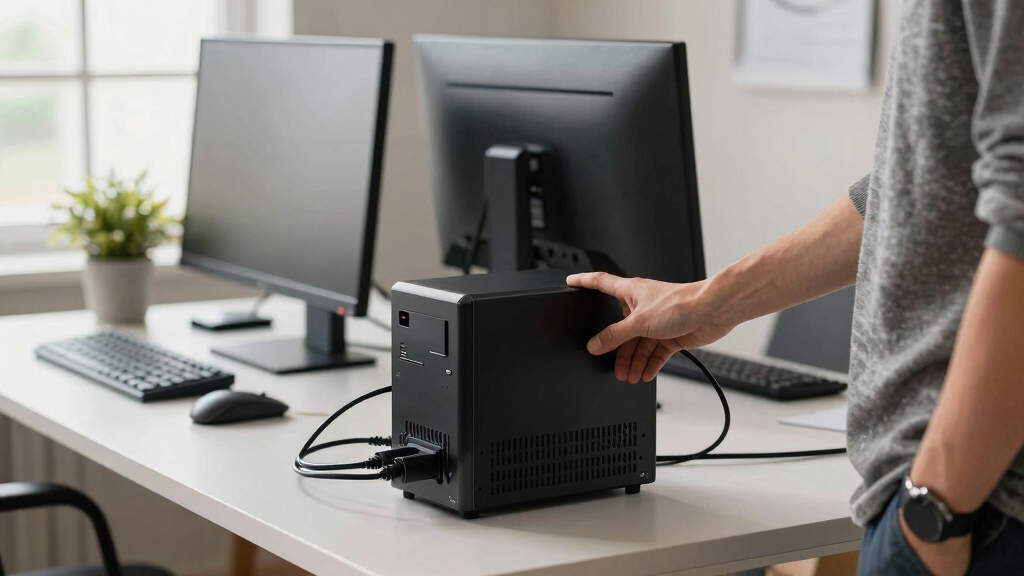
These UPS options were evaluated based on performance, reliability, build quality, and feature set. We prioritized models with sufficient capacity to support essential office devices during outages, along with ease of installation and management. Cost-effectiveness was also considered, ensuring each pick offers good value for its intended use. The ranking reflects a balance between size, power, features, and price, aiming to help different types of office setups—from small home offices to larger workspaces—find a suitable UPS without overpaying for unnecessary features.Factors to Consider When Choosing Uninterruptible Power Supply Office
Choosing the right UPS for your office involves considering several factors beyond just capacity. Understanding your device load, future expansion needs, and the environment will help you make a more informed decision. The following sections highlight key considerations to guide your purchase, helping you avoid common pitfalls and select a model that balances performance and value.Capacity and Power Rating
The capacity of a UPS, measured in volt-amps (VA) or watts, determines how long it can power your devices during an outage. For office use, calculating the total power draw of your equipment is essential—overestimating slightly provides a buffer for additional devices or future upgrades. Investing in a unit with a higher VA rating than your current needs can prevent inconvenience, but excessively large models may be unnecessary for small setups. Think about your critical devices—computers, routers, modems—and choose a capacity that ensures your essential equipment stays online during outages.
Number of Outlets and Expandability
More outlets offer flexibility, especially if you plan to connect multiple devices, but they can also increase the size and cost of the UPS. Consider whether you need dedicated surge protection or battery backup outlets, as some models combine both. Additionally, check if the UPS supports expansion options—such as additional batteries—to extend runtime as your office grows. Skipping this consideration could lead to purchasing a unit that either falls short or exceeds your current needs, leading to unnecessary expenses.
Battery Runtime and Backup Duration
The primary purpose of a UPS is to keep your office operational during power interruptions. Look for models that specify backup times at a load level similar to your setup. Keep in mind that runtime varies depending on the number and power consumption of connected devices; smaller units may only sustain critical equipment for a few minutes, which might be enough for saving work and shutting down safely. For longer outages, investing in higher-capacity units or external batteries makes sense, but it usually comes with a higher price tag.
Management Features and User Interface
Advanced management features—like LCD screens, software monitoring, and network connectivity—help you oversee the UPS’s health and performance easily. These tools are especially valuable in larger or more critical office environments, where quick response to power issues minimizes downtime. However, simpler models with basic LED indicators can suffice for small setups or home offices. Be wary of overly complex systems if you’re not comfortable managing advanced features, as they can add to the learning curve and cost.
Size, Noise, and Installation
The physical size and noise level of a UPS can impact where you place it in your office. Compact models are easier to accommodate in tight spaces but may sacrifice runtime or capacity. Conversely, larger units often generate more heat and noise, which could be disruptive. Consider the placement—near your desk or in a dedicated equipment room—and whether noise levels will interfere with work. Proper ventilation is also necessary for larger models to prevent overheating, which can compromise longevity and safety.
Price and Total Cost of Ownership
While initial cost is a key factor, evaluating the total cost of ownership—including maintenance, replacement batteries, and potential upgrades—is important. Cheaper units may save money upfront but could require more frequent battery replacements or lack necessary features. Premium models tend to offer longer-lasting batteries, better build quality, and more comprehensive management tools, justifying their higher price for critical or long-term office use. Striking the right balance depends on your budget and how vital consistent power is to your operations.
Frequently Asked Questions
How do I determine the right UPS capacity for my office?
To select the appropriate UPS capacity, start by listing all the devices you need to power during an outage, including computers, routers, and modems. Check each device’s power consumption, usually indicated in watts or VA, and sum these figures to get a total load. Then, choose a UPS with a capacity at least 20-30% higher than this total to account for start-up surges and future expansion. This approach ensures your critical equipment remains operational without overpaying for excessive capacity.
Is it better to buy a UPS with more outlets than I currently need?
While having extra outlets provides flexibility for future device additions, it can also increase the size and cost of the UPS. If your current setup is small and unlikely to grow significantly, opting for a model with just enough outlets is sensible. However, if you anticipate expanding or want to keep your workspace organized with dedicated surge and battery outlets, investing in a slightly larger model can save you from replacing the UPS prematurely. Consider your future needs carefully to avoid overpaying for unused capacity.
Should I prioritize UPS units with LCD displays?
LCD displays offer real-time information about battery status, load levels, and estimated runtime, which can be very helpful in managing power outages effectively. They are particularly valuable in larger offices or critical setups where monitoring system health is essential. However, for small offices or home setups, simple indicator lights may suffice, and investing in an LCD can add unnecessary complexity and cost. Think about how much oversight you want and weigh that against your budget.
How often should I replace the batteries in my UPS?
Batteries in UPS units typically last between 3 to 5 years, depending on usage and environmental conditions. Regularly checking the battery health through management software or indicators can help you catch declining performance early. Replacing batteries before they fail completely prevents unexpected shutdowns and prolongs the overall lifespan of the UPS. When buying a new unit, consider models with easily replaceable batteries to simplify maintenance and reduce long-term costs.
Can a UPS protect against power surges and spikes?
Yes, most UPS units include surge protection to shield your devices from voltage spikes. However, the level of protection varies, so checking the specifications is important. A UPS with a dedicated surge protection outlet or circuit offers better defense for sensitive equipment. Remember that in areas with frequent lightning or unstable power, investing in a UPS with robust surge suppression can prevent damage and extend the lifespan of your electronics.
Conclusion
The best choice for small offices or home setups is the Amazon Basics UPS, offering a budget-friendly solution with reliable performance. For larger or more critical work environments, the APC Back-UPS Pro 1500VA provides ample capacity and advanced features that ensure ongoing productivity. If you need a balanced option with good value, the APC Back-UPS 1050VA hits the sweet spot in terms of features and price. Beginners or those with minimal power needs might start with simpler, smaller models, while power users should consider premium units with extended runtime and management options. Overall, matching capacity and features to your specific needs ensures continuous, worry-free office operation.