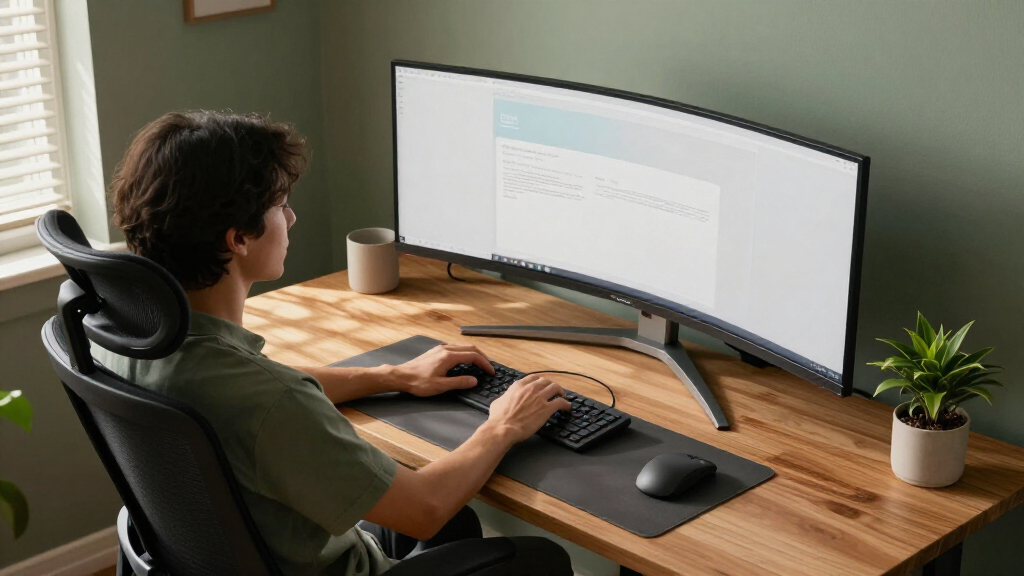

The best ultrawide monitor for most people is the LG 34WR55QK-B, whose 34-inch WQHD curved screen and adjustable stand suit everyday work without the scale of a 49-inch display. For gaming, the Alienware AW3425DWM pairs WQHD resolution with a 180Hz refresh rate, while the Samsung 49-inch Business Curved Ultrawide adds USB-C and a broad workspace for productivity. The main tradeoffs are screen size versus desk space, gaming speed versus work-friendly features, and sharper resolution versus the extra graphics power it needs. Read on for how all 15 options compare and which one best matches your setup.

Get comfort and recovery gear delivered free — and shop member deals
- Fast, free delivery on millions of items
- Access to Prime Big Deal Days deals on October 6–7
- Prime Video, Amazon Music and more included
Complete the kit



Key Takeaways
- 34-inch WQHD is the most balanced format in this group: it offers an ultrawide workspace without demanding as much desk depth or graphics performance as a 49-inch 32:9 model.
- The Alienware AW3425DWM stands out for high-refresh gaming at 34 inches, while the Samsung 49-inch Odyssey OLED G9 is the more immersive premium gaming choice if its size and OLED-specific care needs suit your setup.
- 49-inch monitors split into distinct roles: the Samsung Business model and INNOCN emphasize work-friendly connectivity or resolution, while the CRUA and Odyssey models focus more on gaming.
- Refresh rate alone does not define value: panel resolution, ports, stand adjustment, screen curvature, and the kind of work or games you run all affect whether a fast display is a good match.
- WFHD 34-inch models trade sharpness for lighter system demands. They can fit basic office use, but buyers who spend long hours reading fine text may prefer WQHD.


| ultrawide monitor | Resolution | Refresh rate | Screen size | Response time |
|---|---|---|---|---|
| Samsung 40” Odyssey G7 | WUHD 4K | 180Hz | 40 inches | 1ms (GtG) |
| Sceptre 34-Inch Curved Ultrawi | 3440 x 1440 | 165Hz | — | 1ms |
| LG 34WR55QK-B 34-inch UltraWid | 3440 x 1440 (WQHD) | 100Hz | 34 inches | 5ms |
| LG 34U530A-W 34-inch UltraWide | 2560 x 1080 | 100Hz | 34 inches | — |
| Samsung 34-Inch Odyssey G5 Ult | WQHD | 165Hz | 34 inches | 1ms (MPRT) |
| LG 34U650A-B 34-inch UltraWide | 3440 × 1440 (WQHD) | 100Hz | 34 inches | 5ms |
| Alienware 34 Curved Gaming Mon | 3440 × 1440 | 180Hz | — | 1ms |
| CRUA 49" DQHD Ultrawide Curved | 5120 × 1440 | 165Hz | 49 inches | 1ms |
| INNOCN 49-Inch Curved Ultrawid | 5120 × 1440 | 120Hz | 49 inches | — |
| Samsung 49” Business Curved Ul | Dual QHD | 120Hz | 49 inches | — |
| Samsung 49" Odyssey OLED G9 | 5120 x 1440 (Dual QHD) | 144Hz | 49 inches | 0.03ms |
| Samsung 49-Inch Odyssey G9 | DQHD | 144Hz | 49 inches | 1ms |
| Dell 34 Monitor S3425DW | 3440 x 1440 | 120Hz | — | — |
| LG 34U60ZB-B 34-inch UltraWide | 3440 x 1440 WQHD | 120Hz | — | 5ms |
| Samsung 34" ViewFinity S50GC S | Ultra WQHD | 100Hz | 34 inches | 5ms |
More Details on Our Top Picks
Samsung 40” Odyssey G7 (G75F) Series WUHD Curved Gaming Monitor
The 40-inch Odyssey G7 is the performance-first pick here: its 21:9 WUHD screen pairs unusually high resolution with a 180Hz refresh rate, giving demanding games more room and smoother motion than the 100Hz LG 34WR55QK-B. A 1000R curve wraps the broad display around your field of view, while DisplayHDR 600 offers stronger specified HDR capability than the HDR10 support listed for the Samsung Odyssey G5. That combination suits a powerful gaming PC and a desk with room for a large screen. The tradeoff is the hardware and space it asks of you: driving WUHD at high frame rates can require a capable graphics card, and this is less practical for a compact desk or a buyer focused mainly on everyday office work. I’d choose it for premium gaming immersion, not value or flexibility.
Pros:- 40-inch 21:9 WUHD screen combines expansive workspace with high resolution.
- 180Hz refresh rate and 1ms GtG response time are suited to fast-moving games.
- 1000R curvature creates a pronounced wraparound viewing experience.
- DisplayHDR 600 offers a higher specified HDR tier than the HDR10-only gaming alternatives here.
Cons:- Large screen needs substantial desk space and a comfortable viewing distance.
- WUHD gaming at high refresh rates calls for powerful graphics hardware.
- Its gaming-focused performance may be unnecessary for buyers who mainly work or browse.
Best for: PC gamers with a powerful graphics card, a spacious desk, and a preference for a large, fast 21:9 display.
Not ideal for: Buyers with limited desk space, modest gaming hardware, or a primary need for an affordable productivity monitor.
- Screen size:40 inches
- Resolution:WUHD 4K
- Aspect ratio:21:9
- Refresh rate:180Hz
- Response time:1ms (GtG)
- Curvature:1000R
- HDR:DisplayHDR 600
Our verdict“Choose the Odyssey G7 if you have the desk and PC hardware to make the most of its large, high-resolution 180Hz gaming display.”
Sceptre 34-Inch Curved Ultrawide WQHD Monitor (3440 x 1440), 165Hz, DisplayPort x2, 99% sRGB, 1ms, Built-in Speakers, Black, 2025
The Sceptre gives gamers a strong mix of 34-inch WQHD resolution and 165Hz motion without stepping up to the larger, more demanding Samsung 40-inch Odyssey G7. That makes this a more manageable fit for buyers who want a fast ultrawide for gaming and enough horizontal room for side-by-side tasks. Its two HDMI ports and two DisplayPort connections also make switching among compatible sources straightforward, and the 99% sRGB coverage suits general-purpose color work. The compromise is a modest stated brightness of 280 cd/m² and no specified HDR support, so it is less compelling for bright rooms or HDR-focused viewing than the Samsung G7. Built-in speakers are convenient for basic audio, but they are not a substitute for a dedicated sound setup. I’d pick it for a feature-rich gaming desk rather than color-critical production.
Pros:- 3440 x 1440 resolution provides more desktop and game space than a 2560 x 1080 ultrawide.
- 165Hz refresh rate and 1ms response time support responsive gaming.
- Two HDMI and two DisplayPort inputs offer useful source flexibility.
- 99% sRGB coverage is suited to general creative and everyday work.
Cons:- 280 cd/m² stated brightness may be limiting in bright environments.
- No HDR support is listed, unlike the HDR-capable Samsung Odyssey G5 and LG models.
- Built-in speakers are best treated as a convenience rather than a high-quality audio system.
Best for: Gamers seeking a 34-inch WQHD ultrawide with a high refresh rate, multiple video inputs, and broad sRGB coverage.
Not ideal for: HDR enthusiasts, users in very bright rooms, and buyers who need high-end integrated audio or color-critical display specifications.
- Display size:34 inches
- Resolution:3440 x 1440
- Aspect ratio:21:9
- Panel type:VA
- Refresh rate:165Hz
- Response time:1ms
- Brightness:280 cd/m²
- Color gamut:99% sRGB
- Connectivity:2 x HDMI, 2 x DisplayPort
Our verdict“Pick the Sceptre if you want a fast 34-inch WQHD gaming ultrawide with flexible inputs and can do without specified HDR.”
LG 34WR55QK-B 34-inch UltraWide WQHD Curved Monitor with Adjustable Stand
The LG 34WR55QK-B is the work-focused middle ground: its 3440 x 1440 resolution leaves more room for documents and windows than the lower-resolution LG 34U530A-W, while its USB-C connection with up to 65W power delivery can simplify a compatible laptop setup. Height and tilt adjustment help tailor the screen position, and Picture-by-Picture supports workflows that use more than one source. At 100Hz, it is smoother than a standard 60Hz office display, but it sits well below the 165Hz Sceptre and Samsung Odyssey G5 for fast gaming; the 5ms response time reinforces that distinction. HDR10 is included, though this is not the pick for someone prioritizing high-end HDR or competitive gaming. I’d favor it for a laptop-centered desk where resolution, ergonomics, and connectivity matter more than peak speed.
Pros:- 3440 x 1440 resolution gives workspaces more detail than the LG 34U530A-W’s 2560 x 1080 panel.
- USB-C supports up to 65W power delivery for a simpler compatible laptop connection.
- Height and tilt adjustments help tailor the display position.
- Picture-by-Picture supports viewing two input sources at once.
Cons:- 100Hz refresh rate and 5ms response time trail the gaming-focused Sceptre and Samsung Odyssey G5.
- No built-in speakers are listed.
- OnScreen Control features require software installation.
Best for: Laptop users and multitaskers who want a sharp 34-inch workspace, USB-C charging, and an adjustable stand.
Not ideal for: Competitive gamers seeking high refresh rates, or buyers who require built-in speakers and high-performance HDR.
- Screen size:34 inches
- Resolution:3440 x 1440 (WQHD)
- Refresh rate:100Hz
- Response time:5ms
- HDR:HDR10
- Color gamut:Up to 99% sRGB
- USB-C power delivery:Up to 65W
- Stand adjustments:Height and tilt
- Additional features:Picture-by-Picture
Our verdict“Choose this LG for a laptop-based work setup that benefits from WQHD sharpness, USB-C power, and stand adjustments.”
LG 34U530A-W 34-inch UltraWide WFHD IPS Computer Monitor, 100Hz, VESA DisplayHDR 400, HDMI, DisplayPort, USB Type-C, Adjustable Stand, White
The LG 34U530A-W prioritizes horizontal workspace over pixel density. Its 34-inch, 21:9 panel can keep multiple windows visible, but the 2560 x 1080 resolution is less sharp than the WQHD LG 34WR55QK-B, especially when you spread fine text across the screen. That lower resolution can also be easier to drive than WQHD for compatible gaming setups, while the 100Hz refresh rate is a step above basic office displays. USB-C, HDMI, and DisplayPort give it practical connection choices, and the stand adjusts for height, tilt, and swivel—more movement than the LG 34WR55QK-B lists. DisplayHDR 400 and built-in speakers add convenience, not a reason to buy it as an HDR or audio centerpiece. This model makes most sense when broad workspace and useful connections outweigh sharpness.
Pros:- 21:9 screen creates useful horizontal space for multiple windows.
- Height, tilt, and swivel adjustments offer flexible positioning.
- USB-C, HDMI, and DisplayPort cover common computer connections.
- 100Hz refresh rate is faster than a standard 60Hz office display.
Cons:- 2560 x 1080 resolution is less sharp than the WQHD Sceptre and LG 34WR55QK-B.
- Built-in speakers may not suit listeners who want fuller audio.
- Some features require software installation.
Best for: Office users who want a wide 34-inch desktop, adjustable positioning, and USB-C connectivity without needing WQHD text sharpness.
Not ideal for: Buyers who work with small text or detailed imagery, or who want a sharper WQHD ultrawide like the LG 34WR55QK-B.
- Screen size:34 inches
- Resolution:2560 x 1080
- Aspect ratio:21:9
- Refresh rate:100Hz
- HDR:VESA DisplayHDR 400
- Color coverage:Up to 99% sRGB
- Connectivity:USB Type-C, HDMI, DisplayPort
- Stand adjustments:Height, tilt, swivel
- Speakers:Built-in stereo with Waves MaxxAudio
Our verdict“Choose the LG 34U530A-W when extra horizontal workspace and flexible positioning matter more than WQHD-level sharpness.”
Samsung 34-Inch Odyssey G5 Ultra-Wide Gaming Monitor with 1000R Curved Screen
The Samsung Odyssey G5 is a focused gaming choice for buyers who want WQHD resolution, 165Hz motion, and a tight 1000R curve in a 34-inch format. Its AMD FreeSync Premium support is aimed at reducing tearing when frame rates vary, while the curved screen brings the edges closer than the gentler 1500R curve on the Alienware AW3425DWM. Compared with the Sceptre, the G5 makes its gaming case with adaptive sync and a particularly pronounced curve, rather than a wider set of listed ports or sRGB coverage. HDR10 is present, but the supplied specifications do not establish the stronger HDR capability of the 40-inch Samsung Odyssey G7. The steep curvature can also feel less natural for spreadsheets or other straight-line work. I’d choose it for gaming immersion, not as the most versatile monitor in this group.
Pros:- WQHD ultrawide resolution provides detailed game visuals and extra horizontal space.
- 165Hz refresh rate and 1ms MPRT response time suit fast-paced gaming.
- 1000R curvature creates a more enveloping view than the Alienware AW3425DWM’s 1500R curve.
- AMD FreeSync Premium supports smoother variable-frame-rate gameplay.
Cons:- Strong 1000R curvature may be less comfortable for office tasks and straight-line work.
- HDR10 is a more modest HDR specification than the DisplayHDR 600 Samsung Odyssey G7.
- Its gaming-centered feature set is less adaptable to general productivity needs.
Best for: PC gamers who want a 34-inch WQHD ultrawide with a tight curve, high refresh rate, and AMD FreeSync Premium.
Not ideal for: Buyers who need a versatile office screen, a gentler curve, or specified DisplayHDR 600 capability.
- Screen size:34 inches
- Resolution:WQHD
- Curvature:1000R
- Refresh rate:165Hz
- Response time:1ms (MPRT)
- Adaptive sync:AMD FreeSync Premium
- HDR:HDR10
Our verdict“Pick the Odyssey G5 if a tight curve and fast AMD FreeSync gaming matter more than office versatility or stronger specified HDR.”
LG 34U650A-B 34-inch UltraWide IPS WQHD Curved Monitor, Black
The LG 34U650A-B is the most balanced 34-inch choice here for buyers who split their screen between documents, creative tasks, and streaming. Its 3440 × 1440 IPS panel gives you room for side-by-side windows while keeping colors consistent across the display; the 99% sRGB coverage also suits general design work better than a gaming-first screen. USB-C with up to 96W charging can reduce desk clutter by connecting and powering a compatible laptop through one cable. Compared with the Alienware AW3425DWM, the LG trades fast 180Hz gaming for an adjustable stand, USB-C charging, and a more work-oriented feature mix. The tradeoff is its 100Hz refresh rate and 5ms response time, which are less suited to competitive play, while the 3800R curve is gentler than more enveloping gaming designs.
Pros:- 34-inch WQHD screen provides useful room for multiple windows without jumping to a desk-dominating 49-inch display.
- IPS panel with 99% sRGB coverage suits everyday creative work and consistent viewing.
- USB-C supports up to 96W charging, which can simplify a compatible laptop setup.
- Stand adjusts for height, tilt, and swivel.
Cons:- 100Hz refresh rate and 5ms response time trail gaming-focused options such as the Alienware AW3425DWM.
- Built-in speakers are a convenience, not a substitute for dedicated audio.
- The curved screen may not suit users who need a flat, straight-edged workspace.
Best for: Laptop users who want a 34-inch ultrawide for office multitasking, general creative work, and media, with USB-C charging and an adjustable stand.
Not ideal for: Competitive gamers seeking very high refresh rates and fast response, or buyers who need a flat screen for a tightly arranged workspace.
- Screen size:34 inches
- Resolution:3440 × 1440 (WQHD)
- Panel type:IPS
- Refresh rate:100Hz
- Response time:5ms
- Color coverage:99% sRGB
- Connectivity:USB-C, DisplayPort, HDMI
- Stand adjustments:Tilt, swivel, height
- Curvature:3800R
Our verdict“Choose the LG 34U650A-B for a versatile work-and-entertainment ultrawide, but pick the Alienware AW3425DWM if gaming speed matters more.”
Alienware 34 Curved Gaming Monitor – AW3425DWM – 34-inch WQHD 180Hz 1ms Display, 1500R, AMD FreeSync Premium, VESA AdaptiveSync
For a 34-inch ultrawide aimed at fast-paced play, the Alienware AW3425DWM puts refresh speed ahead of office extras. Its 180Hz refresh rate and 1ms response time make rapid movement look smoother and give it a clear gaming advantage over the LG 34U650A-B, which tops out at 100Hz and has a 5ms response time. Adaptive sync helps reduce tearing when frame rates fluctuate, while the 1500R curve draws the action further into view. The 95% DCI-P3 gamut and DisplayHDR 400 support add color range and HDR compatibility, though HDR 400 is not a substitute for a higher-end HDR display. This is a more focused gaming pick than the LG: it lacks the LG’s specified USB-C laptop charging and height-adjustable stand. Its 34-inch footprint also needs room on the desk.
Pros:- 180Hz refresh rate and 1ms response time suit fast, motion-heavy games.
- Adaptive sync helps limit tearing as frame rates vary.
- 95% DCI-P3 coverage offers a broad color gamut for games and media.
- 1500R curve creates a more enveloping view than the LG 34U650A-B’s gentler 3800R curve.
Cons:- Gaming-focused performance comes at the expense of the LG 34U650A-B’s specified USB-C charging and adjustable stand.
- The 34-inch curved panel needs substantial desk width and viewing distance.
- DisplayHDR 400 support does not make it a high-end HDR display.
Best for: PC gamers who want a 34-inch 21:9 screen with a high refresh rate, quick response, and adaptive sync for action games.
Not ideal for: Laptop-first office users who need USB-C charging or extensive ergonomic stand adjustments, and buyers with limited desk space.
- Display size:34 inches
- Resolution:3440 × 1440
- Refresh rate:180Hz
- Response time:1ms
- Curvature:1500R
- Color gamut:95% DCI-P3
- HDR:VESA DisplayHDR 400
- Adaptive sync:AMD FreeSync Premium, VESA AdaptiveSync
- Aspect ratio:21:9
Our verdict“Pick the Alienware AW3425DWM if smooth, responsive gaming is your priority; choose the LG 34U650A-B for a more work-oriented setup.”
CRUA 49″ DQHD Ultrawide Curved Gaming Monitor, 165Hz, FreeSync, Black
The CRUA 49-inch DQHD is the biggest-screen gaming option in this group, pairing a 32:9 canvas with 165Hz refresh and FreeSync. Its 5120 × 1440 resolution gives you the equivalent of two QHD-width work areas, while the broad format can fill peripheral vision in games that support it. Against the 34-inch Alienware AW3425DWM, CRUA gives you far more horizontal space but drops from 180Hz to 165Hz. That makes the Alienware the better fit for players who prize maximum refresh speed and a more manageable footprint; CRUA makes more sense for expansive racing or simulation views and side-by-side apps. The VA panel’s stated 120% sRGB coverage promises vivid color, but the 330 cd/m² brightness and lack of built-in speakers limit its all-in-one appeal. Measure your desk before choosing this wide display.
Pros:- 49-inch, 32:9 layout offers much more horizontal workspace than either 34-inch monitor here.
- 5120 × 1440 resolution supports detailed side-by-side applications.
- 165Hz refresh rate, 1ms response time, and FreeSync suit gaming.
- Height adjustment and tilt help adapt the large screen to a seated setup.
Cons:- The 49-inch width demands ample desk space and can be awkward in smaller setups.
- No built-in speakers, so audio requires separate equipment.
- 330 cd/m² brightness is a limitation for bright rooms and demanding HDR viewing.
Best for: Gamers with a large desk who want a 32:9 screen for supported racing and simulation games, plus broad space for multitasking.
Not ideal for: People with compact desks, buyers seeking built-in speakers, or competitive players who would rather have the Alienware AW3425DWM’s 180Hz refresh rate.
- Screen size:49 inches
- Resolution:5120 × 1440
- Aspect ratio:32:9
- Panel type:VA
- Refresh rate:165Hz
- Response time:1ms
- Brightness:330 cd/m²
- Ports:2 × HDMI 2.1, 2 × DisplayPort 1.4
- Stand adjustments:Height, tilt, lift
Our verdict“Choose the CRUA for a very wide gaming and multitasking canvas, but favor the Alienware if desk space and a faster refresh rate matter more.”
INNOCN 49-Inch Curved Ultrawide Gaming Monitor 5K2K 120Hz 32:9 QHD with HDR400, USB-C, DisplayPort, HDMI, Built-in Speakers, Adjustable Height/Tilt
The INNOCN 49-inch stands out for pairing a 32:9 workspace with a particularly broad set of connections. USB-C, DisplayPort, HDMI, USB-A, USB-B, and RJ45 give it more room to serve as the center of a laptop-and-peripherals setup than the CRUA 49-inch, whose listed inputs are HDMI 2.1 and DisplayPort 1.4. Its PIP/PBP split-screen modes also help when you want to view multiple sources at once. Both 49-inch monitors use a 5120 × 1440 canvas, but CRUA’s 165Hz refresh rate is better suited to fast gaming; INNOCN’s 120Hz is a more moderate match for mixed productivity and play. The 99% sRGB gamut and HDR400 add useful capabilities, yet a large, high-resolution screen still calls for a spacious desk and a capable graphics card. The supplied information does not state USB-C power delivery wattage.
Pros:- 32:9, 5120 × 1440 display provides room for several side-by-side windows.
- USB-C, DisplayPort, HDMI, USB-A, USB-B, and RJ45 support a varied desk setup.
- PIP/PBP modes help display and manage multiple input sources.
- Height, tilt, and swivel adjustments offer more positioning flexibility.
Cons:- 120Hz refresh rate is below the CRUA’s 165Hz, making that model a stronger fit for high-refresh gaming.
- The 49-inch screen requires a wide desk and a suitable viewing distance.
- Driving 5120 × 1440 smoothly can require a capable graphics card.
Best for: Laptop and desktop users who want a 49-inch split-screen workstation with multiple connection types and occasional gaming capability.
Not ideal for: Competitive gamers who prioritize the CRUA’s 165Hz refresh rate, or buyers with small desks or graphics hardware that struggles with 5120 × 1440.
- Screen size:49 inches
- Resolution:5120 × 1440
- Aspect ratio:32:9
- Panel type:VA
- Refresh rate:120Hz
- HDR:HDR400
- Color gamut:99% sRGB
- Connectivity:USB-C, DisplayPort 1.4, HDMI 2.1, USB-A, USB-B, RJ45, 3.5mm audio
- Curvature:1800R
Our verdict“Choose the INNOCN for connection-rich 49-inch multitasking, and choose the CRUA if higher-refresh gaming takes priority.”
Samsung 49” Business Curved Ultrawide Dual QHD Computer Monitor, USB-C, DisplayPort, HDMI, 120Hz, VESA DisplayHDR 400, Built-in Speakers, Height Adjustable Stand, Eye Care, LS49C954UANXZA, 2024
The Samsung 49-inch Business Curved Ultrawide is the clearest work-first choice among the 49-inch models here. Its 32:9 Dual QHD screen supplies the same broad two-work-area format as the CRUA and INNOCN, but Samsung adds a USB-C connection with 90W charging, built-in speakers, and a connection mix designed to reduce desk clutter around a laptop. The 1000R curve wraps more tightly around the viewer than the INNOCN’s 1800R curve, which can keep such a wide display within a more natural viewing arc, though it is a strong shape that will not suit every desk or user. At 120Hz, it matches the INNOCN’s listed refresh rate but falls short of the CRUA’s 165Hz for gaming. HDR400 and speakers round out the package, yet this remains a very wide screen that needs substantial desk space.
Pros:- USB-C supports 90W charging, helping connect and power a compatible laptop.
- DisplayPort, two HDMI inputs, USB, and USB-C support a connected workstation.
- Built-in speakers reduce the need for separate audio hardware.
- 120Hz refresh rate supports smoother scrolling and casual gaming.
Cons:- 120Hz is slower than the CRUA’s 165Hz, which is a better match for high-refresh gaming.
- The 1000R curve is pronounced and may not suit every workspace or viewing preference.
- The 49-inch 32:9 screen takes considerable desk width.
Best for: Laptop-based professionals who want a 49-inch workspace, USB-C charging, built-in speakers, and a monitor that can act as a desk hub.
Not ideal for: Competitive gamers seeking higher refresh than 120Hz, or users who prefer a gentler curve or lack room for a 49-inch display.
- Screen size:49 inches
- Aspect ratio:32:9
- Resolution:Dual QHD
- Curvature:1000R
- Refresh rate:120Hz
- USB-C charging:Up to 90W
- HDR:VESA DisplayHDR 400
- Connectivity:USB-C, DisplayPort, 2 × HDMI, USB
- Built-in speakers:Yes
Our verdict“Pick the Samsung for a laptop-centered 49-inch workstation with charging and speakers, but choose the CRUA for faster gaming or the INNOCN for a gentler curve.”
Samsung 49″ Odyssey OLED G9 (G91SD) Dual QHD Curved Gaming Monitor
The Odyssey OLED G9 G91SD is the pick for players who want a 49-inch, 32:9 view without giving up OLED contrast. Its QD-OLED panel produces deep blacks and vivid color, while the 144Hz refresh rate and 0.03ms response time suit fast games. The dual-QHD workspace can also replace two monitors for side-by-side apps, though games and desk setups need to support this immense width. Compared with the VA-based Odyssey G9 G91F, this model prioritizes OLED black levels and exceptionally quick pixel response rather than DisplayHDR 600. That visual advantage comes with practical costs: it takes substantial desk space, OLED can draw considerable power, and buyers should weigh OLED-specific concerns such as static-image exposure. Choose it for immersive gaming first, not a compact or budget-conscious setup.
Pros:- QD-OLED delivers deep blacks and a wide, vibrant color spectrum.
- 5120 x 1440 resolution provides room for gaming and side-by-side windows.
- 144Hz refresh rate and 0.03ms response time support responsive play.
- G-Sync and FreeSync Premium Pro support smoother gameplay with compatible systems.
Cons:- The 49-inch, 32:9 form factor needs substantial desk width and viewing distance.
- OLED may consume more power and requires care with long periods of static content.
Best for: PC gamers with a deep, wide desk who want OLED contrast, a 32:9 field of view, and fast response for immersive play.
Not ideal for: Buyers with small desks, mostly static office workloads, or a preference for a conventional 34-inch screen and lower power demands.
- Screen size:49 inches
- Resolution:5120 x 1440 (Dual QHD)
- Panel type:QD-OLED
- Refresh rate:144Hz
- Response time:0.03ms
- Adaptive sync:G-Sync and FreeSync Premium Pro
- Stand adjustment:Tilt and height adjustable
- Additional features:Picture-in-Picture and screen saver
Our verdict“Choose the G91SD if OLED contrast and an expansive gaming view matter more than desk space and power efficiency.”
The Odyssey G9 G91F brings the same expansive 49-inch, 32:9 dual-QHD format as Samsung’s OLED G9, but takes a different route: DisplayHDR 600 and a listed 1ms response time rather than the G91SD’s QD-OLED panel and 0.03ms figure. That makes this a better fit for shoppers who want a high-refresh ultrawide gaming screen without making OLED the central draw. Its 144Hz refresh rate and FreeSync Premium Pro support help keep compatible gameplay smooth, while the ergonomic stand offers positioning flexibility. The tradeoff is scale: a 49-inch panel calls for ample desk space and can be awkward if your games or daily apps do not use the full width. Unlike the 34-inch Dell S3425DW, it delivers far more horizontal room, but is a much larger commitment.
Pros:- 49-inch 32:9 screen creates a broad gaming view and extensive desktop workspace.
- DQHD resolution gives the wide panel substantially more detail than a basic ultrawide.
- 144Hz refresh rate and 1ms response time suit responsive gaming.
- DisplayHDR 600 and FreeSync Premium Pro support vivid, smoother visuals.
Cons:- The large screen requires considerable desk space and suitable viewing distance.
- It lacks the OLED panel and deeper blacks of the Odyssey OLED G9 G91SD.
- A 32:9 display may not suit games or work applications that use only part of the screen.
Best for: Gamers with room for a 49-inch display who want a 32:9 gaming workspace, 144Hz refresh, and FreeSync support without choosing OLED.
Not ideal for: Desk-constrained buyers, people seeking OLED black levels, or users whose games and work rarely benefit from a 32:9 screen.
- Screen size:49 inches
- Resolution:DQHD
- Aspect ratio:32:9
- Refresh rate:144Hz
- Response time:1ms
- HDR:DisplayHDR 600
- Adaptive sync:AMD FreeSync Premium Pro
- Stand:Ergonomic stand
Our verdict“Pick the G91F if you want Samsung’s 49-inch dual-QHD gaming format and HDR 600, but do not need the G91SD’s OLED panel.”
Dell 34 Monitor S3425DW, WQHD VA, 120Hz, FreeSync Premium, Eye Comfort
The Dell S3425DW is a balanced 34-inch choice for people who split their screen time between work, media, and casual gaming. Its 3440 x 1440 resolution gives two-window multitasking useful width without demanding the room or graphics setup of a 49-inch model. The 120Hz refresh rate and FreeSync Premium make motion smoother than on the 100Hz Samsung ViewFinity S50GC, while the stated 99% sRGB and 95% DCI-P3 coverage suit colorful content. Eye-comfort features and USB-C connectivity, including up to 65W power delivery as described, add practical appeal for a laptop-based desk. It is not the most gaming-focused choice in this group: the LG 34U60ZB-B lists a 5ms response time, and Dell’s supplied 0.03ms figure may not describe a directly comparable measurement. Its 300-nit brightness and two HDMI ports also limit some setups.
Pros:- 3440 x 1440 resolution supports side-by-side work without the footprint of a 49-inch monitor.
- 120Hz refresh rate and FreeSync Premium improve motion smoothness for compatible content.
- 99% sRGB and 95% DCI-P3 coverage support vivid, broad-gamut color.
- USB-C connectivity and eye-comfort features suit a daily work setup.
Cons:- Two HDMI ports may be limiting for users who connect several devices.
- 300-nit brightness may be less suitable for bright rooms or demanding HDR viewing.
- Its 34-inch workspace is much narrower than either Samsung 49-inch Odyssey G9.
Best for: Laptop users and hybrid workers who want a 34-inch ultrawide for documents, video, and occasional gaming, with broad color coverage and USB-C convenience.
Not ideal for: Competitive gamers seeking clearly specified high-end motion performance, or buyers who need several HDMI-connected devices or high screen brightness.
- Display size:34 inches
- Resolution:3440 x 1440
- Panel technology:LED VA
- Aspect ratio:21:9
- Contrast ratio:3000:1
- Refresh rate:120Hz
- Color gamut:99% sRGB, 95% DCI-P3
- Brightness:300 nits
- Ports:2 HDMI, 4 USB
Our verdict“Choose the Dell S3425DW for a practical work-and-play 34-inch ultrawide with USB-C and a faster refresh rate than the ViewFinity S50GC.”
LG 34U60ZB-B 34-inch UltraWide WQHD Curved Monitor, Black
The LG 34U60ZB-B makes sense for buyers who want a curved 34-inch ultrawide with a stand that adjusts for both tilt and height. Its 3440 x 1440 resolution provides the same broad working format as the Dell S3425DW, and its 1800R curve helps keep the wide screen within a comfortable viewing arc. The 120Hz refresh rate is a useful step up for smoother desktop motion and casual gaming, while HDR10 and 99% sRGB coverage add appeal for everyday media. Compared with the Dell, however, the supplied details list fewer connections and less color-gamut information; there is no listed USB-C charging feature or FreeSync support. The 5ms response time is also a less gaming-oriented specification than the Samsung ViewFinity S50GC’s 5ms paired with adaptive sync. Choose LG for ergonomic positioning and a straightforward wide-screen setup, not a feature-rich hub.
Pros:- 3440 x 1440 resolution gives ample room for multitasking and media.
- Tilt and height adjustments help match the screen to different desks and seating positions.
- 120Hz refresh rate provides smoother motion than standard 60Hz displays.
- 99% sRGB coverage and HDR10 support suit everyday color-rich content.
Cons:- The listed connectivity is limited to DisplayPort, HDMI, and a headphone jack.
- No adaptive-sync support is specified in the provided product details.
- Its 5ms response time is less compelling for fast competitive gaming than the Samsung Odyssey G9 models.
Best for: Home-office users who want a curved 34-inch WQHD workspace, height adjustment, and 120Hz motion for general use and casual gaming.
Not ideal for: Laptop users who need USB-C charging, buyers who need extensive connectivity, or competitive players seeking a clearly gaming-focused response and sync feature set.
- Display size:34 inches
- Resolution:3440 x 1440 WQHD
- Curvature:1800R
- Refresh rate:120Hz
- Response time:5ms
- Color coverage:99% sRGB
- HDR:HDR10
- Connectivity:DisplayPort, HDMI, headphone jack
- Stand adjustment:Tilt and height adjustment
Our verdict“Pick the LG 34U60ZB-B if height-adjustable ergonomics matter more than USB-C features or advanced gaming support.”
Samsung 34″ ViewFinity S50GC Series Ultra-WQHD Monitor, 100Hz, HDR10, AMD FreeSync, Black
The Samsung ViewFinity S50GC is the straightforward 34-inch ultrawide here for office tasks, split-screen work, and general entertainment. Its 21:9 Ultra WQHD format makes room for multiple windows, while Picture-in-Picture and Picture-by-Picture help display more than one source. Eye-care features, flicker reduction, and an ambient light sensor are useful for long desk sessions. Compared with the Dell S3425DW, it steps down from 120Hz to 100Hz and does not list USB-C, but retains HDR10, a 3000:1 contrast ratio, and AMD FreeSync. That makes it better suited to everyday use than demanding competitive gaming. The 5ms response time and 100Hz ceiling are less appealing to players chasing the faster motion specs of the LG 34U60ZB-B or either 49-inch Odyssey G9. No built-in speakers are specified, so plan on separate audio.
Pros:- Ultra WQHD 21:9 screen supports side-by-side windows and broad desktop layouts.
- PIP and PBP let users show multiple video sources at once.
- Eye Care, Flicker Free, and an ambient light sensor support extended desk use.
- HDR10, over one billion colors, and a 3000:1 contrast ratio support colorful viewing.
Cons:- 100Hz refresh rate and 5ms response time are less suited to competitive gaming than faster options in this roundup.
- No built-in speakers are specified.
- The provided inputs list HDMI and DisplayPort but no USB-C connection.
Best for: Office workers and home users who want a 34-inch 21:9 screen for documents, browser windows, and video, with source-splitting and eye-care tools.
Not ideal for: Competitive gamers seeking a higher refresh rate and faster response, or laptop users who need a listed USB-C connection and power delivery.
- Screen size:34 inches
- Aspect ratio:21:9
- Resolution:Ultra WQHD
- Refresh rate:100Hz
- Response time:5ms
- HDR:HDR10
- Brightness:300 cd/㎡
- Contrast ratio:3000:1
- Inputs:2 x HDMI 2.2, 1 x DisplayPort 1.2
Our verdict“Choose the ViewFinity S50GC for everyday 34-inch multitasking and eye-care features, rather than high-speed gaming or USB-C laptop docking.”
How We Picked
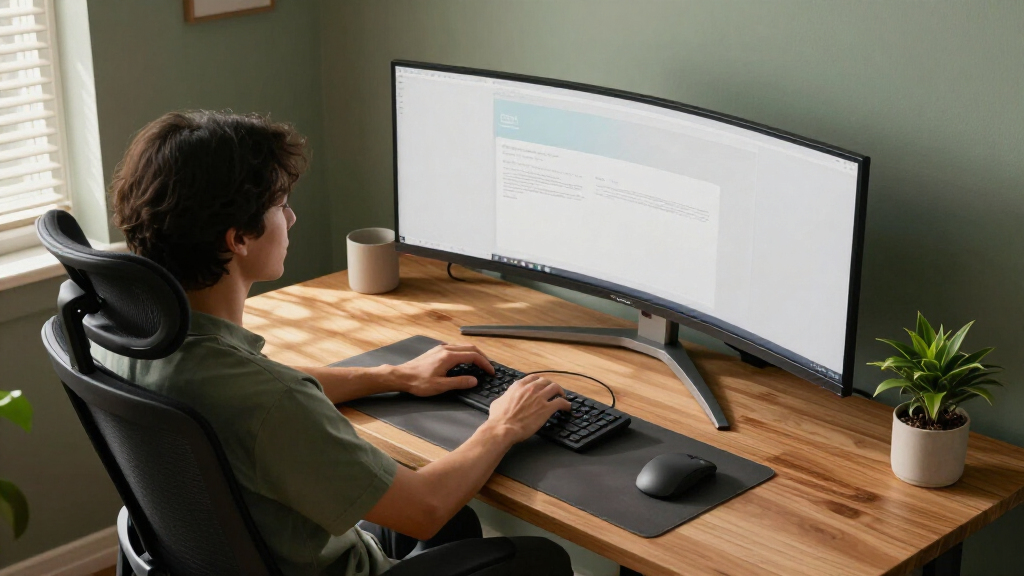
I compared these 15 monitors by how well their size, resolution, refresh rate, connectivity, and adjustability fit real work and gaming setups. I gave more weight to a balanced feature set than to headline specifications alone: a high refresh rate matters most to gamers, while USB-C, an adjustable stand, and usable text sharpness can matter more at a work desk. I also considered the practical cost of a larger 32:9 screen, including desk space and the need for a capable computer to drive its resolution.
The ranking separates clear use cases rather than treating all ultrawides as interchangeable. The LG 34WR55QK-B leads as a broadly useful 34-inch option; the Alienware and Samsung Odyssey models rise for gaming; and the 49-inch work-focused choices stand out for people who need more screen area or convenient connections. Models with narrower strengths rank below those that balance everyday usability, but can be the better choice when their specific feature set matches the buyer.
| ultrawide monitor | HDR |
|---|---|
| Samsung 40” Odyssey G7 | DisplayHDR 600 |
| Sceptre 34-Inch Curved Ultrawi | — |
| LG 34WR55QK-B 34-inch UltraWid | HDR10 |
| LG 34U530A-W 34-inch UltraWide | VESA DisplayHDR 400 |
| Samsung 34-Inch Odyssey G5 Ult | HDR10 |
| LG 34U650A-B 34-inch UltraWide | — |
| Alienware 34 Curved Gaming Mon | VESA DisplayHDR 400 |
| CRUA 49" DQHD Ultrawide Curved | — |
| INNOCN 49-Inch Curved Ultrawid | HDR400 |
| Samsung 49” Business Curved Ul | VESA DisplayHDR 400 |
| Samsung 49" Odyssey OLED G9 | — |
| Samsung 49-Inch Odyssey G9 | DisplayHDR 600 |
| Dell 34 Monitor S3425DW | — |
| LG 34U60ZB-B 34-inch UltraWide | HDR10 |
| Samsung 34" ViewFinity S50GC S | HDR10 |
Factors to Consider When Choosing Best Ultrawide Monitors
Before choosing a model, I would match the monitor to the space, computer, and tasks it must serve. These broader checks can prevent a common mistake: buying the biggest or fastest screen on the list without accounting for how it will fit into daily use.
Choose the aspect ratio around your desk and workflow
A 34-inch 21:9 monitor is a straightforward move from a conventional widescreen display: it adds room for two side-by-side windows without taking over the entire desk. A 49-inch 32:9 model can replace a dual-monitor setup, but its full width needs room for the stand, speakers, and nearby equipment. Measure the available desk width and viewing distance, not just the screen diagonal. Curvature can make a wide panel easier to scan, but the curve itself does not make a screen smaller or guarantee that every application will use the extra space well. If you mainly write, browse, or edit one document at a time, a very wide panel may add less value than a sharper or more adjustable 34-inch display.
Match resolution to screen size and your computer
Resolution affects how much detail and workspace you see, but screen size changes how that resolution feels. On a 34-inch ultrawide, WQHD is a useful middle ground for text clarity and gaming performance; WFHD can be easier for an older computer to drive, though fine text and interface elements may look less crisp. A 49-inch DQHD screen gives you the horizontal space of two QHD areas, while 5K2K asks more of the graphics hardware and can reward detail-heavy work. Check the monitor’s native resolution against your computer’s supported output before buying. For gaming, also check whether your graphics card can sustain the resolution at the frame rates you want.
Treat refresh rate as a use-case choice
Higher refresh rates make motion appear smoother and can improve the feel of fast games, but they do little for tasks such as spreadsheets, email, and document editing. A 100Hz or 120Hz display can be a sensible everyday balance if gaming is occasional, while 144Hz, 165Hz, or 180Hz options make more sense for action games and a computer capable of driving them. Do not choose by the maximum refresh-rate number alone: confirm which connection supports it at the display’s full resolution. Adaptive-sync support can help reduce tearing when frame rates vary, but it cannot compensate for a system that consistently falls short of the game’s demands. Decide what you play before paying for speed you may rarely notice.
Check ports against how you connect devices
USB-C can simplify a laptop setup by carrying video and, on compatible displays, power or data, but the presence of USB-C does not tell you how much charging power a monitor provides. Check the manual for the port’s supported functions and wattage, particularly if you hope to replace a laptop charger. For a desktop gaming PC, DisplayPort support and the number of available inputs may matter more. A built-in USB hub can reduce desk clutter, while speakers are usually a convenience rather than a substitute for dedicated audio. Map your computer, console, and accessories to the available ports before selecting a screen.
Prioritize the stand and viewing setup
A wide monitor can be difficult to position well if its stand offers little height or tilt adjustment. Set the screen so your eyes naturally meet the upper portion of the display, then check that the stand fits your desk depth and leaves room for a keyboard and accessories. A VESA mount can expand placement options, but verify the mounting pattern, monitor weight, and arm capacity before relying on one. Curvature affects viewing comfort most when you sit centered at an appropriate distance; off-center seating can make a wide screen less practical for shared viewing. These details can matter more over a full workday than a small difference in refresh rate.
Decide what premium features are worth maintaining
Higher-end gaming panels can add richer contrast and more responsive motion, but their benefits depend on the games, room lighting, and computer driving them. OLED buyers should read the manufacturer’s guidance on care and screen-protection features, especially if the monitor will show static desktop elements for long stretches. HDR labels alone do not tell you how convincing HDR will look; brightness, contrast, and the content you watch all play a part. A business-focused monitor may be a better use of the budget if USB-C convenience and comfortable daily work matter more than gaming effects. Pay more for a feature you will use frequently, not simply for a premium label.
Frequently Asked Questions
Is a 34-inch ultrawide a better first choice than a 49-inch model?
For many first-time ultrawide buyers, a 34-inch 21:9 monitor is easier to fit on a desk and easier for a computer to drive. It still provides room for two useful work areas, but it does not reproduce the breadth of a dual-monitor setup as closely as a 49-inch 32:9 screen. Choose 49 inches if you routinely keep several windows open and have enough desk width and viewing distance. Also check whether your software handles a very wide desktop well; some games and video formats do not use the full screen. If you are unsure, the smaller format is the less demanding starting point.
Will my laptop work with a 49-inch ultrawide over USB-C?
It may, but USB-C on a monitor does not automatically guarantee full-resolution video, laptop charging, and data through one cable. Check the laptop’s video output support and the monitor’s USB-C specifications, including power delivery wattage and supported resolution or refresh rate. A laptop that can output the desktop resolution may still be limited to a lower refresh rate. If the laptop’s USB-C port does not support video, you may need another connection, such as HDMI or DisplayPort through a compatible adapter. Confirm those details before buying if a one-cable desk setup is a priority.
Should I choose WFHD or WQHD for a 34-inch monitor?
WQHD is generally the stronger choice if you read small text, work with detailed images, or want more usable desktop space at 34 inches. WFHD can suit basic tasks and may place less demand on an older computer, but its lower pixel density can make text and fine details look less defined. The difference is most apparent when you sit close to the screen or spend many hours reading. For gaming, the lower resolution can also be easier for a graphics card to run at high frame rates. Choose based on your daily content and hardware rather than assuming the higher resolution is always the better fit.
Can a 49-inch ultrawide replace two monitors for work?
It can replace two displays for many workflows by placing multiple windows side by side without a central bezel. The result depends on whether your operating system and apps make window arrangement easy; a wide desktop does not automatically organize itself. Check for built-in screen-splitting tools or plan to use your operating system’s window management features. A 49-inch monitor also uses more desk width and can make sharing content with someone beside you less convenient. If your tasks rely on separate full-screen displays or frequent screen sharing, compare that workflow with a conventional dual-monitor arrangement before switching.
Is a high-refresh ultrawide worthwhile if I mostly work?
For office tasks, document work, and general browsing, refresh rates around 100Hz or 120Hz can already provide a smooth everyday feel. Paying for a much faster panel makes more sense if you play games where motion clarity and responsiveness matter, and your computer can deliver the frame rates to use it. Consider what else the monitor offers for work, such as USB-C, stand adjustment, text sharpness, and suitable screen size. A faster display can still be a pleasant multipurpose choice, but its gaming benefit should not crowd out practical features you will use every day. Pick based on the balance of your work and play, not the highest number on the specification sheet.
Conclusion
For a balanced everyday screen, I would start with the LG 34WR55QK-B as the best overall pick: its 34-inch WQHD format is a sensible fit for work and general use. The Sceptre 34-inch is the best value-oriented choice for shoppers prioritizing a fast gaming feature set at 34 inches, while the Samsung 49-inch Odyssey OLED G9 is the best premium pick for an immersive gaming setup with space for a very wide desktop. For beginners, the Samsung ViewFinity S50GC is a simpler 34-inch option to consider if you want everyday ultrawide use without jumping to a large 32:9 screen. For work across multiple windows, look at the Samsung 49-inch Business Curved Ultrawide; for 34-inch high-refresh gaming, choose the Alienware AW3425DWM. Match the screen to your desk, computer, and main tasks, and the right choice should be clear.
Halloween Picks
halloween
As an affiliate, we earn on qualifying purchases.