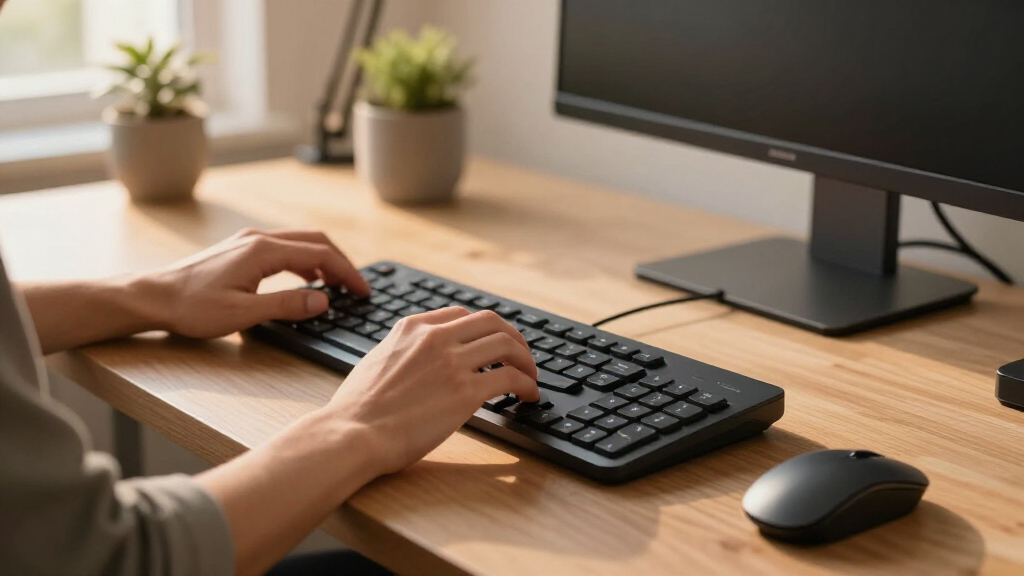
Eronomic keyboard and mouse sets can reduce awkward wrist angles, but the best choice depends on how much change you want from a standard desktop setup. I rank the Logitech Wave Keys Keyboard & Lift Mouse Ergonomic Combo as the best overall because its gently curved keyboard and vertical mouse form the most balanced pairing in this roundup. The SABLUTE MA41 is my value pick for quiet shared workspaces, while the Meetion split-design combo offers a more corrective layout for buyers ready to adjust their typing habits. The main tradeoffs are gentle wave versus true split positioning, a conventional mouse versus a vertical one, and simple USB wireless versus broader device switching. Continue reading for the full breakdown of all 15 sets and the buyer profiles each one serves best.

Get comfort and recovery gear delivered free — and shop member deals
- Fast, free delivery on millions of items
- Access to Prime Big Deal Days deals on October 6–7
- Prime Video, Amazon Music and more included
Complete the kit



Key Takeaways
- The Logitech Wave Keys and Lift pairing ranks first because both devices address hand position; many cheaper sets improve the keyboard while supplying a mostly conventional mouse.
- The Meetion split keyboard and vertical mouse sets provide the strongest posture-focused design, but they also demand more adjustment than the gentler wave layouts.
- The SABLUTE models compete through quiet operation, cushioned rests, rechargeable batteries, and lighting, making them feature-rich choices for buyers with tighter budgets.
- Color variants of the Logitech Wave Keys and ProtoArc EKM01 Plus do not create meaningful ergonomic differences, so color alone should not influence ranking.
- Across this lineup, the biggest divide is not price but how much the set changes hand position: mild curves suit easier adoption, while split boards and vertical mice pursue greater correction.
| Wireless Silent Curved Keyboard and Mouse Combo |  | Best for Shared Offices | Connection: Wireless | Wireless range: 10 meters (33 feet) | Receiver: One shared nano USB receiver | VIEW LATEST PRICE | See Our Full Breakdown |
| Meetion Ergonomic Wireless Keyboard and Mouse Combo, Split Design, Purple |  | Best Full-Size Split Set | Connectivity: 2.4 GHz wireless | Color: Purple | Keyboard layout: Full-size split curved layout | VIEW LATEST PRICE | See Our Full Breakdown |
| Logitech Wave Keys Keyboard and Lift Mouse Ergonomic Combo, Graphite |  | Best Overall | Connectivity: Bluetooth wireless | Compatibility: Windows and Mac | Keyboard design: Ergonomic wave-shaped layout | VIEW LATEST PRICE | See Our Full Breakdown |
| Logitech Wave Keys and Lift Vertical Mouse Combo with Palm Rest, Off-White |  | Best for Light-Colored Workspaces | Color: Off-white | Connectivity: Bluetooth wireless | Compatibility: Windows and Mac | VIEW LATEST PRICE | See Our Full Breakdown |
| 2.4G Ergonomic Wave Keys Full-Size Keyboard and Mouse Combo |  | Best Plug-and-Play USB Set | Connectivity: 2.4 GHz wireless | Wireless range: Up to 33 feet (10 meters) | Keyboard layout: Full-size ergonomic wave layout | VIEW LATEST PRICE | See Our Full Breakdown |
| Wireless Keyboard and Mouse Combo, Ergonomic Design with Wrist Rest, Mint Green |  | Best Compact Set | Keyboard layout: 84 keys | Keyboard type: Membrane | Keyboard design: Split ergonomic arc with wrist rest | VIEW LATEST PRICE | See Our Full Breakdown |
| SABLUTE Ergonomic Wireless Keyboard and Mouse Combo, Rechargeable 4000mAh Backlit Keyboard with Faux Lambskin Palm Rest, Wave Keys for Natural Typing, Compatible with Windows/Mac/Chrome OS |  | Best Backlit Comfort Pick | Connectivity: 2.4GHz USB wireless | Advertised keyboard battery: 4000mAh rechargeable | Listed batteries: 2 AA batteries included | VIEW LATEST PRICE | See Our Full Breakdown |
| ProtoArc EKM01 Plus Wireless Ergonomic Keyboard Mouse Combo – Gray Black |  | Best for Multi-Device Work | Connectivity: Bluetooth and USB receiver | Device switching: Up to 3 devices | Keyboard layout: Full-size QWERTY | VIEW LATEST PRICE | See Our Full Breakdown |
| RGB Wireless Keyboard Mouse Combo with Ergonomic Wave, Silent Rechargeable, 15 RGB Lighting Modes, 3200 DPI Mouse for PC, Mac, and Windows |  | Best RGB Set | Connectivity: 2.4GHz wireless | Receivers: USB-A and USB-C | Keyboard lighting: 15 RGB modes | VIEW LATEST PRICE | See Our Full Breakdown |
| ProtoArc EKM01 Plus Wireless Ergonomic Keyboard Mouse Combo – Blue |  | Best for Shortcut-Heavy Workflows | Connectivity: Bluetooth and USB receiver | Device switching: Up to 3 devices | Keyboard layout: 117-key QWERTY | VIEW LATEST PRICE | See Our Full Breakdown |
| Ergonomic Wireless Keyboard and Mouse Set with Wrist Rest |  | Best Compact Pick | Connectivity: 2.4GHz wireless | Wireless range: Up to 35 feet | Number of keys: 84 | VIEW LATEST PRICE | See Our Full Breakdown |
| SABLUTE Purple Ergonomic Wireless Keyboard and Mouse Combo |  | Best Colorful Full-Size Set | Connectivity: 2.4GHz wireless | Wireless range: Up to 33 feet | Keyboard design: Full-size wave-shaped layout | VIEW LATEST PRICE | See Our Full Breakdown |
| Meetion Ergonomic Keyboard and Mouse Combo |  | Best for Maximum Wrist Relief | Connectivity: 2.4GHz USB receiver | Keyboard dimensions: 19.09 x 10.04 x 1.83 inches | Mouse dimensions: 2.87 x 4.09 x 2.28 inches | VIEW LATEST PRICE | See Our Full Breakdown |
| Logitech MK850 Performance Wireless Keyboard and Mouse Combo |  | Best for Multiple Devices | Connectivity: Bluetooth or USB-A receiver | Multi-device support: Up to 3 devices | Keyboard size: Full-size | VIEW LATEST PRICE | See Our Full Breakdown |
| SABLUTE MA41 Quiet Ergonomic Wave Keyboard and Mouse Combo |  | Best Quiet Full-Size Pick | Connectivity: 2.4GHz USB wireless | Number of keys: 104 | Noise level: 30dB keystrokes and mouse clicks | VIEW LATEST PRICE | See Our Full Breakdown |
| ergonomic keyboard and mouse set | Compatibility | Connectivity |
|---|---|---|
| Wireless Silent Curved Keyboar | Windows 2000 through Windows 11, Mac OS, Chrome OS, and Linux | — |
| Meetion Ergonomic Wireless Key | — | 2.4 GHz wireless |
| Logitech Wave Keys Keyboard an | Windows and Mac | Bluetooth wireless |
| Logitech Wave Keys and Lift Ve | Windows and Mac | Bluetooth wireless |
| 2.4G Ergonomic Wave Keys Full- | Windows XP, 7, 8, 10, 11, and Mac OS | 2.4 GHz wireless |
| Wireless Keyboard and Mouse Co | Windows, Mac, iOS, and Android | — |
| SABLUTE Ergonomic Wireless Key | — | 2.4GHz USB wireless |
| ProtoArc EKM01 Plus Wireless E | Windows 7–10, Mac OS X 10.12, and Android 4.3 or later | Bluetooth and USB receiver |
| RGB Wireless Keyboard Mouse Co | Windows, Mac, and Linux | 2.4GHz wireless |
| ProtoArc EKM01 Plus Wireless E | Windows 7–10, Mac OS, and Android | Bluetooth and USB receiver |
| Ergonomic Wireless Keyboard an | Windows 11 and macOS 14 Sonoma | 2.4GHz wireless |
| SABLUTE Purple Ergonomic Wirel | Windows and macOS | 2.4GHz wireless |
| Meetion Ergonomic Keyboard and | Windows 7/10, macOS, ChromeOS, Linux, and DOS | 2.4GHz USB receiver |
| Logitech MK850 Performance Wir | Multiple operating systems | Bluetooth or USB-A receiver |
| SABLUTE MA41 Quiet Ergonomic W | Windows, macOS, Linux, ChromeOS, Android, and iPadOS | 2.4GHz USB wireless |
More Details on Our Top Picks
Wireless Silent Curved Keyboard and Mouse Combo
I give the Wireless Silent Curved Keyboard and Mouse Combo this role because its subdued keys address a problem that matters in shared offices: distracting typing noise. Compared with the Meetion Split Design Combo, its gentler learning curve suits buyers who want familiar controls rather than a split keyboard and vertical mouse. The adjustable legs and curved layout offer more positioning freedom than a flat basic set, while the shared receiver keeps setup tidy. I rank it below the Logitech Wave Keys and Lift Combo for ergonomic depth because it lacks a cushioned palm rest and true vertical mouse. Its other weakness is unclear battery information, which makes running costs hard to predict. This is a practical, quiet set, but comfort upgrades remain modest.
Pros:- Silent keys help limit distractions in shared rooms
- Curved keyboard and adjustable legs provide flexible positioning
- One nano receiver handles both devices
- Three mouse sensitivity levels support different navigation speeds
Cons:- Battery life and battery inclusion are not stated
- Ergonomic support is less substantial than split-keyboard and vertical-mouse sets
- Support for some older operating systems may vary
Best for: Coworkers, reception staff, and home-office users who need quiet input devices with a familiar layout
Not ideal for: Buyers with recurring wrist or forearm discomfort who need a split keyboard, padded support, or vertical mouse
- Connection:Wireless
- Wireless range:10 meters (33 feet)
- Receiver:One shared nano USB receiver
- Keyboard design:Ergonomic curved layout
- Keyboard adjustment:Adjustable tilt legs
- Shortcut keys:9
- Mouse DPI:800 / 1200 / 1600
- Compatibility:Windows 2000 through Windows 11, Mac OS, Chrome OS, and Linux
- Battery information:Not specified
Our verdict“I recommend this set for quiet offices where familiar controls matter more than advanced posture support.”
Meetion Ergonomic Wireless Keyboard and Mouse Combo, Split Design, Purple
I rank the Meetion Ergonomic Wireless Combo as the strongest choice here for buyers who want multiple posture-focused changes in one package. Its split curved keyboard, pillow-shaped wrist rest, and vertical mouse do more to alter hand position than the conventional curved keyboard and mouse in the Silent Curved Combo. It also retains a full-size layout, making it better suited to spreadsheet work than a compact ergonomic board. Compared with the Logitech Wave Keys and Lift Combo, Meetion adds rechargeable 500mAh batteries and a broader 2400-DPI ceiling, but Logitech offers workflow customization and a less divided key layout. I would place Meetion ahead for all-in-one physical support, though its larger footprint, fixed purple finish, and initial adjustment period narrow its audience. The one-to-two-month charge estimate is a major convenience.
Pros:- Split curved layout promotes a less compressed typing posture
- Vertical mouse offers four sensitivity levels up to 2400 DPI
- Pillow-shaped wrist rest supports prolonged desk sessions
- Both devices are rechargeable with a stated one-to-two-month runtime
Cons:- Split layout and vertical mouse require an adjustment period
- Full-size keyboard occupies more desk space
- Purple is the only stated color and key customization is limited
Best for: Full-time desk workers who want a number pad, split key field, padded wrist support, and vertical mouse in one rechargeable set
Not ideal for: Touch typists unwilling to adapt to a divided layout or buyers with small desks and neutral color schemes
- Connectivity:2.4 GHz wireless
- Color:Purple
- Keyboard layout:Full-size split curved layout
- Wrist rest:Built-in pillow-shaped cushion
- Mouse design:Vertical
- Mouse DPI:800 / 1200 / 1600 / 2400
- Battery capacity:500mAh rechargeable battery in each device
- Battery life:1–2 months per full charge
Our verdict“I recommend this set to desk-bound buyers who prioritize stronger physical ergonomics and rechargeability over compactness or familiar styling.”
Logitech Wave Keys Keyboard and Lift Mouse Ergonomic Combo, Graphite
I place the Logitech Wave Keys and Lift Combo first because it balances posture support, approachable controls, and software customization better than the other sets in this batch. The wave-shaped keys provide a less disruptive adjustment than Meetion’s split layout, while the 57-degree Lift mouse offers more deliberate forearm positioning than the contoured mouse bundled with the 2.4G Wave Keys Combo. Memory-foam palm support and quiet operation also suit long workdays. Logi Options+ gives it a workflow advantage over the generic wireless sets, letting buyers tailor controls instead of accepting fixed functions. The compromise is fit: the Lift favors small and medium hands, so larger-handed users may feel cramped. Bluetooth-only operation also removes a wired fallback. Even with those limits, this is my most balanced ergonomic package for mainstream Windows and Mac users.
Pros:- Wave-shaped keyboard provides approachable ergonomic positioning
- 57-degree vertical mouse supports a more natural forearm angle
- Memory-foam palm rest adds sustained typing support
- Logi Options+ enables personalized workflow controls
Cons:- Lift mouse is not designed for large hands
- No wired connection is available
- Less corrective than a fully split keyboard for buyers seeking greater hand separation
Best for: Windows or Mac professionals with small-to-medium hands who want meaningful posture support without learning a split keyboard
Not ideal for: Large-handed users or workplaces that require wired peripherals or prohibit Bluetooth connections
- Connectivity:Bluetooth wireless
- Compatibility:Windows and Mac
- Keyboard design:Ergonomic wave-shaped layout
- Mouse design:Lift vertical ergonomic mouse
- Mouse angle:57 degrees
- Palm rest:Cushioned memory foam
- Keyboard recycled material:61% certified post-consumer recycled plastic
- Mouse recycled material:70% certified post-consumer recycled plastic
- Recommended hand size:Small to medium
Our verdict“I recommend this as the best-rounded set for small-to-medium-handed professionals who want comfort, quiet operation, and useful customization.”
Logitech Wave Keys and Lift Vertical Mouse Combo with Palm Rest, Off-White
The off-white Logitech Wave Keys and Lift Combo earns its place for buyers who want a coordinated light-colored setup without settling for conventional flat peripherals. Functionally, it closely matches the graphite Logitech combo: both pair a wavy keyboard and memory-foam palm rest with a 57-degree vertical mouse and Logi Options+ customization. I rank the graphite version higher overall because its stated recycled-plastic percentages are greater, while the ergonomic benefit is otherwise much the same. Against the 2.4G Wave Keys Combo, this model offers a more posture-focused mouse and better software control, but Bluetooth-only connectivity may be less convenient in managed offices. The textured grip and thumb rest improve control during long sessions. Its small-to-medium hand bias, lack of a wired mode, and appearance-led distinction make it a more specialized recommendation.
Pros:- Off-white finish suits light and minimalist workspaces
- 57-degree mouse includes a textured grip and thumb rest
- Wavy key layout and memory-foam rest support long typing sessions
- Logi Options+ provides customizable workflow controls
Cons:- Ergonomic mouse may feel undersized in large hands
- Bluetooth connection has no wired fallback
- Offers little functional distinction from the graphite version
Best for: Small-to-medium-handed Mac or Windows users building a light-colored desk setup who still want a vertical mouse and padded palm support
Not ideal for: Large-handed buyers, wired-only workstations, or shoppers who care more about functional differences than matching desk colors
- Color:Off-white
- Connectivity:Bluetooth wireless
- Compatibility:Windows and Mac
- Keyboard design:Ergonomic wavy layout
- Mouse design:Vertical mouse with textured grip and thumb rest
- Mouse angle:57 degrees
- Palm rest:Cushioned memory foam
- Keyboard recycled material:46% certified post-consumer recycled plastic
- Mouse recycled material:54% certified post-consumer recycled plastic
Our verdict“I recommend this version when the graphite Logitech set fits ergonomically but an off-white finish better matches the workspace.”
2.4G Ergonomic Wave Keys Full-Size Keyboard and Mouse Combo
I choose the 2.4G Ergonomic Wave Keys Combo for buyers who prefer a simple USB-receiver setup over Bluetooth pairing. Its full-size board, integrated wrist rest, adjustable height, and 33-foot range make it a practical fixed-desk set. Compared with the Logitech Wave Keys and Lift Combo, this model has a less specialized contoured mouse rather than a 57-degree vertical design, and it lacks app-based control. It counters with straightforward 2.4 GHz connectivity, forward and back mouse buttons, and broad Windows support. Against Meetion’s rechargeable set, replaceable AA power can reduce charging interruptions, but the required batteries are not included. I also find the manual Windows/Mac switching less polished than automatic platform handling. Its familiar full-size layout makes adoption easy, although compact-desk users should choose something smaller.
Pros:- Plug-and-play 2.4 GHz link reaches up to 33 feet
- Full-size wave layout includes a wrist rest and adjustable height
- Mouse provides three DPI levels plus forward and back controls
- Automatic power saving helps conserve replaceable batteries
Cons:- Two required AA batteries are not included
- Switching between Windows and Mac modes is manual
- Contoured mouse provides less posture correction than a vertical model
Best for: Windows and Mac desk workers who want a full-size ergonomic keyboard and dependable shared-receiver connection without Bluetooth pairing
Not ideal for: Laptop travelers, small-desk users, or buyers seeking a true vertical mouse and rechargeable batteries
- Connectivity:2.4 GHz wireless
- Wireless range:Up to 33 feet (10 meters)
- Keyboard layout:Full-size ergonomic wave layout
- Keyboard support:Integrated wrist rest
- Height adjustment:Adjustable
- Mouse DPI:3 levels
- Mouse controls:Forward and back buttons
- Compatibility:Windows XP, 7, 8, 10, 11, and Mac OS
- Batteries:1 AA per device, not included
Our verdict“I recommend this set for fixed desks where receiver-based simplicity and a familiar full-size layout outweigh advanced ergonomic mouse design.”
Wireless Keyboard and Mouse Combo, Ergonomic Design with Wrist Rest, Mint Green
I place the Wireless Keyboard and Mouse Combo in Mint Green in the compact slot because its 84-key layout saves desk space without abandoning a split, arc-shaped typing position. Compared with the ProtoArc EKM01 Plus, it is easier to fit beside notebooks or a drawing tablet, while its vertical six-button mouse provides a more pronounced change from a standard mouse posture. The tradeoff is reduced key access: anyone who relies on a number pad or a full bank of dedicated controls may feel constrained. Its 800–1600 DPI range suits routine office work but trails the RGB Wireless Keyboard Mouse Combo for faster pointer movement. I also rank it below rechargeable sets for convenience because both components rely on replaceable AAA batteries, and membrane keys offer softer feedback.
Pros:- Compact 84-key footprint leaves more room for documents and accessories
- Split arc layout and wrist rest support a straighter typing posture
- Vertical six-button mouse reduces forearm rotation compared with a conventional mouse
- Broad Windows, Mac, iOS, and Android compatibility
Cons:- No number pad and fewer dedicated controls than a full-size keyboard
- Membrane switches provide limited tactile feedback
- Replaceable AAA batteries create an ongoing maintenance cost
Best for: Home-office users with narrow desks who want a compact split keyboard and vertical mouse without changing to a highly specialized layout
Not ideal for: Spreadsheet specialists and shortcut-heavy professionals who need a number pad, dedicated keys, or rechargeable hardware
- Keyboard layout:84 keys
- Keyboard type:Membrane
- Keyboard design:Split ergonomic arc with wrist rest
- Mouse:Vertical design with 6 buttons
- DPI settings:800 / 1200 / 1600
- Wireless connection:2.4GHz
- Battery:AAA batteries included
- Compatibility:Windows, Mac, iOS, and Android
Our verdict“This is my compact pick for buyers who value desk space and a vertical mouse more than full-size key access.”
SABLUTE Ergonomic Wireless Keyboard and Mouse Combo, Rechargeable 4000mAh Backlit Keyboard with Faux Lambskin Palm Rest, Wave Keys for Natural Typing, Compatible with Windows/Mac/Chrome OS
I rank the SABLUTE Ergonomic Wireless Combo as the comfort-focused backlit option. Its wave keys and faux lambskin palm rest provide a softer landing for long writing sessions, while the claimed 4000mAh keyboard battery is larger than the 2500mAh unit in the RGB Wireless Keyboard Mouse Combo. That rival still wins for lighting variety and pointer speed; SABLUTE tops out at 1600 DPI, making it more appropriate for documents than rapid cursor movement across large displays. Nine shortcut keys and a 33-foot range add practical value, but the right-handed mouse excludes left-handed buyers. The supplied power information also combines a rechargeable 4000mAh claim with two included AA batteries, so I would confirm how the keyboard and mouse are powered before buying. This ranks behind ProtoArc for device switching because only 2.4GHz USB wireless is listed.
Pros:- Faux lambskin palm rest cushions the hands during long typing sessions
- Backlit keys improve visibility in low-light workspaces
- Nine shortcuts provide quick access to common functions
- 33-foot wireless range allows flexible desk and media-center placement
Cons:- Right-handed mouse design excludes left-handed buyers
- 1600 DPI ceiling is modest beside the 3200 DPI RGB set
- Published power details mix a 4000mAh rechargeable claim with two AA batteries
Best for: Right-handed writers who work in dim rooms and want a softly padded wave keyboard with visible keys
Not ideal for: Left-handed users and multi-device workers who need Bluetooth switching between several computers or tablets
- Connectivity:2.4GHz USB wireless
- Advertised keyboard battery:4000mAh rechargeable
- Listed batteries:2 AA batteries included
- Keyboard features:Backlighting and 9 shortcut keys
- Palm rest:Faux lambskin
- Mouse:Right-handed optical mouse with 6 buttons
- Maximum sensitivity:1600 DPI
- Wireless range:33 feet
- Operating systems:Windows, Android, Chrome OS, Linux, and Mac OS
Our verdict“I would choose this for padded, illuminated typing, provided its right-handed mouse and unclear split power arrangement fit the buyer.”
ProtoArc EKM01 Plus Wireless Ergonomic Keyboard Mouse Combo – Gray Black
I give the ProtoArc EKM01 Plus in Gray Black the multi-device role because it can pair with three devices through Bluetooth and a USB receiver. That flexibility places it above the mint 84-key combo for people moving between a desktop, laptop, and tablet. Its full-size split curve also preserves familiar key access while guiding the hands toward a less cramped posture, and the cushioned wrist rest spreads pressure during longer sessions. Yet the 20.75-by-11-inch body is the largest commitment here; the compact mint set is a better fit for shallow desks. There is no backlighting, and the 2000 DPI contoured mouse cannot match the RGB combo’s 3200 DPI ceiling. I favor this neutral gray version over the blue EKM01 Plus for understated offices, though their three-device ergonomic foundation is closely matched.
Pros:- Switches among as many as three Bluetooth or USB-connected devices
- Full-size split and curved layout retains broad key access
- Cushioned wrist rest supports extended typing sessions
- Rechargeable design avoids disposable battery replacements
Cons:- 20.75-by-11-inch dimensions demand substantial desk space
- Keys are not backlit for low-light use
- 2000 DPI mouse offers less speed range than the 3200 DPI RGB option
Best for: Professionals who alternate among a work computer, personal laptop, and tablet while keeping one full-size ergonomic setup
Not ideal for: Users with shallow desks or dark workspaces who need a compact footprint or illuminated keys
- Connectivity:Bluetooth and USB receiver
- Device switching:Up to 3 devices
- Keyboard layout:Full-size QWERTY
- Ergonomic features:Split curved frame and cushioned wrist rest
- Mouse sensitivity:Up to 2000 DPI
- Power:Rechargeable battery
- Compatibility:Windows 7–10, Mac OS X 10.12, and Android 4.3 or later
- Dimensions:20.75 x 11 inches
Our verdict“This is my pick for a fixed, roomy workstation serving three devices from one full-size ergonomic set.”
RGB Wireless Keyboard Mouse Combo with Ergonomic Wave, Silent Rechargeable, 15 RGB Lighting Modes, 3200 DPI Mouse for PC, Mac, and Windows
I reserve the lighting role for the RGB Wireless Keyboard Mouse Combo, which pairs 15 keyboard modes with 13 mouse modes rather than treating illumination as a basic visibility feature. Compared with the SABLUTE Ergonomic Wireless Combo, it offers twice the maximum pointer sensitivity at 3200 DPI and more clearly defined lighting choices. The quiet wave keyboard, leather wrist rest, and two support angles make it suited to shared offices where noise and wrist position both matter. Still, a wave profile produces a gentler ergonomic change than the split design of the ProtoArc EKM01 Plus. Its 2.4GHz-only connection also lacks ProtoArc’s three-device Bluetooth switching. Rechargeable batteries reduce disposable waste, but charging every few weeks adds downtime. I rank it highest for visual customization and silent input, not for buyers seeking the strongest posture correction.
Pros:- 15 keyboard and 13 mouse lighting modes offer broad visual customization
- 3200 DPI maximum supports quicker movement across large or multiple displays
- Quiet keys and mouse clicks suit shared workspaces
- USB-A and USB-C receivers support newer and older computers
Cons:- No Bluetooth or three-device switching
- Wave layout offers less separation than a true split keyboard
- Keyboard and mouse require periodic recharging
Best for: Shared-office or home-studio users who want quiet typing, adjustable lighting, and faster pointer control from a rechargeable set
Not ideal for: People managing several Bluetooth devices or those who need a pronounced split keyboard for stronger wrist-position guidance
- Connectivity:2.4GHz wireless
- Receivers:USB-A and USB-C
- Keyboard lighting:15 RGB modes
- Mouse lighting:13 RGB modes
- DPI settings:800 / 1600 / 2400 / 3200
- Battery capacity:Keyboard 2500mAh; mouse 800mAh
- Wrist rest:Soft leather
- Support angles:2 adjustable positions
- Compatibility:Windows, Mac, and Linux
Our verdict“I recommend this to buyers who place quiet operation, RGB control, and higher mouse sensitivity above Bluetooth switching.”
ProtoArc EKM01 Plus Wireless Ergonomic Keyboard Mouse Combo – Blue
I assign the ProtoArc EKM01 Plus in Blue to shortcut-heavy work because its published 117-key layout gives buyers a clearer full-size specification than the gray-black listing. It keeps the same core advantages as that model: a split QWERTY frame, cushioned wrist support, a contoured mouse, and switching across three devices. Compared with the compact mint-green combo, this is far better suited to spreadsheets and software with frequent dedicated-key commands, but it consumes much more desk space. The mouse reaches 2000 DPI, falling between the mint model’s 1600 DPI limit and the RGB combo’s 3200 DPI ceiling. Both components recharge over Type-C, although the listed 500mAh battery is less substantial than SABLUTE’s advertised keyboard capacity. I would pick this version when full key access and a blue finish outweigh portability and simple setup.
Pros:- 117-key full-size layout supports number entry and shortcut-heavy applications
- Split design and cushioned rest encourage a less compressed typing posture
- Connects to as many as three devices through Bluetooth or USB
- Type-C rechargeable keyboard and mouse avoid disposable cells
Cons:- Full-size ergonomic frame occupies considerable desk space
- Three-device setup can be more involved than a single-receiver connection
- 2000 DPI maximum trails the faster RGB combo
Best for: Spreadsheet users, analysts, and software professionals who need a full 117-key layout plus switching among several desk devices
Not ideal for: Minimalist desk owners and single-device users who would gain little from the large frame and multi-connection setup
- Connectivity:Bluetooth and USB receiver
- Device switching:Up to 3 devices
- Keyboard layout:117-key QWERTY
- Keyboard design:Full-size split layout with cushioned wrist rest
- Mouse design:Contoured mouse with palm and thumb rests
- Mouse sensitivity:Up to 2000 DPI
- Battery capacity:500mAh lithium battery
- Charging:USB Type-C
- Compatibility:Windows 7–10, Mac OS, and Android
Our verdict“I would buy this version for full-size productivity and device switching, especially when its blue finish suits a permanent workstation.”
Ergonomic Wireless Keyboard and Mouse Set with Wrist Rest
I rank the Ergonomic Wireless Keyboard and Mouse Set as the compact choice because its 84-key split layout provides wrist-friendly positioning without the width of a full-size board. That makes it easier to keep the mouse close, which may reduce shoulder reach during long work sessions. Compared with the SABLUTE MA41, it sacrifices the numeric keypad but occupies less desk space and includes batteries. Its low-profile keys should also suit buyers who dislike the deeper travel of larger wave keyboards. The included wrist rest and quiet operation add everyday comfort, while the 35-foot wireless range allows flexible placement. The main compromise is adjustment: the split arrangement may slow unfamiliar typists at first. I would also skip it for spreadsheet-heavy work, since there is no dedicated number pad.
Pros:- Compact 84-key footprint keeps the mouse closer to the keyboard
- Split layout and wrist rest support a more natural hand position
- Quiet, low-profile keys suit shared workspaces
- Includes batteries and offers a wireless range of up to 35 feet
Cons:- Lacks a dedicated numeric keypad
- Split key arrangement can require an adjustment period
- Replaceable AA batteries create an ongoing consumable cost
Best for: Laptop users and small-desk workers who want a compact split keyboard with quiet keys and an included wrist rest
Not ideal for: Accountants, analysts, and frequent spreadsheet users who depend on a dedicated numeric keypad
- Connectivity:2.4GHz wireless
- Wireless range:Up to 35 feet
- Number of keys:84
- Keyboard layout:QWERTY split layout
- Power source:2 AA batteries, included
- Mouse tracking:Optical
- Compatibility:Windows 11 and macOS 14 Sonoma
- Backlighting:None
Our verdict“This is my compact pick for buyers who prioritize wrist positioning and desk space over numeric-key access.”
SABLUTE Purple Ergonomic Wireless Keyboard and Mouse Combo
I place the SABLUTE Purple Ergonomic Combo here for buyers who want an ergonomic workstation without settling for plain black hardware. Its wave-shaped keyboard and leather palm rest provide a gentler learning curve than the Meetion combo’s split layout and vertical mouse, while front and rear stands offer more control over wrist angle. The accompanying mouse adds silent clicks, six buttons, and three DPI levels, making this set more versatile than the compact 84-key model for office shortcuts and number entry. USB-A and USB-C adapters also broaden its usefulness across newer and older computers. Still, the conventional mouse shape offers less forearm rotation relief than Meetion’s vertical design. I also see the unspecified battery life and limited DPI range as drawbacks for buyers who want predictable charging or finer pointer control.
Pros:- Wave-shaped keys provide a more approachable ergonomic layout than a pronounced split
- Leather palm rest offers cushioned support and a sweat-resistant surface
- Silent six-button mouse supports three selectable DPI levels
- USB-A and USB-C adapters accommodate a broad range of computers
Cons:- Conventional mouse provides less forearm rotation relief than a vertical model
- Battery life is not stated
- Three DPI presets offer limited sensitivity control
Best for: Style-conscious home-office users who want a full-size wave keyboard, quiet mouse, and purple finish
Not ideal for: Users with pronounced forearm discomfort who need a vertical mouse rather than a conventional right-handed design
- Connectivity:2.4GHz wireless
- Wireless range:Up to 33 feet
- Keyboard design:Full-size wave-shaped layout
- Palm rest:Sweat-resistant leather
- Tilt adjustment:Front and rear stands
- Mouse buttons:6
- Mouse DPI:800, 1200, and 1600
- Adapters:USB-A receiver and USB-C adapter
- Compatibility:Windows and macOS
Our verdict“I recommend this set to buyers seeking full-size ergonomic comfort with a colorful design and an approachable learning curve.”
Meetion Ergonomic Keyboard and Mouse Combo
I give the Meetion Ergonomic Keyboard and Mouse Combo the strongest comfort-focused role because it pairs a split full-size keyboard with a vertical mouse. That combination addresses both typing posture and forearm rotation, whereas the SABLUTE Purple set uses a wave board with a conventional mouse. The cushioned wrist rest and four DPI choices make Meetion better suited to long desk sessions, and rechargeable 500mAh batteries remove the recurring battery purchases required by the SABLUTE MA41. Battery life of one to two months per charge also limits interruptions. Those benefits come with bulk: at 19.09 inches wide and 1.6 kilograms, this is not a portable set. The split keys and upright mouse may both require practice, while receiver-only 2.4GHz connectivity lacks the Bluetooth flexibility offered by the Logitech MK850.
Pros:- Split keyboard and vertical mouse address two common sources of wrist and forearm strain
- Full-size 112-key layout supports frequent numeric entry
- Rechargeable keyboard and mouse can run for one to two months per charge
- Four DPI settings provide broader pointer-speed control than the SABLUTE Purple mouse
Cons:- Large 19.09-inch keyboard and 1.6-kilogram set are poorly suited to travel
- Both the split layout and vertical mouse can require adaptation
- No Bluetooth connection and designed only for right-handed mouse use
Best for: Right-handed desk workers who spend long hours typing and want both a split keyboard and vertical mouse
Not ideal for: Travelers, left-handed mouse users, and Bluetooth-only device owners who need a lighter or more flexible setup
- Connectivity:2.4GHz USB receiver
- Keyboard dimensions:19.09 x 10.04 x 1.83 inches
- Mouse dimensions:2.87 x 4.09 x 2.28 inches
- Number of keys:112
- Battery:500mAh rechargeable battery in each device
- Battery runtime:Approximately 1–2 months per charge
- Mouse DPI:800, 1200, 1600, and 2400
- Set weight:1.6 kg
- Compatibility:Windows 7/10, macOS, ChromeOS, Linux, and DOS
Our verdict“This is my comfort-first choice for a permanent desk where wrist relief matters more than portability or Bluetooth.”
Logitech MK850 Performance Wireless Keyboard and Mouse Combo
I rank the Logitech MK850 Performance as the best multi-device set because it can switch among three screens through Bluetooth or a USB-A receiver. That flexibility makes it more useful than the receiver-only Meetion combo for buyers moving between a work computer, personal laptop, and tablet. Its full-size keyboard uses a cushioned palm rest and gently curved layout, while the contoured mouse adds hyper-fast scrolling and eight customizable buttons for document-heavy work. The design is ergonomic in a moderate, familiar way; buyers wanting stronger forearm relief should choose Meetion’s vertical mouse instead. Advanced customization also depends on software, which may be restricted on managed office computers. I place it above simpler wave sets for cross-device productivity, but its right-handed mouse and broad keyboard footprint reduce its appeal for left-handed users and compact desks.
Pros:- Switches among up to three devices
- Supports both Bluetooth and USB-A receiver connections
- Hyper-fast scrolling helps with long documents and spreadsheets
- Eight customizable mouse buttons support shortcut-heavy workflows
Cons:- Advanced functions require software installation
- Contoured mouse is designed for right-handed use
- Full-size keyboard occupies more desk space than the 84-key compact set
Best for: Professionals who regularly switch between as many as three computers or operating systems and want productivity controls
Not ideal for: Left-handed users, compact-desk owners, and employees who cannot install customization software
- Connectivity:Bluetooth or USB-A receiver
- Multi-device support:Up to 3 devices
- Keyboard size:Full-size
- Keyboard support:Cushioned palm rest
- Mouse orientation:Contoured right-handed
- Mouse buttons:8 customizable buttons
- Scroll wheel:Hyper-fast scrolling
- Compatibility:Multiple operating systems
Our verdict“I would choose the MK850 for multi-computer productivity, provided its right-handed mouse and software requirements fit the workspace.”
SABLUTE MA41 Quiet Ergonomic Wave Keyboard and Mouse Combo
I select the SABLUTE MA41 for noise-sensitive offices because its 30dB keys and mouse clicks target distractions across the whole set, not just the keyboard. Compared with the compact 84-key model, it retains a 104-key layout for spreadsheet work and adds adjustable tilt, though it occupies more desk space. Its wave profile is also easier to approach than Meetion’s split keyboard, while the leather wrist rest supports the palms during longer sessions. Broad operating-system support and an included USB-C adapter make it adaptable across computers, tablets, and some entertainment devices. The tradeoffs concern power and platform consistency: it needs three separately purchased batteries, and some shortcuts do not work on macOS. I also rank it below the Logitech MK850 for device switching because single-receiver wireless lacks Bluetooth, despite the MA41’s lower-noise design.
Pros:- 30dB typing and clicking reduce disruption in shared rooms
- Full-size 104-key layout includes a numeric keypad
- Wave design, adjustable tilt, and leather wrist rest support long typing sessions
- USB-C adapter and broad operating-system support improve device compatibility
Cons:- Requires three batteries that are not included
- Some keyboard shortcuts are unavailable on macOS
- No Bluetooth or rapid multi-device switching
Best for: Shared-office workers and late-night home users who need quiet input without giving up a full numeric keypad
Not ideal for: Mac shortcut power users and buyers who want rechargeable devices or Bluetooth switching
- Connectivity:2.4GHz USB wireless
- Number of keys:104
- Noise level:30dB keystrokes and mouse clicks
- Keyboard design:Wave layout with adjustable tilt
- Wrist support:Leather wrist rest
- Power source:2 AAA batteries for keyboard and 1 AA battery for mouse
- Mouse tracking:Optical
- Compatibility:Windows, macOS, Linux, ChromeOS, Android, and iPadOS
- Warranty:2 years
Our verdict“This is my pick for quiet, full-size office work when rechargeable power and Bluetooth switching are not priorities.”
How We Picked
I ranked these sets by how well the keyboard and mouse work as an ergonomic pair, rather than rewarding a comfortable keyboard attached to an ordinary mouse. My main criteria were wrist and forearm positioning, palm support, key-layout accessibility, mouse shape, wireless flexibility, and the likely adjustment period. I also examined whether features such as backlighting, quiet switches, adjustable DPI, and device switching solve a real work need or merely add complexity.
Balanced comfort carried the most weight, followed by usability, construction, battery management, compatibility, desk footprint, and price. A gentle wave keyboard scored well for broad appeal, while split layouts and vertical mice gained credit for stronger ergonomic intent but lost ground when their learning curve narrowed the audience. I treated duplicate color versions as equivalent unless another specification differed, and I ranked feature-heavy budget sets below established pairings when long-term usability or the mouse design appeared less convincing. This logic puts Logitech’s Wave Keys and Lift combination first, with Meetion, ProtoArc, SABLUTE, and the MK850 filling more specialized roles.
Factors to Consider When Choosing Ergonomic Keyboard And Mouse Sets
I would choose an ergonomic set by matching its shape to the discomfort, work pattern, and devices involved. More sculpting is not automatically better, since a dramatic layout can slow typing or occupy more desk space. The sections below explain the choices that matter beyond individual product features.
Choose Between a Gentle Wave and a True Split Layout
A wave keyboard raises and curves groups of keys while keeping a familiar one-piece layout, making it the easier move from a flat office keyboard. A split design separates or angles the key zones so the forearms can point inward less sharply. I favor a wave model for shared desks, frequent number-pad use, or buyers who cannot tolerate a long adjustment period. Split models make more sense when shoulder width, forearm rotation, or persistent wrist deviation is the main concern. Fixed split angles remain a compromise because they cannot match every body size, while adjustable halves offer more control but usually cost more and require extra space. A common mistake is buying the most dramatic shape available without checking whether its key spacing, tenting, and number-pad placement fit the buyer’s actual posture.
Judge the Mouse as Carefully as the Keyboard
Many bundles use the word ergonomic because of the keyboard, yet the included mouse may retain a standard low-profile shell. A vertical mouse can reduce forearm rotation by supporting a handshake-like grip, which is why the Logitech Lift and Meetion vertical models separate themselves from several budget packages. I would still avoid choosing by angle alone: hand-size fit, thumb support, button reach, and cursor control all shape daily comfort. A mouse that is too tall or too large can move strain from the forearm into the fingers and shoulder. Buyers who switch hands should also check whether the mouse is right-handed, left-handed, or symmetrical, since most sculpted vertical designs favor one side. If mouse discomfort is the primary problem, I would prioritize the better mouse even if that means accepting a less dramatic keyboard.
Match the Palm Rest to Your Typing Habits
A palm rest should support the heel of the hand during pauses, not become a platform that pins the wrists down while typing. Thick cushioning can feel inviting at first, but excessive height may bend the wrists upward and work against the keyboard’s curved shape. I prefer a rest whose front edge sits near the key-frame height and whose surface does not force the hands to stay planted. Faux lambskin, leather-like finishes, and soft fabric differ in heat retention, cleaning effort, and how easily the hands slide between key groups. Integrated rests keep the setup tidy, while detachable versions are easier to replace and let buyers experiment with distance. People who type with floating hands may gain little from plush padding, so paying extra for premium upholstery can be misplaced.
Check Wireless Modes and Device Switching
A 2.4GHz USB receiver usually offers simple pairing and dependable desktop use, but it consumes a port and may be awkward with thin laptops or tablets. Bluetooth or multi-device switching is more useful when one set controls a work computer, personal laptop, and tablet. I would verify whether both peripherals switch together, because some bundles make the keyboard easy to move between devices while leaving the mouse tied to one receiver. Receiver storage also matters for travel; a tiny dongle is easy to lose when the mouse lacks a storage slot. Buyers using managed office computers should confirm whether Bluetooth is permitted and whether software-dependent shortcuts will function without an installation. The best connection system is the one that matches the desk routine, not the one with the longest feature list.
Balance Battery Design, Lighting, and Maintenance
Rechargeable batteries reduce disposable-cell purchases, but an internal battery eventually loses capacity and can interrupt work if the device cannot operate while charging. Replaceable batteries suit buyers who want instant swaps and often provide long intervals between changes, though spare cells need to stay nearby. Backlighting helps in dim rooms, while RGB modes mainly serve visual preference and can shorten runtime. I would pay for lighting only when key visibility is a recurring problem, since touch typists may gain more from quieter switches or better palm support. Soft rests and light-colored finishes also require more cleaning than dark plastic, particularly in shared offices. A set with simple charging controls, clear battery indicators, and cleanable surfaces will usually be easier to own than a feature-heavy model with vague status lights.
Frequently Asked Questions
Is a Wave Keyboard or a Split Keyboard Better for a First Ergonomic Setup?
I would usually recommend a wave keyboard for a first ergonomic setup because the familiar key positions reduce typing disruption. A fixed split keyboard creates a stronger change in wrist and forearm alignment, but mistakes and slower typing are common during the adjustment period. Buyers with established touch-typing habits may adapt faster than people who look down at the keys or rely heavily on unusual shortcuts. If discomfort is mild or the computer is shared, the gentler Logitech Wave Keys approach is the safer starting point. A Meetion or ProtoArc split model becomes more compelling when posture correction matters more than immediate familiarity.
Is a Vertical Mouse Worth Choosing as Part of the Set?
A vertical mouse is worthwhile when forearm rotation or wrist position causes more trouble than typing. It changes the grip more than a sculpted conventional mouse, so pointer accuracy can dip for several days while the hand adapts. I would check hand-size guidance and button placement before buying, because an ill-fitting vertical shell can create extra finger reach. The Logitech Lift is a strong match for small-to-medium hands, while larger-handed buyers may need a different shape even if they like the Wave Keys keyboard. For gaming or pixel-level design work, a familiar mouse may remain the more controlled choice.
Will These Wireless Sets Work Properly With a Mac?
Many sets advertise Windows and Mac compatibility, but basic typing and pointer movement do not guarantee that every shortcut, function label, or media key behaves identically. I would check for Mac-specific key legends, modifier-key mapping, and software support before buying for daily macOS work. A USB-A receiver may also require an adapter on newer MacBooks, adding clutter and another item to carry. Bluetooth-capable models can avoid that port issue, while receiver-only sets may offer simpler pairing on a permanent desk. The safest choice is a set with explicit macOS mapping rather than a generic compatibility claim.
Are Rechargeable Sets Better Than Models With Replaceable Batteries?
Rechargeable sets are convenient when both devices provide clear battery indicators and can work while connected to power. They suit buyers who dislike keeping disposable cells, but charging two peripherals introduces another maintenance routine. Replaceable-battery models can run for long periods and return to service immediately after a swap, which is useful in busy offices. I would choose based on interruption tolerance rather than treating either design as universally superior. The SABLUTE rechargeable options appeal to feature-focused buyers, while Logitech models with long-life replaceable batteries may suit people who want less frequent charging.
How Much Should I Pay for an Ergonomic Keyboard and Mouse Set?
Budget sets can provide a useful wave layout, quiet keys, and a padded rest, but their mice are often less corrective and their software or device switching may be limited. Midrange spending usually buys a more coherent keyboard-and-mouse pairing, better wireless behavior, and clearer support. Premium pricing makes sense for buyers who need multi-device control, dependable shortcut customization, or a well-matched vertical mouse. I would not pay extra for color, decorative lighting, or oversized cushioning unless those features answer a specific need. The strongest value comes from spending on the device that addresses the main discomfort, even if another bundle appears to include more features.
Conclusion
For most buyers, my best overall recommendation is the Logitech Wave Keys Keyboard & Lift Mouse Ergonomic Combo in Graphite because it combines an approachable wave layout with a genuinely posture-focused mouse. The SABLUTE MA41 is my best value choice for quiet typing and a padded full-size setup without paying Logitech-level pricing. I would choose the Logitech MK850 as the best premium productivity set for multi-device work, though its conventional mouse shape is less corrective than the Lift. Beginners should start with the Wireless Keyboard and Mouse Combo Silent Ergonomic Curved Design for Office, whose mild curve demands less retraining. For stronger posture changes, the Meetion split-design keyboard with vertical mouse is the better specialist pick, while the SABLUTE 4000mAh backlit model suits dim workspaces and buyers who prefer rechargeable hardware.
Fall Picks
fall essentials
As an affiliate, we earn on qualifying purchases.