Finding the best mini PC for a desk setup involves balancing performance, size, and connectivity options. The GEEKOM IT13 stands out as the overall best for its powerful 13th Gen Intel processor and multi-display support. For those prioritizing gaming or graphics-intensive tasks, the BOSGAME P3 offers a robust AMD Ryzen 7 with ample RAM. Meanwhile, the ACEMAGIC M5 provides a compact design with a strong feature set at a competitive price. The main tradeoffs often involve choosing between size, processing power, and expandability. Keep reading to see how these options compare and which one suits your specific desk setup needs.
Key Takeaways
- Higher-end mini PCs like the GEEKOM IT13 offer premium performance suited for demanding workflows but come at a higher cost.
- Compact size does not necessarily mean sacrificing power; models like ACEMAGIC M5 balance size with robust features.
- Connectivity options, including multiple display outputs and fast Ethernet, are critical for multi-monitor desk setups.
- Budget-friendly options such as GMKtec G3 Pro still deliver 4K support and decent performance for everyday tasks.
- Choosing the right mini PC depends heavily on your specific use case—whether for work, gaming, or multimedia creation.


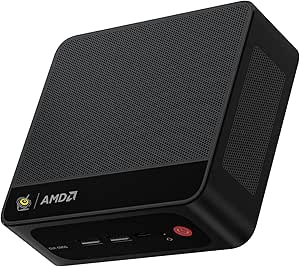
More Details on Our Top Picks
GEEKOM IT13 Mini PC 2026 with 13th Gen Intel i5-13600H, 16GB RAM, 1TB SSD, Windows 11 Pro, Quad Display, WiFi 6E
The GEEKOM IT13 stands out for its powerful 13th Gen Intel i5 processor, making it a top choice for those who want a mini PC capable of handling gaming, multimedia, and productivity tasks with ease. Compared to the ACEMAGIC M5, which offers a newer CPU but less RAM, the IT13 provides better multitasking potential thanks to its upgradable memory and storage options. Its support for four displays at 8K and 4K output makes it ideal for multi-monitor setups, while WiFi 6E and 2.5G Ethernet ensure fast, reliable connections. The compact design with easy upgrade paths adds to its appeal, though its 90W power limit can restrict peak performance under heavy loads. Overall, this makes the most sense for users needing a flexible, high-performance mini PC that can grow with their needs.
Pros:- Powerful 13th Gen Intel i5 processor with 12 cores for demanding tasks
- Supports up to four 8K/4K displays for extensive multitasking
- Fast WiFi 6E and 2.5G Ethernet for seamless connectivity
- Easy to upgrade RAM and storage
Cons:- Limited to 90W power consumption, which may impact performance during intensive workloads
- Small size restricts some component upgrades or expansions
Best for: Creative professionals, small business users, or gamers who need a powerful, upgradeable mini PC for multitasking and multimedia.
Not ideal for: Users seeking a budget-friendly option or those who prefer a larger, more expandable desktop setup, as the small form factor limits some upgrade options.
- Processor:Intel Core i5-13600H
- RAM:16GB (upgradable to 128GB)
- Storage:1TB PCIe Gen4 NVMe SSD, expandable to 2TB
- Operating System:Windows 11 Pro
- Graphics:Intel Iris Xe
- WiFi:Tri-Band WiFi 6E
Bottom line: This mini PC is best suited for users who need a high-performance, expandable system with multi-display support.
BOSGAME P3 Mini Gaming PC AMD Ryzen 7 7840HS, 32GB DDR5 RAM, 1TB NVMe SSD, Dual Gigabit Ethernet, Triple Display Support, Wi-Fi 6E, Bluetooth 5.2
The BOSGAME P3 delivers impressive gaming and multitasking performance thanks to its AMD Ryzen 7 7840HS processor and 32GB DDR5 RAM, making it a strong choice for gamers and content creators. Unlike the GEEKOM IT13, which focuses more on professional multitasking, this model emphasizes gaming with its powerful CPU and integrated Radeon 780M graphics, supporting three 4K displays for expansive workflows. Its fast PCIe 4.0 SSD and dual Gigabit Ethernet support high-speed data and network-intensive tasks. However, its limited RAM (pre-installed at 32GB) may require upgrades for intensive multitasking, and lacking a dedicated GPU means high-end gaming performance is somewhat constrained. This makes it ideal for those who want a compact gaming and multimedia workhorse.
Pros:- Powerful AMD Ryzen 7 7840HS CPU with high clock speeds
- Supports three 4K displays for multitasking and entertainment
- Fast PCIe 4.0 SSD and dual Gigabit Ethernet for smooth data and network performance
- Compact and portable design suitable for gaming and media editing
Cons:- No dedicated GPU, limiting high-end gaming and heavy 3D rendering
- Limited RAM upgrade capability beyond 32GB pre-installed
Best for: Gamers, streamers, and multimedia creators who need a small but powerful machine with excellent display support.
Not ideal for: Users who require dedicated GPUs or extensive upgradeability for future-proof gaming, as the integrated graphics might limit high-end gaming performance.
- Processor:AMD Ryzen 7 7840HS
- Graphics:AMD Radeon 780M
- RAM:32GB DDR5
- Storage:1TB NVMe SSD
- Display Support:Up to 3x4K
- Network:Dual Gigabit Ethernet, Wi-Fi 6E
Bottom line: This mini PC is perfect for gamers and creators who want serious performance in a compact size, with some upgrade limitations.
ACEMAGIC M5 Mini PC Windows 11 Pro, Intel Core i5-14500HX, 32GB DDR4, 1TB NVMe SSD, 4K Triple Display, WiFi6, Bluetooth 5.2, Compact Desktop
The ACEMAGIC M5 offers a potent 14th Gen Intel Core i5-14500HX processor paired with 32GB RAM, making it a standout for demanding work, multimedia editing, and casual gaming. Its support for triple 4K displays surpasses many competitors like the GEEKOM IT13, providing ample space for multitasking. The inclusion of WiFi6 and Bluetooth 5.2 ensures fast, reliable connectivity, while its compact size allows it to fit seamlessly into tight spaces. However, its limited upgrade options for RAM and storage beyond the initial specs may disappoint users wanting future expansion, and despite the cooling system, the small form factor could generate noticeable heat during extended heavy loads. It’s ideal for professionals needing a small yet powerful machine.
Pros:- Powerful 14th Gen Intel Core i5-14500HX processor with Turbo boost
- Supports triple 4K displays for enhanced productivity
- Extensive connectivity including WiFi6 and Bluetooth 5.2
- Pre-installed Windows 11 Pro for immediate productivity
Cons:- Limited upgrade options for RAM and storage beyond initial configuration
- Small size may restrict thermal management under heavy loads
Best for: Professional users requiring a high-performance, compact PC for multitasking, content creation, and entertainment.
Not ideal for: Gamers or users seeking extensive upgradeability or dedicated graphics for high-end gaming or 3D work, due to limited expansion options.
- Processor:Intel Core i5-14500HX
- RAM:32GB DDR4
- Storage:1TB NVMe SSD
- Graphics:Intel UHD Graphics
- Display Support:Triple 4K
- Connectivity:WiFi6, Bluetooth 5.2
Bottom line: This mini PC suits professionals who want high performance and multiple display support in a compact, ready-to-use system.
BOSGAME P3 Mix Mini PC with Ryzen 7640HS, 16GB DDR5, 512GB SSD, 4K Triple Display, USB 4.0, Dual 2.5G LAN, Wi-Fi 6E & BT5.2
The BOSGAME P3 Mix combines a capable AMD Ryzen 7640HS processor with 16GB DDR5 RAM and 512GB SSD, making it a balanced option for everyday productivity, media consumption, and casual gaming. Its support for dual 4K displays boosts multitasking, and the dual 2.5G LAN plus Wi-Fi 6E ensures fast network speeds. Compared to larger desktops, its compact size makes it suitable for small desks or multi-use spaces, though the limited storage might be a concern for media-heavy users. Its lack of a dedicated GPU restricts high-end gaming, but it handles everyday tasks smoothly. Overall, this model fits users who want a versatile, small desktop for work and light gaming without breaking the bank.
Pros:- Balanced AMD Ryzen 7640HS processor with good multitasking capability
- Supports dual 4K displays for productivity and entertainment
- Fast network connectivity with Wi-Fi 6E and dual 2.5G LAN
- Compact size with versatile connectivity options
Cons:- Limited storage capacity for extensive media libraries
- No dedicated GPU, limiting high-end gaming and 3D rendering
Best for: Home office users, students, or casual gamers who need a compact, reliable PC for multitasking and media use.
Not ideal for: Heavy gamers or content creators needing dedicated graphics or larger storage capacity, as it’s optimized more for everyday use.
- Processor:AMD Ryzen 7640HS
- Graphics:Radeon 760M
- RAM:16GB DDR5
- Storage:512GB PCIe SSD
- Display Support:Dual 4K
- Network:Dual 2.5G LAN, Wi-Fi 6E
Bottom line: This mini PC is well-suited for users who want a small, capable system for daily tasks and light gaming, with some storage considerations.
Lenovo ThinkCentre M625 Micro Desktop with 16GB RAM and 512GB SSD, Windows 11 Pro
The Lenovo ThinkCentre M625 excels in business settings where space-saving, security, and stability are priorities. Its fan-free, dust-resistant design ensures quiet operation and durability in various environments, making it ideal for open-plan offices or secure data handling. While its performance is solid for standard office tasks and basic multitasking, the integrated AMD graphics and limited upgrade options may fall short for power users or those needing intensive graphics work. Compared to the GEEKOM IT13, which offers more display flexibility and upgrade potential, the M625 prioritizes security and durability over raw performance and expandability. This makes it perfect for users who value reliability and security in a small, unobtrusive device.
Pros:- Compact, space-efficient design with a 1-liter volume
- Fan-free, dust-resistant operation for durability
- High security features like TPM encryption
- Supports dual displays for productivity
Cons:- Limited upgrade options due to small size
- Integrated graphics may not handle graphics-intensive tasks
Best for: Small business users, office workers, or environments requiring secure, silent desktops with limited upgrade needs.
Not ideal for: Power users or gamers seeking high-end graphics or extensive hardware upgrades, as the small size constrains expandability.
- Processor:AMD
- Graphics:Integrated AMD Graphics
- Memory:16GB DDR4
- Storage:512GB SSD PCIe NVMe
- Operating System:Windows 11 Pro
- Size:1 liter
Bottom line: This mini desktop is ideal for secure, reliable office use where space and noise are concerns, but not for demanding multimedia tasks.
KAMRUI Pinova P1 Mini PC Computer with AMD Ryzen 4300U, 16GB RAM, 256GB SSD, Supports Triple 4K
The KAMRUI Pinova P1 stands out for offering a balanced mix of performance and connectivity, making it ideal for multitasking setups that demand multiple 4K screens—something the GEEKOM A6 doesn’t prioritize with its focus on high-end gaming and demanding professional tasks. Compared to the GMKtec Nucbox G3 Pro, the Pinova P1 provides better display support and more USB ports, but it’s limited to 16GB RAM, which could be a bottleneck for intensive multitasking. Its AMD Ryzen 4300U delivers solid multi-threaded performance for general productivity, though it lacks a dedicated GPU, restricting more graphics-heavy tasks. The extensive connectivity options and support for triple 4K output make it suitable for home offices, media centers, or light creative work, but technical knowledge is needed for upgrades. Overall, this mini PC suits users who prioritize display flexibility and reliable stability over raw gaming power or maximum expandability.
Pros:- Supports triple 4K display output for enhanced multitasking
- Powerful AMD Ryzen 4300U for smooth multitasking
- Extensive connectivity including multiple USB ports and display outputs
Cons:- Limited to 16GB RAM in base configuration, with no dedicated GPU
- Requires some technical knowledge for hardware upgrades
Best for: Small business owners or remote workers needing multiple high-resolution displays and a reliable, multi-purpose mini PC.
Not ideal for: Gamers or professionals requiring dedicated graphics cards and high-end rendering capabilities, as it lacks a dedicated GPU and is geared more toward general use.
- Processor:AMD Ryzen 4300U
- RAM:16GB DDR4
- Storage:256GB SSD
- Display Support:Triple 4K (HDMI 2.0, DisplayPort 1.4, USB-C with DP Alt Mode)
- Graphics:AMD Radeon Graphics (up to 1.4GHz)
- Ports:6× USB 3.2, 1× USB-C, HDMI 2.0, DisplayPort 1.4, Ethernet, 3.5mm audio
- Wi-Fi:Wi-Fi 5 (802.11ac)
- Bluetooth:5.0
- Power Consumption:28 Watts
Bottom line: This mini PC is best suited for users who need multi-display support and stable everyday performance without high-end gaming or intensive rendering.
GEEKOM A6 Mini PC with AMD Ryzen 7 6800H, 16GB DDR5 RAM, 1TB NVMe SSD, Windows 11 Pro
The GEEKOM A6 offers a leap in power with its AMD Ryzen 7 6800H processor, making it the ideal choice for demanding creative tasks, intensive multitasking, or even light gaming—features that the KAMRUI Pinova P1 can’t match due to its more modest processor and graphics capabilities. Compared to the GMKtec Nucbox G3 Pro, the A6 provides significantly more processing power and supports up to four 4K displays, but it comes at a higher price point and may require more cooling considerations. Its DDR5 RAM and PCIe 4.0 SSD ensure rapid data transfer, while energy-efficient design helps keep power consumption manageable for a mini PC of its class. The inclusion of Windows 11 Pro and VESA mount options make it flexible for professional or creative environments, though its larger size and higher cost could be deterrents for budget-conscious users. This mini PC is best for those who need serious performance in a compact form factor.
Pros:- Powerful AMD Ryzen 7 6800H for demanding tasks
- Support for up to four 4K displays for expansive workspace
- Upgradeable RAM (up to 64GB) and storage options
Cons:- Higher price due to high-end components and shortages
- Larger size and complex cooling requirements
Best for: Creative professionals or power users needing robust multitasking, high-end display support, and upgradability in a small footprint.
Not ideal for: Budget users or casual users who don’t require heavy processing power, as the high cost and advanced features may be unnecessary.
- Processor:AMD Ryzen 7 6800H
- RAM:16GB DDR5 (upgradable to 64GB)
- Storage:1TB PCIe 4.0 NVMe SSD (expandable to 2TB)
- Display Support:Quad 4K (up to 4 displays)
- Operating System:Windows 11 Pro
- Cooling Method:Air cooling
Bottom line: This mini PC is best for users who need serious processing power and multiple high-resolution displays in a compact design.
GMKtec Nucbox G3 Pro Mini PC with Intel Core i3-10110U, 8GB RAM, 256GB SSD, 4K Dual HDMI, WiFi 6, Bluetooth 5.2
The GMKtec Nucbox G3 Pro excels as a small, efficient mini PC for office tasks and media consumption, offering reliable dual 4K display support and fast WiFi 6—features that the KAMRUI Pinova P1 might lack in its more generalist approach. Compared to the GEEKOM A5, which provides higher-end processing, the Nucbox G3 Pro is more suited to light multitasking and streaming, but it’s limited in storage and graphics capability, making it less suitable for demanding creative work. Its compact size and upgraded cooling make it a good fit for tight spaces, yet the 8GB RAM and 256GB SSD might fall short for heavy multitasking or large media libraries. Overall, this model is ideal for users seeking a simple, space-efficient device for daily office or media use, but not for intensive workloads or gaming.
Pros:- Supports dual 4K HDMI displays for multitasking
- Fast WiFi 6 and Bluetooth 5.2 for reliable connectivity
- Small form factor fits easily into tight spaces
Cons:- Limited storage capacity at 256GB SSD
- No dedicated GPU, restricting graphics-intensive tasks
Best for: Home office workers or media streamers needing a compact device with reliable dual 4K output and fast connectivity.
Not ideal for: Creative professionals or gamers requiring higher graphics or larger storage capacity, as it’s optimized for basic tasks.
- Processor:Intel Core i3-10110U
- RAM:8GB DDR4
- Storage:256GB SSD
- Display Output:2 x HDMI 2.0 (4K@60Hz)
- WiFi:WiFi 6 (802.11ax)
- Bluetooth:Bluetooth 5.2
Bottom line: This mini PC suits users who need a compact, reliable device for office work and media streaming, but not for heavy creative or gaming tasks.
GEEKOM A5 Mini PC with AMD Ryzen 7 5825U, 16GB DDR4, 512GB NVMe SSD, 8K Support, Windows 11 Pro
The GEEKOM A5 is designed for professionals who need high-resolution output, supporting up to 8K displays—something the KAMRUI Pinova P1 and GMKtec Nucbox G3 Pro can’t match at this level. Its AMD Ryzen 7 5825U ensures strong multitasking performance, especially for multimedia editing or display-intensive applications. Compared to the GEEKOM A6, the A5 sacrifices some expandability for a more durable, compact build, but it’s limited to 16GB RAM initially, which might restrict very heavy workflows. The 512GB SSD offers ample storage for most users, though no dedicated GPU means it’s not suitable for high-end gaming or complex 3D rendering. The support for 8K output makes it a compelling choice for media professionals or those working with ultra-high-definition content, though its slightly larger size and higher power draw are tradeoffs.
Pros:- Supports up to 8K display output for high-end visual work
- Powerful AMD Ryzen 7 5825U processor for multitasking
- 512GB NVMe SSD provides fast storage
Cons:- Limited to 16GB RAM initially, which may hinder heavy multitasking
- No dedicated GPU for graphics-intensive applications
Best for: Media professionals or multitaskers needing 8K display support and robust performance in a small package.
Not ideal for: Gamers or users with intensive graphics needs, since it uses integrated graphics and limited RAM for heavy workloads.
- Processor:AMD Ryzen 7 5825U
- RAM:16GB DDR4
- Storage:512GB NVMe SSD
- Display Support:Up to 8K@120Hz, 4 displays
- Operating System:Windows 11 Pro
- Build Material:ABS+PC shell with metal frame
Bottom line: This mini PC is ideal for media and professional users who need ultra-high-definition display support and reliable performance in a compact design.
Lenovo ThinkCentre Neo 50q Gen 4 Tiny Business Mini Desktop Computer
The Lenovo ThinkCentre Neo 50q Gen 4 Tiny excels in space-saving design and business-oriented features, making it a solid choice for small offices or home workstations. Compared to the GEEKOM A5 or KAMRUI Pinova P1, it offers a 13th Gen Intel Core i5 processor and support for up to three 4K displays, but it’s less flexible in upgrade options due to its small form factor. Its durability and straightforward connectivity make it suitable for consistent daily use, yet it lacks dedicated graphics and optical drives, limiting multimedia or gaming capabilities. The small size means it’s perfect for tight desk spaces where simplicity and reliability are priorities, but power users needing extensive expandability may find it too limited.
Pros:- Compact and space-efficient design
- Supports up to three 4K displays
- Powerful 13th Gen Intel Core i5 processor
Cons:- Limited upgrade options due to small size
- No optical drive included
Best for: Small business or remote workers who need a reliable, space-efficient desktop with multi-monitor support for productivity tasks.
Not ideal for: Creative professionals or gamers requiring high-end graphics and upgrade flexibility, as it’s optimized for basic office use.
- Processor:13th Gen Intel Core i5-13420H
- RAM:16GB DDR4
- Storage:512GB PCIe SSD
- Display Support:Up to 3 displays, 4K
- Connectivity:Wi-Fi 6, Bluetooth 5.2, multiple USB, HDMI 2.1, DisplayPort 1.4
- Dimensions:7 x 7 inches, 1.4 inches deep
Bottom line: This mini PC is ideal for small-business or remote office environments where space and simplicity are valued over high-end graphics or extensive upgrades.
GMKtec Mini PC Workstation with Intel Core i9-13900HK, 32GB DDR5, 1TB SSD, 8x USB, HDMI, DisplayPort, COM Port, WiFi6, Bluetooth 5.2
The GMKtec K10 Mini PC Workstation stands out for its extremely powerful Intel Core i9-13900HK processor, making it ideal for demanding professional tasks that go beyond simple office work. Compared to the Beelink SER5 MAX, it offers significantly higher CPU performance, but this comes with a tradeoff—its higher price and larger power draw. Its support for multi-screen 8K displays and extensive connectivity options make it a versatile hub for complex setups, especially in industrial or creative environments. However, it’s limited to Windows 11 Pro, and the absence of dedicated graphics may be a concern for graphics-intensive users. The compact size and robust port selection make this a top pick for users needing maximum performance in a small footprint.
Pros:- Exceptional processing power with Intel Core i9-13900HK
- Supports multi-screen 8K display for complex workflows
- Versatile connectivity including COM port and high-speed Ethernet
- Compact for its performance class
Cons:- Price likely to be high for casual or home use
- No dedicated GPU, limiting graphics-heavy tasks
- Limited to Windows 11 Pro
Best for: Professionals requiring a high-performance workstation with multiple display support and industrial connectivity.
Not ideal for: Casual users or those on a tight budget who don’t need ultra-high processing power or industrial-grade ports.
- Processor:Intel Core i9-13900HK (14 cores, 20 threads, up to 5.4GHz)
- RAM:32GB DDR5 5600 MHz
- Storage:1TB PCIe NVMe SSD
- Graphics:Intel Iris Xe Graphics (up to 1.5GHz)
- Video Outputs:2× HDMI 2.0, 1× DisplayPort 1.4, 1× Type-C
- Connectivity:Wi-Fi 6, Bluetooth 5.2, 2.5G Ethernet
- Ports:8 USB ports (4× USB 2.0, 4× USB 3.2), COM port, audio jack
- Dimensions:7.01 x 7.43 x 1.53 inches
- Power Consumption:45W
Bottom line: This mini PC is best suited for demanding professionals who need serious processing power and multiple display outputs in a compact form.
Beelink SER5 MAX Mini PC with AMD Ryzen 7 7735HS, 24GB RAM, 500GB SSD, 4K Triple Display, WiFi 6, Bluetooth 5.4
The Beelink SER5 MAX offers a compelling balance of performance and portability, powered by the AMD Ryzen 7 7735HS processor, which handles multitasking and moderate gaming with ease. Compared with the GMKtec Mini PC, it provides a more flexible and expandable platform—its 500GB SSD, upgrade options, and triple 4K display support make it perfect for diverse home or office setups. While its internal storage is limited out of the box, upgrading is straightforward, making it a good value for those willing to expand. Its cooling may struggle under sustained heavy loads, and some peripherals might need adapters for full compatibility. Overall, this pick suits users who want a portable yet powerful machine with excellent display capabilities.
Pros:- Powerful AMD Ryzen 7 7735HS processor for multitasking and light gaming
- Supports triple 4K displays for enhanced productivity
- Fast WiFi 6 and Bluetooth 5.4 for reliable wireless connectivity
- Compact and portable design
Cons:- Limited internal storage out of the box, upgrade needed for more space
- Cooling system may be insufficient under heavy sustained loads
- Some ports may require adapters for certain peripherals
Best for: Home users and small office workers seeking a compact PC capable of supporting multiple 4K displays with decent gaming and multitasking ability.
Not ideal for: Power users needing extensive internal storage or dedicated graphics for intensive creative work or gaming.
- Processor:AMD Ryzen 7 7735HS (8C/16T, up to 4.75GHz)
- RAM:24GB LPDDR5
- Storage:500GB M.2 NVMe SSD (upgradable to 8TB)
- Graphics:AMD Radeon 12-core 2200MHz
- Display Support:Triple 4K (HDMI, DP, Type-C)
- WiFi:WiFi 6
- Bluetooth:BT 5.4
- LAN:2.5G Ethernet
- Dimensions:4.96 x 4.44 x 1.65 inches
Bottom line: This mini PC offers a versatile, portable solution for users who need multiple 4K displays and solid performance in a small form factor.

How We Picked
I evaluated each mini PC based on several criteria that matter for desk setups: overall performance, build quality, connectivity options, size and noise levels, and value for money. I prioritized models with recent processors, ample RAM, and SSD storage to ensure smooth multitasking and long-term usability. Devices were ranked to highlight balanced performance with compact form factors, while also considering expandability and ease of use. The selection aims to cover a range of budgets and needs, from entry-level to high-end, ensuring that readers find options suited for different desk environments and workflows.Factors to Consider When Choosing Best Mini Pc For Desk Setup
Choosing the best mini PC for your desk setup involves understanding key factors that influence usability and longevity. While size and price are obvious considerations, other elements like performance, connectivity, and upgradeability play vital roles in making a smart purchase. This guide explores the main factors to evaluate, helping you avoid common pitfalls and make an informed decision tailored to your needs.Performance and Processor Power
Performance is often the top priority, especially if you plan to use demanding applications or multitask heavily. Look for recent processors like Intel’s 13th Gen or AMD Ryzen 7000 series, which deliver significant speed improvements. Cheaper options with older or lower-tier CPUs might save money initially but can become bottlenecks over time. Consider your typical workload to determine if you need a high-end CPU or if a mid-range model suffices for your day-to-day tasks.
Size, Design, and Noise Levels
Size matters when fitting a mini PC into your workspace. Compact designs save desk space but sometimes limit upgradeability or thermal performance. Noise levels are often overlooked but can impact your focus—look for models with good cooling solutions. If your desk is close to your ears or shared with others, prioritize quiet operation, especially in models with efficient cooling or fanless options.
Connectivity and Display Support
Multi-monitor setups demand multiple video outputs, so check for HDMI, DisplayPort, or USB-C compatibility. Ethernet ports are vital for stable internet, especially for work-from-home or streaming tasks. Wireless features like Wi-Fi 6/6E and Bluetooth 5.2 ensure fast, reliable connections. Evaluate your peripherals and networking needs to choose a mini PC with sufficient ports and wireless standards.
Expandability and Upgradability
While many mini PCs are designed to be compact and sealed, some still offer options for RAM or storage upgrades. Consider models with accessible slots if you anticipate future needs or want to extend the device’s lifespan. Avoid overly restrictive designs if you foresee adding more memory or storage later. It’s a balance between size and future-proofing, especially for long-term desk setups.
Price and Value
Prices for mini PCs vary widely, often reflecting their performance and features. High-end models with premium specs command higher prices but may be worth it for professional workflows or gaming. On the other hand, budget options can handle basic tasks well but might lack longevity or expandability. Consider your budget carefully and focus on the features that deliver the most value for your specific use case.
Frequently Asked Questions
Can I upgrade the RAM or storage in a mini PC for my desk setup?
Many mini PCs offer some level of upgradeability, particularly for RAM and storage, but this varies by model. Devices with accessible panels or slots make upgrades straightforward, extending their relevance over time. However, some ultra-compact models have sealed cases, limiting future upgrades. Check the manufacturer specifications carefully before purchasing if upgradeability is a priority for you.
Is a more powerful processor necessary for a desk setup, or can I get by with an entry-level CPU?
The answer depends on your typical usage. If your workflow involves multitasking, professional applications, or multimedia editing, a mid-range or high-end processor like an Intel Core i5/i7 or AMD Ryzen 7/9 will provide smoother performance. For simpler tasks such as browsing, document editing, or streaming, an entry-level CPU may be sufficient. Balancing performance with budget is key to avoiding bottlenecks down the line.
How important is Wi-Fi 6 or Bluetooth 5.2 in a mini PC for my desk setup?
Wi-Fi 6 and Bluetooth 5.2 offer faster, more reliable wireless connections, which are increasingly important as more peripherals and devices rely on wireless connectivity. For a desk setup, especially if you use wireless monitors, keyboards, or peripherals, these features can improve responsiveness and reduce latency. They also future-proof your setup, ensuring compatibility with upcoming wireless standards.
Should I prioritize a mini PC with multiple display outputs?
If your workflow depends on a multi-monitor setup, selecting a mini PC with multiple HDMI, DisplayPort, or USB-C outputs becomes critical. Not all mini PCs support multiple displays, and some may require adapters or docks, which add cost and complexity. Check the specifications to ensure the device can support your desired number of screens comfortably—this can greatly enhance productivity.
Are fanless mini PCs suitable for a quiet desk environment?
Fanless mini PCs generally operate without noise, making them an excellent choice for quiet office or home environments. However, they often sacrifice thermal performance, which can lead to overheating under heavy load. For light to moderate tasks, a fanless design works well, but for intensive workflows, a small fan might be necessary to keep temperatures in check, albeit with some noise.
Conclusion
For those seeking the best overall performance and versatility, the GEEKOM IT13 stands out as the top pick. If budget-conscious buyers want reliable everyday performance, models like the GMKtec G3 Pro offer excellent value. For users requiring the ultimate in power and expandability, the GMKtec Mini PC Workstation with an i9 processor is ideal. Beginners or casual users should consider more affordable, compact options like the GMKtec G3 Pro, while professionals needing multi-monitor support and high reliability should prioritize the Lenovo ThinkCentre M625. Your choice depends on balancing performance, size, connectivity, and budget to match your specific desk setup needs.