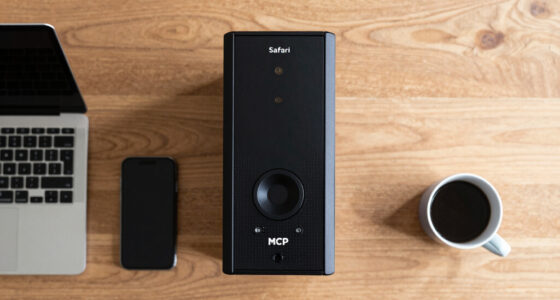
A good microphone setup can dramatically improve your remote meetings by clearly capturing your voice and reducing background noise. Proper positioning guarantees you’re heard without muffling or distortion, making communication smoother. Managing environment factors like echo and distractions also helps maintain professionalism. When your microphone is optimized, others can focus on your message rather than struggling to hear you. Keep exploring how a better setup can make your virtual interactions more effective and stress-free.

Get comfort and recovery gear delivered free — and shop member deals
- Fast, free delivery on millions of items
- Access to Prime Big Deal Days deals on October 6–7
- Prime Video, Amazon Music and more included
Key Takeaways
- Clear microphone placement reduces background noise, ensuring your voice is heard without distractions.
- Proper setup minimizes distortion and muffling, enhancing overall audio quality.
- Managing environment and equipment prevents echoes and reverberation, improving communication clarity.
- Consistent microphone positioning helps avoid misinterpretations caused by muffled or distant sound.
- A good setup fosters professional, focused, and more productive remote meetings.
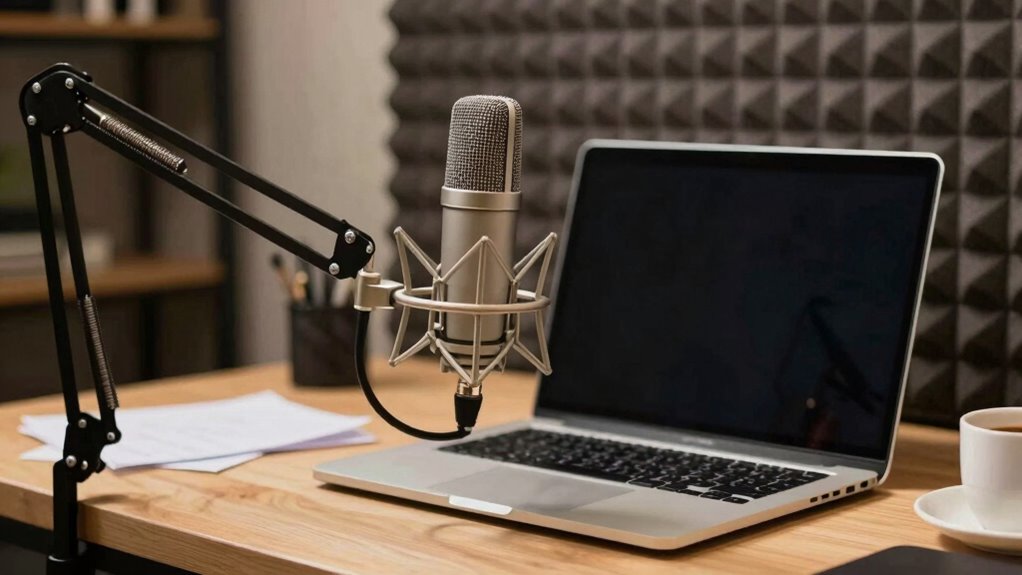
Setting up your microphone properly can make a significant difference in the quality of your remote meetings. When you pay attention to how you position your microphone, you reduce background noise and ensure your voice comes through clearly. Proper microphone positioning is essential because it helps focus on your voice while minimizing other sounds in your environment. If your microphone is too far away, your voice may sound distant or muffled, making it harder for others to understand you. Conversely, if it’s too close, you risk distortion or capturing unwanted breathing sounds. Finding the right distance—about a few inches from your mouth—is key to capturing clear audio.
Background noise is one of the biggest challenges in remote meetings. No matter how good your microphone is, if it picks up sounds like keyboard typing, fans, or pets, your message gets lost in the clutter. To combat this, consider using a directional microphone, which picks up sound primarily from one direction—usually your mouth—while ignoring sounds from the sides and behind. This way, you can concentrate on your voice without raising your volume or changing your environment. Additionally, turning off or muting unnecessary devices and closing windows can make a notable difference. Investing in a noise-canceling microphone can further help filter out background noise, giving your voice priority and making your communication clearer.
Your microphone setup isn’t just about the device itself; it’s about how you position and use it. Keep the microphone at the same level as your mouth to prevent plosives—those harsh “p” and “b” sounds—from causing distortion. If you’re using a headset, make sure the mic is close enough but not touching your face. For desktop mics, a boom arm or stand can help you maintain consistent positioning. Avoid placing the microphone near sources of noise or reflection, like a computer monitor or a window. Instead, aim for a stable, quiet spot that isolates your voice as much as possible. Paying attention to microphone placement can significantly improve your audio quality and overall communication during remote meetings. Additionally, understanding how background noise impacts clarity can help you create a more professional environment for your calls. Proper environmental setup can also reduce reverberation and echo, further enhancing sound quality. A well-thought-out room acoustics setup can make a notable difference in clarity and overall audio quality.
In the end, good microphone setup enhances communication and reduces misunderstandings during remote meetings. It’s not just about having the best equipment but about how you use it. Proper positioning, reducing background noise, and minimizing environmental distractions make your voice clearer and more professional. When you take these simple steps, you’ll notice a significant improvement in how effectively you connect with colleagues, clients, or friends. Your message will come through loud and clear, making your remote meetings more productive and less frustrating.
noise cancelling microphone for remote meetings
As an affiliate, we earn on qualifying purchases.
As an affiliate, we earn on qualifying purchases.
Frequently Asked Questions
How Do I Choose the Best Microphone for My Budget?
To choose the best microphone for your budget, start by identifying your needs for audio quality and compatibility. Look for budget options like USB mics or built-in laptop microphones that offer clear sound without breaking the bank. Read reviews to compare performance and durability. Prioritize features like noise reduction and ease of use within your price range. This way, you’ll find a microphone that improves your remote meetings without overspending.
What Is the Ideal Microphone Placement for Clear Audio?
Position your microphone about 6-12 inches from your mouth, slightly off to the side to avoid breath sounds. Keep it at a consistent height and angle, pointing directly toward your mouth for clear audio. Use echo cancellation features if available, and adjust your microphone orientation to minimize background noise. Proper placement decreases echoes and guarantees your voice is crisp and easy to understand during remote meetings.
How Can I Reduce Background Noise During Calls?
Reducing background noise during calls is like tuning a musical instrument—you want clarity above all. Use echo cancellation features on your microphone or conferencing software to minimize echoes and ambient sounds. Invest in acoustic treatment, like foam panels or rugs, to absorb sound reflections. Keep your microphone close and position it away from noisy appliances or windows. These steps help guarantee your voice comes through crisp, making your meetings much more effective.
Do I Need Additional Accessories for My Microphone Setup?
You might need additional accessories for your microphone setup to improve audio quality. Microphone accessories like pop filters, shock mounts, and boom arms help minimize noise and vibrations, providing clearer sound. Consider audio enhancements such as external audio interfaces or sound cards if you’re aiming for professional-grade quality. These accessories can make a significant difference, ensuring your voice comes through crisp and clear, enhancing your overall remote meeting experience.
How Often Should I Test My Microphone Before Meetings?
You should test your microphone before each meeting to verify ideal voice modulation and microphone durability. Doing quick sound checks helps catch issues like static or low volume, allowing you to adjust settings or reposition the microphone. Regular testing guarantees clear communication, minimizes disruptions, and maintains professional audio quality. This routine ensures your microphone performs reliably, keeping your voice clear and your meetings running smoothly.
directional USB microphone for PC
As an affiliate, we earn on qualifying purchases.
As an affiliate, we earn on qualifying purchases.
Conclusion
Now, imagine the difference a simple upgrade can make. Your voice, clear and crisp, cuts through the digital noise, commanding attention and respect. As your colleagues lean in, genuinely engaged, you realize it’s more than just a microphone — it’s your secret weapon in remote meetings. But what if the next call holds surprises you’re not yet prepared for? Stay tuned, because the real transformation begins when you discover the full potential of your setup.
As an affiliate, we earn on qualifying purchases.
background noise reducing microphone
As an affiliate, we earn on qualifying purchases.
As an affiliate, we earn on qualifying purchases.
Fall Picks
fall essentials
As an affiliate, we earn on qualifying purchases.