
Many remote workers overlook small, everyday habits that silently harm their posture, like slouching on the couch or hunching over a laptop. These habits can cause chronic pain, herniated discs, and nerve issues over time—problems that often go unnoticed until they become serious. Poor ergonomics and little movement contribute to these hidden risks. Staying aware of your posture and incorporating simple ergonomic tips can make a big difference in your long-term health. Keep going to discover how to protect yourself.

Get comfort and recovery gear delivered free — and shop member deals
- Fast, free delivery on millions of items
- Access to Prime Big Deal Days deals on October 6–7
- Prime Video, Amazon Music and more included
Key Takeaways
- Many remote workers develop poor habits like slouching or hunching that silently cause long-term musculoskeletal issues.
- Overlooking small, daily posture mistakes can lead to chronic pain and nerve compression over time.
- Lack of ergonomic accessories and awareness exacerbates hidden posture problems during extended remote work periods.
- Static sitting without movement or stretching worsens muscle imbalances and joint discomfort unnoticed.
- Ignoring proper ergonomic setup and regular movement reduces productivity and risks lasting health impacts.

Working remotely offers flexibility, but it also often leads to poor posture if you’re not careful. When you work from home, it’s easy to fall into habits that seem harmless—slouching on the couch, hunching over a laptop at a cluttered desk, or sitting in a chair that doesn’t support your back. Over time, these small habits can create a hidden posture problem that many remote workers overlook. The issue isn’t just discomfort; it’s the long-term impact on your musculoskeletal health. Poor posture can cause chronic pain, reduce productivity, and even lead to more serious issues like herniated discs or nerve compression.
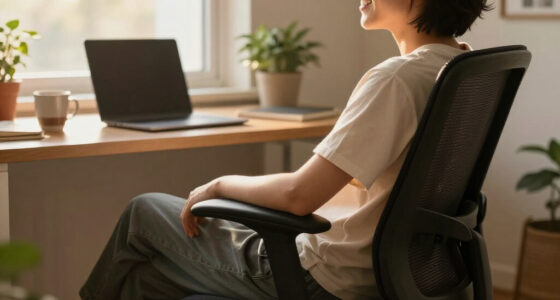
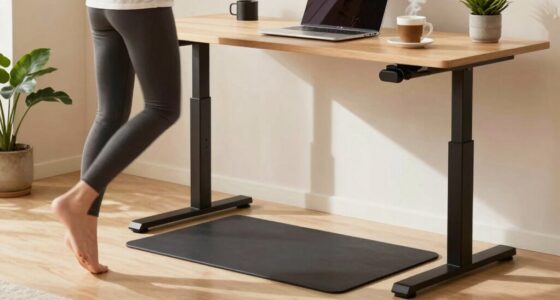
One way to combat this is by investing in ergonomic accessories. These tools are designed to support your body properly and encourage good posture. For example, an ergonomic chair helps keep your spine aligned, while adjustable desks allow you to switch between sitting and standing, reducing strain on your neck and shoulders. A good monitor stand positions your screen at eye level, preventing you from leaning forward or craning your neck. Using ergonomic accessories isn’t just about comfort; it’s about creating a workspace that promotes good habits and minimizes strain. When your setup is ergonomic, you’re more likely to maintain correct posture naturally, without constantly reminding yourself to sit up straight.
Invest in ergonomic accessories to support posture and promote healthy, comfortable work habits.
However, even with the best ergonomic setup, long hours in one position can still take a toll. That’s why incorporating stretching routines into your daily schedule is essential. Regular stretching helps loosen tight muscles, improve circulation, and reduce stiffness caused by static postures. Focus on stretches that target your neck, shoulders, back, and hips—areas most affected by prolonged sitting. Simple routines like shoulder rolls, neck tilts, and spinal twists can make a noticeable difference. Set a timer to remind yourself to stretch every hour or so, especially during long work sessions. These routines aren’t just about flexibility; they’re about preventing the muscle imbalances and joint issues that develop from neglecting movement. Incorporating stretching routines into your day can also boost your energy levels and mental clarity, making your work sessions more effective. Additionally, understanding the importance of proper posture and implementing these habits can significantly improve overall well-being and reduce the risk of chronic health issues. Developing awareness of ergonomic principles can further enhance your workspace setup and long-term health.
Ignoring these small but indispensable practices can lead to a hidden posture problem that sneaks up on you over time. By integrating ergonomic accessories into your workspace and committing to regular stretching routines, you actively protect your body from the adverse effects of remote work. It’s not enough to just work hard—you also need to work smart, taking care to support your physical health as you navigate your workday. When you prioritize these habits, you’ll find yourself less prone to pain and more capable of staying focused and productive in your remote environment. Moreover, being aware of cybersecurity tactics like proper posture can help prevent the need for discomfort-related health issues caused by neglected ergonomics.
ergonomic office chair for back support
As an affiliate, we earn on qualifying purchases.
As an affiliate, we earn on qualifying purchases.
Frequently Asked Questions
How Can I Tell if My Posture Is Affecting My Health?
You can tell if your posture is affecting your health by paying attention to health indicators like persistent neck, shoulder, or back pain, headaches, or tingling sensations. Practice posture awareness daily; notice if you feel tension or discomfort after long periods of sitting. If these symptoms persist, it’s a sign your posture might be impacting your health, and addressing it can prevent future issues. Regular checks help maintain good posture habits.
What Specific Exercises Can Improve Posture for Remote Workers?
You should focus on core strengthening exercises like planks and bridges, which support proper posture. Incorporate stretch routines such as chest openers and neck stretches to reduce tension. Investigating the theory that strong core muscles improve posture reveals it’s true; a stable core prevents slouching. Regularly doing these exercises can make a noticeable difference, helping you maintain better alignment and reduce discomfort during long remote work sessions.
Are There Ergonomic Tools That Prevent Poor Posture?
Yes, ergonomic accessories and posture gadgets can help prevent poor posture. You can use items like adjustable chairs, ergonomic keyboards, and standing desks to promote better alignment. Posture correctors and monitor risers also support healthy habits. These tools work together to reduce strain, improve comfort, and encourage proper sitting habits, making it easier for you to maintain good posture throughout your workday.
How Often Should I Adjust My Sitting Position During Work?
Think of your desk setup as a ship’s steering wheel—you need to adjust it regularly to stay on course. You should change your sitting position every 30 to 60 minutes during work. This helps prevent stiffness and promotes better posture. Keep your sitting duration manageable, and make small adjustments to your chair, monitor, and desk height. Frequent changes keep your body engaged and reduce strain, ensuring you stay comfortable throughout the day.
Can Posture Issues Lead to Long-Term Health Problems?
Posture issues can definitely lead to long-term health problems, like chronic back pain, neck strain, and repetitive stress injuries. Many people fall for posture myths and ergonomic misconceptions, thinking they only need to sit perfectly straight. But maintaining good posture involves regular movement and adjustments. Ignoring proper ergonomics can cause issues to accumulate over time, so it’s essential to stay aware and correct your posture often to prevent lasting damage.
As an affiliate, we earn on qualifying purchases.
Conclusion
Don’t let poor posture silently steal your health, like shadows lurking in the background. By paying attention to your workspace and making small adjustments, you can turn the tide against discomfort before it takes hold. Remember, your body is your most valuable tool—treat it with care. Ignoring posture is like neglecting the roots of a tree; eventually, everything above will suffer. Act now, and keep your well-being rooted in awareness.
As an affiliate, we earn on qualifying purchases.
ergonomic keyboard and mouse set
As an affiliate, we earn on qualifying purchases.
As an affiliate, we earn on qualifying purchases.
Fall Picks
fall essentials
As an affiliate, we earn on qualifying purchases.