To set up an ergonomic home office in a rental without drilling, start with a portable standing desk or adjustable monitor stands to elevate your screens. Use supportive accessories like wrist rests, footrests, and anti-fatigue mats to boost comfort. Organize cables with clips or adhesive hooks to keep your space tidy. Opt for ergonomic chairs or cushions that suit your body, all without any permanent damage. Keep exploring to discover more smart, damage-free tips for your ideal workspace.

Get comfort and recovery gear delivered free — and shop member deals
- Fast, free delivery on millions of items
- Access to Prime Big Deal Days deals on October 6–7
- Prime Video, Amazon Music and more included
Key Takeaways
- Use adjustable, portable standing desks or desk converters that sit on your existing furniture without drilling.
- Incorporate clamp-on monitor mounts and monitor stands to position screens at eye level without wall fixtures.
- Opt for ergonomic accessories like wrist supports, footrests, and anti-fatigue mats to customize comfort.
- Organize cables with clips and adhesive hooks to maintain a tidy workspace and prevent hazards.
- Choose ergonomic chairs or cushions and adjust their height for proper posture without permanent modifications.
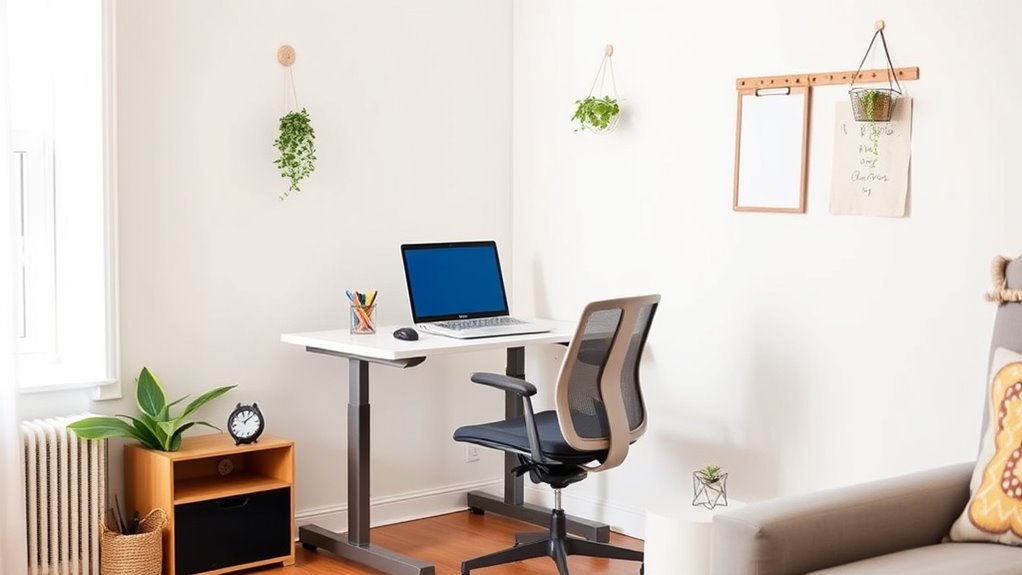
Creating an ergonomically sound home office is essential for maintaining comfort and productivity during long working hours. If you’re renting and can’t drill into walls or make permanent changes, don’t worry—you can still set up a workspace that promotes good posture and minimizes discomfort. One of the best ways to do this is by incorporating standing desks and ergonomic accessories that are easy to move and won’t damage your rental property. These solutions allow you to customize your setup without risking your security deposit.
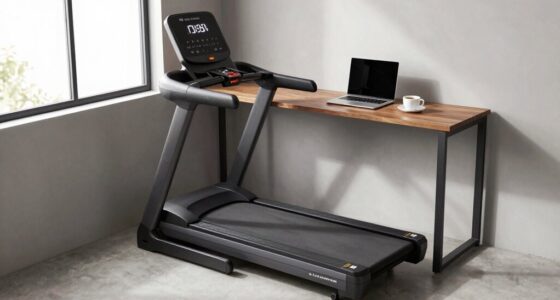
A standing desk is a game-changer for your home office. Instead of sitting all day, you can alternate between sitting and standing, which helps reduce back pain and improve circulation. Many standing desks are adjustable and can sit on top of your existing desk or table, so you don’t need to make any holes or permanent fixtures. Look for models with sturdy bases and smooth height adjustments. This flexibility means you can set your monitor at eye level, preventing neck strain, and position your keyboard and mouse at a comfortable height for your arms. A standing desk encourages movement and keeps you more alert, especially during long work sessions.
Alongside your standing desk, ergonomic accessories are critical for creating a healthy workspace. A supportive keyboard and mouse pad with wrist rests can help prevent repetitive strain injuries. An adjustable monitor stand or mount is also invaluable; it elevates your screen to eye level, reducing neck tension. There are clip-on or clamp-on monitor mounts that attach securely to your desk without drilling, making them ideal for rentals. Additionally, consider ergonomic footrests to support your legs if you’re sitting, and anti-fatigue mats if you’re standing for extended periods. These accessories are portable and easy to reposition, giving you the flexibility to adjust your setup as needed.
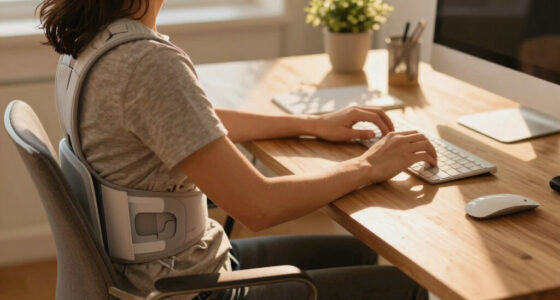
You should also pay attention to your chair. If your rental doesn’t provide an ergonomic chair, invest in a good-quality one that offers lumbar support. If that’s not possible, a seat cushion or lumbar pillow can improve your posture. Incorporating modern ergonomic solutions can further enhance your workspace comfort. Placing your equipment correctly and using ergonomic accessories helps build a workspace that minimizes strain and maximizes comfort. Remember, the goal is to keep your body aligned naturally, so take the time to adjust your setup until it feels right.
Finally, organize your cords and equipment neatly to avoid clutter, which can lead to discomfort and distraction. Use cable clips or adhesive hooks that stick to your desk or wall to keep everything tidy. This not only maintains a clean workspace but also prevents tripping hazards and makes it easy to move your setup when needed. Setting up an ergonomic home office in a rental requires some creativity, but with portable standing desks and ergonomic accessories, you can create a comfortable, efficient workspace that supports your well-being without risking your security deposit.
portable standing desk for home office
As an affiliate, we earn on qualifying purchases.
As an affiliate, we earn on qualifying purchases.
Frequently Asked Questions
How Can I Prevent Damage to Walls Without Drilling?
To prevent damage to walls without drilling, you should use wall protectors and adhesive hooks. Wall protectors act as a barrier between your furniture or equipment and the wall, avoiding scratches or dents. Adhesive hooks are a great way to hang items securely without nails or screws. They’re easy to remove and leave no residue, so you can keep your walls intact while setting up your ergonomic home office.
What Are the Best Portable Ergonomic Accessories?
You should consider portable accessories like adjustable laptop stands, ergonomic keyboards, and portable footrests to enhance comfort. These ergonomic tools are easy to move and don’t require drilling, making them perfect for rental spaces. Look for lightweight, compact designs that fit your workspace, and prioritize items with non-slip bases. With these portable accessories, you can improve your posture and work efficiency without damaging your walls or needing permanent setup.
How Do I Ensure Proper Cable Management Without Holes?
You can keep cables neat without holes by using cable clips and wireless solutions. Cable clips attach to your desk or monitor stand, guiding cords along edges and preventing tangles. Meanwhile, wireless devices eliminate clutter altogether, freeing you from cable management altogether. This combination creates a clean, organized workspace, ensuring your cables stay out of sight and off your desk, while still maintaining easy access and flexibility.
Can I Create Height-Adjustable Desks Without Permanent Fixtures?
Yes, you can create a height-adjustable desk using desk risers or adjustable platforms. These options sit on your existing desk, allowing you to raise or lower your workspace easily without permanent fixtures. Simply place the risers or platforms under your monitor, keyboard, and other essentials, and adjust them to your ideal ergonomic height. This setup is perfect for renters who want flexibility and comfort without drilling or permanent modifications.
Are There Ergonomic Options Suitable for Small or Awkward Spaces?
If you have a small or awkward space, consider a compact sit-stand desk that fits on your current desk, adjusting height easily. For example, a user in a tiny apartment found a foldable desk that improves desk height and chair ergonomics without taking up extra room. This setup boosts comfort and productivity, proving that ergonomic options like adjustable desks and supportive chairs can work well even in tight spaces.
clamp-on monitor mount without drilling
As an affiliate, we earn on qualifying purchases.
As an affiliate, we earn on qualifying purchases.
Conclusion
Creating an ergonomic home office without drilling is easier than you think. Did you know that proper setup can boost productivity by up to 25%? By using adjustable desks, monitor stands, and ergonomic accessories, you can work comfortably and avoid pain—all without damaging your rental. Invest a little time and effort now, and you’ll enjoy a healthier, more efficient workspace that won’t jeopardize your deposit. Your perfect home office is just a few smart choices away!
ergonomic keyboard and mouse pad with wrist rest
As an affiliate, we earn on qualifying purchases.
As an affiliate, we earn on qualifying purchases.
adjustable monitor stand for desk
As an affiliate, we earn on qualifying purchases.
As an affiliate, we earn on qualifying purchases.
Fall Picks
fall essentials
As an affiliate, we earn on qualifying purchases.