Searching for the ideal pomodoro timer can feel overwhelming with so many options available. The Ticktime Pomodoro Timer stands out as the best overall choice thanks to its variety of presets and rechargeable design, making it versatile for different work styles. The TK3 Pomodoro Timer Cube excels for those who prioritize silent operation and discreet notifications, perfect for quiet work environments. Meanwhile, budget-conscious users may find the KADAMS Pomodoro Cube offers essential features at a more accessible price. Each of these options balances functionality with ease of use, but tradeoffs like customization complexity or noise levels vary. Continue reading for a detailed breakdown of these timers and more to help you find your ideal focus companion.
Complete the kit



Key Takeaways
- Top picks offer a balance of preset intervals, customizability, and noise control, catering to different work environments.
- Rechargeable timers provide greater flexibility and less clutter compared to those requiring batteries or wired power sources.
- Silent modes and vibration features are essential for maintaining concentration in shared or quiet spaces.
- Design and interface matter: simple, intuitive controls enhance usability, especially for beginners.
- Higher-priced options often include advanced features like app control, customizable alarms, and elegant aesthetics.
| Ticktime Pomodoro Timer, Productivity Timer Cube, 5/15/25/30/45/60 Min Presets, Custom Countdown & Stopwatch, Rechargeable, Magnetic, Violet |  | Best Overall | Preset Timers: 5/15/25/30/45/60 minutes | Custom Range: 1 second to 99 minutes 59 seconds | Battery: Rechargeable lithium-ion, USB-C | VIEW ON AMAZON | See Our Full Breakdown |
| TK3 Pomodoro Timer Cube, Desk Productivity Timer with Presets, Custom Countdown, Alarm, Silent & Vibrate Modes |  | Best for Versatility and Travel | Presets: 5, 10, 30, 60 minutes | Custom Countdown: 1 to 99 minutes | Stopwatch Mode: Yes | VIEW ON AMAZON | See Our Full Breakdown |
| Productivity Timer with Wood Grain Design, 1, 5, 10, 30, 60 Minutes Preset, Desk Cube Timer with Gravity Sensor, Mute, Vibration, Rechargeable |  | Best for Style and Quiet Environments | Preset Timers: 1, 5, 10, 30, 60 minutes | Volume Levels: Mute, Vibration, Alarm (70-80dB) | Display: Bright, illuminated | VIEW ON AMAZON | See Our Full Breakdown |
| Jack Pomodoro Timer – Visual Focus Timer with Adjustable Sound and Vibration, Magnetic and Rechargeable |  | Best for Customization and Visibility | Preset countdown times: 3, 5, 10, 25, 30, 60 minutes | Customizable options: Yes, with M and S buttons | Modes: Silent, vibration, sound | VIEW ON AMAZON | See Our Full Breakdown |
| Pomodoro Timer with Magnetic Flip Countdown, Customizable Alarm and Brightness |  | Best for Versatile Use and Focus | Preset Times: 3, 5, 10, 25, 30, 60 minutes | Customizable Time: Yes | Magnetic Base: Yes | VIEW ON AMAZON | See Our Full Breakdown |
| Rotating Pomodoro Timer – 5, 25, 10, 50 Minutes Preset, Desk Productivity Flip Timer, Vibration/Volume Modes, ADHD Tool |  | Best for Stylish, Easy Operation with Customizable Modes | Preset Timers: 5, 25, 10, 50 minutes | Modes: Countdown, Stopwatch, Custom | Volume Levels: Silent, High (90-100dB), Low (70-80dB) | VIEW ON AMAZON | See Our Full Breakdown |
| Rotating Pomodoro Timer with Preset Intervals and Vibration |  | Best for Versatile Timing with Discreet Alerts | Preset Intervals: 5, 25, 10, 30, 60 minutes | Timer Modes: Countdown, Stopwatch | Vibration: Yes | VIEW ON AMAZON | See Our Full Breakdown |
| Rotating Pomodoro Timer with Preset and Custom Modes |  | Best for Flexible Custom and Preset Timing | Preset Modes: 5, 25, 10, 50 minutes | Custom Timing Range: 00-99 minutes and 59 seconds | Volume Levels: Silent, High (90-100dB), Low (70-80dB) | VIEW ON AMAZON | See Our Full Breakdown |
| Digital Pomodoro Timer Cube – Visual Countdown & Focus Timer for Kids and Adults |  | Best for Visual Learners and Kids with ADHD | Dimensions: 1.7 x 1.7 x 1.7 inches | Battery: Built-in 500mAh rechargeable | Charging: Type-C cable included | VIEW ON AMAZON | See Our Full Breakdown |
| KADAMS Pomodoro Cube Timer – Visual Countdown, 5/10/25/50 Min, Silent Mode |  | Best for Simple, Visual, Distraction-Free Timing | Preset countdown options: 5, 10, 25, 50 minutes | Customizable timer: Yes | LED display: Yes | VIEW ON AMAZON | See Our Full Breakdown |
| Programmable Pixel Digital Desk Clock with Bluetooth Control, Pomodoro Timer, and Custom Messages |  | Best for Customization and Visual Notifications | Display: Pixel digital display | Control: Bluetooth app control | Power: Plug-in | VIEW ON AMAZON | See Our Full Breakdown |
| GuDoQi Multi-Function Cube Timer, 5/10/30/60 Min & Custom Count Down, Pause & Resume, Silent, Vibrate, Adjustable Sound, for Productivity, Study & Kitchen, Purple |  | Best for Portability and Versatile Time Management | Dimensions: 1.81 x 1.73 x 1.73 inches | Battery Life: 6-8 months after full charge | Modes: Gravity-sensing and manual | VIEW ON AMAZON | See Our Full Breakdown |
| pomodoro timer | Battery |
|---|---|
| Ticktime Pomodoro Timer | Rechargeable lithium-ion, USB-C |
| TK3 Pomodoro Timer Cube | 1400mAh rechargeable, up to 10 days |
| Productivity Timer with Wood G | Built-in lithium, USB-C rechargeable |
| Jack Pomodoro Timer | Lithium rechargeable |
| Pomodoro Timer with Magnetic F | — |
| Rotating Pomodoro Timer | — |
| Rotating Pomodoro Timer with P | — |
| Rotating Pomodoro Timer with P | — |
| Digital Pomodoro Timer Cube | Built-in 500mAh rechargeable |
| KADAMS Pomodoro Cube Timer | Rechargeable, 500mAh |
| Programmable Pixel Digital Des | — |
| GuDoQi Multi-Function Cube Tim | — |
More Details on Our Top Picks
Ticktime Pomodoro Timer, Productivity Timer Cube, 5/15/25/30/45/60 Min Presets, Custom Countdown & Stopwatch, Rechargeable, Magnetic, Violet
The Ticktime Pomodoro Timer stands out for its compact design and versatile flip-to-start operation, making it ideal for users who prefer a simple, intuitive device without digital screens. Unlike the TK3 Cube, which offers more preset options and alarms, Ticktime’s magnetic back and silent alert modes cater well to quiet environments, though it lacks app integration or advanced digital features. Its rechargeable battery and magnetic mounting make it highly adaptable for various settings, from workstations to kitchens. The tradeoff is that it relies solely on physical controls and preset timers, which might feel limiting for those seeking more customization or smart features.
Pros:- Flip-to-start operation with gyroscope sensor simplifies use
- Multiple alert modes suit different environments
- Magnetic back enables versatile placement
- Rechargeable with long battery life
Cons:- Requires 12-hour initial charge before first use
- No waterproofing, so avoid water contact
- Limited to preset and custom timers without app support
Best for: Busy students and professionals who want a straightforward, portable timer with minimal fuss.
Not ideal for: Tech enthusiasts seeking app control or advanced digital customization, as this device lacks digital connectivity.
- Preset Timers:5/15/25/30/45/60 minutes
- Custom Range:1 second to 99 minutes 59 seconds
- Battery:Rechargeable lithium-ion, USB-C
- Dimensions:1.9 x 1.8 x 1.7 inches
- Weight:0.1 lbs
- Features:Flip-to-start, pause/resume, magnetic back, stopwatch mode
Our verdict“This timer is perfect for users who need a simple, reliable device with quick startup and flexible placement options.”
TK3 Pomodoro Timer Cube, Desk Productivity Timer with Presets, Custom Countdown, Alarm, Silent & Vibrate Modes
The TK3 Pomodoro Timer Cube excels in offering a range of preset timers and alarms, making it a flexible choice for users who want multiple focus intervals. Compared with the Ticktime, it provides more preset options (5, 10, 30, 60 minutes) and up to three alarms for daily scheduling, which is ideal for busy routines. Its flip-activated pause/resume function is intuitive, but the physical buttons on the back are only visual guides, and it lacks a touchscreen or digital interface. This makes it less suitable for users who prefer digital customization or detailed scheduling but excellent for those who value portability and straightforward operation.
Pros:- Multiple preset timers and customizable countdown
- Flip-activated start, pause, and resume
- Multiple alarm modes, including silent and vibration
- Lightweight and portable for travel
Cons:- Buttons are only visual guides, not touch-sensitive
- Limited digital features, no app support
- Back controls may be less intuitive for some
Best for: Professionals and students who need a multi-purpose timer with alarms and portability for travel or desk use.
Not ideal for: Users seeking smart features or app connectivity, as this device relies solely on physical controls and alarms.
- Presets:5, 10, 30, 60 minutes
- Custom Countdown:1 to 99 minutes
- Stopwatch Mode:Yes
- Alarms:Up to 3 daily alarms
- Battery:1400mAh rechargeable, up to 10 days
- Dimensions:2.6 inches wide
Our verdict“This timer is ideal for those who want a versatile, portable device with multiple alarms and intuitive operation without digital complexities.”
Productivity Timer with Wood Grain Design, 1, 5, 10, 30, 60 Minutes Preset, Desk Cube Timer with Gravity Sensor, Mute, Vibration, Rechargeable
This Wood Grain Desk Timer combines aesthetic appeal with functionality, featuring a natural-looking finish and multiple preset timers. Its gravity sensor allows easy operation by flipping, and it offers mute, vibration, and loud alarm modes. Unlike the digital-heavy options like the Jack Timer, this timer emphasizes style and simplicity, making it suitable for professional or home settings where aesthetics matter. However, its limited preset options and vibration mode may not satisfy users with more complex timing needs or those requiring precise volume control. Its rechargeable USB-C battery adds convenience but lacks detailed battery life info, which could be a concern for heavy daily use.
Pros:- Attractive wood grain design adds natural aesthetic
- Gravity sensor simplifies operation
- Multiple volume modes including mute and vibration
- Rechargeable via USB-C for eco-friendly use
Cons:- Limited preset timer options may not cover all needs
- Vibration might be less noticeable on soft surfaces
- Battery life details are not specified
Best for: Design-conscious professionals and students who want a stylish timer that fits seamlessly into their workspace.
Not ideal for: Power users needing extensive customization or app integration, since this timer sticks to basic preset options.
- Preset Timers:1, 5, 10, 30, 60 minutes
- Volume Levels:Mute, Vibration, Alarm (70-80dB)
- Display:Bright, illuminated
- Dimensions:2.1×2.1×1.9 inches
- Weight:1.7 oz
- Battery:Built-in lithium, USB-C rechargeable
Our verdict“This timer suits users who prioritize style and simplicity over advanced digital features or extensive presets.”
Jack Pomodoro Timer – Visual Focus Timer with Adjustable Sound and Vibration, Magnetic and Rechargeable
The Jack Pomodoro Timer offers a range of preset countdowns along with adjustable sound and vibration modes, making it adaptable to various environments. Its magnetic base provides easy placement on steel surfaces, and the multiple brightness levels enhance visibility for different lighting conditions. Compared with the simpler Ticktime, Jack provides more control over sound and light, but its small display and limited preset times could be restrictive for users needing extensive customization or larger display readability. Its magnetic feature makes it particularly suited for users who want a visually prominent timer on metallic surfaces, though it may not adhere well on non-metallic ones.
Pros:- Multiple preset and customizable countdown options
- Adjustable brightness and modes for visibility and sound
- Magnetic base for secure placement on steel surfaces
- Rechargeable via USB-C
Cons:- Limited preset durations, requiring manual adjustment for others
- Small display size may be hard to read for some
- Magnetic base may not stick well to non-metal surfaces
Best for: Focus enthusiasts who want customizable alerts and easy placement on steel surfaces, especially in busy or noisy environments.
Not ideal for: Users seeking long-duration timers or those who prefer app-controlled digital timers, as this relies on physical controls and preset options.
- Preset countdown times:3, 5, 10, 25, 30, 60 minutes
- Customizable options:Yes, with M and S buttons
- Modes:Silent, vibration, sound
- Light levels:4 brightness settings
- Battery:Lithium rechargeable
Our verdict“Ideal for users who want a highly visible, customizable timer with magnetic attachment for steel surfaces and flexible alert modes.”
Pomodoro Timer with Magnetic Flip Countdown, Customizable Alarm and Brightness
This Magnetic Flip Timer provides a straightforward visual countdown with six preset options, making it suitable for diverse tasks such as work, study, or cooking. Its magnetic base allows attachment to steel surfaces, and the adjustable brightness and modes—silent, vibration, and sound—offer flexibility. Compared to the more feature-rich Jack Timer, this model emphasizes simplicity and ease of use, but its limited preset times and somewhat complex controls may challenge new users. Its focus on visual cues and magnetic placement makes it especially useful in environments where quick, glanceable timing is needed.
Pros:- Magnetic base for attachment on steel surfaces
- Multiple modes with adjustable volume and brightness
- Rechargeable via USB-C, no battery replacements needed
- Includes a dedicated Pomodoro mode
Cons:- Limited preset times, may require manual adjustments
- Controls may be confusing initially for some users
- Some users might prefer more presets for efficiency
Best for: Users who want a simple, magnetic timer with customizable modes for various tasks without digital complexity.
Not ideal for: Power users needing extensive presets or detailed digital configuration, as this timer relies on basic controls and preset options.
- Preset Times:3, 5, 10, 25, 30, 60 minutes
- Customizable Time:Yes
- Magnetic Base:Yes
- Light Levels:4
- Modes:Silent, vibration, sound
Our verdict“This timer suits those who value visual cues, magnetic placement, and straightforward modes over extensive customization.”
Rotating Pomodoro Timer – 5, 25, 10, 50 Minutes Preset, Desk Productivity Flip Timer, Vibration/Volume Modes, ADHD Tool
This rotating digital timer stands out for its combination of preset intervals and gravity sensing, providing a seamless flip-based start/stop experience. Unlike the KADAMS Pomodoro Cube Timer, which relies solely on visual cues, this model offers multiple modes and adjustable volume, making it more adaptable for different environments. The flip operation is intuitive, but may not suit users seeking manual button controls or quick adjustments. Its aesthetic design suits modern desks, though the vibration mode’s effectiveness could be limited in noisy spaces.
Pros:- Supports preset Pomodoro intervals and customizable modes
- Gravity sensor allows easy flip-to-start/stop
- Adjustable volume levels, including silent and high modes
- Stylish, aesthetic design suitable for various settings
Cons:- Limited to preset intervals without manual adjustment options
- Vibration mode may be too weak in loud environments
- Requires flipping for operation, which might be inconvenient for some
Best for: Individuals who prefer stylish, tactile timers with customizable volume and multiple preset options for varied tasks
Not ideal for: Users needing precise manual controls or those working in very noisy environments where vibration feedback is insufficient
- Preset Timers:5, 25, 10, 50 minutes
- Modes:Countdown, Stopwatch, Custom
- Volume Levels:Silent, High (90-100dB), Low (70-80dB)
- Sensor:Gravity sensing
- Material:Aesthetic design
Our verdict“This pick is ideal for users seeking a stylish, tactile timer with flexible modes and easy operation in quieter settings.”
Rotating Pomodoro Timer with Preset Intervals and Vibration
This hexagon-shaped timer offers multiple preset intervals—5, 25, 10, 30, and 60 minutes—making it more versatile than the Rotating Pomodoro Timer B0D7JVPJV9, which is limited to four presets. The flip-to-start feature simplifies operation, and vibration alerts provide discreet notifications, ideal for environments where sound is disruptive. However, the vibration may not be noticeable in noisy settings, and the device’s battery life details remain unclear, which could impact long-term usability.
Pros:- Supports multiple preset intervals for various tasks
- Flip-to-start and flip-to-reset design for intuitive use
- Includes vibration alert for discreet notifications
- Stylish hexagon shape suitable for modern desks
Cons:- Limited to preset intervals; less flexible for custom timing
- Vibration might not be effective in noisy areas
- Battery life not specified, raising concerns about longevity
Best for: People who need a visually appealing, versatile timer with discreet vibration alerts for quiet workplaces or study environments
Not ideal for: Users who require detailed battery life information or prefer manual button controls over flip-to-start operation
- Preset Intervals:5, 25, 10, 30, 60 minutes
- Timer Modes:Countdown, Stopwatch
- Vibration:Yes
- Alarm Volume:70-80dB
- Material:Plastic
- Design:Hexagon
Our verdict“A stylish, multifunctional timer with multiple presets and discreet vibration alerts, perfect for quiet workspaces but lacking detailed battery info.”
Rotating Pomodoro Timer with Preset and Custom Modes
This digital cube timer excels by combining preset modes of 5, 25, 10, and 50 minutes with a generous custom range up to 99 minutes, surpassing the more limited options of the KADAMS Pomodoro Cube Timer. Its gravity sensing and flip-to-start mechanism make it user-friendly, while multiple volume levels, including silent vibration, add to its versatility. A potential downside is that the reliance on flipping could be inconvenient for some, especially if setup instructions are unclear or the battery details are missing.
Pros:- Supports preset and highly customizable timing modes
- Gravity sensor enables easy flip-based operation
- Multiple volume levels including silent vibration
- Stylish aesthetic design for various environments
Cons:- Requires flipping to operate, which may be inconvenient for some
- Limited info on setup instructions and power source
- Potentially less suitable for users with mobility or dexterity issues
Best for: Power users who need both preset options and extensive custom timing with tactile operation
Not ideal for: Individuals who prefer manual button controls or are concerned about ease of setup without clear instructions
- Preset Modes:5, 25, 10, 50 minutes
- Custom Timing Range:00-99 minutes and 59 seconds
- Volume Levels:Silent, High (90-100dB), Low (70-80dB)
- Features:Gravity sensor, flip to start/stop, reset by flipping
Our verdict“This timer offers flexible preset and custom timing with intuitive flip operation, ideal for advanced users but possibly less convenient for casual users.”
Digital Pomodoro Timer Cube – Visual Countdown & Focus Timer for Kids and Adults
This compact timer with visual time bars makes it especially suitable for children and visual learners, providing a clear, intuitive way to track focus periods. Unlike the more feature-rich Rotating Pomodoro Timer B0D7JG4VLD, this model emphasizes simplicity and visual cues, which can be more effective for young users. Its small size and rechargeable battery add portability, but the alarm automatically stopping after a minute may be too brief for some users who need longer alerts.
Pros:- Easy to operate with flip mechanism
- Visual time bars improve time perception, ideal for kids
- Supports customizable countdowns and sound/silent modes
- Rechargeable, portable design
Cons:- Limited preset options (5/10/25/50 minutes)
- Alarm stops after 1 minute, possibly too short for some
- Small size may be less effective for users needing larger displays
Best for: Parents and teachers seeking a simple, visual timer to help kids and beginners stay focused
Not ideal for: Power users needing extensive customization or longer alert durations
- Dimensions:1.7 x 1.7 x 1.7 inches
- Battery:Built-in 500mAh rechargeable
- Charging:Type-C cable included
- Battery Life:20+ hours
- Standby Time:Up to 30 days
Our verdict“A simple, visual-focused timer with rechargeable convenience, best suited for children and beginners needing clear cues.”
KADAMS Pomodoro Cube Timer – Visual Countdown, 5/10/25/50 Min, Silent Mode
The KADAMS Pomodoro Cube Timer offers straightforward preset intervals of 5, 10, 25, and 50 minutes, focusing on simplicity with its visual LED countdown and silent operation. Compared with the more feature-rich Rotating Pomodoro Timer B0D7JG4VLD, it forgoes extensive customization but provides a clear, distraction-free experience. Its minimalist design suits users who prefer quick, reliable timers without complex features, though the limited preset options may not suit every need.
Pros:- Clear visual LED countdown for easy tracking
- Simple preset options for quick setup
- Silent mode minimizes distractions
- Compact, minimalist design
Cons:- Limited preset options may not suit all tasks
- No detailed info on battery life or power source
- Basic design may feel too simple for some users
Best for: Students and professionals seeking a simple, visual timer that operates quietly and reliably
Not ideal for: Power users requiring extensive customization or multiple modes
- Preset countdown options:5, 10, 25, 50 minutes
- Customizable timer:Yes
- LED display:Yes
- Silent mode:Yes
- Size:1.7 x 1.7 x 1.7 inches
- Battery:Rechargeable, 500mAh
Our verdict“A minimalist, visual countdown timer perfect for focused, distraction-free work or study without added complexity.”
Programmable Pixel Digital Desk Clock with Bluetooth Control, Pomodoro Timer, and Custom Messages
This digital desk clock stands out for its high degree of customization, allowing users to create animated patterns, text, and even personalized messages via a Bluetooth app. Unlike simpler timers like the GuDoQi Cube, this device offers a dynamic visual display that can serve as both a productivity aid and a decorative element. Its continuous plug-in power ensures reliable operation, but it requires a smartphone for setup and customization, which might be a hurdle for some users. The inclusion of a Pomodoro timer and alarm makes it versatile for work sessions, yet the lack of a battery backup limits portability and backup options. This pick makes the most sense for those who want a visually engaging, customizable timer integrated into their workspace, especially if they enjoy blending function with aesthetics.
Pros:- Highly customizable with text, patterns, and animations
- Wireless control via Bluetooth app
- Includes Pomodoro timer, alarm, and busy status display
- Plug-in power ensures continuous operation
Cons:- Requires a smartphone for full customization, which could be inconvenient
- No battery backup option, limiting portability
- Complex controls may overwhelm users unfamiliar with app-based devices
Best for: Design-conscious professionals who want a visually engaging and customizable productivity tool
Not ideal for: Users seeking a purely portable timer without reliance on a smartphone or who prefer simple, no-frills devices
- Display:Pixel digital display
- Control:Bluetooth app control
- Power:Plug-in
- Features:Custom text, patterns, animations, Pomodoro timer, alarm, busy sign
Our verdict“This device suits users seeking a highly visual, customizable desk timer with productivity features, provided they are comfortable with app-based control.”
GuDoQi Multi-Function Cube Timer, 5/10/30/60 Min & Custom Count Down, Pause & Resume, Silent, Vibrate, Adjustable Sound, for Productivity, Study & Kitchen, Purple
Compared with the Pixel digital clock, the GuDoQi Cube offers a compact, portable design that’s ideal for users who need a quick, physical timer for various tasks. Its gravity-sensing and manual modes provide flexibility, making it perfect for study sessions, cooking, or work, even without a screen. However, its maximum manual timer of just under 100 minutes and absence of a seconds display in gravity mode limit precision for some users. The long battery life—up to 8 months—means fewer charges, but it still requires recharging via USB-C, which might be inconvenient if forgotten. This timer makes the most sense for those who prioritize portability and multi-functionality in a small package, especially if visual cues are less critical.
Pros:- Compact and highly portable design
- Multiple timing modes with custom options
- Adjustable volume, silent and vibrating alerts
- Long battery life with USB-C recharge
Cons:- Maximum manual timer limited to 99 minutes 59 seconds
- No display of seconds in gravity-sensing mode, reducing precision
- Requires charging every few months, which could be inconvenient
Best for: Students, cooks, or busy professionals who need a portable, multi-purpose timer with silent alerts
Not ideal for: Users needing detailed visual feedback or timers longer than 99 minutes, or those preferring large digital displays
- Dimensions:1.81 x 1.73 x 1.73 inches
- Battery Life:6-8 months after full charge
- Modes:Gravity-sensing and manual
- Maximum Timer:99 minutes 59 seconds
- Sound:Adjustable volume
- Features:Pause, resume, vibration, silent mode
Our verdict“This timer suits individuals who need a small, versatile device for various timing tasks without the fuss of screens, though it sacrifices some precision and maximum duration for portability.”
How We Picked
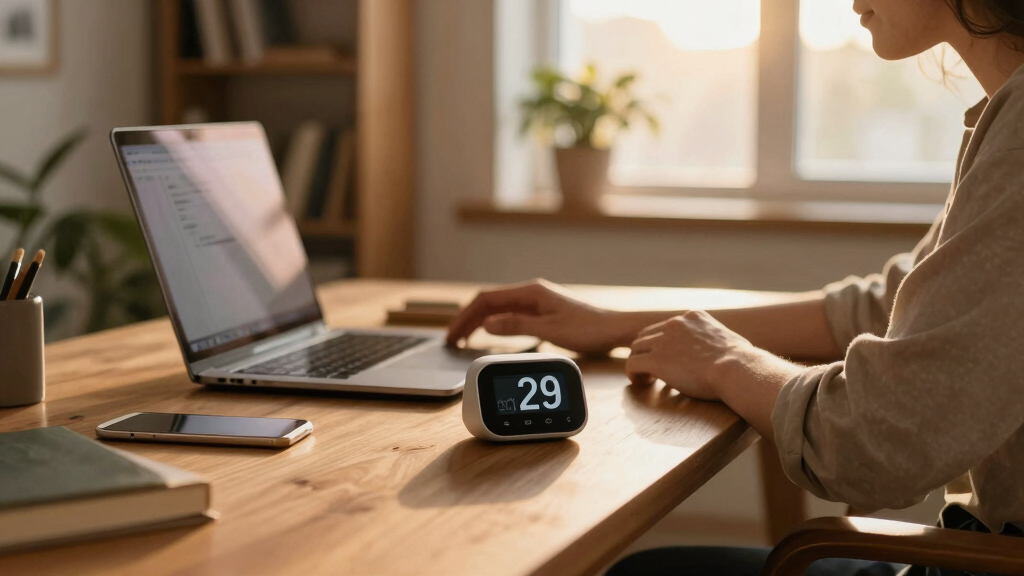
This selection process focused on evaluating pomodoro timers based on performance, ease of use, build quality, and versatility. We prioritized products with clear preset options, customizable features, and reliable alarms or notifications. Durability and user interface design also played key roles, as intuitive controls can significantly impact productivity. Additionally, we considered power options, with rechargeable models favored for convenience. Price-to-value ratio was an underlying factor, ensuring that each pick offers meaningful features relative to its cost. The ranking reflects a balance of functionality, affordability, and user experience, helping buyers find options suitable for different needs—from casual users to serious professionals.Factors to Consider When Choosing Pomodoro Timer
Choosing the right pomodoro timer involves more than just picking the most feature-rich option. Consider how the timer’s interface suits your workflow, whether noise levels matter in your environment, and if customization aligns with your focus style. Additional factors include power source options, durability, and whether the device integrates with other productivity tools. Avoid common pitfalls like selecting timers that are overly complicated or lack reliable alarms, which can disrupt your focus rather than support it. Understanding these broader considerations ensures you select a timer that not only fits your budget but also enhances your productivity long-term.Ease of Use and Interface
Look for timers with simple controls and clear displays. An intuitive interface reduces setup time and minimizes distractions, especially if you work under pressure. Complex interfaces or small buttons can frustrate users and hinder focus. Consider whether the timer has physical buttons, touchscreen controls, or voice activation, and choose what aligns with your comfort level and environment. For those new to the pomodoro method, straightforward operation can make the difference between sticking with the technique or abandoning it early.
Sound and Vibration Modes
In shared spaces or quiet environments, noise can be a distraction. Timers with silent or vibration modes are invaluable in these cases, preventing interruptions during deep work or meetings. Conversely, some users prefer audible alarms for clarity and certainty that a interval has completed. Think about your environment and personal preferences—select a timer that offers reliable sound settings and the ability to customize volume or vibration intensity, ensuring it supports your focus without becoming a nuisance.
Power Source and Portability
Decide whether a rechargeable, battery-powered, or wired timer best suits your routine. Rechargeable models eliminate the need for frequent battery replacements and offer greater portability, making them ideal for on-the-go use or multiple workspaces. Battery-powered timers are simple and typically more affordable but require ongoing maintenance. Wired timers tend to be less portable but can offer consistent power, especially useful in fixed workstations. Weigh your mobility needs and setup preferences to avoid inconvenient power constraints that could interrupt your workflow.
Customization and Flexibility
Some timers come with preset intervals, while others allow full customization of work and break durations. If you follow the traditional 25-minute work and 5-minute break cycle, presets suffice. However, if your focus sessions vary or you want to experiment with different timings, a device with extensive customization options is better. Be cautious of overly complex settings that can slow down your workflow or confuse new users. The right balance between flexibility and simplicity enhances consistency and ease of use.
Build Quality and Aesthetics
Durability matters, especially if you plan to use the timer daily or carry it around. A well-built timer resists wear and tear, maintaining functionality over time. Aesthetic design can also influence your motivation—sleek, modern timers may inspire more frequent use. Consider whether the timer’s size and look fit your workspace or study area. Investing in a high-quality device can save money long-term by avoiding frequent replacements, particularly for those who rely heavily on their timer as a core productivity tool.
Frequently Asked Questions
Can I customize the work and break intervals on a pomodoro timer?
Yes, most modern pomodoro timers include customizable settings that allow you to set your preferred work and break durations. This flexibility enables you to adapt the technique to your specific needs, whether you prefer shorter or longer intervals. Some timers offer presets for common cycles, but the ability to tailor these times can significantly improve your focus and productivity. When choosing a timer, check for user-friendly customization options to ensure it aligns with your workflow preferences.
Are silent or vibration modes effective for maintaining focus?
Silent and vibration modes are highly effective in environments where noise could be disruptive, such as shared offices or quiet study areas. These modes allow you to receive interval notifications without disturbing others. They work well for maintaining focus, especially if you’re sensitive to sound or work in a noise-sensitive setting. The key is to select a timer with reliable vibration or adjustable volume alarms to ensure that you’re always aware when a session ends without compromising your concentration.
Should I prioritize a rechargeable timer over batteries?
Rechargeable timers generally offer greater convenience and sustainability, especially if you plan to use your timer frequently. They eliminate the need for ongoing battery replacements, reducing waste and ongoing costs. However, they require regular charging, which could be inconvenient if you forget or if the battery life is limited. Battery-powered timers are simpler and may be more cost-effective upfront but can become cumbersome over time. Consider your usage patterns and workspace setup when deciding between the two options.
Is a digital or analog timer better for focus sessions?
Digital timers provide precise control over preset times, customizable alarms, and often include visual countdowns that help keep you aware of your progress. Analog timers, on the other hand, can be more straightforward and less distracting, appealing to those who prefer a simple, tactile experience. Digital models typically include additional features like vibration modes and app integration, making them more versatile. Your choice depends on whether you value precision and extra features or prefer a minimalist approach for better focus.
How important is the design and aesthetic of a pomodoro timer?
The design can influence how often you use the timer and how it fits into your workspace. A visually appealing timer may motivate you to stick to your schedule, while a cluttered or unattractive device might be ignored or underused. Durability and ease of access are also key—timers that are easy to read and operate encourage regular use. Ultimately, selecting a timer that appeals to your aesthetic taste and feels good to use can support sustained focus and productivity.
Conclusion
For general users seeking a reliable, feature-rich option, the Ticktime Pomodoro Timer offers excellent value and flexibility. Those working in quiet environments or needing discreet notifications will appreciate the TK3 Pomodoro Timer Cube for its silent modes. Beginners or budget-conscious buyers should consider simple, straightforward timers like the KADAMS Pomodoro Cube for effective focus without extra complexity. For professionals or heavy users, investing in a premium model with customizable features and durable design can pay off long-term. Ultimately, your choice should align with your environment, focus style, and budget to make the most of the pomodoro technique.