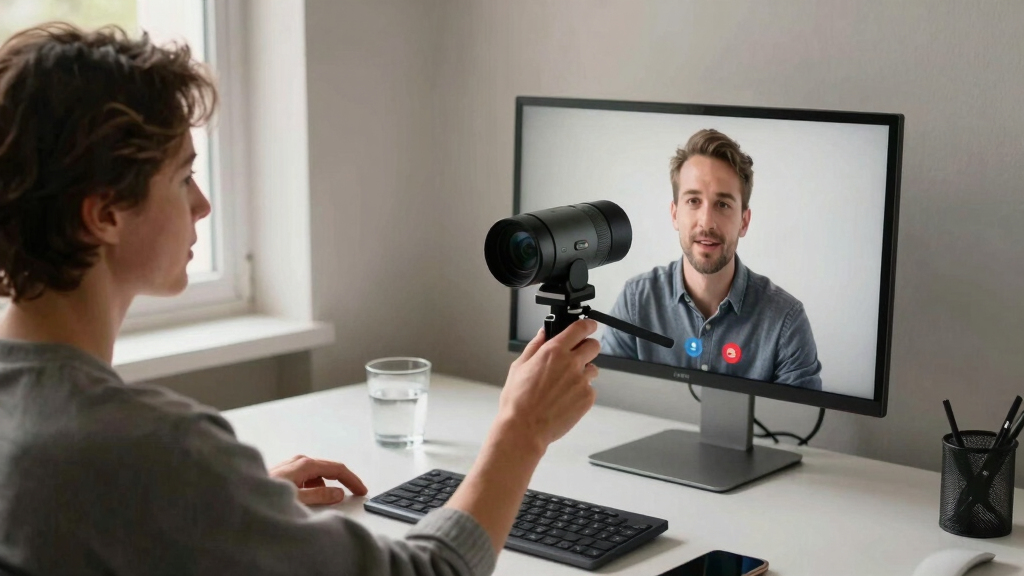

Finding the best conference camera for a home office involves balancing video quality, ease of setup, and affordability. The Logitech Brio 101 stands out as the top overall choice thanks to its sharp 1080p resolution and versatile compatibility. For larger or more dynamic setups, the Owl Labs Meeting Owl 3 offers 360-degree coverage with AI-driven tracking, making remote meetings more natural. Meanwhile, the Bose Professional VB-S delivers superior audio and integrated noise reduction, ideal for noisy environments. With so many options, tradeoffs often involve balancing image clarity, field of view, and smart features. Continue reading for a detailed comparison to find your best fit.
Key Takeaways
- Top picks vary based on room size and meeting style, from simple webcams to all-in-one systems.
- Field of view and tracking capabilities are key for dynamic or larger spaces, with the Meeting Owl series excelling here.
- Audio quality often matters more than video in noisy environments, making integrated noise reduction a valuable feature.
- Compatibility with common platforms like Zoom, Teams, and Google Meet is universal, but some models offer extra integrations.
- Price ranges significantly, with premium models offering advanced features at a higher cost, while budget options cover basic needs.


More Details on Our Top Picks
Logitech Brio 101 Full HD 1080p Webcam for Meetings, Streaming, Desktop, Laptop, PC – Built-in Mic, Shutter, Works with Zoom, Microsoft Teams, Nintendo Switch’s GameChat Mode, USB-A, Black
The Logitech Brio 101 stands out for its crisp 1080p video quality and automatic light adjustment, making it ideal for professional-quality calls in variable lighting conditions. Unlike the Bose VB-S, which offers 4K video and advanced audio, the Brio is more straightforward and budget-friendly, focusing on essential features that deliver reliable performance. Its privacy shutter adds security, and compatibility with multiple platforms, including Nintendo Switch, broadens its versatility. However, the lack of detailed mounting options and limited info on audio quality beyond the microphone means it may not satisfy users seeking a fully integrated AV solution. This webcam suits home office users prioritizing high-quality video and privacy at an affordable price.
Pros:- High-quality 1080p video ensures clear, professional calls
- Automatic light adjustment minimizes shadows for better image clarity
- Privacy shutter enhances security when not in use
- Broad platform compatibility, including Nintendo Switch GameChat
Cons:- Dimensions and mounting options are not specified, limiting placement flexibility
- No detailed info on built-in audio quality beyond the microphone
Best for: Professionals who need a reliable, easy-to-use webcam for daily meetings and streaming with privacy features.
Not ideal for: Users requiring comprehensive audio-visual solutions or 4K video quality for content creation or large presentations.
- Resolution:Full HD 1080p
- Connectivity:USB-A
- Built-in Microphone:Yes
- Privacy Shutter:Yes
- Compatibility:Zoom, Microsoft Teams, Google Meet, Nintendo Switch GameChat Mode, Mac
- Material:77% recycled plastic
Bottom line: This webcam is ideal for home office professionals seeking dependable 1080p video with privacy features at a sensible price.
Bose Professional VB-S All-in-one Video Conference HD Camera with Noise-reducing Mic and Bluetooth Speaker
The Bose VB-S delivers stunning 4K video with digital zoom and wide angle capabilities, making it a top choice for those needing exceptional visual clarity. Compared to the Logitech MeetUp, which offers a wider field of view but lower resolution, the Bose excels in image detail and audio quality, thanks to noise-reducing microphones and a high-fidelity Bluetooth speaker. Its sturdy build and flexible mounting options suit both home and professional environments, but its weight and lack of image stabilization could be drawbacks in portable setups. The device’s high price reflects its all-in-one nature, which may be overkill for simple home use. This system caters best to users who want premium video and audio in a single package for critical meetings.
Pros:- Exceptional 4K video with digital zoom and auto-focus
- Superior noise reduction with beamforming microphones
- Integrated Bluetooth speaker offers high-fidelity audio
- Robust mounting options for versatile placement
Cons:- Relatively heavy and less portable
- No water resistance or outdoor suitability
- Lacks image stabilization, potentially affecting stability
Best for: Executives or teams requiring high-end video and audio quality in a professional or home office setting.
Not ideal for: Budget-conscious users or those seeking lightweight, portable solutions for casual or infrequent use.
- Video Resolution:4K Ultra-HD
- Zoom:5x digital
- Microphones:Noise-reducing beamforming
- Speaker:Bluetooth high-fidelity
- Weight:2.1 pounds
- Dimensions:3.8″D x 27″H
Bottom line: This all-in-one system is perfect for high-stakes meetings where top-tier video and audio are critical, and budget is less of a concern.
Owl Labs Meeting Owl 3 – 360° 1080p HD Conference Room Camera with AI-Driven Speaker Tracking and 18-Foot Microphone Pickup
The Meeting Owl 3 excels in providing comprehensive room coverage with 360° HD video and audio, making it ideal for dynamic hybrid meetings. Its AI-driven auto-focus on active speakers and microphone array that captures sound within 18 feet outperform traditional fixed cameras like the Logitech C920x, which is more suited for individual desk setups. The plug-and-play USB makes setup straightforward, and expandable options allow it to grow with your needs. The main tradeoff involves its premium price and reliance on USB stability, which might be a concern for very large or complex rooms. This model is best for teams prioritizing active speaker focus and full-room coverage in hybrid environments.
Pros:- Offers 360° video and audio for full-room coverage
- AI auto-focus enhances speaker engagement
- Plug-and-play setup simplifies deployment
- Expandable with additional Owl devices
Cons:- High price point may be prohibitive
- Dependent on USB connection stability
- Requires additional equipment for very large rooms
Best for: Teams or small businesses needing a versatile, easy-to-deploy solution for hybrid meetings with active speaker tracking.
Not ideal for: Users with small, single-person setups or those seeking a budget-friendly, fixed-angle webcam.
- Resolution:1080p HD
- Microphone Range:18 feet
- Video Type:360°
- AI Features:Auto-focus on active speakers
- Compatibility:Microsoft Teams, Zoom, Google Meet
- Setup:Plug-and-play USB
Bottom line: This camera is best for teams that require active speaker tracking and full-room coverage in hybrid or collaborative settings.
Logitech C920x HD Pro Webcam, Full HD 1080p/30fps, Stereo Microphones, Light Correction, Compatible with Microsoft Teams, Google Meet, Zoom, Nintendo Switch, Mac
The Logitech C920x offers solid 1080p video at 30fps with autofocus and automatic light correction, making it a dependable choice for everyday video calls. While it’s less feature-rich than the Brio 101, its lower price point makes it accessible for users who need quality without frills. Its stereo microphones deliver clear audio, and background removal with XSplit VCam adds a creative touch for streaming. However, the absence of a privacy shutter and limited 30fps at 1080p could be drawbacks for users wanting quick, secure setups or smoother motion. This webcam is well-suited for budget-conscious users seeking reliable, good-quality video for regular meetings.
Pros:- 1080p video quality with autofocus and light correction
- Stereo microphones provide clear audio
- Compatible with multiple platforms including Nintendo Switch
- Includes background removal software
Cons:- No privacy shutter included
- Limited to 30fps at 1080p resolution
- Requires additional setup for background removal
Best for: Home office users or students needing a dependable, affordable webcam with decent video and audio quality.
Not ideal for: Professionals requiring high frame rates, advanced privacy features, or integrated background removal for professional streaming.
- Resolution:1080p at 30fps
- Microphones:Stereo dual mics
- Light Correction:Yes
- Autofocus:Yes
- Compatibility:Windows, Mac, Nintendo Switch
- Additional Features:Background removal with XSplit VCam
Bottom line: This webcam is perfect for users needing affordable, reliable 1080p video with basic features for daily use.
Logitech MeetUp Video Conferencing System, 4K/1080p/720p, 3 Microphones, Adjustable Speakers, 120° Wide Field of View, Compatible with PC, Mac, Laptop, Tablet – Black
The Logitech MeetUp offers a broad 120° field of view with motorized pan/tilt, making it an excellent choice for small rooms or huddle spaces where wide coverage is needed. Its 4K option provides crisp detail, surpassing the standard 1080p webcams like the C920x, especially for larger displays or detailed presentations. The integrated microphones and adjustable speakers improve audio clarity, but the system’s lack of detailed dimensions and weight info might pose installation challenges. It’s a plug-and-play device compatible with many platforms, but its design is optimized for fixed setups rather than portability. This system is best for small meeting rooms needing broad coverage and high-quality video.
Pros:- 120° wide field of view with motorized pan/tilt
- High-quality 4K video and multiple presets
- Easy setup with plug-and-play USB
- Integrated beamforming microphones for clear audio
Cons:- Lacks detailed info on size and weight, affecting placement decisions
- Does not include an expansion microphone
- Requires USB 3.0 for 4K streaming
Best for: Small teams or businesses needing a wide-angle, high-resolution solution for dedicated conference rooms or huddle spaces.
Not ideal for: Users looking for portable webcams or those with minimal space for mounting equipment.
- Resolution:4K/1080p/720p
- Field of View:120° (expandable to 170°)
- Microphones:3 beamforming microphones
- Connectivity:USB 3.0 for 4K
- Mounting Options:Wall, credenza, TV mount
- Weight:Not specified
Bottom line: This system provides broad coverage and high-resolution video ideal for small conference rooms but may be less suitable for portable use.
TONGVEO All-in-One Conference Room Video Camera System with Auto-Tracking and Bluetooth Speakerphone
This all-in-one conference system stands out for its streamlined setup, combining a 1080p HD PTZ camera with AI auto-tracking and a Bluetooth speakerphone, making it ideal for users who want a simple, integrated solution. Compared with the Meeting Owl 4+ which offers 360-degree coverage, the TONGVEO focuses on tracking individual speakers within a defined field, making it better for smaller spaces where focused video is preferred. The AI auto-tracking enhances engagement by keeping speakers centered, but the wired connection may limit where you can place it, and the battery life of 6-8 hours might fall short for longer meetings. Its 1080p resolution at 60fps ensures smooth, clear video, and the broad connectivity options support most conferencing platforms. However, setup can be complex without technical help, and the wired design reduces placement flexibility.
Pros:- Integrated design simplifies setup and reduces clutter
- AI auto-tracking keeps speakers in frame automatically
- 1080p video with smooth 60fps output ensures clear, fluid video
- Supports major conferencing platforms with multiple connectivity options
Cons:- Wired PTZ camera limits placement options
- Battery life of 6-8 hours may require frequent recharging
- Setup can be tricky without technical support
Best for: Small to medium teams seeking a plug-and-play, all-in-one conference solution with automatic tracking.
Not ideal for: Larger conference rooms or users needing wireless flexibility and extended battery life.
- Video Resolution:1080p
- Optical Zoom:3x
- Field of View:114°
- Pan/Tilt Range:350° horizontal, 180° vertical
- Audio Range:16.4 ft
- Connectivity:USB 3.0, HDMI, Bluetooth 5.0
Bottom line: This system makes the most sense for small teams who want a straightforward, all-in-one conference camera with auto-tracking and reliable audio.
Meeting Owl 4+ 360-Degree 4K Smart Video Conference Camera, Microphone, and Speaker
The Meeting Owl 4+ excels in providing an immersive 360-degree experience that captures both video and audio across the entire room, making it ideal for hybrid meetings in larger spaces. Unlike the TONGVEO, which tracks individual speakers, the Owl 4+ automatically focuses on whoever is speaking, providing an engaging, inclusive view, especially useful for hybrid teams. Its 4K resolution and 360° coverage deliver a comprehensive view, but the higher price point might deter smaller teams on a budget. The device’s plug-and-play setup and enterprise features like Wi-Fi and Kensington lock make deployment straightforward in professional environments. However, for smaller rooms, the coverage might be excessive, and the need for ample space can be a limiting factor.
Pros:- Provides an all-encompassing 360° video and audio experience
- Automatic focus and intelligent speaker tracking enhance participation
- Easy to set up with enterprise-grade connectivity options
- Compatible with major conferencing platforms
Cons:- Higher cost may be prohibitive for some users
- Requires sufficient room space for optimal coverage
- Setup can be complex with additional expansion features
Best for: Medium to large teams seeking a comprehensive, 360-degree camera with intelligent focus for hybrid collaboration.
Not ideal for: Small or tightly confined spaces where 360-degree coverage is unnecessary or space is limited.
- Resolution:4K
- Audio Range:up to 18 ft
- Camera Type:360-degree
- Connectivity:USB, Wi-Fi, Power over Ethernet
- Compatibility:Microsoft Teams, Zoom, Google Meet, Cisco Webex
- Features:Automatic focus, zooming, noise equalizing
Bottom line: This pick makes the most sense for larger or hybrid rooms where immersive, all-around coverage is a priority for engaging remote participants.
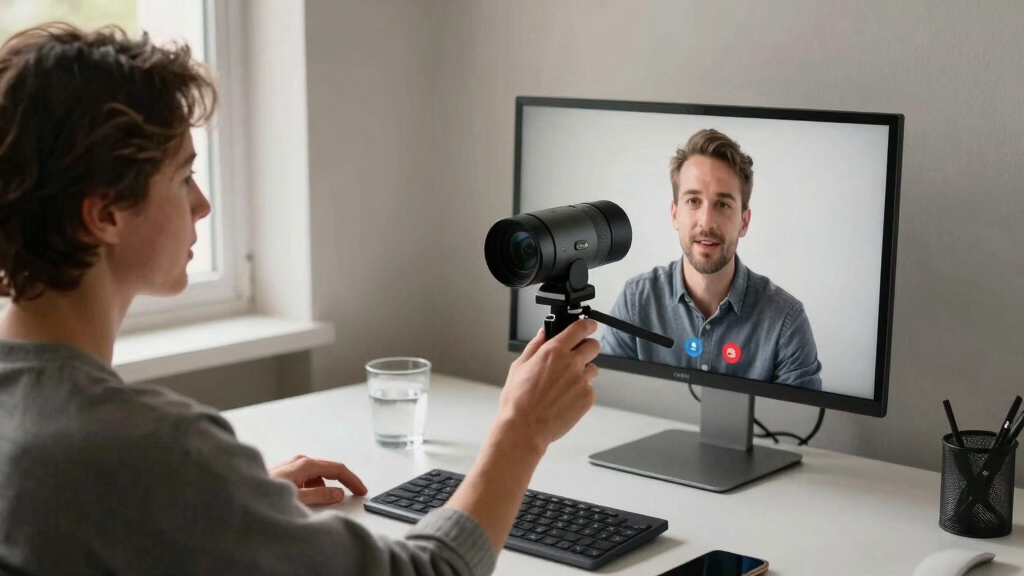
How We Picked
In selecting these conference cameras, I prioritized performance, usability, and value tailored for home office setups. Essential criteria included video resolution, field of view, and smart features like auto-tracking or speaker focus. Ease of installation and compatibility with popular conferencing platforms also played a key role. I balanced these factors against real-world tradeoffs, such as cost versus advanced features, to highlight options suitable for different needs. The ranking reflects a mix of overall versatility, quality, and user-centric features that make remote meetings smoother and more professional.Factors to Consider When Choosing Best Conference Camera For Home Office
Choosing the right conference camera for your home office depends on several factors that go beyond just image quality. Knowing what your space and meeting style require can help you avoid overspending or missing key features. The following considerations will help clarify what to look for and where to prioritize your budget.Room Size and Field of View
The size of your home office greatly influences the ideal camera. Smaller spaces typically need a standard webcam with a narrow or moderate field of view, while larger or multi-person rooms benefit from wide-angle or 360-degree cameras. Choosing a camera with a wider field of view can reduce the need for multiple devices but may also capture more background noise or clutter. Be wary of models that don’t specify their field of view if your setup is unconventional.
Video Resolution and Clarity
Higher resolution cameras, such as 1080p or 4K, provide sharper images, making your video presence more engaging. However, this also demands more bandwidth and processing power, which can impact performance on less capable PCs or internet connections. For most home offices, 1080p strikes a good balance between clarity and smooth streaming, but premium options with 4K can be worth it for presentations or professional branding.
Smart Features and Automation
Features like auto-tracking, speaker framing, or 360-degree coverage can significantly improve meeting flow, especially if you move around during calls. These add convenience but often come at a higher price. For static setups, simple fixed-angle cameras are sufficient, but if your meetings are more dynamic, investing in smart features can make a noticeable difference in professionalism and ease of use.
Audio Quality and Microphones
Clear audio is just as important as good video, especially in noisy home environments. Built-in microphones with noise reduction or echo cancellation are valuable. Consider whether the camera’s microphone setup is adequate or if you need an external microphone for better clarity. Poor audio quality can undermine your efforts even if your video is sharp and professional-looking.
Compatibility and Ease of Use
Ensure the camera seamlessly integrates with your preferred conferencing platform. Most modern devices support common software like Zoom, Microsoft Teams, and Google Meet, but some models offer extra features or easier setup routines. Plug-and-play devices save time, while more complex systems may require additional configuration. Think about your comfort level with tech and choose accordingly.
Frequently Asked Questions
Is 4K video necessary for home office conference cameras?
While 4K resolution offers the highest clarity, it isn’t strictly necessary for most home office setups. 1080p provides sharp, professional-quality video that is more than sufficient for typical meetings. Additionally, 4K streaming demands more bandwidth and processing power, which might slow down your system or cause lag if your internet isn’t robust. For most users, a high-quality 1080p camera strikes the right balance of clarity and performance.
Should I prioritize a camera with auto-tracking?
Auto-tracking can make meetings feel more natural by keeping you centered without manual adjustments, especially if you move around during calls. However, these features tend to increase the cost and sometimes introduce complexity or occasional inaccuracies. If your meetings involve a lot of movement or you prefer a hands-free experience, investing in auto-tracking makes sense. For static setups or limited budgets, fixed-angle cameras are simpler and still effective.
Do I need an external microphone or speaker for my home office?
Many conference cameras include built-in microphones, but their quality varies. If your environment is noisy or you require crystal-clear audio, an external microphone or dedicated speaker is advisable. External devices often provide better noise reduction, pickup range, and overall clarity, which can greatly improve the quality of your meetings. Consider your space’s acoustics and your audio needs before relying solely on integrated microphones.
How important is compatibility with multiple conferencing platforms?
Most modern cameras support popular platforms like Zoom, Teams, and Google Meet, but checking compatibility ensures a smoother experience. Some models are optimized for specific apps or include dedicated software that simplifies setup. If you frequently switch between platforms or use multiple devices, choosing a universally compatible camera can save frustration and setup time. Compatibility also extends to operating systems, so verify support if you’re on a Mac, Windows, or Linux system.
What is the best budget-friendly conference camera for home use?
For those on a tight budget, basic webcams like the Logitech C920x offer full HD 1080p video quality at an affordable price and work well with most conferencing platforms. They lack advanced smart features but provide reliable performance for standard meetings. Keep in mind that spending a bit more on a model with better low-light performance or a wider field of view can significantly improve your experience, even on a budget. Prioritize essential features to avoid sacrificing clarity or usability.