Choosing the best premium microphone for Zoom calls means balancing superior sound quality with ease of use and compatibility. The Shure MV7+ stands out for its professional-grade audio and versatile connectivity, making it ideal for serious remote workers. Alternatively, the Blue Yeti Nano offers excellent clarity in a compact design, perfect for those who want quality without complexity. However, higher-end models often come with increased cost and setup considerations. Continue reading for a detailed breakdown of these top options and what makes each one unique.
Key Takeaways
- The best microphones offer a clear advantage in voice clarity, making conversations sound more natural and professional.
- Connectivity options like USB-C and XLR influence flexibility and future-proofing, especially for high-quality streaming and recording.
- Built-in noise reduction and AI features significantly improve audio quality in noisy environments but may add to the cost.
- Size and form factor vary widely; compact mics are portable but may lack some features of larger studio models.
- Price correlates with features and build quality, but the most expensive isn’t always the best fit for every user.


More Details on Our Top Picks
HyperX SoloCast USB Condenser Gaming Microphone
The HyperX SoloCast stands out for its straightforward plug-and-play design, making it ideal for those who want reliable audio without complex adjustments. Compared to the Blue Yeti Nano, it offers a similarly high-quality 24-bit/96 kHz resolution but with a more minimal interface that appeals to users seeking simplicity. However, its reliance on USB-C limits compatibility with some older devices, and it lacks built-in sound enhancements or shock mounts, which means you may need additional accessories for optimal sound. This model’s tap-to-mute sensor adds convenience during calls, but the absence of internal shock absorption can lead to vibrations being picked up if the stand isn’t stable.
Pros:- High-quality 24-bit/96 kHz audio recording
- Intuitive tap-to-mute with LED indicator
- Compatible with most mic stands and boom arms
Cons:- Limited to USB-C connection, requiring adapters for some devices
- No built-in pop filter or shock mount, which can affect sound quality
Best for: Buyers who need a reliable, easy-to-use microphone for Zoom calls in flexible setups without fuss.
Not ideal for: Users with older computers lacking USB-C ports or those needing advanced audio effects integrated into the mic.
- Connection:USB-C
- Polar Pattern:Cardioid
- Bit Depth:24-bit
- Sampling Rate:96 kHz
- Mute:Tap-to-mute with LED
- Stand Compatibility:Supports 3/8-inch and 5/8-inch threads
Bottom line: This pick suits those who prioritize ease of use and decent audio quality over advanced features.
Logitech Blue Yeti Nano USB Microphone for Creators, Gaming, Streaming, Podcasting, Shadow Grey
The Blue Yeti Nano excels for users who want multiple pickup patterns and onboard controls in a compact form factor. Its dual capsules and switchable cardioid and omni modes make it adaptable for different call environments, outperforming the single-pattern HyperX SoloCast for more complex soundscapes. While it offers professional-grade audio and easy setup, the Nano’s size might be a drawback for those with limited desk space, and its software-based effects can sometimes feel unnecessary or overly complex for casual users. Compared to the larger Blue Yeti, it sacrifices some modes and features but remains ideal for those who need a portable yet versatile mic.
Pros:- Multiple pickup patterns for versatile recording
- Integrated Blue VO!CE software for sound customization
- Compact, stylish design fits on any desk
Cons:- Limited to USB connectivity, no XLR option
- Some users find the software effects unnecessary or confusing
Best for: Creative professionals or streamers who want flexible pickup options and onboard controls for diverse Zoom call environments.
Not ideal for: Users seeking a straightforward plug-and-play experience without the need for software or multiple pattern selection.
- Microphone Type:USB condenser
- Pickup Patterns:Cardioid, Omni
- Color:Shadow Grey
- Connectivity:USB
- Software:Blue VO!CE
- Controls:Headphone volume, mic mute, pickup pattern
Bottom line: This microphone is well-suited for content creators needing adaptable sound options with minimal setup complexity.
Logitech Blue Yeti USB Microphone for PC, Mac, Gaming, Recording, Streaming, Podcasting, Studio – Blackout
The Blue Yeti offers a comprehensive array of features, including four pickup patterns, that make it suitable for users who want maximum flexibility. Its onboard controls and Blue VO!CE effects provide a polished sound that can be tailored for different call environments, making it a step above the more basic HyperX SoloCast. However, its size and weight may clutter smaller desks, and it often requires an external stand or arm. While some find the onboard effects excessive for simple Zoom calls, this model’s multiple pattern choices and customization options make it ideal for those who want professional sound quality with room to grow.
Pros:- Multiple pickup patterns for diverse recording needs
- Includes Blue VO!CE effects for enhanced audio
- Adjustable desktop stand for flexible positioning
Cons:- Bulky design may be unsuitable for small desks
- Requires external stand or boom arm for best positioning
- Software effects might be unnecessary for basic calls
Best for: Power users or professionals who need multi-pattern recording and extensive sound customization for Zoom calls and content creation.
Not ideal for: People with limited desk space or those seeking a lightweight, minimalist microphone for quick setups.
- Pickup Patterns:Cardioid, Omni, Bidirectional, Stereo
- Connectivity:USB
- Software:Blue VO!CE
- Controls:Headphone volume, pattern, mute, mic gain
- Stand:Adjustable desktop stand
Bottom line: Ideal for users who value extensive control and professional sound but can accommodate a larger footprint.
MAONO USB Microphone 192kHz/24Bit Plug & Play for PC, Podcast, Gaming, YouTube, Recording
The MAONO USB Microphone distinguishes itself with a high-resolution 192kHz/24Bit sampling rate, delivering crisp and detailed sound quality. It surpasses the HyperX SoloCast in audio fidelity, making it a prime choice for serious Zoom callers who also want to record or produce content. Its included professional accessories—shock mount, pop filter, and boom arm—offer a more complete setup that reduces unwanted noise significantly. However, its incompatibility with Xbox and larger size might be drawbacks for some, and the extensive accessories can feel bulky in tight spaces. This model is best for users who want premium sound quality with a ready-to-go professional setup.
Pros:- High-resolution 192kHz/24Bit audio quality
- Includes professional accessories like shock mount and pop filter
- Plug-and-play setup with no drivers needed
Cons:- Not compatible with Xbox consoles
- Accessories can be bulky for small desks
Best for: Content creators and professionals seeking studio-grade audio with dedicated accessories for optimal sound during Zoom calls.
Not ideal for: Casual users or those with limited space who prefer minimal desk clutter or need Xbox compatibility.
- Frequency Response:30 Hz – 16 kHz
- Sample Rate:192kHz/24Bit
- Connection:USB, USB Type-C
- Includes:Shock mount, pop filter, boom arm
- Compatibility:PC, Mac, PS4/5, Mobile
Bottom line: This microphone delivers studio-quality sound, perfect for professionals who want a comprehensive, ready-to-use package.
AIRHUG USB Microphone No Speaker, Desktop Computer Mic with Mute Button, LED Indicator, AI Noise Reduction, Plug & Play Omnidirectional Condenser for Online Calls and Recording
The AIRHUG USB Microphone is a highly portable option designed for small-scale calls and recordings, featuring AI noise reduction that enhances speech clarity. Its 360° omnidirectional pickup makes it suitable for small groups or one-on-one calls, outperforming basic microphones like the HyperX SoloCast in noisy environments. Its plug-and-play nature and mute button with LED indicator make it straightforward for everyday use, but lacking echo cancellation and limited pickup range restrict its use to smaller setups. This microphone is perfect for quick, reliable Zoom calls on personal or small team meetings, especially when desk space is limited.
Pros:- Compact and portable design
- AI noise reduction for clearer audio
- Easy plug-and-play setup
Cons:- No echo cancellation, limiting noise control in larger rooms
- Limited to small conference setups with 1-3 participants
Best for: Individuals or small teams needing a portable and easy-to-use mic for casual meetings or online classes.
Not ideal for: Large meetings or those requiring sophisticated audio processing, as it lacks echo cancellation and broader pickup coverage.
- Connectivity:USB
- Polar Pattern:Omnidirectional
- Sensitivity:10 dB
- Noise Reduction:AI-based
- Cable Length:6.5 ft
- Weight:150g
Bottom line: This microphone is best for users who prioritize portability and straightforward sound enhancement for small-scale online meetings.
JOUNIVO USB Microphone with 360° Adjustable Gooseneck, Mute Button, and Noise-Canceling Technology
This microphone stands out for its flexible 360-degree adjustable gooseneck, which makes positioning effortless for any setup. Its noise-canceling technology surpasses that of the TONOR, providing cleaner audio in noisy environments. The plug-and-play design simplifies setup, unlike the more complex features of the Shure MV7+, which might intimidate beginners. However, its reliance on USB limits compatibility, excluding devices like Xbox or Android. Overall, this model is perfect for users seeking reliable, adjustable audio quality without complex controls.
Pros:- 360-degree adjustable gooseneck for flexible positioning
- Effective noise-canceling technology for clear audio
- Plug-and-play setup with no drivers needed
- Built-in mute button with LED indicator
Cons:- Limited to USB connection only
- Not compatible with gaming consoles or Android devices
Best for: Frequent remote workers and online educators who need adaptable positioning and clear sound in varying environments
Not ideal for: Gamers or streamers who require RGB lighting or advanced audio effects, as it lacks aesthetic customization and effects
- Connectivity:USB Plug & Play
- Cable Length:1.8 ft / 6 ft
- Compatibility:Windows 7/8/10/11, macOS
- Design:360-degree adjustable gooseneck
- Mute Button:Yes
- LED Indicator:Yes
Bottom line: This mic offers versatile positioning and solid noise reduction, making it ideal for professional and casual remote communication.
Shure MV7+ Dynamic Microphone – USB-C & XLR Podcast Mic for Streaming, Recording & Broadcasting, OBS Certified, Auto Level Mode, Digital Pop Filter, LED Panel, Black
The Shure MV7+ excels in delivering studio-quality sound with advanced DSP, Voice Isolation Technology, and real-time denoising, making it a strong choice for serious podcasters and streamers. Its dual USB-C and XLR connectivity offers unmatched versatility compared to the simpler TONOR or JOUNIVO models. The customizable LED panel and built-in reverb effects provide creative control, but these features come with a steeper learning curve and higher price. Compared to the JOUNIVO, the MV7+ is better suited for users who prioritize sound fidelity over ease of use.
Pros:- Studio-quality sound with advanced DSP and Voice Isolation
- Flexible USB-C and XLR outputs for professional setups
- Customizable LED controls for monitoring
- Built-in reverb effects for creative sound shaping
Cons:- More expensive than basic microphones
- Complex features may require some learning curve
Best for: Professional streamers, podcasters, and content creators seeking high-end audio and flexible setup options
Not ideal for: Casual users or beginners who prefer simple plug-and-play microphones without advanced features or higher costs
- Connectivity:USB-C and XLR
- Color:Black
- Features:Auto Level Mode, Digital Pop Filter, LED Panel, Reverb Effects, Voice Isolation Technology
- Certifications:OBS Certified
Bottom line: This microphone is perfect for those who need top-tier sound quality and flexible connectivity at a higher price point.
TONOR Conference USB Microphone, Omnidirectional Condenser PC Mic for Video Conference, Recording, Skype, Online Class, Court Reporter, Plug & Play, Compatible with Mac OS X & Windows
This TONOR Conference microphone provides reliable 360° sound pickup, ideal for meetings, online classes, and court reporting. Its omnidirectional pattern ensures everyone’s voice is captured within an 11.5 ft radius, making it more suitable for small to medium groups than the more directional Shure or gaming microphones. Its plug-and-play nature simplifies setup, but it doesn’t function as a speakerphone, limiting its use to recording or speaking into a computer. For users who prioritize clear, consistent audio in meetings, this model offers excellent value without complex controls.
Pros:- Provides clear 360° sound pickup for meetings
- Plug-and-play compatibility with Windows and macOS
- Sturdy metal construction with anti-slip base
- Convenient mute button with indicator light
Cons:- Does not function as a speaker or speakerphone
- Limited to small and medium-sized meetings
Best for: Remote workers, educators, and court reporters needing straightforward, all-around audio pickup for meetings
Not ideal for: Gamers or streamers who require directional sound or aesthetic features like RGB lighting
- Pickup Pattern:Omnidirectional
- Pickup Distance:11.5 ft
- Compatibility:Windows, macOS
- Cable Length:1.8 meters
- Material:Metal
- Features:Mute button, blue indicator light
Bottom line: This omnidirectional mic offers reliable, all-around sound capture perfect for conference calls and classroom settings.
Gaming Microphone with RGB Lighting, Noise Cancellation, and Headphone Monitoring – USB Condenser Mic for PC, Mac, PS4/5, Streaming, Podcasting
This gaming microphone combines vibrant RGB lighting with effective noise cancellation, making it appealing for streamers and gamers who want both style and clarity. Its unidirectional polar pattern helps focus on voice while reducing background noise, similar to the noise reduction features of the JOUNIVO, but with added visual flair. The built-in headphone monitoring and mute button improve live control, though its bulky design and plastic build may not suit users seeking a sleek, unobtrusive microphone. This model is ideal for those who prioritize aesthetic appeal alongside decent audio quality.
Pros:- Vivid RGB lighting customizable for aesthetic appeal
- Effective noise cancellation for clearer voice
- Real-time headphone monitoring reduces latency
- Plug-and-play with easy mute and volume controls
Cons:- Limited to USB connection, no XLR option
- Design may be bulky for some users
Best for: Streamers, gamers, and content creators who want a visually striking mic with functional noise cancellation
Not ideal for: Professional podcasters or voice-over artists who require studio-grade audio or XLR connectivity
- Connectivity Technology:USB
- Connector Type:USB Type-A
- Special Features:Headphone Monitoring, Mute, Noise Reduction, RGB Lights, Volume Control
- Frequency Response:20 KHz
- Microphone Form Factor:Desktop Mic
- Color:V5-P
Bottom line: This microphone offers style and solid noise reduction, making it suited for gamers and streamers who want visual flair with decent audio.
How We Picked
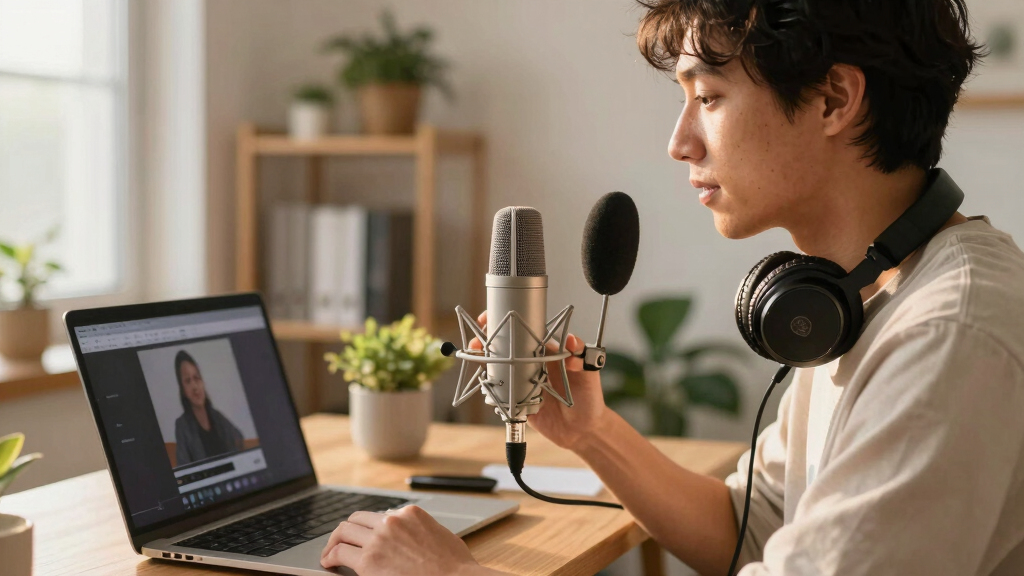
Products were selected based on a combination of audio performance, build quality, ease of use, compatibility with Zoom and other conferencing platforms, and overall value. We prioritized microphones that deliver professional sound clarity while maintaining straightforward setup and reliable operation. The ranking reflects how well each model balances these factors, with a focus on those suitable for professional or frequent remote use. Cost was considered, but only in relation to feature set and quality, ensuring each pick offers value for its price.Factors to Consider When Choosing Best Premium Microphone For Zoom Calls
When choosing a premium microphone for Zoom calls, several critical factors influence your decision. First, consider audio quality—crisp, clear sound with minimal background noise is essential for professional communication. Connectivity options, such as USB-C or XLR, can impact compatibility and future upgrade paths. Ease of use, including plug-and-play setup and controls, matters if you prefer straightforward operation. Additional features like noise reduction, mute controls, and adjustable patterns can enhance your experience. Finally, consider the microphone’s size and design to match your workspace or travel needs, while keeping in mind your budget and long-term value.Audio Quality and Clarity
High-quality audio is the cornerstone of a premium microphone. Look for models with condenser capsules that capture your voice accurately and with warmth. Features like built-in digital signal processing or AI noise reduction can help eliminate background noise, making your voice stand out even in noisy environments. Keep in mind that even the best microphones need proper placement to achieve optimal sound, so consider your workspace layout when selecting a model.
Connectivity and Compatibility
Most premium microphones for Zoom rely on USB connections for simplicity, but some offer XLR options for professional setups. USB-C ports provide faster data transfer and future compatibility, especially with newer computers. Compatibility with your operating system and conferencing software is non-negotiable—ensure the microphone is plug-and-play or easily configurable. Think about whether you need a multi-purpose device that can also handle streaming or recording beyond Zoom calls.
Ease of Use and Controls
Intuitive controls like mute buttons, volume knobs, and status indicators can save time during calls. Some microphones include software for customization, but overly complex interfaces can hinder quick setup. A simple, reliable mute toggle often proves invaluable in meeting scenarios. Consider whether the microphone requires additional equipment, such as stands or pop filters, to streamline your setup or improve sound quality.
Design, Size, and Mobility
While larger studio mics may offer superior sound, they can be cumbersome for frequent movers or smaller spaces. Compact, desk-friendly designs tend to be more versatile and easier to integrate into a home office. Durability also matters—metal bodies last longer and withstand daily use better than plastic counterparts. Think about your workspace aesthetics and whether a discreet or a more prominent mic suits your style.
Price and Long-Term Value
Investing in a premium microphone is about balancing cost with features and durability. Higher-priced models often include advanced noise reduction, better build quality, and enhanced connectivity, which can justify the expense if you need professional-grade sound. However, it’s wise to evaluate whether these extras align with your actual usage needs. Sometimes, spending slightly less on a well-reviewed model can deliver excellent results without overpaying for features you won’t use.
Frequently Asked Questions
Is a microphone with XLR connection necessary for Zoom calls?
For most Zoom users, a USB microphone provides all the necessary features with plug-and-play convenience. XLR microphones are geared toward professional recording and broadcasting setups, often requiring an audio interface. Unless you plan to upgrade to a full studio setup or need the highest possible sound quality for recording, a high-quality USB microphone will generally suffice and simplify your workflow.
How important is noise reduction in a microphone for Zoom calls?
Noise reduction can dramatically improve call clarity, especially if you work in a noisy environment or shared space. Many premium microphones include digital noise suppression or AI-based features that filter out background sounds, ensuring your voice remains distinct. However, these features often come at a higher price, so weigh whether they are necessary based on your typical call environment and noise levels.
Should I prioritize size or audio quality when choosing a microphone?
While smaller microphones are more portable and less obtrusive, they may not always deliver the same sound richness as larger, studio-grade models. Typically, a larger capsule or more advanced internal components yield better audio, but if desk space is limited or mobility is a concern, a compact model with good reviews can still provide excellent quality. Balance your workspace constraints with your audio needs to find the right fit.
Are premium microphones worth the extra cost for casual Zoom users?
For casual users or infrequent Zoom participants, spending heavily on a premium microphone may not be necessary. However, if you frequently host meetings, present professionally, or want to ensure clear communication, investing in a high-quality microphone can make a noticeable difference. The key is to match your investment with your usage level, so consider whether the enhanced features justify the expense.
Can I use a gaming microphone for professional Zoom calls?
Many gaming microphones, especially condenser models with good noise cancellation, can perform well for Zoom calls. However, they might lack certain features like easy mute controls or compatibility with conferencing software. Additionally, their design may not be as discreet or professional-looking as dedicated office microphones. If you prioritize appearance and seamless integration, choosing a microphone designed for professional communication may be wiser.
Conclusion
The best overall choice for most users is the Shure MV7+, offering a blend of professional sound quality, versatile connectivity, and user-friendly controls. For those on a tighter budget or seeking a compact option, the Blue Yeti Nano provides excellent clarity without complexity. If you need a microphone specifically for professional streaming or broadcasting, investing in a model like the Shure MV7+ or similar premium options makes sense. Beginners or infrequent users should consider simpler, plug-and-play models, while professionals aiming for top-tier audio should prioritize features like AI noise reduction and XLR compatibility. Tailor your choice to your specific needs and workspace to find the best premium microphone for your Zoom calls in 2026.