Choosing an ultrawide curved monitor means balancing immersive screen real estate with performance, build quality, and price. The Samsung Odyssey G9 stands out as the best overall for its stunning dual QHD display and high refresh rate, ideal for gaming and multitasking. For those seeking a large workspace, the Samsung 49” Business Curved Ultrawide offers a robust dual QHD setup suited for productivity. Meanwhile, the Samsung Odyssey OLED G9 delivers exceptional image quality for creative professionals willing to invest more. The main tradeoffs revolve around resolution, refresh rates, and price—more advanced features typically come at a higher cost. Continue reading for detailed insights on each option to find the best fit for your needs.
Key Takeaways
- High refresh rates (up to 240Hz) significantly enhance gaming smoothness but may be overkill for general productivity.
- Dual QHD monitors offer expansive workspace ideal for multitasking, but they usually cost more and consume more power.
- OLED screens provide superior contrast and color accuracy, yet often come with a premium price and potential burn-in risks.
- Build quality, adjustable stands, and eye care features vary widely and impact daily comfort and ergonomics.
- Price ranges from budget-friendly to high-end, with the most advanced features available on premium models.



More Details on Our Top Picks
Samsung 34-Inch Odyssey G5 Ultra-Wide Gaming Monitor with 1000R Curved Screen, 165Hz, 1ms, FreeSync Premium, WQHD
The Samsung Odyssey G5 stands out for its 1000R curvature, which closely matches the natural shape of the human eye, providing an exceptionally immersive gaming experience. Its 165Hz refresh rate and 1ms response time ensure smooth, responsive gameplay, outperforming many standard monitors. Compared to larger ultra-wide options like the Samsung G93SC, the G5’s curved design emphasizes immersion over size, making it ideal for gamers who want an engaging visual without the extra desk space. A tradeoff is its size—large and potentially unwieldy for smaller desks—and its focus on gaming limits versatility for productivity tasks. This monitor makes the most sense for dedicated gamers seeking immersive, high-speed visuals without sacrificing color vibrancy.
Pros:- Deep 1000R curvature for immersive gameplay
- High 165Hz refresh rate with 1ms response for smooth action
- Vibrant colors with HDR10 support
Cons:- Large size may not fit smaller desks
- Limited to gaming and multimedia use, less suited for productivity
Best for: Gamers who prioritize immersive visuals and fast response times in a curved format
Not ideal for: Users with limited desk space or those seeking a multi-purpose monitor for productivity and office work
- Screen Size:34 inches
- Resolution:WQHD
- Curvature:1000R
- Refresh Rate:165Hz
- Response Time:1ms
- Adaptive Sync:AMD FreeSync Premium
- HDR:HDR10
Bottom line: This monitor is perfect for gamers seeking a highly immersive, fast-paced experience with vibrant visuals.
Samsung 49” Business Curved Ultrawide Dual QHD Computer Monitor LS49C954UANXZA (2024)
The Samsung LS49C954UANXZA’s 49-inch curved display offers an expansive 32:9 aspect ratio, effectively replacing dual monitors and boosting productivity. Its Dual QHD resolution provides sharp visuals, ideal for multitasking or detailed design work, and its VESA DisplayHDR 400 support enhances color depth. Unlike the G5, this model emphasizes versatility, with multiple connectivity options including USB-C with 90W charging, making it perfect for professional setups. However, its size can overwhelm smaller desks, and the 120Hz refresh rate isn’t optimized for fast-paced gaming. This monitor best suits professionals or power users needing a large, curved workspace for multitasking and multimedia.
Pros:- Immersive 49-inch curved display for multitasking
- Versatile connectivity including USB-C with 90W charging
- HDR 400 support for richer visuals
- Ergonomically adjustable stand
Cons:- 120Hz refresh rate not available in PIP mode
- Large footprint may be unsuitable for small desks
- Brightness adjustment limited in bright environments
Best for: Professionals and multitaskers who need a large, curved workspace for productivity and media consumption
Not ideal for: Gamers seeking ultra-high refresh rates for fast-paced gaming, or users with limited desk space
- Display Size:49 inches
- Aspect Ratio:32:9
- Resolution:Dual QHD (5120 x 1440)
- Refresh Rate:120Hz
- HDR:DisplayHDR 400
- Connectivity:DisplayPort, HDMI, USB-C, USB
Bottom line: This monitor offers a massive, curved workspace ideal for productivity, not high-speed gaming.
Sceptre 34-Inch Curved Ultrawide WQHD Monitor (3440 × 1440), Up to 180Hz/165Hz, DisplayPort x2, 99% sRGB, 1ms, Built-in Speakers
The Sceptre 34-inch ultrawide monitor balances gaming performance and vibrant visuals with its 165Hz refresh rate and 99% sRGB coverage. Its 1500R curvature offers decent immersion, though less aggressive than the G5’s 1000R. The inclusion of two DisplayPorts and a high refresh rate makes it a compelling choice for gamers and creative professionals alike who need fast response times and color accuracy. Compared to the G93SC, it offers a more modern design, but its contrast ratio and brightness are lower, limiting HDR effectiveness. The monitor’s large size and 240V power requirement could be downsides for some users. It’s ideal for gamers and content creators wanting a versatile, curved ultrawide.
Pros:- High 165Hz refresh rate for smooth gaming
- Vivid 99% sRGB color coverage
- Built-in speakers and modern LED design
Cons:- Contrast and brightness are limited compared to premium displays
- Requires a 240V power supply, which may not be standard everywhere
Best for: Gaming enthusiasts and creative professionals who need fast visuals and accurate colors in a curved format
Not ideal for: Users seeking high brightness HDR performance or those with limited desk space
- Screen Size:34 inches
- Resolution:3440 x 1440
- Refresh Rate:165Hz
- Response Time:1ms
- Color Gamut:99% sRGB
- Curvature:1500R
Bottom line: This monitor suits gamers and creators demanding fast response times and vibrant colors in a curved ultrawide.
Samsung 49″ Odyssey G93SC Series Curved Gaming Monitor, QD-OLED, 240Hz, 0.03ms, DQHD, G-Sync Compatible, FreeSync Premium Pro, Adjustable Stand
The Odyssey G93SC’s QD-OLED technology sets it apart, delivering vivid colors and deep blacks unmatched by LCDs. Its 49-inch curved display with a 240Hz refresh rate and 0.03ms response time create ultra-smooth, responsive gameplay. The G-Sync and FreeSync Premium Pro support make it attractive for high-end gaming. Compared to the G91SD, the G93SC’s superior contrast and color depth come at a premium price, making it less accessible for casual users. Its large size demands ample space, and potential for burn-in may concern static image users. This monitor is best for enthusiasts who want top-tier visuals and performance in an ultrawide format.
Pros:- Vivid, vibrant colors with deep blacks via QD-OLED
- Ultra-fast 0.03ms response and 240Hz refresh rate
- Supports G-Sync and FreeSync Premium Pro
Cons:- High price point limits accessibility
- Potential burn-in risk with static images
- Large size may require significant desk space
Best for: High-end gamers and creative professionals who prioritize color accuracy and fast response times
Not ideal for: Budget-conscious users or those with limited space, due to its high cost and size
- Screen Size:49 inches
- Resolution:Dual QHD (5120 x 1440)
- Refresh Rate:240Hz
- Response Time:0.03ms
- Panel Type:QD-OLED
- HDR:DisplayHDR True Black 400
Bottom line: This monitor excels for users who demand premium OLED visuals and top-tier gaming performance in an ultrawide format.
Samsung 49″ Odyssey OLED G9 (G91SD) Curved Gaming Monitor, Dual QHD, 144Hz, 0.03ms, G-Sync Compatible, FreeSync Premium Pro
The Odyssey G9 G91SD combines QD-OLED technology with a 49-inch dual QHD curved display to deliver an incredibly immersive gaming experience. Its 144Hz refresh rate and 0.03ms response time offer smooth, tear-free gameplay, supported by both G-Sync and FreeSync Premium Pro. The ergonomic stand and sleek design make it a visually appealing choice for high-end setups. Compared to the G93SC, it offers a slightly lower refresh rate but compensates with a 3-year warranty and optimized thermal management. Its size and tech make it suitable for dedicated gamers and enthusiasts willing to invest in top performance, though static images may risk burn-in over time.
Pros:- Vivid OLED colors and deep blacks
- Ultra-fast 0.03ms response for competitive gaming
- Wide 49-inch curved screen for full immersion
- G-Sync and FreeSync support for tear-free gaming
Cons:- High price and large footprint
- Potential burn-in with static images
- Limited refresh rate for some competitive gamers
Best for: Dedicated gamers seeking the ultimate immersive experience with OLED visuals
Not ideal for: Casual users or those with limited space or budget constraints
- Screen Size:49 inches
- Resolution:Dual QHD
- Refresh Rate:144Hz
- Response Time:0.03ms
- Technology:QD-OLED
- G-Sync Compatibility:Yes
Bottom line: This monitor is ideal for gamers demanding the best OLED visuals and ultra-wide immersion in a premium package.
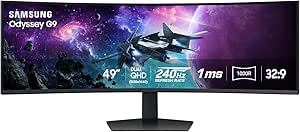
The Samsung Odyssey G9 stands out for its expansive 49-inch curved display with a Dual QHD resolution, delivering an immersive gaming experience that surpasses smaller ultrawides like the Viewfinity S65UA. Its 240Hz refresh rate and 1ms response time ensure smooth, responsive gameplay, essential for competitive titles. The HDR 1000 support and high contrast ratio make visuals vibrant and detailed, though the large size demands significant desk space and may be overwhelming in tighter setups. Compared to the Viewfinity, this monitor’s gaming-specific features and ultra-wide scale are tailored for high-performance play, but the complexity and price may deter casual users. This pick makes the most sense for gamers who prioritize immersive, high-end visuals and fast response times, even if they need a sizable dedicated space.
Pros:- Massive 49-inch curved display delivers unparalleled immersion
- High refresh rate of 240Hz and ultra-fast 1ms response time for competitive gaming
- Vivid visuals with HDR 1000 and high contrast ratio enhance image quality
- Customizable lighting and ergonomic stand improve comfort during extended use
Cons:- Requires a large, sturdy desk due to its size
- Premium features come with a higher price point
- Setup can be complex for users unfamiliar with advanced monitor configurations
Best for: High-end gamers and enthusiasts seeking an ultra-wide, immersive experience with top-tier specs
Not ideal for: Casual users or those with limited desk space due to its large footprint and premium price
- Screen Size:49 inches
- Resolution:Dual QHD (5120×1440)
- Curvature:1000R
- Refresh Rate:240Hz
- Response Time:1ms(GtG)
- Brightness:1000 nits
Bottom line: Ideal for serious gamers who want the most immersive, high-performance ultrawide experience and have ample space for setup.
Samsung Viewfinity S65UA Series 34-Inch Ultrawide QHD Curved Monitor, 100Hz, USB-C, HDR10, Height Adjustable, TUV Eye Care, Black
The Samsung Viewfinity S65UA offers a balanced 34-inch ultrawide curved display with a 21:9 aspect ratio, making it well-suited for multitasking, media consumption, and light gaming. Its high refresh rate of 100Hz provides smooth visuals, though it falls behind the G9’s 240Hz in responsiveness, making it less ideal for fast-paced gaming. The inclusion of USB-C with 90W charging simplifies cable management for productivity setups, and the HDR10 support enhances media viewing quality. However, the 34-inch size might be too large for small desks, and the need for a capable graphics card to fully leverage HDR can add additional costs. Compared with the G9, this monitor excels in versatility rather than gaming dominance, making it perfect for professionals and multimedia users who want a sleek, space-efficient solution.
Pros:- Immersive 34-inch curved display enhances multitasking and media viewing
- USB-C port with 90W charging reduces cable clutter and simplifies connectivity
- HDR10 support improves color and contrast for media consumption
- Height adjustable stand adds ergonomic flexibility
Cons:- Limited to 100Hz refresh rate, less responsive than gaming-focused monitors
- Requires a compatible graphics card for optimal HDR and color performance
- May be too large for smaller desks or tight spaces
Best for: Multitasking professionals and multimedia enthusiasts seeking a versatile, space-efficient ultrawide display
Not ideal for: Competitive gamers or users with small desks who need a more compact setup or higher refresh rates
- Size:34 inches
- Aspect Ratio:21:9
- Resolution:Ultra WQHD
- Refresh Rate:100Hz
- HDR:HDR10
- Connectivity:USB Type-C, 90W Power Delivery
Bottom line: Perfect for users who prioritize productivity and media features over ultra-fast gaming performance, with ample space for multitasking.
How We Picked
These monitors were selected based on a combination of display performance, build quality, feature set, and user versatility. Priority was given to high-resolution curved screens that maximize immersion and reduce distortion at the edges. Refresh rates, response times, and adaptive sync technology were key considerations for gamers, while connectivity options and ergonomic features influenced productivity-focused choices. We compared models across price points to identify where each offers the best value, ensuring that each pick fills a distinct niche in the ultrawide curved monitor market. The ranking reflects a balance of performance, usability, and overall value for different types of users.Factors to Consider When Choosing Ultrawide Curved Monitor
Selecting the right ultrawide curved monitor involves understanding several key factors. Beyond size and resolution, consider how the monitor’s features align with your primary use—whether gaming, professional work, or general use. Proper calibration, ergonomics, and connectivity options can greatly affect your satisfaction and daily comfort. It’s also important to recognize the tradeoffs: a higher refresh rate can improve gaming but may increase cost, while larger screens demand more desk space and powerful hardware. Being aware of these nuances helps ensure your investment matches your expectations and workflow.Display Size and Curvature
Size and curvature influence immersion and desk fit. Larger screens, like 49-inch models, offer expansive views but require more space and more powerful hardware to run smoothly. Curvature, typically between 1000R and 1800R, affects how the edges of the screen feel closer, reducing eye strain and distortion. Higher curvature values are generally better for immersive gaming, but may not be necessary for productivity. Consider your desk size and how much immersion you desire before choosing.
Resolution and Image Quality
Resolution determines the sharpness and detail of your display. Dual QHD or DQHD options deliver crisp images for multitasking and detailed work, but demand more from your graphics card. OLED panels excel in color accuracy and contrast, making them ideal for creative tasks, yet come at a premium. A higher resolution enhances clarity, but if your hardware isn’t powerful enough, you might experience lag or stuttering. Balance your needs with your system’s capabilities to avoid frustration.
Refresh Rate and Response Time
For gaming or high-speed video editing, a refresh rate of 144Hz or higher can provide smoother motion. Response time, ideally 1ms or 2ms, reduces ghosting and blurring during fast-paced scenes. These specs matter most if you play fast shooters or racing games; for general use, 75Hz or 100Hz is often sufficient. Keep in mind that higher refresh rates often come with increased price and may require more powerful hardware to fully utilize.
Connectivity and Ergonomics
Multiple input options like USB-C, HDMI, and DisplayPort ensure compatibility with various devices. Ergonomic features such as height adjustment, tilt, and swivel improve comfort during long work or gaming sessions. Eye care technologies like flicker-free screens and blue light filters help reduce fatigue. These details might seem minor but greatly impact daily usability and long-term satisfaction, especially if you spend many hours in front of your monitor.
Price and Long-term Value
Price ranges from budget models to premium OLED or high-refresh-rate gaming monitors. While saving money might seem appealing, cheaper models often compromise build quality, color accuracy, or refresh rates. Investing in a higher-end monitor can pay off with better durability, display quality, and features tailored to your specific needs. Consider how much you’ll use the monitor and what features matter most to avoid overspending on unnecessary extras.
Frequently Asked Questions
Is a higher refresh rate necessary for everyday use?
For general browsing, office tasks, and streaming, a refresh rate of 60Hz to 75Hz is usually sufficient. Higher refresh rates, like 144Hz or 165Hz, are primarily beneficial for gaming or fast-paced video editing, where they provide smoother motion and reduce latency. If you don’t play competitive games or do high-speed video work, investing in a high refresh rate may not provide a noticeable advantage and might be an unnecessary expense.
Should I prioritize resolution over size?
It depends on your workflow and hardware. Larger screens with lower resolution can be less sharp, but still offer ample workspace. Conversely, smaller monitors with higher resolution (like 4K) provide crisp details but may be less immersive. For ultrawide monitors, dual QHD resolution offers a good balance of size and clarity, especially for multitasking. Always ensure your graphics card can support the resolution to avoid performance issues.
Are OLED ultrawide monitors worth the extra cost?
OLED panels deliver superior contrast, deeper blacks, and vibrant colors, making them excellent for creative professionals and media enthusiasts. However, they tend to be more expensive and carry a risk of burn-in if static images are displayed for long periods. If you prioritize image quality and color accuracy, and can accept a higher price and potential maintenance, OLED ultrawides are a compelling choice. For casual use, high-quality IPS panels may offer better value.
What’s the biggest tradeoff between curved and flat ultrawide monitors?
Curved monitors enhance immersion and reduce distortion at the edges, making them ideal for gaming and multimedia. However, they can be less suitable for tasks requiring precise straight lines, such as CAD or graphic design, where flat screens may be more accurate. Curved designs also tend to be more expensive and may require a larger desk space. Consider your primary use and workspace before choosing between curved and flat.
How important are ergonomic features on an ultrawide monitor?
Ergonomic adjustments like height, tilt, and swivel are vital for comfort during long hours of use, helping prevent neck and eye strain. An adjustable stand also allows you to position the monitor optimally for your workspace, improving productivity and reducing fatigue. Eye care features such as flicker-free technology and blue light filters further enhance daily comfort. Prioritizing these features can significantly improve your overall experience, especially if you plan to use the monitor extensively.
Conclusion
For most users, the Samsung Odyssey G9 offers an exceptional balance of size, performance, and features, making it the best overall choice. Budget-conscious buyers should consider the Sceptre 34-Inch Curved Ultrawide for solid performance at a lower price. Creative professionals or those seeking the best image quality might prefer the Samsung Odyssey OLED G9 despite its higher cost. Beginners or casual users can start with more affordable, versatile models like the Samsung Viewfinity S65UA. Ultimately, your decision should reflect your specific use case, workspace, and budget.