
A NAS storage system is essential for your serious home office because it centralizes your data, making files, backups, and projects easy to access from any device. It boosts security with options like cloud backups and RAID redundancy, protecting against hardware failures, theft, or accidental loss. Plus, you can access your data remotely, supporting flexible work habits. Want to discover how to optimize your setup further? Keep exploring to learn more about making NAS work best for you.
Key Takeaways
- Centralizes data management for easy access and organization across multiple devices.
- Enhances security with robust backup options and data redundancy features.
- Enables secure remote access for flexible work-from-anywhere capabilities.
- Supports collaboration by reducing file version conflicts and streamlining workflows.
- Future-proofs the office with hybrid cloud integration and emerging storage trends.
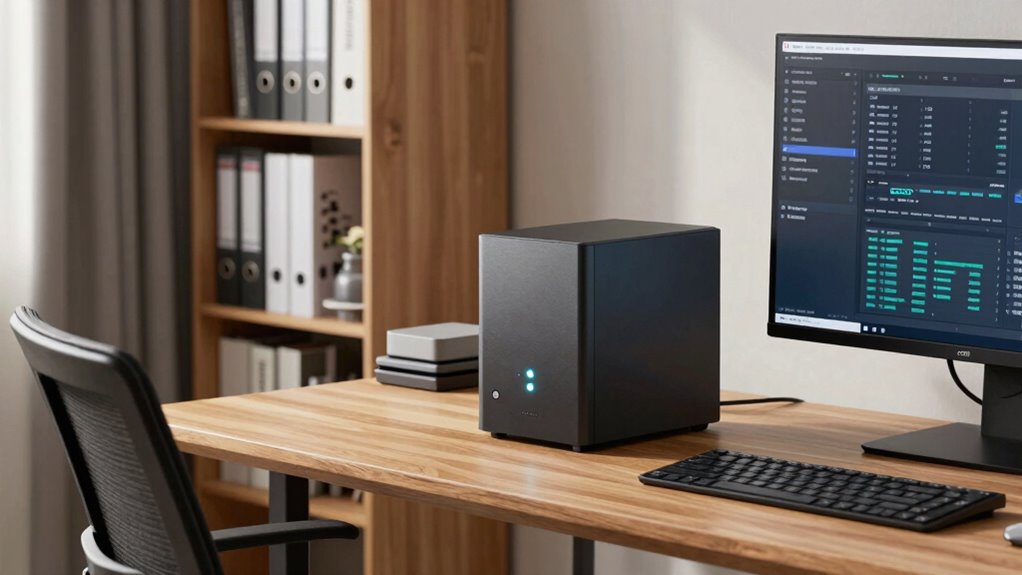
Setting up a NAS storage system for your home office can considerably boost your productivity and data security. Unlike traditional external drives or cloud services alone, a NAS (Network-Attached Storage) device provides a centralized hub where all your files, projects, and backups can reside safely. This setup allows you to access your data quickly from any device connected to your network, which is especially useful if you work across multiple computers or devices. With NAS, you’re not limited to local storage or relying solely on third-party cloud services; instead, you get the benefits of both.
One of the key advantages of integrating NAS into your home office is its seamless support for cloud backup. You can configure your NAS to automatically back up your important files to the cloud, ensuring extra layers of protection in case of hardware failure, theft, or accidental deletion. This hybrid approach means your data is stored securely both locally and remotely, giving you peace of mind. Plus, many NAS devices come with robust backup options, allowing you to schedule backups and restore data with ease. This setup minimizes downtime and prevents data loss, which is *essential* for maintaining smooth operations in a *dedicated* home office environment. Additionally, incorporating data redundancy**** features further enhances your data protection strategy by guarding against disk failures and ensuring ongoing access.
Remote access is another *indispensable* feature that makes NAS a smart investment. With a properly configured NAS, you can access your files from anywhere — whether you’re at a coffee shop, traveling, or working from another location. This flexibility can transform how you handle projects, collaborate with clients, or share files with family members. It eliminates the need to carry external drives or rely solely on cloud storage, which might have bandwidth or storage limits. Modern NAS devices often have user-friendly apps or web interfaces that allow you to connect securely with your data from any device, maintaining productivity no matter where you are. Moreover, understanding the emerging trends in digital storage can help you choose a device that adapts to future needs. Incorporating data redundancy features further enhances your data protection strategy by guarding against disk failures and ensuring ongoing access. Furthermore, with the increasing integration of smart technology, some NAS units now support hybrid cloud setups, providing even greater flexibility for data management.
Additionally, a NAS helps streamline your workflow by serving as a centralized repository for all your work-related documents, multimedia files, and backups. This reduces clutter, prevents version conflicts, and makes collaboration easier if you’re working with others in your household or remote team. With features like RAID configurations, you also get redundancy, which protects your data even if one disk fails. The combination of cloud backup, remote access, and local storage makes NAS an *indispensable* tool for a *serious* home office — one that enhances security, flexibility, and efficiency, so you can focus on your work without worrying about data loss or accessibility issues.

BUFFALO LinkStation 210 2TB 1-Bay NAS Network Attached Storage with HDD Hard Drives Included NAS Storage that Works as Home Cloud or Network Storage Device for Home
- Centralized Storage with RAID: RAID-enabled NAS for backup and storage
- Easy Network Connectivity: Connect to router for shared device access
- Compatible with Windows and macOS: Works seamlessly with major OSes
As an affiliate, we earn on qualifying purchases.
As an affiliate, we earn on qualifying purchases.
Frequently Asked Questions
How Secure Is Data Stored on a NAS at Home?
Data stored on your NAS at home can be quite secure if you implement strong measures. You should enable data encryption to protect your files from unauthorized access. Additionally, adopting reliable backup strategies guarantees your data remains safe even if the NAS faces issues or breaches. Regular updates, strong passwords, and network security practices further enhance your data’s security, giving you peace of mind that your information stays protected.
Can a NAS Handle Multiple Users Simultaneously?
Yes, your NAS can handle multiple users simultaneously, turning your home office into a bustling data hub. It’s like having a supercomputer that manages remote access effortlessly, ensuring everyone works smoothly. With data redundancy built-in, your files stay safe even if one drive fails. So, whether you’re collaborating with colleagues or accessing files on the go, your NAS keeps everything running seamlessly, no matter how many users are involved.
What Is the Average Cost of a Home NAS System?
The average cost of a home NAS system ranges from $300 to $1,000, depending on features and capacity. You’ll find models with cloud integration, making remote access seamless, and robust backup solutions that safeguard your data. Higher-end systems offer faster speeds and larger storage, ideal for a serious home office. Budget options provide basic functionality, but investing in a quality NAS guarantees better performance and future-proofing.
How Easy Is It to Set up a NAS for Non-Technical Users?
Setting up a NAS is like assembling a puzzle where cloud integration and device compatibility are your guiding pieces. Luckily, many NAS systems now come with user-friendly interfaces, making the process smooth even for non-technical users. You’ll find step-by-step guides and intuitive apps that walk you through setup. With a little patience, you’ll have a reliable storage hub humming along, effortlessly syncing with your devices and cloud services.
What Are the Energy Consumption Implications of a Home NAS?
A home NAS’s power consumption varies depending on its model and usage, but many are designed with energy efficiency in mind. You might notice increased power consumption during intensive data transfers or backups, yet most models feature low-power sleep modes to conserve energy when idle. Overall, investing in a energy-efficient NAS helps minimize power consumption, reducing your electricity bills and environmental impact while ensuring reliable data access for your home office.

UGREEN NAS DH2300 2-Bay Desktop NAS, Support Capacity 64TB (Diskless)
- Ideal for Beginners: Simple private storage for personal files
- High Capacity Support: Supports up to 64TB storage capacity
- Universal Device Compatibility: Works across Windows, iOS, Android, macOS
As an affiliate, we earn on qualifying purchases.
As an affiliate, we earn on qualifying purchases.
Conclusion
With NAS storage seamlessly integrated into your home office, your digital landscape becomes a well-orchestrated symphony of efficiency and security. Imagine your files, photos, and projects as a steady stream of light, flowing effortlessly through a network of organized, accessible data hubs. This setup transforms your workspace into a sanctuary of productivity, where every byte is within reach, and your creative flow remains uninterrupted—turning your home office into a powerhouse of innovation and peace of mind.
BUFFALO LinkStation 210 2TB 1-Bay NAS Network Attached Storage with HDD Hard Drives Included NAS Storage that Works as Home Cloud or Network Storage Device for Home
- Centralized Storage with RAID: RAID-enabled NAS for backup and storage
- Easy Network Connectivity: Connect to router for shared device access
- Compatible with Windows and macOS: Works seamlessly with major OSes
As an affiliate, we earn on qualifying purchases.
As an affiliate, we earn on qualifying purchases.
UGREEN NAS DH2300 2-Bay Desktop NAS, Support Capacity 64TB (Diskless)
- Ideal for Beginners: Simple private storage for personal files
- High Capacity Support: Supports up to 64TB storage capacity
- Universal Device Compatibility: Works across Windows, iOS, Android, macOS
As an affiliate, we earn on qualifying purchases.
As an affiliate, we earn on qualifying purchases.