Your webcam’s position impacts how professional and engaging you appear more than its specs. Proper placement guarantees your face is well-framed at eye level, creating a natural connection with your audience. It also controls lighting, reduces distractions, and highlights your facial expressions, making you look confident. Even with a basic camera, good positioning can boost your overall impression. Keep going, and you’ll discover how adjusting your webcam setup makes a real difference in your video quality.
Key Takeaways
- Proper webcam positioning enhances appearance and framing, making you look more professional regardless of camera quality.
- Eye-level placement improves lighting and reduces shadows, leading to better visual clarity.
- Correct positioning ensures your background appears tidy and appropriate, boosting credibility.
- Centered, natural eye contact fosters engagement and confidence during interactions.
- Strategic webcam placement influences perceptions of professionalism and can compensate for lower camera specs.
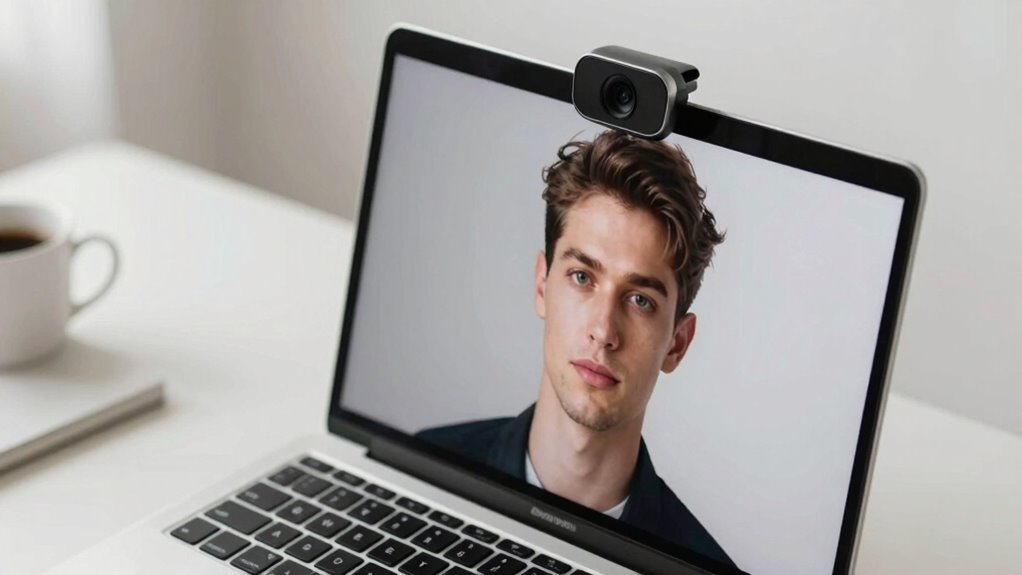
When it comes to video calls, where your webcam is positioned can make a bigger difference than the camera’s resolution or frame rate. The way you set up your webcam influences how you appear on screen, affecting everything from lighting to background aesthetics. If your camera is too high or too low, it can distort your proportions, making you look unnatural or unprofessional. Proper positioning ensures your face is well-framed, with your eyes roughly at the top third of the frame, creating a more engaging and trustworthy impression. Additionally, webcam placement can impact how natural your interactions feel, enhancing overall communication effectiveness. Correct camera angle can also help reduce visual distractions, keeping the focus on you and your message. A good webcam position also plays a crucial role in optimizing your lighting setup. When you place your camera at eye level, you can more easily control the light falling on your face. If your webcam is too low or too high, you might end up with unwanted shadows or glare, which can be distracting. Adjusting your position to face a natural light source, like a window, helps illuminate your face evenly, highlighting your features without harsh shadows. This simple change can dramatically improve your overall appearance on camera, regardless of the camera’s specs. Moreover, understanding home theatre projectors can help you create a professional-looking background if you choose to incorporate a projector setup into your space, adding a touch of sophistication. Proper webcam positioning also influences your background aesthetics, allowing you to showcase a tidy, professional environment that enhances your overall presentation. When you position your webcam correctly, you can frame your background more intentionally, aligning it with the tone of your meeting or presentation. In addition, camera placement can influence how viewers perceive your confidence and professionalism, making your message more impactful. Moreover, proper webcam positioning helps you maintain eye contact with your audience, which is vital for effective communication. Looking directly into the lens creates a sense of connection, making your interactions feel more natural. When your camera is off-center or placed too low, it can appear as if you’re avoiding eye contact, weakening your message. Keeping your webcam at eye level and centered ensures your face is the focal point, reinforcing confidence and engagement.

30 Inch Webcam Stand Camera Mount, Upgraded Thick Base Flexible Gooseneck Camera Stand Desk Webcam Mount Clamp for Logitech Webcams C930e C930 C920 C922x C922 Brio 4K C925e C615, Gopro Hero 8 7 6 5 4
- Upgraded Thick Clamping Base: Durable and easy to secure
- Adjustable Height and Flexibility: Up to 76cm with 360-degree rotation
- Universal Compatibility: Fits all devices with 1/4'' screw hole
As an affiliate, we earn on qualifying purchases.
As an affiliate, we earn on qualifying purchases.
Frequently Asked Questions
How Can I Adjust My Webcam for the Best Angle?
To get the best angle, you should adjust your webcam to eye level, ensuring comfortable camera ergonomics. Use flexible mounting options like a tripod or adjustable stand to position it correctly. Keep your face centered and well-lit, avoiding glare or shadows. Regularly check the angle from your screen to confirm it looks natural. Proper positioning enhances your appearance and communication, making your webcam setup more professional and effective.
Does Lighting Impact Webcam Image Quality More Than Specs?
Lighting greatly influences your webcam image quality more than specs like camera resolution or sensor quality. Good lighting reduces noise, sharpens details, and guarantees your face is clearly visible. Even a high-quality webcam can produce poor images in dim or uneven lighting. So, focus on well-lit environments—use natural light or soft artificial light—to enhance your video quality, regardless of your webcam’s technical specifications.
Can a Cheap Webcam Look Better With Proper Positioning?
Yes, a cheap webcam can look better with proper positioning. By focusing on camera aesthetics and using framing techniques, you can enhance your video quality considerably. Position the webcam at eye level for a natural look, avoid backlighting, and ensure your face is centered. Good framing and strategic placement can make your image appear sharper and more professional, even if your equipment isn’t top-tier.
What’s the Best Height for Webcam Placement During Video Calls?
You should position your webcam at eye level to guarantee ideal camera ergonomics and create an ergonomic setup. This height reduces neck strain and helps you appear more natural during video calls. Using a stack of books or adjustable stands can help achieve this. When your webcam is at the right height, you’ll feel more comfortable and project confidence, making your interactions more engaging and professional.
How Does Background Setup Influence Webcam Effectiveness?
Your background setup greatly impacts your webcam’s effectiveness by influencing camera placement and background aesthetics. When you choose a tidy, well-lit space with minimal distractions, your camera captures clearer images and conveys professionalism. Proper camera placement ensures your face is centered and eye level, while a clean, appealing background enhances your visual appeal. Prioritizing background aesthetics and strategic camera placement helps you appear more confident and engaging during calls.
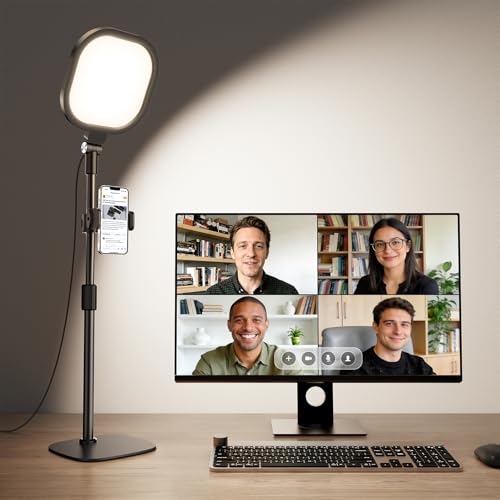
Zoom Lighting for Computer, Adjustable Desk Lighting for Video Calls, 30 Light Modes Video Conference Light, Desk Ring Light with Stand for Webcam, Meetings, Live Stream, Home Office. CRI 97.8
- Uniform and Soft Illumination: Even, gentle lighting reduces eye strain
- High CRI for True Colors: CRI 97.8 for vibrant, accurate color rendering
- Adjustable Color and Brightness: 3 color temps, 10 brightness levels
As an affiliate, we earn on qualifying purchases.
As an affiliate, we earn on qualifying purchases.
Conclusion
Ultimately, focusing on your webcam’s position can greatly enhance your video quality more than obsessing over specs. While higher resolution or better lenses are beneficial, poor placement can still undermine your appearance and professionalism. Don’t fall into the trap of thinking better hardware alone solves everything; your framing, eye contact, and lighting matter just as much. By prioritizing positioning, you guarantee your message comes across clearly, making every detail work for you—even if your equipment isn’t top-of-the-line.
30 Inch Webcam Stand Camera Mount, Upgraded Thick Base Flexible Gooseneck Camera Stand Desk Webcam Mount Clamp for Logitech Webcams C930e C930 C920 C922x C922 Brio 4K C925e C615, Gopro Hero 8 7 6 5 4
- Upgraded Thick Clamping Base: Durable and easy to secure
- Adjustable Height and Flexibility: Up to 76cm with 360-degree rotation
- Universal Compatibility: Fits all devices with 1/4'' screw hole
As an affiliate, we earn on qualifying purchases.
As an affiliate, we earn on qualifying purchases.
30 Inch Webcam Stand Camera Mount, Upgraded Thick Base Flexible Gooseneck Camera Stand Desk Webcam Mount Clamp for Logitech Webcams C930e C930 C920 C922x C922 Brio 4K C925e C615, Gopro Hero 8 7 6 5 4
- Upgraded Thick Clamping Base: Durable and easy to secure
- Adjustable Height and Flexibility: Up to 76cm with 360-degree rotation
- Universal Compatibility: Fits all devices with 1/4'' screw hole
As an affiliate, we earn on qualifying purchases.
As an affiliate, we earn on qualifying purchases.