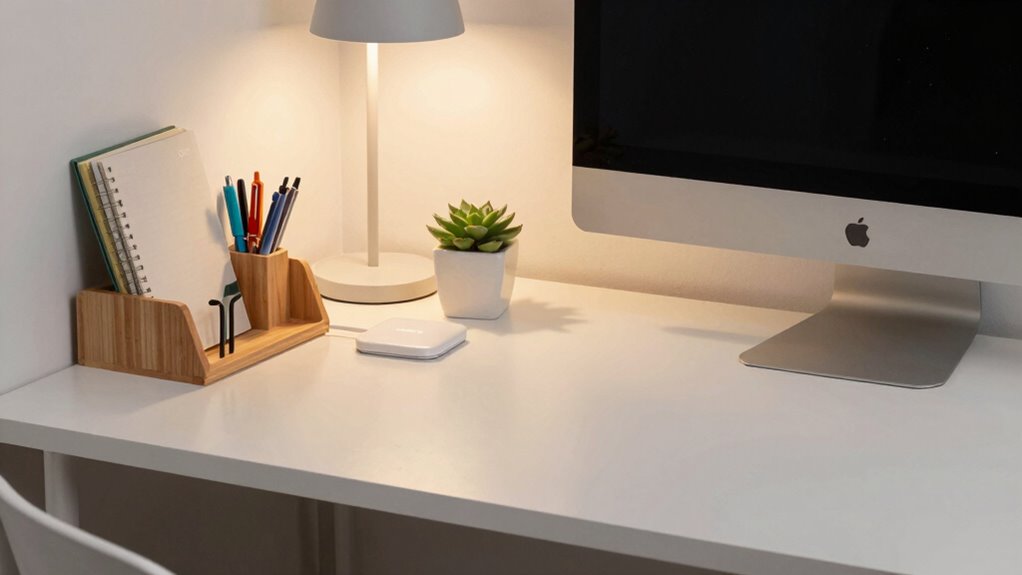
To make your desk feel more functional fast, start with simple upgrades like ergonomic accessories and cable management. Adjust your keyboard, mouse, and monitor to the right height, and organize cords with clips or sleeves to reduce clutter. Small changes like this boost comfort and efficiency instantly. Keep workspace essentials within reach, and tidy your area to create a calmer environment. For more easy tips to transform your desk, continue exploring ways to enhance your setup.
Key Takeaways
- Organize cables using clips and sleeves to reduce clutter instantly.
- Adjust monitor, keyboard, and mouse to ergonomic positions for immediate comfort.
- Add a monitor stand to elevate screens and improve posture quickly.
- Incorporate small storage solutions like drawers or trays for easy access.
- Use ergonomic accessories like wrist rests to enhance comfort right away.

If your desk feels cluttered or disorganized, there’s a simple way to boost its functionality quickly. Often, the key lies in optimizing what you already have and adding a few strategic tools. One of the most effective ways to do this is by integrating ergonomic accessories and improving cable management. These small adjustments can make a big difference in how efficiently you work and how comfortable you feel throughout the day.
Start with ergonomic accessories. Think about the essentials like an adjustable keyboard tray, a supportive wrist rest, or a monitor stand. These items aren’t just about comfort—they also promote better posture, reduce strain, and help prevent long-term injuries. When your keyboard and mouse are positioned correctly, and your monitor is at eye level, you’ll find yourself working more comfortably and with less fatigue. These accessories are often affordable and easy to install, making them a quick upgrade that can dramatically improve your workspace’s productivity.
Ergonomic accessories like keyboard trays, wrist rests, and monitor stands improve posture, reduce strain, and boost workspace comfort.
Cable management is another crucial element. Nothing adds to clutter faster than tangled cords and cables sprawling across your desk. Investing in simple cable management solutions, like adhesive clips, cable sleeves, or under-desk trays, can keep your cords neatly organized and out of sight. When cables are properly managed, you won’t waste time searching for the right plug or untangling a mess every time you need to connect or disconnect a device. Plus, a tidy setup looks more professional and creates a calmer environment that minimizes distractions. Incorporating desk organization techniques and workspace optimization can further enhance your workspace’s efficiency and appearance. Additionally, choosing folding electric bikes with throttle for your commute can reduce clutter in your workspace by encouraging a more active lifestyle outside of work hours. Incorporating indoor air quality gear such as air purifiers or humidity controls can also contribute to a healthier and more comfortable environment while working.
Combining ergonomic accessories with effective cable management transforms your workspace into a more functional zone. As you add these elements, pay attention to placement—your mouse, keyboard, and monitor should all be within easy reach and at the right height. Keep cables tucked away but accessible, so you can easily connect new devices or adjust your setup without creating chaos. This approach doesn’t require a full overhaul; it’s about making small, intentional changes that yield immediate results.
In the end, the quickest way to make your desk more functional is to focus on comfort and organization. Ergonomic accessories ensure you work comfortably, while cable management keeps your space tidy and efficient. Adding household organization tips can also help you find clever storage solutions for your workspace essentials. With just a few minutes of setup, you’ll notice a significant improvement in how your workspace feels and functions. It’s a simple, cost-effective way to boost productivity and make your daily tasks more enjoyable.

VIVO Large Keyboard Tray Under Desk Pull Out with Extra Sturdy C Clamp Mount System, 27 (33 Including Clamps) x 11 Inch Slide-Out Platform Computer Drawer for Typing, Black, MOUNT-KB05E
- Space-saving Design: Holds keyboard, mouse, accessories below desk
- Ergonomic Typing Angles: Slides in/out for comfortable use
- Adjustable Extension: Extends up to 8.5 inches from desk edge
As an affiliate, we earn on qualifying purchases.
As an affiliate, we earn on qualifying purchases.
Frequently Asked Questions
How Can I Maximize Small Desk Space Efficiently?
To maximize small desk space efficiently, start by organizing with vertical storage like shelves or wall-mounted organizers. Use color coordination to create a cohesive, less cluttered look, making your space feel larger. Add decorative accents thoughtfully to personalize without overcrowding. Keep only essential items on your desk, and opt for multi-functional accessories. Regularly declutter to maintain a clean, functional workspace that feels open and inviting.
What Are Budget-Friendly Organizational Tools for Desks?
You can find budget-friendly organizational tools by incorporating minimalist decor and stylish storage solutions. Look for affordable acrylic or metal desk trays, stackable bins, and compact drawer organizers to keep essentials tidy. Repurpose everyday items like jars or boxes as stylish storage options. These simple, inexpensive pieces help maximize your space while maintaining a clean, modern look—perfect for making your desk more functional without breaking the bank.
How Often Should I Declutter My Desk?
You should declutter your desk weekly, balancing productivity with relaxation. While you organize with personalized storage solutions, it’s easy to overlook the clutter that accumulates. Incorporate decorative elements to make your space inviting, but don’t let them contribute to chaos. Regularly clearing out unnecessary papers and items keeps your workspace efficient and inspiring. Schedule a quick declutter session every seven days to maintain a clean, functional, and personalized environment.
What Are Ergonomic Tips for Desk Setup?
To improve your ergonomic desk setup, guarantee you sit in a supportive ergonomic chair that promotes good posture. Adjust your monitor height so the top of the screen is at eye level, preventing neck strain. Keep your feet flat on the floor and your knees at a 90-degree angle. Use a keyboard and mouse positioned comfortably to avoid wrist strain. These tips help reduce fatigue and boost productivity.
Which Desk Accessories Boost Productivity?
Imagine transforming your desk into a productivity haven—what if a simple addition could do the trick? Decorative desk accents catch your eye and inspire creativity, while personalized stationery keeps you organized and motivated. These accessories not only boost efficiency but also add personality to your space. You’ll find yourself more focused and energized, ready to tackle tasks with fresh enthusiasm. The right accessories make all the difference—are you ready to elevate your workspace?

N NOROCME 192 PCS Cable Management Kit 4 Wire Organizer Sleeve
- Complete Cable Management Kit: Includes sleeves, ties, clips, and mounts
- Multiple Cable Clips: 6 types, 46 eco-friendly clips in two colors
- Durable Materials: Sturdy, high-quality components for long-lasting use
As an affiliate, we earn on qualifying purchases.
As an affiliate, we earn on qualifying purchases.
Conclusion
So, there you have it—your desk’s secret weapon for instant functionality. Who knew that a few strategic tweaks could turn chaos into order faster than you can say “productivity”? Forget expensive upgrades or endless organizational tools; sometimes, all you need is a little elbow grease and a splash of sarcasm. Now, go forth and conquer your clutter—because a tidy desk isn’t just a dream, it’s a *revolution*. Happy organizing!

Single LCD Computer Monitor Free-Standing Desk Stand Mount Riser for 13 inch to 32 inch screen with Swivel, Height Adjustable, Rotation, Vesa Base Stand Holds One (1) Screen up to 77Lbs(HT05B-001))
- Compatibility: Fits 13 to 32 inch screens with VESA mounts
- Cable Management: Includes cord organization system
- Ergonomic Design: Elevates monitor for better posture
As an affiliate, we earn on qualifying purchases.
As an affiliate, we earn on qualifying purchases.
ergonomic wrist rest for keyboard and mouse
As an affiliate, we earn on qualifying purchases.
As an affiliate, we earn on qualifying purchases.