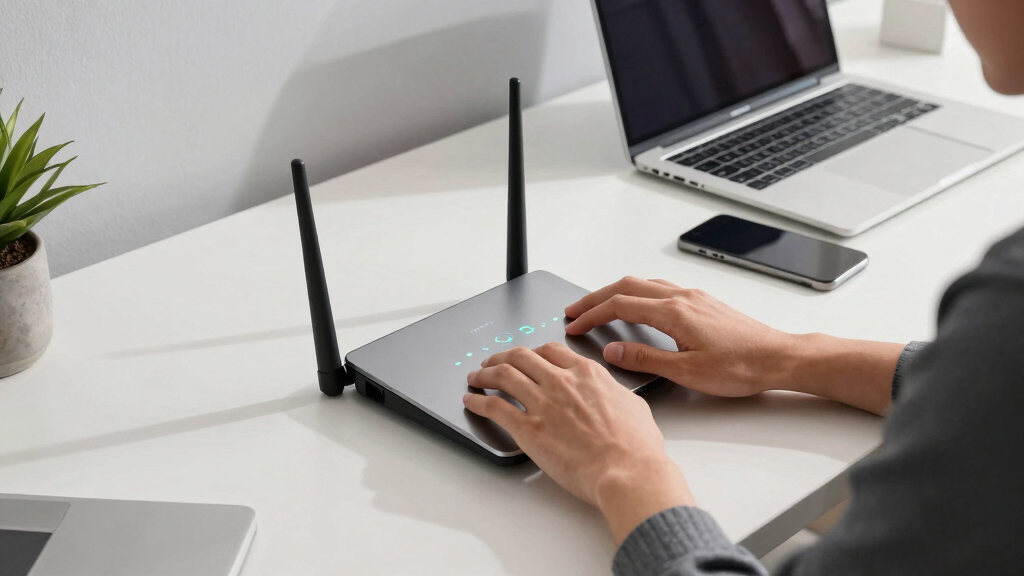

Choosing the best WiFi 7 router for work from home depends on your specific needs for speed, coverage, and ease of use. The TP-Link Archer BE12000 stands out as the top overall choice, offering robust tri-band performance suitable for demanding tasks. For those seeking a seamless mesh setup, the eero Pro 7 provides excellent coverage and simple expansion options. Meanwhile, the NETGEAR Nighthawk RS90 balances high speed with affordability for power users. As you weigh these options, consider tradeoffs like coverage versus speed, and complexity versus value. Keep reading for a detailed breakdown that will help you find the best fit for your home office setup.
Listen free for 30 days with Audible
Thousands of audiobooks and originals — cancel anytime.
Start your free trialAs an affiliate, we earn on qualifying purchases.
Complete the kit



Key Takeaways
- Tri-band models generally offer better performance for multiple devices compared to dual-band options in a work-from-home environment.
- Coverage area is critical—choose a router that can blanket your entire home without dead spots, especially if your workspace spans multiple rooms.
- Mesh-capable routers simplify expansion, making them ideal for larger or multi-floor homes, but often come at a premium.
- Higher bandwidth plans (above 1 Gbps) require routers with multi-gig ports and advanced processing power to fully utilize speeds.
- Ease of setup and app control are significant for non-technical users, but may limit advanced customization options.
| TP-Link Archer BE12000 Tri-Band Wi-Fi 7 Router |  | Best Overall for Large Homes and Heavy Multi-Device Use | Wi-Fi Bands: Tri-band | Max Speed: up to 5,765 Mbps (6 GHz), 5,765 Mbps (5 GHz), 688 Mbps (2.4 GHz) | Ports: 1 x 10 Gbps WAN/LAN, 1 x 2.5 Gbps WAN/LAN, 3 x 1 Gbps LAN, 1 x USB 3.0 | VIEW LATEST PRICE | See Our Full Breakdown |
| eero Pro 7 Tri-Band Mesh Wi-Fi 7 Router – Supports Internet Plans up to 5 Gbps, Coverage up to 2,000 sq. ft., 1-pack |  | Best for Seamless Whole-Home Coverage and Easy Expansion | Internet Speed Support: up to 5 Gbps | Coverage Area: 2000 sq. ft. | Device Support: 200+ devices | VIEW LATEST PRICE | See Our Full Breakdown |
| NETGEAR Nighthawk Dual-Band WiFi 7 Router (RS90) |  | Best for High-Speed Wired and Wireless Performance for Mid-Sized Homes | Speed: up to 3.6 Gbps | Coverage: up to 2,000 sq. ft. | Device Capacity: 50 devices | VIEW LATEST PRICE | See Our Full Breakdown |
| NETGEAR Nighthawk Tri-Band WiFi 7 Router (RS500) |  | Best for Ultra-Fast Gaming and Streaming in Large Homes | WiFi Speed: up to 12 Gbps | Coverage: up to 3,000 sq. ft. | Device Support: up to 120 devices | VIEW LATEST PRICE | See Our Full Breakdown |
| ASUS RT-BE88U WiFi 7 Router – Dual 10G Ports, Up to 7.2 Gbps, Mesh Compatible |  | Best for Demanding Home Networks with High-Speed Wired Options | WiFi Technology: WiFi 7 | Max Throughput: 7.2 Gbps | Ports: 2x 10G (SFP+ and WAN/LAN) | VIEW LATEST PRICE | See Our Full Breakdown |
| eero 7 Dual-Band Mesh Wi-Fi 7 Router (Newest Model) – Supports Internet Plans up to 2.5 Gbps, Coverage up to 2,000 sq. ft., 1-Pack |  | Best Overall for Seamless Home Coverage | Wi-Fi Standard: Wi-Fi 7 (IEEE802.11a/b/g/n/ac/ax/be) | Coverage: 2000 sq. ft. | Internet Speed Support: up to 2.5 Gbps | VIEW LATEST PRICE | See Our Full Breakdown |
| TP-Link Tri-Band WiFi 7 Router (Archer BE550) |  | Best for Ultra-Fast, Future-Proof Speed | WiFi Bands: Tri-Band | Max Speed: 5760 Mbps (6 GHz), 2880 Mbps (5 GHz), 574 Mbps (2.4 GHz) | Ports: 1 x 2.5G WAN, 4 x 2.5G LAN | VIEW LATEST PRICE | See Our Full Breakdown |
| TP-Link Tri-Band WiFi 7 Router (Archer BE600) |  | Best for High-Speed Large Homes | WiFi Technology: WiFi 7 | Speed: up to 5,765 Mbps | Coverage: Up to 2,600 sq. ft. | VIEW LATEST PRICE | See Our Full Breakdown |
| GL.iNet GL-BE9300 Flint 3 Tri-Band Wi-Fi 7 Router |  | Best for High-Performance, Security-Focused Use | Wi-Fi Standard: Wi-Fi 7 | Speed: up to 9 Gbps | Coverage: up to 2,000 sq ft | VIEW LATEST PRICE | See Our Full Breakdown |
| wifi 7 router for work from home | Coverage | Ports | Security |
|---|---|---|---|
| TP-Link Archer BE12000 Tri-Ban | Up to 3,000 sq. ft. | 1 x 10 Gbps WAN/LAN, 1 x 2.5 Gbps WAN/LAN, 3 x 1 Gbps LAN, 1 x USB 3.0 | Advanced security features with Cybersecurity |
| eero Pro 7 Tri-Band Mesh Wi-Fi | — | 2 auto-sensing 5 GbE ports | — |
| NETGEAR Nighthawk Dual-Band Wi | up to 2,000 sq. ft. | One 2.5 Gig WAN port, four 1 Gig Ethernet LAN | NETGEAR Armor (30-day free trial) |
| NETGEAR Nighthawk Tri-Band WiF | up to 3,000 sq. ft. | — | — |
| ASUS RT-BE88U WiFi 7 Router | — | 2x 10G (SFP+ and WAN/LAN) | AiProtection Pro |
| eero 7 Dual-Band Mesh Wi-Fi 7 | 2000 sq. ft. | — | — |
| TP-Link Tri-Band WiFi 7 Router | Up to 2,600 sq. ft. | 1 x 2.5G WAN, 4 x 2.5G LAN | WPA3, HomeShield |
| TP-Link Tri-Band WiFi 7 Router | Up to 2,600 sq. ft. | 1x 10 Gbps WAN/LAN, 1x 2.5 Gbps WAN/LAN, 3x 2.5 Gbps LAN | HomeShield security suite |
| GL.iNet GL-BE9300 Flint 3 Tri- | up to 2,000 sq ft | — | — |
More Details on Our Top Picks
TP-Link Archer BE12000 Tri-Band Wi-Fi 7 Router
The TP-Link Archer BE12000 stands out as the best overall choice for those with expansive spaces and numerous devices to connect. Its tri-band design delivers speeds up to 5,765 Mbps on both 6 GHz and 5 GHz bands, making it ideal for high-bandwidth activities like streaming and gaming. Compared with the NETGEAR RS500, it offers broader coverage—up to 3,000 sq. ft.—and more versatile ports, but it requires a separate modem and isn’t compatible with mesh systems like the eero Pro 7. This router excels in environments demanding extensive coverage and multiple simultaneous connections, though its performance can vary based on environment and device placement. It’s perfect for large households or dedicated home offices needing reliable, fast Wi-Fi for multiple demanding tasks.
Pros:- High-speed tri-band Wi-Fi 7 performance with up to 5,765 Mbps
- Coverage up to 3,000 sq. ft. suitable for large homes
- Multiple high-speed ports for flexible wired connections
- Advanced security features for network protection
Cons:- Requires a separate modem for internet access
- Not compatible with mesh WiFi systems like Deco or eero
Best for: Homeowners with large, multi-story properties and many devices needing robust, high-speed internet
Not ideal for: Small apartments or users seeking a simple, plug-and-play setup without additional hardware
- Wi-Fi Bands:Tri-band
- Max Speed:up to 5,765 Mbps (6 GHz), 5,765 Mbps (5 GHz), 688 Mbps (2.4 GHz)
- Ports:1 x 10 Gbps WAN/LAN, 1 x 2.5 Gbps WAN/LAN, 3 x 1 Gbps LAN, 1 x USB 3.0
- Coverage:Up to 3,000 sq. ft.
- Antennas:6 high-gain antennas
- Security:Advanced security features with Cybersecurity
Our verdict“This router is best suited for large homes and power users who need extensive coverage and top-tier performance.”
eero Pro 7 Tri-Band Mesh Wi-Fi 7 Router – Supports Internet Plans up to 5 Gbps, Coverage up to 2,000 sq. ft., 1-pack
The eero Pro 7 offers a compelling blend of speed and simplicity, supporting internet plans up to 5 Gbps and covering up to 2,000 sq. ft. with a single unit. Its mesh architecture makes it a clear choice over traditional routers like the NETGEAR Nighthawk RS90 for those wanting seamless coverage across multiple rooms or floors without dead zones. While its maximum speed support is slightly lower than the NETGEAR RS500, its ease of expansion and backward compatibility with previous eero models streamline network management. However, for households with lower internet plans, the full potential isn’t necessary, and over-specification might lead to unnecessary cost. This model is ideal for users prioritizing reliable, expandable Wi-Fi over raw speed, especially in multi-story homes or large apartments.
Pros:- Supports internet plans up to 5 Gbps for future-proofing
- Wide coverage area up to 2,000 sq. ft. with easy mesh expansion
- Supports over 200 devices simultaneously
- Simple setup and management via the eero app
Cons:- Overkill for small households with minimal device needs
- Requires a compatible internet plan for maximum speed
Best for: Families or remote workers wanting flexible, scalable Wi-Fi coverage with straightforward setup
Not ideal for: Small spaces with minimal devices or users seeking the highest possible speeds with wired connections only
- Internet Speed Support:up to 5 Gbps
- Coverage Area:2000 sq. ft.
- Device Support:200+ devices
- Ports:2 auto-sensing 5 GbE ports
- Compatibility:Backward compatible with previous eero models
- Warranty:3 years
Our verdict“This mesh system is perfect for those who want reliable, expandable Wi-Fi coverage without fuss.”
NETGEAR Nighthawk Dual-Band WiFi 7 Router (RS90)
The NETGEAR Nighthawk RS90 delivers solid dual-band WiFi 7 speeds up to 3.6 Gbps, making it well-suited for busy households with multiple devices. Its coverage of up to 2,000 sq. ft. and support for 50 devices strike a balance between performance and affordability, especially when compared to the TP-Link BE12000‘s larger coverage. The inclusion of multi-gig wired ports, including a 2.5 Gbps Ethernet port, makes it a good choice for users with high-speed internet plans who also want wired reliability. Still, its performance can depend heavily on device compatibility and layout, and its security features require a subscription after the free trial, which could be a downside for cost-conscious buyers. This router suits medium-sized homes or those who want a reliable dual-band Wi-Fi 7 with wired options.
Pros:- Reliable dual-band Wi-Fi 7 with speeds up to 3.6 Gbps
- Supports up to 50 devices, suitable for busy households
- Includes multi-gig wired ports for high-speed internet
- Easy setup via the Nighthawk app
Cons:- Requires a subscription for ongoing security features
- Limited coverage compared to larger mesh or tri-band options
Best for: Mid-sized households requiring dependable Wi-Fi with good wired and wireless performance
Not ideal for: Large homes needing extensive coverage or users seeking mesh solutions for seamless whole-house Wi-Fi
- Speed:up to 3.6 Gbps
- Coverage:up to 2,000 sq. ft.
- Device Capacity:50 devices
- Ports:One 2.5 Gig WAN port, four 1 Gig Ethernet LAN
- Compatibility:Works with most cable, fiber, DSL, satellite
- Security:NETGEAR Armor (30-day free trial)
Our verdict“This router offers a balanced mix of speed, wired connectivity, and coverage for medium-sized homes.”
NETGEAR Nighthawk Tri-Band WiFi 7 Router (RS500)
The NETGEAR Nighthawk RS500 is designed for users who prioritize speed and capacity, boasting up to 12 Gbps of WiFi performance. Its tri-band setup, covering up to 3,000 sq. ft., makes it an excellent choice for gaming, streaming, and video conferencing on multiple devices—outperforming many dual-band options like the NETGEAR RS90 in speed. However, it’s a router-only model, requiring a separate modem, which adds complexity and cost. Its support for up to 120 devices ensures it can handle large households or small offices, but its high speed comes at a premium, and it might be overkill for typical work-from-home setups that don’t need such blazing speeds. This makes it ideal for power users who demand maximum performance.
Pros:- Blazing-fast speeds up to 12 Gbps for intensive tasks
- Large coverage area supporting many devices
- Tri-band configuration optimized for high performance
- Supports up to 120 devices simultaneously
Cons:- Requires a separate modem, increasing cost and setup complexity
- Premium price point for very high-speed needs
Best for: Gamers, streamers, and tech enthusiasts with large homes and demanding internet needs
Not ideal for: Small households or users with modest internet plans who don’t need ultra-fast speeds
- WiFi Speed:up to 12 Gbps
- Coverage:up to 3,000 sq. ft.
- Device Support:up to 120 devices
- Internet Port:2.5 Gig
- Technology:Tri-band WiFi 7
- Note:Router only, no modem included
Our verdict“This router is best for users needing maximum speed and capacity, especially in large or gaming-heavy households.”
ASUS RT-BE88U WiFi 7 Router – Dual 10G Ports, Up to 7.2 Gbps, Mesh Compatible
The ASUS RT-BE88U offers a potent combination of wireless speed and wired flexibility, reaching up to 7.2 Gbps with WiFi 7. Its dual 10G ports—one SFP+ and one WAN/LAN—provide unmatched wired throughput, ideal for work-from-home setups that require stable, high-bandwidth connections. Compared with the TP-Link BE12000, it’s more targeted toward users who value wired performance equally or more than wireless coverage, and its mesh capability adds flexibility for larger spaces. Nevertheless, its advanced features and dual 10G ports may be overwhelming for less tech-savvy users or small households with basic needs. This router fits best with power users or tech enthusiasts seeking robust wired and wireless connectivity in demanding environments.
Pros:- Exceptional WiFi 7 speeds up to 7.2 Gbps
- Dual 10G ports for ultra-fast wired connections
- Mesh compatibility for whole-home coverage
- Robust security features with AiProtection Pro
Cons:- Complex setup for non-technical users
- Premium features may be unnecessary for basic needs
Best for: Tech-savvy users needing maximum wired and wireless speeds for demanding tasks
Not ideal for: Average users or small households seeking simple, plug-and-play Wi-Fi solutions
- WiFi Technology:WiFi 7
- Max Throughput:7.2 Gbps
- Ports:2x 10G (SFP+ and WAN/LAN)
- CPU:Quad-core 2.6GHz 64-bit
- Mesh Compatibility:Yes
- Security:AiProtection Pro
Our verdict“This high-performance router is ideal for advanced users who need top-tier wired and wireless speeds in demanding environments.”
eero 7 Dual-Band Mesh Wi-Fi 7 Router (Newest Model) – Supports Internet Plans up to 2.5 Gbps, Coverage up to 2,000 sq. ft., 1-Pack
The eero 7 stands out for its simplicity and reliable mesh technology, making it ideal for those who want broad coverage without complex setup. Compared to the TP-Link Archer BE600, it offers easier expansion and better compatibility with existing eero networks, though it supports slightly lower maximum internet speeds of 2.5 Gbps. If your home demands consistent connection across multiple rooms and devices, this router’s ability to support over 120 devices and cover 2,000 sq. ft. is a significant advantage. However, its limited to a single unit in the basic package and may require a compatible internet plan, which could be a drawback for some. Best for users prioritizing reliable mesh coverage and ease of use. Pros include extensive coverage, device support, and simple integration; cons involve limited speed support for ultra-high-speed plans and multi-pack options. Ideal for households needing dependable Wi-Fi across large areas with minimal fuss.
Pros:- Supports high-speed internet plans up to 2.5 Gbps
- Provides extensive coverage up to 2,000 sq. ft.
- Supports over 120 devices simultaneously
- Easy to expand and integrate into existing eero networks
Cons:- Requires compatible internet service and setup
- Limited to 1-pack in the basic option, which may not cover very large homes
Best for: Home users with large, multi-room spaces seeking reliable, expandable mesh Wi-Fi 7 coverage
Not ideal for: Power users with gigabit or multi-gigabit plans who require the fastest possible speeds or advanced customization
- Wi-Fi Standard:Wi-Fi 7 (IEEE802.11a/b/g/n/ac/ax/be)
- Coverage:2000 sq. ft.
- Internet Speed Support:up to 2.5 Gbps
- Number of Ports:2 auto-sensing 2.5 GbE ports
- Supported Devices:120+ devices
- Compatibility:Backward compatible with previous eero generations
Our verdict“This router is best suited for households prioritizing reliable, expandable mesh coverage without high-speed plan requirements.”
TP-Link Tri-Band WiFi 7 Router (Archer BE550)
The TP-Link Archer BE550 offers impressive tri-band speeds up to 5760 Mbps, making it ideal for demanding tasks like 4K streaming and large downloads. Compared with the GL.iNet GL-BE9300, it provides higher raw speeds and more user-friendly setup via the Tether app. Its support for EasyMesh allows seamless coverage extension, which is advantageous for larger homes or offices. However, it requires a compatible modem for most internet providers and can be quite complex to configure for non-technical users. Its advanced security features and multi-gigabit ports cater well to power users but may be overkill for casual browsing. This pick fits best for tech-savvy users wanting high-speed, future-proof connectivity. Pros include ultra-fast tri-band speeds, EasyMesh support, and advanced security; cons involve setup complexity and higher cost. Ideal for professionals with high bandwidth needs and large coverage areas.
Pros:- Ultra-fast tri-band WiFi speeds up to 5760 Mbps
- Supports EasyMesh for whole-home coverage
- Multiple 2.5G ports for high-speed wired connections
- Advanced security with TP-Link HomeShield
Cons:- Requires a modem compatible with most ISPs
- Setup may be challenging for non-technical users
- Higher price point compared to dual-band alternatives
Best for: Tech-savvy work-from-home professionals seeking maximum speed and robust security
Not ideal for: Casual home users or those on a tight budget who prefer simple setup and basic performance
- WiFi Bands:Tri-Band
- Max Speed:5760 Mbps (6 GHz), 2880 Mbps (5 GHz), 574 Mbps (2.4 GHz)
- Ports:1 x 2.5G WAN, 4 x 2.5G LAN
- Security:WPA3, HomeShield
- Setup:Tether App
- Coverage:Up to 2,600 sq. ft.
Our verdict“This router is ideal for users demanding maximum speed and security in a large, future-proof home network.”
TP-Link Tri-Band WiFi 7 Router (Archer BE600)
The TP-Link Archer BE600 combines high throughput with extensive coverage, making it a solid choice for large households or remote work setups that demand multi-gigabit wired and wireless connections. Compared to the eero 7, it provides faster Wi-Fi 7 speeds up to 5,765 Mbps and more versatile port options, including a 10 Gbps port. Its security suite and parental controls add to its appeal for families or small offices. The setup, however, can feel overwhelming for casual users due to its array of advanced features, and the higher price tag might not fit all budgets. This router is best suited for those who want maximum bandwidth and coverage with advanced security features. Perfect for tech-savvy households or remote workers with large coverage needs. Pros include multi-gigabit ports, high-speed WiFi 7, and wide coverage; cons involve complex setup and premium pricing. Ideal for large homes or small offices that need robust, high-speed connectivity.
Pros:- High-speed Wi-Fi 7 with up to 5,765 Mbps
- Coverage up to 2,600 sq. ft.
- Multiple multi-gigabit ports including 10 Gbps
- Advanced security features and parental controls
Cons:- Complex features may be overwhelming for non-technical users
- Premium price point
- Requires compatible WiFi 7 devices for full performance
Best for: Remote workers or families with large homes requiring high-speed, multi-gigabit wired and wireless connections
Not ideal for: Casual users or renters with limited budgets who prioritize simplicity over maximum speed
- WiFi Technology:WiFi 7
- Speed:up to 5,765 Mbps
- Coverage:Up to 2,600 sq. ft.
- Ports:1x 10 Gbps WAN/LAN, 1x 2.5 Gbps WAN/LAN, 3x 2.5 Gbps LAN
- Security:HomeShield security suite
- Setup:Mobile app and web interface
Our verdict“This router is best for advanced users needing maximum speed and extensive coverage in large spaces with multiple wired connections.”
GL.iNet GL-BE9300 Flint 3 Tri-Band Wi-Fi 7 Router
The GL.iNet GL-BE9300 Flint 3 offers remarkable speeds up to 9 Gbps and supports extensive device connections, making it suitable for demanding work-from-home setups and smart home integrations. It excels over many competitors like the eero 7 in raw speed, thanks to advanced features like MLO, OFDMA, and 4K QAM. Its VPN support and parental controls cater well to privacy-conscious users or families. The setup process is made easier through online tutorials, but some features require firmware updates for peak performance, which could challenge less experienced users. This model is best for tech-savvy professionals who need ultra-low latency and maximum throughput. This device is tailored for power users craving high speed and robust security. Pros include ultra-high speed, extensive device support, and integrated security; cons involve firmware updates and complexity. Ideal for tech enthusiasts and professionals requiring extreme performance and security.
Pros:- High-speed Wi-Fi 7 with speeds up to 9 Gbps
- Supports extensive device connections
- Includes advanced security and parental controls
- Easy setup with online tutorials
Cons:- Firmware updates may be necessary for optimal performance
- Features might be overwhelming for casual users
- Requires some technical knowledge for full setup
Best for: Power users, gamers, or remote professionals needing ultra-fast, low-latency Wi-Fi and advanced security features
Not ideal for: Casual users or those unfamiliar with firmware updates and complex features
- Wi-Fi Standard:Wi-Fi 7
- Speed:up to 9 Gbps
- Coverage:up to 2,000 sq ft
- Ethernet Ports:5 x 2.5G
- VPN Support:Yes
- Parental Controls:Supported via Bark
Our verdict“This router is ideal for tech-savvy users demanding maximum speed, security, and device support in demanding work environments.”

How We Picked
These routers were evaluated based on their ability to deliver fast, reliable internet suitable for work-related tasks such as video conferencing, large file transfers, and cloud computing. Performance metrics like maximum throughput, stability under load, and coverage area were prioritized to ensure they support multiple devices simultaneously. Build quality and ease of setup also played a role, especially for users who prefer a straightforward installation process. The ranking reflects a balance between value, versatility, and future-proof features like multi-gig ports and mesh compatibility, ensuring that each pick caters to different user priorities.| wifi 7 router for work from home | Security |
|---|---|
| TP-Link Archer BE12000 Tri-Ban | Advanced security features with Cybersecurity |
| eero Pro 7 Tri-Band Mesh Wi-Fi | — |
| NETGEAR Nighthawk Dual-Band Wi | NETGEAR Armor (30-day free trial) |
| NETGEAR Nighthawk Tri-Band WiF | — |
| ASUS RT-BE88U WiFi 7 Router | AiProtection Pro |
| eero 7 Dual-Band Mesh Wi-Fi 7 | — |
| TP-Link Tri-Band WiFi 7 Router | WPA3, HomeShield |
| TP-Link Tri-Band WiFi 7 Router | HomeShield security suite |
| GL.iNet GL-BE9300 Flint 3 Tri- | — |
Factors to Consider When Choosing Best Wifi 7 Router For Work From Home
When selecting a WiFi 7 router for a work from home setup, it’s important to consider several factors that will impact your daily productivity and network reliability. Understanding these considerations can help you avoid common pitfalls such as overpaying for features you don’t need or choosing a router with inadequate coverage for your space. Here are key aspects to keep in mind:Performance and Speed
Speed is a primary concern, especially if your work involves large file uploads/downloads or streaming high-resolution video calls. WiFi 7 promises higher maximum throughput, but actual performance depends on your internet plan and device compatibility. A router with multi-gig ports and robust processing power ensures you can take full advantage of your internet service, especially if you subscribe to plans above 1 Gbps. Avoid routers that advertise high speeds but lack the hardware to sustain them under real-world conditions.
Coverage Area
Consider the size and layout of your home. Larger or multi-floor residences benefit from routers with strong coverage or mesh capabilities, reducing dead zones. Mesh systems can be expanded later, but they often come at a higher cost. For smaller spaces, a high-quality dual or tri-band router with strong antennas might suffice. Overestimating your coverage needs can lead to unnecessary expenses, so measure your space accurately before choosing.
Ease of Use and Setup
Ease of installation is often overlooked but can save significant time and frustration. Routers with user-friendly apps or straightforward setup processes are ideal for non-technical users. However, simpler interfaces may limit access to advanced settings like QoS or port forwarding, which some power users find valuable. Balance your comfort with technology against the need for customization.
Future-Proofing Features
Look for routers equipped with multi-gig ports, support for the latest WiFi standards, and compatibility with mesh systems. These features help your network stay relevant as your internet plan or device ecosystem expands. However, spending on extras like OLED screens or multi-gig ports beyond your current needs can increase costs without immediate benefits. Focus on core features that align with your future plans.
Price and Value
While premium routers offer cutting-edge features, they may not be necessary for every user. Budget models with essential capabilities can suffice for light workloads, but they might struggle with sustained high-speed demands or extensive coverage. Conversely, overspending on features you won’t use can be wasteful. Aim for a balanced approach that meets your current needs while allowing some room to grow.
Frequently Asked Questions
Will a WiFi 7 router significantly improve my work-from-home experience?
Yes, a WiFi 7 router can deliver higher speeds, lower latency, and better device handling, especially in crowded environments with multiple users. If your current router struggles with multiple video calls, large file transfers, or frequent disconnections, upgrading to WiFi 7 can provide a noticeable enhancement. However, to fully benefit, your devices must also support WiFi 7, and your internet plan should match the router’s capabilities.
Is it worth investing in a mesh WiFi 7 system for my home office?
Mesh systems excel at providing consistent coverage across larger or multi-story homes. If your work setup spans multiple rooms or floors, a mesh WiFi 7 system ensures stable connectivity without dead zones. Although they tend to be pricier, the ease of expansion and seamless coverage can justify the investment. For smaller spaces, a high-quality standalone router might be enough, making mesh less necessary.
How do multi-gig ports impact my network performance?
Multi-gig ports allow you to connect devices directly with speeds exceeding 1 Gbps, making the most of high-speed internet plans. This is especially useful if you transfer large files locally or stream high-bandwidth content. Without multi-gig ports, your network might bottleneck at the router, preventing you from reaching your internet plan’s full potential. Consider your device ecosystem and whether multi-gig support aligns with your needs.
Are advanced features like QoS necessary for remote work?
Quality of Service (QoS) settings prioritize bandwidth for critical tasks like video conferencing, which can prevent lag and disconnections. If your household has multiple users or smart devices competing for bandwidth, enabling QoS features can significantly improve your experience. However, these settings often require some technical knowledge to configure properly, so choose a router with an intuitive interface if you plan to use them.
Should I pay extra for a WiFi 7 router with mesh support?
Paying for mesh support makes sense if you need broad, reliable coverage across a large or multi-level home. Mesh systems provide flexibility and easier extension than traditional routers, often with centralized management. However, if your space is small or already well-covered by a single router, investing in a mesh system may be unnecessary. Balance your coverage needs with your budget to avoid overspending.
Conclusion
For most home office users, the TP-Link Archer BE12000 offers a compelling combination of speed, coverage, and future-proof features, making it the best overall choice. Those with a tighter budget and smaller spaces might prefer the eero Pro 7 for its ease of setup and mesh flexibility, representing the best value. If you prioritize premium features and maximum speed, the NETGEAR Nighthawk RS90 or the ASUS RT-BE88U deliver high performance at a higher price point. Beginners or less tech-savvy users will find simple plug-and-play options like the eero more suitable, while power users needing multi-gig ports should consider models like the ASUS RT-BE88U. Ultimately, your choice depends on your space, device ecosystem, and performance expectations.
Fall Picks
fall essentials
As an affiliate, we earn on qualifying purchases.