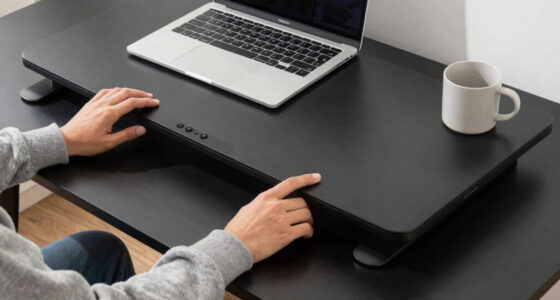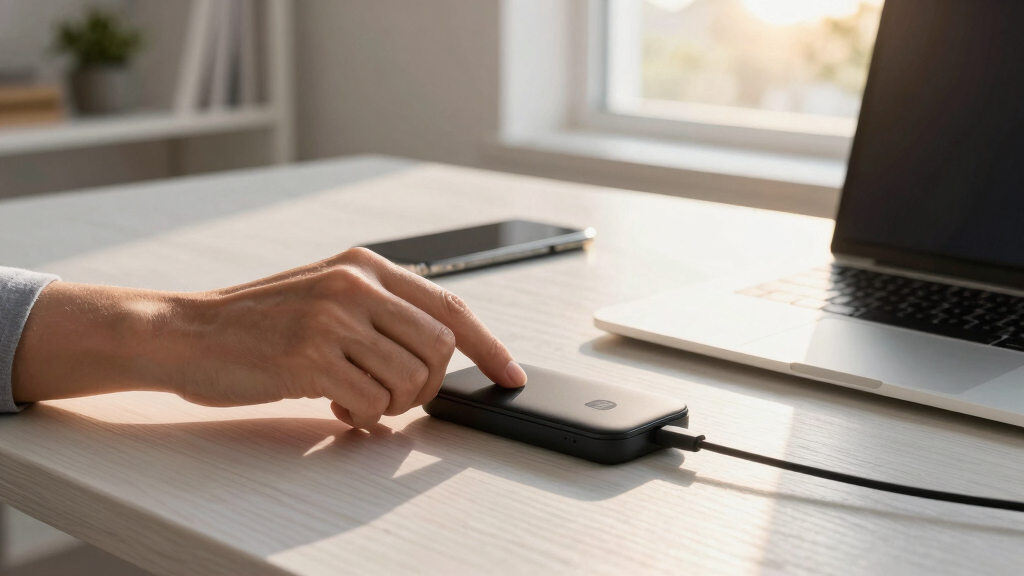

Finding the best charging station for your office desk can significantly streamline your workspace and keep all your devices ready at a moment’s notice. The Mifaso PD30W Desk Clamp Power Strip stands out as the overall top choice for its robust surge protection and fast charging capabilities, making it ideal for busy professionals. Meanwhile, the Anker Prime Charging Station offers a premium, high-power option for power users, and the Gitryin 12-in-1 Desktop Charging Station provides unmatched device versatility. However, tradeoffs between price, size, and feature set mean you need to consider what fits your specific needs. Continue reading for a detailed breakdown of the best options for your workspace.

Get comfort and recovery gear delivered free with Prime
- Fast, free delivery on millions of items
- Prime Video, Amazon Music and more included
- Member-only deals all year
Complete the kit



Key Takeaways
- The best charging stations balance power output with device versatility, especially for multi-device setups.
- Clamp-mounted options help save desk space but may be less flexible in placement compared to standalone towers.
- Higher wattage stations generally charge faster but come at a premium price and larger size.
- Build quality and safety certifications like ETL matter more than just the number of ports.
- Choosing a station with USB-C Power Delivery ensures compatibility with the latest devices and faster charging.




More Details on Our Top Picks
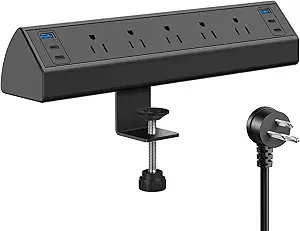
Mifaso PD30W Desk Clamp Power Strip, Surge Protector, Fast Charging Station
This clamp-on power strip stands out for its combination of convenience and safety, making it ideal for anyone seeking a tidy, flexible workspace. Compared to the Jgstkcity Desk Clamp Power Strip, it offers more outlets and USB ports, with the added benefit of surge protection. Its clamp design is easy to install without tools, but the limited thickness range and potential slipping require careful tightening. The 30W USB-C port supports fast charging for modern devices, while the wide outlet spacing accommodates bulky adapters. The total power limit of 1875W can restrict high-power appliances, but for typical office gear, it’s highly capable. This pick makes the most sense for users who value ease of installation and safety in a cluttered workspace, yet need to support multiple devices simultaneously.
Pros:- Easy to install with clamp-on design, no tools needed
- Wide-spaced outlets for bulky plugs
- Includes surge protection and high-speed USB-C charging
Cons:- Limited to desk edge thickness between 0.5 and 1.96 inches
- Maximum total power output of 1875W may limit high-power devices
Best for: Office workers and remote professionals needing flexible, safe power access at their desk
Not ideal for: Users with very thick desks or high-power equipment, due to clamp size limits and power constraints
- Number of Outlets:8
- Voltage:125 volts
- Total USB Ports:3
- Maximum Current:15 A
- Surge Protection Rating:1080 Joules
- Clamp Range:0.5 to 1.96 inches
Our verdict“This product is perfect for those who want a secure, easy-to-install power strip with multiple outlets and USB ports for a busy office desk.”
TenTrend Power Strip Tower, 230W Charging Station with Multiple Devices
The TenTrend Tower provides a comprehensive charging hub with 14 ports, making it ideal for users with many devices. It surpasses smaller or less-equipped options like the Anker Nano Charging Station by offering more USB and AC outlets in a compact form. Its 230W power capacity is sufficient for most office needs but falls short for high-power appliances, making it less suitable for heavy-duty equipment. The flat plug and 5-foot extension cord maximize flexibility in placement, and safety features protect against common electrical issues. While it lacks detailed surge protection specifications, its overall safety protections make it a reliable choice for busy workspaces. This product is best suited for environments where multiple devices need simultaneous charging without clutter.
Pros:- Provides 14 ports in a compact, space-efficient design
- Fast-charging USB-C ports for modern devices
- Flat plug and extension cord for flexible placement
Cons:- Limited to 230W total power, restricting high-energy devices
- No detailed surge protection info beyond basic safety
Best for: Teams or individuals with numerous gadgets seeking organized, multi-device charging
Not ideal for: Users needing high-wattage support for power tools or large appliances, due to 230W limit
- Total Power:230W
- AC Outlets:6
- USB Ports:8
- USB-C Ports:4 (2 65W max, 2 20W)
- Extension Cord Length:5 ft
- Dimensions:3.15 x 3.15 x 5.12 inches
Our verdict“This tower is ideal for multi-device setups where space-saving and comprehensive charging are priorities, but not for high-power equipment.”
Anker Nano Charging Station, 100W 7-in-1 Power Strip, Retractable Charger
The Anker Nano Station excels in delivering high power from a compact form, with three USB-C ports and three AC outlets. Its retractable USB-C cables add a neat, organized touch, making it a strong choice for users prioritizing a sleek desktop. Compared with the Gitryin 12-in-1 Desktop Charging Station, it offers fewer total ports but emphasizes high wattage per port, supporting laptops efficiently. Its LCD display provides real-time charging info, yet the power cord isn’t retractable, and the device lacks explicit surge protection details. The limited cable length (2.3 ft) confines placement options, but high power output makes it suitable for demanding devices. This is best for professionals who need a powerful, space-efficient charging station without extensive port variety.
Pros:- High 100W power per USB-C port
- Retractable cables for organized setup
- Compact size with LCD display for status updates
Cons:- Power cord is not retractable
- Limited to within 3 ft from power outlet
- Lacks detailed surge protection info
Best for: Power users who need fast, high-wattage charging for laptops and tablets in a small footprint
Not ideal for: Users requiring a large number of ports or comprehensive surge protections, due to limited ports and unspecified safety features
- Ports:3 USB-C, 1 USB-A, 3 AC outlets
- Max USB-C Power:100W per port
- Cable Length:2.3 ft
- Dimensions:4.76 × 2.86 × 2.09 in
- Weight:21.69 oz
Our verdict“This station is perfect for professionals demanding high power in a minimal, organized package, but not for large-scale multi-device charging.”
Gitryin 12-in-1 Desktop Charging Station with 160W USB GaN Charger
The Gitryin 12-in-1 offers a powerful, feature-rich solution with 4 AC outlets and 4 USB-C ports, including retractable 40W chargers for each. Its modular design and surge protection make it highly suitable for tech-heavy workspaces, surpassing more basic options like the Jgstkcity Surge Protector. The 160W total power supports multiple high-end devices simultaneously, but it isn’t suitable for low-power gadgets like flashlights or simple electronics. The space-efficient design and easy replacement of individual chargers add to its appeal, though it may be overkill for casual users. If your workspace demands a safe, versatile, and high-capacity charging station, this model provides the flexibility and safety features necessary for professional or high-performance setups.
Pros:- Space-saving, modular design
- Fast charging with 4 USB-C ports and surge protection
- Easy replacement of individual chargers
Cons:- Not suitable for low-power devices
- Limited to 160W total power, restricting very high-energy appliances
Best for: Tech enthusiasts or professionals with multiple high-end devices requiring reliable, modular charging
Not ideal for: Basic users with simple charging needs or low-power gadgets, due to its high-end feature set and price point
- Number of AC outlets:4
- Number of USB-C ports:4
- Total power:160W
- Input voltage:120V
- Cable length:33.5 inches
- Surge protection:Yes
Our verdict“This station is best for tech-savvy users or professionals seeking a safe, expandable charging solution for high-end electronics.”
Jgstkcity Desk Clamp Power Strip USB C, 40W Total Fast Charging Station, 4 PD 20W USB C Ports, Desk Edge Mount Surge Protector, 5 Outlets, Fits 1.96″ Tabletop Edge, ETL Listed
The Jgstkcity clamp power strip offers a straightforward solution for adding quick-access power to a desk edge. It’s perfect for users seeking a simple, secure mount with surge protection, but its 40W total USB-C capacity limits high-power device charging. Compared to the Mifaso PD30W, it’s more compact and easier to install on thinner desks, yet provides fewer outlets and less overall power. Its surge rating of 1200 Joules enhances safety, making it suitable for basic office accessories and small electronics. However, the limited power output and desk thickness support restrict its use for demanding devices or thicker surfaces. This model makes sense for users who want a quick, organized power solution without complex features or high wattage demands.
Pros:- Secure desk edge clamp keeps cables organized
- Multiple USB-C and USB-A ports for fast charging
- High surge protection rating adds safety
Cons:- Limited to desks up to 1.96 inches thick
- Total power output of 40W may be insufficient for high-demand devices
Best for: Office workers needing a secure, low-profile edge mount for moderate charging needs
Not ideal for: Power users or those with high energy devices, due to limited 40W capacity and outlet count
- Number of Outlets:5
- Voltage:125 volts
- Total USB Ports:4
- Maximum Current:12 A
- Surge Protection Rating:1200 Joules
- Max Desk Thickness:1.96 inches
Our verdict“This compact clamp station is well-suited for simple, organized power access on thinner desks, but not for high-power or extensive device setups.”
Anker Prime Charging Station, 250W 6-Port GaN USB-C Charger
The Anker Prime Charging Station stands out as the best overall choice for office desks that need robust, multi-device charging. Its 250W power output ensures rapid, simultaneous charging for several devices, outperforming smaller options like the Gitryin 12-in-1 Desktop Charging Station which offers less wattage and fewer real-time features. The LCD display allows me to monitor charging status, adding a layer of control missing from simpler hubs. Its smart control dial personalizes charging, making it ideal for users with diverse device needs. However, its size and weight make it less suited for those who frequently move their desk setup, and the Wi-Fi support is limited, which might hinder IoT integrations. This pick makes the most sense for professionals who want high capacity, real-time monitoring, and a sleek desktop presence—without sacrificing speed or control.
Pros:- High 250W power output for fast, simultaneous charging of multiple devices
- Real-time monitoring via a clear LCD display
- Smart control dial for personalized charging adjustments
- Multiple ports including four USB-C for versatility
Cons:- Designed primarily for desktop use, not portable
- Limited Wi-Fi support restricts IoT features
- Requires registration for IoT functionality, adding setup complexity
Best for: Office workers with multiple devices who value real-time monitoring and fast charging capabilities
Not ideal for: Travelers or those with minimal desk space who need a lightweight, portable solution
- Power Output:250W
- Ports:6 (4 USB-C, 2 USB-A)
- Input Voltage:240V
- Dimensions:4.18 × 1.58 × 3.64 inches
- Weight:22.58 oz
- Display:2.26-inch LCD
Our verdict“Ideal for office setups demanding high power, device management, and real-time insights, but less suited for frequent movers.”
Gitryin 12-in-1 Desktop Charging Station, 160W USB Retractable GaN Charger
The Gitryin 12-in-1 Desktop Charging Station makes a compelling case for those prioritizing space efficiency and simple, fast charging. With 160W total power, it’s capable of fast charging multiple devices—comparable to larger stations like the Anker Prime but with less overall wattage, which might slow down charging if many devices need high power simultaneously. Its retractable USB-C cables help reduce clutter, a feature absent in bulkier hubs like the Anker Prime. The surge protection and safety features are reassuring for busy workspaces with high-end electronics. However, its lower wattage makes it less suitable for high-demand devices, and some portable gadgets like flashlights or drones may not benefit from its fast-charging features. This station suits users who want a sleek, space-efficient solution that handles daily device needs without the need for extensive power or monitoring.
Pros:- Compact, space-saving design ideal for crowded desks
- Fast charging up to 50% in 20 minutes for compatible devices
- Retractable USB-C cables reduce clutter
- Built-in surge protection for safety
Cons:- Lower total wattage may slow charging for multiple high-power devices
- Not suitable for low-power gadgets like flashlights or small drones
- Dependent on device compatibility to maximize fast charging
Best for: Professionals with limited desk space who need a tidy, fast-charging hub for everyday devices
Not ideal for: Power users with multiple high-demand devices or those needing advanced device management
- Power Output:160W
- Number of Ports:4 USB-C
- Cable Length:33.5 inches
- Charger Power:40W each
- Surge Protection:1020J
- Warranty:2 years
Our verdict“A smart choice for space-conscious users seeking quick, reliable charging for daily electronics without extensive power demands.”
How We Picked
These products were evaluated based on performance, build quality, versatility, and usability. We prioritized stations that can handle multiple devices efficiently, with a focus on fast charging and safety features. Additional factors included size, ease of installation, and value for money. The ranking reflects a balance between high-end features and practical usability for an office environment, ensuring options for different budgets and device needs.Factors to Consider When Choosing Best Charging Station For Office Desk
Selecting the best charging station for your office desk involves more than just counting ports. Consider power output to ensure your devices charge quickly and safely, especially if you rely on fast-charging phones or tablets. Size and placement are also important—do you prefer a compact unit or one that clamps onto your desk to save space? Compatibility with your existing devices, especially USB-C and high-wattage options, can make a difference. Additionally, safety certifications and surge protection are critical for protecting your electronics, while ease of use and cable management features enhance daily convenience.Power Output and Charging Speed
Look for stations with sufficient wattage, especially if you need to charge laptops or tablets. Fast-charging USB-C ports with Power Delivery (PD) can significantly cut down charging times and support newer devices. Stations with multiple high-wattage ports are better suited for power users who want quick, reliable charging without sacrificing port availability for other devices.
Size, Design, and Placement Options
Consider your desk space and preferred setup. Clamp-mounted stations save surface area and reduce clutter, making them ideal for smaller desks. Standalone towers or larger stations offer more ports and power but may take up more space. Think about how the station integrates with your workspace aesthetic and whether it’s easy to access and use daily.
Device Compatibility and Port Types
Ensure the station supports your devices with the right ports, particularly USB-C with Power Delivery for modern smartphones and laptops. Having a mix of USB-A and USB-C ports adds flexibility. Compatibility with fast-charging standards can prevent slow charging and ensure your devices are ready when needed.
Safety and Build Quality
High-quality materials, surge protection, and safety certifications like ETL or UL are vital for protecting your electronics. A durable build prevents damage from daily use, and surge protection can safeguard against power fluctuations. Investing in a well-made station reduces the risk of failure and extends the lifespan of your devices.
Budget and Value
Prices vary widely, from budget-friendly options to premium models with advanced features. Consider what features are essential for your needs and avoid paying extra for bells and whistles you won’t use. Sometimes, a mid-range station offers the best balance of performance and price, especially if you need multiple ports and fast charging capabilities without overspending.
Frequently Asked Questions
Can I charge my laptop and phone at the same time with these stations?
Most modern charging stations with multiple high-wattage ports can handle charging both a laptop and phone simultaneously, especially if they support USB-C Power Delivery. Check the wattage of each port—laptops often require 45W or more, while phones typically need 18-20W. Stations with dedicated high-wattage USB-C ports are best suited for this purpose, ensuring each device charges efficiently without slowing down.
Are clamp-mounted charging stations stable enough for daily use?
Clamp-mounted stations are generally stable when properly installed and designed with quality materials. They help save desk space and keep cords organized. However, their stability depends on the clamp’s quality and how securely they are attached. If you frequently move or adjust your workspace, a standalone station might offer more flexibility and stability over time.
What safety features should I look for in a charging station?
Safety features like surge protection, over-current, over-voltage, and short-circuit prevention are essential for protecting your devices. Certifications such as UL or ETL indicate that a product meets safety standards. Avoid stations with flimsy construction or no safety certifications, as these pose risks of damage to your electronics and potential safety hazards.
Is it worth paying more for a premium charging station?
Investing in a premium station often means higher build quality, faster charging, and more safety features. If you rely heavily on multiple devices daily, a higher wattage and better durability can justify the extra cost. However, for light use or occasional charging, budget options that meet your basic needs may suffice, saving money without sacrificing essential features.
How do I ensure compatibility with my devices?
Check the port types and wattage ratings to match your devices’ charging requirements. USB-C with Power Delivery is standard for newer devices, but older phones and accessories may need USB-A ports. Verify that the station supports the latest fast-charging standards your devices use, preventing slow charging and compatibility issues.
Conclusion
For most office users, the Mifaso PD30W Desk Clamp Power Strip offers a balanced mix of power, safety, and space-saving design, making it the best overall choice. If budget is a concern, the TenTrend Power Strip Tower provides good multi-device support at a lower price. Power users who need rapid charging for multiple high-wattage devices should consider the Anker Prime Charging Station for its high capacity and build quality. Beginners or those with simple needs may find the Gitryin 12-in-1 Desktop Charging Station easier to set up and use. Ultimately, your choice depends on your device load, workspace constraints, and budget.
Fall Picks

eufy Security Essential Alarm System, 7-Piece, No Monthly Fee
As an affiliate, we earn on qualifying purchases.