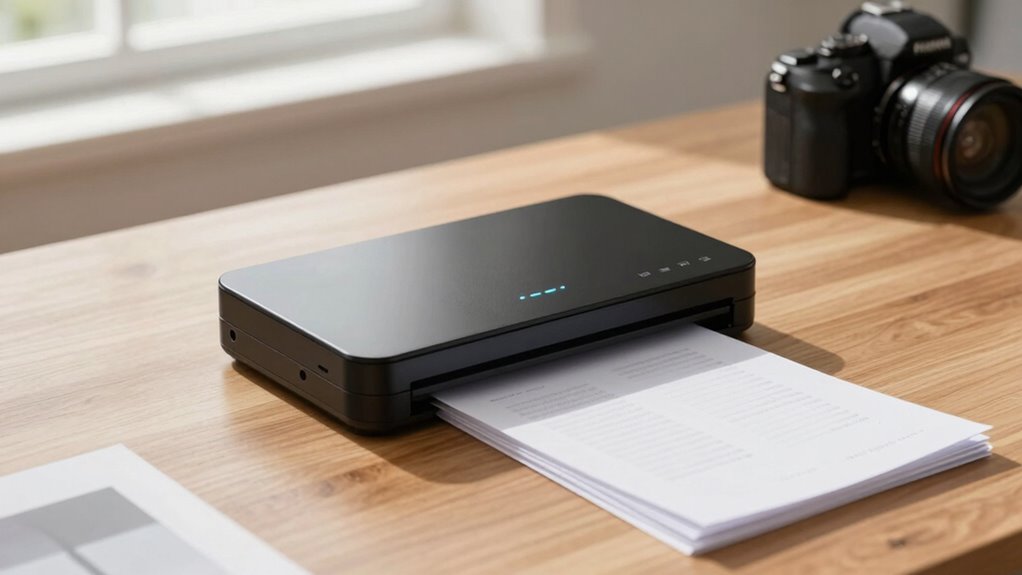
If you’re searching for a portable document scanner, you’re probably looking for a device that combines size, convenience, and solid scanning quality. The ScanSnap iX1300 stands out as the best overall due to its reliable wireless connectivity and fast speeds. For those on the go, the Canon imageFORMULA P-215II offers excellent portability with a compact design, while the Brother DS-640 provides a budget-friendly option that still delivers decent performance. The main tradeoffs in this category involve balancing size, scanning speed, and features—smaller devices may sacrifice speed or document handling, while more feature-rich models tend to be bulkier and pricier. Continue reading for a full breakdown of each option and what makes them suitable for different needs.

Get comfort and recovery gear delivered free — and shop member deals
- Fast, free delivery on millions of items
- Access to Prime Big Deal Days deals on October 6–7
- Prime Video, Amazon Music and more included
Complete the kit



Key Takeaways
- Top picks balance portability with scanning quality, with the ScanSnap iX1300 leading for overall performance.
- Compact size often correlates with slower speeds or limited document capacity, as seen in budget models like the Brother DS-640.
- Wireless connectivity is a common feature in the best models, enabling seamless mobile use and cloud integration.
- Price ranges vary significantly; premium models offer faster speeds and better build quality, while budget options are more affordable but less feature-rich.
- Battery life and power options are key considerations for mobility, especially for users without constant access to power outlets.
| ScanSnap iX1300 Wireless and USB Color Document Scanner |  | Best Overall for Versatile Home and Small Office Use | Connectivity: USB, Wi-Fi | Scan Speed: up to 30ppm duplex | Color: Color | VIEW ON AMAZON | See Our Full Breakdown |
| Canon imageFORMULA P-215II Mobile Document Scanner |  | Best for On-the-Go Document Conversion with Basic Needs | Dimensions: 1.6″ x 11″ x 3.7″ | Scan Speed: 15 ppm duplex | Weight: Not specified but very portable | VIEW ON AMAZON | See Our Full Breakdown |
| Plustek Mobile Scanner S410 Plus – Portable Sheet-Fed Document Scanner for Windows |  | Best for Windows Users Needing Automatic and OCR Scanning | Connectivity: USB | Scan Speed: up to 16 ppm | Weight: Less than 1 lb | VIEW ON AMAZON | See Our Full Breakdown |
| HP Small USB Document & Photo Scanner for Portable 1-Sided Sheetfed Digital Scanning, Model HPPS100 |  | Best for High-Resolution, Single-Sided Scanning on the Go | Resolution: 1200 dpi | Scan Speed: 15 ppm | Paper Size Range: 2″ x 2.9″ to 8.5″ x 14″ | VIEW ON AMAZON | See Our Full Breakdown |
| Brother DS-640 Compact Mobile Document Scanner |  | Best for Cross-Platform Compatibility and Speed | Scan Speed: 16 ppm | Weight: 1.5 lbs | Dimensions: Less than 11.8 inches long | VIEW ON AMAZON | See Our Full Breakdown |
| HP ScanJet Enterprise Flow 7000 s3 Sheet-Fed Document Scanner |  | Best for High-Volume Office Environments | Speed: 75 ppm / 150 ipm | Automatic Document Feeder: 80 sheets | Connectivity: USB 3.0 | VIEW ON AMAZON | See Our Full Breakdown |
| Canon imageFORMULA R10 Portable Document Scanner |  | Best for Mobile Professionals on the Go | Power Consumption: 2.5W or less | Suggested Daily Volume: 500 scans | Scan Speed: 12 pages per minute | VIEW ON AMAZON | See Our Full Breakdown |
| Canon CanoScan LiDE 300 Scanner |  | Best for Compact, Occasional Use | Scanner type: Document | Connectivity technology: USB | Auto Scan Mode: Yes | VIEW ON AMAZON | See Our Full Breakdown |
| MUNBYN Portable Scanner, 900 DPI Handheld Photo & Document Scanner with 16GB SD Card |  | Best for High-Resolution Portable Scanning of Photos and Flat Documents | Resolution: 900 DPI | Size: 9.5 inches | Weight: 0.66 lbs | VIEW ON AMAZON | See Our Full Breakdown |
| Epson WorkForce ES-50 Portable Single-Sheet-Fed Receipt and Document Scanner for PC and Mac |  | Best for Quick, On-the-Spot Receipt and Document Scanning | Scanning Speed: 5.5 seconds per page | Maximum Document Size: 8.5 x 72 inches | Connectivity: USB 2.0 | VIEW ON AMAZON | See Our Full Breakdown |
| Brother DS-740D Duplex Compact Mobile Document Scanner |  | Best for Duplex and Multi-OS Compatibility | Scan Speed: 16 ppm | Color Scanning: Yes | Duplex Scanning: Yes | VIEW ON AMAZON | See Our Full Breakdown |
| Brother DS-640 Compact Mobile Document Scanner |  | Best for Lightweight Portability and Versatile Document Types | Scan Speed: 16 ppm | Weight: 1.5 pounds | Length: 11.8 inches | VIEW ON AMAZON | See Our Full Breakdown |
| portable document scanner | Connectivity | Scan Speed |
|---|---|---|
| ScanSnap iX1300 Wireless and U | USB, Wi-Fi | up to 30ppm duplex |
| Canon imageFORMULA P-215II Mob | Not specified | 15 ppm duplex |
| Plustek Mobile Scanner S410 Pl | USB | up to 16 ppm |
| HP Small USB Document & Photo | USB 2.0 | 15 ppm |
| Brother DS-640 Compact Mobile | Micro USB 3.0 | 16 ppm |
| HP ScanJet Enterprise Flow 700 | USB 3.0 | — |
| Canon imageFORMULA R10 Portabl | — | 12 pages per minute |
| Canon CanoScan LiDE 300 Scanne | — | — |
| MUNBYN Portable Scanner | — | — |
| Epson WorkForce ES-50 Portable | USB 2.0 | — |
| Brother DS-740D Duplex Compact | Micro USB 3.0 | 16 ppm |
| Brother DS-640 Compact Mobile | Micro USB 3.0 | 16 ppm |
More Details on Our Top Picks
ScanSnap iX1300 Wireless and USB Color Document Scanner
The ScanSnap iX1300 stands out for its combination of compact design and high-speed duplex scanning, making it ideal for small spaces where efficiency matters. Compared to the Canon imageFORMULA P-215II, it offers faster scan speeds and wireless connectivity, which enhances flexibility. However, it relies on the ScanSnap Home software, which may require setup time and is limited to compatible devices, unlike the plug-and-play nature of the Canon. Its support for various document types, including thick items and cards, makes it more versatile. The tradeoff is that it sacrifices some simplicity for advanced features, which might not appeal to users seeking straightforward, no-fuss scanners.
Pros:- Compact, space-saving design fits small work areas
- Fast duplex scanning at up to 30ppm
- Wireless and USB connectivity for flexible use
- Supports various document types including cards
Cons:- Requires installation of ScanSnap Home software
- Limited compatibility with some devices and OS
Best for: Small business owners or home office users needing a reliable, space-efficient scanner with wireless options
Not ideal for: Users who prefer plug-and-play devices without software setup or those with older operating systems
- Connectivity:USB, Wi-Fi
- Scan Speed:up to 30ppm duplex
- Color:Color
- Supported Items:Documents, photos, cards, receipts
- Software:ScanSnap Home
- Dimensions:Not specified in detail
Our verdict“This scanner is perfect for users who want a high-speed, wireless-capable device in a small footprint, accepting some setup complexity.”
Canon imageFORMULA P-215II Mobile Document Scanner
The Canon imageFORMULA P-215II is a portable, straightforward scanner that excels in converting paper documents into digital formats quickly. Its compact size makes it easy to carry, and it supports multiple file types and cloud services, similar to the Brother DS-640, but with a slightly higher speed of 15 ppm. Unlike the Plustek S410 Plus, which offers automatic scanning and OCR, the P-215II requires manual operation and software setup, making it less seamless but more flexible for users comfortable with some configuration. Its limited 20-sheet feeder capacity makes it less suitable for high-volume tasks, but for occasional scanning needs on the move, it strikes a good balance.
Pros:- Highly portable and easy to carry
- Supports multiple document types and cloud services
- Supports duplex scanning at 15 ppm
Cons:- Limited to a 20-sheet feeder capacity
- Requires software setup for optimal operation
Best for: Mobile professionals or students needing a compact scanner for light, quick digitizing tasks
Not ideal for: Heavy users requiring high capacity or wireless connectivity for frequent scanning
- Dimensions:1.6″ x 11″ x 3.7″
- Scan Speed:15 ppm duplex
- Weight:Not specified but very portable
- Supported Items:Various documents and cards
- Connectivity:Not specified
- Software:Bundled for file management
Our verdict“Ideal for mobile users needing reliable, lightweight scanning, accepting some manual setup and limited volume capacity.”
Plustek Mobile Scanner S410 Plus – Portable Sheet-Fed Document Scanner for Windows
The Plustek Mobile Scanner S410 Plus offers automatic, button-free scanning with built-in OCR, making it a standout for Windows users who prioritize ease of use and searchable digital files. Its lightweight (<1 lb) and compact form make it highly portable, ideal for legal or business professionals who frequently scan legal or letter-sized documents on the go. Compared to the Brother DS-640, which requires software setup and offers slightly slower speeds, the S410 Plus simplifies operation with automatic features. Its main limitation is that it’s only compatible with Windows, and it may not handle larger or thicker documents as well as larger desktop scanners.
Pros:- Lightweight and highly portable
- Automatic, button-free scanning simplifies operation
- Built-in OCR for searchable, editable files
- Supports multiple document types including IDs and receipts
Cons:- Limited to Windows operating systems
- No wireless connectivity
Best for: Business professionals or legal practitioners using Windows who need quick, automated OCR scanning on the move
Not ideal for: Mac or Linux users or those needing to scan larger or thicker documents frequently
- Connectivity:USB
- Scan Speed:up to 16 ppm
- Weight:Less than 1 lb
- Compatibility:Windows 7/8/10/11
- Features:Automatic scanning, OCR software
- Document Support:Letter, Legal, IDs
Our verdict“A perfect choice for Windows users seeking automatic OCR scanning in a highly portable package, with some OS limitations.”
HP Small USB Document & Photo Scanner for Portable 1-Sided Sheetfed Digital Scanning, Model HPPS100
The HPPS100 excels in delivering high-resolution scans up to 1200 dpi, making it ideal for digitizing photos and detailed documents. Its simple, portable design supports a broad range of paper sizes, similar to the Brother DS-640, but with a focus on quick, high-quality single-sided scanning. Unlike the ScanSnap iX1300, which offers duplex scanning and wireless connectivity, the HPPS100 is limited to USB and single-sided scans, which might reduce efficiency for bulk tasks. This model suits users who value high-resolution image capture but don’t need double-sided or wireless features.
Pros:- High-resolution 1200 dpi scans for detailed images
- Supports various paper sizes and formats
- Fast scanning at 15 ppm
Cons:- Single-sided scanning only
- No wireless connectivity
Best for: Photographers or professionals needing high-res scans of documents and photos in a portable format
Not ideal for: Users with high-volume needs or those requiring duplex scanning and wireless options
- Resolution:1200 dpi
- Scan Speed:15 ppm
- Paper Size Range:2″ x 2.9″ to 8.5″ x 14″
- Connectivity:USB 2.0
- Supported Devices:Windows & Mac
- Document Type:Photos, documents
Our verdict“Great for users prioritizing high-quality, detailed scans of photos or documents, accepting the lack of duplex and wireless features.”
Brother DS-640 Compact Mobile Document Scanner
The Brother DS-640 offers a sleek, ultra-portable design that supports a wide range of platforms, including Windows, Mac, and Linux, making it highly versatile. Its 16 ppm speed is comparable to the Plustek S410 Plus, but it requires a software download for full functionality, which could slow down quick on-the-go tasks. With its support for documents up to 72 inches and various paper weights, it caters well to mobile professionals who need quick, reliable scans across different environments. Its main tradeoff is that some features, like image rotation, may only be accessible on a PC, limiting flexibility for some users.
Pros:- Compact, lightweight, easy to carry
- Supports multiple platforms including Linux
- Fast scanning speed of 16 ppm
- Supports long document lengths up to 72 inches
Cons:- Requires software download for full features
- Limited to 300 dpi at lower resolutions
Best for: Mobile professionals or small business owners needing cross-platform compatibility and quick scans
Not ideal for: Users seeking wireless operation or higher-volume scanning
- Scan Speed:16 ppm
- Weight:1.5 lbs
- Dimensions:Less than 11.8 inches long
- Document Length Support:Up to 72 inches
- Supported OS:Windows, Mac, Linux
- Connectivity:Micro USB 3.0
Our verdict“An excellent choice for users needing fast, cross-platform mobile scanning with support for long documents, tolerating some setup steps.”
HP ScanJet Enterprise Flow 7000 s3 Sheet-Fed Document Scanner
This scanner stands out for its exceptional speed, capturing up to 75 pages per minute, making it ideal for busy offices that need rapid, high-capacity scanning. Compared to the Canon imageFORMULA R10, which is portable and suited for mobile use, the HP model sacrifices portability for throughput and automation. Its large 80-sheet automatic document feeder and built-in OCR streamline workflow for large batches, but being a renewed product could mean limited warranty and less reliability over time. Its high-speed USB 3.0 connection ensures quick data transfer, perfect for enterprise settings. However, its complexity and bulk make it less suitable for casual or infrequent users who may prefer simpler, more portable options.
Pros:- High-speed scanning up to 75 pages per minute
- Large 80-sheet automatic document feeder
- Advanced OCR for searchable files
- Fast USB 3.0 connectivity
Cons:- Renewed product may have limited warranty
- Designed primarily for business, not casual use
Best for: Large businesses or busy offices needing fast, reliable bulk scanning with searchable digital files.
Not ideal for: Small teams or individuals who prioritize portability or casual use, as it’s bulky and complex.
- Speed:75 ppm / 150 ipm
- Automatic Document Feeder:80 sheets
- Connectivity:USB 3.0
- Media Support:Receipts, ID cards, invoices, legal documents, contracts
Our verdict“This scanner makes the most sense for organizations with high-volume scanning needs and technical staff to operate it.”
Canon imageFORMULA R10 Portable Document Scanner
The Canon imageFORMULA R10 is designed for mobility, weighing just enough to carry easily and fitting into a bag alongside a laptop. It excels over larger, stationary scanners like the HP ScanJet Enterprise Flow 7000 s3 by prioritizing portability and quick setup. Its duplex scanning and 20-sheet automatic feeder allow for efficient digitization of receipts, reports, and legal documents while on the move. Compatible with both Windows and Mac, it’s ideal for freelancers or remote workers who need reliable, high-quality scans without the bulk. However, its limited capacity makes it unsuitable for high-volume tasks, and it isn’t designed to handle photographs or large, flat prints.
Pros:- Lightweight and portable design
- High-quality duplex scanning
- Broad media compatibility
- No installation needed, just plug and play
Cons:- Limited to 20-sheet automatic feeder
- Not suitable for scanning photographs or large volumes
Best for: Traveling professionals or remote workers needing quick, high-quality scans in the field.
Not ideal for: Large offices or high-volume environments where a faster, higher-capacity scanner is necessary.
- Power Consumption:2.5W or less
- Suggested Daily Volume:500 scans
- Scan Speed:12 pages per minute
- Automatic Document Feeder:20 sheets
- Compatibility:Windows and Mac
Our verdict“This pick makes the most sense for mobile users who need dependable, high-quality scans without bulk.”
Canon CanoScan LiDE 300 Scanner
The Canon CanoScan LiDE 300 is a compact, USB-powered scanner that suits users who need occasional digitization of documents and images. Unlike the HP ScanJet Enterprise Flow 7000 s3, which is built for high-volume enterprise use, the LiDE 300 offers simplicity and portability for light tasks. Its Auto Scan Mode automatically detects the document type, simplifying operation for casual users. While it’s perfect for scanning a few pages here and there, its slower speeds and limited media handling make it less practical for larger jobs. It also lacks wireless connectivity, which could be a drawback for those wanting more flexibility.
Pros:- Very compact and lightweight
- Auto Scan Mode for ease of use
- Easy to connect via USB
Cons:- Limited to document and image scanning
- No wireless connectivity
- Slower for large batch jobs
Best for: Home users or small offices needing a compact scanner for occasional document digitization.
Not ideal for: High-volume or professional environments that require fast, batch scanning capabilities.
- Scanner type:Document
- Connectivity technology:USB
- Auto Scan Mode:Yes
Our verdict“This scanner is best suited for light, infrequent use where space-saving design is a priority.”
MUNBYN Portable Scanner, 900 DPI Handheld Photo & Document Scanner with 16GB SD Card
The MUNBYN handheld scanner stands out for its high resolution of 900 DPI, making it a strong choice for digitizing photos, book pages, and flat documents in the field. Unlike larger, more traditional scanners such as the Canon imageFORMULA R10, which is optimized for quick batch scans, this device offers manual operation for detailed, high-quality images. Its portability is unmatched—small enough to fit in a bag, and it operates on batteries, unlike the HP ScanJet that needs a dedicated desk setup. However, manual operation and the need for AA batteries limit its efficiency for high-volume tasks, and it cannot scan curved surfaces or thick pages effectively.
Pros:- High-resolution 900 DPI scans
- Very portable and lightweight
- No driver needed, USB connection straightforward
- Includes 16GB SD card for immediate use
Cons:- Requires AA batteries (not included)
- Manual operation less efficient for large volumes
- Limited to flat surfaces, cannot handle curved pages
Best for: Photographers or researchers needing portable, high-resolution scans of flat, single pages on the go.
Not ideal for: Users requiring fast, bulk scanning or scanning of curved or textured surfaces.
- Resolution:900 DPI
- Size:9.5 inches
- Weight:0.66 lbs
- Power Source:AA batteries
- Storage:16GB SD card
Our verdict“This device is ideal for high-res, portable scanning where detail matters over speed or volume.”
Epson WorkForce ES-50 Portable Single-Sheet-Fed Receipt and Document Scanner for PC and Mac
The Epson WorkForce ES-50 is designed for swift, single-sheet scans, making it perfect for professionals who need to digitize receipts and IDs quickly. It outperforms bulk-focused options like the HP ScanJet Enterprise Flow 7000 s3 by prioritizing speed and portability, with a scan speed of just 5.5 seconds per page. Its small size and USB-powered operation make it ideal for mobile workers or busy professionals on the go. The included OCR software helps convert scans into searchable PDFs or editable files, but its single-sheet limit constrains its usefulness for larger projects. It also lacks wireless connectivity, which could be a drawback for some users.
Pros:- Very lightweight and portable
- Fast scanning speed of 5.5 seconds per page
- Includes OCR software for searchable files
- USB powered, no external power needed
Cons:- Limited to single-sheet scanning
- No wireless connectivity
- Less suitable for high-volume tasks
Best for: Freelancers or salespeople who need to scan receipts, IDs, or small documents quickly on the move.
Not ideal for: Teams requiring batch scanning or multi-page document handling, as it only scans one sheet at a time.
- Scanning Speed:5.5 seconds per page
- Maximum Document Size:8.5 x 72 inches
- Connectivity:USB 2.0
- Power:USB powered
- Software:Epson ScanSmart, Nuance OCR
Our verdict“This scanner is perfect for quick, on-the-spot digitization of individual documents in mobile or busy environments.”
Brother DS-740D Duplex Compact Mobile Document Scanner
The Brother DS-740D stands out for its ability to duplex scan at 16 pages per minute, making it a reliable choice for users who need both speed and double-sided processing in a portable form. Compared with the Brother DS-640, which is slightly smaller and lighter, the DS-740D offers duplex capabilities that are ideal for those handling more complex tasks without sacrificing portability. However, its reliance on USB power limits where and how it can be used—unlike battery-powered options, it requires a computer nearby, which can be a drawback for truly mobile workflows. Its support for multiple OS platforms and cloud services makes it versatile, but the 16 ppm speed may be sluggish for high-volume users. This pick is well-suited for business travelers or remote workers who need reliable duplex scanning on the go but don’t mind tethering to a computer.
Pros:- Supports duplex scanning for efficient two-sided document processing
- Compact and lightweight, easily fitting into bags or pockets
- Compatible with Windows, Mac, and Linux, plus cloud integration
Cons:- Requires USB power, limiting use without a computer
- Scan speed of 16 ppm may be slow for high-volume demands
Best for: Business travelers or remote workers needing duplex scanning and multi-OS compatibility
Not ideal for: Field workers or on-the-go professionals who require battery-powered operation without a computer
- Scan Speed:16 ppm
- Color Scanning:Yes
- Duplex Scanning:Yes
- Connectivity:Micro USB 3.0
- Compatibility:Windows, Mac, Linux
- Dimensions:Less than 1 foot in length
Our verdict“This scanner is perfect for mobile professionals who value duplex capabilities and multi-OS support, but it’s less suited for high-volume or battery-dependent use.”
Brother DS-640 Compact Mobile Document Scanner
The Brother DS-640 makes a compelling case for professionals needing a lightweight, portable scanner capable of handling various document types, including business cards and IDs. Its 16 ppm speed matches the DS-740D, but with a focus on extreme portability—at just 1.5 pounds and 11.8 inches long, it easily slips into a briefcase or bag. Unlike the DS-740D, it does not support duplex scanning, which could slow down workflows involving double-sided documents. It supports all major OS platforms and offers software for image enhancement and OCR, but full functionality depends on downloading additional software, which might be inconvenient for some users. Its support for longer documents up to 72 inches enhances its versatility for specific tasks, though at 300 dpi, it’s best for standard scans rather than high-resolution needs. This device appeals most to mobile professionals who need quick, versatile scans without the bulk or duplex support.
Pros:- Extremely portable and lightweight for on-the-go use
- Supports a wide range of document types, including IDs and business cards
- Includes OCR and image optimization software
Cons:- No duplex scanning, potentially slowing workflows with double-sided documents
- Requires software download for full features, which may be inconvenient
Best for: Mobile professionals needing a lightweight, versatile scanner for various document types
Not ideal for: High-volume users or those who require duplex scanning and higher resolution at once
- Scan Speed:16 ppm
- Weight:1.5 pounds
- Length:11.8 inches
- Document Length Support:up to 72 inches
- Supported OS:Windows, Mac, Linux
- Connectivity:Micro USB 3.0
- Power:USB powered
Our verdict“Ideal for mobile professionals who need a compact, versatile scanner for different document types, but not suited for high-volume or duplex scanning needs.”

How We Picked
I evaluated each portable document scanner based on key factors that matter most for mobile and versatile use. Performance criteria included scan speed, image quality, and document capacity, ensuring the devices could handle typical on-the-go tasks efficiently. Usability factors like wireless connectivity, size, weight, and ease of setup were prioritized because portability relies on convenience. Build quality and durability were also considered, especially for users who need rugged devices. Lastly, value was assessed by comparing features relative to price, helping identify which models offer the best balance for different budgets and needs. The ranking reflects a combination of these criteria, emphasizing real-world usability and versatility.| portable document scanner | Connectivity |
|---|---|
| ScanSnap iX1300 Wireless and U | USB, Wi-Fi |
| Canon imageFORMULA P-215II Mob | Not specified |
| Plustek Mobile Scanner S410 Pl | USB |
| HP Small USB Document & Photo | USB 2.0 |
| Brother DS-640 Compact Mobile | Micro USB 3.0 |
| HP ScanJet Enterprise Flow 700 | USB 3.0 |
| Canon imageFORMULA R10 Portabl | — |
| Canon CanoScan LiDE 300 Scanne | — |
| MUNBYN Portable Scanner | — |
| Epson WorkForce ES-50 Portable | USB 2.0 |
| Brother DS-740D Duplex Compact | Micro USB 3.0 |
| Brother DS-640 Compact Mobile | Micro USB 3.0 |
Factors to Consider When Choosing Portable Document Scanner
Choosing the right portable document scanner involves weighing several practical factors. While size and weight are obvious considerations, other aspects like scan speed, connectivity options, and document handling can significantly impact your experience. Understanding these factors helps ensure you select a device that not only fits your budget but also meets your specific scanning demands, whether for occasional use or daily mobile workflow.Size and Portability
Size and weight are the most obvious considerations for a portable scanner. A smaller, lighter device is easier to carry and store, making it ideal for frequent travelers or those with limited space. However, ultra-compact models may sacrifice speed or capacity, so it’s worth considering how much you need to scan regularly. Larger devices tend to have better features or faster speeds but can be less convenient to carry around, so find a balance that matches your mobility needs.
Scanning Speed and Capacity
Speed matters if you have large volumes of documents to scan on the go. Many portable scanners handle 10-20 pages per minute, which is sufficient for most mobile users, but some premium models can go faster. Document capacity, such as the ability to handle multi-page documents or batch scanning, is also crucial—if you tend to scan many pages at once, select a model with a higher capacity or duplex capability. Keep in mind that faster speeds may come with increased price and size.
Connectivity and Power
Wireless connectivity (Wi-Fi, Bluetooth) is a key feature for portable scanners, allowing direct connection to smartphones, tablets, or cloud services without cables. This convenience is especially valuable for on-the-fly scanning and sharing. Battery life varies, so consider models with long-lasting batteries or options for USB power if you’ll be away from outlets. Some devices also support direct USB connection, providing flexibility based on your environment.
Image Quality and Features
High-resolution scanning (generally 300 dpi or more) ensures clear, readable digital copies, especially for documents with fine print or detailed images. Additional features like OCR (Optical Character Recognition), color scanning, and multi-page handling add to the device’s usefulness. However, these features can increase cost and complexity—determine if you need advanced options or if basic scanning suffices for your purposes.
Price and Value
Portable scanners range from budget-friendly options to premium models with advanced features. While cheaper devices are appealing, they often compromise on speed, capacity, or durability. Investing more can yield faster, more reliable performance, especially if you rely on your scanner regularly. Consider your specific needs and how much value features like wireless, OCR, and high speed bring to your workflow to make an informed decision.
Frequently Asked Questions
Will a portable scanner work with my smartphone?
Most modern portable scanners offer wireless connectivity options like Wi-Fi or Bluetooth that allow seamless pairing with smartphones and tablets. Many come with dedicated apps that facilitate direct scanning, editing, and sharing. Before purchasing, verify compatibility with your device’s operating system and check if the app supports the features you need, such as OCR or multi-page scanning. This setup makes mobile workflows much more efficient, especially for quick document digitization on the go.
Are portable scanners suitable for high-volume scanning?
While portable scanners excel in mobility and quick, on-the-spot scans, they typically aren’t designed for large-volume, high-speed scanning like desktop models. Most handle a handful of pages at a time, making them ideal for occasional or moderate use. If your workflow involves scanning hundreds of pages regularly, investing in a larger, more robust scanner might be necessary. However, for most mobile needs, a portable device with decent speed will suffice.
How durable are portable scanners for frequent travel?
Durability varies across models; rugged designs with sturdy casing tend to withstand frequent travel better. Look for features like shock absorption, water resistance, or reinforced build if you anticipate rough handling or harsh environments. It’s also wise to consider warranty and customer reviews regarding build quality. While no portable scanner is completely indestructible, choosing a well-built model can extend its lifespan and reliability on the move.
Can I scan both sides of a document with a portable scanner?
Duplex or double-sided scanning is a feature found on some higher-end portable scanners, allowing you to scan both sides in a single pass. This capability saves time, especially when processing multiple double-sided documents. However, many budget models or smaller devices only handle single-sided scans, requiring manual flipping of pages. If duplex scanning is important for your workflow, verify this feature before purchasing and be prepared for potential size or cost tradeoffs.
Is it better to choose a wired or wireless portable scanner?
Wireless scanners offer greater flexibility, allowing connections to multiple devices without cables, which is ideal for mobile use. They enable direct sharing to cloud services and easier setup in various environments. Wired models, however, can be more reliable in terms of consistent connection and may offer faster data transfer, though at the cost of portability. If mobility and convenience are your priorities, a wireless model generally makes a better fit; for stationary or limited mobility scenarios, wired might suffice.
Conclusion
For those who prioritize overall performance and seamless connectivity, the ScanSnap iX1300 remains the best overall choice. Budget-conscious users or those needing basic, portable scanning may find the Brother DS-640 most suitable. If you’re new to portable scanning or want an easy-to-use option, the Canon CanoScan LiDE 300 offers simplicity at an affordable price. For frequent travelers or professionals with high-volume needs, investing in a premium model like the HP ScanJet Enterprise Flow 7000 s3 could pay off. Ultimately, your choice depends on your specific mobility, speed, and feature requirements.Fall Picks
fall essentials
As an affiliate, we earn on qualifying purchases.